
Quick verdict
- What it is
- Store information collected; an Apoku editorial summary is not yet published.
- At a glance
-
- Free to download
Categories and search queries
Official categories
- Business
- Utilities
Apoku categories
Key functions
| Function | Availability | Access | Scope | Evidence |
|---|---|---|---|---|
| Free app | Yes | Free | Context-specific | Store published |
Screens
App Store
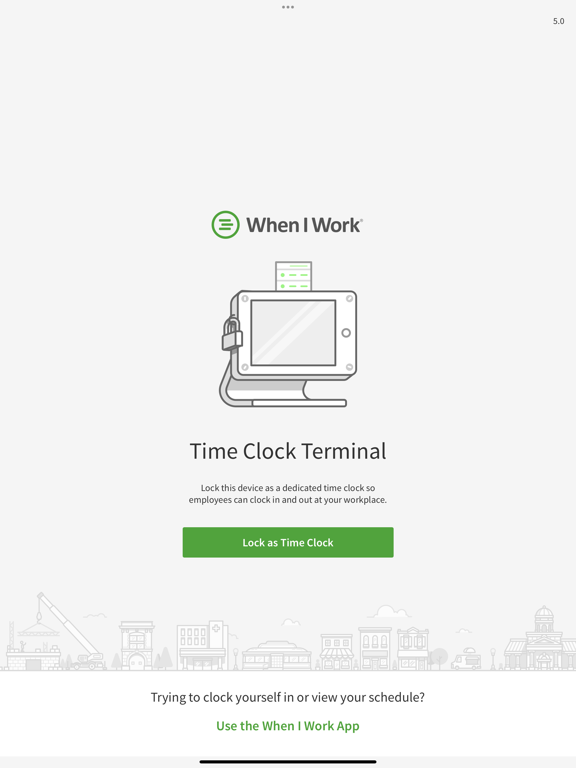
9 store screenshots



Pricing & paywalls
App Store
- Free to download
Ratings & reviews
App Store
-
3/5Simple App for the task
The app does exactly what it supposed to do. However, there could be some enhancements implemented to make the application even better - like the web clock version. Firstly, A default keyboard option under. As most employee ID numbers are primarily numerical, the user has to switch the keyboard layout each time. Where as a Standard numerical keypad would be easiest. If this was a choice under app settings it would be great. Second, there is no ability to denote break or lunch punches. Just in and out. It would be far more beneficial to have these options for tracking purposes as not all shift employees take the same amount of time for breaks and can lead to wage stealing. Third, add ability to authenticate employee that is punching and to eliminate buddy punching. Adding a PIN or requiring their WIW password would solve the trick. Other nice touches for enhancement: • Display seconds with time. • Display company name and logo in app. • Add ability to customize colors.
JayAdams79 · 7 Aug 2026
-
2/5Not sure if this is compatible
I downloaded this app because the when I work app requires IOS 13.0 and isn’t compatible with my iPhone. This app is asking me to lock my device but it doesn’t give information if I can unlock it after I clock in. Hopefully the developer can give feedback on this or make the when I work app compatible with all iPhones. This is very inconvenient because I have to use this app for work.
Options629 · 7 Aug 2026
-
5/5Works Great!
We’ve been using When I Work for awhile and are very happy with the service. Also happy to see an updated time clock app. Minor complaint, I think most people use numeric employee IDs, but when you tap in user ID area on this new app the keyboard starts in ABC mode instead of numbers. Again very minor, just another key to tap. But of course my employees have complained. 😄
DoubleDoose · 7 Aug 2026
-
2/5Needs Enhancements
- Individualize w/Company Logo - Include Announcements upon clock-in - Notes w/shift detail - Include detail for rest breaks and/or meal breaks
Anne1er · 7 Aug 2026
-
1/5Lots of bugs
This app cause lots of issues when my employees are trying to clock in or out.
jakecool · 7 Aug 2026
Privacy & accessibility
App Store
Privacy
- Data Linked to You — Analytics — Contact Info — Email Address Developer declared
- Data Linked to You — Analytics — Contact Info — Name Developer declared
- Data Linked to You — Analytics — Diagnostics — Crash Data Developer declared
- Data Linked to You — Analytics — Diagnostics — Other Diagnostic Data Developer declared
- Data Linked to You — Analytics — Identifiers — User ID Developer declared
- Data Linked to You — App Functionality — Contact Info — Email Address Developer declared
- Data Linked to You — App Functionality — Contact Info — Name Developer declared
- Data Linked to You — App Functionality — Diagnostics — Crash Data Developer declared
- Data Linked to You — App Functionality — Identifiers — Device ID Developer declared
- Data Linked to You — App Functionality — Identifiers — User ID Developer declared
- Data Linked to You — Developer’s Advertising or Marketing — Contact Info — Email Address Developer declared
- Data Linked to You — Developer’s Advertising or Marketing — Contact Info — Name Developer declared
- Data Linked to You — Contact Info Developer declared
- Data Linked to You — Diagnostics Developer declared
- Data Linked to You — Identifiers Developer declared
- Data Not Linked to You — Analytics — Usage Data — Product Interaction Developer declared
- Data Not Linked to You — App Functionality — Usage Data — Product Interaction Developer declared
- Data Not Linked to You — Usage Data Developer declared
Accessibility
No accessibility labels collected yet.
Versions
App Store
-
2.1
Bug fixes and performance improvements
-
2.2
Enhancements and bug fixes.
-
2.2.1
Enhancements and bug fixes.
-
2.3
Backend enhancements and bug fixes.
-
2.4
- Support for the Paid Break Reporting Beta (requires opt-in) - Bug fixes
-
2.4.1
- Bug fixes
-
2.5
Bug Fixes
-
2.6
Bug fixes and backend enhancements to keep things running smoothly.
-
2.6.1
Bug fixes and backend enhancements to keep things running smoothly.
-
3.0
You can now require a picture of the employee when they clock in and out of their shift (beta).
-
3.0.1
Bug fixes and improvements.
-
3.0.2
Bug fixes and improvements.
-
4.0
We've redesigned the app to give you and your employees a better experience tracking hours.
-
4.0.1
We've redesigned the app to give you and your employees a better experience tracking hours.
-
4.1
Fixed issues around photo clock in.
-
4.2
* Job sites will no longer be incorrectly tagged when clocking in. * Employees with multiple shifts will be able to clock in.
-
5.0
* Design updates to make clock in/out easier on the phone. * Bug fixes to address clock in errors. * Continued improvements under the hood so it 's quick and easy for your employees to clock in and out. * To keep up with the latest and greatest this is the last version we will be supporting iOS 11.
-
5.1
Bug fixes and improvements.
-
5.2
Bug fixes and improvements.
-
6.0
We're excited to share that this release includes support for Tips Tracking! Plus, updates to the app with backend improvements and bug fixes to enhance your experience.
-
7.0
Bug fixes and improvements.
-
7.0.1
Our latest release provides backend updates and fixes for bugs reported by our users. We will be ending support for iOS 12 & 13 in our next release.
-
7.1
We're always tweaking and improving our app to make sure you get the best experience possible. We appreciate your continued support and feedback! If you encounter any issues or have suggestions for future updates, please contact our support team at [email protected].
-
7.2
We're always tweaking and improving our app to make sure you get the best experience possible. We appreciate your continued support and feedback! If you encounter any issues or have suggestions for future updates, please contact our support team at [email protected].
-
7.2.1
· 23 Oct 2025
We're always tweaking and improving our app to make sure you get the best experience possible. We appreciate your continued support and feedback! If you encounter any issues or have suggestions for future updates, please contact our support team at [email protected].
Alternatives
- Workforce.com - Time Clock — Same category + similar ratings
- Time Tracker & Hours Tracker — Same category + similar ratings
Availability by market
- US
Data quality & evidence
- Page completeness
- Live store listing
- Last verified
- 7 Aug 2026
- Sources
- App Store
- Apoku editorial summary has not been published yet.