
Quick verdict
- What it is
- Store information collected; an Apoku editorial summary is not yet published.
- At a glance
-
- Free to download
Categories and search queries
Official categories
- Medical
- Productivity
Apoku categories
Key functions
| Function | Availability | Access | Scope | Evidence |
|---|---|---|---|---|
| Free app | Yes | Free | Context-specific | Store published |
Screens
App Store
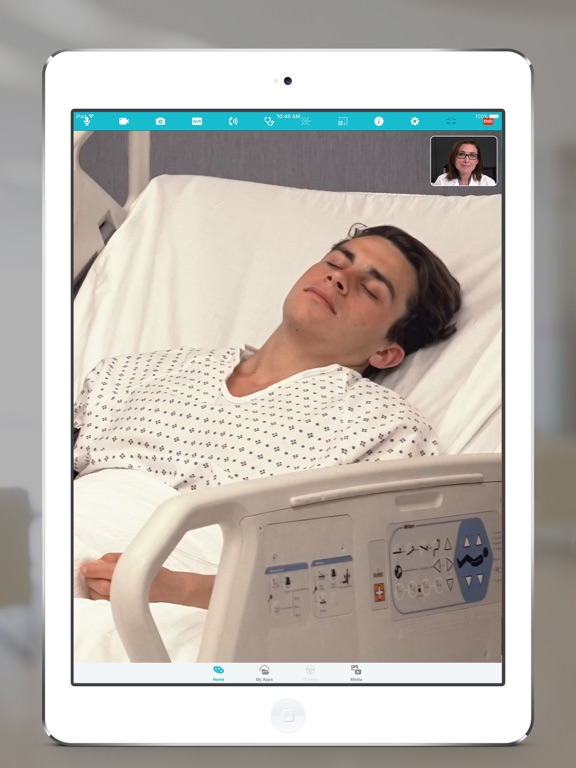
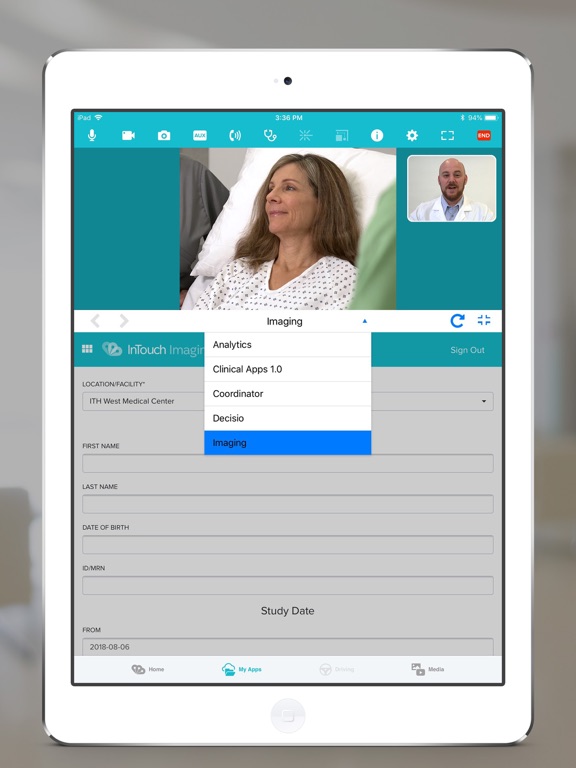
14 store screenshots


Pricing & paywalls
App Store
- Free to download
Ratings & reviews
App Store
-
3/5Flaws
1. Only for teladoc equipment 2. Physical exam/auscultation is a joke 3. Needs to be device agonist. Why only iPad or apple?
ak47774 · 7 Aug 2026
-
3/5Needs Bluetooth
Has made major improvements. However lack of Bluetooth connectivity for two way sound is a major flaw
fr2034 · 7 Aug 2026
Privacy & accessibility
App Store
Privacy
- Data Linked to You — Analytics — Diagnostics — Crash Data Developer declared
- Data Linked to You — Analytics — Diagnostics — Other Diagnostic Data Developer declared
- Data Linked to You — Analytics — Diagnostics — Performance Data Developer declared
- Data Linked to You — Analytics — Identifiers — User ID Developer declared
- Data Linked to You — Analytics — Usage Data — Other Usage Data Developer declared
- Data Linked to You — App Functionality — Diagnostics — Crash Data Developer declared
- Data Linked to You — App Functionality — Diagnostics — Other Diagnostic Data Developer declared
- Data Linked to You — App Functionality — Diagnostics — Performance Data Developer declared
- Data Linked to You — App Functionality — Identifiers — User ID Developer declared
- Data Linked to You — App Functionality — Usage Data — Other Usage Data Developer declared
- Data Linked to You — Product Personalization — Identifiers — User ID Developer declared
- Data Linked to You — Diagnostics Developer declared
- Data Linked to You — Identifiers Developer declared
- Data Linked to You — Usage Data Developer declared
Accessibility
No accessibility labels collected yet.
Versions
App Store
-
42.0.1
Fixed an audio issue where Provider was not able to hear the patient.
-
42.1
FaceID/TouchID: Support FaceID/TouchID with new login (IdP login) page. FaceID/TouchID can now be used for Enterprise login too. Privacy Mode: When a provider connects to a Connected Device that has Privacy Mode enabled, the provider will not be able to send or receive video to or from the device. This helps to ensure patient privacy. Instead, the Provider will see a message that reads: Patient Privacy Mode: Verbally confirm the patient is ready to begin before starting the video. The patient will not receive your video while in privacy mode. When the patient is ready, the provider can click Start Patient Video to begin their interaction. The patient audio will be streaming while this privacy message is displayed. Only the patient video will be muted.
-
43.0
== Customer Testing Environment == As a clinical or admin lead user on the iOS PAS, user will be able to switch between the “production environment” and the “Customer Testing Environment” so that they can test new features and workflows with their program’s devices running on the same environment. • User can change to “Customer Testing Environment” by going to app setting and enabling the toggle. Note: User will have to force close the app running in the background after changing the environment setting. • User will have a clear indication in the notification bar when the app is opened in “Customer Testing Environment”. == Upgraded Video Libraries == • Upgraded audio /video framework to improve quality and stability.
-
43.1
Onboarding screens: During a fresh install, user will now be presented with a set of screens requesting permissions required by the app during a consultation. These permissions include: 1. Camera and microphone 2. Notification 3. Local Network Access 4. Biometrics Note: Users will not be able to proceed in the app if they deny access to any mandatory permissions. Support Blur background feature available on iOS 15 Bug fixes
-
43.1.1
Fixed an issue related to Two Factor Authentication
-
43.1.2
Fix issue with forgot password link on the login page.
-
44.0
Apple Default Interface: Users are now presented with an Apple default interface when they receive a phone call while in a session (i.e. virtual encounter) using this app. When the user selects 'Hold & Accept', they are taken to the Apple default interfacewhere they can manage two different calls at the same time. Through this interface, users can swap between the two calls. Users can mute or unmute their microphone through this interface when they are in an active session with the iOS PAS. Users will be directed within the App when they click on the Provider Access icon on this interface. When the user has put the iOS PAS session on hold while attending another phone call and then opens the iOS PAS App, they will be presented with an On-hold message. The user won't be able to resume the session in the iOS PAS until they end the other ongoing phone call through the Apple interface. Demo Training: When a Provider connects to a Connected Device in the Experience Center for a Demo or Training, their microphone will be automatically muted.
-
44.1
Screenshare update: Guest users joining a session from iOS PAS, can view the shared screen from the host in the main view. Patient's video that used to be shown on the main view is moved to the list of other thumbnails Guest users joining a session from iOS PAS, can use gestures on the shared screen from the host shown in the main view. Users will be able to pinch in-out and pan by swiping. Double-tap will take the user to the default view of the shared screen. Bug fixes
-
44.1.1
Fix a crash that happens when backgrounding the application during a video session.
-
45.0
Invite a guest to join from their phone: Practitioners who log in as a Host can invite a guest by SMS to join a session on a device from their phone (PSTN-Audio only). The practitioner needs to be enabled by our admin team. Invite an interpreter to join: A practitioner who logs in as a Host can invite an Interpreter to join a session on a device (PSTN-Audio only). A contract with one of two interpretive services is required. Support long Robot names: Practitioners can now click on three dots to see the full name of the robot in the context menu.
-
45.0.1
Introduced a new setting to address audio issues on newer iPhones
-
45.0.2
Addressing audio issues on newer iPhones
-
45.1
Invite a guest by email: Practitioners who log in as a Host can invite a guest by email to join a session on a device from any device. Practitioners can type in the email address or copy it from their contacts. The app will show an error message if the email address is not in right format. Practitioners will have to confirm one more time before sending the invite. The practitioner will receive a notification when the request is sent successfully. Users in the session will receive a notification when the guest user joins the call. Users in the session will receive a notification when the guest user leaves the call. Invite a guest to join by video: Practitioners who log in as a Host can invite a guest by SMS or email to join a session on a device by video. Practitioners can type in the US-based number or email address. Practitioners will have to confirm one more time before sending the invite. Guest will receive a phone number to join by audio or a link to join by video. For guest who decides to join by video, they will be directed to a web page to enter their name. Guest will then be taken to the 'Pre-call test' page where the web page will ask permission for their camera and microphone. Once the web page finishes the test, the guest user can proceed to the session by pressing on 'Enter visit'. Guest users can now see the device and provider's video in the call. Guest can leave the session by pressing on 'Leave Call'. Invite an interpreter to join by video: Practitioner who logs in as a Host can invite an Interpreter to join a session by audio or video. A contract with one of two interpretive services is required. Practitioners can switch to the Interpreter tab to see the list of available languages. Practitioners can search or scroll through the list. Practitioner will have to choose an audio or video interpreter if available for the selected language. Practitioners will have to confirm the language one more time before sending the invite. The practitioner will receive a notification when the request is sent successfully. Users in the session will receive a notification when the interpreter joins the call. Users will see a globe icon on the thumbnail so it is easy to identify the Interpreter user who has connected the call. Users in the session will receive a notification when the Interpreter leaves the call.
-
46.0
Enable Solo experience on iOS Provider Access App. Users can connect to an appointment with a patient or connect with carelocation through this one app. Users can switch between different practices from the left panel after they login. Please reach out to Tealdoc Health admin to enable this new experience. Started supporting visitnow.org domain. Please reach out to Teladoc Health admin if you see the login page multiple times. Support Operating System iOS 14 and above. Stop supporting the Operating system iOS 13.
-
47.0
Unified Provider Experience Enhancements 1. Push notifications: Providers can now receive push notifications when the Unified Provider Experience is enabled. Tapping the notification will launch the app and direct you to the relevant screen after logging in. 2. Enterprise login: Clients with Enterprise login can now enable the new Unified Provider Experience for the iOS app. New Video Call Experience Enhancements 1. Teladoc telehealth device control panel: Providers can now connect Teladoc telehealth devices to the new video call experience. Providers can remotely control camera tilt, pan, and zoom, similar to the previous experience. Providers can now remotely control the device's speaker volume and picture-in-picture (PIP) mode. Providers can now view the device's battery level remotely. 2. Privacy mode: Providers can connect to devices in privacy mode within the new video call experience. 3. Invite panel: Providers can invite other providers, guests (such as a patient's family member), and interpreters (if the client has enabled interpreter services) to a call. 4. Patient sessions: Providers can still view the patient information panel in the new video call experience. Please note: Please reach out to the Teladoc support team to enable the new Unified Provider / Solo Experience or the new video call experience. They will be happy to assist you based on your specific use case and needs.
-
47.0.1
Patch Fixes: 1. NIHSS images: Resolved an issue where NIHSS images were not displaying correctly in all types of sessions. 2. Video choppiness & Blurriness: Improved video call quality for hosts by addressing issues causing choppiness and blurriness. ------------- Previous major updates: Unified Provider Experience Enhancements 1. Push notifications: Providers can now receive push notifications when the Solo Provider Experience is enabled. Tapping the notification will launch the app and direct you to the relevant screen after logging in. 2. Enterprise login: Clients with Enterprise login can now enable the new Solo Provider Experience for the iOS app. New Video Call Experience Enhancements 1. Device control panel: Providers can now connect Teladoc telehealth devices with the new video call experience. Providers can remotely control camera tilt, pan, and zoom, similar to the previous experience. Providers can now remotely control the device’s speaker volume and picture-in-picture (PIP) mode. Providers can now view the device’s battery level remotely. 2. Privacy mode: Providers can connect to devices in privacy mode within the new video call experience. 3. Invite panel: Providers can invite other providers, guests (such as a patient’s family member), and interpreters (if the client has enabled interpreter services) to a call. 4. Patient sessions: Providers can still view the patient information panel in the new video call experience. Please note: Please reach out to the Teladoc support team to enable the new Solo Experience or the new video call experience. They will be happy to assist you based on your specific use case and needs.
-
48.0
If the pan-tilt-zoom (PTZ) camera is in use by a virtual sitter, providers performing additional concurrent sessions cannot use the PTZ camera and will be shown a notice in iOS PAS or Windows PAS if they try to access the PTZ.
-
48.0.1
This version includes critical updates for video connectivity in health system managed networks. Please upgrade you application as soon as possible.
-
48.0.2
This version includes critical updates for video connectivity. Please upgrade you application as soon as possible.
-
48.0.3
This version includes critical updates for video connectivity in health system managed networks. Please upgrade you application as soon as possible.
-
49.0.0
iOS Provider Access App 49.0 enables providers to select and show NIH Stroke Scale (NIHSS) images within telemedicine visits. The images with text are available in English and Spanish. Please note that the practice admin must enable this capability in the practice configuration.
-
49.1.0
iOS Provider Access App 49.1 resolves problems with connections to Teladoc Viewpoint devices.
-
49.3
This version improves patient profile handling, enables screen sharing, and fixes various functionality and stability issues.
-
50.0.1
Connectivity and session stability improvements. Improved usability of patient information panel in calls with multiple patients.
-
50.0.2
· 4 Aug 2026
Fixed a UI issue in the Care Location list that could cause the app to become unresponsive on some devices
Alternatives
- RapidAI — Same category + similar ratings
- Viz.ai — Same category + similar ratings
- Neurology Question of the Day — Same category + similar ratings
- AAN Conferences — Same category + similar ratings
- Commure Pro — Same category + similar ratings
- AirStrip ONE — Same category + similar ratings
Availability by market
- US
Data quality & evidence
- Page completeness
- Live store listing
- Last verified
- 7 Aug 2026
- Sources
- App Store
- Apoku editorial summary has not been published yet.