
Quick verdict
- What it is
- Store information collected; independent summary not yet available.
- At a glance
-
- $19.99
Categories and search queries
Official categories
- Photo & Video
- Utilities
AppCorpus categories
Key functions
| Function | Availability | Access | Scope | Evidence |
|---|---|---|---|---|
| Family Sharing | Yes | Unknown | App Store | Store published |
Screens
App Store
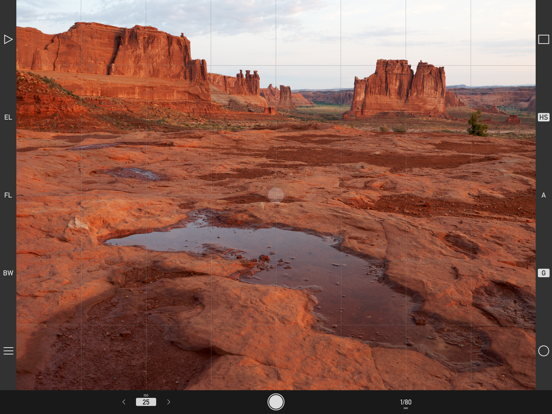
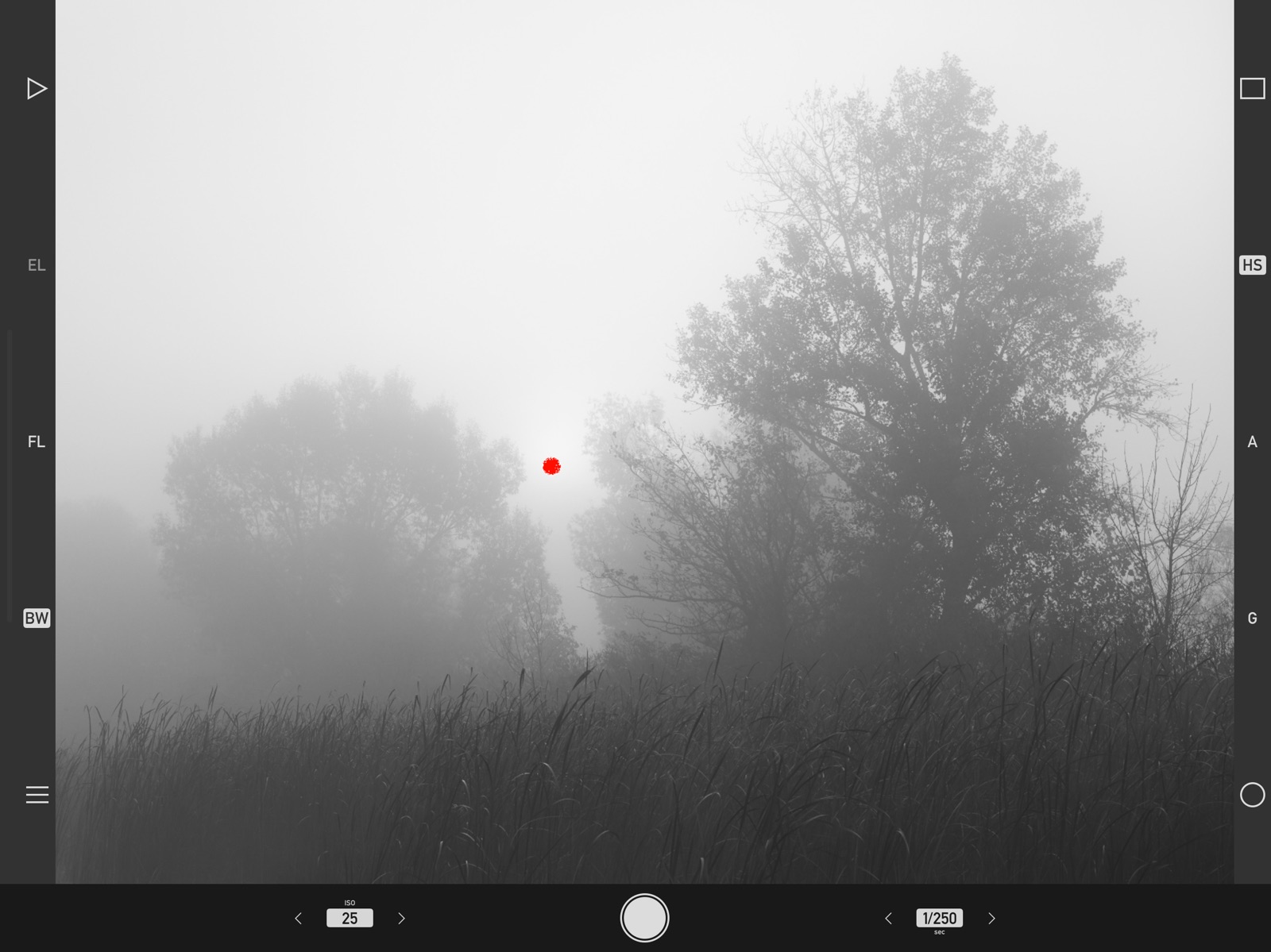
22 store screenshots

Pricing & paywalls
App Store
- Price: $19.99
Ratings & reviews
App Store
-
5/5Great App for Organizing Photo “Notes”
I was most interested in Technical Camera’s ability to save photos directly to an album and choose quality settings for each album. I often take pictures as reminders or for reference that do not need to be high quality. With this app, I can select the proper folder and then the picture is automatically saved at one half or one quarter of the resolution (or 600x800). It is easy and fast to switch albums. (Any albums you create are part of the standard iPhone Photos app and can be viewed there like any other iPhone picture.) In addition, I have found that the app produces photos that are slightly better than Apple’s. The developer was very responsive when I asked a question and said that Tech Camera has its own JPG engine. He also explained a lot about how iPhone cameras work. (Note: RAW is only an option on the iPhone 6s and later.) Overall, this app is well worth the price.
kjdfkifIUFIUWFUEWW · 6 Aug 2026
-
5/5Highly Impressed
I've compared images created with this app with other premium iPhone camera apps and Technical Camera is just a little better with respect to image quality. It does take some getting used to the user interface. I have some problems with it btvthe developer has a helpful web site to help with that.
Ericg51 · 6 Aug 2026
-
5/51 recommendation, fantastic App
I needed this for the real-time custom distortion correction. I couldn't find that feature on nearly any other app! Please consider integrating the sliders for custom distortion correction over the live video, so the user can immediately see the results?
mugglesworth · 6 Aug 2026
-
5/5Best iPhone Camera App
Technical Camera is a wonder. Elegant simple and feature rich interface, the perfect answer for serious photographers who want to use their phones for mor than mere selfies and snapshots. RAW shooting with this app is not just an option, it is a real pleasure. Great app design, great results. Thanks. Lito Tejada-Flores / Western Eye Photograpjy
Lito T-F · 6 Aug 2026
-
5/5Very Clean and Organized!
I LOVE the organization and cleanliness of the app. Nothing to distract from with I am trying to capture. I’m excited to play around with this app some more. First impressions are wonderful and I haven’t experienced a single bug.
ItsJasonPitt · 6 Aug 2026
Privacy & accessibility
App Store
Privacy
- Data Not Collected Developer declared
Accessibility
No accessibility labels collected yet.
Versions
App Store
- 1.0
-
1.1
New features: • Added support for iPhone XS Max and XR screen sizes. • Lab measured angle of views for iPhone XS Max. • Added a menu item to quickly access our privacy policy and a privacy notice before sending a problem report. • Improved iOS 12 compatibility. Fixes: • Corrected album browser positioning on iPhone X/XS/XS Max/XR. • Zooming and panning in the album is now instant on iPhone XS and iPad Pro devices. • Album specific image quality, GPS and color space settings are now preserved when a device is restored from a backup. Added wide converter profiles: • olloclip Active Ultra Wide on iPhone 8 Plus • olloclip Core Super Wide on iPhone 8 Plus
-
1.10
New features: • The ultra wide lens is automatically supported on new devices using iOS provided distortion correction until precise lab measurements are completed. • More responsive and more precise zooming. • GPS coordinate format option in the advanced menu with 7 formats, including ISO 6709 and ones used by popular handheld GPS devices. • Tap the map pin in an image's map view to display the point's coordinates. • Share the images's location on the map view. Requires iOS/iPadOS 14 or later. • Follow mode on the map view to let you easily find your way back to the image's location. Requires iOS/iPadOS 14 or later. • Transparent PNG image support. • Keyboard accessory to easily enter special characters used in the copyright template. • Improved problem reporting. • Improved iOS 14 support.
-
1.11
New features: • Added lab measured angle of views and ultra wide camera distortion profiles for iPhone 13, 13 mini, 13 Pro and 13 Pro Max. • Added support for iPad mini 6 screen size. • Improved iOS 15 support. Fixes: • Corrected a problem where live view might fail to start under some circumstances. • Fixed a possible crash when a backup is restored to a device not having the camera type (telephoto or ultra wide) that was active on the backed-up device. • Eliminated ultra wide camera distortion overcorrection after restoring a backup made on a device configured to use a wide converter accessory lens to a device not having lab measured distortion profile.
-
1.11.1
Fixes: • Corrected a problem that may result is garbled images on iPad Air and iPad mini 2/3 when a custom wide converter having zero distortion setting or a Moment wide converter is used.
-
1.2
New features: • Added support for iPad Pro 11" and iPad Pro 12.9" 3rd Generation. Fixes: • AF and protective metering is now properly reset to the position indicated by the AF point when changing cameras and when the app comes back from the background. • Corrected a problem that might render the Black and White Mode, Wide Mode, Highlight and Shadow Alert and Focus Peaking function toggles temporarily unresponsive after very low live view frame rates. • Live view coverage is now 100% on iPads.
-
1.2.1
Fixes: • Corrected a problem where the app might become unresponsive if images are captured in a quick succession with Image Stabilization set to Auto. • Live view now resumes smoothly after image stabilized captures.
-
1.3
New features: • Default copyright template to make it easier to set up copyright information. • French localization.
-
1.4
New features: • New "Optical Only" image stabilization option on devices having an optically stabilized lens. RAW captures are supported with optical stabilization. Long/low-ISO handheld captures are now a reality! • "Auto" image stabilization falls back to using optical only stabilization when digital stabilization is not available (in case of RAW captures and longer exposures). • Manual exposure settings are now retained between app launches. • Live view now simulates longer exposures to keep the frame rate high enough for smooth viewing. • iOS 13 compatibility, including support for Dark Mode. Fixes: • Corrected a problem with the save indicator not turning off on some devices.
-
1.5
New features: • Exposure simulation warning: a flashing orange dot indicates that live view can't simulate the exposure because the scene is too dark. The captured image will be brighter than live view in this case. • Support for the 10.2" iPad screen size. • Improved iOS 13 compatibility.
-
1.6
New features: • Added support for iPhone 11, iPhone 11 Pro and iPhone 11 Pro Max, complete with lab measured angle of views for the Framing Previsor and ultra wide camera handling. The proven real-time distortion correction technology we pioneered in 2013 produces almost perfectly rectilinear images from the ultra wide camera. The ultra wide camera can be activated with the WIDE icon on Camera Options (circle icon) or via the "Toggle Wide Mode (W)" function. RAW capture, optical image stabilization and focusing is not available with the ultra wide camera. • 4th generation distortion correction engine improves image quality with wide and ultra wide angle converters. • "Keep Lowest ISO" preference to ensure that the most noise-free manual ISO setting is used when switching cameras. • Added haptic feedback when Smart Function Key assignment is opened from the main screen. Fixes: • Corrected an exposure calculation problem during manual parameter setting when exposure is locked while exposure simulation is active.
-
1.7
New features: • Added distortion corrected ultra wide angle camera support for iPad Pro 12.9" 4th Generation and iPad Pro 11" 2nd Generation. • Added support for iPad Air 4th Generation. • Improved iOS 14 compatibility. • Volume- also functions as a shutter button, like in the built-in Camera app. Fixes: • Corrected Volume+ shutter button detection on iOS 13 and later.
-
1.8
New features: • Added lab measured angle of views and distortion corrected ultra wide angle camera support for iPhone 12, 12 mini and 12 Pro. • Added support for iPhone 12 series screen sizes. Fixes: • The Framing Previsor Smart Function Key was always disabled on iPhone 11.
-
1.9
New features: • Added lab measured angle of views and distortion corrected ultra wide angle camera support for iPhone 12 Pro Max. Changes: • The Smart Function Key formerly known as "Switch Wide/Tele Cameras" is now named "Toggle Telephoto Camera". The associated key label has been changed from "2X" to "T" to be angle of view neutral.
-
2.0
New features: • Under-the-hood modernization for contemporary iOS/iPadOS versions. The app now requires iOS/iPadOS 15 or later.
-
2.1
New features: • Added lab measured angle of views and ultra wide camera distortion profiles for iPhone 14, 14 Plus, 14 Pro and 14 Pro Max. • Added lab measured angle of views and ultra wide camera distortion profiles for iPad Pro 11" 3rd generation and iPad Pro 12.9" 5th generation. • Support for iPhone 14 Pro and 14 Pro Max screen sizes.
-
2.2
New features: • The app intelligently becomes ready to shoot when switching to it. Stays on the last used screen to avoid interrupting work-in-progress in the following situations: creating and configuring an album, editing copyright information and navigating with the album's Map. • Camera and screen options can be quickly closed by tapping their gray background. • The current album can be changed by tapping the album's name on the album browser's title bar. • Improved iOS/iPadOS 16 support. Fixes: • Exposure compensation is now reapplied correctly when entering and leaving menu or album screens.
-
2.3
New features: • Added support for the "More Space" display zoom setting.
-
2.4
New features: • Added lab measured angle of views and ultra wide camera distortion profiles for iPhone 15, 15 Plus, 15 Pro and 15 Pro Max. • Improved iOS 17 support.
-
2.5
New features: • Added support for new iPad screen sizes. • New high performance and more accurate album image viewer inherited from Kuuvik Capture, including flick panning support. • Image viewer maximum zoom had been increased to 600%. Changes: • Double-tapping the image viewer at interim zoom levels will go to the "Fit" zoom level instead of 100%. It still goes to 100% (actual pixels) when double-tapped at the "Fit" level.
-
2.6
New features: • Added lab measured angle of views and ultra wide camera distortion profiles for iPhone 16, 16 Plus, 16 Pro and 16 Pro Max. • Ultra wide camera zooming for JPG captures is available on iPhone 14 Pro, 14 Pro Max, 15 Pro, 15 Pro Max, 16, 16 Plus, 16 Pro and 16 Pro Max. • Camera and Action buttons can now be used to trigger a capture in addition to the previously supported Volume Up and Down buttons. The Action button will work if the "Open Tech Camera" shortcut is assigned to it. Requires iOS 17.2 or later. • Improved highlight alert. • Expanded the ISO value range. • Shutter button haptic feedback. • Support for iPhone 16 Pro and 16 Pro Max screen sizes. • Improved iOS/iPadOS 18 support.
-
3.0
· 19 Oct 2025
New features: • Added lab measured angle of views and ultra wide camera distortion profiles for iPhone 17, 17 Pro and 17 Pro Max. • Ultra wide camera zooming for JPG captures is extended to iPhone 17, 17 Pro and 17 Pro Max. • Support for iPhone Air screen size. • Improved iOS/iPadOS 26 support.
Alternatives
- Silver B&W Camera — Same category + similar ratings
Availability by market
- US
Data quality & evidence
- Page completeness
- Live store listing
- Last verified
- 6 Aug 2026
- Sources
- App Store
- Independent summary has not been published yet.