
Quick verdict
- What it is
- Store information collected; independent summary not yet available.
- At a glance
-
- Free to download
Categories and search queries
Official categories
- Business
- Finance
AppCorpus categories
Key functions
| Function | Availability | Access | Scope | Evidence |
|---|---|---|---|---|
| Free app | Yes | Free | — | Store published |
Screens
App Store
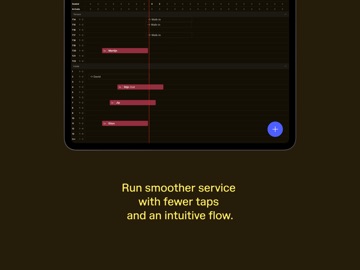
12 store screenshots


Pricing & paywalls
App Store
- Free
Ratings & reviews
App Store
No store reviews collected for App Store · US
Privacy & accessibility
App Store
Privacy
- Data Linked to You — Analytics — Identifiers — Device ID Developer declared
- Data Linked to You — App Functionality — Contact Info — Email Address Developer declared
- Data Linked to You — App Functionality — Identifiers — Device ID Developer declared
- Data Linked to You — App Functionality — Identifiers — User ID Developer declared
- Data Linked to You — App Functionality — User Content — Customer Support Developer declared
- Data Linked to You — Developer’s Advertising or Marketing — Contact Info — Email Address Developer declared
- Data Linked to You — Contact Info Developer declared
- Data Linked to You — Identifiers Developer declared
- Data Linked to You — User Content Developer declared
- Data Not Linked to You — Analytics — Diagnostics — Crash Data Developer declared
- Data Not Linked to You — Analytics — Diagnostics — Performance Data Developer declared
- Data Not Linked to You — Analytics — Usage Data — Product Interaction Developer declared
- Data Not Linked to You — App Functionality — Diagnostics — Crash Data Developer declared
- Data Not Linked to You — App Functionality — Diagnostics — Performance Data Developer declared
- Data Not Linked to You — Diagnostics Developer declared
- Data Not Linked to You — Usage Data Developer declared
Accessibility
No accessibility labels collected yet.
Versions
App Store
-
1.65.30
- Our new visual course timers eliminate mental tracking by adding color-coded countdown or elapsed-time badges to every course in the digital prep station. These dynamic timers alert staff as deadlines approach and offer the flexibility to manually adjust service speed to perfectly match each table's pace. - Gift card expiration date can be now edited in the Tebi app.
-
1.66.14
- Inbox: centralised conversation inbox to manage system messages, notes and updates in one place, available in app and backoffice.
-
1.66.28
- Inbox: centralised conversation inbox to manage system messages, notes and updates in one place, available in app and backoffice.
-
1.67.11
- Prep Station Updates - Table numbers now update automatically on prep station tickets when changed during service - Recipe Management - early access users only; Multiple fixes and improvements for creating recipes with sub-recipes in the mobile app
-
1.68.10
- KDS Grouping: Combine prep station tickets for tables running at a similar pace so you can prep courses or dishes together - KDS: The closed ticket view now shows all tickets regardless of the active status filter, and tickets are sorted by open time - Walk-ins are now tagged in the Reservations list view for a clearer service overview. - Monthly calendar view is now available for Reservations, showing reservation counts, waitlist groups, and closed days per date at a glance - Reservations now display the weekday (for example Wednesday), making it easier to navigate upcoming bookings. - A valid phone number is now required when creating a reservation, so you can always reach your guests if needed. - Opening your ledger in the App is now significantly faster
-
1.68.16
- KDS Grouping: Combine prep station tickets for tables running at a similar pace so you can prep courses or dishes together - KDS: The closed ticket view now shows all tickets regardless of the active status filter, and tickets are sorted by open time - Walk-ins are now tagged in the Reservations list view for a clearer service overview. - Monthly calendar view is now available for Reservations, showing reservation counts, waitlist groups, and closed days per date at a glance - Reservations now display the weekday (for example Wednesday), making it easier to navigate upcoming bookings. - A valid phone number is now required when creating a reservation, so you can always reach your guests if needed. - Opening your ledger in the App is now significantly faster
-
1.69.5
- Updated toolbar labels make navigation on handheld devices more intuitive during service - Tips can now be added when sending or receiving invoices - Clearer messaging is now shown when reservations fail to sync between the Back Office and the App, helping you quickly identify and resolve issues.
-
1.70.10
- Counter sales mode now sends tickets to prep stations only after the invoice is closed, reducing order mistakes - POS tiles now display item quantities directly on the product tile - Improved performance when opening a sale on POS - Reduced journal sync time when submitting orders - KDS now prints one combined ticket for grouped tables instead of individual tickets - Fixed: "Expand next unfired course only" option in KDS now works correctly - Fixed: cover count now correctly cumulates when tickets are grouped in KDS - Fixed: terminals no longer search for nearby unrelated Bluetooth devices - Fixed: device now attempts to reconnect after a socket disconnection during ledger loading - Various UX improvements to the reservation timeline
-
1.70.5
- Counter sales mode now sends tickets to prep stations only after the invoice is closed, reducing order mistakes - POS tiles now display item quantities directly on the product tile - Improved performance when opening a sale on POS - Reduced journal sync time when submitting orders - Improved exit sale warnings in counter sale mode - Auto-generated Sales grid builder is now available - KDS now prints one combined ticket for grouped tables instead of individual tickets - Fixed: "Expand next unfired course only" option in KDS now works correctly - Improved bundle support for mixed drinks in Kitchen Display - Fixed: cover count now correctly cumulates when tickets are grouped in KDS - Fixed: terminals no longer search for nearby unrelated Bluetooth devices - Fixed: device now attempts to reconnect after a socket disconnection during ledger loading - Fixed: moving a table on the floor plan now correctly resolves reservation conflicts instead of moving them to unrelated areas - Added color coding to reservation pacing count - Reservations inbox is now accessible without requiring a search first - Improved deliverability of merchant-facing reservation confirmation emails - Various UX improvements to the reservation timeline
-
1.71.14
- More bundle display options: The kitchen tickets now group and merge bundles into a single line which makes it clear which mixed drinks should be prepared. - App exit warnings: The app prompts in counter sale mode asking what the server wants to do with the open sale.
-
1.71.6
- More bundle display options: The kitchen tickets now group and merge bundles into a single line which makes it clear which mixed drinks should be prepared. - App exit warnings: The app prompts in counter sale mode asking what the server wants to do with the open sale.
-
1.72.16
- Advanced Floor Plan, floating sales: Previously, floating sales were only available on the Lite floor plan, which blocked users from migrating to the new version. Sales on the Advanced floor plan can now be moved out of tables and placed anywhere. Enable via Settings → Preferences → Floorplan → Allow sales outside tables. - Sales list, Open/Closed toggle: The sales/invoice list previously mixed open and closed sales in a single long list, making it hard to review closed sales for a specific day. We've added an Open/Closed toggle, and the Closed view includes a date picker to show closed invoices for the selected date.
-
1.72.6
- Advanced Floor Plan, floating sales: Previously, floating sales were only available on the Lite floor plan, which blocked users from migrating to the new version. Sales on the Advanced floor plan can now be moved out of tables and placed anywhere. Enable via Settings → Preferences → Floorplan → Allow sales outside tables. - Sales list, Open/Closed toggle: The sales/invoice list previously mixed open and closed sales in a single long list, making it hard to review closed sales for a specific day. We've added an Open/Closed toggle; the Closed view includes a date picker to show closed invoices for the selected date.
-
1.73.3
- Inbox All messages tied to a reservation are now collected in one inbox. Reply to guests, add internal notes for your team, send notes to the kitchen for dietary requirements or special requests, view the full reservation activity timeline, and update a booking, all from one screen. Available in app and backoffice. - Double-tap to increase quantity Tapping a product twice in the order now increases the quantity by one, without needing to tap a separate button.
-
1.74.14
- Conflict management in app: Resolving reservation conflicts from the agenda overview and floorplan just got a lot faster. Improved swap logic and a cleaner UI mean hosts spend less time clicking and more time with guests. - The "Continue selling when out of stock" toggle in inventory now defaults to off, so sold-out products stop selling automatically unless you explicitly choose otherwise.
-
1.74.5
- Conflict management in app: Resolving reservation conflicts from the agenda overview and floorplan just got a lot faster. Improved swap logic and a cleaner UI mean hosts spend less time clicking and more time with guests. - The "Continue selling when out of stock" toggle in inventory now defaults to off, so sold-out products stop selling automatically unless you explicitly choose otherwise.
-
1.75.3
- The day overview has been rebuilt from the ground up. The new layout makes it easier to scan what's happening, spot what matters, and stay on top of your service - Inventory user experience has been refreshed to make quickly adding, removing or counting stock faster. - Choose from over 10 new product tile colours in the sales screen, with warmer, softer tones from our brand palette.
-
1.76.18
- The reservations agenda is easier to navigate. A minimap at the bottom of the timeline gives you a persistent overview of the full day so you can jump to any point without scrolling. Tapping a reservation now shows a preview card with the key details at a glance. - We've updated the Kitchen Display: status filters are applied to courses instead of to individual items, Quick mode is split into two separate settings (quick ticket completion and status changes on courses and items), and courses and tickets complete automatically once all their items are done.
-
1.76.6
- The reservations agenda is easier to navigate. A minimap at the bottom of the timeline gives you a persistent overview of the full day so you can jump to any point without scrolling. Tapping a reservation now shows a preview card with the key details at a glance. - We've updated the Kitchen Display: status filters are applied to courses instead of to individual items, Quick mode is split into two separate settings (quick ticket completion and status changes on courses and items), and courses and tickets complete automatically once all their items are done.
-
1.77.10
- Discounts can now be applied as a fixed euro amount, not just a percentage. Handy for flat promotions ("€10 off") or correcting a payment mismatch.
-
1.77.4
- Discounts can now be applied as a fixed euro amount, not just a percentage. Handy for flat promotions ("€10 off") or correcting a payment mismatch.
-
1.78.3
- Improved inventory management so it's now easier to adjust stock levels and get a clearer overview, with direct tap-to-adjust, accurate count differences, an alphabetically sorted list, and short descriptions on the add/count/remove actions. - Various bug fixes and stability improvements. - Reverted the earlier improvements on reservation cards, making it now easier to see when a reservation spans multiple tables.
-
1.78.7
- Improved inventory management so it's now easier to adjust stock levels and get a clearer overview, with direct tap-to-adjust, accurate count differences, an alphabetically sorted list, and short descriptions on the add/count/remove actions. - Various bug fixes and stability improvements. - Reverted the earlier improvements on reservation cards, making it now easier to see when a reservation spans multiple tables.
-
1.79.5
- New setting for the KDS (off by default) to require manually marking a course complete, instead of it happening automatically. - Countdown timers now reset when a ticket's status changes from 'On Hold', so kitchen staff see accurate elapsed time again. Contact [email protected] to get this enabled.
-
1.81.6
· 6 Aug 2026
- Quick inventory adjustments (long-press on a product) let you start tracking, adjust stock. - Improved the "Open sales" in the Day Overview with clearer copy explaining it only shows sales opened on this day. Tap to view details for the current day. - New options to make KDS tickets more compact, and to adjust the size of the pinned summary view, so more tickets fit on screen at once. - In Prep Station settings, you can now control when course timers are shown, choosing to always display them, never show them, or only when the course is expanded.
Alternatives
- Dyme: Expenses, Budget & Save — Same category + similar ratings
- Accept Payments by Autobooks — Same category + similar ratings
Availability by market
- US
Data quality & evidence
- Page completeness
- Live store listing
- Last verified
- 7 Aug 2026
- Sources
- App Store
- Independent summary has not been published yet.