
Quick verdict
- What it is
- Store information collected; independent summary not yet available.
- At a glance
-
- Free to download
Categories and search queries
Official categories
- Productivity
- Social Networking
AppCorpus categories
Key functions
| Function | Availability | Access | Scope | Evidence |
|---|---|---|---|---|
| Free app | Yes | Free | — | Store published |
Screens
App Store
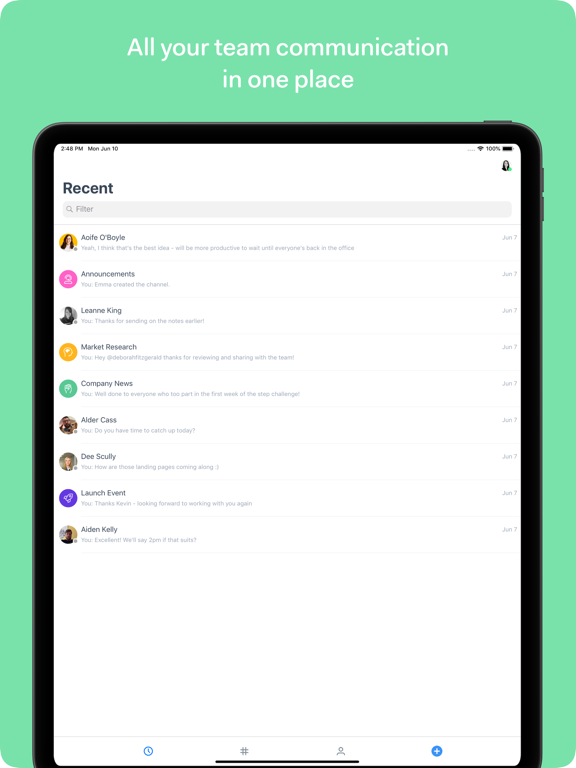
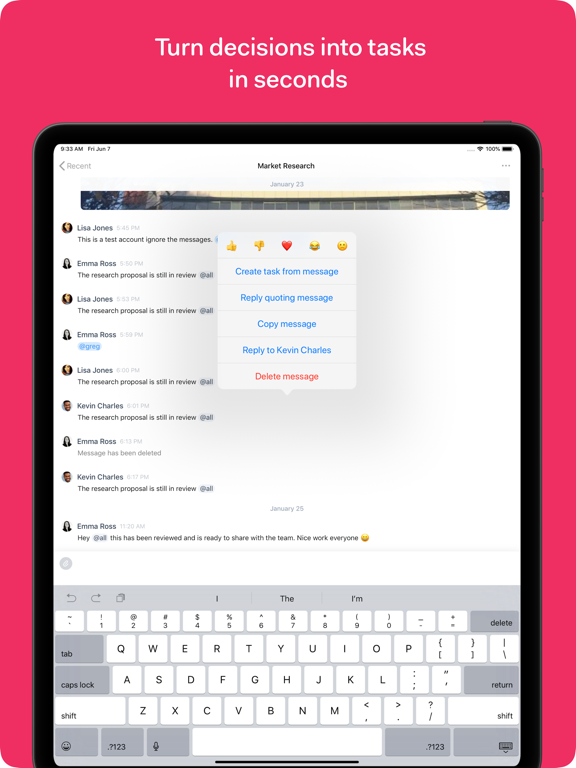
12 store screenshots


Pricing & paywalls
App Store
Shown for US
- Free
Ratings & reviews
App Store
Shown for US
-
3/5Need a lot improvement!
Still in Beta! Still need a lot of work!
MeirGreenrose · 7 Aug 2026
-
1/5Missed messages, crashing
It’d be one thing if this was like a social chat app and someone could miss a cat photo or something, but as a business tool it is a huge and stupid issue where if I send a team member a critical message they only receive it 30% of the time. You guys are trying to do way too much, and should focus on handling the basics like team communication.
Patrick Gleavey · 7 Aug 2026
-
1/5Awful
Cant see pictures or GIF’s. Of you try to scroll back through a conversation the chat blacks out. Sometimes old gifs appear where pictures are supposed to be. Messages don’t actually send even though you hit the send button. The worst part is that support acts like they are fixing it but never do.
Daleps · 7 Aug 2026
-
4/5Notifications
Love the app, just not receiving any notifications even after turning on my notifications in my settings.
Lucas Litton · 7 Aug 2026
-
2/5iPad Issues
Usually works great on iPhone, but it has begun crashing immediately upon opening on iPad - it’s been this way for a while without resolve.
Springer145 · 7 Aug 2026
Privacy & accessibility
App Store
Privacy
- Data Linked to You — App Functionality — Identifiers — User ID Developer declared
- Data Linked to You — App Functionality — User Content — Other User Content Developer declared
- Data Linked to You — App Functionality — User Content — Photos or Videos Developer declared
- Data Linked to You — Identifiers Developer declared
- Data Linked to You — User Content Developer declared
- Data Not Linked to You — Other Purposes — Diagnostics — Crash Data Developer declared
- Data Not Linked to You — Other Purposes — Diagnostics — Other Diagnostic Data Developer declared
- Data Not Linked to You — Diagnostics Developer declared
Accessibility
No accessibility labels collected yet.
Versions
App Store
-
2.10.2
New! • Starred Messages You can now view all your starred messages right from the Tab Bar. If you want to check out starred messages in a particular conversation or channel, just tap the three dots and navigate from there. Tap on any message to quickly star or unstar it, for it to appear in your Starred Messages lists. Got a notification that you want to check out later? Just hit “Star message” right in the Notification and it’ll be waiting for you next time you launch Chat. • Notification Settings You can now update your Notification Setting preferences in the App. For global preferences, tap on your avatar on the Homescreen to change it via your Settings. If you’d like to have a custom setting for a conversation or channel, tap the three dots in that conversation or channel and choose “Notification Settings”. Updates: Tweaked the Do Not Disturb Homescreen Design so that the banner takes up less space when Do Not Disturb mode is active. Fixes: Fixed two really annoying crashes, one on the Homescreen and one on the Conversation screen.
-
2.11.0
New – Sharing! You can now Share from other Apps directly to a Channel or Person. Images, Videos, Text, URLs and even Files can be shared quickly and easily.
-
2.12.0
- Added support for new Chat plans - Added external keyboard support
-
2.12.2
• Bug fixes and performance updates
-
2.12.3
Added a new button to open links in a message Other minor improvements
-
2.12.4
Tapping a link to another Channel will now open that Channel within Chat. Removed Create Task option. Some bug fixing and other cosmetic changes.
-
2.12.5
Updated • Updated Edit Message Screen design. • The Status Bar no longer disappears when showing the Settings or New Conversation Screens. Fixed • Fixed an issue where image attachments could clip a Message text. • Fixed Reaction background colour.
-
2.12.6
Bug fixes and performance updates.
-
2.13.0
New • A redesigned settings screen • We have now Dark Mode support! • You can now filter people when adding someone into a channel Updated • You can now navigate in-app on message links from canary build. • Several UI enhancements • Several performance improvements Fixed • Several bug fixes
-
2.14.0
New - It's now possible to update your status directly from the app Updated - Performance improvements Fixed - Issue related to message field expanding incorrectly when pasting a text - Issue related to quote multiline texts
-
2.30.0
New • A brand new layout for iPad. • Filter your conversations by Unread or Recent. • Enjoy the new channel description screen. Updated • Starred channels sorting now matches with your desktop app • Improvements on UI introducing new gestures for starring conversations Fixed • Fixed bugs and crashes that were affecting the user experience.
-
2.31.0
We’ve made general bug fixes and performance improvements in this update.
-
2.31.1
We’ve made general bug fixes and performance improvements in this update.
-
2.32.0
We’ve made general bug fixes and performance improvements in this update.
-
2.33.0
We’ve made general bug fixes and performance improvements in this update.
-
2.34.0
We’ve made general bug fixes and performance improvements in this update.
-
2.35.0
We’ve made general bug fixes and performance improvements in this update.
-
2.36.0
We’ve made general bug fixes and performance improvements in this update.
-
2.36.1
We’ve made general bug fixes and performance improvements in this update.
-
2.8.0
New! • Starred Conversations: you can now quickly see if you’ve unread messages in your Starred Conversations right from the Chat Home Screen. • File Upload overhaul. Uploading Images and Video is now much faster, and you can for the first time upload Files directly from iCloud. Updates: • Do Not Disturb has been updated to give more accurate dates on the Home Screen when DND mode is enabled. • Home Screen UI improvements, to give a more accurate and clear indication of Unread messages and Counts. Bug Fixes: • Fixed a login issue which could incorrectly give a login error if deleted users were still in DND mode. • Fixed a layout issue on iPad which caused some messages be clipped when in Split View. • Fixed various crashes on iPad. • iOS13 UI fixes. • Speed and Performance improvements.
-
2.8.1
• Improved GIF support for cards.
-
2.9.1
• New Custom Statuses! You can now see everyones Custom Status across the App. There’s a person with a funny boat emoji next to their name in a conversion message? Tap their name, avatar or Custom Status to see a quick Profile Card and see what their Custom Status is. Quick Context Menus On iOS13, long press on your Recents List for a quick overview of that item. If it’s a Pair Conversation, you’ll see their Custom Status. On a Channel or Conversation, you’ll see the number of people in it. For both, you’ll have a quick option to Star it, which pins it to the top. • Fixes and Updates Fixed an issue saving attached images. Updated @mention UI to make it easier to see who you’re mentioning. UI Updates including new iOS13 style cards. Fixed an issue where sending a new Conversation message to a single user could create a group.
-
2.9.4
New! • Added ‘Draft’ feature to the New Conversation screen - if you close the New Conversation screen with text entered, the next time you come back you’ll have the option to reuse the text you had entered. Updates: • Changed how we load Conversations to have a more consistent experience. • Updated the @mention autocomplete view to better fit content. • Fixed a crash that could occur when leaving a Conversation. • Fixed a crash when sending a long reply to a Conversation. • Fixed a crash when loading the Conversation screen. • Fixed a bug where you couldn’t send a message to someone you never had before, if the message had an attachment. • Fixed a bug where if you removed the name of a Channel, it wouldn’t reset to the default. • Fixed a bug which allowed users to send blank messages. • Fixed a bug which showed deleted users in the Conversation > Add People screen. • Improved Markdown rendering of Messages with Code.
-
3.0.0
Enjoy a fresh, modern chat experience with smoother conversations, better search, and richer reactions. We’ve also polished notifications, people and channels, and fixed lots of little bugs to make everything feel faster and more reliable.
-
3.0.1
· 9 Jul 2026
We're making some improvements in the app to enhance the user experience of Teamwork mobile.
Availability by market
- US
Data quality & evidence
- Page completeness
- Live store listing
- Last verified
- 7 Aug 2026
- Sources
- App Store
- Independent summary has not been published yet.