
Quick verdict
- What it is
- Store information collected; independent summary not yet available.
- At a glance
-
- $1.99
Categories and search queries
Official categories
- Education
- Utilities
AppCorpus categories
Key functions
| Function | Availability | Access | Scope | Evidence |
|---|---|---|---|---|
| Family Sharing | Yes | Unknown | App Store | Store published |
Screens
App Store
29 store screenshots


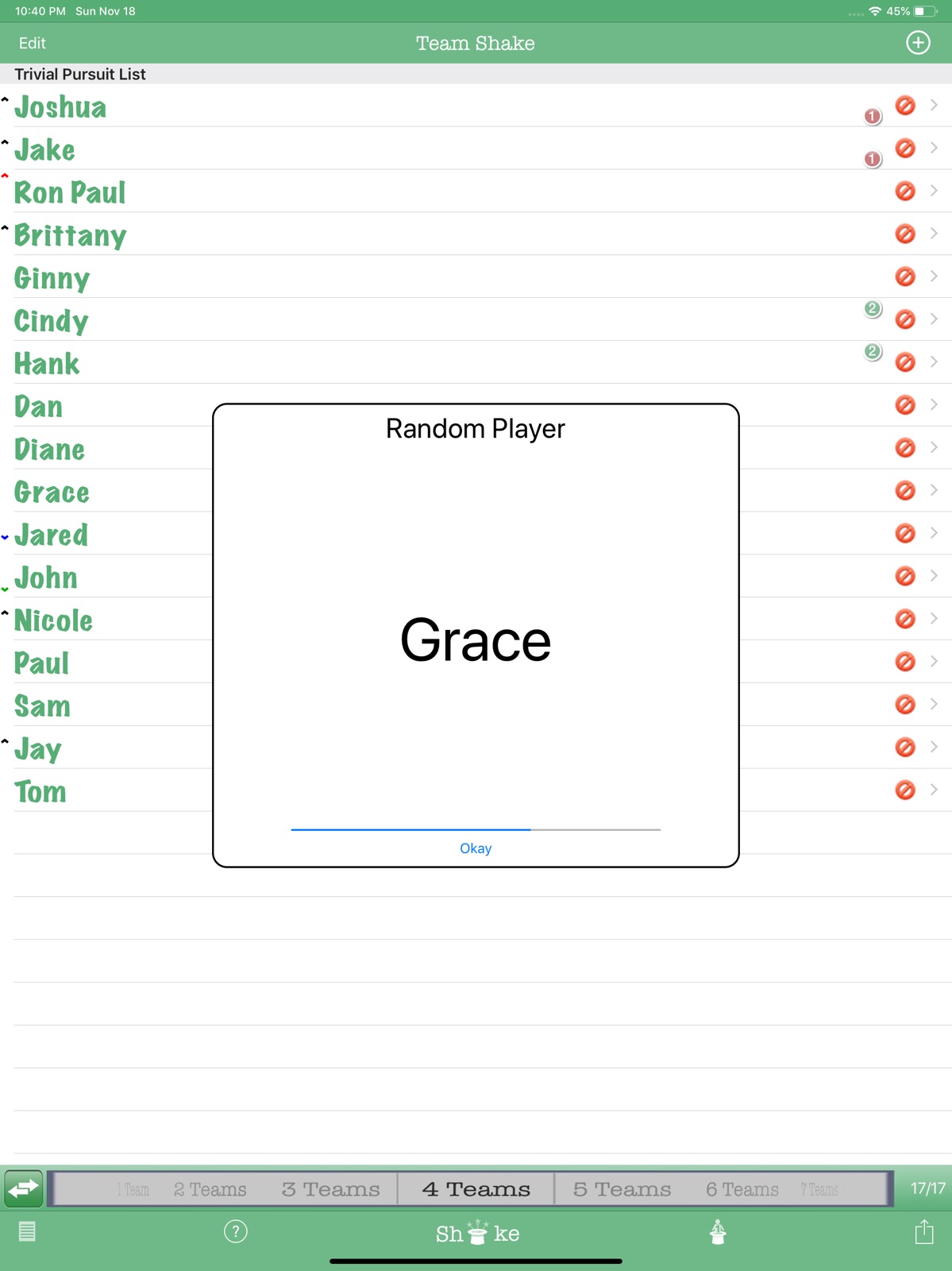
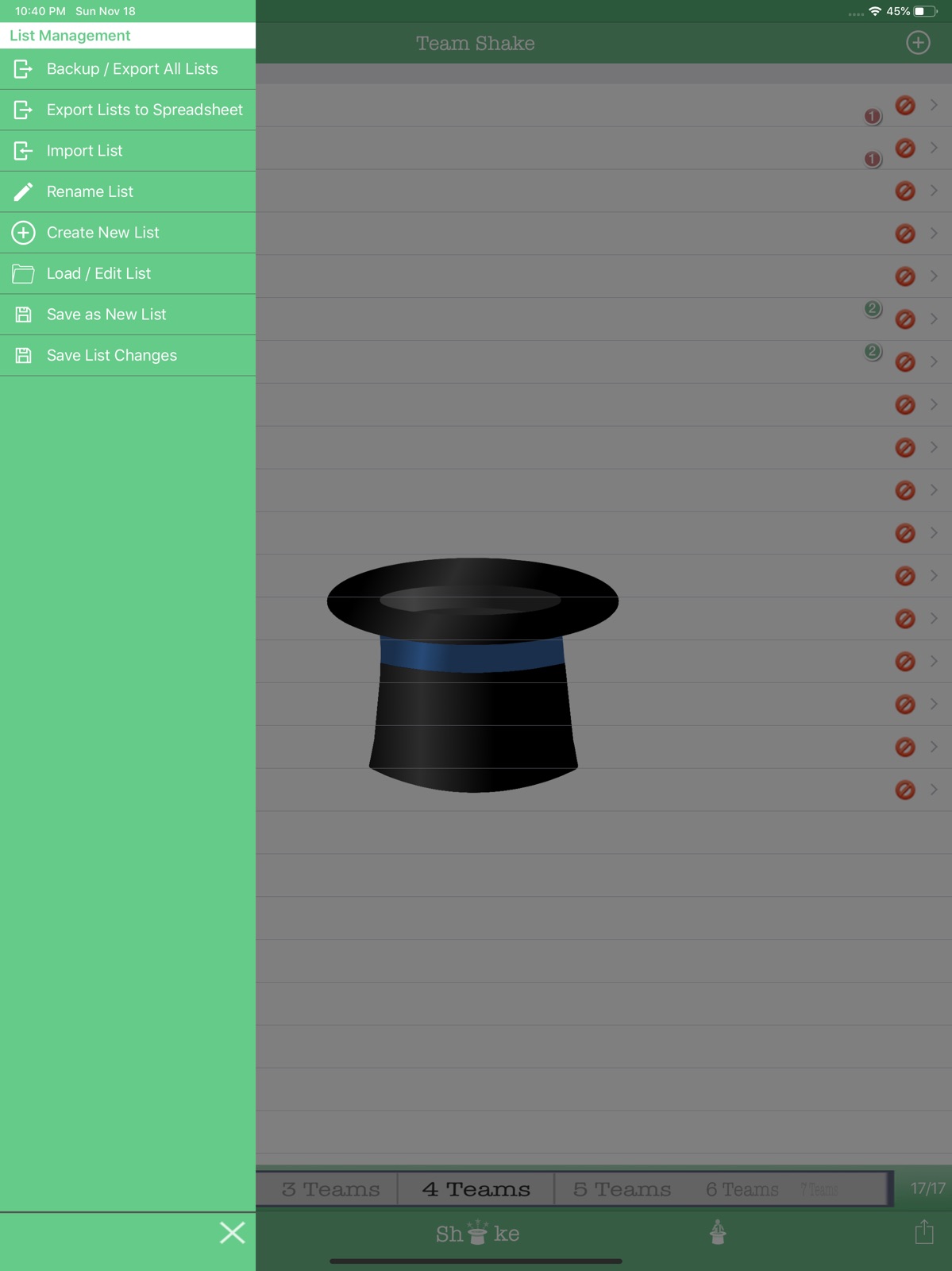
Pricing & paywalls
App Store
Shown for US
- Price: $1.99
Ratings & reviews
App Store
Shown for US
-
5/5Very Useful!
The program is quick to use and has an attractive output. Students volunteer to be the one to shake the hat. It is easy to toggle between the choice of number of groups as opposed to the number in each group and easy to temporarily omit absent students. A teacher can also use the program to determine the order of oral presentations by setting the number of groups to be one. Moreover, the program accepts Japanese characters, which makes it better for my Japanese classes. Do be sure not to ignore warnings to save list changes before opening another list.
Cliff_787 · 31 Jul 2026
-
5/5worth a slight learning curve
I am a middle and high school teacher. We often divide our classes into teams for sports, small group discussions, etc. and I find this app invaluable for that purpose. It takes a little while to get fully comfy with all of the features, but it's worth it as all of the functions are very useful. Highly recommended.
squeezedude · 31 Jul 2026
-
2/5Won’t Shake
I’m not sure if it’s my iPhone or it’s operating system, but on occasion, the shake feature won’t work. I have to restart my phone to get it working again. This is frustrating because I group my PE classes at the beginning of each class and wind up having to wait until my phone is ready to begin the lesson. Also, I can’t disable the shake function (to just using the touch screen icon only). While I like the feature to select random player, it erases the selected teams. I need to be able to keep the groups on the screen as my younger students may not remember their group over the course of a lesson.
Mturner PE · 31 Jul 2026
-
2/5Needs continued improvement
This app is the tip of the iceberg of what could be done for team making and randomizing. I’d love to see a lock feature to keep teams in place, it’s impossible to stay still as a teacher that uses this. I’d appreciate a feature allowing certain players to always be with specific others. I’d appreciate other strength and weakness features to be added as well. For a paid app, we deserve continued updates that keep us from searching for other solutions.
Riversider_4 · 31 Jul 2026
-
5/5Highly recommended
I teach an adult ESL class, in which the students are at drastically different levels. This app makes it so easy for me to arrange them in either homogenous or heterogeneous groups, depending on the activity. I can leave the iPad opened, so they can easily find their group or partner, allowing me to facilitate those who have already begun. Worth every penny!
KathrynBrooks1 · 31 Jul 2026
Privacy & accessibility
App Store
Privacy
- Data Not Collected Developer declared
Accessibility
No accessibility labels collected yet.
Versions
App Store
-
2.0.0
- iPad Support - Import Lists from email or file - Export lists / configuration - Video Out Support - Share Teams on Facebook - Teams can now be sorted - Option to balance male / female team member - Configurable Team Colors - Configurable Team Names - Print Support
-
2.0.1
- Bug fixes - Problems importing lists on iOS 4.3 - Problems restoring backups - Other minor issues
-
2.1.0
- Added option to save changes to current list without creating a new name - New option to "Equal Ability" teams where all players have the same (or similar) strengths - Updated Artwork
-
2.1.1
Changes in 2.1.1 - Fixed bug that caused lists added via the "Import" option from saving changes correctly. Changes in 2.1.0 - Added option to save changes to current list without creating a new name - New option to "Equal Ability" teams where all players have the same (or similar) strengths - Updated Artwork
-
2.2.0
Changes in 2.2.0 - New feature to create separe male and female teams. - New button on main screen to switch between making X teams or teams of size X - The size of the teams is now saved as a part of the list - The random player feature on the iPad now displays the names in a larger font. Changes in 2.1.1 - Fixed bug that caused lists added via the "Import" option from saving changes correctly. Changes in 2.1.0 - Added option to save changes to current list without creating a new name - New option to "Equal Ability" teams where all players have the same (or similar) strengths - Updated Artwork
-
2.2.1
Changes in 2.2.1 - Fixed bug where Shake'em Up button stops working if the device is shaken on a screen other than the main screen. Changes in 2.2.0 - New feature to create separe male and female teams. - New button on main screen to switch between making X teams or teams of size X - The size of the teams is now saved as a part of the list - The random player feature on the iPad now displays the names in a larger font. Changes in 2.1.1 - Fixed bug that caused lists added via the "Import" option from saving changes correctly. Changes in 2.1.0 - Added option to save changes to current list without creating a new name - New option to "Equal Ability" teams where all players have the same (or similar) strengths - Updated Artwork
-
2.3.0
Changes in 2.3.0 - Fixes iOS 7 bug where changes to current lists or to new lists cannot be saved. - Adds the ability to modify the names of the users without deleting and readding them - Adds the ability to export teams in CSV and XLS file formats - UI Redesigned for the new iOS 7 look and feel Changes in 2.2.1 - Fixed bug where Shake'em Up button stops working if the device is shaken on a screen other than the main screen. Changes in 2.2.0 - New feature to create separate male and female teams. - New button on main screen to switch between making X teams or teams of size X - The size of the teams is now saved as a part of the list - The random player feature on the iPad now displays the names in a larger font. Changes in 2.1.1 - Fixed bug that caused lists added via the "Import" option from saving changes correctly. Changes in 2.1.0 - Added option to save changes to current list without creating a new name - New option to "Equal Ability" teams where all players have the same (or similar) strengths - Updated Artwork
-
2.4.3
Full Support for iPhone 6 / 6 Plus Screen Size Support for Rotation to Landscape New options available to customize Team Shake Even further: - Single Uneven Sized Team - Create only one small team - Show Subteam Bubble - Show or hide the sub team bubbles - Show Oppose Team Bubble - Show or hide the oppose team bubble - Team Size Preview - Preview the number and size of teams to be created when you change the selection - Use Student View - Single toggle that hides player strings and subteam / oppose team bubbles - Direct link to the Team Shake Demo Video - Direct link to the Team Shake Help Guide - New options to handle how teams are sorted with Male and Female players - Option to control the size of the font used for the players in the main screen and in the generated teams - Option to control the size of the font used when picking a single random player - Option to control the number of columns that are used on the Teams Page
-
2.4.4
Full Support for iPhone 6 / 6 Plus Screen Size Support for Rotation to Landscape New options available to customize Team Shake Even further: - Single Uneven Sized Team - Create only one small team - Show Subteam Bubble - Show or hide the sub team bubbles - Show Oppose Team Bubble - Show or hide the oppose team bubble - Team Size Preview - Preview the number and size of teams to be created when you change the selection - Use Student View - Single toggle that hides player strings and subteam / oppose team bubbles - Direct link to the Team Shake Demo Video - Direct link to the Team Shake Help Guide - New options to handle how teams are sorted with Male and Female players - Option to control the size of the font used for the players in the main screen and in the generated teams - Option to control the size of the font used when picking a single random player - Option to control the number of columns that are used on the Teams Page
-
2.4.5
-- Version 2.4.5 Minor update to allow images to be sent via Text Message -- Version 2.4.4 Bug fix release for serious issue where iPhone 6 / 6 Plus phones could not see the team selection bar -- Version 2.4.3 Full Support for iPhone 6 / 6 Plus Screen Size Support for Rotation to Landscape New options available to customize Team Shake Even further: - Single Uneven Sized Team - Create only one small team - Show Subteam Bubble - Show or hide the sub team bubbles - Show Oppose Team Bubble - Show or hide the oppose team bubble - Team Size Preview - Preview the number and size of teams to be created when you change the selection - Use Student View - Single toggle that hides player strings and subteam / oppose team bubbles - Direct link to the Team Shake Demo Video - Direct link to the Team Shake Help Guide - New options to handle how teams are sorted with Male and Female players - Option to control the size of the font used for the players in the main screen and in the generated teams - Option to control the size of the font used when picking a single random player - Option to control the number of columns that are used on the Teams Page
-
2.4.6
-- Version 2.4.6 Fixed a bug where gender colors where not shown on the main screen -- Version 2.4.5 Minor update to allow images to be sent via Text Message -- Version 2.4.4 Bug fix release for serious issue where iPhone 6 / 6 Plus phones could not see the team selection bar -- Version 2.4.3 Full Support for iPhone 6 / 6 Plus Screen Size Support for Rotation to Landscape New options available to customize Team Shake Even further: - Single Uneven Sized Team - Create only one small team - Show Subteam Bubble - Show or hide the sub team bubbles - Show Oppose Team Bubble - Show or hide the oppose team bubble - Team Size Preview - Preview the number and size of teams to be created when you change the selection - Use Student View - Single toggle that hides player strings and subteam / oppose team bubbles - Direct link to the Team Shake Demo Video - Direct link to the Team Shake Help Guide - New options to handle how teams are sorted with Male and Female players - Option to control the size of the font used for the players in the main screen and in the generated teams - Option to control the size of the font used when picking a single random player - Option to control the number of columns that are used on the Teams Page
-
2.4.7
-- Version 2.4.7 Fixed a bug that caused Team Shake to crash or hang for users using iOS7 Fixed a bug that prevented iOS7 users from scrolling down to see all teams Added New Options / Features - Pick Random Users on Main Screen now cycles through all users before repeating users by default (original behavior can be selected in the options menu) - Two new option to force teams to always require teams to have a minimum of two girls (or two boys) on a team. This prevents the situation where a team will have all boys except for one girl (or all girls except for one boy). -- Version 2.4.6 Fixed a bug where gender colors where not shown on the main screen -- Version 2.4.5 Minor update to allow images to be sent via Text Message -- Version 2.4.4 Bug fix release for serious issue where iPhone 6 / 6 Plus phones could not see the team selection bar -- Version 2.4.3 Full Support for iPhone 6 / 6 Plus Screen Size Support for Rotation to Landscape New options available to customize Team Shake Even further: - Single Uneven Sized Team - Create only one small team - Show Subteam Bubble - Show or hide the sub team bubbles - Show Oppose Team Bubble - Show or hide the oppose team bubble - Team Size Preview - Preview the number and size of teams to be created when you change the selection - Use Student View - Single toggle that hides player strings and subteam / oppose team bubbles - Direct link to the Team Shake Demo Video - Direct link to the Team Shake Help Guide - New options to handle how teams are sorted with Male and Female players - Option to control the size of the font used for the players in the main screen and in the generated teams - Option to control the size of the font used when picking a single random player - Option to control the number of columns that are used on the Teams Page
-
2.4.8
-- Version 2.4.8 Fixed a bug that caused Team Shake to hang or run slowly on iOS7 Fixed a bug that caused iOS7 users to have problems saving teams Fixed a bug that caused the Require 2 Females / Require 2 Males options to not work when balancing based on strengths New updated icons are now used on the main screen -- Version 2.4.7 Fixed a bug that caused Team Shake to crash or hang for users using iOS7 Fixed a bug that prevented iOS7 users from scrolling down to see all teams Added New Options / Features - Pick Random Users on Main Screen now cycles through all users before repeating users by default (original behavior can be selected in the options menu) - Two new option to force teams to always require teams to have a minimum of two girls (or two boys) on a team. This prevents the situation where a team will have all boys except for one girl (or all girls except for one boy). -- Version 2.4.6 Fixed a bug where gender colors where not shown on the main screen -- Version 2.4.5 Minor update to allow images to be sent via Text Message -- Version 2.4.4 Bug fix release for serious issue where iPhone 6 / 6 Plus phones could not see the team selection bar -- Version 2.4.3 Full Support for iPhone 6 / 6 Plus Screen Size Support for Rotation to Landscape New options available to customize Team Shake Even further: - Single Uneven Sized Team - Create only one small team - Show Subteam Bubble - Show or hide the sub team bubbles - Show Oppose Team Bubble - Show or hide the oppose team bubble - Team Size Preview - Preview the number and size of teams to be created when you change the selection - Use Student View - Single toggle that hides player strings and subteam / oppose team bubbles - Direct link to the Team Shake Demo Video - Direct link to the Team Shake Help Guide - New options to handle how teams are sorted with Male and Female players - Option to control the size of the font used for the players in the main screen and in the generated teams - Option to control the size of the font used when picking a single random player - Option to control the number of columns that are used on the Teams Page
-
2.4.9
-- Version 2.4.9 Fixed a bug that caused Team Shake create a new set of teams whenever teams were shared. -- Version 2.4.8 Fixed a bug that caused Team Shake to hang or run slowly on iOS7 Fixed a bug that caused iOS7 users to have problems saving teams Fixed a bug that caused the Require 2 Females / Require 2 Males options to not work when balancing based on strengths New updated icons are now used on the main screen -- Version 2.4.7 Fixed a bug that caused Team Shake to crash or hang for users using iOS7 Fixed a bug that prevented iOS7 users from scrolling down to see all teams Added New Options / Features - Pick Random Users on Main Screen now cycles through all users before repeating users by default (original behavior can be selected in the options menu) - Two new option to force teams to always require teams to have a minimum of two girls (or two boys) on a team. This prevents the situation where a team will have all boys except for one girl (or all girls except for one boy). -- Version 2.4.6 Fixed a bug where gender colors where not shown on the main screen -- Version 2.4.5 Minor update to allow images to be sent via Text Message -- Version 2.4.4 Bug fix release for serious issue where iPhone 6 / 6 Plus phones could not see the team selection bar -- Version 2.4.3 Full Support for iPhone 6 / 6 Plus Screen Size Support for Rotation to Landscape New options available to customize Team Shake Even further: - Single Uneven Sized Team - Create only one small team - Show Subteam Bubble - Show or hide the sub team bubbles - Show Oppose Team Bubble - Show or hide the oppose team bubble - Team Size Preview - Preview the number and size of teams to be created when you change the selection - Use Student View - Single toggle that hides player strings and subteam / oppose team bubbles - Direct link to the Team Shake Demo Video - Direct link to the Team Shake Help Guide - New options to handle how teams are sorted with Male and Female players - Option to control the size of the font used for the players in the main screen and in the generated teams - Option to control the size of the font used when picking a single random player - Option to control the number of columns that are used on the Teams Page
-
2.5.0
-- Version 2.5.0 Fixed 2 bugs - One that prevented Teams from being created if the phone was shaken on an incorrect screen - One that prevented other Subteams from working correctly when the "Subteam 1 in Team 1" option was chosen -- Version 2.4.9 Fixed a bug that caused Team Shake create a new set of teams whenever teams were shared. -- Version 2.4.8 Fixed a bug that caused Team Shake to hang or run slowly on iOS7 Fixed a bug that caused iOS7 users to have problems saving teams Fixed a bug that caused the Require 2 Females / Require 2 Males options to not work when balancing based on strengths New updated icons are now used on the main screen -- Version 2.4.7 Fixed a bug that caused Team Shake to crash or hang for users using iOS7 Fixed a bug that prevented iOS7 users from scrolling down to see all teams Added New Options / Features - Pick Random Users on Main Screen now cycles through all users before repeating users by default (original behavior can be selected in the options menu) - Two new option to force teams to always require teams to have a minimum of two girls (or two boys) on a team. This prevents the situation where a team will have all boys except for one girl (or all girls except for one boy). -- Version 2.4.6 Fixed a bug where gender colors where not shown on the main screen -- Version 2.4.5 Minor update to allow images to be sent via Text Message -- Version 2.4.4 Bug fix release for serious issue where iPhone 6 / 6 Plus phones could not see the team selection bar -- Version 2.4.3 Full Support for iPhone 6 / 6 Plus Screen Size Support for Rotation to Landscape New options available to customize Team Shake Even further: - Single Uneven Sized Team - Create only one small team - Show Subteam Bubble - Show or hide the sub team bubbles - Show Oppose Team Bubble - Show or hide the oppose team bubble - Team Size Preview - Preview the number and size of teams to be created when you change the selection - Use Student View - Single toggle that hides player strings and subteam / oppose team bubbles - Direct link to the Team Shake Demo Video - Direct link to the Team Shake Help Guide - New options to handle how teams are sorted with Male and Female players - Option to control the size of the font used for the players in the main screen and in the generated teams - Option to control the size of the font used when picking a single random player - Option to control the number of columns that are used on the Teams Page
-
2.5.1
-- Version 2.5.1 Optimized for iOS 9.0 Added a new request feature to allow users to be sorted by strength -- Version 2.5.0 Fixed 2 bugs - One that prevented Teams from being created if the phone was shaken on an incorrect screen - One that prevented other Subteams from working correctly when the "Subteam 1 in Team 1" option was chosen -- Version 2.4.9 Fixed a bug that caused Team Shake create a new set of teams whenever teams were shared. -- Version 2.4.8 Fixed a bug that caused Team Shake to hang or run slowly on iOS7 Fixed a bug that caused iOS7 users to have problems saving teams Fixed a bug that caused the Require 2 Females / Require 2 Males options to not work when balancing based on strengths New updated icons are now used on the main screen -- Version 2.4.7 Fixed a bug that caused Team Shake to crash or hang for users using iOS7 Fixed a bug that prevented iOS7 users from scrolling down to see all teams Added New Options / Features - Pick Random Users on Main Screen now cycles through all users before repeating users by default (original behavior can be selected in the options menu) - Two new option to force teams to always require teams to have a minimum of two girls (or two boys) on a team. This prevents the situation where a team will have all boys except for one girl (or all girls except for one boy). -- Version 2.4.6 Fixed a bug where gender colors where not shown on the main screen -- Version 2.4.5 Minor update to allow images to be sent via Text Message -- Version 2.4.4 Bug fix release for serious issue where iPhone 6 / 6 Plus phones could not see the team selection bar -- Version 2.4.3 Full Support for iPhone 6 / 6 Plus Screen Size Support for Rotation to Landscape New options available to customize Team Shake Even further: - Single Uneven Sized Team - Create only one small team - Show Subteam Bubble - Show or hide the sub team bubbles - Show Oppose Team Bubble - Show or hide the oppose team bubble - Team Size Preview - Preview the number and size of teams to be created when you change the selection - Use Student View - Single toggle that hides player strings and subteam / oppose team bubbles - Direct link to the Team Shake Demo Video - Direct link to the Team Shake Help Guide - New options to handle how teams are sorted with Male and Female players - Option to control the size of the font used for the players in the main screen and in the generated teams - Option to control the size of the font used when picking a single random player - Option to control the number of columns that are used on the Teams Page
-
2.5.2
-- Version 2.5.2 Fixed an issue that prevents users from being added from your contact list in iOS 10 Add support for commas in name when importing from a spreadsheet Added an easy to access help button on the main page -- Version 2.5.1 Optimized for iOS 9.0 Added a new request feature to allow users to be sorted by strength -- Version 2.5.0 Fixed 2 bugs - One that prevented Teams from being created if the phone was shaken on an incorrect screen - One that prevented other Subteams from working correctly when the "Subteam 1 in Team 1" option was chosen -- Version 2.4.9 Fixed a bug that caused Team Shake create a new set of teams whenever teams were shared. -- Version 2.4.8 Fixed a bug that caused Team Shake to hang or run slowly on iOS7 Fixed a bug that caused iOS7 users to have problems saving teams Fixed a bug that caused the Require 2 Females / Require 2 Males options to not work when balancing based on strengths New updated icons are now used on the main screen -- Version 2.4.7 Fixed a bug that caused Team Shake to crash or hang for users using iOS7 Fixed a bug that prevented iOS7 users from scrolling down to see all teams Added New Options / Features - Pick Random Users on Main Screen now cycles through all users before repeating users by default (original behavior can be selected in the options menu) - Two new option to force teams to always require teams to have a minimum of two girls (or two boys) on a team. This prevents the situation where a team will have all boys except for one girl (or all girls except for one boy). -- Version 2.4.6 Fixed a bug where gender colors where not shown on the main screen -- Version 2.4.5 Minor update to allow images to be sent via Text Message -- Version 2.4.4 Bug fix release for serious issue where iPhone 6 / 6 Plus phones could not see the team selection bar -- Version 2.4.3 Full Support for iPhone 6 / 6 Plus Screen Size Support for Rotation to Landscape New options available to customize Team Shake Even further: - Single Uneven Sized Team - Create only one small team - Show Subteam Bubble - Show or hide the sub team bubbles - Show Oppose Team Bubble - Show or hide the oppose team bubble - Team Size Preview - Preview the number and size of teams to be created when you change the selection - Use Student View - Single toggle that hides player strings and subteam / oppose team bubbles - Direct link to the Team Shake Demo Video - Direct link to the Team Shake Help Guide - New options to handle how teams are sorted with Male and Female players - Option to control the size of the font used for the players in the main screen and in the generated teams - Option to control the size of the font used when picking a single random player - Option to control the number of columns that are used on the Teams Page
-
2.5.3
-- Version 2.5.3 Fixed several iOS 10 related bugs -- Version 2.5.2 Fixed an issue that prevents users from being added from your contact list in iOS 10 Add support for commas in name when importing from a spreadsheet Added an easy to access help button on the main page -- Version 2.5.1 Optimized for iOS 9.0 Added a new request feature to allow users to be sorted by strength -- Version 2.5.0 Fixed 2 bugs - One that prevented Teams from being created if the phone was shaken on an incorrect screen - One that prevented other Subteams from working correctly when the "Subteam 1 in Team 1" option was chosen -- Version 2.4.9 Fixed a bug that caused Team Shake create a new set of teams whenever teams were shared. -- Version 2.4.8 Fixed a bug that caused Team Shake to hang or run slowly on iOS7 Fixed a bug that caused iOS7 users to have problems saving teams Fixed a bug that caused the Require 2 Females / Require 2 Males options to not work when balancing based on strengths New updated icons are now used on the main screen -- Version 2.4.7 Fixed a bug that caused Team Shake to crash or hang for users using iOS7 Fixed a bug that prevented iOS7 users from scrolling down to see all teams Added New Options / Features - Pick Random Users on Main Screen now cycles through all users before repeating users by default (original behavior can be selected in the options menu) - Two new option to force teams to always require teams to have a minimum of two girls (or two boys) on a team. This prevents the situation where a team will have all boys except for one girl (or all girls except for one boy). -- Version 2.4.6 Fixed a bug where gender colors where not shown on the main screen -- Version 2.4.5 Minor update to allow images to be sent via Text Message -- Version 2.4.4 Bug fix release for serious issue where iPhone 6 / 6 Plus phones could not see the team selection bar -- Version 2.4.3 Full Support for iPhone 6 / 6 Plus Screen Size Support for Rotation to Landscape New options available to customize Team Shake Even further: - Single Uneven Sized Team - Create only one small team - Show Subteam Bubble - Show or hide the sub team bubbles - Show Oppose Team Bubble - Show or hide the oppose team bubble - Team Size Preview - Preview the number and size of teams to be created when you change the selection - Use Student View - Single toggle that hides player strings and subteam / oppose team bubbles - Direct link to the Team Shake Demo Video - Direct link to the Team Shake Help Guide - New options to handle how teams are sorted with Male and Female players - Option to control the size of the font used for the players in the main screen and in the generated teams - Option to control the size of the font used when picking a single random player - Option to control the number of columns that are used on the Teams Page
-
2.5.4
-- Version 2.5.4 Fixed several iOS 11 related bugs -- Version 2.5.3 Fixed several iOS 10 related bugs -- Version 2.5.2 Fixed an issue that prevents users from being added from your contact list in iOS 10 Add support for commas in name when importing from a spreadsheet Added an easy to access help button on the main page -- Version 2.5.1 Optimized for iOS 9.0 Added a new request feature to allow users to be sorted by strength -- Version 2.5.0 Fixed 2 bugs - One that prevented Teams from being created if the phone was shaken on an incorrect screen - One that prevented other Subteams from working correctly when the "Subteam 1 in Team 1" option was chosen -- Version 2.4.9 Fixed a bug that caused Team Shake create a new set of teams whenever teams were shared. -- Version 2.4.8 Fixed a bug that caused Team Shake to hang or run slowly on iOS7 Fixed a bug that caused iOS7 users to have problems saving teams Fixed a bug that caused the Require 2 Females / Require 2 Males options to not work when balancing based on strengths New updated icons are now used on the main screen -- Version 2.4.7 Fixed a bug that caused Team Shake to crash or hang for users using iOS7 Fixed a bug that prevented iOS7 users from scrolling down to see all teams Added New Options / Features - Pick Random Users on Main Screen now cycles through all users before repeating users by default (original behavior can be selected in the options menu) - Two new option to force teams to always require teams to have a minimum of two girls (or two boys) on a team. This prevents the situation where a team will have all boys except for one girl (or all girls except for one boy). -- Version 2.4.6 Fixed a bug where gender colors where not shown on the main screen -- Version 2.4.5 Minor update to allow images to be sent via Text Message -- Version 2.4.4 Bug fix release for serious issue where iPhone 6 / 6 Plus phones could not see the team selection bar -- Version 2.4.3 Full Support for iPhone 6 / 6 Plus Screen Size Support for Rotation to Landscape New options available to customize Team Shake Even further: - Single Uneven Sized Team - Create only one small team - Show Subteam Bubble - Show or hide the sub team bubbles - Show Oppose Team Bubble - Show or hide the oppose team bubble - Team Size Preview - Preview the number and size of teams to be created when you change the selection - Use Student View - Single toggle that hides player strings and subteam / oppose team bubbles - Direct link to the Team Shake Demo Video - Direct link to the Team Shake Help Guide - New options to handle how teams are sorted with Male and Female players - Option to control the size of the font used for the players in the main screen and in the generated teams - Option to control the size of the font used when picking a single random player - Option to control the number of columns that are used on the Teams Page
-
2.6.1
This new version brings some major improvements: - Includes support for directly importing lists from Excel files - New slide out menus allow for easy access of common options - Added the ability to resize text using a slider for easy access - iPhone X support has been optimized for a better use experience
-
2.6.2
This version fixes a bug in the iPad version that prevents iPad users from editing user settings. It also slightly improves the excel export function.
-
3.0.0
Version 3.0.0 is a major update bringing in some major features: - Team Shake now supports simultaneously assigning players to multiple subteams and / or oppose teams at the same time. - Subteams / Oppose teams can now have customized names to make selection easier - Subteams / Oppose teams can now be enabled or disabled globally so that teams can be made quickly without subteams / oppose teams. In particular, Balance Teams Strengths will work when separate Male / Female teams are created. - Team Selection algorithms have been update to be more compatible with each other - A new options to choose team color automatically has been created. - New option to choose the default number of teams / people for a new list has been added. - New option to choose if a new list should default to creating a # of Teams or a # of People has been added. - Subteam X in Team X option has been added to all subteams to be assigned to particular teams - Fonts and Font Sizes can now be changed for both the main screen and the teams screen - Team Shake can now force all teams to have an even number of players. - An option has been added to show user strength on the Teams Screen - An option has been added to show gender on the Teams Screen - All subteams / oppose teams can now be cleared with a single action. - If a subteam is larger the team size, the subteam will be split into 2 or more subteams rather than ignoring the subteam. - If an oppose team is larger than the number of teams, it will be distributed evenly between teams so that the users are as separated as possible rather than ignoring the oppose team.
-
3.0.1
Version 3.0.1 is a minor bug fix release that fixes some problems with the import of list via CSV and XLSX files Version 3.0.0 is a major update bringing in some major features: - Team Shake now supports simultaneously assigning players to multiple subteams and / or oppose teams at the same time. - Subteams / Oppose teams can now have customized names to make selection easier - Subteams / Oppose teams can now be enabled or disabled globally so that teams can be made quickly without subteams / oppose teams. In particular, Balance Teams Strengths will work when separate Male / Female teams are created. - Team Selection algorithms have been update to be more compatible with each other - A new options to choose team color automatically has been created. - New option to choose the default number of teams / people for a new list has been added. - New option to choose if a new list should default to creating a # of Teams or a # of People has been added. - Subteam X in Team X option has been added to all subteams to be assigned to particular teams - Fonts and Font Sizes can now be changed for both the main screen and the teams screen - Team Shake can now force all teams to have an even number of players. - An option has been added to show user strength on the Teams Screen - An option has been added to show gender on the Teams Screen - All subteams / oppose teams can now be cleared with a single action. - If a subteam is larger the team size, the subteam will be split into 2 or more subteams rather than ignoring the subteam. - If an oppose team is larger than the number of teams, it will be distributed evenly between teams so that the users are as separated as possible rather than ignoring the oppose team.
-
3.0.2
Version 3.0.2 brings the ability to assign multiple subteams and oppose teams to iPad and Mac devices. XLSX files will now be exported with the same order as is seen on the screen. Version 3.0.1 is a minor bug fix release that fixes some problems with the import of list via CSV and XLSX files Version 3.0.0 is a major update bringing in some major features: - Team Shake now supports simultaneously assigning players to multiple subteams and / or oppose teams at the same time. - Subteams / Oppose teams can now have customized names to make selection easier - Subteams / Oppose teams can now be enabled or disabled globally so that teams can be made quickly without subteams / oppose teams. In particular, Balance Teams Strengths will work when separate Male / Female teams are created. - Team Selection algorithms have been update to be more compatible with each other - A new options to choose team color automatically has been created. - New option to choose the default number of teams / people for a new list has been added. - New option to choose if a new list should default to creating a # of Teams or a # of People has been added. - Subteam X in Team X option has been added to all subteams to be assigned to particular teams - Fonts and Font Sizes can now be changed for both the main screen and the teams screen - Team Shake can now force all teams to have an even number of players. - An option has been added to show user strength on the Teams Screen - An option has been added to show gender on the Teams Screen - All subteams / oppose teams can now be cleared with a single action. - If a subteam is larger the team size, the subteam will be split into 2 or more subteams rather than ignoring the subteam. - If an oppose team is larger than the number of teams, it will be distributed evenly between teams so that the users are as separated as possible rather than ignoring the oppose team.
-
3.0.3
· 16 Nov 2021
Version 3.0.3 fixes a bug with iOS 12.x which causes crashes when editing a player's properties Version 3.0.2 brings the ability to assign multiple subteams and oppose teams to iPad and Mac devices. XLSX files will now be exported with the same order as is seen on the screen. Version 3.0.1 is a minor bug fix release that fixes some problems with the import of list via CSV and XLSX files Version 3.0.0 is a major update bringing in some major features: - Team Shake now supports simultaneously assigning players to multiple subteams and / or oppose teams at the same time. - Subteams / Oppose teams can now have customized names to make selection easier - Subteams / Oppose teams can now be enabled or disabled globally so that teams can be made quickly without subteams / oppose teams. In particular, Balance Teams Strengths will work when separate Male / Female teams are created. - Team Selection algorithms have been update to be more compatible with each other - A new options to choose team color automatically has been created. - New option to choose the default number of teams / people for a new list has been added. - New option to choose if a new list should default to creating a # of Teams or a # of People has been added. - Subteam X in Team X option has been added to all subteams to be assigned to particular teams - Fonts and Font Sizes can now be changed for both the main screen and the teams screen - Team Shake can now force all teams to have an even number of players. - An option has been added to show user strength on the Teams Screen - An option has been added to show gender on the Teams Screen - All subteams / oppose teams can now be cleared with a single action. - If a subteam is larger the team size, the subteam will be split into 2 or more subteams rather than ignoring the subteam. - If an oppose team is larger than the number of teams, it will be distributed evenly between teams so that the users are as separated as possible rather than ignoring the oppose team.
Availability by market
- US
Data quality & evidence
- Page completeness
- Live store listing
- Last verified
- 31 Jul 2026
- Sources
- App Store
- Independent summary has not been published yet.