
Quick verdict
- What it is
- Store information collected; independent summary not yet available.
- At a glance
-
- Free to download
Categories and search queries
Official categories
- Productivity
- Utilities
AppCorpus categories
Key functions
| Function | Availability | Access | Scope | Evidence |
|---|---|---|---|---|
| Free app | Yes | Free | — | Store published |
Screens
App Store
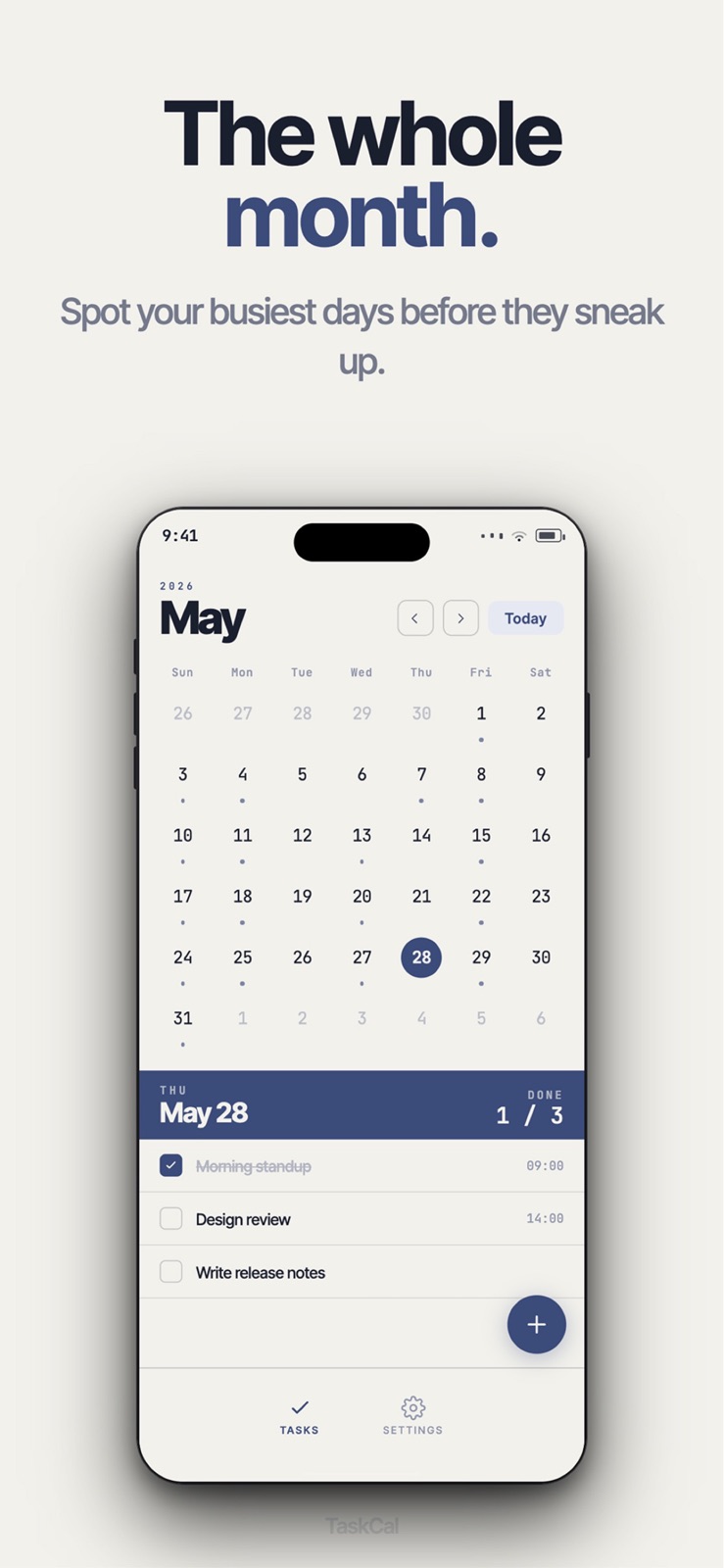
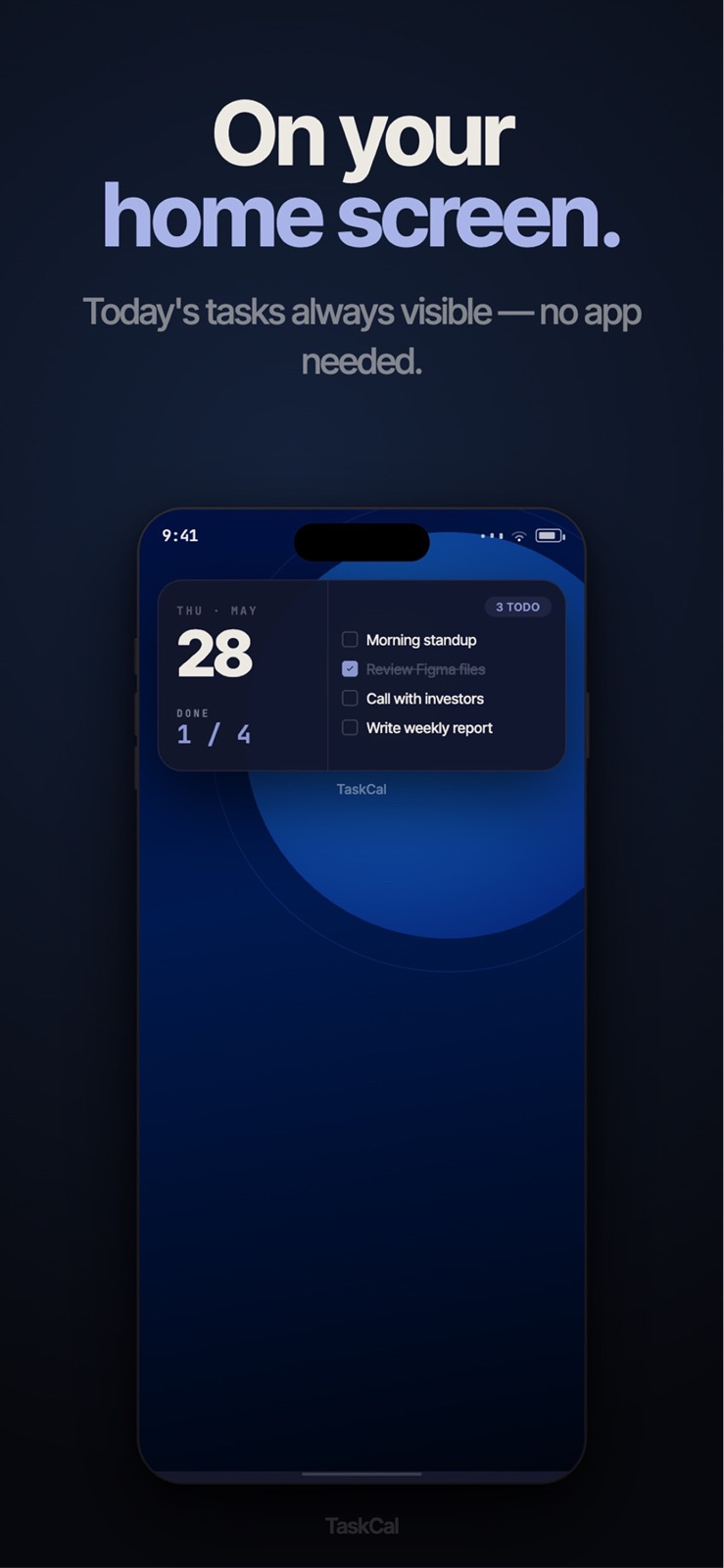
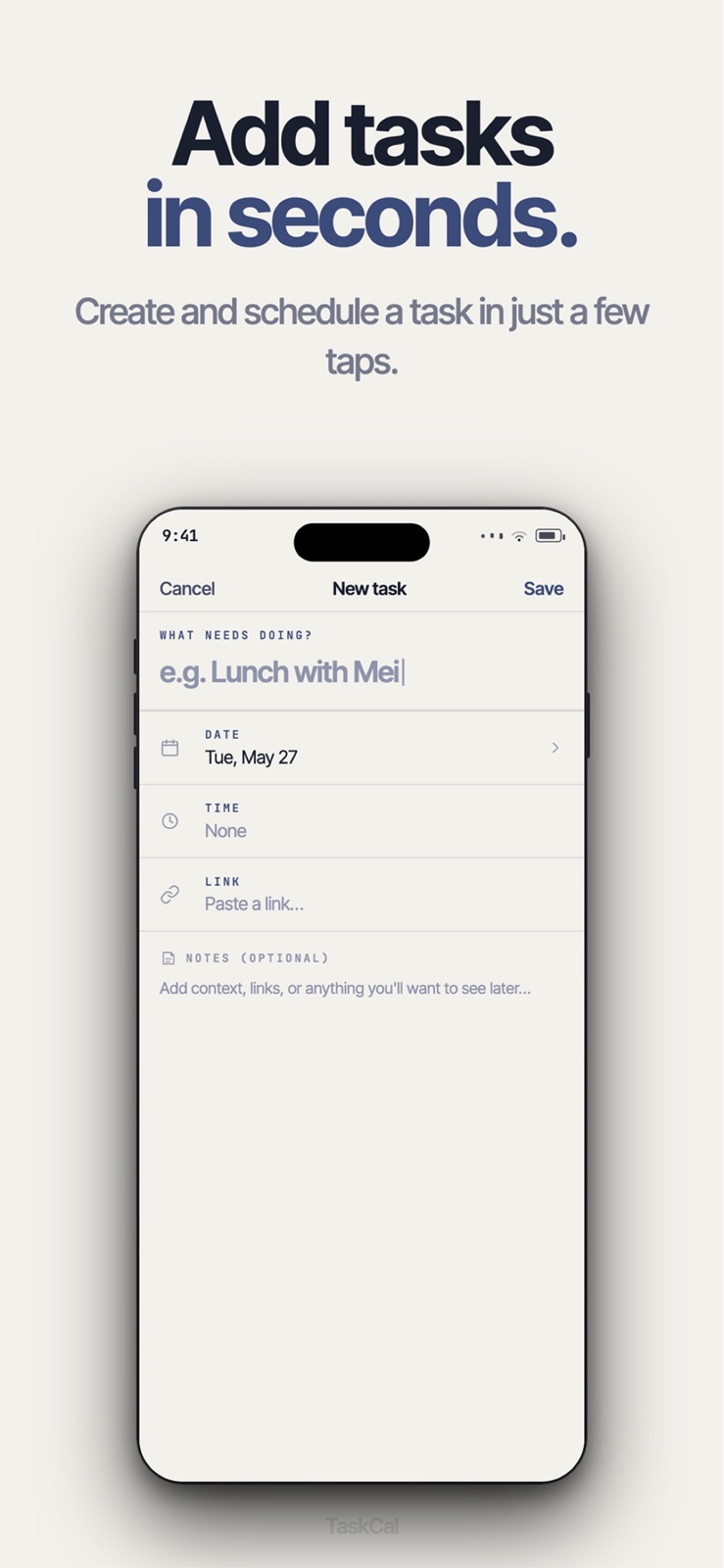
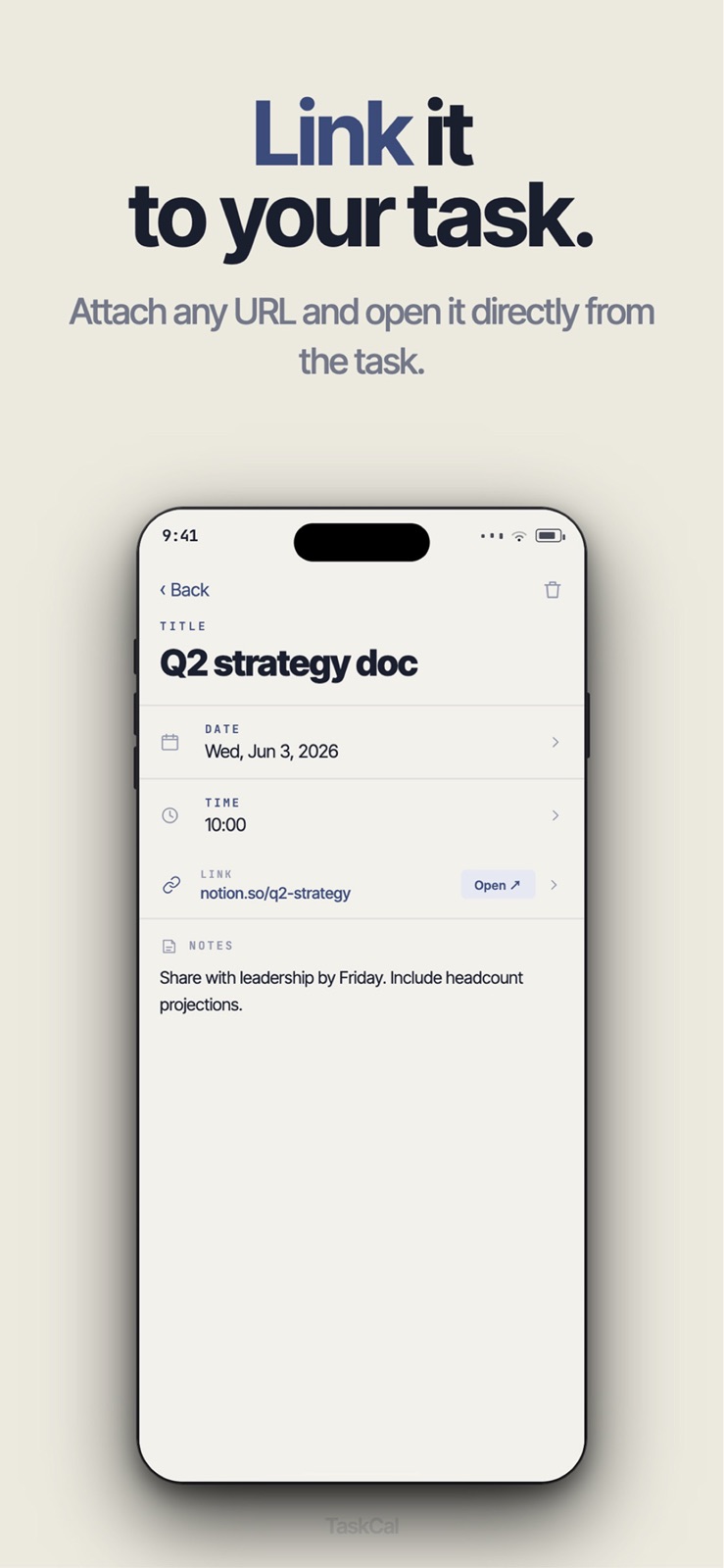
9 store screenshots
Pricing & paywalls
App Store
Shown for US
- Free
Ratings & reviews
App Store
Shown for US
No store reviews collected for App Store · GB
Privacy & accessibility
App Store
Privacy
- Data Linked to You — Product Personalization — Contact Info — Email Address Developer declared
- Data Linked to You — Contact Info Developer declared
Accessibility
No accessibility labels collected yet.
Versions
App Store
- 1.0
-
1.0.1
Core Features Calendar Integration - Clear calendar view to see all tasks at a glance - Tap any date to view, add, or edit tasks - Drag and drop to adjust dates with ease - Clean visual design that keeps you focused Full‑Stack Task Management - Fast task creation with title, description, and notes - Flexible scheduling with optional reminders - One‑tap completion for instant satisfaction - Intelligent sorting that auto‑optimizes task order Rich Task Content - Task links for quick access to related resources - Detailed descriptions and notes Secure Authentication - Google SSO for safe, convenient sign‑in - No passwords to remember—just one tap - Cross‑device sync for access anywhere Multilingual Support - Full support for Traditional Chinese and English - Smart language switching for a seamless experience - Localized interface that feels natural to use Personalized Themes - Light/Dark themes you can switch anytime - Eye‑friendly design for long sessions - Modern, clean UI that looks great - Adaptive layout for any screen
-
1.1.0
Core Features Calendar Integration - Clear calendar view to see all tasks at a glance - Tap any date to view, add, or edit tasks - Drag and drop to adjust dates with ease - Clean visual design that keeps you focused Full‑Stack Task Management - Fast task creation with title, description, and notes - Flexible scheduling with optional reminders - One‑tap completion for instant satisfaction - Intelligent sorting that auto‑optimizes task order Rich Task Content - Task links for quick access to related resources - Detailed descriptions and notes Secure Authentication - Google SSO for safe, convenient sign‑in - No passwords to remember—just one tap - Cross‑device sync for access anywhere Multilingual Support - Full support for Traditional Chinese and English - Smart language switching for a seamless experience - Localized interface that feels natural to use Personalized Themes - Light/Dark themes you can switch anytime - Eye‑friendly design for long sessions - Modern, clean UI that looks great - Adaptive layout for any screen
-
1.1.1
Version 1.1.1 Release Notes iOS Home Screen Widget (Core Feature) Added a native iOS widget that displays today’s to‑dos directly on the iPhone Home Screen, so you can view tasks without opening the app. Widget highlights: - Up to 4 tasks: Shows up to four items with completion status - Live time sync: Task times update in real time (HH:MM format) - Sizes: Supports Small and Medium - Brand color: Uses brand purple #9466EE for time labels - Overflow indicator: Displays “+ X more” when there are more than four tasks Technical updates: - Version: 1.1.1 (Build 3) - Data sharing: Implemented App Groups for data sharing between the main app and the widget - Swift bridging: Added Swift bridge to enable real‑time widget updates - OS support: iOS 15.1+
-
1.1.2
What's New in Version 1.1.2 Improvements & Optimizations - Enhanced feedback mechanism for easier communication - Improved welcome email experience with quick launch feature - Better overall stability and performance Thank you for your support! Feel free to contact us with any questions or suggestions.
-
1.1.3
What's New in Version 1.1.3 Improvements & Bug Fixes - Fixed settings page version display to show accurate app version - Improved localization for task movement alerts - Added user feedback form link in Settings - Enhanced app stability and performance - Removed legacy staging environment configurations UI Enhancements - Updated Settings page with new Support section - Added external link indicator for feedback form - Improved overall user experience
-
1.1.4
- Added a feedback link - let us know what you think! - Fixed issues with the iOS Widget. - Improved app performance and stability. - User interface enhancements.
-
1.1.6
- Improved loading experience - Fixed display issues when loading tasks - Performance optimizations for smoother app experience - Bug fixes and stability improvements - Optimized task moving performance
-
1.1.7
- Enhanced Reminder Settings - Reminder notifications now default to all three time options (30, 10, and 5 minutes before tasks) when enabled - Improved Loading Experience - Added skeleton loading animations for account information and settings while data is being loaded - Better Navigation - Fixed issue where navigating to Settings page would unexpectedly redirect back to Calendar - UI Refinements - Improved Terms of Use and Privacy Policy layout for better readability - Bug fixes and stability improvements
-
1.2.0
- Brand Refresh: App has been rebranded to "TaskCal" with a new modern logo design - Improved App Icon: Updated app icon with transparent background for better visual consistency across iOS themes - Enhanced Calendar Navigation: Reduced scroll threshold for month switching from 50px to 30px for more responsive navigation - Better Logo Display: Removed background and shadow from app logo to prevent "logo in logo" effect - Smoother Calendar Scrolling: More sensitive month switching makes navigation feel more natural - Visual Consistency: App icon now adapts better to iOS system themes and appearance settings
-
1.2.1
- Fixed Chinese app name display in App Store review
-
1.2.2
Performance Improvements - Faster App Loading: Optimized data preloading with priority loading (today's tasks → current month → adjacent months) - Parallel Data Loading: User settings and tasks now load in parallel for faster startup - Immediate Cache Updates: Data is cached immediately as it loads, reducing wait times - Smart Note Input: Note input field now dynamically adjusts height based on content (up to 12 lines) for better visibility Improvements - Better Loading Experience: App now shows UI faster while data loads in the background - Reduced API Calls: Preloaded data is reused across screens to avoid duplicate requests - Enhanced Note Editing: Note field expands automatically as you type, making it easier to view and edit longer notes
-
1.2.3
New in This Version - In-App Version Update: The app now checks for new versions and prompts you to update with a direct link to the App Store - Map Preview for Tasks: When a task link is a Google Maps URL, you can open an in-app map preview - Ad Support: Light ads have been added to support continued development; they appear at the bottom of the calendar and settings screens and do not block core features Performance & Improvements - Faster loading with optimized data preloading (today’s tasks → current month → adjacent months) - User settings and tasks load in parallel for quicker startup - Note field now expands as you type (up to 12 lines) for easier editing - Preloaded data is reused across screens to reduce duplicate requests
-
1.2.8
- Fixed auto theme mode to properly follow iOS system appearance settings - Added real-time system theme change detection for instant updates - Improved theme detection logic with better fallback mechanism - Fixed Rate Us modal to ensure proper display - Enhanced app stability and user experience
-
1.3.0
- Terms of Use and Privacy Policy now open as smooth sheet modals instead of navigating to a separate screen - Task creation and editing modal now shows a clear close (X) button and drag indicator for a more intuitive experience - Improved visual consistency across modal sheets (headers, backgrounds, close buttons) - Feedback form now shows a clearer validation message when the Details field is empty
-
1.3.1
- Ads temporarily paused — all users now enjoy an ad-free experience - Settings screen background color refined for better visual consistency - Map preview button and dialogs now fully support all languages (English, Traditional Chinese, Español) - Minor UI improvements and bug fixes
-
2.0.0
Completely redesigned UI with the new Indigo design system Redesigned Task Detail screen with inline editing and Mark Done button Calendar screen improvements: task dots, Today highlight, and banner optimizations Updated Settings screen layout aligned with new design
-
2.0.1
TaskCal 2.0 — our biggest update yet. • Completely redesigned UI with the new Indigo design system • Redesigned Task Detail screen with inline editing and a full-width Mark Done button • Calendar improvements: multiple task dots, Today highlight, and banner polish • Refreshed Settings screen aligned with the new design • New Lock Screen and Large Home Screen widgets • Added crash monitoring plus a batch of stability and bug fixes
-
2.0.3
· 12 Jul 2026
- Fixed a date-parsing bug that could shift task dates for users in negative UTC timezones - Improved notification reliability — turning off task reminders no longer affects your daily summary - Faster app response when switching months, editing tasks, and using Settings - Various stability fixes across sign-in, task sync, and the home-screen widget
Availability by market
- US
Data quality & evidence
- Page completeness
- Live store listing
- Last verified
- 31 Jul 2026
- Sources
- App Store
- Independent summary has not been published yet.