
Quick verdict
- What it is
- Store information collected; an Apoku editorial summary is not yet published.
- At a glance
-
- Free to download
- In-app purchases
Categories and search queries
Official categories
- Utilities
- Productivity
Apoku categories
Key functions
| Function | Availability | Access | Scope | Evidence |
|---|---|---|---|---|
| Free app | Yes | Free | Context-specific | Store published |
| In-app purchases | Yes | Limited free | Context-specific | Store published |
Screens
App Store
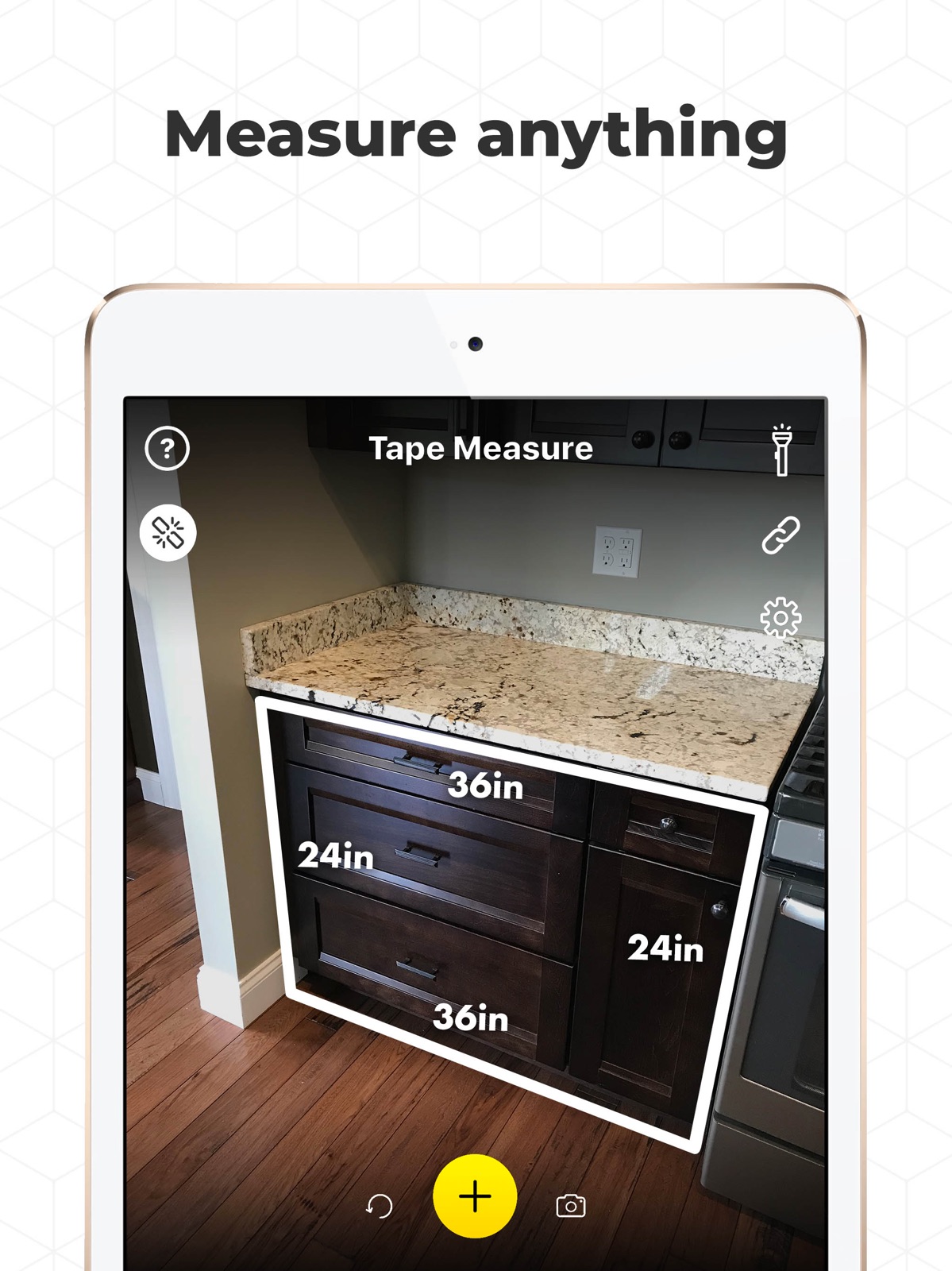
19 store screenshots


Pricing & paywalls
App Store
- Tape Measure Pro — $9.99
- Tape Measure Pro — $14.99
- Tape Measure Pro — $29.99
- Tape Measure Pro — $49.99
Ratings & reviews
App Store
-
4/5Worked beautifully
Wish I knew how much this app was. I bought some property and needed to stake off where my house was going and where the property perked and low and behold, I left my tape measure 40 miles away. 40 winding country miles at my house I currently own. So I thought surely someone has made an app for that! Found this and omg, I was saved! I was measuring hundreds of feet on my vacant land and it did beautifully! The septic inspector went out and when he called, said he’d be sending me the permit through email. Whew! I got it right! If the price is right, I’d buy the whole app because my house that’s being built, I will surely need it. But I’m not taking no 3 day trial if I don’t know what I will be charged after that! Give us a price
Banshee41a · 31 Jul 2026
-
1/5Useless
Inaccurate measurements and deceptive setup that makes it seem like there is no free option. Combined with the 3-day free trial and high yearly fee this seems designed to trick people out of their money. Edited to add - My apologies for confusing the subscription period to be monthly instead of annually. I have corrected this above. I stand by the rest of my review and find it off putting that the developer responds to users reporting challenges by insisting the app is easy to use. I did use the tutorial before trying the measuring feature; I still could not get an accurate result. Moreover, while a $30/year fee is much less crazy than $30/month I still find it excessive for the functionality offered, and it is sketchy the way setting up a pro subscription appears to be required to proceed to use the app. Other apps make it much easier to use free features and clearer when you are opting in to paid services. Although I realized what had happened and was easily able to end my subscription, it’s clear from the reviews that others have been billed because they either didn’t know they’d subscribed or were unfamiliar with how to unsubscribe and I think that’s deceptive. If the developers are so sure their tutorial will address everyone’s complaints I’d encourage them to promote it instead of pushing the pro subscription and let users seek out the latter on their own or as they try to access the paid features. I will not be using this app again.
sammylbrown · 29 Sep 2026
-
5/5THIS IS THE RULER YOU WANT.
This app totally blew me away from the moment I opened it and saw that it wasn't like all the other so-called ruler apps. I've downloaded countless of them, all claiming to be AR enabled measurement apps, yet every single one of them was either too difficult to learn and/or use or they simply didn't work at all. Either way, none of them lasted more than 30 minutes on my phone. Honestly, I was expecting one of those outcomes when I decided to try this app as a last ditch effort at having a working, reliable ruler on my iPhone. You know what it took for me to learn to use this app? A 17-SECOND HOW-TO VIDEO THAT'S AVAILABLE FROM THE SETTINGS PAGE. Hallelujah, Devs! You've earned my business for as long as you keep updating this app - oh! And that's the other thing! I'm usually such a tightwad, especially when it comes to paying subscription fees for the "Pro version" of any app - I can't believe I'm typing this, but I truly think this app is worth EVERY PENNY! Save yourself the headaches and just download it. (You can even take it for a free 3-day test-drive before you get billed for the annual fee.)
Thundercaaat · 29 Sep 2026
-
5/5Smooth and Accurate
Alright so I rarely write reviews but I got to for this. Lots of good reviews for the app and some one stars that I see and a lot of the same replies from the developer. It’s pretty simple, a lot of the users just need to watch the tutorial to see how to use the app! Maybe there should be a walkthrough when you first download that better explains but the video right now shows enough to get the idea. And contrary to what some people say, you can measure for FREE. There are a lot of other tools you can upgrade too but it’s optional like the developer says. I like the level tool better than other apps so I use that and would recommend trying out all the tools. Just my two cents 😌 I also have used the floor plan tool and the screen ruler which is nice. I wish there was a way to make the screen ruler longer, I know you can scroll but sometimes it’s too short. Overall would recommend, try it out and make your own assumption. Okay gthats my review for tape measure ✌️
halliehall · 29 Sep 2026
-
5/5Works better than others
Pretty nice app, find myself using it nearly everyday. The ruler and level tool come in handy all the time and the regular measuring is pretty darn good when you know how to use it. I recommend this one over the rest. Edit - I have some suggestions that might help. I would really like to see an option in settings were I can see measurements in decimal place mode. Something I need a little more precision that 1/2 inch etc. I also wish I could see my saved floor plans in the app and not just an export option. It’s still nice but that would be helpful. Lastly I do think there should be some additional tutorials in the app. The video and tips are good but for the floor plan tool there are no instructions. I still figured it out but it may help others learn easier. The level and ruler are self explanatory so those are easy to figure out. Just some ideas. Glad there is one app that has all the tools I need so thanks for that
Jackk45 · 29 Sep 2026
Privacy & accessibility
App Store
Privacy
- Data Not Linked to You — Analytics — Usage Data — Product Interaction Developer declared
- Data Not Linked to You — Usage Data Developer declared
Accessibility
No accessibility labels collected yet.
Versions
App Store
-
3.67
- Bug fixes and improvements
-
3.68
- Improved scanning instructions - Fixed shortcut crashes
-
3.69
- Bug fixes and improvements
-
3.70
- Bug fixes and improvements
-
3.71
- Improved iPhone 16 Pro layout - Various bug fixes
-
3.72
- Bug fixes and improvements
-
3.73
- Upgraded snapping - Improved precision
-
3.74
- Upgraded snapping - Performance improvements
-
3.75
- New "precise pinch" Ruler - Level Tool upgrades
-
3.76
- Ruler upgrades - Improved accuracy
-
4.0
Tape Measure v4 is now live: - New Surface Level tool - Ruler upgrades - Level tool upgrades - System wide accuracy improvements Enjoying the app? Write us a review!
-
4.01
- Support for iOS 26, iPhone Air & 17 models - Bug fixes and improvements
-
4.02
- Support for iOS 26, iPhone Air & 17 models - Bug fixes and improvements Enjoying the app? Write us a review!
-
4.03
- Bug fixes and improvements Enjoying the app? Write us a review!
-
4.05
- Bug fixes and improvements Enjoying the app? Write us a review!
-
4.06
- New language localizations - Bug fixes & improvements Enjoying the app? Write us a review!
-
4.07
- New 3D Scanner Tool - Capture textured room scans to save, measure & export Enjoying the app? Leave us a review!
-
4.08
- New 3D Scanner Tool - Capture, save & export textured room scans - Area Tool upgrades - New TV Sizer Tool Enjoying the app? Leave us a review!
-
4.09
- New 3D Scanner Tool - Capture, save & export textured room scans - Area Tool upgrades - New TV Sizer Tool Enjoying the app? Leave us a review!
-
4.10
- New 3D Scanner Tool - Capture, save & export textured room scans - Area Tool upgrades - New TV Sizer Tool Enjoying the app? Leave us a review!
-
4.11
- New 3D Room Scan Tool - New TV Sizer Tool - Area Tool upgrades - iPhone 17e bug fixes Enjoying the app? Leave us a review!
-
4.12
- New 3D Room Scan Tool - New TV Sizer Tool - Area Tool upgrades - Various bug fixes Enjoying the app? Leave us a review!
-
4.13
- Bug fixes & improvements
-
4.14
- New 3D Room Scan Tool - New TV Sizer Tool - Area Tool Upgrades Enjoying the app? Leave us a review!
-
4.15
· 10 Jul 2026
- New 3D Room Scan Tool - New TV Sizer Tool - Area Tool Upgrades Enjoying the app? Leave us a review!
-
4.16
- New Grab and Drag for quick measurement adjustments Enjoying the app? Write us a review!
-
4.17
· 26 Aug 2026
- New Grab and Drag for quick measurement adjustments Enjoying the app? Write us a review!
-
4.18
- New Grab and Drag for quick measurement adjustments Enjoying the app? Write us a review!
-
4.19
- iOS 27 Support - Bug fixes & improvements Enjoying the app? Write us a review!
-
4.20
- iOS 27 Support - iPhone 18 Support Enjoying the app? Write us a review!
-
4.21
· 20 Sep 2026
- iOS 27 Support - iPhone 18 Support Enjoying the app? Write us a review!
Alternatives
- Tape Measure® — Same category + similar ratings
- Measuring Tape+ Measure AR app — Same category + similar ratings
- Tape Measure & Ruler Арр — Same category + similar ratings
Availability by market
- US
Data quality & evidence
- Page completeness
- Live store listing
- Last verified
- 29 Sep 2026
- Sources
- App Store
- Apoku editorial summary has not been published yet.