
Quick verdict
- What it is
- Store information collected; independent summary not yet available.
- At a glance
-
- Free to download
- In-app purchases
Categories and search queries
Official categories
- Health & Fitness
- Productivity
AppCorpus categories
Key functions
| Function | Availability | Access | Scope | Evidence |
|---|---|---|---|---|
| Free app | Yes | Free | — | Store published |
| In-app purchases | Yes | Limited free | — | Store published |
Screens
App Store
14 store screenshots

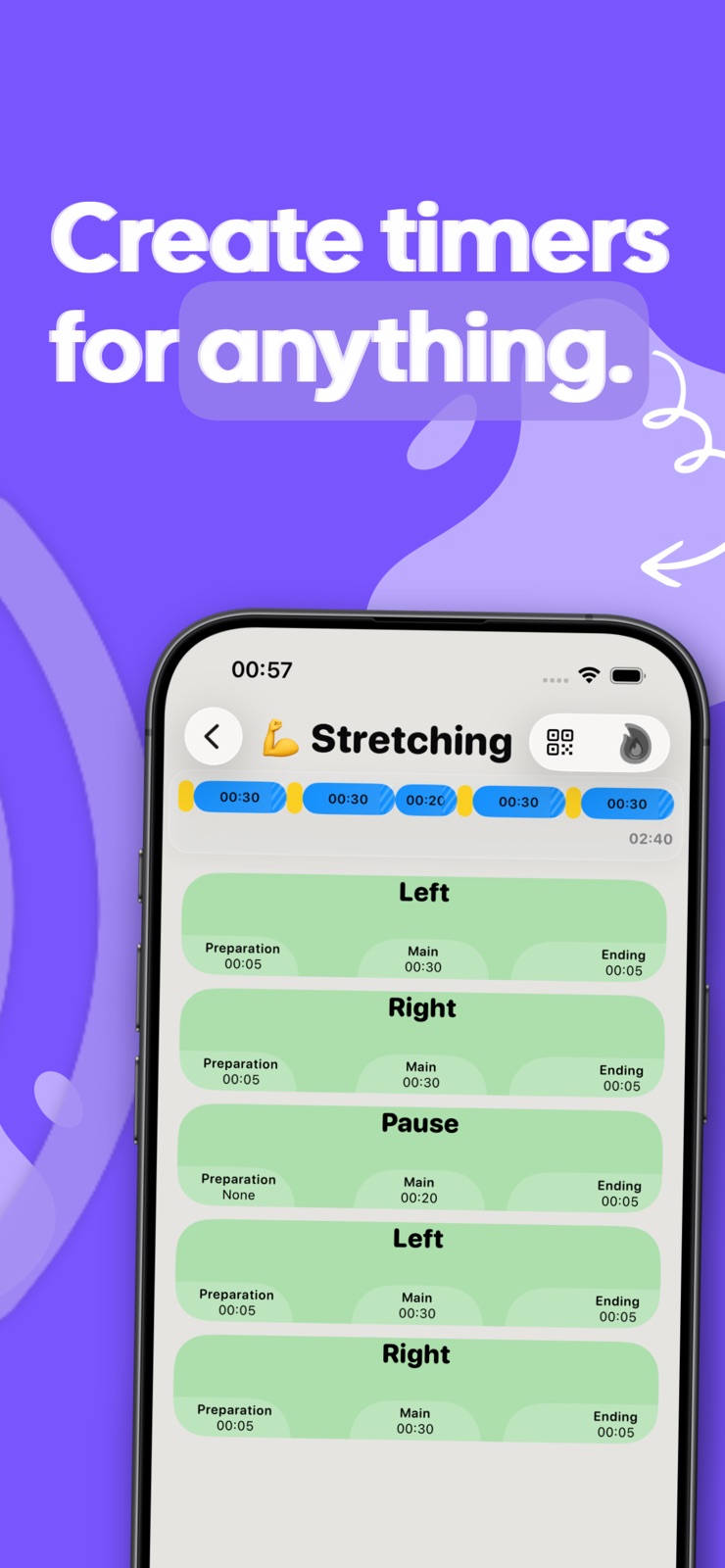


Pricing & paywalls
App Store
- Free to download
- In-app purchases
Ratings & reviews
App Store
-
5/5Finally!
A timer that will not interrupt your music, and that you do not have to manually shut off. It just gives you a quick buzz, that’s it! The team that built, it is continuing to improve the user experience. With every penny!
The Georgie! · 31 Jul 2026
Privacy & accessibility
App Store
Privacy
- Data Not Collected Developer declared
Accessibility
No accessibility labels collected yet.
Versions
App Store
-
1.5.1
This update fixes an issue introduced in the previous version that caused interval haptic feedback to stop working or trigger inconsistently (for example, when switching between timers). It also improves the Apple Watch timer view, which now automatically synchronizes with the watch’s one-second refresh cycle when the display dims, boosting efficiency and conserving power.
-
1.5.2
The streak design in the Apple Watch timer view has been refined for a cleaner look. Includes minor bug fixes and language improvements.
-
1.5.3
This update fixes an issue that caused only one streak to appear in the calendar. Includes minor performance improvements.
-
1.5.4
Minor performance improvements and visual tweaks. Initial preparations for iOS 26.
-
1.5.5
Small improvements and visual fixes.
-
1.6
Visual improvements for a clearer UI. Better handling of error messages. Added new languages.
-
2.0
• Hand-crafted liquid-glass icons debut in this release • Design updated and optimized for iOS 26 and watchOS 26 • Significant performance improvements throughout the app • More efficient navigation for an even smoother experience
-
2.1.0
Performance and stability improvements, plus optimized layouts and text for better readability across Apple Watch models. Minor bug fixes and refinements.
-
2.2.0
• Performance improvements • Localization and language adjustments • Minor bug fixes
-
2.2.1
Minor bug fixes and design tweaks for improved visibility.
-
2.3
New: A visual timeline that makes it easier to see the sequence and duration of your timers at a glance. Plus bug fixes and minor visual tweaks that could appear after purchasing the app.
-
2.4
The clear interval display from the iOS app is now available on Apple Watch. The interface has been modernized to match the new structure of the iPhone version. Minor optimizations improve the user experience. General bug fixes and performance enhancements increase the stability of the application.
-
2.5
- New: Swipe to duplicate – When creating and editing timers, you can now duplicate entries with a swipe to build similar timers faster. - More reliable Premium detection – Premium purchases are now recognized and synced more reliably on both iPhone and Apple Watch. - Minor design improvements & tweaks – UI polish and small refinements for a smoother experience.
-
3.0
- New: iPhone timer – Use your intervals directly on iPhone, even without an Apple Watch. For the best experience, we still recommend Apple Watch, where haptic feedback works more reliably in the background. - Easier sharing – Share intervals via QR code, iMessage, or a link. Others can import them instantly. - Performance & stability – Plus minor visual optimizations.
-
3.1
• Background signals on iPhone have been improved, including more reliable haptic behavior. • The iPhone timer has been visually redesigned and is now more clearly structured. • Better presentation on small displays with optimized spacing and sizes. • Timer options are now grouped in a dedicated sheet. • The interval timeline can now be tapped directly to immediately edit the active interval list. • Navigation and layout for editing intervals have been improved.
-
3.1.1
Bug fixes and visual polish — plus performance improvements in the new iPhone timer.
-
3.1.2
Minor adjustments and performance improvements for a smoother, more modern feel across the menus.
-
4.0
- NOW NEW: Quick Start Complication (highly requested) – Start your last used interval from your watch face with one tap. - How to add it: Press and hold your watch face, tap Edit, go to Complications, then choose Quick Start under Tap Timer. - Improved onboarding – Setup and key features are now easier to understand. - Bug fixes & stability – Various small fixes and reliability improvements across the app.
-
4.1
Bug fixes and performance improvements. Improved guidance for users experiencing sync issues, including checks for iCloud-related problems (for example, full iCloud storage). Onboarding improvements.
-
4.1.1
Performance improvements and language refinements in onboarding.
-
4.2
Fixed an issue where onboarding could appear twice for some users. This update also improves Apple Watch performance, data flow, and visuals across all Watch sizes.
-
4.3
• Bug fixes and stability improvements for the Apple Watch app. • Sample intervals can now be added directly on Apple Watch if iCloud cannot sync because storage is full. • This makes it easier to try and use Tap Timer on Apple Watch, even when sample intervals are not transferred automatically from iPhone.
-
4.4
What’s new: We’ve made many visual improvements. Calendars can now be hidden for individual intervals to keep your overview cleaner. Streaks are still tracked automatically and will appear correctly if you turn them back on later. General performance improvements are included too.
-
4.5
Improved Apple Watch startup reliability and fixed a rare issue that could prevent the Watch app from opening after installation.
-
4.5.1
· 26 Jul 2026
Timers can now be duplicated directly using a new button on each timer card. You no longer need to rely on the previously hidden swipe gesture, making the feature much easier to find. The minimum Apple Watch requirement has been lowered to watchOS 10.6, allowing Tap Timer to support more older Apple Watch models.
Alternatives
- Interval Timer - Tabata Timer — Same category + similar ratings
Availability by market
- US
Data quality & evidence
- Page completeness
- Live store listing
- Last verified
- 31 Jul 2026
- Sources
- App Store
- Independent summary has not been published yet.