
Quick verdict
- What it is
- Store information collected; independent summary not yet available.
- At a glance
-
- $16.99
Categories and search queries
Official categories
- Business
- Productivity
AppCorpus categories
Key functions
| Function | Availability | Access | Scope | Evidence |
|---|---|---|---|---|
| Family Sharing | Yes | Unknown | App Store | Store published |
Screens
App Store
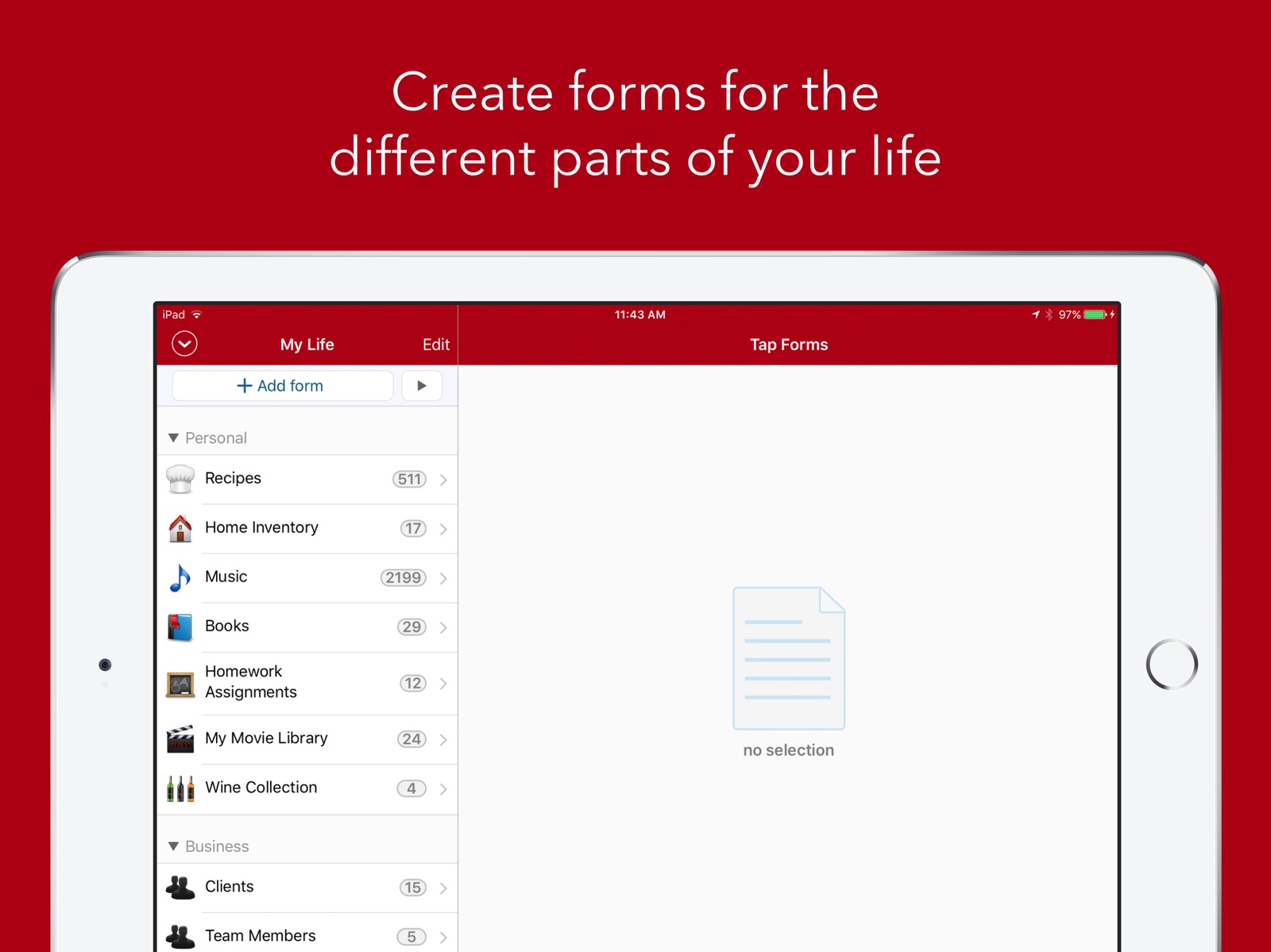
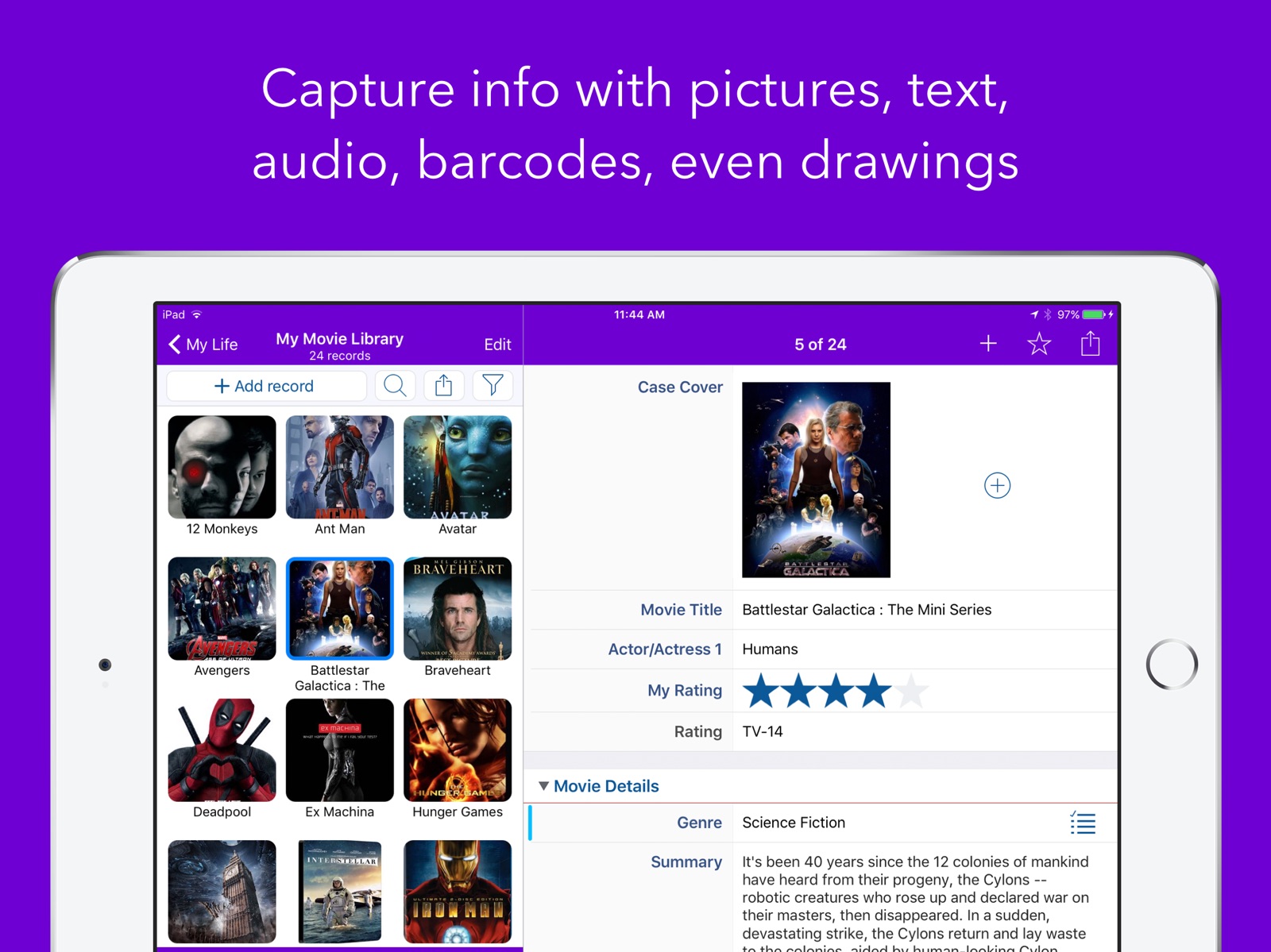
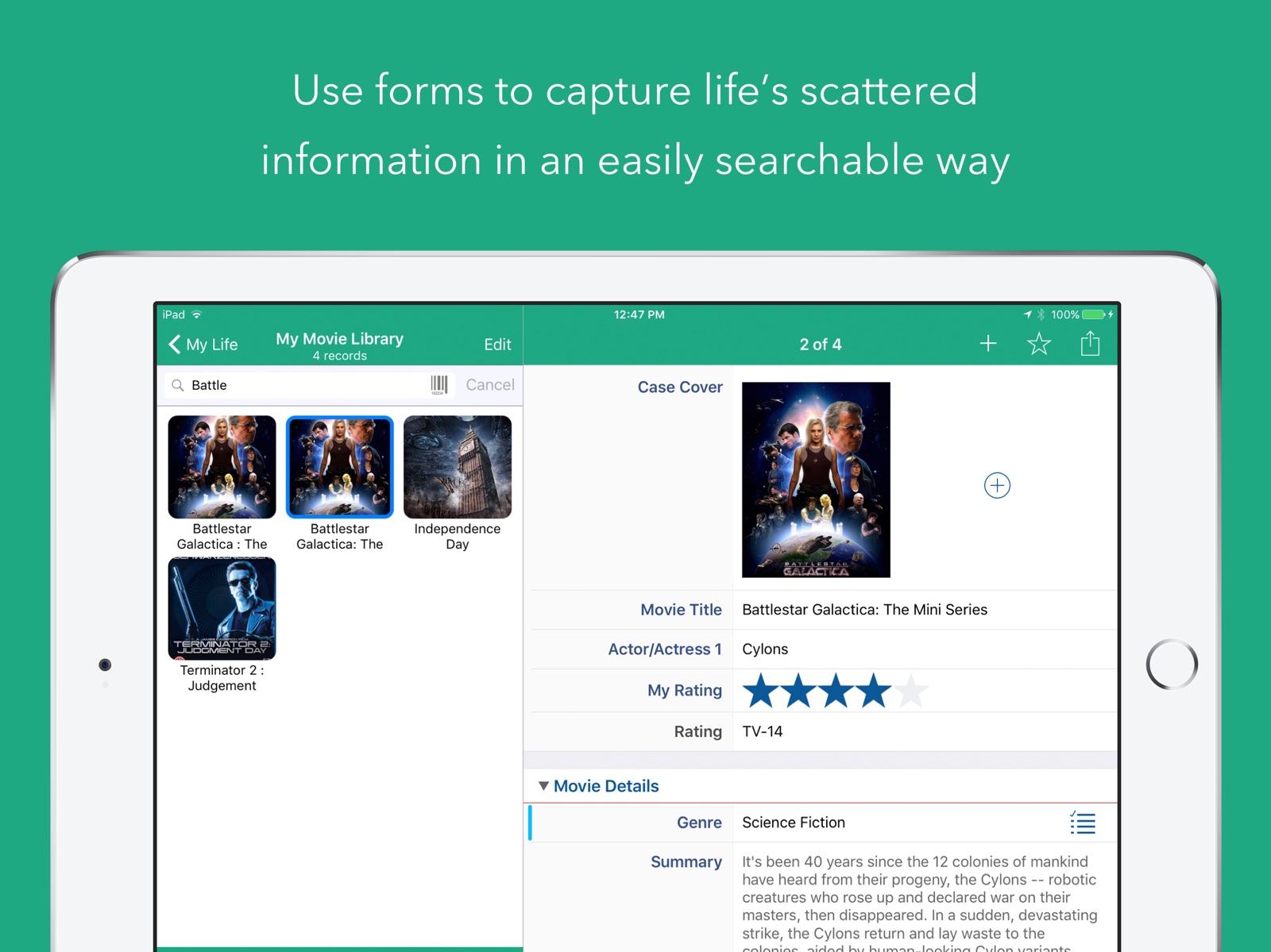
14 store screenshots

Pricing & paywalls
App Store
- Price: $16.99
Ratings & reviews
App Store
-
5/5Love it
It can be a little hard at first to create a customized form but it makes organizing my craft supplies so much easier. I can fill in then flip through my rubber stamps and stencils and digital papers and see everything I want to use in a journal. No, I don’t actually have everything in and nicely done. But I am adding items to categories when I find them. Also I’m adding in the mess I have of digital stuff slowly. I also have my sewing pattern collection (800+) mostly organized. I love I control what is on the forms. It has meaning to me and most of the crafters I have showed are amazed. If I decide I need more information I can just add it. I have it on my iPad. If I’m in a thrift store I can see if I have that sewing pattern or rubber stamp. I also use keywords so I can see if I really need another cat rubber stamp. (I don’t but I probably will). Also I don’t have to keep paying to be able to use this program. So overall it is a wonderful product.
Jlk12345678 · 5 Aug 2026
-
5/5Best ever...
Wait, I haven't written a review about TapForms yet? impossible, it's only my most used app, ever since the first iPhone or whenever this app was first offered for sale. It started as my password holder, but over the years it has grown and blossomed like the phone itself. I was using this app way back when it had a crappy icon, yeah I've been a fan since before Brendan was famous. TapForms now is a daily user for me and indexing every kind of note, document, folder and all those passwords. So many passwords. Behind all the great design and functionality is Brendan, the dev team and owner all in one. Over the years, I've come to Brendan for help with how to do this or do that, and he's always been there, always in a timely manner. I'm not really doing this app justice either, because I use about 20% of what it can do. It can organize just about everything digital and keep it safe. It doesn't get any better than that. The take away here is that Brendan has created and continues to improve an app that is more than worth the price of purchase, whichever operating system you use. In the era of online protection, TapForms holds its own against the best of them.
atavision · 5 Aug 2026
-
5/5TapForms really rocks!
I’ve been using TapForms for years! It’s always been good but the last couple of updates have made it great! How can anybody get excited about a database app? Well, if you haven’t made the following secure: your password protected websites, credit cards, banking pins, healthcare logins, software passwords, shopping sites, email addresses, dropboxes, buying club memberships, cloud logins, social media logins, etc, you will be hacked! It’s only a matter of time. If you are using a single password for more than one account or if you use common words that you can remember, or if your password is less than 16 places, You Will Be Hacked! TapForms keeps the dozens, or in my case, hundreds of complex passwords in a neat, password protected database that securely syncs between computers, cell phones, & tablets to make security mean something. Oh, it does more than what I mentioned, but keeping me truly secure is worth a million bucks alone! Check it out! Move into the 21st century!
JKellygreen · 5 Aug 2026
-
5/5No Subscription!
Over the last few years I’ve tried out various apps to use for inventory at a school. Most apps with these features have a subscription model which is not appealing once you add up how much you’d spend to keep it accessible. Almost every inventory app has the subscription model... and they are not cheap! This one does not have a subscription model! For this alone it is worth it. If you compare features and price... you’ll see this is a winner. The barcode scanning is not the best I’ve used, but is certainly not the worst. No Google Drive integration, and finding out how to use it is a bit of a task until you watch their tutorial videos a few times. It’s a little tough to navigate their website to find out how to use the app, so some parts of the app are still confusing to me after a few days of use. These are my biggest complaints, but overall this app has a lot of capability and I’m very impressed. Easily worth the money spent. I’ve already set up my database and have logged over 100 items so far after only a few days I’ve got it set up just right. This app doesn’t seem to break a lot of your database is viewed if you choose to rename something, or re-organize how it’s viewed (some apps do this). Lots of solid options. I’d like to see Apple’s Shortcuts integration, as well as Google Drive support, although iCloud has been working out great! Great Job on the app! It’s saving me a lot of time and headache so far!
emjay5200 · 5 Aug 2026
-
5/5The most useful app on my phone!
I moved over to TAP firms when Apple stopped supporting Bento. I’ve been keeping tack of my craft supplies since the Palm Pilot days. I was able to easily import the data from Bento into TAP forms, and I’ve been using it ever since- on my laptop, iPad and of course, my iPhone. I have every stamp set, die cut set, Copic market, craft idea book, sewing pattern and all my crafts cataloged so I always know what I have to avoid duplicate purchases. Since I also have pictures of each item, I can quickly scroll through and find a particular item quickly. Most recently, after cleaning out my closet during COVID, I started logging my wardrobe so when I am able to go out shopping again (or shopping online from my couch), I’ll know exactly what I have on hand and what size it is. Again, since I added pictures, I can quickly pull together outfits. I was trying to use Stylebook for this, but TAP forms is easier since I already know how to use it plus this app is regularly updated unlike other apps for tracking your wardrobe.
Pinkprincess675 · 5 Aug 2026
Privacy & accessibility
App Store
Privacy
- Data Not Collected Developer declared
Accessibility
No accessibility labels collected yet.
Versions
App Store
-
5.3.14
• Fixed an issue with the new Modified by Device field not displaying properly on iOS. • Fixed an issue where the keyboard would dismiss as you started typing on iPadOS. It was triggered by the device rotation notifications when jiggling the device. If you enjoy using Tap Forms and have a couple of spare minutes, please leave a review. I really appreciate every review. Each one makes a huge difference to the success and continued development of Tap Forms. Thanks in advance! - Brendan
-
5.3.15
• Fixed an issue with Nearby Sync stopping sync when Tap Forms goes to the background, but not starting up again when it comes to the foreground until you close and re-open the document. • Fixed an issue where a 'dummy cell' could display on the record edit screen for a Table field if you hid a field. • Fixed an issue where the New Record command didn't work from the record edit screen when you were editing the contents of a Table field's record. If you enjoy using Tap Forms and have a couple of spare minutes, please leave a review. I really appreciate every review. Each one makes a huge difference to the success and continued development of Tap Forms. Thanks in advance! - Brendan
-
5.3.16
• Fix for passcode entry screen not displaying when the app is running in the background and you bring it to the foreground. • Fixed issue with Website field where hashtags in the URL were incorrectly being encoded. • Some iOS 14 compatibility fixes. If you enjoy using Tap Forms and have a couple of spare minutes, please leave a review. I really appreciate every review. Each one makes a huge difference to the success and continued development of Tap Forms. Thanks in advance! - Brendan
-
5.3.17
• Fixed an issue with the Date, Time, and Date & Time fields dismissing the date and time pickers before you've finished selecting a date or time. • If the same image is referenced also in another Photo field, deleting the photo from one field will no longer delete the photo from the other field too. If you enjoy using Tap Forms and have a couple of spare minutes, please leave a review. I really appreciate every review. Each one makes a huge difference to the success and continued development of Tap Forms. Thanks in advance! - Brendan
-
5.3.18
• Fixed an issue with emailing forms that have Note fields set to Plain Text Note. The values were being displayed as (null). • The Modified by Device field was not printing or emailing. Fixed. * Importing a CSV file will now setup defaults when new records are created during the import process. • Photo filenames were not being exported if you chose not to also export media. Fixed.
-
5.3.19
• Fixed crash selecting Table field sub-field on Script Editor from the Fields list. • Fixed issue with tab key not working to move from field to field on the record edit screen on iPad. It was jumping to the top editable field. • Changed record select key from up/down arrows to command up/down arrows. • Fixed an issue where hidden fields in a Table field were not being hidden when displayed on the record details screen. • Changed the first field command-key to command-e to tell Tap Forms to put the keyboard focus on the first focusable field on the record. • Filenames in a File Attachment field can now be searched in a Saved Search.
-
5.3.20
• When compacting the database, Tap Forms will now purge data from the records for fields that have been previously deleted. It worked this way on the Mac version, but not the iOS version. Now there's synergy in behaviour. This would cause records to still show up in searches when the fields were deleted. Fixed. • Fixed bug unlinking inverse one-to-many relationships. The links were not being deleted. • Encode URLs when calling JavaScript JSUtils functions that require a URL. • Fix for adding photos to a field with JavaScript. Was crashing when the URL had spaces in it. • VoiceOver improvements on Tools screen and Sync Settings screen. • Fix for crash when tapping on the Script Favourites button at the top of the records list view. The crash happened only on the iPad version. • When emailing a record, you can choose to now Save the PDF version of it in the Exports folder in the Files area. If you enjoy using Tap Forms and have a couple of spare minutes, please leave a review. I really appreciate every review. Each one makes a huge difference to the success and continued development of Tap Forms. Thanks in advance! - Brendan
-
5.3.21
A little light on changes in this release. But rest assured, I'm still very busy working on great new things for Tap Forms for Mac and iOS. * Fixed an issue that caused Tap Forms to crash when you repeatedly switched to another application and then back to Tap Forms. * Fixed issue with file attachment viewing screen having white buttons against a white background making it appear that the button to close and share the file was not there. * Changed record navigation key commands to now require the control key to be pressed along with the command and arrow keys to navigate from record to record. • Modified by Device name is now displayed on Table fields. If you enjoy using Tap Forms and have a couple of spare minutes, please leave a review. I really appreciate every review. Each one makes a huge difference to the success and continued development of Tap Forms. Thanks in advance! - Brendan
-
5.3.22
• The Script edit window now goes full screen. • If you set prompter.cancelButtonTitle = null; then the Cancel button won't appear on the Prompter in the Script engine. If you enjoy using Tap Forms and have a couple of spare minutes, please leave a review. I really appreciate every review. Each one makes a huge difference to the success and continued development of Tap Forms. Thanks in advance! - Brendan
-
5.3.23
• Fixed issue setting the Increment Amount property on the Number field type. It wasn't saving properly and wasn't supporting decimal increments properly with the Stepper control. • Fix for Enable Data Detectors switch on the Note field options not remembering its state between launches. • Fixed value colour button action changing label colour value instead. If you enjoy using Tap Forms and have a couple of spare minutes, please leave a review. I really appreciate every review. Each one makes a huge difference to the success and continued development of Tap Forms. Thanks in advance! - Brendan
-
5.3.24
5.3.24: • Fixes an issue where saving a Number field value would not save unless you saved a different field type too. 5.3.23: • Fixed issue setting the Increment Amount property on the Number field type. It wasn't saving properly and wasn't supporting decimal increments properly with the Stepper control. • Fix for Enable Data Detectors switch on the Note field options not remembering its state between launches. • Fixed value colour button action changing label colour value instead. If you enjoy using Tap Forms and have a couple of spare minutes, please leave a review. I really appreciate every review. Each one makes a huge difference to the success and continued development of Tap Forms. Thanks in advance! - Brendan
-
5.3.25
• Fixed issue where Apple Watch was not displaying the list of records for the selected form. • The forms will now display automatically on the Apple Watch when the app is launched without you having to tap on the Refresh Forms button. If you enjoy using Tap Forms and have a couple of spare minutes, please leave a review. I really appreciate every review. Each one makes a huge difference to the success and continued development of Tap Forms. Thanks in advance! - Brendan
-
5.3.26
• Fixed a crash when restoring a backup file. • Fixed an issue where exporting a Tap Forms Archive was not putting the archive into the Exports folder as it should. • Section headings now have a light grey background again on the records list view. • Fixed a crash on iPadOS when you have a hardware keyboard connected and you tap the back button to go back to the forms list. If you enjoy using Tap Forms and have a couple of spare minutes, please leave a review. I really appreciate every review. Each one makes a huge difference to the success and continued development of Tap Forms. Thanks in advance! - Brendan
-
5.3.27
In my haste to fix the hardware keyboard crash bug, I introduced a new bug that caused values not to be saved on the iPad version. The developer (me) has been severely reprimanded and promises to test releases more thoroughly next time. 5.3.27 Fix: • Fixed bug that caused field values not to be saved. 5.3.26 Fixes: • Fixed a crash when restoring a backup file. • Fixed an issue where exporting a Tap Forms Archive was not putting the archive into the Exports folder as it should. • Section headings now have a light grey background again on the records list view. • Fixed a crash on iPadOS when you have a hardware keyboard connected and you tap the back button to go back to the forms list. If you enjoy using Tap Forms and have a couple of spare minutes, please leave a review. I really appreciate every review. Each one makes a huge difference to the success and continued development of Tap Forms. Thanks in advance! - Brendan
-
5.3.28
• Fixed an issue where the multi-select photo picker was showing thumbnails zoomed in instead of filling the thumbnail square. • Fixed an issue where on some picker screens the buttons and title in the navigation bar at the top were showing white on white, so you couldn't see them but they were still there. If you enjoy using Tap Forms and have a couple of spare minutes, please leave a review. I really appreciate every review. Each one makes a huge difference to the success and continued development of Tap Forms. Thanks in advance! - Brendan
-
5.3.29
Fixed a crash when editing Note fields. If you enjoy using Tap Forms and have a couple of spare minutes, please leave a review. I really appreciate every review. Each one makes a huge difference to the success and continued development of Tap Forms. Thanks in advance! - Brendan
-
5.3.30
Fixed an issue with Nearby Sync on iOS 16. The device name was showing as the device model instead of the device name, preventing sync from recognizing other devices on the network. If you enjoy using Tap Forms and have a couple of spare minutes, please leave a review. I really appreciate every review. Each one makes a huge difference to the success and continued development of Tap Forms. Thanks in advance! - Brendan
-
5.3.31
• Fixed an appearance issue with the multi-photo select screen. The buttons were not displaying in light and dark mode and the navigation bar was transparent. • Fix for Script Edit screen's white Cancel and Save buttons being displayed on a white background on iOS 16 making them nearly impossible to see that they're there. • Fixed Pick List values editing crash • Fix issue with not being able to add an event to the calendar using JavaScript • Fixed weekdays calculation hang • Fix for crash when dragging a category on the Forms list. If you enjoy using Tap Forms and have a couple of spare minutes, please leave a review. I really appreciate every review. Each one makes a huge difference to the success and continued development of Tap Forms. Thanks in advance! - Brendan
-
5.3.32
• Fixed an issue that caused the Date field to hang on iPadOS 17 when choosing a date value. It also fixes an issue where the date selector controls would disappear or get squished after you selected a date or time. • Fixed a crash when selecting fonts on the Note field edit screen. • Fixed a crash with the Photo field when you tap on a photo to view it larger.
-
5.3.33
Fixed an issue with the Add to Calendar and Add to Reminders buttons not appearing on the Date & Time field entry screen on iOS 17. The date and time picker buttons on the Date & Time field entry screen should no longer hide when tapping onto other fields.
-
5.3.35
Fixed issue with Note field freezing when dismissing view on some older iPad models.
-
5.3.36
Fixed an issue with saving date values on iPad in split view slide over mode. Tap Forms was closing the document instead of going back to the record edit view.
-
5.3.37
Fixed an issue with displaying movie files from a File Attachment field and on the Files screen on iOS 18. The video was showing full screen but the player controls and navigation controls were not displaying.
-
5.3.38
Added Upgrade to Tap Forms Pro feature on the Tools tab for easy migration of your database documents to the new Tap Forms Pro.
-
5.3.39
· 28 Apr 2025
Fixed issue with iPad layout of fields on record edit view. This fix necessitated the use of the new iOS 18 tab bar style where it appears at the top instead of the bottom. Fixed crash when dragging photos to rearrange them within a Photo field.
Alternatives
- MyStuff2 Pro — Same category + similar ratings
Availability by market
- US
Data quality & evidence
- Page completeness
- Live store listing
- Last verified
- 5 Aug 2026
- Sources
- App Store
- Independent summary has not been published yet.