
Quick verdict
- What it is
- Store information collected; independent summary not yet available.
- At a glance
-
- From $2.49/mo
- Free to download
- In-app purchases
Categories and search queries
Official categories
- Education
- Utilities
AppCorpus categories
Key functions
| Function | Availability | Access | Scope | Evidence |
|---|---|---|---|---|
| Free app | Yes | Free | — | Store published |
| In-app purchases | Yes | Limited free | — | Store published |
Screens
App Store
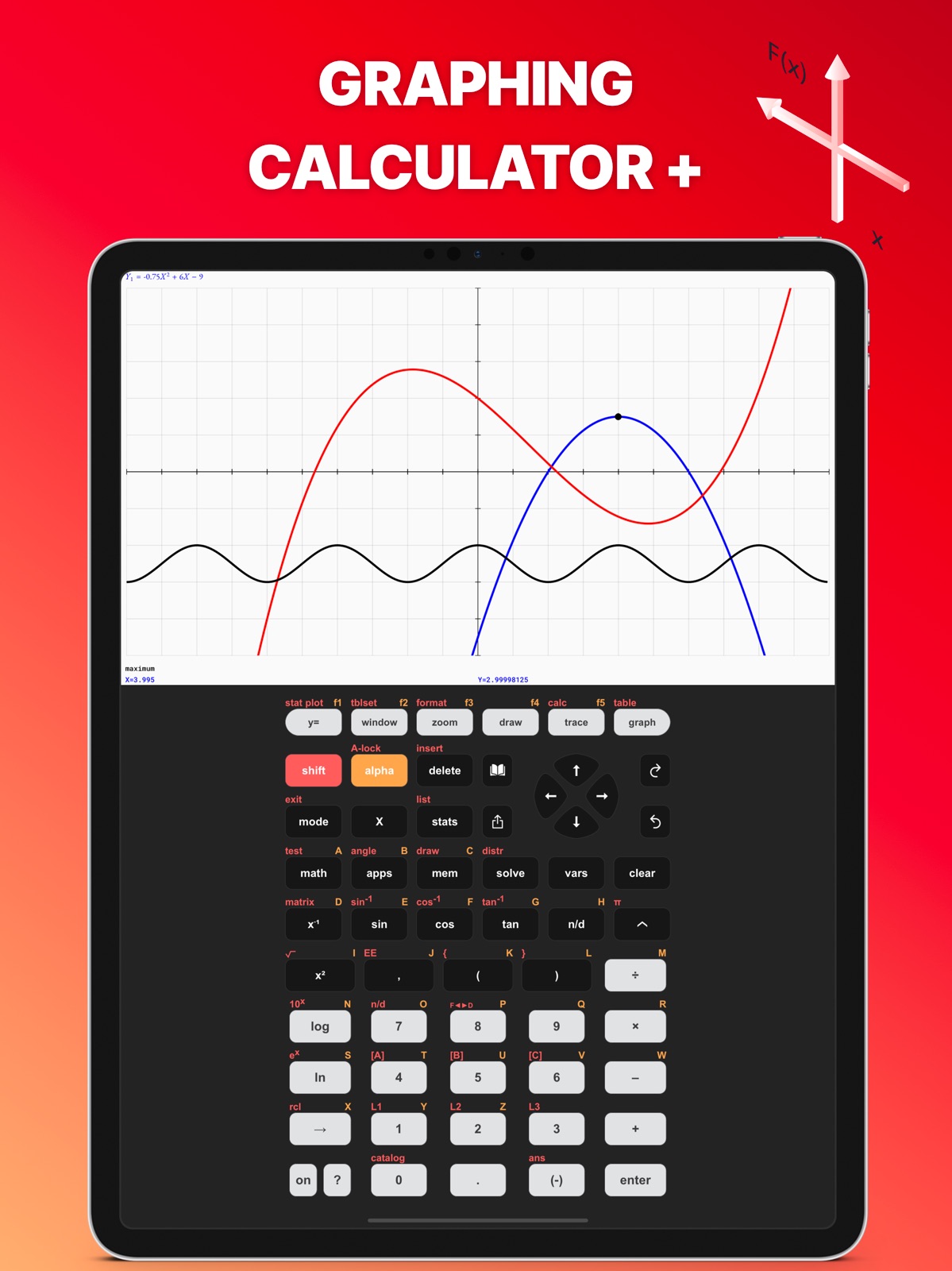
28 store screenshots



Pricing & paywalls
App Store
- Taculator Pro - Monthly — $3.99/month
- Taculator Pro - Monthly — $14.99/year ($1.24/mo)
- Taculator Pro - Monthly — $29.99/year ($2.49/mo)
Ratings & reviews
App Store
-
1/5No trial?
The app's page shows an option for a 7 day free trial. I'm testing out a few graphing calculators in lieu of buying a physical TI-84. The app installed fine but when it opened, I got the error "product not available"; the free trial is apparently no longer available despite being listed on its page. So I'm unable to perform even the most basic graphing functions. I need it for a math-heavy degree but it's useless if I'm unable to test it--other graphing calculators I've tested haven't been consistent (correct) in their calculations, so being able to test before subscribing for a whopping $30 per year is a must!
SecurityGuy2k6 · 7 Aug 2026
-
1/5Does it even graph?
The icon depicts the application creating a graph, so I did expect it to create a graph at least once. I understand it's got in-app purchases, but if it will graph anything for users who are still trying to assess whether this app will serve their needs before buying anything, I was unable to tell how. Entering an equation for a parabola yielded a constant when I tried entering it at the first prompt and when I clicked the "graph" button I wasn't allowed to enter anything before being confronted with an ad. This app might rock the casbah, but it gave no indication what kind of behavior it would provide to those who chose to risk paying money to see.
sea_dragons · 7 Aug 2026
-
4/5I wish the description listed which functions were for the PRO version
Pretty similar to TI-84 CE, but needs to enumerate clearly what features are PRO exclusive and which ones aren’t. For the price of $0 compared to its 150 dollar counterpart, I’d say it’s pretty good. Sadly, haven’t been able to do much statistics on here (regression, test values). It can graph, but it can’t do calculus or find max. It’s also missing an equation solver (but has a quadratic equation solver). Actually now that I think about it it can pretty much only graph and do the same things the built in calculator can. But still a decent value compared to the 150$. Plus since you already carry your phone around, it’s not bad.
Loncy Chong · 7 Aug 2026
-
3/5Meh
I paid 29 dollars to have this forever. And compared to playing 100$ for a real one that’s a pretty good deal. bUt, I’ve run into some issues with the calculator. Specifically when solving lengthy equations, it never carries the negative through the problem. For example, if I were to put in -3•4 I would get -12, but then I multiply my answer by 8, (-12•8) and it would give me positive 96, rather than -96. This has caused a few issues on some assignments for me but once I figured out what was happening it was pretty easy to continue. I also have a hard time looking at graphs when I graph them. I’ll put my equations into the Y= and it will graph fine, but I can never see the full graph, and because of that I can’t find the intersections and all that. Other than that it works pretty good, I just try to use it for the more basic stuff that my phone’s calculator can’t do.
JkdjahrjsbamcksjfjMcja · 7 Aug 2026
-
5/5AMAZING APP
This app is the most amazing thing ever. Other than the fact that it puts you through an ad when you open the app, this is easily the best graphing calculator that’s mostly free. You can’t graph certain things but most everything is free. This is such a great app, and I have so much fun creating my own calcular and deciding all the fun colors. It also has other feature that standard graphic calculators DONT have! Overall, it’s an amazing app- I am a student and it’s such a great student calculator!
rebecca_loving · 7 Aug 2026
Privacy & accessibility
App Store
Privacy
- Data Not Linked to You — Analytics — Diagnostics — Crash Data Developer declared
- Data Not Linked to You — Analytics — Diagnostics — Performance Data Developer declared
- Data Not Linked to You — Analytics — Usage Data — Product Interaction Developer declared
- Data Not Linked to You — Diagnostics Developer declared
- Data Not Linked to You — Usage Data Developer declared
- Data Used to Track You — Diagnostics — Crash Data Developer declared
- Data Used to Track You — Diagnostics — Performance Data Developer declared
- Data Used to Track You — Diagnostics Developer declared
- Data Used to Track You — Usage Data — Product Interaction Developer declared
- Data Used to Track You — Usage Data Developer declared
Accessibility
No accessibility labels collected yet.
Versions
App Store
-
1.2.1
Enjoy a lot of new functions and commands with this big update. + Taculator now supports different history tabs for your calculations. To add a new history tab, scroll down on the home menu and click on the "+" icon. This creates a new history tab. This feature is great if you work on different math problems at the same time or want to save your recent calculations but start with a fresh screen. + Tab and hold any button to access the second function behind it. For example, if you want to use sin-1 you can press "shift" -> "sin" or now just press and hold on "sin" until you see that shift commands are highlighted. + With this update you export your graph window as an image or PDF and share it with your friends or save it for yourself. Press the "graph" button and you will see a new little icon on the right. You can also save or share a full-screen graph. + iPad users are now able to enjoy Taculator in landscape mode and use multitasking with split-screen. This enables you to use your calculator together with another app. Furthermore, here's the detailed list of new calculator commands. + Draw circles with specified radius and x- and y-value. + Seconds " button now available. Press the Shift button and "+" button to use it. + New Angle commands to convert coordinates from Polar to Cartesian coordinates and vice versa: R►Pr(, R►Pθ(, P►Rx(, P►Ry( + New Matrix commands: Fill( (fill a list or matrix with numbers) and randM (generate a random number matrix). + A ton of new statistical tests: 2-SampZTest, 2-SampTTest, 1-PropZTest, 2-PropZTest, 2-SampZInt, 2-SampTInt, 1-PropZInt. + New regressions added to STATS menu: LnReg, PwrReg, Logistic, SinReg. + geometpdf and geometcdf added to the Distribution menu.
-
1.2.10
New Taculator commands available! + 2-PropZ-Interval + Chi²-Test + Chi²GOF-Test + LinRegT-Test + LinRegT-Interval + ANOVA We fixed some bugs and improved a lot of functions: + Tracing functions is now more accurate. + While tracing you can enter an x-value and Taculator will show the y-value. Press the TRACE button and enter any value. + A black graphing screen due to a wrong window setting of too small values for Xscl and Yscl has been fixed. + Use the nDeriv and fnInt commands in the Y= menu to graph the derivative or integral function. + You can now graph families of functions by using the following syntax: {1,2,3}X. + Many more bugs have been fixed.
-
1.2.11
Biggest Taculator update in 2020! + New side menu that helps you with quick access links. Open it by swiping from left to right in the calculate menu. + Redesigned Y= menu. Now you can give the graphs your favorite colors. + Support to graph piecewise functions. New Taculator commands available! + Med-Med + randNorm + randBin + Matrix-List + List-Matrix + DrawInv + 2-PropZ-Interval + Chi²-Test + Chi²GOF-Test + LinRegT-Test + LinRegT-Interval + ANOVA Previous improvements: + Tracing functions is now more accurate. + While tracing you can enter an x-value and Taculator will show the y-value. Press the TRACE button and enter any value. + Use the nDeriv and fnInt commands in the Y= menu to graph the derivative or integral function. + You can now graph families of functions by using the following syntax: {1,2,3}X.
-
1.2.12
Biggest Taculator update in 2020! + New side menu that helps you with quick access links. Open it by swiping from left to right in the calculate menu. + Redesigned Y= menu. Now you can give the graphs your favorite colors. + Support to graph piecewise functions. New Taculator commands available! + Med-Med + randNorm + randBin + Matrix-List + List-Matrix + DrawInv + 2-PropZ-Interval + Chi²-Test + Chi²GOF-Test + LinRegT-Test + LinRegT-Interval + ANOVA Previous improvements: + Tracing functions is now more accurate. + While tracing you can enter an x-value and Taculator will show the y-value. Press the TRACE button and enter any value. + Use the nDeriv and fnInt commands in the Y= menu to graph the derivative or integral function. + You can now graph families of functions by using the following syntax: {1,2,3}X.
-
1.2.13
Biggest Taculator update in 2020! + New side menu that helps you with quick access links. Open it by swiping from left to right in the calculate menu. + Redesigned Y= menu. Now you can give the graphs your favorite colors. + Support to graph piecewise functions. New Taculator commands available! + Med-Med + randNorm + randBin + Matrix-List + List-Matrix + DrawInv + 2-PropZ-Interval + Chi²-Test + Chi²GOF-Test + LinRegT-Test + LinRegT-Interval + ANOVA Previous improvements: + Tracing functions is now more accurate. + While tracing you can enter an x-value and Taculator will show the y-value. Press the TRACE button and enter any value. + Use the nDeriv and fnInt commands in the Y= menu to graph the derivative or integral function. + You can now graph families of functions by using the following syntax: {1,2,3}X.
-
1.2.14
Biggest Taculator update in 2021! + New side menu that helps you with quick access links. Open it by swiping from left to right in the calculate menu. + Redesigned Y= menu. Now you can give the graphs your favorite colors. + Support to graph piecewise functions. New Taculator commands available! + Med-Med + randNorm + randBin + Matrix-List + List-Matrix + DrawInv + 2-PropZ-Interval + Chi²-Test + Chi²GOF-Test + LinRegT-Test + LinRegT-Interval + ANOVA Previous improvements: + Tracing functions is now more accurate. + While tracing you can enter an x-value and Taculator will show the y-value. Press the TRACE button and enter any value. + Use the nDeriv and fnInt commands in the Y= menu to graph the derivative or integral function. + You can now graph families of functions by using the following syntax: {1,2,3}X.
-
1.2.15
+ Performance improvements + Fixed a divide logic issue + Added 1000s separator + Bug fixes
-
1.2.16
+ Performance improvements + Fixed a divide logic issue + Added 1000s separator + Bug fixes
-
1.2.17
+ Added 1000s separator + Added Seconds “ to ANGLE menu + Performance improvements + Fixed a divide logic issue + Bug fixes
-
1.2.2
Enjoy a lot of new functions and commands with this big update. + Taculator now supports different history tabs for your calculations. To add a new history tab, scroll down on the home menu and click on the "+" icon. This creates a new history tab. This feature is great if you work on different math problems at the same time or want to save your recent calculations but start with a fresh screen. + Tab and hold any button to access the second function behind it. For example, if you want to use sin-1 you can press "shift" -> "sin" or now just press and hold on "sin" until you see that shift commands are highlighted. + With this update you export your graph window as an image or PDF and share it with your friends or save it for yourself. Press the "graph" button and you will see a new little icon on the right. You can also save or share a full-screen graph. + iPad users are now able to enjoy Taculator in landscape mode and use multitasking with split-screen. This enables you to use your calculator together with another app. Furthermore, here's the detailed list of new calculator commands. + Draw circles with specified radius and x- and y-value. + Seconds " button now available. Press the Shift button and "+" button to use it. + New Angle commands to convert coordinates from Polar to Cartesian coordinates and vice versa: R►Pr(, R►Pθ(, P►Rx(, P►Ry( + New Matrix commands: Fill( (fill a list or matrix with numbers) and randM (generate a random number matrix). + A ton of new statistical tests: 2-SampZTest, 2-SampTTest, 1-PropZTest, 2-PropZTest, 2-SampZInt, 2-SampTInt, 1-PropZInt. + New regressions added to STATS menu: LnReg, PwrReg, Logistic, SinReg. + geometpdf and geometcdf added to the Distribution menu.
-
1.2.3
Enjoy a lot of new functions and commands with this big update. + Taculator now supports different history tabs for your calculations. To add a new history tab, scroll down on the home menu and click on the "+" icon. This creates a new history tab. This feature is great if you work on different math problems at the same time or want to save your recent calculations but start with a fresh screen. + Tab and hold any button to access the second function behind it. For example, if you want to use sin-1 you can press "shift" -> "sin" or now just press and hold on "sin" until you see that shift commands are highlighted. + With this update you export your graph window as an image or PDF and share it with your friends or save it for yourself. Press the "graph" button and you will see a new little icon on the right. You can also save or share a full-screen graph. + iPad users are now able to enjoy Taculator in landscape mode and use multitasking with split-screen. This enables you to use your calculator together with another app. Furthermore, here's the detailed list of new calculator commands. + Draw circles with specified radius and x- and y-value. + Seconds " button now available. Press the Shift button and "+" button to use it. + New Angle commands to convert coordinates from Polar to Cartesian coordinates and vice versa: R►Pr(, R►Pθ(, P►Rx(, P►Ry( + New Matrix commands: Fill( (fill a list or matrix with numbers) and randM (generate a random number matrix). + A ton of new statistical tests: 2-SampZTest, 2-SampTTest, 1-PropZTest, 2-PropZTest, 2-SampZInt, 2-SampTInt, 1-PropZInt. + New regressions added to STATS menu: LnReg, PwrReg, Logistic, SinReg. + geometpdf and geometcdf added to the Distribution menu.
-
1.2.4
Several bugs have been fixed: + 1-Var Stats didn't work if FreqList has decimal numbers. + Ans and ^ (exponent symbol) didn't work correctly. + Intersection between two functions is now more accurate. + Other smaller bugs fixed. Previous update: + Taculator now supports different history tabs for your calculations. To add a new history tab, scroll down on the home menu and click on the "+" icon. This creates a new history tab. This feature is great if you work on different math problems at the same time or want to save your recent calculations but start with a fresh screen. + Tab and hold any button to access the second function behind it. For example, if you want to use sin-1 you can press "shift" -> "sin" or now just press and hold on "sin" until you see that shift commands are highlighted. + With this update you export your graph window as an image or PDF and share it with your friends or save it for yourself. Press the "graph" button and you will see a new little icon on the right. You can also save or share a full-screen graph. + iPad users are now able to enjoy Taculator in landscape mode and use multitasking with split-screen. This enables you to use your calculator together with another app. Furthermore, here's the detailed list of new calculator commands. + Draw circles with specified radius and x- and y-value. + Seconds " button now available. Press the Shift button and "+" button to use it. + New Angle commands to convert coordinates from Polar to Cartesian coordinates and vice versa: R►Pr(, R►Pθ(, P►Rx(, P►Ry( + New Matrix commands: Fill( (fill a list or matrix with numbers) and randM (generate a random number matrix). + A ton of new statistical tests: 2-SampZTest, 2-SampTTest, 1-PropZTest, 2-PropZTest, 2-SampZInt, 2-SampTInt, 1-PropZInt. + New regressions added to STATS menu: LnReg, PwrReg, Logistic, SinReg. + geometpdf and geometcdf added to the Distribution menu.
-
1.2.5
Several bugs have been fixed: + 1-Var Stats didn't work if FreqList has decimal numbers. + Ans and ^ (exponent symbol) didn't work correctly. + Intersection between two functions is now more accurate. + Other smaller bugs fixed. Previous update: + Taculator now supports different history tabs for your calculations. To add a new history tab, scroll down on the home menu, and click on the "+" icon. This creates a new history tab. This feature is great if you work on different math problems at the same time or want to save your recent calculations but start with a fresh screen. + Press and hold any button to access the second function behind it. For example, if you want to use sin-1 you can press "shift" -> "sin" or now just press and hold on "sin" until you see that shift commands are highlighted. + With this update you export your graph window as an image or PDF and share it with your friends or save it for yourself. Press the "graph" button and you will see a new little icon on the right. You can also save or share a full-screen graph. + iPad users are now able to enjoy Taculator in landscape mode and use multitasking with split-screen. This enables you to use your calculator together with another app. Furthermore, here's the detailed list of new calculator commands. + Draw circles with specified radius and x- and y-value. + Seconds " button now available. Press the Shift button and "+" button to use it. + New Angle commands to convert coordinates from Polar to Cartesian coordinates and vice versa: R►Pr(, R►Pθ(, P►Rx(, P►Ry( + New Matrix commands: Fill( (fill a list or matrix with numbers) and randM (generate a random number matrix). + A ton of new statistical tests: 2-SampZTest, 2-SampTTest, 1-PropZTest, 2-PropZTest, 2-SampZInt, 2-SampTInt, 1-PropZInt. + New regressions added to STATS menu: LnReg, PwrReg, Logistic, SinReg. + geometpdf and geometcdf added to the Distribution menu.
-
1.2.6
Several bugs have been fixed: + 1-Var Stats didn't work if FreqList has decimal numbers. + Ans and ^ (exponent symbol) didn't work correctly. + Intersection between two functions is now more accurate. + Other smaller bugs fixed. Previous update: + Taculator now supports different history tabs for your calculations. To add a new history tab, scroll down on the home menu, and click on the "+" icon. This creates a new history tab. This feature is great if you work on different math problems at the same time or want to save your recent calculations but start with a fresh screen. + Press and hold any button to access the second function behind it. For example, if you want to use sin-1 you can press "shift" -> "sin" or now just press and hold on "sin" until you see that shift commands are highlighted. + With this update you export your graph window as an image or PDF and share it with your friends or save it for yourself. Press the "graph" button and you will see a new little icon on the right. You can also save or share a full-screen graph. + iPad users are now able to enjoy Taculator in landscape mode and use multitasking with split-screen. This enables you to use your calculator together with another app. Furthermore, here's the detailed list of new calculator commands. + Draw circles with specified radius and x- and y-value. + Seconds " button now available. Press the Shift button and "+" button to use it. + New Angle commands to convert coordinates from Polar to Cartesian coordinates and vice versa: R►Pr(, R►Pθ(, P►Rx(, P►Ry( + New Matrix commands: Fill( (fill a list or matrix with numbers) and randM (generate a random number matrix). + A ton of new statistical tests: 2-SampZTest, 2-SampTTest, 1-PropZTest, 2-PropZTest, 2-SampZInt, 2-SampTInt, 1-PropZInt. + New regressions added to STATS menu: LnReg, PwrReg, Logistic, SinReg. + geometpdf and geometcdf added to the Distribution menu.
-
1.2.7
Several bugs have been fixed: + 1-Var Stats didn't work if FreqList has decimal numbers. + Ans and ^ (exponent symbol) didn't work correctly. + Intersection between two functions is now more accurate. + Other smaller bugs fixed. Previous update: + Taculator now supports different history tabs for your calculations. To add a new history tab, scroll down on the home menu, and click on the "+" icon. This creates a new history tab. This feature is great if you work on different math problems at the same time or want to save your recent calculations but start with a fresh screen. + Press and hold any button to access the second function behind it. For example, if you want to use sin-1 you can press "shift" -> "sin" or now just press and hold on "sin" until you see that shift commands are highlighted. + With this update you export your graph window as an image or PDF and share it with your friends or save it for yourself. Press the "graph" button and you will see a new little icon on the right. You can also save or share a full-screen graph. + iPad users are now able to enjoy Taculator in landscape mode and use multitasking with split-screen. This enables you to use your calculator together with another app. Furthermore, here's the detailed list of new calculator commands. + Draw circles with specified radius and x- and y-value. + Seconds " button now available. Press the Shift button and "+" button to use it. + New Angle commands to convert coordinates from Polar to Cartesian coordinates and vice versa: R►Pr(, R►Pθ(, P►Rx(, P►Ry( + New Matrix commands: Fill( (fill a list or matrix with numbers) and randM (generate a random number matrix). + A ton of new statistical tests: 2-SampZTest, 2-SampTTest, 1-PropZTest, 2-PropZTest, 2-SampZInt, 2-SampTInt, 1-PropZInt. + New regressions added to STATS menu: LnReg, PwrReg, Logistic, SinReg. + geometpdf and geometcdf added to the Distribution menu.
-
1.2.8
Several bugs have been fixed: + 1-Var Stats didn't work if FreqList has decimal numbers. + Ans and ^ (exponent symbol) didn't work correctly. + Intersection between two functions is now more accurate. + Other smaller bugs fixed. Previous update: + Taculator now supports different history tabs for your calculations. To add a new history tab, scroll down on the home menu, and click on the "+" icon. This creates a new history tab. This feature is great if you work on different math problems at the same time or want to save your recent calculations but start with a fresh screen. + Press and hold any button to access the second function behind it. For example, if you want to use sin-1 you can press "shift" -> "sin" or now just press and hold on "sin" until you see that shift commands are highlighted. + With this update you export your graph window as an image or PDF and share it with your friends or save it for yourself. Press the "graph" button and you will see a new little icon on the right. You can also save or share a full-screen graph. + iPad users are now able to enjoy Taculator in landscape mode and use multitasking with split-screen. This enables you to use your calculator together with another app. Furthermore, here's the detailed list of new calculator commands. + Draw circles with specified radius and x- and y-value. + Seconds " button now available. Press the Shift button and "+" button to use it. + New Angle commands to convert coordinates from Polar to Cartesian coordinates and vice versa: R►Pr(, R►Pθ(, P►Rx(, P►Ry( + New Matrix commands: Fill( (fill a list or matrix with numbers) and randM (generate a random number matrix). + A ton of new statistical tests: 2-SampZTest, 2-SampTTest, 1-PropZTest, 2-PropZTest, 2-SampZInt, 2-SampTInt, 1-PropZInt. + New regressions added to STATS menu: LnReg, PwrReg, Logistic, SinReg. + geometpdf and geometcdf added to the Distribution menu.
-
1.2.9
Taculator is now even more powerful! We fixed some bugs and improved a lot of functions: + Tracing functions is now more accurate. + While tracing you can enter an x-value and Taculator will show the y-value. Press the TRACE button and enter any value. + A black graphing screen due to a wrong window setting of too small values for Xscl and Yscl has been fixed. + Use the nDeriv and fnInt commands in the Y= menu to graph the derivative or integral function. + You can now graph families of functions by using the following syntax: {1,2,3}X. + Many more bugs have been fixed.
-
1.3.0
+ Added 1000s separator + Added Seconds “ to ANGLE menu + Performance improvements + Fixed a divide logic issue + Bug fixes
-
1.3.1
+ Added 1000s separator + Added Seconds “ to ANGLE menu + Performance improvements + Fixed a divide logic issue + Bug fixes
-
1.3.2
+ Bug fixes and improvements.
-
1.3.3
+ Bug fixes and improvements.
-
1.4.0
Enhanced GRAPH Sharing • Share your graphs with equations displayed right on the image (from GRAPH menu) • Statistical plots now show your list data alongside the graph Improved Sharing Features (SHARE button) • Instantly share equations with results (e.g., "2+2 = 4") • Included LaTeX math syntax to use equations in other apps Performance & Stability • Removed deprecated services for better reliability • Bug fixes and under-the-hood improvements
-
1.4.5
Math & Graphing Fixes • sin²(x), cos²(x), tan²(x) now correctly compute the squared value • Graphs like f(x)=x^(2/3)±√(2-x²) (heart curve) now plot fully symmetric instead of just the right half • Right-arrow now reliably exits an exponent Quality of Life • "Rate this app" popup now shows at most once per day • Extreme Window settings now show a clear warning instead of slowing down the app Improved Angle Input • Seconds symbol (") now accessible via ALPHA+[+] key • DMS functions easier to find in Angle menu Plus various stability fixes and minor improvements. Previous Versions: Enhanced GRAPH Sharing • Share your graphs with equations displayed right on the image (from GRAPH menu) • Statistical plots now show your list data alongside the graph Improved Sharing Features (SHARE button) • Instantly share equations with results (e.g., "2+2 = 4") • Included LaTeX math syntax to use equations in other apps
-
1.5.1
Dark Mode for the Display - Switch the calculator screen between Light and Dark mode. - History, math editor, and every submenu (Math, Stat, List, Distr, Catalog, Tutorial …) adapt. Toggle it in the Mode menu under LIGHT / DARK. Brighter Plot Colors in Dark Mode - Function curves, plots and value-table entries automatically lift to clearly readable tones on dark backgrounds. Your saved colors stay unchanged in Light mode. Refreshed Catalog & Tutorial - The Catalog menu and Tutorial & Help have been redesigned in modern iOS Settings style — rounded cards, colored icon tiles, and larger tap targets. More Theme Options - The onboarding now offers a wide selection of polished themes (Classic, Graphite, Silver, Gold, Rose, Coral, Mint, Iris, Plum, Space …), fine-tunable via the color picker. Other improvements • Color picker saves your choice instantly • Several Mac stability fixes (graph pinch-zoom crash, more) • Better contrast for values under the graph • Side menu with modern colored icons • Numerous layout and performance polishes Previous Versions: • sin²(x), cos²(x), tan²(x) now correctly compute the squared value • Heart curve and similar plots render fully symmetric • "Rate this app" popup shows at most once per day • Seconds symbol (") accessible via ALPHA+[+] • Share graphs with equations displayed right on the image • Instantly share equations with results (e.g. "2+2 = 4")
-
1.6.0
· 5 Aug 2026
THE APPS KEY IS NOW LIVE Press [apps] for a whole suite of new built-in apps — free for everyone for a limited time: • Geometry — draw points, lines, circles and polygons, measure lengths, angles and areas, explore transformations, animations and loci • Polynomial Root Finder & Simultaneous Equation Solver • Finance — Time-Value-of-Money solver, NPV, IRR, amortization • Probability Simulation — toss coins, roll dice, pick marbles, spin spinners, draw cards • Science Tools — sig-fig calculator, unit converter, data/graphs wizard, vector calculator • Transformation Graphing — animate function families with coefficient sliders • Conics — circles, ellipses, parabolas, hyperbolas • Inequality Graphing — shade solution regions, including vertical X= inequalities • Periodic Table — every element with detailed properties NUMERIC SOLVER • Solve any equation for any variable — now in the MATH menu and on the solve key MORE IMPROVEMENTS • Fresh new app icon • Arrow keys auto-repeat while held down • Better layout on iPad in landscape — the display stays visible • Shared graph images now match your Light/Dark mode • Saving an image now only asks for add-to-photos permission — the app never gets access to your photo library • Median and quartiles with frequency lists, logBASE with list arguments, and many more fixes Previous versions: • Dark Mode for the calculator display — history, math editor, and every submenu adapt • Redesigned Catalog and Tutorial in modern iOS style • Big theme selection (Classic, Graphite, Silver, Gold, Rose, Mint …) with a fine-tuning color picker
Alternatives
- Ncalc - Graphing Calculator 84 — Same category + similar ratings
- Graphing Calculator X84 — Same category + similar ratings
- MathPapa - Algebra Calculator — Same category + similar ratings
- Desmos Graphing Calculator — Same category + similar ratings
- Graphing Calculator Plus AI — Same category + similar ratings
- Desmos Scientific Calculator — Same category + similar ratings
Availability by market
- US
Data quality & evidence
- Page completeness
- Live store listing
- Last verified
- 7 Aug 2026
- Sources
- App Store
- Independent summary has not been published yet.