
Quick verdict
- What it is
- Store information collected; independent summary not yet available.
- At a glance
-
- From $24.99/mo
- Free to download
- In-app purchases
Categories and search queries
Official categories
- Utilities
- Books
AppCorpus categories
Key functions
| Function | Availability | Access | Scope | Evidence |
|---|---|---|---|---|
| Free app | Yes | Free | — | Store published |
| In-app purchases | Yes | Limited free | — | Store published |
Screens
App Store
15 store screenshots


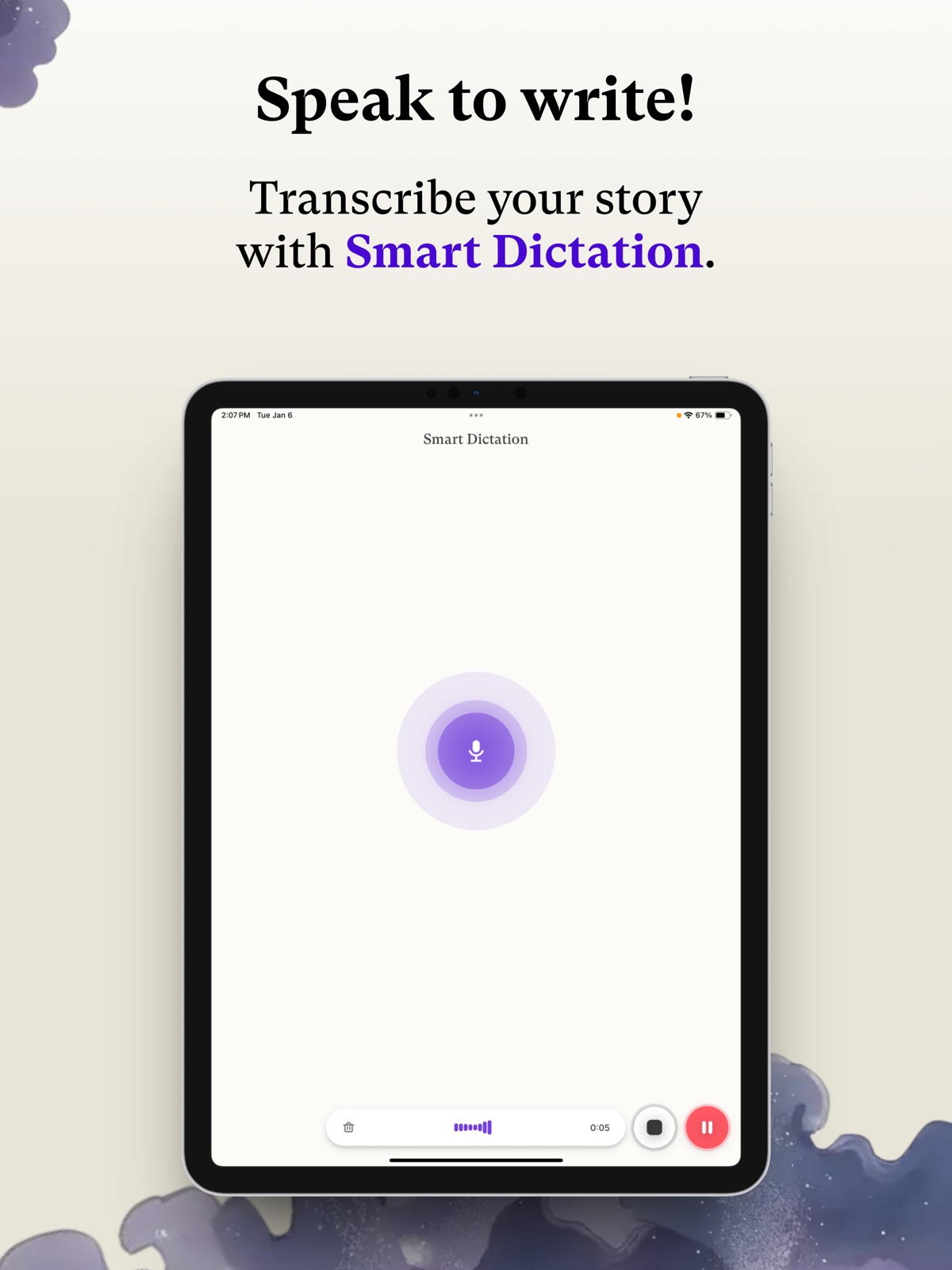

Pricing & paywalls
App Store
- Hobby & Student Monthly — $24.99/month
- Hobby & Student Monthly — $169.99/year ($14.16/mo)
- Professional Monthly — $39.99/month
- Max Monthly — $84.99/month
- Credit Pack 100k — $5.89
- Credit Pack Tier 1 Large 1750k — $57.90
- Credit Pack Tier 1 Medium 500k — $22.49
- Credit Pack Tier 2 Large 1900k — $57.90
- Credit Pack Tier 2 Medium 600k — $22.49
- Credit Pack Tier 2 Small 200k — $10.90
Ratings & reviews
App Store
-
4/5Character creation
I love Sudowrite. It’s exactly what I needed for writing the spicier scenes in my stories and fanfiction. The AI is great to work with, and it’s become a valuable part of my writing process. The only issue I’ve run into is with character files. I keep my characters in highly detailed documents, but there’s currently no way to simply import or attach those files directly. When I try to copy and paste a long physical description into the character section, the app often freezes or crashes and closes completely. Being able to import character files, or improving the stability when pasting large amounts of text, would make the experience much smoother.
nanachè · 5 Aug 2026
-
2/5Wow! Until it’s not.
I signed up for Sudowrite’s free 10,000-token trial specifically to test whether it could handle my genre before I paid. I write transgressive erotic fiction, but never hard-stop material like violence, minors, coercion, or non-consensual content. My stories involve consenting, mature adults. Sudowrite handled my trial tests beautifully, including some extreme edge-case scenarios relevant to my style. It did so well that I immediately upgraded to the 1 million token plan. I then tested it further with several previously written and published stories. No problems. After that, I started a new original story and about 1,800 words in, the chat froze. After refreshing multiple times, Sudowrite suddenly said the content was not allowed and refused to continue. The issue is that this story was actually milder than the others it had already allowed. I asked for clarification and got none. I signed out, back in, and even started a new document. Same result. I can respect boundaries. What I cannot respect is inconsistency with no explanation. Don’t approve content during the trial, let similar or stronger material pass, take my money, and then block a milder story without telling me what changed or how to fix it. Sudowrite won me over, then immediately damaged that trust. For writers working in consensual adult transgressive fiction, transparency and consistency are not optional.
FlyGuy6868 · 5 Aug 2026
-
1/5One of the worst writing tools I have used
I paid $30 for Sudowrite and stopped using it after about two hours because the experience was a complete nightmare. Instead of helping me improve my story, the program repeatedly hijacked it. It changed major plot points, rewrote important scenes, altered character motivations, and kept trying to turn my story into something completely different. These were not minor suggestions or small edits. It was changing the foundation of the story and replacing my ideas with its own. I gave it clear instructions over and over again. I explained exactly what needed to stay the same and what I wanted help with. It continued making the same unwanted changes despite being corrected dozens of times. Every failed rewrite also used more credits. I spent most of those two hours trying to fix problems the program had created while watching my credits disappear. It felt less like a writing assistant and more like a credit-dump vending machine. A writing tool should preserve the writer’s voice and follow directions. Sudowrite did neither for me. It wasted my time, made my story worse, and charged credits each time it ignored my instructions. I have requested a full refund of the $30 I paid. Based on my experience, I cannot recommend Sudowrite.
NeonEndTimes · 5 Aug 2026
-
4/5Love it, but it needs improvement.
Giving a four because some features are seemingly unavailable on the app version. I had a google pixel and was able to access sudowrite by switching to desktop mode. But I recently switched to iPhone and now it says my screen is too small. So I go to use the app version, but now I can’t use any of the tools like I could in the desktop format. Unless I haven’t looked correctly, all of the options for plugs, the write button to have ai help, everything that I enjoyed from the desktop version isn’t available, which is frustrating.
Jaqueline o lantern · 5 Aug 2026
-
1/5Happy at first
I was happy at first to help me with some of my writing and to get my ideas down but the more I’ve used it and now that I’ve wasted 20 bucks buying one of the plans and some amount of cash to get like the credit to use for like extra stuff it now no longer wants to work. It doesn’t give me a rewritten text it takes forever to load, and it decides to randomly start doing what I’ve asked, but only fixing or redoing half of the scene for some reason and when I tell it to change one thing or something else it doesn’t and it just rewrite the scene in a second time making it layered it and it looks longer. And I’m barely used this for like a day and it started doing this. I’ve tried removing it and re-downloading it and it’s still the same thing.
G. Zonker · 5 Aug 2026
Privacy & accessibility
App Store
Privacy
- Data Linked to You — Analytics — Contact Info — Email Address Developer declared
- Data Linked to You — Analytics — Contact Info — Name Developer declared
- Data Linked to You — Analytics — Identifiers — User ID Developer declared
- Data Linked to You — Analytics — Usage Data — Product Interaction Developer declared
- Data Linked to You — App Functionality — Contact Info — Email Address Developer declared
- Data Linked to You — App Functionality — Contact Info — Name Developer declared
- Data Linked to You — App Functionality — Diagnostics — Crash Data Developer declared
- Data Linked to You — App Functionality — Identifiers — User ID Developer declared
- Data Linked to You — Contact Info Developer declared
- Data Linked to You — Diagnostics Developer declared
- Data Linked to You — Identifiers Developer declared
- Data Linked to You — Usage Data Developer declared
- Data Not Linked to You — App Functionality — Diagnostics — Performance Data Developer declared
- Data Not Linked to You — Diagnostics Developer declared
Accessibility
No accessibility labels collected yet.
Versions
App Store
-
1.3.14
- Bug fixes and stability improvements
-
1.4.0
- Major stability improvements and bug fixes - Redesigned smart dictation experience
-
1.4.11
We've been hard at work fixing bugs and adding new features. - We've added the ability to buy Credit Packs once your included credits have been used up - We've fixed some bugs and improved the stability of the app
-
1.4.12
- Added support for displaying highlighted text - Fixed some bugs with credit pack purchases
-
1.4.15
We've fixed some minor bugs and improved the stability of the app
-
1.4.2
- Major bug fixes - Major stability improvements - Redesigned smart dictation - say hello to a much more seamless experience - Updated agents
-
1.4.6
Hi! We've been working hard to make this app a better experience for you, here's a quick rundown of what's changed: - Various improvements around the toolbar - Fixed bugs with story bible syncing up - Made smart dictation more resilient - The undo feature is now much clearer - Made some small performance improvements
-
1.4.7
Hey, we've been working hard on bringing you the best experience possible, and we have some small but meaningful quality of life updates coming out in this release. It includes bug fixes around our smart dictations, better support for editing with an unstable internet connection, fixes around authentication, and a ton of other things!
-
1.6.0
We've been working hard to bring you the best app possible, and this latest update represents a gigantic change. We've redesigned the app, addressed stability issues and bugs, and even added a couple new features. Here's a non-comprehensive list, and happy writing! - Updated design to use Liquid Glass - Switched to tab navigation - Added a dedicated smart dictations tab - Redesigned the editor - Added better folder support - Improved dictations and solved bugs - Overhauled story bible editing- yes, it's now in-line! ...and so much more Thank you for using Sudowrite
-
1.6.1
Hi everyone, we're working hard to make you the best app possible! This update includes the following bug fixes: - Fixed display scaling issues on smaller phones - Minor stability improvements Thank you for using Sudowrite and happy writing!
-
1.6.14
Hi, here to let you know we've been working hard at improving your experience with the app. This update brings: - Local document snapshots - version history, even without a connection - A faster, smarter agent for all your writing needs - Stability improvements / bug fixes Thanks for using Sudowrite, happy writing!
-
1.6.15
We've been working hard to improve the app; this update includes bug fixes relating to the story bible, as well as some performance improvements. Happy Writing!
-
1.6.16
We've been working hard to improve the app; this update includes bug fixes relating to the story bible, as well as some performance improvements. Happy Writing!
-
1.6.18
Bug fixes and small navigation improvements
-
1.6.19
Fix rewrite and improve Story Bible cross-device edition
-
1.6.6
Thank you for all the wonderful excitement about our new updates. This one includes some quality of life improvements, namely: - Better scrolling experience in story bible - Speed improvements for our agent - Bug fixes all around! Thanks for using Sudowrite!
-
1.6.7
We've been working hard to improve your experience with Sudowrite. This week's update brings a bunch of changes that make our agentic chat faster and smarter. Happy writing!
-
2026.15.0
Added support for hiding characters and world-building entries from AI. Small bug fixes for Story Bible and document editing.
-
2026.22.1
Bug fixes
-
2026.26.0
New design for easier navigation Revamped character generation in Story Bible Custom profile pictures Outline and main editor fixes and improvements Folders now appear in global search
-
2026.26.13
Fixes the Project tab sometimes getting stuck on a loading spinner when opening a project.
-
2026.26.16
Fixes a crash on launch and the Project tab failing to load when reopening the app.
-
2026.28.0
This update improves dictation, chat, and Story Bible: • Smoother dictation with better transcription cleanup and a clearer flow for adding results to your project • Chat follows streaming replies without fighting your scrolling • Story Bible: fixed a stuck worldbuilding generate flow and duplicate entries flashing on create • Outline: deleted chapters no longer flicker back in • Fixed Android splash and launcher icons, plus a refreshed menu design • Various fixes and polish
-
2026.30.0
What's New Smart Dictation stays in your project, keeps character names, and adds quotes Story Bible styles and traits now save reliably Edit outline chapters after adding them Approved rewrites return to normal text Document History shows your versions again Fewer connection and generation errors Creativity setting now stays put Smoother dark/light switch and cleaner colors Tap once to open projects on Android
-
2026.30.2
· 24 Jul 2026
Bug fixes and stability improvements: - Fixed an issue on Android where Story Bible entry fields could be unexpectedly cleared - Improved chat reliability
Availability by market
- US
Data quality & evidence
- Page completeness
- Live store listing
- Last verified
- 5 Aug 2026
- Sources
- App Store
- Independent summary has not been published yet.