Quick verdict
- What it is
- Store information collected; an Apoku editorial summary is not yet published.
- At a glance
-
- Free to download
- In-app purchases
Categories and search queries
Official categories
- Health & Fitness
- Utilities
Apoku categories
Key functions
| Function | Availability | Access | Scope | Evidence |
|---|---|---|---|---|
| Free app | Yes | Free | Context-specific | Store published |
| In-app purchases | Yes | Limited free | Context-specific | Store published |
Screens
23 store screenshots


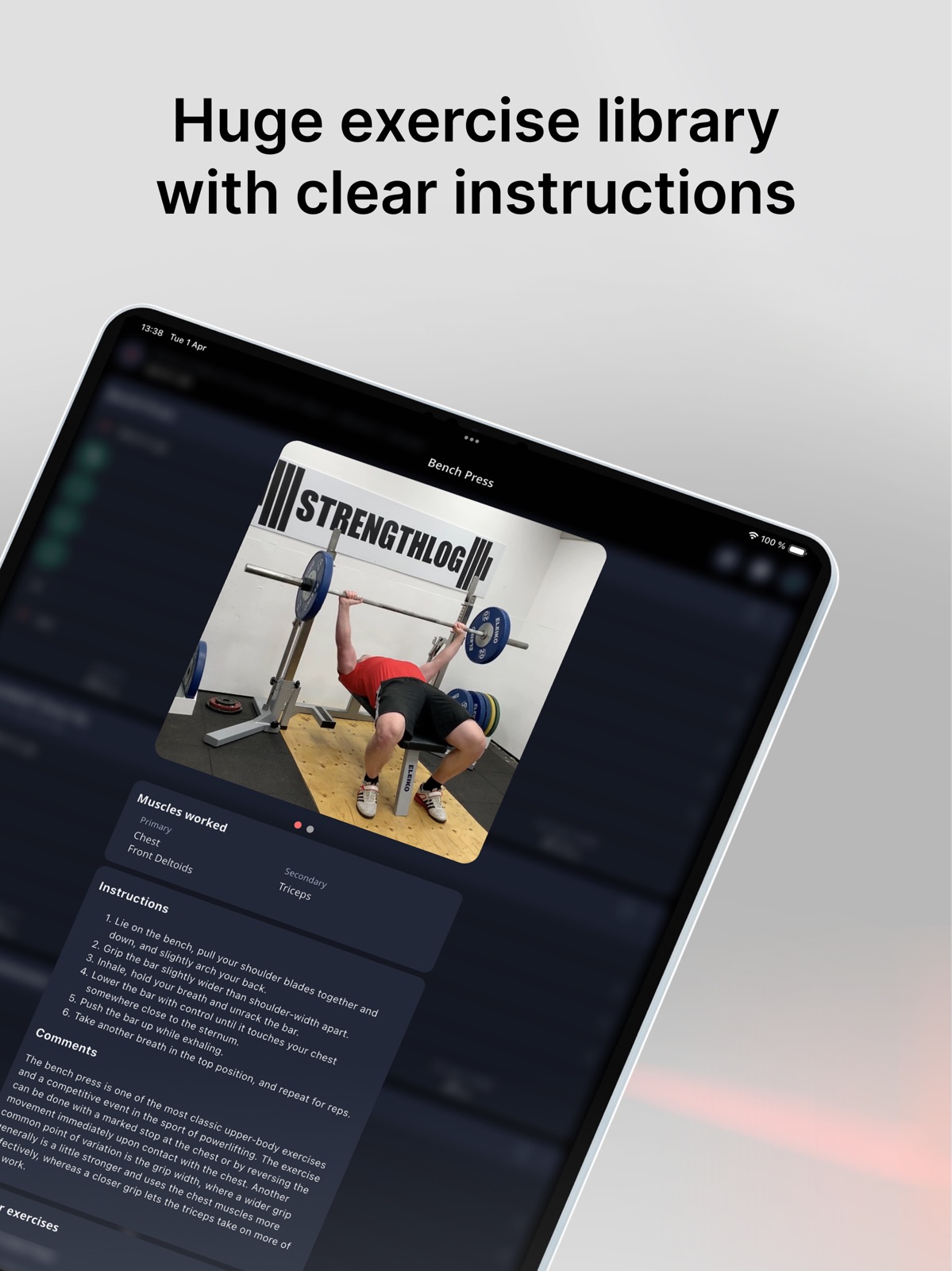

28 store screenshots


Pricing & paywalls
- Free to download
- In-app purchases
- Free to download
- In-app purchases: $12.99 - $109.00 per item
Ratings & reviews
-
5/5They give a lot away in the free version
I just started the gym again a few months ago after a long hiatus and just picked this app based on reviews. As in when I last went there were no iPhones and you tracked with pen and paper, ha. I haven’t tried any other apps to compare fyi. This one does what I need though. Shows how to do exercises and what muscle groups they target and most importantly, it allows you to track progress. I can see where program choices could be overwhelming for a beginner but I think you’ll find that anywhere. Personally, I have picked my own and expanded and that’s easy to do here. If just starting pick something for chest, biceps, triceps, shoulders, back and start there. Abs and legs for day 2. That’s just me but the important thing is to start and track (so you can increase progress) and this app helps with that. Their newsletter has helpful tips for beginners and more if interested. Guy running the show here seems very passionate which is great to see.
prorouting · 31 Jul 2026
-
3/5Disappearing workouts?
The app layout is redundant when it comes to planning workouts and viewing the history/browsing other workouts, having tab customization along with hiding irrelevant sections would be much appreciated. The auto-suggestions for common exercises are handy instead of having to type them out, and the muscle diagram helps with knowing exactly which parts of the body you are targeting, but the core function of the app for logging and completing sets is lacking. For some reason, planning a workout to be done on the same day is a hassle, there is no confirmation button on the date scroller, so you have to pick some other day in advance, back out, then re-edit the date just to have it planned on the same day. It is also not made very clear how to mark a workout as done, you end up having to tap the small blank space to the left of a set. If you tap anywhere else you just edit weight or rep amount. The most frustrating bug is having complete workouts disappear if they are saved on the same day; I have looked through multiple sections just to try remaking the same workout and having it vanish all the same, even after confirmation. As it stands, the cluttered and maximalist main page hitting you in the face with statistics and graphs instead of getting right to workout planning and logging makes this a three-star app. Kudos to StrengthLog however for not locking essential functions behind paywalls or even paying to register an account.
Winston BigChips · 31 Jul 2026
-
5/5Great app!
When I started my weightlifting journey a couple of months ago, I had no idea where to begin. I came across this app, and it has been a lifesaver! I love that it gives me entire workouts, and I can use those without trying to figure it all out on my own. Customer service has been absolutely wonderful. they have responded to my questions within a day each time . I originally started with the free version, but quickly upgraded to the monthly plan, which is only a small fee. Well worth it to have access to all of the features! LOVE that there are video clips of each exercise for reference. I use those every time to guide me! I also like that you can switch exercises and it will give you suggestions for an alternate to use in case you are unable to do the suggested one. Very nice feature! You can also choose between dumbbell, barbell, kettle, bell, bodyweight, or machines. This is a wonderful feature as well. I highly recommend trying out this app!
Pmgr2 · 31 Jul 2026
-
5/5Easy with lots of great features
First, there is a free version and paid version, BUT you can get A TON with the free version. I have the free version and do no feel lacking in the features I have available! One of my favorite features is the plate calculator. You can type in a weight and it’ll tell you how much weight to put on each side of the barbell. I also like that you can see previous sets of that same exercise while in your workout and it doesn’t need to on a previous set in that same workout, it just needs to be the same workout. So sometimes I’ll check how much I did last exercise and not feel like doing the math of how much to put on each side and all I need to do is type the weight and it’ll tell me how much to put on each side. The downside about this though is you can’t do the reverse, it won’t let you put the weight in by how much of each plate is on each side. Overall a great workout logging app, highly would recommend!
Gary Reviews · 31 Jul 2026
-
5/5Very obviously designed BY lifters FOR lifters!!
I am OBSESSED with this app. I have a thing about routines and for 3 years I would keep track of all my records in the world’s longest notes app but Strength Log has made me a changed woman! I haven’t used the programs since I have my own beloved split(see the “thing about routines” line), but it keeps track of all the basic stuff so nicely and aesthetically! A list of things I love: • THE PR ICON!! Man does that make a good moment feel even better • The live activities that allows me to see on my lock screen at a glance what numbers I need to beat on my next set • Being able to import all my last workout’s numbers to ensure I am meeting/exceeding for progressive overload • The little monthly challenges (and the Christmas advent calendar was a nice touch) • The little logo guy is adorable and i love the easter egg workouts (like a quark?? had to google that one) The other more advanced options like goal-setting and weight overviews seem really cool too, but I am just a simple little girl so I do not need that much. The only problem I’ve ever had is that I like having the Apple Watch Health app recording as well, and having StrengthLog on my watch disables it- but it was an easy fix by just deleting it off my watch so it was no biggie. I’ve already gotten 6 people (and counting) to download bc I’ve posted it a few times and some of them didn’t even like recording their weights before! Basically please sponsor me Strength Log because i love you- everybody should get on this grind!
iwanttogoswimming · 31 Jul 2026
No store reviews collected for Google Play · US
Privacy & accessibility
Privacy
- Data Linked to You — Analytics — Diagnostics — Crash Data Developer declared
- Data Linked to You — App Functionality — Contact Info — Email Address Developer declared
- Data Linked to You — App Functionality — Diagnostics — Crash Data Developer declared
- Data Linked to You — App Functionality — Identifiers — User ID Developer declared
- Data Linked to You — Product Personalization — Contact Info — Name Developer declared
- Data Linked to You — Contact Info Developer declared
- Data Linked to You — Diagnostics Developer declared
- Data Linked to You — Identifiers Developer declared
- Data Not Linked to You — Analytics — Diagnostics — Other Diagnostic Data Developer declared
- Data Not Linked to You — Analytics — Diagnostics — Performance Data Developer declared
- Data Not Linked to You — Analytics — Usage Data — Other Usage Data Developer declared
- Data Not Linked to You — Analytics — Usage Data — Product Interaction Developer declared
- Data Not Linked to You — App Functionality — Diagnostics — Other Diagnostic Data Developer declared
- Data Not Linked to You — App Functionality — Diagnostics — Performance Data Developer declared
- Data Not Linked to You — App Functionality — Usage Data — Other Usage Data Developer declared
- Data Not Linked to You — Diagnostics Developer declared
- Data Not Linked to You — Usage Data Developer declared
Accessibility
No accessibility labels collected yet.
Privacy
- Data collected — Analytics — App info and performance — Crash logs Developer declared
- Data collected — Analytics — Location — Approximate location Developer declared
- Data collected — App functionality — Messages — Other in-app messages Developer declared
- Data collected — App functionality, Account management — Financial info — Purchase history Developer declared
- Data collected — App functionality, Account management — Personal info — Email address Developer declared
- Data collected — App functionality, Analytics — App activity — Other actions Developer declared
- Data collected — App functionality, Analytics — Personal info — Other info Developer declared
- Data collected — App functionality, Analytics, Account management — Personal info — User IDs Developer declared
- Data collected — App functionality, Analytics, Advertising or marketing, Account management — Device or other IDs Developer declared
- Data collected — App functionality, Analytics, Personalization — Health and fitness — Fitness info Developer declared
- Data collected — App functionality, Personalization — App activity — Other user-generated content Developer declared
- Data collected — Personalization — Photos and videos — Photos Developer declared
- Data collected — Personalization, Account management — Personal info — Name Developer declared
- Security practices — Your data is transferred over a secure connection — Data is encrypted in transit Developer declared
- Security practices — The developer provides a way for you to request that your data be deleted — You can request that data be deleted Developer declared
Accessibility
No accessibility labels collected yet.
Versions
-
7.2.6
Nothing major today, just an endless hunt for bugs. Who will give up first, us or them? No one knows.
-
7.3
Have you ever wanted to compare one training program to another one? Or even to your current training? Well, that’s possible now! Go to the program tab, select a program, and tap the new “Compare with another program” button to try it out. As always, we’d love your feedback on this new feature. Drop a line or two to [email protected]. Other stuff: - The plate calculator’s algorithm is updated to solve minor but stupid mistakes. - In-app premium purchases have been wonky for some time, but should work better going forward. - Lots of cleanup to make the app faster. Let’s hope we didn’t knock something over, like that old flower vase from grandma. Yes, we know kintsugi exists, and gold is pretty. But grandma trusted us. We love you, Grandma, and never want to disappoint you!
-
7.3.1
We went to the optician the other day to get new glasses, only to discover that the rep fields in active workouts had started truncating the numbers for users with text sizes larger than the default setting. Thanks for helping us find and fix this bug, Mr. Optician!
-
7.3.2
We’re introducing two long-awaited features in this release: 1. A new premium feature in the training log, which shows a timeline of how you checked off your sets during the workout. Note: We started collecting data for this feature with v7.2.5 of the app, which was released on August 19, 2025. Only workouts you’ve logged after updating to v7.2.5 or later can show this set-rest timeline. 2. When you log your body measurements, you will now see how much the values differ from each other.
-
7.3.3
This might be a small update, but it packs a punch. • We now have three instead of two options for exercises with time as a variable: manually enter the time, use the stopwatch, or use the new countdown timer. • The “most used exercises” list got an improved algorithm. • You can now long-press muscle names in the Muscles Worked feature to show the muscle you’re pressing on the muscle map. • Also added muscle maps to the new compare programs feature. • You can now upload your complete bodyweight history to Apple Health. • Bug hunting season in Sweden goes year-round.
-
7.3.4
You requested the ability to filter the exercise selection list by equipment; this update provides that. You also asked for the option to create goals and streaks based on primary muscles worked instead of specific exercises; yes, you get that one too. Also: • Bringing up a graph or muscle map in full screen shows the selected time period. • Fixed a retrieve from log bug for exercises with assisted weight. Plus bugs with sharing workouts and programs, and the new timeline on saved workouts.
-
7.3.5
Time is of the essence, at least that’s what they say. So we’re experimenting with two new time estimates in this version: estimated workout time when planning a workout (free), and estimated finish time when checking off sets in an active workout (go to the settings page to enable this premium feature). And we’re once again looking over our graphs. Please let us know if anything looks weird. Or worse. In Streaks, you can now tap a date to view detailed info on how that day contributed to your streak. For iOS 26 users, our live activity now comes in Liquid Glass. Last but not least: All reports that the resistance is going to end are false. We are still fighting bugs daily, and will never give up.
-
7.3.6
We’ve been playing watchmaker and built two new StrengthLog complications for the Apple Watch! One for the number of logged workouts, one for your training goals. Unfortunately, Jack Skellington broke into our workshop while we were asleep and stole all the app bugs. But he’ll probably return them soon. While you’re waiting, you can play with the new metric-to-imperial (and vice versa) converter when logging body measurements.
-
7.3.7
We’re closing in on December, meaning it’s almost time for our Fitness Advent Calendar. This year, we’ve redesigned our popular workout games, as they’re always included in the calendar. However, you can find them year-round in active workouts under the “Special Set” button. Take a look there and let us know if you run into any elf-looking bugs! In the previous version, we introduced two complications for Apple Watch. Now we’ve made another one, for Streaks. And going forward, the app will forever remember if you mute the stopwatch on exercises with time as a variable.
-
7.4
Our popular fitness advent calendar is back, for the seventh year in a row! Twenty-five days of Christmas, twenty-five small workout challenges you can add to the training you’re already doing. Update now to be able to open the first calendar door on December 1st. Once you have this version, you’ll see the advent calendar widget on your start screen in the app. Our elves have been busy with other things too, including building a new keyboard for the workouts, so that the set rest timer can be seen even when you edit your sets. Additionally, there’s a new setting that allows the app to follow your system setting for light or dark mode. If you want it to.
-
7.4.1
Only a few days left until our Christmas fitness advent calendar premieres! If you haven’t updated the app in a while, do it now. This version contains the calendar. We’re replacing our underwhelming focus mode in active workouts, which hardly anyone uses because it’s not that great, with a setting to make the regular timer extra large instead! Which means you don’t have to enter a new screen for a bigger countdown, and can edit your workout like normal. For Goals & Streaks, we’ve enabled “exercise type” when you’re creating a new goal or streak for the number of workouts you want to log, meaning you can choose if the included exercises should fall under Strength, Cardio, or Mobility. And we’re slowly but steadily making the app much faster. Apple Watch: - The watch now shows when the exercise is one-sided. - If you’re using an exercise-specific timer, the display will enter “always on” mode, so the timer remains visible.
-
7.4.2
We’ve done a cool thing. A useful thing. A thing you’ll love, we think. Are you ready? You are ready … You can now sort the exercise list using our muscle heat maps, when adding exercises to your workouts!! Phew. That got us excited. Might need a nap after this. Also: - Improvements to our new numpad in active workouts. Better touch, a color change in dark mode, and bug fixes. - Speed improvements. Whatever that means.
-
7.4.3
Santa brought us smashed bugs for Christmas—tasty, tasty smashed bugs.
-
7.4.4
Santa brought us smashed bugs for Christmas—tasty, tasty smashed bugs.
-
7.4.5
Update to this version ASAP to be ready for January, when we release the Your Gains in Review report, which summarizes your 2025 training year. With this version, we also launch a new long-requested feature: Progress Pics! Check it out on the same page as your body measurements. We look forward to your feedback and to improving this feature together with its users. This might be the last update of 2025. On the other hand, it might not. Impossible to tell, really.
-
7.4.6
We’re getting a head start on 2026 by fixing minor but still important stuff: • Our ”Export Your Data” feature on the settings page has been significantly improved. • The exercise library on the settings page now has the same design as in active workouts. • Inputting assisted or additional weight is now integrated with our new keyboard. • And other stuff you might notice if you dig deep enough! Digging is fun, after all. Let’s dig a hole to the other side of the world together next year!
-
7.4.7
We’re back from the Holidays to clean up the mistakes of years past. Mainly from the last release, at the end of December, when we broke your ability to edit exercises. We blame eggnog. We also fixed bugs in Progress Pics and bodyweight exercises, and resolved some minor issues in the training log reports and record lists. Finally, we removed that lazy delay when you delete a workout from the training log, which made it seem like it wasn’t deleted even though it was. So confusing.
-
7.5
Here’s a word you might hate: cardio. And cardio is what most of this update is about, because no matter what we feel about it, we all understand it should play at least a small part in our lives. So sorry, not sorry, but the best strength training app in the world just got better at tracking your cardio, too! • We’ve changed how the app determines whether what you log is a new cardio PR, finally using an algorithm that makes sense. • We’ve also introduced yearly records (YR) and yearly summaries, just like we’ve always had for strength exercises. • Tap a specific PR to view its history. • Toggle the record list between time or distance records. • Workouts that contain cardio exercises will now show your average tempo in the exercise summary. Do you feel exhausted yet? Imagine how we feel! But that’s not all. If you have a premium subscription and enjoy our more advanced stats, you will now find a shortcut when looking at stats for specific muscles or exercises that lists all workouts you’ve logged containing the muscle or exercise in question. Pretty neat.
-
7.5.1
We’ve redesigned the login screen, which isn’t a very exciting thing to write about in a release note. But we prefer telling you what new releases actually contain, rather than generic words about bug fixes and speed improvements. So there’s that. We also made a slight change to the new workout shortcut when viewing premium stats for specific muscles or exercises. It now lists all workouts you’ve logged that include that muscle or exercise, rather than just those during the selected timeframe.
-
8.0
It’s finally time to climb to the next full release number, from 7 to 8, because this version contains one of our most requested new features in years: Strength Levels! So, what is it? A fun way for our users to compare themselves with other app users, both when it comes to general strength (based on the fifteen most logged exercises in the app) and on individual lifts. As of this release, there are 200 exercises added to Strength Levels—and more will be added continuously. You’ll find Strength Levels on the stats tab, with a shortcut at the bottom of your start screen. Also in this version: • Improved data when previewing workouts that contain cardio exercises. • If you’re logging your fat percentage, you can now add dates to those entries. • We’ve added an edit button to the preview view on workouts and programs under the Mine tab. • This is a huge update. Bugs are to be expected. Don’t fear them. Together, we can and will find them.
-
8.0.1
In the weeks since we released Strength Levels to the world, we’ve made some useful improvements that you might or might not notice. But they are there, we promise. We’re also trying a new warning system that pops up if you try to save a workout with suspiciously high numbers logged in it. Let us know if you like it! There’s other stuff, too, but it’s mostly under the hood. We’re still working on making the app faster than the Millennium Falcon!
-
8.0.2
One of the more requested features is for the app to lift the weights for you. We haven’t quite solved that one yet, but now we’ve finally made a program summary for when you complete a training program that’s three weeks or longer. That’s not nothing! And starting with this version, you’ll also get a small indication in the calendar when the date of your planned workouts has passed without you training them. We’ve also tweaked the design of our calculators, added a milestone for the fairly new Progress Pics feature, and made a bunch of improvements to our strength levels.
-
8.1
Our head of development is nagging me about finishing this release note quickly, so I’m going to take my time. Lots and lots of small improvements in this one. Hard to name them all, really. Or pick a favorite. One cool thing going forward is that we’ve started doubling our workload for the exercise demonstrations. Previously, we’ve filmed one demo for each exercise, mainly using one of our team members as the model. Meaning that our CEO, Daniel, was the model for a lot of popular barbell exercises (the first ones added to the app), but later on, we used everyone else in the company when adding new exercises. And since we’re a small team with a few dudes and a couple of dudedettes, the sex of the person demonstrating the exercise has been quite random. But going forward, we’ll try our best to ensure that most exercises get one video with a man and one with a woman. And that you, the user, see the one corresponding to the gender you’ve picked in the app. You’ll, of course, be able to view them both when an exercise has two, but the first one you’ll see will be gender specific. Right now, only 40-50 of our most popular exercises have this feature, and it will take us years to even get close to finishing this project. But kind of cool, right? Alright, more stuff to explain. We’ve redesigned the menus for handling exercise blocks and sets in workouts! The old ones had become cluttered beasts, and it felt impossible to add new features, while the new ones are much neater and easier for us to add stuff to. This will probably mean an extra tap before you reach the feature you’re looking for, but the chances of you finding more hidden gems should improve. And you’ll get used to the new menus, we promise. Most other menus have gotten small design changes, too, but nothing that changes how they function. Oh, before I forget, premium users will discover a new gem in the quick stats for sets (which you can now bring up more quickly by swiping left on the set): percentage of bodyweight! Meaning you’ll see what percentage of your bodyweight the entered set weight corresponds to. And supersets now also show stats for both exercises, instead of just their combined stats. This is getting long, but I have more to write, and I won’t let my colleague rush me. If you’re one of those who enjoy planning your workouts in the calendar, you’ll have more options going forward. It will now be possible to plan workouts using a previously logged workout, a workout marked as a favorite, or a workout template you’ve built yourself. Speaking of workouts and programs you build under the Mine tab, you can now rename your categories over there. We’ve also given CPR to the report feature, so it should be good as new. That’s about it, except: • Better summaries for mobility exercises. • Drop sets can now show PRs. • Small design improvements in a few of the calculators. • Yearly bests for cardio exercises have been repaired. • And more stuff, but he’s really yelling at me now to finish this thing. Bye!
-
8.1.1
If you follow training programs, you’ll be pleased with this update. Any exercise changes you’ve made are now visible during active workouts – and when you change an exercise, you’ll be asked if you want the change to be permanent or not! For cardio exercises, we’ve added a variable: floors climbed. Other than that, it’s mostly cleanup. Long exercise names weren’t visible in the superset menu, some exercise history gave a gray screen, and calendar events didn’t handle time zones correctly.
-
8.1.2
· 4 May 2026
tarting with this update, we’ll send all cardio you log in the app as separate workouts to Apple Health, so the data there becomes more accurate. This means that when you log a workout in StrengthLog that includes both strength training and cardio, you’ll see one strength workout and one cardio workout in Apple Health going forward. The duration of the cardio workout will be the amount of time that cardio was logged in the workout, while the strength workout (including any mobility) will be sent as the full workout length minus the cardio portion.
- 8.1.2 · 30 Apr 2026
Alternatives
- Stronglifts 5x5 Workout Plan — Same category + similar ratings
- Strong Workout Tracker Gym Log — Same category + similar ratings
Availability by market
- US
Data quality & evidence
- Page completeness
- Live store listing
- Last verified
- 7 Aug 2026
- Sources
- App Store, Google Play
- Apoku editorial summary has not been published yet.