
Quick verdict
- What it is
- Store information collected; independent summary not yet available.
- At a glance
-
- From $19.99/mo
- Free to download
- In-app purchases
Categories and search queries
Official categories
- Photo & Video
- Lifestyle
AppCorpus categories
Key functions
| Function | Availability | Access | Scope | Evidence |
|---|---|---|---|---|
| Free app | Yes | Free | — | Store published |
| In-app purchases | Yes | Limited free | — | Store published |
Screens
App Store
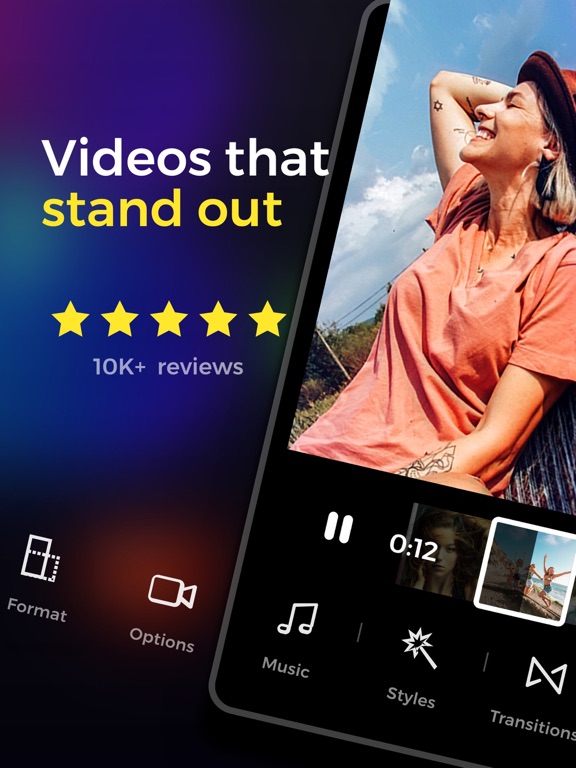
15 store screenshots



Pricing & paywalls
App Store
- StoryWave Pro Monthly — $2.99/week
- StoryWave Pro Monthly — $9.99/month
- StoryWave Pro Monthly — $19.99/month
- StoryWave Pro Monthly — $23.99/year ($1.99/mo)
- StoryWave Pro Monthly — $47.99/year ($3.99/mo)
- StoryWave Pro One Time — $64.99
- StoryWave Pro One Time — $129.99
Ratings & reviews
App Store
-
5/5User Friendly App & amazing customer support
I have been looking for an app to create media projects for work without hiring a professional photographer and videographer. I have tried so many and from the minute I started playing around with this one I was hooked. It is so user friendly but producers high quality, pro-style videos with soooo many features. I was so impressed. But what most impressed me about this app was the fact that after I had a ton of fun creating my project, I had a slight glitch in finishing it and could not figure it out. I hesitantly reached out via the chat/message support feature, thinking it would be days before I heard from anyone, if in fact it wasn’t a robot. It was 4 am on top of that so I was slightly panicked my work would never reach the finish line. However, I could not believe the rapid response from the developer, who was so thorough, compassionate, and patient when I explained my issue within the app. Within a half hour, he had reassured me it would be resolved and went above and beyond to make sure I was satisfied with my experience with the app, and I had my finished project. I am so happy with the outcome of the service and my content. I will definitely be using this app for all my future projects.
Mika Everheart · 6 Aug 2026
-
5/5Where you been all my life?!?!
To everyone who put time into this app, THANK YOU MAY GOD BLESS EACH AND EVERYONE OF YOU!!! I’ve been trying to find an app that’s simple enough to not need the tutorial but regardless lol might go pro with you guys so many filters love how I can put titles and i am able to trim and change the styles of my titles for a video, can select multiple videos to make one whole! So many good things to say HATS OFF TO YOU GUYS, I don’t normally do reviews but as a young independent artist I love to reciprocate the energy and time so 5 stars for you guys I appreciate your hard work!!!
8atoLoco · 6 Aug 2026
-
4/5First Week
I was very happy with the app for the 1st week. Making videos and posting to social media and even added StoryWave as a follower and tagged them in my videos. The point is this, I went to start a video and it was 7min then I even edited the video on another app and made it short to 2min. Every time I would start the download it froze at 38% and the screen would freeze completely. I had to ditch the video and start over and this happened with every video I tried to do after that. This was completely frustrating and then just deleted the app. Up until this issue the app was amazing it was super easy to make quick videos and even added my own music as it allows you to use ITunes but now not happy with the app.
Ernee858 · 6 Aug 2026
-
3/5It's alright
I downloaded it a few hours ago and had a plan for a short story video. Everything works amazing, but after spending time editing, cutting, effects etc it takes a long time. Which is no problem, editing takes awhile. But..if I exit, the entire video gets corrupted and I can no longer view it or edit it. It's just a black screen. I tried saving throughout editing hoping that may fix the problem, but alas, I go back to edit some more and the video is completely dead. Kind of frustrating, because the layout of the app is great. Super easy to understand, lots of different things you can do. But if my projects all get corrupted then I simply can't use it...
Icegirl912 · 6 Aug 2026
-
5/5Satisfied Customer
This is a great app and easy to use. I am a novice app user and editor for content. I have had some challenges and the support from the developer has been immeasurable. The editing process is fairly simplistic and the audio features are fantastic. I appreciate the time and service given to me in navigating any issues I may have had. Lessons learned? Use smaller video clips to edit for best results. Thank you team for your timeless efforts.
SassyFaces · 6 Aug 2026
Privacy & accessibility
App Store
Privacy
- Data Not Linked to You — Analytics — Identifiers — Device ID Developer declared
- Data Not Linked to You — Analytics — Identifiers — User ID Developer declared
- Data Not Linked to You — Analytics — Purchases — Purchase History Developer declared
- Data Not Linked to You — Analytics — Usage Data — Advertising Data Developer declared
- Data Not Linked to You — Analytics — Usage Data — Product Interaction Developer declared
- Data Not Linked to You — App Functionality — Diagnostics — Crash Data Developer declared
- Data Not Linked to You — App Functionality — Purchases — Purchase History Developer declared
- Data Not Linked to You — Developer’s Advertising or Marketing — Identifiers — Device ID Developer declared
- Data Not Linked to You — Developer’s Advertising or Marketing — Identifiers — User ID Developer declared
- Data Not Linked to You — Developer’s Advertising or Marketing — Purchases — Purchase History Developer declared
- Data Not Linked to You — Developer’s Advertising or Marketing — Usage Data — Advertising Data Developer declared
- Data Not Linked to You — Other Purposes — Usage Data — Other Usage Data Developer declared
- Data Not Linked to You — Product Personalization — Identifiers — Device ID Developer declared
- Data Not Linked to You — Product Personalization — Identifiers — User ID Developer declared
- Data Not Linked to You — Diagnostics Developer declared
- Data Not Linked to You — Identifiers Developer declared
- Data Not Linked to You — Purchases Developer declared
- Data Not Linked to You — Usage Data Developer declared
- Data Used to Track You — Identifiers — Device ID Developer declared
- Data Used to Track You — Identifiers — User ID Developer declared
- Data Used to Track You — Identifiers Developer declared
- Data Used to Track You — Purchases — Purchase History Developer declared
- Data Used to Track You — Purchases Developer declared
- Data Used to Track You — Usage Data — Advertising Data Developer declared
- Data Used to Track You — Usage Data Developer declared
Accessibility
No accessibility labels collected yet.
Versions
App Store
-
3.3.2
Happy holidays! Create a holiday video greeting for your friends and family with our special holiday version! We’ve also added 2 new video styles and a special holiday icon.
-
3.3.3
Happy holidays! Create a holiday video greeting for your friends and family with our special holiday version! We’ve also added 2 new video styles and a special holiday icon. v3.3.3 also includes some amazing design improvements to make your StoryWave experience better than ever!
-
3.3.4
Take your video editing skills to new heights with a better way to add text to video! We've also created a fresh new design for the media picker! Enjoy the update and happy new year from the StoryWave team!
-
3.3.5
With v3.3.5 we've made the video editing experience better with some quick edit design touches, enjoy! We've also rolled back the holiday version back to the good old StoryWave.
-
3.4.0
Introducing Frames! Easily add trendy colorful frames to your videos. Take your video editing skills to new heights with this new version of StoryWave, enjoy!
-
3.4.1
UI improvements and small bug fixes to make your StoryWave experience better than ever!
-
3.4.2
v3.4.2 adds amazing new tutorials in the quick and full editors - tap the ‘?’ icon to check them out.
-
3.4.3
When cropping your media items you can now use the “Fit” option to make sure your video or photo fits into the frame perfectly, and select the background color that appears on any resulting margins. We hope you enjoy this highly requested features!
-
3.4.4
Fresh, fresh, fresh! New split videos feature, a better way to trim videos and a fresh redesign to our beloved full editor. Enjoy!
-
3.5.0
Hi! We're excited to share our new video color correction tool!! The secret sauce of pro video editors - Get that cinematic look or find the true colors of your video with ease. Adjust the hue, brightness and saturation of shadows, midtones and highlights. Best for novice and pros. Enjoy!
-
3.5.1
Small bug fixes and UI improvements to make your StoryWave experience better than ever!
-
3.5.2
Small bug fixes and UI improvements to make your StoryWave experience better than ever!
-
3.5.3
Hi! It's now easier than ever to share your videos to social media! Try it out! You can also now submit your Instagram username in the app, and the best videos shared on Instagram will be featured on our Instagram profile @storywaveapp!
-
3.5.4
Small bug fixes and UI improvements to make your StoryWave experience better than ever!
-
3.5.5
v3.5.5 includes lots of optimizations and improvements to make the app run smoother and faster! We hope you enjoy it!
-
3.5.6
You can now trim your videos and photos to as short as 0.2 seconds, making your edits more precise than ever! We’ve also improved the timeline editing experience and made the trim and splits screens more useful and easier to use.
-
3.5.7
Small bug fixes and UI improvements to make your StoryWave experience better than ever!
-
3.5.8
Small bug fixes and UI improvements to make your StoryWave experience better than ever!
-
3.6.0
Personalize your app icon! With v3.6.0, StoryWave Pro users can express themselves with style by choosing their own app icon from a variety of 18 beautiful icons. We’ve also redesigned the settings screen to make it nicer and easier to use.
-
3.6.1
Happy Valentine's Day! Show your love by sending your Valentine a video using our special Valentine's Day styles and filters.
-
3.6.2
Small bug fixes and improvements to make your StoryWave experience better than ever!
-
3.6.3
v3.6.3 features 9 new fonts and 12 new text styles! Enjoy!
-
3.6.4
v3.6.4 features small bug fixes and UI improvements. Enjoy the update and thanks for using and supporting StoryWave!
-
3.6.5
New 9:19.5 ratio for screen recordings, and some stability and UI improvements!
-
3.6.6
· 22 Aug 2025
Small bug fixes and UI improvements
Alternatives
- Videorama Text & Video Editor — Same category + similar ratings
- Video FX: Movie Clip Editor — Same category + similar ratings
- GlitchCam - Video Effects — Same category + similar ratings
- Video Editor ‧ — Same category + similar ratings
- Video Editor with Music・VidLab — Same category + similar ratings
- MOLDIV VideoLab Video Editor — Same category + similar ratings
Availability by market
- US
Data quality & evidence
- Page completeness
- Live store listing
- Last verified
- 6 Aug 2026
- Sources
- App Store
- Independent summary has not been published yet.