
Quick verdict
- What it is
- Store information collected; an Apoku editorial summary is not yet published.
- At a glance
-
- Free to download
- In-app purchases
Categories and search queries
Official categories
- Health & Fitness
- Sports
Apoku categories
Key functions
| Function | Availability | Access | Scope | Evidence |
|---|---|---|---|---|
| Free app | Yes | Free | Context-specific | Store published |
| In-app purchases | Yes | Limited free | Context-specific | Store published |
Screens
App Store
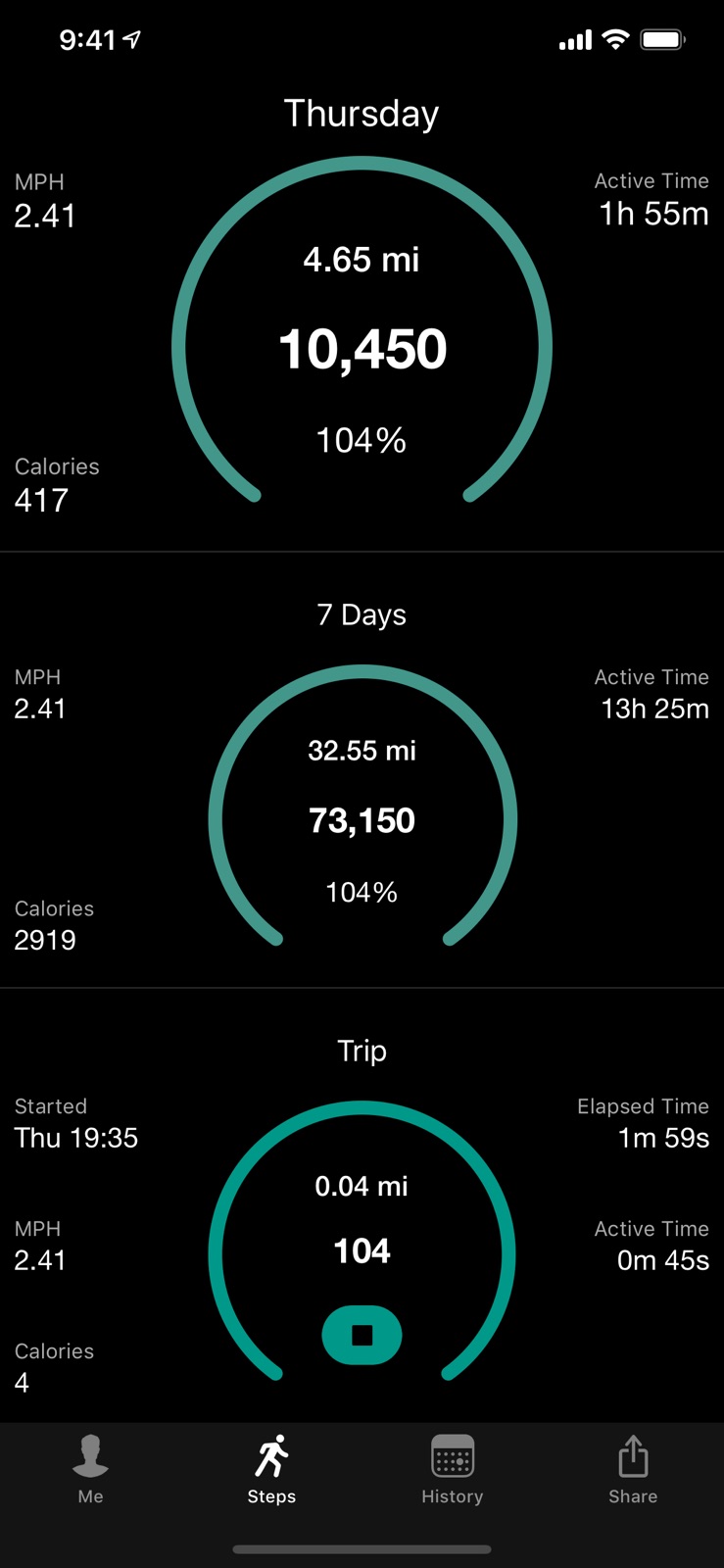
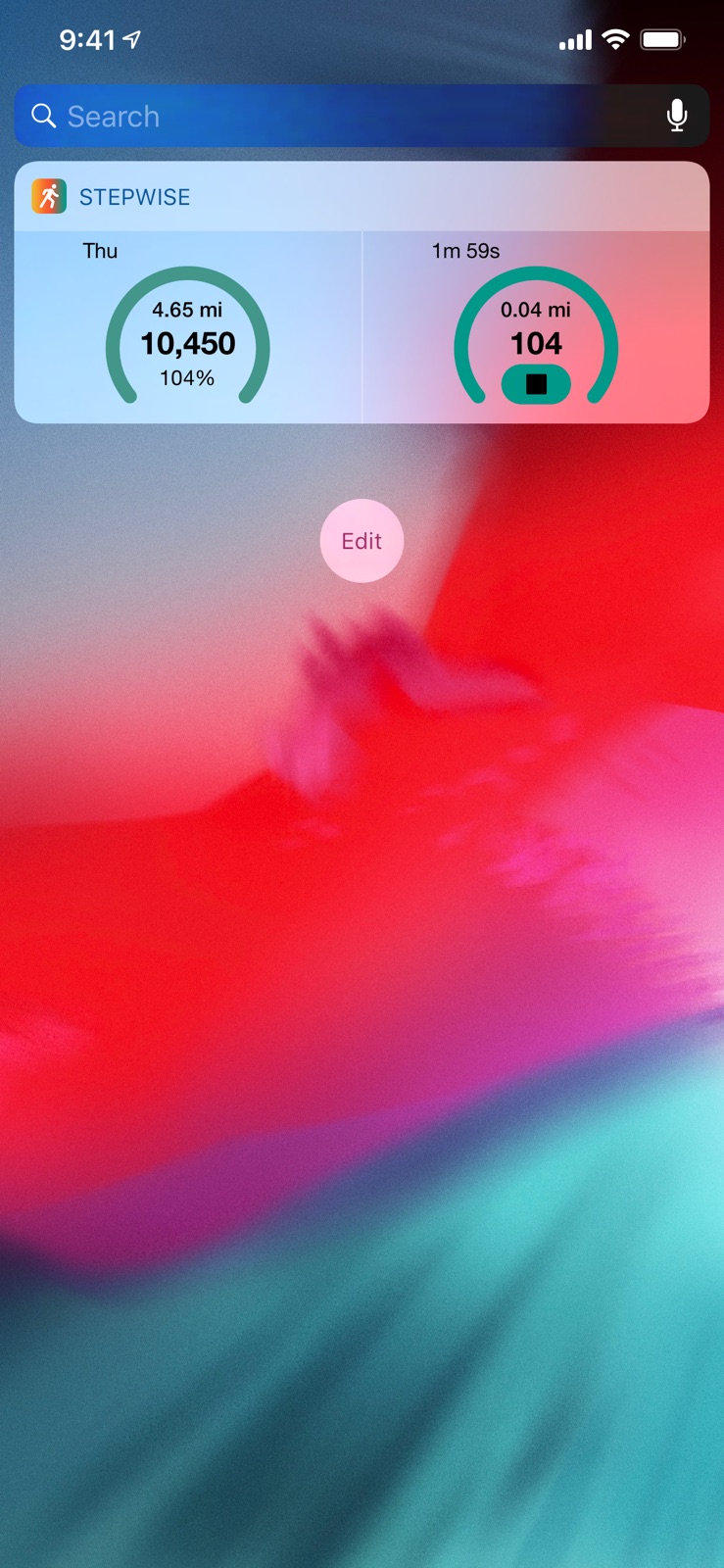
10 store screenshots


Pricing & paywalls
App Store
- Awesome Tip — $4.99
- Great Tip — $1.99
- Nice Tip — $0.99
- Premium — $5.49
Ratings & reviews
App Store
-
5/5Unique Outstanding Design App!
Well it’s Raining now where I live so being an ole man I decided to take a break dry off ( so they say ) and rest my cane! I can’t believe I never wrote a Review for this Unique Outstanding App that I have been using for years! This app is so amazing when I found it I went “ WOW “ and being an ole man finding something to amaze me is not easy these Days!! But this Unique Outstanding Design App did and still does! I believe if you Download this app you automatically will go WOW! So give it a try for a ole man’s sake and Download it the price is right. Yeah it cost money, but Technology is not cheap and as a ole man I have truly found anything you want to keep cost money. The Developer’s have put a great Deal of time hard work sweat and yes love into the coding of this Software for you myself and our family to keep us Healthy! Look at the number of updates that they have made on this Unique Outstanding Design Software to make it better for you myself and our family! So Download it please! Well with that the Rain has let up a little so it’s time for this ole man to continue His walk so as I reach for my Cane I want to Thank the Developer’s for sharing this Unique Outstanding Design App with Me for all of these years so Mr. Developer I Tip my Hat 🎩 to you and Say “ Thank’s “!
RLNfirst · 7 Aug 2026
-
5/5Used this app for a long time
My wife and I both use the app and it is a well designed software product, very easy to use and tracks the important exercise statistics for you. Recently, both of our iPhones have had 5, 6 or 7 days in a row of missing mileage information (not recorded). Then it starts up again recording the mileage. This has been going on for over 3+ months. We hike just about every day and there wouldn’t be any reason for no mileage information and we always have our phones in our pocket at all times. We have the latest iOS version on both of our iPhone 11 phones. We’ve rebooted our phones and the missing information is in different time periods on each phone. Any ideas? Thx.
OutdoorEyes · 7 Aug 2026
-
4/5Stopped working after the update: THE FIX
So far, this is my favorite pedometer app because of the workout (“Trip”), history, and cumulative steps and miles features. What would make it great is if it would keep the “trip” history day-by-day as well. I’ve been very loyal to this app over the last couple of years and after two of the updates, my watch and the phone stopped communicating my workouts and history, which means lost data since I log my steps, workouts and miles for the entire year. I followed all the instructions on their site plus contacted their support and received their instructions, but without success. I’d checked all of my iPhone settings, but - finally - I had to open the Stepwise app on the phone, choose “Me” at the bottom right, and turn back on “Merge Apple Watch Data”. I don’t know that reboots, resets or anything is going to turn that back on within the app on the phone... you must do it. I will upgrade this review to 5 stars once that stops happening.
Texas Toni · 7 Aug 2026
-
5/5Mileage Tracker
The mileage tracking part of the app doesn’t work accurately unless there’s another GPS running app running at the same time. My StepWise is off by as much as a third of a mile in 1-3/4 miles when operating by itself, so I have to activate the MyNetDiary app that also tracks mileage. When they’re running together, I get the same results. I’ve also tried turning on LOCATION SERVICES, but it doesn’t seem to help. *** MOTION CALIBRATION & DISTANCE has been on. *** Since this original post, the developers had me engage AUTO STRIDE and now it reports the mileage correctly. Thank you.
e804jkw · 7 Aug 2026
-
5/5Handy app. Great customer support.
I have a ton of apps, but only a handful I use regularly. Stepwise is one of them. It’s a great way to track my activity, etc. Just what you’d expect from a pedometer app. But when I had a problem, I was really impressed but the customer support. Friendly, helpful and truly concerned. When I didn’t reply to the last email from my tech support person (I’d been traveling), he emailed me to make sure everything was ok and to see if he could provide any more help. Gotta love that kind of follow up. Kudos Neil.
Usually positive · 7 Aug 2026
Privacy & accessibility
App Store
Privacy
- Data Not Linked to You — Analytics — Diagnostics — Crash Data Developer declared
- Data Not Linked to You — Analytics — Diagnostics — Performance Data Developer declared
- Data Not Linked to You — Analytics — Identifiers — Device ID Developer declared
- Data Not Linked to You — Analytics — Location — Coarse Location Developer declared
- Data Not Linked to You — Analytics — Usage Data — Advertising Data Developer declared
- Data Not Linked to You — Analytics — Usage Data — Product Interaction Developer declared
- Data Not Linked to You — Third-Party Advertising — Diagnostics — Crash Data Developer declared
- Data Not Linked to You — Third-Party Advertising — Diagnostics — Performance Data Developer declared
- Data Not Linked to You — Third-Party Advertising — Identifiers — Device ID Developer declared
- Data Not Linked to You — Third-Party Advertising — Location — Coarse Location Developer declared
- Data Not Linked to You — Third-Party Advertising — Usage Data — Advertising Data Developer declared
- Data Not Linked to You — Third-Party Advertising — Usage Data — Product Interaction Developer declared
- Data Not Linked to You — Diagnostics Developer declared
- Data Not Linked to You — Identifiers Developer declared
- Data Not Linked to You — Location Developer declared
- Data Not Linked to You — Usage Data Developer declared
Accessibility
No accessibility labels collected yet.
Versions
App Store
-
3.10.0
- Improved interface elements.
-
3.10.1
- Improved interface elements.
-
3.10.2
- Improved interface.
-
3.10.3
- Improved interface.
-
3.11.0
- Added new widgets. - Background updates.
-
3.11.1
- Display improvements.
-
3.12.0
- Background updates. - Minimum supported iOS version now 11.0.
-
3.12.1
- Background updates.
-
3.13.0
- Turkish translations. Thank you to Bora Atalay.
-
3.14.0
- Updated widgets. - Background updates.
-
3.15.0
- Display fixes. - Background updates.
-
3.15.1
- Background updates.
-
3.15.2
- Fix a crash affecting some users, sorry. - Background updates.
-
3.16.0
- Watch updates. - Background updates. - Minimum supported iOS version now iOS 14.
-
3.16.1
- Resolved widget issue with tinted Home Screen. - Background updates.
-
3.17.0
- Background updates.
-
3.17.1
- Fix an issue relating to tab bar items not appearing.
-
3.17.2
· 18 Apr 2026
- Improve tab bar items. - Background update.
-
3.8.14
- Translation fix. - Minor background updates.
-
3.8.15
This update from Apple will improve the functionality of this app. No new features are included. - Background updates. - Updated for latest OS.
-
3.9.0
- Background updates.
-
3.9.1
- Background updates.
-
3.9.2
- Background updates.
-
3.9.3
- Watch merge fix.
-
3.9.4
- Watch data merge fix.
Alternatives
- Pedometer - Steps Counter App — Same category + similar ratings
- Step Counter Maipo - Pedometer — Same category + similar ratings
- Daily Steps: Step Counter — Same category + similar ratings
Availability by market
- US
Data quality & evidence
- Page completeness
- Live store listing
- Last verified
- 7 Aug 2026
- Sources
- App Store
- Apoku editorial summary has not been published yet.