
Star Chart
Explore the solar system and identify stars and planets with this interactive astronomyapp
iPhone · iPad
Quick verdict
- What it is
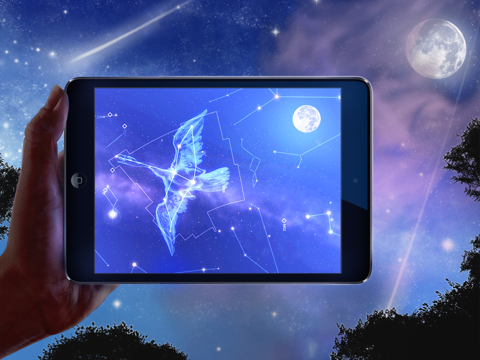
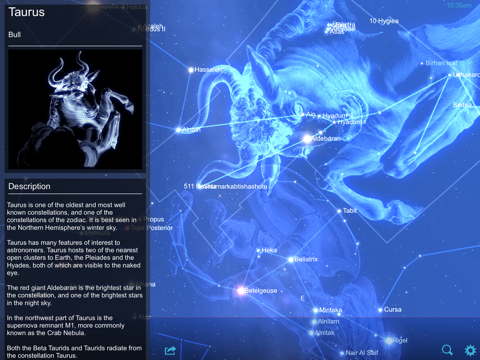
- Star Chart is an educational astronomy app that allows users to explore the solar system, identify stars and planets, and learn about astronomy. It features augmented reality viewing, star tracking, and planet exploration.
- Best for
-
- someone who wants to learn astronomy
- astronomy enthusiasts
- At a glance
-
- Free to download
- In-app purchases
Categories and search queries
Official categories
- Education
- Reference
AppCorpus categories
Key functions
| Function | Availability | Access | Scope | Evidence |
|---|---|---|---|---|
| Free app | Yes | Free | — | Store published |
| In-app purchases | Yes | Limited free | — | Store published |
Screens
App Store
15 store screenshots


Pricing & paywalls
App Store
- Comets — $2.99
- Enhanced Constellations — $4.99
- Enhanced Messier Catalog — $9.99
- Extended Solar System — $4.99
- Extended Star Catalog — $9.99
- Meteor Showers — $4.99
- Satellites — $4.99
Ratings & reviews
App Store
-
4/5Buggy
This used to be one of my favorite apps-- I've memorized just about every (visible) star in the summer sky thanks to it. When I first downloaded it a little over two years ago, looking at the stars quickly became one of my favorite pastimes. The Messier catalogue and all of the extra information on stars, planets, constellations, etc. is pretty expansive, even without the upgrade packages-- there is a TON of information available, all for free. This app is awesome! However, lately (I started noticing it a few months ago), the feature that allows you to point your phone at the sky and see it on your screen has been so buggy it's impossible to use. When I try to do this, the portion of the sky that shows is about 100 degrees off from the real sky, and shows at the wrong angle (the horizon line is almost vertical). The calibration screen will pop up for a split second and then go back to the sky chart before I have a chance to do anything. Those two screens will cycle until I stop it switching back to manual scroll. I really wish this bug would be fixed-- this is the best feature of the app, in my opinion! The app is still great but definitely not as fun without that feature.
JT_15497 · 6 Sep 2026
-
5/5Absolutely Great!!!!!
This is one of those app's that you know you got your money's worth and a lot more!! It gives you so much information about the heavens above, I really like being able to identify the constellations and the planets and being able to read the information about them, really great stuff. Another nice thing is that you can have it let you know of up and coming celestial events such as meteor shower, it'll let you know the where and when of the event. It'll tell you about planet conjunctions and so much more!!!!!!! If your looking for an app about the sky's this is the one you want, I've showed this app to friends and family and once I have it's not very long or it's right then that they're downloading it to their devices. Get it so you can show off your knowledge of the night sky's. It even shows you what's in the sky on the other side of the Earth!!!!!
Great Train · 6 Sep 2026
-
3/5Annoying to use
This app has beautiful displays of constellations and stars. The night mode is a nice feature to keep your night vision, with that, the displays go to red on black. For identifying what stars you see in the night sky, I found this app to be difficult to use. First, it could not use my iPad's GPS to identify my exact location, so I had to set that manually, and the closest I could set it was about 50 miles away. You can only set it on population centers, which of course, are not good for star gazing because of the ground light. Second, you point it at a section of sky, and it shows you the stars and constellations in that section of sky, but of course, you have now blocked your view of the sky in that location, so you have to do this up and down movement trying to match what you see on the iPad to what you see in the sky. It does not use your device's camera to actually view stars as Sky View Free does. Finally, the most annoying feature of this app is it is constantly offering you further information and when you click on that offer it says, "You have to upgrade for that information, that will be $9.95". Sky View Free is a better free app for occasional star gazing.
Lindacubed · 6 Sep 2026
-
4/5Star Chart
Star Chart is a great application to have for those interested in astronomy and the mysteries of the universe whether in its free or premium form. While the premium version gives users access to just about every observable part of our universe including planets, constellations and our extended solar system the free version is still worthwhile. Users can use the free version to observe the constellations in our sky and the imagery and visuals presented are top notch high quality. Users can also view and read data regarding the planets in our solar system, the moon and more. Navigation within the app is easy and users can move, tap and pull the device and screen being used to look around the sky, solar system of whatever is being looked at or focused upon. While serious astronomy lovers will want the fully loaded version for those with more of a casual interest in the heavenly bodies above us the free version will do.
D. Hill · 6 Sep 2026
-
5/5A good app, but...
I LOVE this app, and I use it all the time for finding planets, and deep space objects to observe through my telescope. I also appreciate the accuracy of each star location in relation to one another, even down to the 11+ magnitude stars, but I purchased the satellite addition recently, and even though it shows it in the sky with an apparent magnitude in the negatives, surely brighter than most stars, i see absolutely nothing! I don't know what's up, but looking at the iss is the only thing the upgrade's useful for. I also am disappointed that you used the messier catalogue only for deep space objects, because now all deep space objects in the south aren't listed, even the carina nebula! I hope that these bright southern DSO's can be added, and perhaps the new general catalogue. Other than that, this app is great and I spend hours on it star hopping to find the next galaxy!
RussellHouse · 6 Sep 2026
Privacy & accessibility
App Store
Privacy
- No Details Provided Developer declared
Accessibility
No accessibility labels collected yet.
Versions
App Store
-
3.1
This update is for general bug fixes and polish.
-
3.2
Star Chart is better than ever! In this update we've added: - High-Dynamic-Range (HDR) camera effects - Massive improvements to the user interface - Various bug fixes and optimisations * This version resets the preferences to the defaults in order to fix a bug - Set them back to how you like in Settings. *
-
3.3
- Ability to select Constellations by tapping on their name - Explore the brightest stars of each constellation via the constellations information pane. - Enhanced Constellations Upgrade now includes detailed Description and Myth/History. - Various bug fixes, including Support Page now opening correctly.
-
3.31
- Fixed potential crash bug when selecting certain constellations. - Fixed Auto-AR Mode not activating when entering Star Chart with AR Mode set to OFF. - Fixed repeated selection of stars sometimes causing a crash. - Fixed tapping tours to interrupt sometimes causing a crash. - A few memory optimisations
-
3.5
Two much-requested new upgrades available: - Comets: we've added some of the brightest and most famous comets in the solar system, including the new comet ISON - Satellites: track satellites in the sky as they orbit the Earth. Includes the International Space Station, and the Hubble telescope, both of which you can travel to and explore in 3D! Other features: - Night mode coloring has been added to the main menu, search and the information pane, so you won't lose your night-vision in the field! - Loading time-out bug on some older devices has been fixed
-
3.51
- Fixed issue when trying to perform a search in the Location screen when certain upgrades are purchased. - Fixed notification numbers issue - Some translation improvements - Performance optimisation
-
3.52
- Fixes a crash some users were experiencing when selecting meteor showers. - Fixes orientation problem when using emails to share screenshots of the app. - Off-Screen arrow now works for Satellites and Comets - Better accuracy for future solar eclipse events
-
3.60
- Redesigned and updated User Interface - Bug fixes and general enhancements
-
3.61
Updated ISS to use latest orbit data. Fixes issue when selecting objects in Night Mode. Fixes issue with searching for locations in certain circumstances.
-
3.65
Various bug fixes and enhancements, including: - Star Chart now allows user music to be played - Pop-up's don't appear if Star Chart is launched from a URL - Fixed crash for launching from URL to missing object - Added support for Easter Eggs :)
-
3.66
- Notifications set to trigger in the evenings local time - no more being woken up! - Fix for crash on iOS 5.11
-
3.7
- Calendar (found in Search) lists upcoming astronomical events, as well as any missed notifications. - Vastly improved 3D Comet visuals in Comet Upgrade. - Various bug fixes, including improved localisations.
-
3.71
- Fixes crash on older devices - Fixes crash with older operating systems
-
3.72
- Improved underlying Search functions. - Updated ISS data - Fixed corrupted Japanese localisation. - Apparent fix of issue with some Upgrades not downloading - although we aren't sure why this broke or how we fixed it!
-
3.73
* Comet Lovejoy added to the Comets pack * Various bugs fixed including: - Shader fix for extended planets
-
3.80
*** We are aware of a new bug in iOS8. It is being addressed ASAP, for more info: http://goo.gl/FiszOs *** Many enhancements including: - Improved Sky Search Menu: tap section headings to expand/hide. - Improved calendar: "On this day.." events now appear, as well as numbered badges clearly leading you to any missed events. - Sharing has been revamped and is now contextual when an object is selected - More asteroids and comets have been included in the upgrades. As well as all the usual optimisations and bug fixes. Enjoy!
-
3.90
- Major overhaul of the Star Chart user interface in order to ensure compatibility with the latest features and usability of iOS8 - Star Chart now looks better than ever running in the native high-resolution of the new iPhone 6 and 6 plus. - Fixes some rendering and user-interface issues affecting iOS8 users. - Many minor bug fixes and various optimisations.
-
3.91
- Substantially improved AR Mode to make it much more responsive! - Fixed screen rotation issue when holding iPhone upside down. - Some minor interface improvements and bug fixes.
-
3.92
- Fixed very slow sensor update speed on some devices, causing Star Chart to appear unresponsive. - Due to popular request, Star Chart is again compatible with iOS7.0 and later! - So those of you who have yet to upgrade can now enjoy a better UI experience and more responsive Augmented Reality mode. - The usual minor bug fixes and polish, eg. the share pop-up responds properly to device rotation now.
-
3.93
- Now includes a 64bit version, so should run even smoother on the latest devices. - Speculative fix for AR Mode black-screen affecting some users - Minor bug fixes and optimisations
-
3.94
- Another attempted fix for the black-screen on relaunch bug. This bug has had us perplexed for a while - it seems to be un-reproducible in a development environment - but we won't rest until it's fixed! Hopefully this time we have it.
-
3.95
- bug fix for AR Mode not working when Settings>Privacy>Location Services>System Services>Compass Calibration is set to off. This prevents Star Chart from getting a reading for True North, and so now it falls back on using Magnetic North in this situation.
-
3.96
Fixed crash on iPad when trying to access Settings (iOS9 only)
-
3.97
A couple more iOS9 specific fixes: - fixed descriptive text getting truncated for planets, constellations etc - fixed Star Chart User Manual failing to open due to new security features - fixed Star Chart on Facebook/Twitter links failing to open due to new security features
-
3.98
· 17 Nov 2015
This app has been updated by Apple to prepare for watchOS 27 compatibility. No new features are included. A few bug fixes: - Fixed occasional crash when selecting constellations, either from search or by directly tapping on them. - Star Chart now understands that Pluto has 5 moons, not 4. - When running in an English variant other than US English, planet/moon order text was not displaying correctly.
Alternatives
- Star Walk 2 Plus: Live Sky Map — Same category + similar ratings
- Stellarium Mobile - Star Map — Same category + similar ratings
- Solar Walk Lite - Planetarium — Same category + similar ratings
- Star Gazer: Sky Map& Astronomy — Same category + similar ratings
- Classic Sky Map 2 — Same category + similar ratings
- Sky Tonight - Stargazing Guide — Same category + similar ratings
Availability by market
- US
Data quality & evidence
- Page completeness
- Independent summary published
- Last verified
- 6 Sep 2026
- Sources
- App Store