
Quick verdict
- What it is
- Store information collected; an Apoku editorial summary is not yet published.
- At a glance
-
- $0.99
- In-app purchases
Categories and search queries
Official categories
- Music
- Utilities
Apoku categories
Key functions
| Function | Availability | Access | Scope | Evidence |
|---|---|---|---|---|
| In-app purchases | Yes | Limited free | Context-specific | Store published |
Screens
App Store
4 store screenshots
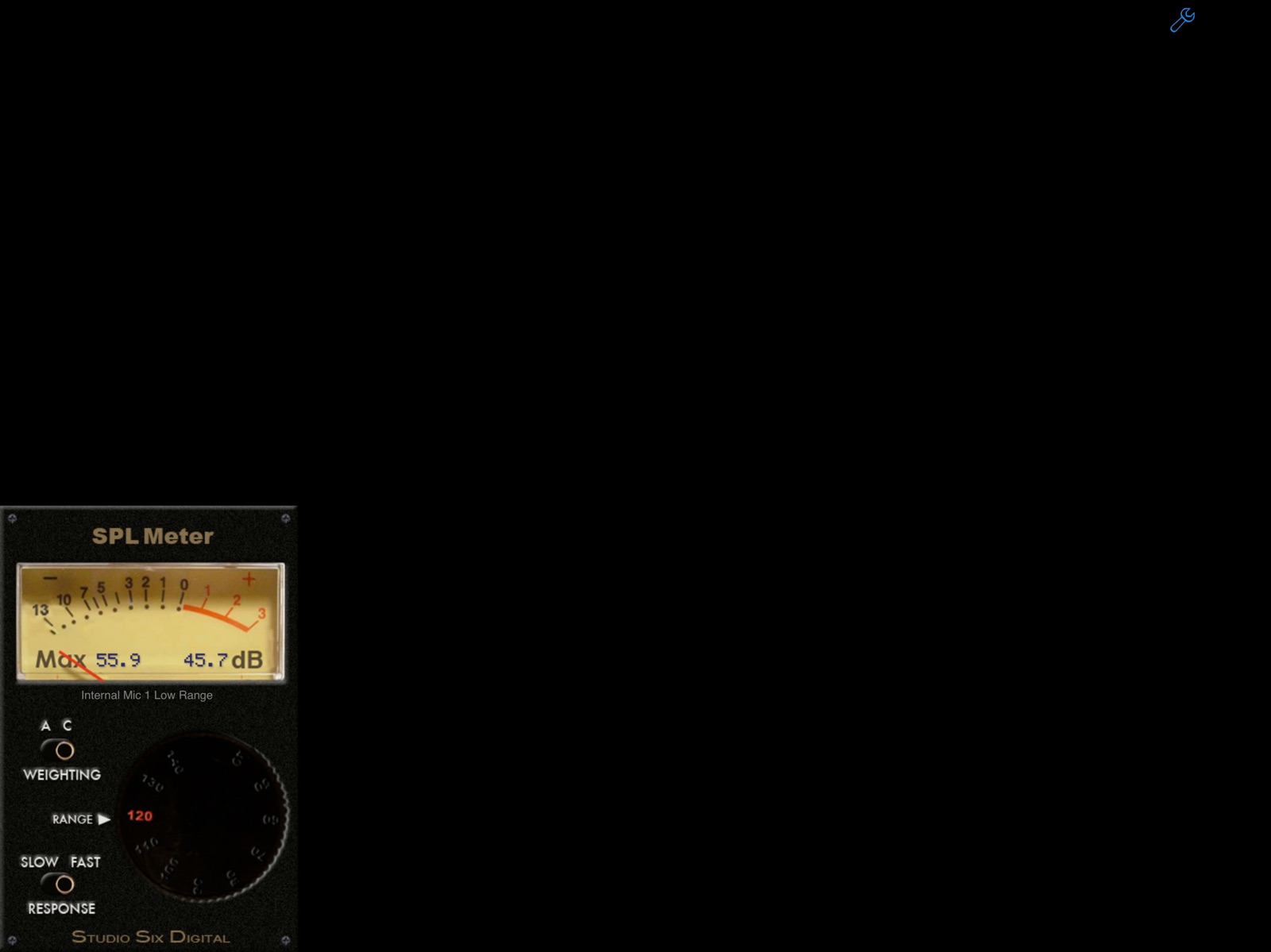
Pricing & paywalls
App Store
- Price: $0.99
- Controls & Ad-Free — $0.99
Ratings & reviews
App Store
-
4/5It’s good. Pls make meter bigger
It’s good. Pls make meter bigger in landscape mode. Switches and dial can be redesigned. Thanks!
LaraCroft_NYC · 5 Aug 2026
-
1/5Don’t buy here’s why
Don’t purchase this app. The meters are inconsistent. You’ll get a measurement then it changes completely. Not stable.
once a simpleton · 5 Aug 2026
-
1/5Too inconsistent
The meter is too inconsistent compared to other meters. Wouldn’t recommend paying for this.
DENZELAM · 5 Aug 2026
-
5/5Quick & Easy
Earlier this week I and some friends went to hear the Yonder Mountain String Band play at the Ryman Auditorium. While I very much enjoy bluegrass music, the sound was painfully loud. The younger crowd didn't seem to mind the volume, but to a older person like myself, it was very uncomfortable. Luckily, someone had an extra pair of ear plugs and I was able to enjoy the rest of the show in comfort. But….. I still wondered how loud was the music? I pulled out my iPhone 4s and went to the AppStore. I bought "SPL Meter" based entirely on looks. It looked like an spl meter should look. Once downloaded, I found the app easy to use with intuitive controls. Where we were sitting in the center of the balcony, the levels averaged between 97 and 101 db. Pretty loud! The next day I cranked up my stereo at home to the same levels as the night before so I could experience the volume in familiar surroundings. The discomfort was the same! In summary, SPL meter suits my purposes very well because it's handy if I need it. I have no idea how it compares to professional meters.
Dave in Bellevue · 5 Aug 2026
-
1/5Price
It Said it was .99 but charged me 6.99
sebdjm1 · 5 Aug 2026
Privacy & accessibility
App Store
Privacy
- Data Not Collected Developer declared
Accessibility
No accessibility labels collected yet.
Versions
App Store
-
10.0
-Bug fixes and stability improvements -Support for direct data file access in Files app -Support for latest devices and iOS versions
-
10.1
-Bug fixes and stability improvements
-
10.2
-Updated calibration for more devices -Added user registration features
-
11.0
-Updated for latest iOS devices -Bug fixes
-
11.1
-Bug fixes and improvements -Support for more iOS devices and iOS versions
-
11.10
-Fixed small font on labels -Fixed button not showing on launch
-
11.11
-Fixed tiny tiny numbers on display
-
11.12
· 22 Dec 2025
-Bug fixes and stability improvements
-
11.2
-Updated for latest iOS devices and new iOS versions -Bug fixes and stability improvements
-
11.3
-Updated for latest iOS devices and calibrations -Bug fixes and operational improvements
-
11.4
-Fixed UI graphics on all devices and zoom levels
-
11.5
-Added missing calibration setup page option from settings icon
-
11.6
-Latest updates and calibrations
-
11.7
-Updated for latest iOS devices and calibrations -Bug fixes and operational improvements
-
11.8
-Bug fixes, stability improvements, and more calibrations added
-
11.9
-Updated for new iOS devices -Bug fixes and stability improvements
-
9.1
* Updated for latest iOS devices. * Removed support for older iOS versions, now requires iOS 8 minimum. * Added simultaneous background launch protection to prevent problems in iOS 10 when plugging in iTestMic or iPrecisionMic when more than one Studio Six Digital app is installed. * Now ad supported and free!
-
9.2
-Removed ads inadvertently added to previous version
-
9.3
-Bug fixes and stability improvements
-
9.4
General - Added Calibration Error Report link to support page - Fixed crashes on iOS 8 and iOS 9 - Fixed issue with multiple Studio Six Digital apps trying to access our accessories - Updated App Store in-app purchase accessing and authorization for iOS 11 Live Calibration Updates - Added cloud-based database for all iOS devices that can be updated in real time - All devices included - Includes local default files, in case a device has no internet connectivity - Different databases for each major iOS version, starting with iOS 10 - New iPhones added to live calibration database
-
9.5
-Upgraded with support for iPhone X and latest iOS versions -Bug fixes and stability improvements
-
9.6
-Updated for latest iOS and iOS devices -Added new device calibrations
-
9.7
-Updated for latest iOS devices -Bug fixes and stability improvements
-
9.8
-Restored access to calibration page -Fixed operation for iOS 13
-
9.9
-Updated SPL Meter for IOS 13 compatibility.
Alternatives
- Decibel Display — Same category + similar ratings
Availability by market
- US
Data quality & evidence
- Page completeness
- Live store listing
- Last verified
- 5 Aug 2026
- Sources
- App Store
- Apoku editorial summary has not been published yet.