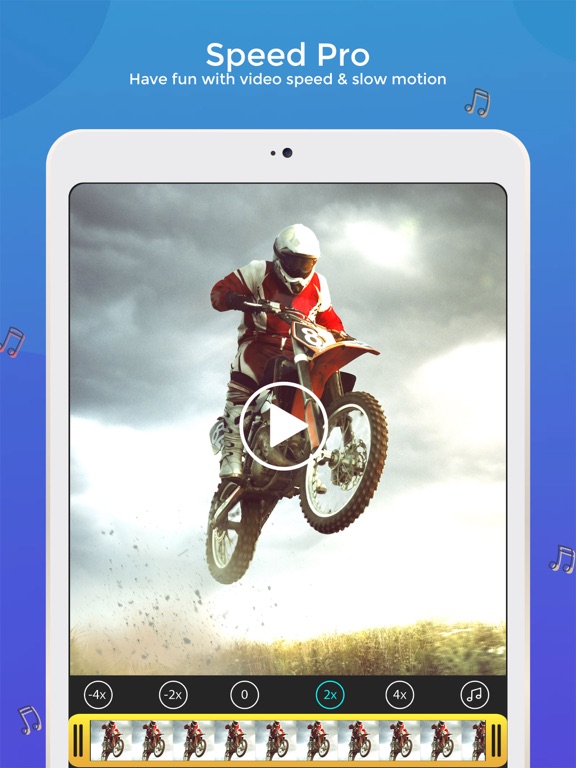
Apoku MCP provides app discovery, detailed cards, evidence, sources and screenshots where available. Unknown or conflicting prices stay explicit.
View JSON
GET /api/v3/apps/939421784
{
  "app_id": 939421784,
  "canonical_url": "https://appcorpus.com/apps/speedpro-slow-speed-video-edit-939421784",
  "identity": {
    "name": "SpeedPro Slow speed video edit",
    "slug": "speedpro-slow-speed-video-edit",
    "developer": {
      "name": "pixel force private limited",
      "url": "https://appcorpus.com/developers/pixel-force-private-limited-developer_49ddb680861d1f5301a89a17f2d639b2"
    },
    "icon_url": "https://is1-ssl.mzstatic.com/image/thumb/Purple221/v4/bf/eb/9a/bfeb9ad7-d523-2d5f-49f6-5e014ea3fe2e/AppIcon-0-0-1x_U007epad-0-1-0-85-220.png/512x512bb.jpg",
    "stores": [
      "apple"
    ],
    "platforms": [
      "iphone",
      "ipad"
    ],
    "status": {
      "state": "active",
      "label": "Active",
      "last_checked": "2026-10-04",
      "last_checked_label": "4 Oct 2026",
      "banner": null,
      "region_note": null,
      "data_state": "partial",
      "data_state_label": "Some information is not yet confirmed"
    }
  },
  "listings": [
    {
      "store": "apple",
      "status": "ACTIVE",
      "url": "https://apps.apple.com/us/app/speedpro-slow-speed-video-edit/id939421784?uo=4",
      "rating": 4.1,
      "rating_count": 72023,
      "formatted_price": "Free",
      "is_free": true,
      "has_iap": true,
      "has_subscription": null,
      "version": "3.0.0",
      "updated": "2026-10-04",
      "currency": "USD"
    }
  ],
  "summary": {
    "one_liner": null,
    "summary": null,
    "best_for": [],
    "not_for": [],
    "status": "fallback",
    "at_a_glance": [
      "From $2.58/mo",
      "Free download · core features require a paid plan",
      "In-app purchases"
    ]
  },
  "categories": {
    "official": [
      "Photo & Video",
      "Utilities"
    ],
    "appcorpus": [
      {
        "category_id": "photo-video",
        "label": "Photo & video",
        "url": "https://appcorpus.com/categories/photo-video"
      },
      {
        "category_id": "utilities",
        "label": "Utilities",
        "url": "https://appcorpus.com/categories/utilities"
      }
    ]
  },
  "use_cases": [],
  "features": [
    {
      "capability_id": "free_app",
      "label": "Free app",
      "availability": "yes",
      "access_level": "free",
      "scope": null,
      "evidence": "Store published"
    },
    {
      "capability_id": "in_app_purchases",
      "label": "In-app purchases",
      "availability": "yes",
      "access_level": "free_limited",
      "scope": null,
      "evidence": "Store published"
    },
    {
      "capability_id": "subscription",
      "label": "Subscription",
      "availability": "yes",
      "access_level": "paid",
      "scope": null,
      "evidence": "Store published"
    }
  ],
  "pricing": [
    {
      "store": "apple",
      "formatted_price": "Free",
      "is_free": true,
      "has_iap": true,
      "has_subscription": null,
      "currency": "USD",
      "market": "us",
      "last_verified": "2026-10-04",
      "rows": [
        "SpeedPro — $30.99/year ($2.58/mo) (derived from the IAP title)"
      ],
      "state": "current"
    }
  ],
  "screens": [
    {
      "url": "https://is1-ssl.mzstatic.com/image/thumb/PurpleSource211/v4/ee/34/6a/ee346a90-8055-12e2-1bc8-9ade86dfc633/2048x2732_001__U00281_U0029.jpg/1600x1600bb.jpg",
      "store": "apple",
      "platform": "ipad",
      "alt": "SpeedPro Slow speed video edit ipad screenshot 1"
    },
    {
      "url": "https://is1-ssl.mzstatic.com/image/thumb/PurpleSource211/v4/f5/c5/a2/f5c5a26d-1daa-a9b5-5d66-f220a5f37bc5/2048x2732_02.jpg/1600x1600bb.jpg",
      "store": "apple",
      "platform": "ipad",
      "alt": "SpeedPro Slow speed video edit ipad screenshot 2"
    },
    {
      "url": "https://is1-ssl.mzstatic.com/image/thumb/Purple221/v4/49/3e/81/493e816b-1049-5556-4458-73a8dd3583c3/pr_source.jpg/576x768bb.jpg",
      "store": "apple",
      "platform": "ipad",
      "alt": "SpeedPro Slow speed video edit ipad screenshot 3"
    },
    {
      "url": "https://is1-ssl.mzstatic.com/image/thumb/PurpleSource211/v4/e0/41/58/e04158bb-ceea-6d7d-f2fb-467753fefb2f/2048x2732_002.jpg/1600x1600bb.jpg",
      "store": "apple",
      "platform": "ipad",
      "alt": "SpeedPro Slow speed video edit ipad screenshot 4"
    },
    {
      "url": "https://is1-ssl.mzstatic.com/image/thumb/PurpleSource221/v4/3f/ad/87/3fad8782-8939-1bd6-b600-13ff520c7de7/2048x2732_01.jpg/1600x1600bb.jpg",
      "store": "apple",
      "platform": "ipad",
      "alt": "SpeedPro Slow speed video edit ipad screenshot 5"
    },
    {
      "url": "https://is1-ssl.mzstatic.com/image/thumb/Purple211/v4/8d/42/25/8d422547-d668-7bfb-509f-511dae7b62dd/pr_source.jpg/576x768bb.jpg",
      "store": "apple",
      "platform": "ipad",
      "alt": "SpeedPro Slow speed video edit ipad screenshot 6"
    },
    {
      "url": "https://is1-ssl.mzstatic.com/image/thumb/PurpleSource221/v4/06/cf/1b/06cf1b36-333f-87d0-8f81-ffe069f8fe92/2048x2732_001.jpg/1600x1600bb.jpg",
      "store": "apple",
      "platform": "ipad",
      "alt": "SpeedPro Slow speed video edit ipad screenshot 7"
    },
    {
      "url": "https://is1-ssl.mzstatic.com/image/thumb/PurpleSource221/v4/1e/60/70/1e6070e9-24ef-7310-920d-89d96b94170c/2048x2732_04.jpg/1600x1600bb.jpg",
      "store": "apple",
      "platform": "ipad",
      "alt": "SpeedPro Slow speed video edit ipad screenshot 8"
    },
    {
      "url": "https://is1-ssl.mzstatic.com/image/thumb/Purple211/v4/6e/41/94/6e4194bc-a738-0750-7f6a-0456cf12e986/pr_source.jpg/576x768bb.jpg",
      "store": "apple",
      "platform": "ipad",
      "alt": "SpeedPro Slow speed video edit ipad screenshot 9"
    },
    {
      "url": "https://is1-ssl.mzstatic.com/image/thumb/PurpleSource221/v4/25/79/70/25797078-f18c-3d0a-fcc4-6e036827dbeb/2048x2732_03.jpg/1600x1600bb.jpg",
      "store": "apple",
      "platform": "ipad",
      "alt": "SpeedPro Slow speed video edit ipad screenshot 10"
    },
    {
      "url": "https://is1-ssl.mzstatic.com/image/thumb/PurpleSource221/v4/a0/0a/85/a00a85c2-caef-7333-09d9-f73f9fbc37bf/2048x2732_008.jpg/1600x1600bb.jpg",
      "store": "apple",
      "platform": "ipad",
      "alt": "SpeedPro Slow speed video edit ipad screenshot 11"
    },
    {
      "url": "https://is1-ssl.mzstatic.com/image/thumb/Purple211/v4/5b/c1/94/5bc194a1-495b-f9ee-0de0-393dd85266cc/pr_source.jpg/576x768bb.jpg",
      "store": "apple",
      "platform": "ipad",
      "alt": "SpeedPro Slow speed video edit ipad screenshot 12"
    },
    {
      "url": "https://is1-ssl.mzstatic.com/image/thumb/PurpleSource211/v4/39/fc/65/39fc6586-19e6-35b9-e31c-10ef02bdd0f0/2048x2732_005.jpg/1600x1600bb.jpg",
      "store": "apple",
      "platform": "ipad",
      "alt": "SpeedPro Slow speed video edit ipad screenshot 13"
    },
    {
      "url": "https://is1-ssl.mzstatic.com/image/thumb/PurpleSource211/v4/4a/f4/f6/4af4f653-11b1-5896-14c8-028d62c5544c/2048x2732_06.jpg/1600x1600bb.jpg",
      "store": "apple",
      "platform": "ipad",
      "alt": "SpeedPro Slow speed video edit ipad screenshot 14"
    },
    {
      "url": "https://is1-ssl.mzstatic.com/image/thumb/Purple211/v4/45/16/43/451643cc-7dfc-e349-62ad-3d3f73991db1/pr_source.jpg/576x768bb.jpg",
      "store": "apple",
      "platform": "ipad",
      "alt": "SpeedPro Slow speed video edit ipad screenshot 15"
    },
    {
      "url": "https://is1-ssl.mzstatic.com/image/thumb/PurpleSource211/v4/34/20/c9/3420c9cd-9df7-d2db-1c72-267f671323a5/2048x2732_004.jpg/1600x1600bb.jpg",
      "store": "apple",
      "platform": "ipad",
      "alt": "SpeedPro Slow speed video edit ipad screenshot 16"
    },
    {
      "url": "https://is1-ssl.mzstatic.com/image/thumb/PurpleSource221/v4/d1/1e/42/d11e42c5-6ca9-6a9f-fbad-2e0d366c2eb6/2048x2732_05.jpg/1600x1600bb.jpg",
      "store": "apple",
      "platform": "ipad",
      "alt": "SpeedPro Slow speed video edit ipad screenshot 17"
    },
    {
      "url": "https://is1-ssl.mzstatic.com/image/thumb/Purple221/v4/b1/56/86/b1568695-df61-36ee-fb3a-e2575f9cc237/pr_source.jpg/576x768bb.jpg",
      "store": "apple",
      "platform": "ipad",
      "alt": "SpeedPro Slow speed video edit ipad screenshot 18"
    },
    {
      "url": "https://is1-ssl.mzstatic.com/image/thumb/PurpleSource221/v4/b6/ee/10/b6ee10f7-fa11-cd3f-bd59-32dd3eb8ed80/2048x2732_006.jpg/1600x1600bb.jpg",
      "store": "apple",
      "platform": "ipad",
      "alt": "SpeedPro Slow speed video edit ipad screenshot 19"
    },
    {
      "url": "https://is1-ssl.mzstatic.com/image/thumb/Purple211/v4/10/82/39/108239b7-2e7d-bf41-4a6a-91bd8dde2efd/pr_source.jpg/576x768bb.jpg",
      "store": "apple",
      "platform": "ipad",
      "alt": "SpeedPro Slow speed video edit ipad screenshot 20"
    },
    {
      "url": "https://is1-ssl.mzstatic.com/image/thumb/PurpleSource211/v4/3f/2a/66/3f2a661d-97a5-824d-f5de-9d734e38eb2f/2048x2732_007.jpg/1600x1600bb.jpg",
      "store": "apple",
      "platform": "ipad",
      "alt": "SpeedPro Slow speed video edit ipad screenshot 21"
    },
    {
      "url": "https://is1-ssl.mzstatic.com/image/thumb/PurpleSource211/v4/27/e4/2f/27e42f1d-bc91-7b7c-2b2f-ed971579ea5e/2048x2732_010.jpg/1600x1600bb.jpg",
      "store": "apple",
      "platform": "ipad",
      "alt": "SpeedPro Slow speed video edit ipad screenshot 22"
    },
    {
      "url": "https://is1-ssl.mzstatic.com/image/thumb/PurpleSource211/v4/f7/88/89/f7888905-d249-c73b-6a11-d95825f12844/2048x2732_003.jpg/1600x1600bb.jpg",
      "store": "apple",
      "platform": "ipad",
      "alt": "SpeedPro Slow speed video edit ipad screenshot 23"
    },
    {
      "url": "https://is1-ssl.mzstatic.com/image/thumb/Purple211/v4/83/02/31/830231a6-b61f-cef4-c10f-87d6562c2d65/pr_source.jpg/1242x1600bb.jpg",
      "store": "apple",
      "platform": "iphone",
      "alt": "SpeedPro Slow speed video edit iphone screenshot 24"
    },
    {
      "url": "https://is1-ssl.mzstatic.com/image/thumb/PurpleSource221/v4/fb/11/04/fb11046d-97e8-8d61-d62d-fe9fa24468c4/1242x2688_001__U00281_U0029.jpg/1242x1600bb.jpg",
      "store": "apple",
      "platform": "iphone",
      "alt": "SpeedPro Slow speed video edit iphone screenshot 25"
    },
    {
      "url": "https://is1-ssl.mzstatic.com/image/thumb/Purple221/v4/28/cd/6f/28cd6fc4-3307-fc26-4084-0c4fa8cdcc2a/pr_source.jpg/1242x1600bb.jpg",
      "store": "apple",
      "platform": "iphone",
      "alt": "SpeedPro Slow speed video edit iphone screenshot 26"
    },
    {
      "url": "https://is1-ssl.mzstatic.com/image/thumb/PurpleSource211/v4/a2/07/87/a2078761-3f34-b810-ce2e-61ce483502cd/1242x2688_002.jpg/1242x1600bb.jpg",
      "store": "apple",
      "platform": "iphone",
      "alt": "SpeedPro Slow speed video edit iphone screenshot 27"
    },
    {
      "url": "https://is1-ssl.mzstatic.com/image/thumb/Purple211/v4/8f/74/43/8f7443d8-5b39-9550-7256-6a748bd7894f/pr_source.jpg/1242x1600bb.jpg",
      "store": "apple",
      "platform": "iphone",
      "alt": "SpeedPro Slow speed video edit iphone screenshot 28"
    },
    {
      "url": "https://is1-ssl.mzstatic.com/image/thumb/PurpleSource211/v4/ab/10/69/ab1069e3-bb53-6795-32e3-0c8f55266a5e/1242x2688_001.jpg/1242x1600bb.jpg",
      "store": "apple",
      "platform": "iphone",
      "alt": "SpeedPro Slow speed video edit iphone screenshot 29"
    },
    {
      "url": "https://is1-ssl.mzstatic.com/image/thumb/Purple211/v4/3e/ec/a6/3eeca65d-f64d-f1e1-bbf7-a1b913548d9d/pr_source.jpg/1242x1600bb.jpg",
      "store": "apple",
      "platform": "iphone",
      "alt": "SpeedPro Slow speed video edit iphone screenshot 30"
    },
    {
      "url": "https://is1-ssl.mzstatic.com/image/thumb/PurpleSource221/v4/a5/e2/f1/a5e2f180-bdef-a57d-f570-1aaae95f6749/1242x2688_008.jpg/1242x1600bb.jpg",
      "store": "apple",
      "platform": "iphone",
      "alt": "SpeedPro Slow speed video edit iphone screenshot 31"
    },
    {
      "url": "https://is1-ssl.mzstatic.com/image/thumb/Purple211/v4/d5/74/73/d57473a5-8810-92ba-2078-8523678cae45/pr_source.jpg/1242x1600bb.jpg",
      "store": "apple",
      "platform": "iphone",
      "alt": "SpeedPro Slow speed video edit iphone screenshot 32"
    },
    {
      "url": "https://is1-ssl.mzstatic.com/image/thumb/PurpleSource211/v4/8b/8f/7c/8b8f7c16-9b5b-3f56-64ae-6783bde24e6b/1242x2688_005.jpg/1242x1600bb.jpg",
      "store": "apple",
      "platform": "iphone",
      "alt": "SpeedPro Slow speed video edit iphone screenshot 33"
    },
    {
      "url": "https://is1-ssl.mzstatic.com/image/thumb/Purple211/v4/b3/7d/af/b37daf7b-32f8-643a-e762-5f976334505e/pr_source.jpg/1242x1600bb.jpg",
      "store": "apple",
      "platform": "iphone",
      "alt": "SpeedPro Slow speed video edit iphone screenshot 34"
    },
    {
      "url": "https://is1-ssl.mzstatic.com/image/thumb/PurpleSource211/v4/af/9b/2b/af9b2b5e-c470-2683-4635-d658d2c62d05/1242x2688_004.jpg/1242x1600bb.jpg",
      "store": "apple",
      "platform": "iphone",
      "alt": "SpeedPro Slow speed video edit iphone screenshot 35"
    },
    {
      "url": "https://is1-ssl.mzstatic.com/image/thumb/Purple211/v4/1e/62/8d/1e628d17-0ef2-76de-10c5-83ddddfdc0cc/pr_source.jpg/1242x1600bb.jpg",
      "store": "apple",
      "platform": "iphone",
      "alt": "SpeedPro Slow speed video edit iphone screenshot 36"
    },
    {
      "url": "https://is1-ssl.mzstatic.com/image/thumb/PurpleSource221/v4/b8/02/00/b80200f5-3d0c-e941-38d4-814fcf353763/1242x2688_006.jpg/1242x1600bb.jpg",
      "store": "apple",
      "platform": "iphone",
      "alt": "SpeedPro Slow speed video edit iphone screenshot 37"
    },
    {
      "url": "https://is1-ssl.mzstatic.com/image/thumb/PurpleSource221/v4/33/7b/e7/337be74b-f5b8-9530-ed1a-f53c13f08f41/1242x2688_007.jpg/1242x1600bb.jpg",
      "store": "apple",
      "platform": "iphone",
      "alt": "SpeedPro Slow speed video edit iphone screenshot 38"
    },
    {
      "url": "https://is1-ssl.mzstatic.com/image/thumb/PurpleSource211/v4/53/e9/5c/53e95c8d-3b12-428d-3931-00e155718c8b/1242x2688_010.jpg/1242x1600bb.jpg",
      "store": "apple",
      "platform": "iphone",
      "alt": "SpeedPro Slow speed video edit iphone screenshot 39"
    },
    {
      "url": "https://is1-ssl.mzstatic.com/image/thumb/PurpleSource221/v4/7b/4d/bc/7b4dbce4-589f-1a41-9ecf-7adb15cd11ef/1242x2688_003.jpg/1242x1600bb.jpg",
      "store": "apple",
      "platform": "iphone",
      "alt": "SpeedPro Slow speed video edit iphone screenshot 40"
    }
  ],
  "data_states": {
    "screens": "current"
  },
  "ratings": [
    {
      "store": "apple",
      "average": 4.1,
      "count": 72023,
      "market": "us",
      "observed_at": "2026-10-04",
      "state": "current",
      "reviews": [
        {
          "rating": 4,
          "title": "It’s good but could be better",
          "body": "I like the app but the water mark is sorta big and when you don’t want you videos to be distracting from that. I also don’t get why the app is called speed pro when it offers other stuff like coloring in the app too if your gonna do that you might as well call it something that has to do with editing not just speed. Other wise great app. Much better than time lapse on camera because that goes too fast. I like on this app how you can choose your own speed",
          "author": "rather not sat my name",
          "date": "4 Oct 2026"
        },
        {
          "rating": 1,
          "title": "Way Too Many Problems",
          "body": "This app started working terribly the moment I opened it. I thought that I would be able to edit videos with both fast and slow, but I could only choose one per video. Plus, The minimum length you can choose to edit varies on the length of the video. So when I tried to edit longer videos, I was stuck with only being able to choose big chunks, which didn't work. Also, you can't view the area you are editing without watching the entire video from the app. So in order to place the edits in the right place, you would have to go into your photos and try to find at exactly what seconds you want to start and end the edit. After editing, i found that the sound kept cutting out as well for no apparent reason. Do yourself a favor and get another app... This one has way too many problems.",
          "author": "Prodigy.15",
          "date": "4 Oct 2026"
        },
        {
          "rating": 1,
          "title": "Full of ads and watermark on video",
          "body": "When you start the app, only one button works,on-off looking button. Everything else is advertisement but they are made to look like buttons for the app. Before you import your video, at least 3-4 ads show up. Once you finally reach to the video production mode, it still comes with deceptive buttons that will take you out of the app but let's say you got to produce one video with it. It has a large watermark on the right corner which makes it impossible to view your video on your iphone. I created a new video by changing pace from an hour long video, the resulting video had audio half way. The rest of the video had no audio. Overall, I had very negative experience with lots of waste of time.",
          "author": "RickyMiki",
          "date": "4 Oct 2026"
        },
        {
          "rating": 1,
          "title": "Download something else!",
          "body": "I love recording videos and messing with playback speed and thought this would be a good app to edit videos in that way.. Before I opened it the first time I had to deal with an ad. Then about 9 out of 10 buttons I click just take you to the App Store for some other bs app. One button has an actual function but seems to be all that does anything non ad related. And its awful. The -4x speed vs the +4x is a joke. There IS a slight difference but nothing worth downloading an app for. Honestly I'm the farthest thing from a critic when it comes to trying random apps, and never bother reviewing them but this one is way worth it. I can do nothing but shake my head in confusion in regards to the must-be-made-up star ratings.",
          "author": "NickLowDeon",
          "date": "4 Oct 2026"
        },
        {
          "rating": 5,
          "title": "Good",
          "body": "People generally tend to romanticize their speeches about love, making them sound very sweet and almost too dramatic. This is to be avoided at all costs, as to make your speech look professional, you need to follow the rules of academia and rely on empiric data. That would mean researching and presenting what exactly philosophers and scientists can say about love to date. Due to the specific nature of certain questions and their clear emphasis on empiric data, it would be best to organize your speech into two parts: the empirical part and the lyrical part.",
          "author": "Gishgsgnb",
          "date": "4 Oct 2026"
        }
      ]
    }
  ],
  "privacy": [
    {
      "store": "apple",
      "declarations": [
        {
          "title": "Data Not Linked to You",
          "detail": "Analytics — Diagnostics — Performance Data",
          "source": "Developer declared"
        },
        {
          "title": "Data Not Linked to You",
          "detail": "Analytics — Identifiers — Device ID",
          "source": "Developer declared"
        },
        {
          "title": "Data Not Linked to You",
          "detail": "Analytics — Usage Data — Product Interaction",
          "source": "Developer declared"
        },
        {
          "title": "Data Not Linked to You",
          "detail": "App Functionality — Diagnostics — Crash Data",
          "source": "Developer declared"
        },
        {
          "title": "Data Not Linked to You",
          "detail": "App Functionality — Diagnostics — Other Diagnostic Data",
          "source": "Developer declared"
        },
        {
          "title": "Data Not Linked to You",
          "detail": "App Functionality — Diagnostics — Performance Data",
          "source": "Developer declared"
        },
        {
          "title": "Data Not Linked to You",
          "detail": "App Functionality — Usage Data — Product Interaction",
          "source": "Developer declared"
        },
        {
          "title": "Data Not Linked to You",
          "detail": "Third-Party Advertising — Identifiers — Device ID",
          "source": "Developer declared"
        },
        {
          "title": "Data Not Linked to You",
          "detail": "Third-Party Advertising — Usage Data — Advertising Data",
          "source": "Developer declared"
        },
        {
          "title": "Data Not Linked to You",
          "detail": "Diagnostics",
          "source": "Developer declared"
        },
        {
          "title": "Data Not Linked to You",
          "detail": "Identifiers",
          "source": "Developer declared"
        },
        {
          "title": "Data Not Linked to You",
          "detail": "Usage Data",
          "source": "Developer declared"
        },
        {
          "title": "Data Used to Track You",
          "detail": "Diagnostics — Crash Data",
          "source": "Developer declared"
        },
        {
          "title": "Data Used to Track You",
          "detail": "Diagnostics — Other Diagnostic Data",
          "source": "Developer declared"
        },
        {
          "title": "Data Used to Track You",
          "detail": "Diagnostics — Performance Data",
          "source": "Developer declared"
        },
        {
          "title": "Data Used to Track You",
          "detail": "Diagnostics",
          "source": "Developer declared"
        },
        {
          "title": "Data Used to Track You",
          "detail": "Identifiers — Device ID",
          "source": "Developer declared"
        },
        {
          "title": "Data Used to Track You",
          "detail": "Identifiers",
          "source": "Developer declared"
        },
        {
          "title": "Data Used to Track You",
          "detail": "Usage Data — Advertising Data",
          "source": "Developer declared"
        },
        {
          "title": "Data Used to Track You",
          "detail": "Usage Data — Product Interaction",
          "source": "Developer declared"
        },
        {
          "title": "Data Used to Track You",
          "detail": "Usage Data",
          "source": "Developer declared"
        }
      ],
      "accessibility": []
    }
  ],
  "changes": [
    {
      "store": "apple",
      "version": "2.0.5",
      "released_at": null,
      "notes": "mproved performance Optimized for speed Added more themes"
    },
    {
      "store": "apple",
      "version": "2.0.6",
      "released_at": null,
      "notes": "Improved performance Optimized for speed Added more themes"
    },
    {
      "store": "apple",
      "version": "2.1",
      "released_at": null,
      "notes": "+Added Christmas and New Year themes. +Redesigned app with professional UI +New Video editing Features added."
    },
    {
      "store": "apple",
      "version": "2.1.1",
      "released_at": null,
      "notes": "+Added Christmas and New Year themes. +Redesigned app with professional UI +New Video editing Features added."
    },
    {
      "store": "apple",
      "version": "2.1.10",
      "released_at": null,
      "notes": "+Added New Year, Sales, Valentines, Christmas, Love, Halloween, Thanks Giving creative video Themes for Festive Season +Edit videos (Trim, Cut, Crop, SpeedUp, slowmotion, Themes) and share in social Media."
    },
    {
      "store": "apple",
      "version": "2.1.12",
      "released_at": null,
      "notes": "+Added New Year, Sales, Valentines, Christmas, Love, Halloween, Thanks Giving creative video Themes for Festive Season +Edit videos (Trim, Cut, Crop, SpeedUp, slowmotion, Themes) and share in social Media."
    },
    {
      "store": "apple",
      "version": "2.1.13",
      "released_at": null,
      "notes": "Added new categories like Sports,Dance&Music,Sale,Bakery,Household Added HD Quality output support. Users will have 50 Free concept Themes to use."
    },
    {
      "store": "apple",
      "version": "2.1.14",
      "released_at": null,
      "notes": "Fixed Crash and improved Performance."
    },
    {
      "store": "apple",
      "version": "2.1.15",
      "released_at": null,
      "notes": "Fixed Crash and improved Performance."
    },
    {
      "store": "apple",
      "version": "2.1.16",
      "released_at": null,
      "notes": "UI issue and Crash Fix."
    },
    {
      "store": "apple",
      "version": "2.1.17",
      "released_at": null,
      "notes": "Fixed Defects and improved Performance."
    },
    {
      "store": "apple",
      "version": "2.1.18",
      "released_at": null,
      "notes": "Fixed Defects and improved Performance."
    },
    {
      "store": "apple",
      "version": "2.1.19",
      "released_at": null,
      "notes": "Fixed Defects and improved performance."
    },
    {
      "store": "apple",
      "version": "2.1.2",
      "released_at": null,
      "notes": "+Added Christmas and New Year themes. +Redesigned app with professional UI +New Video editing Features added."
    },
    {
      "store": "apple",
      "version": "2.1.20",
      "released_at": null,
      "notes": "Fixed Defects"
    },
    {
      "store": "apple",
      "version": "2.1.21",
      "released_at": null,
      "notes": "Fixed Defects."
    },
    {
      "store": "apple",
      "version": "2.1.22",
      "released_at": null,
      "notes": "Fixed Defects."
    },
    {
      "store": "apple",
      "version": "2.1.23",
      "released_at": "2026-04-15",
      "notes": "Hey Creators! We’ve rolled out a new update to make your experience smoother and more enjoyable than ever. - Fixed pesky bugs and reduced app crashes for improved stability Thank you for using SpeedPro! We’re constantly working behind the scenes to make your creative journey better. Happy Creating!"
    },
    {
      "store": "apple",
      "version": "2.1.3",
      "released_at": null,
      "notes": "+Added IOS13 Support +Fixed crashes +Improved performance"
    },
    {
      "store": "apple",
      "version": "2.1.4",
      "released_at": null,
      "notes": "+Fixed crashes +Added IOS13 Support +Improved performance"
    }
  ],
  "alternatives": [
    {
      "app_id": 1453701169,
      "name": "Video Speed Changer - Editor",
      "url": "https://appcorpus.com/apps/video-speed-changer-editor-1453701169",
      "reason": "Same category + similar ratings"
    },
    {
      "app_id": 6452276248,
      "name": "Speed Up Video & Slow Mo: Spid",
      "url": "https://appcorpus.com/apps/speed-up-video-slow-mo-spid-6452276248",
      "reason": "Same category + similar ratings"
    }
  ],
  "evidence_summary": {
    "index_state": "S1",
    "evidence_level": 1,
    "level_label": "Live store listing",
    "indexable": true,
    "last_verified_at": "2026-10-04",
    "unknown_fields": [
      "Apoku editorial summary has not been published yet."
    ],
    "sources": [
      "App Store"
    ]
  },
  "availability_markets": {
    "live": [
      "us"
    ],
    "selected": "us",
    "note": null
  },
  "feature_events": {
    "events": [
      {
        "type": "major_update",
        "occurred_at": "2026-10-04 23:24:13.695975+00:00",
        "plan_code": null,
        "capability_id": null,
        "previous": {},
        "current": {},
        "scope": {
          "store_id": "apple",
          "change_id": "change_3cc772dbfdd5004463b727b6eae50e94",
          "storefront_id": "us"
        },
        "source": "store_diff"
      }
    ]
  },
  "features_slice": {
    "plans": [
      {
        "code": "speedpro",
        "label": "SpeedPro",
        "kind": "subscription",
        "status": "store_verified",
        "prices": [
          {
            "storefront": "us",
            "formatted": "$30.99",
            "billing_period": "yearly",
            "scope_status": "scoped",
            "market_mismatch": false,
            "source_market": "us",
            "observed_at": "2026-09-04 23:21:57.877846+00:00"
          }
        ],
        "trial": null
      }
    ],
    "features": [],
    "unknown_features": [],
    "data_cutoff": "4 Oct 2026"
  }
}