
Quick verdict
- What it is
- Store information collected; an Apoku editorial summary is not yet published.
- At a glance
-
- From $2.49/mo
- Free to download
- In-app purchases
Categories and search queries
Official categories
- Navigation
- Utilities
Apoku categories
Key functions
| Function | Availability | Access | Scope | Evidence |
|---|---|---|---|---|
| Free app | Yes | Free | Context-specific | Store published |
| In-app purchases | Yes | Limited free | Context-specific | Store published |
| Family Sharing | Unknown | Unknown | Scope unknown | Store published |
Screens
App Store
30 store screenshots

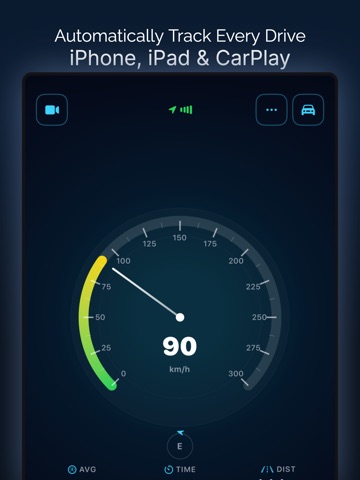

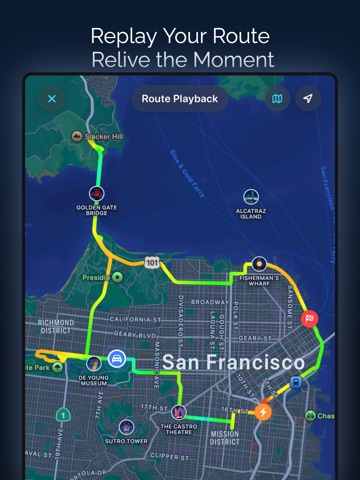
Pricing & paywalls
App Store
- Monthly Premium — $7.99/month
- Monthly Premium — $29.99/year ($2.49/mo)
- Lifetime Premium — $39.99
Ratings & reviews
App Store
-
5/5Accurate, polished, and amazing support!
I have tried many speedometer apps, and it is hard to find one that is both technically excellent and clearly built with immense passion. This is absolutely the most reliable and beautifully designed one available now. The interface is extremely clean, the readings are incredibly accurate, and it has made my daily life much more convenient. It is clear that the developer put a lot of heart and soul into this app. It has become an essential tool for my daily routine. Highly recommended to anyone who needs a professional-grade tracker! Importantly, the developer himself is fantastic and truly cares about user feedback. You can feel the massive effort he put into every detail. You absolutely won't regret downloading this app!
Lynneous · 6 Aug 2026
-
3/5Could be better
Overall a solid app but needs a few upgrades to make it great. The biggest improvement needed is, when viewing in CarPlay, the interface is small and boring. All you see are basic icons and small numbers. This should absolutely be upgraded to “analog looking” gauges that make your screen look and feel more interactive. As is it encourages you to leave it running in the background in favor of an app that enhances the infotainment value of your screen. I would also like to see a customizable backdrop screen to further this lacking interface. Overall I feel that the features are already in place to make this a GREAT app but the graphics and interface keep the infotainment value low enough to prefer a different app occupies space on my screen. Time will tell if I regret buying the lifetime subscription I purchased. I highly recommend others pre purchase just one month so that you can take it for a “test drive” first.
Since 1992 · 6 Aug 2026
-
5/5The only speedometer app you’ll ever need
I’ve tried several speedometer apps, and this one genuinely stands out. The three display modes — digital, analog, and map — are all clean and easy to read at a glance. The HUD mode is a brilliant touch for nighttime drives. Trip recording is surprisingly detailed. You get speed charts, elevation data, G-force tracking, and even route playback — all in one lightweight 10MB app. The sprint timer (0–100) is a fun bonus for the car enthusiasts. What really impressed me is the privacy-first approach — no data collected, everything stays on your device. The developer is also actively updating the app, which gives me confidence it’ll only get better. Free to start, premium feels worth it. Highly recommended for drivers, cyclists, and anyone who loves tracking their journeys.
Shad_48 · 6 Aug 2026
-
5/5Love this app!
Well designed and incredibly user friendly. The app captures your driving data and presents it in a clean, easy-to-review format. Two features really stand out for me. First, iCloud data sharing lets me see how my kids and spouse are driving when I'm not in the car. Second, it builds a history of trips that makes documenting mileage for work reimbursement or taxes painless. My only critique: I'm new to the app, but if it's capturing every trip, that's going to add up to a lot of data stored on my devices and in iCloud over time. A future update should add the ability to purge past trips using a date range to define what gets deleted. Highly recommended overall.
Techadopter · 6 Aug 2026
-
5/5Clean, Accurate, and Feature Rich
I’ve tried a few speedometer apps before, but this one is surprisingly well designed. The speed readings feel accurate and the interface is very clean and easy to read while driving. I especially like the trip history and route playback feature, being able to see the route and speed data together is really useful. The analytics section is also a nice touch. It shows things like speed over time and elevation which makes it more than just a basic speedometer. The app feels polished and runs smoothly. Overall a very solid GPS speedometer and trip tracker. Looking forward to future updates.
Sadia Islam 101 · 6 Aug 2026
Privacy & accessibility
App Store
Privacy
- Data Not Linked to You — Analytics — Identifiers — Device ID Developer declared
- Data Not Linked to You — Analytics — Location — Coarse Location Developer declared
- Data Not Linked to You — Analytics — Purchases — Purchase History Developer declared
- Data Not Linked to You — Analytics — Usage Data — Product Interaction Developer declared
- Data Not Linked to You — Developer’s Advertising or Marketing — Identifiers — Device ID Developer declared
- Data Not Linked to You — Developer’s Advertising or Marketing — Location — Coarse Location Developer declared
- Data Not Linked to You — Developer’s Advertising or Marketing — Purchases — Purchase History Developer declared
- Data Not Linked to You — Developer’s Advertising or Marketing — Usage Data — Product Interaction Developer declared
- Data Not Linked to You — Identifiers Developer declared
- Data Not Linked to You — Location Developer declared
- Data Not Linked to You — Purchases Developer declared
- Data Not Linked to You — Usage Data Developer declared
Accessibility
- Dark Interface — SUPPORTED Store published
Versions
App Store
-
1.7.0
Vehicle Management • Add and manage your vehicles with make, model, year, license plate, and custom colors • Choose from 50+ vehicle types across 11 categories - cars, motorcycles, boats, aircraft, and more • Quickly switch your active vehicle from the gauge or HUD settings • Set a custom type name for vehicles that don't fit standard categories Trip Tags & Notes • Create custom tags with colors and icons to organize your trips (e.g., Commute, Road Trip, Work) • Add notes to any trip for extra context • Assign vehicles to trips to track which vehicle was used • Expanded icon library with 40+ icons for tags Filter & Stats by Vehicle and Tag • Filter trip history by vehicle and tags • Stats overview now shows filtered statistics per vehicle or tag • Quickly compare performance across different vehicles Landscape Gauge Mode • Full landscape layout for the speedometer gauge with optimized controls • Choose between Auto-Rotate, Portrait, or Landscape orientation lock in Settings Fuel Log & Maintenance • Track fuel fill-ups with cost, volume, and economy calculations • Log maintenance records and set service reminders • Manage fuel stations and garages • Per-vehicle fuel economy unit override (L/100km, MPG, km/L) • Currency setting for fuel cost tracking We hope you love these updates! Please take a moment to rate us if you’re enjoying these new features. Your rating helps us grow and improve! Have feedback? [email protected]
-
2.0.0
Vehicle Profiles • Tap any vehicle to see a dedicated profile page with stats, cost breakdown charts, fuel economy trends, CO2 emissions, and recent trips - all in one place. You can also add a photo to each vehicle. Cost Overview • A new unified view combining fuel, maintenance, and expense data with period filtering (month/year/custom), spending charts, type breakdown donut, and period-over-period comparisons. Hard Driving Events • Trips now detect and analyze acceleration and braking events from GPS data. See event severity, G-force, speed, and the exact location on your route map. Expense Analytics • Completely revamped expense analysis with monthly/yearly/custom period breakdowns, category trends, spending insights, donut charts, and sorting options. Multi-Category Expenses • Expenses can now be tagged with multiple categories. Custom categories can be edited and deleted with context menus. Map-Based Location Picker • Pick fuel stations and workshops directly from an interactive map with search and autocomplete. Station and workshop entries now show mini map previews. Redesigned Garage Dashboard • New dashboard with monthly spending snapshot, interactive donut chart, spending category cards, insights, recent activity feed, and a quick-add menu for new entries. Sprint Route Maps • Sprint records now show the route on a map with start/end markers and display distance covered. Trip Segments • Inline segment previews with start/end locations, G-force charts, climb/descent data, stop detection, and driving event analysis per segment. Fuel Economy Unit Setting • New global fuel economy unit option in Settings (L/100km, km/L, MPG US, MPG UK) with per-vehicle override support. We hope you love these updates! Please take a moment to rate us if you’re enjoying these new features. Your rating helps us grow and improve! Have feedback? [email protected]
-
2.1.0
Track every receipt • Attach photos to fuel logs, maintenance logs, and expenses. Snap the pump display, the receipt, or a "before" shot of the part you replaced. Everything stays linked to the entry and syncs with iCloud. Smarter maintenance reminders • When you log a service, the odometer is now pre-filled from your last entry plus the distance from every trip recorded since. No more guessing or reading the dashboard. Cleaner entry sheets • Fuel, maintenance, and expense forms have been reorganized into clear sections with iconography, so logging takes fewer taps and less squinting. Compass upgrades • Show your live coordinates beneath the compass - latitude and longitude in the same degrees-minutes-seconds format as Apple's Compass app, plus your heading with cardinal direction. Toggle it on in Gauge settings. • The compass now keeps working indoors, in tunnels, and in parking garages. It updates from your device's magnetometer even when GPS has no signal, so the needle stays responsive everywhere We hope you love these updates! Please take a moment to rate us if you’re enjoying these new features. Your rating helps us grow and improve! Have feedback? [email protected]
-
2.2.0
Import Your Data from Other Apps • Switching from another app? Import your fuel, maintenance, and expense logs from CSV files. Supports automatic column detection, preview, per-entry editing, and duplicate protection. Trip Image Export • Create beautiful shareable images from your trips. Pick a photo, overlay your trip stats (distance, speed, duration, elevation, and more), add a route map inset, and customize everything - colors, layout, opacity, position. Perfect for social media. Trip Trimming • Trim the start or end of any trip to remove GPS drift or unwanted segments. An interactive map with live preview shows exactly what will change before you confirm. PDF Reports • Export your trips, fuel logs, maintenance logs, and expense logs as formatted PDF reports - great for record-keeping and reimbursement. 3 New Gauge Designs • GPS Dashboard - card-based layout with speed, heading, altitude, and coordinates • Heading Strip - aviation-style scrolling heading tape • Waypoint - circular compass design with DMS coordinates Calendar Integration • Maintenance reminders can now sync to your device calendar so you never miss a service date. Full Backups • Backups now include all your fuel, maintenance, and expense logs - not just trips. More Improvements • Improved and faster GPS smoothing We hope you love these updates! Please take a moment to rate us if you’re enjoying these new features. Your rating helps us grow and improve! Have feedback? [email protected]
-
2.3.0
Refreshed CSV import • A cleaner, simpler flow to bring in your data Bulk delete • Easily clear all fuel logs, maintenance records, or expenses for any vehicle Better city tracking • Most Visited Cities now recognizes unique cities more accurately across your trips Improved sprint detection • 0-to-speed sprints now capture reliably even with brief GPS gaps Smarter history • See your total entry count at a glance and browse the full list with "View All" Scrollable charts • Swipe through your fuel, maintenance, and expense trends with smooth horizontal scrolling Chart fixes • Monthly costs now always display in the right order We hope you love these updates! Please take a moment to rate us if you’re enjoying these new features. Your rating helps us grow and improve! Have feedback? [email protected]
-
2.4.0
One filter for the whole Garage • Pick your vehicle once from the new filter on the Garage screen, and every section - Cost Stats, Fuel Log, Maintenance, and Expenses - follows along. Active filters appear as chips you can tap to edit. Smarter Add buttons • When you're filtered to a single vehicle, adding a fuel, maintenance, or expense log pre-selects it for you. More accurate sprint times • Sprint detection has been rewritten for cleaner, more reliable 0–60, 0–100, and custom acceleration runs - with better handling of GPS noise and mid-trip starts. Cleaner Fuel, Maintenance, and Expense screens • Streamlined toolbars with a single overflow menu, clearer titles, and faster access to filters, fuel stations, custom categories, and custom maintenance types. One-tap Maintenance Reminders • Reminders now open from a dedicated bell icon on the Maintenance screen. Better trip sharing • Share is its own button on trip segments - Stats Card, Stats Card + Map, and GPX export are all one tap away. Shared segment cards now show your trip as a proper start → end route. Simpler vehicle management • Vehicle selection now lives in the unified filter, so the Vehicles screen is cleaner and easier to scan. We hope you love these updates! Please take a moment to rate us if you’re enjoying these new features. Your rating helps us grow and improve! Have feedback? [email protected]
-
2.5.0
• Meet Driving Vibe - a more human way to understand every drive. The Acceleration & Braking card now summarizes how your trip felt with five friendly levels: Calm, Smooth, Lively, Spirited, or Dynamic. Much better than raw event counts. • Cleaner money display across Fuel, Expenses, and Maintenance. Amounts now appear exactly as you enter them - no unexpected trailing zeros. List views, detail screens, and edit sheets are now fully consistent. • Improved odometer calculation using fuel, maintenance, and expense logs, with more accurate automatic distance tracking. We hope you love these updates! Please take a moment to rate us if you’re enjoying these new features. Your rating helps us grow and improve! Have feedback? [email protected]
-
3.0.0
A big update! Home Screen Widgets • A new widget suite: Today's Driving, Streaks, a combined Quick Log, plus dedicated Fuel, Service, and Expense loggers. Tap to log without opening the app first. Trip Sharing Studio • Completely rebuilt. Pick from new card templates, drop in your own photo as a backdrop, choose exactly which stats appear, and pair the card with either a stylized route or a real map snapshot. Documents, supercharged • A new Documents Hub with custom document types (your own names and icons), repeating renewal reminders (daily/weekly/monthly/yearly), an "Expiring Soon" alert card on the home screen, "Mark as Renewed" workflow, and optional Calendar sync. Smarter Fuel Tracking • Per-vehicle stats, all-vehicles overview, full vehicle fuel history, custom fuel/brand names, and a smarter logger that fills in volume, price, or total for you. Better Trip Replay • Your vehicle's icon now travels along the map as the playback runs. Cleaner Trends • Speed, elevation, and G-force charts now scroll smoothly with a stable axis. Top Driving Days now drills into the trips for that day. FAQ in Settings • Quick answers right inside the app. Plus polish across gauges, garage navigation, and translations. We hope you love these updates! Please take a moment to rate us if you’re enjoying these new features. Your rating helps us grow and improve! Have feedback? [email protected]
-
3.1.0
Share your stats your way! • New period summary cards - turn your week, month, year, or custom date range into a beautiful shareable image. Pick from 5 layouts: Magazine, Grid, Dashboard, List, and Receipt. Toggle which stats appear, including active days, longest streak, peak hour, most active day, and comparisons vs. your previous period. • Export quality picker - choose Standard, High, or Maximum resolution when saving share images, so you can balance file size and detail. • Light Mode support in the trip share editor - the editor now matches your system appearance instead of forcing dark. • Vehicle delete is friendlier - when you remove a vehicle, its trips now show under "Default" instead of "Unknown Vehicle." Attached documents and reminders are cleaned up automatically. Delete now lives in the vehicle profile menu for easier access. • Scrollable fuel economy chart - vehicles with lots of fuel logs no longer squash into a tiny line. Scroll through history, or tap to see the full fuel log timeline. • Streak widget warning - your streak widget now shows a hollow flame and an "Ends Today" hint when you haven't driven yet today, so you don't lose your streak by accident. • Polished share cards - units (km, mph, etc.) are now subtly de-emphasized so the numbers stand out, and labels stay crisp on every backdrop. We hope you love these updates! Please take a moment to rate us if you’re enjoying these new features. Your rating helps us grow and improve! Have feedback? [email protected]
-
3.10.0
Channel Replay • Scrub through your trip and watch every channel move in lockstep. A new cockpit dashboard pairs Speed and RPM arc dials with a signed G-force dial, throttle/load/boost pedal bars, and an elevation strip with a moving playhead. Haptic peaks fire on your top-speed second, full throttle, and 100% engine load. Detailed OBD Telemetry • Open any trip's OBD-II Summary card to drill into per-second wave charts for RPM, throttle, engine load, and absolute load. Lines now break cleanly at real OBD dropouts (15s+) instead of faking a smooth curve. Can be disabled in Data Management. Enhanced OBD Insights * Vehicle profiles now track lifetime fuel consumed, engine hours, and cold-start count directly from your car’s OBD data. * Turbo and supercharged vehicles now show maximum manifold pressure reached. * Recurring fault codes are now highlighted, making it easy to spot codes that returned after being cleared. * Adapter diagnostics now show response time and session count, helping identify degrading OBD adapters before they impact data quality. * VIN reads now automatically populate year, make, and model using the NHTSA database for most 1981+ vehicles. Existing vehicle details are never overwritten. * Improved VIN reading support for newer Hondas, including 2022+ HR-V, Civic, and CR-V models, as well as other vehicles with restrictive CAN gateways. * Trip start and end snapshots are now always saved, including on very short drives. * Vehicles that do not expose a VIN now correctly save OBD profile data after you manually select the matching vehicle. Faster Real-Time OBD • Live PIDs now refresh roughly 2x faster on most BLE adapters, reaching up to ~5 Hz on premium hardware. Powered by multi-PID batching, a tighter polling loop, and priority-pair alternation. No impact on non-CAN vehicles. Elevation Route Playback • On the Elevation Profile card, tap View Elevation on Map to replay your route colored by altitude instead of speed. Especially useful for elevation planning, where hills and elevation changes matter more than pace. Bulk GPX Import • Import multiple GPX files at once. Selecting two or more files opens a configuration sheet with the Clean Noisy GPS option, followed by a progress report showing imported, skipped, and failed files. Auto-Start Trips Hub • Settings -> Driving -> Auto-Start Trips now brings Shortcuts, Motion Detection, and Siri controls together in one place, making it easier to choose the right combination for your setup. (Shortcuts remains the most battery-efficient option.) Adapter Compatibility • Improved connection issues with Veepeak OBDCheck BLE and BLE+ adapters. Added new recovery logic for aftermarket racing ECUs (Link G4X, MoTeC, Haltech) and some HEV BMS configurations that only respond to live data over physical addressing. Background Telemetry • OBD polling now stays active throughout the entire trip, even when your phone is in your pocket, ensuring long drives capture complete telemetry instead of only the beginning. CarPlay • Stat order and visibility now sync across all layouts. Added rounded-square tiles. Fixed dashboard widget ghosting in the Live Activity slot. Settings, Polished • Settings are now organized into seven sections: Driving, Display & Recording, Units & Format, Data & Sync, Language & Calendar, Help & Contact, and Follow Us. Auto-detect sustained duration is now user-adjustable from 3 to 30 seconds (default: 8 seconds). Smaller Fixes • Round trips now display start and end locations instead of a single location label. • Trip details automatically fill in missing start/end place names the next time they're opened, helping recover offline trips. • Speed, G-force, and Elevation chart readouts now animate digit-by-digit while scrubbing. We hope you love these updates! Please take a moment to rate us if you're enjoying these new features. Your rating helps us grow and improve! Have feedback? [email protected]
-
3.11.0
Bug Fixes • Restored trip-level OBD summaries on older trips where they had recently stopped appearing. • Fixed a rare crash on the Trips tab caused by partially saved trip data from older sessions. • Improved trip finalization reliability when ending a trip while disconnecting CarPlay. We hope you love these updates! Please take a moment to rate us if you're enjoying these new features. Your rating helps us grow and improve! Have feedback? [email protected]
-
3.12.0
CarPlay • The tabbed layout (Live, Map, Trips, Places, OBD, More) is now standard, no opt-in needed. • Reorder tabs and hide ones you don't use from CarPlay Settings. • Pick which tab opens automatically when CarPlay connects. Shortcuts & Siri • Trip start and stop work more reliably when fired from background automations (CarPlay connect, time triggers, Bluetooth). OBD2 • More reliable VIN, calibration ID, and ECU name reads on Honda HR-V 2022+, Ford F-150 2015+, and other 29-bit CAN vehicles. • A failed re-read no longer wipes a previously detected VIN or calibration ID. • More resilient initial vehicle snapshot after the first connect. Backup & Restore • Backups now include every field that was previously skipped: expense titles, payment methods, fuel station details, saved places, tagging rules, custom OBD PIDs, vehicle VIN and OBD data, and merged trip history. Live Activity • Coolant temperature on the Lock Screen now shows in your preferred unit (°C or °F). We hope you love these updates! Please take a moment to rate us if you're enjoying these new features. Your rating helps us grow and improve! Have feedback? [email protected]
-
3.13.0
Shortcuts & Live Activity • Live Activity now appears automatically when trips start from Shortcuts automations, even when your phone is locked. • More reliable automatic trip recording. • Clearer messages when a trip can't start. CarPlay • Redesigned OBD experience with a cleaner layout and smoother live updates. • Improved navigation and browsing while vehicle data refreshes. OBD & Vehicle Support • Improved vehicle detection and compatibility across more vehicles. • Fixed VIN detection issues on newer Honda HR-V and CR-V models. • Better adapter diagnostics and troubleshooting tools. Fuel Tracking • Fuel economy and fuel usage now work on more vehicles. • Estimated fuel values are now clearly labeled. Backup & Export • New vehicle-level backup and restore. • CSV and PDF exports now include custom names and notes. Trips • Fixed several trip merging issues. • Improved vehicle lifetime statistics. Other • The review prompt now appears later, after a reasonable amount of use. We hope you love these updates! Please take a moment to rate us if you're enjoying these new features. Your rating helps us grow and improve! Have feedback? [email protected]
-
3.14.0
Speed Limit Alerts • Added audible alerts in addition to haptic feedback. • Alerts now work in CarPlay too. • Mute alerts for 1 hour directly from the alert banner. • Faster threshold editing from the live screen. • Smarter detection - Alerts now trigger only after you've stayed above the speed limit for 1 second, then repeat every 1-5 seconds while you remain over the limit, based on your selected preference. CarPlay • Redesigned the current location screen with a stable map marker and live info card. • Recent Trips now shows only the latest 10 trips for quicker access. • Smoother performance - tabs rebuild only when in focus, and Live Activity updates in 5-second intervals. Auto Trip Detection • More reliable trip detection with motion checks when the app launches or returns to the foreground. • Detects trips now resume paused trips instead of creating new ones. OBD-II • The Connected screen now keeps the display awake while navigating between tabs. • Channel Replay: fixed missed taps by isolating the speed dropdown. Fuel Log • History rows now respect each vehicle’s fuel economy and volume units. We hope you love these updates! Please take a moment to rate us if you're enjoying these new features. Your rating helps us grow and improve! Have feedback? [email protected]
-
3.15.0
• Share your drive as a video. Turn any trip into a short, animated route replay video and share it anywhere. Watch your route draw itself across the map with your speed along the way. • AI Trip Insights. Every drive can now include a short, plain-language summary of what stood out, with adjustable tone settings so it reads the way you like. Numbers always come directly from your trip data. • More gauges, including Open Road. A new animated Open Road gauge matches the road to your real speed, with day and dusk variants, plus fresh Modern designs. There are now 50+ gauges to choose from. • Smarter OBD. - Pin your favorite custom PIDs per vehicle and see them live on the gauge and in CarPlay. - A cleaner vehicle OBD status card, automatically hidden when there’s nothing to show. - A new Code History explainer for fault codes, so stored codes no longer look alarming when there’s no warning light. - Editable WiFi host and port when connecting to WiFi adapters. • Speed limits, your way. Build your own Quick Set presets, adjust the limit by your preferred step, and set the limit hands-free with Siri. • Exclude trips from stats. Keep a tow, test drive, or passenger ride out of your totals without deleting it. Fully reversible. • Redesigned Garage and costs. The Garage now puts your vehicles front and center with a single, clear costs card. Expenses gain a Comparisons section, and fuel, maintenance, and expense CSV exports now include the vehicle. • Richer trip details. See left and right turn counts, peak G-force, acceleration and braking trends over time, a redesigned Speed Limit Violations screen, and cleaner Acceleration and Braking views. • Cleaner charts. Trip charts can now use a real clock-time axis, and the stats screens feature cleaner donuts and more prominent hero numbers. • Redesigned reminders. Faster swipe actions, clearer rows, and a simpler detail view. • Fewer false trip stops. A new Ignore Early Stops option prevents brief CarPlay or Bluetooth dropouts from ending a trip too soon. • Better maps in China. Route maps now align correctly with the local coordinate system. • Keep everything together. Attach photos and files to fuel, maintenance, and expense records. • Plus a smoother onboarding experience, faster trip and Garage loading, lower widget energy usage, and numerous stability improvements and crash fixes. We hope you love these updates! Please take a moment to rate us if you're enjoying these new features. Your rating helps us grow and improve! Have feedback? [email protected]
-
3.16.0
Automatic trip recording just got a whole lot better! Effortless auto-recording • Drives now start recording faster and more reliably, so you can just get in and go. No more remembering to press Start. • A gentle confirmation lets you know the instant an automatic trip begins. • All the new automatic trip recording improvements now work with Shortcuts automations too. Whether a trip starts from Bluetooth, CarPlay, NFC, or motion detection, you’ll get the same instant confirmation and Lock Screen Live Activity every time. • Paused trips automatically resume when you start moving again. You can configure everything as you want! See your drive at a glance • Your live speed, time, and distance now appear right on the Lock Screen for automatically detected trips, even with your phone tucked away in your pocket. Everything you need to know, without opening the app. Always know recording is on • A friendly new "Trip Started" banner confirms the moment recording begins in the background. Messages are personalized to the time of day and your vehicle, so they never feel robotic. Turn them on or off anytime in the new Notifications settings. Longer battery life • Fixed an overnight battery drain so your phone lasts longer between charges. Make the Live Activity your own • Choose from a dozen fields to display exactly what matters to you, including live vehicle data from your OBD adapter. • Added an easy on/off switch, plus a quick way to restore the Live Activity if you swipe it away. • Enjoy a smoother, cleaner Live Activity experience on CarPlay and the Lock Screen. More to love • Refreshed, easier-to-read Speedometer and Stats screens. • New "Ignore This Trip" option to keep a drive out of your statistics. • Smarter, more natural AI trip summaries (Beta). • Route Playback now shows your direction of travel. • Add a vehicle with a single tap right from your Garage. • New "Keep Screen Awake" option that lets the screen dim when you want it to. • Smoother OBD adapter reconnection, more accurate engine readings, and clearer GPS status. • Plus lots of little fixes and polish to make everything feel even better. We hope you love these updates! Please take a moment to rate us if you're enjoying these new features. Your rating helps us grow and improve! Have feedback? [email protected]
-
3.17.0
· 6 Aug 2026
Route Replay • The readout now shows the time of day you were at that point on the route, not just how far into the replay you are. Switch from settings. • Tap the coordinates to copy them, or open that exact spot in Apple Maps or Google Maps. Live Activity • You can now choose how often the Live Activity refreshes: every 1, 2, 5, 10 or 30 seconds. Settings > Display & Recording > Live Activity > Update Frequency. • Fixed a Live Activity that could stay on the Lock Screen after a trip had already ended. Fuel Logs • A new fuel log now recognizes a saved station when you fill up near one, and suggests nearby stations you can add with a single tap. Garage • VIN is now editable by hand, for cars without an adapter or to correct a bad reading. If the connected adapter reports a different VIN, the profile says so and offers to use the adapter's. OBD • Ready-made battery PIDs for the Hyundai Kona Electric and Kia Niro EV: state of charge, state of health, pack voltage and current, power, cell voltages and pack temperatures, plus cabin and outside temperature. Add them under Custom PIDs > Add from Presets, with no formulas to type. Segments • Segment details now open in place instead of a sheet, and the share menu gains photo cards, stats cards, replay video and GPX export. Also in this release • Early Stop Protection now stretches to 10 minutes, for Bluetooth or CarPlay links that drop partway into a drive rather than at set-off. • Merging two trips that started on different days now warns you how that affects daily stats and the heatmap. • Fixed a rare crash when a VIN lookup finished after its vehicle was deleted. We hope you love these updates! Please take a moment to rate us if you're enjoying these new features. Your rating helps us grow and improve! Have feedback? [email protected]
-
3.2.0
Big update, drive hands-free! CarPlay support • View live speed, trip stats, and control recording right from your car's display. Start, pause, and stop trips without touching your phone. Improved Siri Shortcuts & automations • Trigger trip recording with voice commands or set up Shortcuts automations to start trips automatically when you connect to your car. More precise fuel logging • Now supports up to 3 decimal places for accurate cost and consumption tracking. We hope you love these updates! Please take a moment to rate us if you’re enjoying these new features. Your rating helps us grow and improve! Have feedback? [email protected]
-
3.3.0
A reimagined CarPlay. • Drag to reorder stat blocks, hide what you don't need, and switch between layout modes. Speed always stays front and center. Lock-screen Live Activity, your way. • Pick from 12 presets: Performance, Balanced, Speed Focus, Max Focus, Distance, Duration, Compact Row, Speed & Max, Max & Distance, Trip Stats, Dashboard, and Minimal. Dynamic Island still keeps speed and timer up top. Custom fuel types. • Add your own fuel name and icon for that local pump or specialty blend. Deleting one offers smart reassignment so existing logs stay intact. Redesigned trip playback. • Speed sits front and center, with an inline stats strip, a cleaner scrubber, and a quick playback-speed dropdown next to play and pause. Smarter auto-delete short trips. • Set a minimum duration, a minimum distance, or both. Custom values are supported, so you can dial in exactly the threshold that matches your driving. Sharper address detection. • Trip start and end locations now include street numbers, points of interest, and neighborhoods when available, with redundant city names cleaned up. Three new gauge designs. • Driver Trio shows speed, max, and distance side by side. Road Compass adds a heading band. Altimeter brings a clean dial readout. Payment method on every log. • Tag fuel, expense, and maintenance entries as Cash, Credit, Debit, Mobile Pay, Fleet Card, Gift Card, Bank Transfer, Cheque, or Other. Your last choice is remembered. Titles for expenses and maintenance. • Add a short label so service visits and one-off costs are easier to scan and search later. Per-vehicle breakdown. • A new chart and detail view in Stats compare distance, duration, and average and max speed across every vehicle in your garage. Interactive spending pie. • Tap a category in the Garage chart to highlight it and see the share at a glance. Hands-free trip control, explained. • A new Shortcuts Automations guide walks you through start-on-CarPlay-connect, NFC tag triggers, time-of-day automations, and more, step by step. We hope you love these updates! Please take a moment to rate us if you’re enjoying these new features. Your rating helps us grow and improve! Have feedback? [email protected]
-
3.4.0
• Improved photo selection in the vehicle editor, including better handling of large photos stored in iCloud. • More consistent video recording controls. • Expanded and improved translations across all supported languages. • Redesigned onboarding with refined animations and smoother transitions. • Fixed an issue where a newly added vehicle could replace your default vehicle when setting up on a new device. We hope you love these updates! Please take a moment to rate us if you’re enjoying these new features. Your rating helps us grow and improve! Have feedback? [email protected]
-
3.5.0
• Compare Trips, redesigned Pick any two trips and see them head to head. Mini maps with tap to replay, side by side bars, a crown on each winning stat, and a swap button. New stats included: moving average, stops, peak acceleration, peak braking, and max G force. • Stats Overview, reorganized Clearer sections: By Time Period, Records & Highlights, Achievements & Goals, Trends Over Time, Places, and Trip Library. • Bulk move unassigned data From a vehicle profile, move every unassigned trip, fuel log, expense, maintenance entry, document, and reminder to a chosen vehicle in one step. • Default vehicle handling Deleting the default vehicle now asks which vehicle should take over as the new default. • CarPlay Fixed values appearing invisible on light themed head units on iOS 26. Lowered CPU use so long trips no longer risk being terminated by the system. • Speed limit alert accuracy Fixed a bug where users on mph could see alerts at the wrong real speed. Existing thresholds are migrated automatically. • Map route Smoother live route drawing on long trips, with protection against invalid GPS points. • Required vehicle on logs Fuel, maintenance, and expense entries now require a vehicle, so nothing slips into "Unassigned" by accident. The Unassigned bucket only appears when there is legacy data behind it. • Vehicle list Vehicles are now sorted alphabetically. • Odometer guard Adding a vehicle, fuel, or maintenance entry now blocks unrealistic odometer values • Trip details polish Personal Records only appear when this trip currently holds a category record, so no empty slot. Cleaner spacing and typography on trip rows and details. • Support email The auto-filled diagnostics line now includes your device marketing name (for example, iPhone 17 Pro). We hope you love these updates! Please take a moment to rate us if you’re enjoying these new features. Your rating helps us grow and improve! Have feedback? [email protected]
-
3.6.0
Long awaited update! • OBD II live diagnostics. Plug in a compatible Bluetooth or WiFi OBD II adapter and Speedometer reads your car directly. Watch live RPM, coolant, fuel level, battery voltage, O2 sensors, catalyst temperatures, and more, in real time. • OBD on CarPlay. Your engine readings show up right on the head unit alongside your trip stats. Pick which OBD values you want visible (RPM, coolant, fuel, battery, throttle, MAF, oil temp, intake air, ambient air, fuel rate, check engine), drag them into the order you like, and they appear automatically whenever your adapter is connected. Optional auto-connect when CarPlay starts means everything is ready by the time you back out of the driveway. • Diagnose like a pro. Read and clear stored, pending, and permanent fault codes, with plain-language descriptions translated into every supported language. Readiness Monitors show if your car is set for an emissions inspection, and a full Vehicle Info readout exposes VIN, Calibration ID, and ECU name. • A smarter garage. Your adapter's VIN is matched to a vehicle automatically, so future sessions bind to the right car with zero setup. Every Vehicle Profile gets a new OBD II card tracking check-engine status, recent codes, fuel, battery, coolant, lifetime max RPM, and VIN, building a real health history for each car over time. • Diagnostic Report (PDF). One tap turns the current session into a polished PDF with every fault code, readiness monitor, vehicle info field, and a snapshot of live readings. Share it with your mechanic in seconds. • Stats Size setting on the speedometer. New Small, Medium, Large, and Extra Large options scale the trip stats text and icons so they stay glanceable from any mount. • CarPlay, optimized for the long haul. Your dashboard now stays fluid and responsive on extended trips, then snaps back to your full layout the moment you arrive. • Sharper visuals on every screen. Refined CarPlay rendering across all themes for a cleaner, more polished look on every head unit. • Smarter trip tracking. Recording is leaner and more efficient, so your battery lasts longer and your phone stays cooler, mile after mile. • Never lose a paused trip again. Forgot you paused mid-coffee-stop? Set a pause limit and Speedometer will end the trip for you, with the end time rolled back to the exact moment your break began. • See when you actually drive. Trip details now include a Distance by Hour chart that breaks down how far you traveled hour by hour, with your peak driving hour highlighted. Perfect for spotting your real rush hour or how long that scenic detour really took. • Save places straight from a trip. Just got home from somewhere new? Tap the Location menu inside any trip and turn its start or end into a Saved Place in one tap. Future trips to and from that spot will be labeled automatically. • Smarter place matching. Saved Places now use a 150m default radius, so parking on the other side of the building or pulling into a different driveway still counts as "home." • Cleaner Activity Clock. The 24-hour driving ring got a layout refresh so the hour labels breathe properly above the legend. We hope you love these updates! Please take a moment to rate us if you're enjoying these new features. Your rating helps us grow and improve! Have feedback? [email protected]
-
3.7.0
• Much deeper OBD-II diagnostics Freeze Frame now shows the exact engine snapshot captured when a fault was triggered. Instantly search any DTC code on the web. Added Mode 06 monitor tests with pass/fail results for sensors like O2, catalyst, EGR, EVAP, and misfire detection. New emissions ready-to-test verdict helps you know before visiting a smog station. • New live OBD metrics Added live boost pressure and instant fuel economy to the dashboard. • Custom PIDs Add your own Torque-compatible PID formulas to read manufacturer-specific values exposed by your vehicle. • Rebuilt adapter compatibility Improved support for OBDLink CX, BlueDriver, LELink, Tonwon, Vlinker, Carly, MUCAR, Scantool, JDiag, OBDeleven, and more. Reconnects up to 30 seconds faster thanks to per-vehicle protocol memory. Added a new Forget Device option and improved recovery when adapters go to sleep. • OBD unit preferences Choose PSI, bar, or kPa for pressure, along with your preferred temperature and fuel economy units. • Maintenance Reminder widget New home screen widget helps you stay on top of service intervals. • More Live Activity layouts Added extra layout options for the Lock Screen and Dynamic Island. We hope you love these updates! Please take a moment to rate us if you're enjoying these new features. Your rating helps us grow and improve! Have feedback? [email protected]
-
3.8.0
• Tap and drag across the Speed, Elevation, and G-Force charts to read your exact value at any moment of the trip. • Improved compatibility with Veepeak OBDCheck BLE and BLE+ adapters. • Trip commands triggered by Siri or Shortcuts automations (Start Trip, Pause, Resume, Stop) now run silently, so they don't interrupt music, navigation, or CarPlay audio. • Updated the OBD II setup guide with clearer adapter buying advice and a heads-up about MFi-locked adapters (OBDLink MX+, CX, MX WiFi, BlueDriver) that cannot exchange data with third-party iPhone apps. We hope you love these updates! Please take a moment to rate us if you're enjoying these new features. Your rating helps us grow and improve! Have feedback? [email protected]
-
3.9.0
Smarter Vehicle Detection • Auto-match Vehicle by VIN. If your OBD2 adapter reports a VIN that matches a saved vehicle, the trip is automatically assigned to it. Forgot to switch your default before driving? It just works. • Per-source Default Vehicle. Pick a default for trips that start while CarPlay or Bluetooth is connected. Each car gets its own automation, no per-trip taps. • In-trip auto-detect banner. When the app silently retags your trip, you see why, with a one-tap revert. • Default vehicle now syncs across devices via iCloud. Set it once, it follows you. • Manual picks are always respected by every automatic detection. Hands-Free Recording • Auto-Detect Trips. Opt in to have the app start recording automatically once you start driving. Uses motion plus a speed threshold so it does not trigger from walking. • Auto-End after idle. Trips end automatically after a configurable stationary period. Trip Customization • New Gauge Stats grid. Pick which 6 stats appear on the main speedometer, in any order. Includes live OBD2 stats (RPM, coolant, oil, engine load, fuel level, battery volts). • Reorderable Trip Detail. Drag sections like Stats, Records, Speed Over Time, Elevation, Segments, Videos into your preferred order. Hide what you do not use. • Trip Filter sheet rewritten with better sorting and grouping. Live Activity Overhaul • 16 lock-screen presets including OBD-aware layouts (OBD Pulse, OBD Track, OBD Health). • Custom Preset editor. Build your own lock-screen layout with the fields you care about. Big OBD2 Update • Step-by-step setup wizard for Wi-Fi adapters (ELM327). • Expanded PID support, better recovery from adapter dropouts. • Wide-band O2 / AFR support for tuners and diagnosticians. • Live OBD2 screen redesigned for cleaner readouts. Stats and Reports • Speed Limit Violations and Max Speed Records views rebuilt. • Trip PDF export improved with more content and cleaner formatting. • Vehicle breakdown chart polished in the stats screens. Other Improvements • Sprint records work across every speed unit (km/h, mph, m/s, knots). Set up once, see top times in any display. • Better trip-to-vehicle reassignment from trip detail, bulk edit, and the unassigned-trips claim flow. • Improved performance across history, vehicle profiles, and stats. We hope you love these updates! Please take a moment to rate us if you're enjoying these new features. Your rating helps us grow and improve! Have feedback? [email protected]
Alternatives
- Street View 3D Live Earth Map — Same category + similar ratings
- Zoom Earth: Street View — Same category + similar ratings
- Trovelo: Private Trip Planner — Same category + similar ratings
- Packing List PackMyTrip — Same category + similar ratings
Availability by market
- US
Data quality & evidence
- Page completeness
- Live store listing
- Last verified
- 6 Aug 2026
- Sources
- App Store
- Apoku editorial summary has not been published yet.