AppCorpus MCP gives your agent current app data, prices, screens, features and sources.
View JSON
GET /api/v3/apps/1127349155
{
  "app_id": 1127349155,
  "canonical_url": "https://appcorpus.com/apps/speech-central-voice-reader-1127349155",
  "identity": {
    "name": "Speech Central – Voice Reader",
    "slug": "speech-central-voice-reader",
    "developer": {
      "name": "Labsii",
      "url": "https://appcorpus.com/developers/labsii-developer_14032c5c78b3d740b2b91153163fa49e"
    },
    "icon_url": "https://is1-ssl.mzstatic.com/image/thumb/Purple221/v4/f3/99/41/f39941f5-3279-f897-a5f6-419f014bcab7/AppIcon-0-0-1x_U007epad-0-1-85-220.png/512x512bb.jpg",
    "stores": [
      "apple"
    ],
    "platforms": [
      "iphone",
      "ipad"
    ],
    "status": {
      "state": "active",
      "label": "Active",
      "last_checked": "2026-08-06",
      "last_checked_label": "6 Aug 2026",
      "banner": null,
      "region_note": null
    }
  },
  "listings": [
    {
      "store": "apple",
      "status": "ACTIVE",
      "url": "https://apps.apple.com/us/app/speech-central-voice-reader/id1127349155?uo=4",
      "rating": 4.6,
      "rating_count": 1525,
      "formatted_price": "Free",
      "is_free": true,
      "has_iap": true,
      "has_subscription": false,
      "version": "17.7.0",
      "updated": "2026-08-06",
      "currency": "USD"
    }
  ],
  "summary": {
    "one_liner": null,
    "summary": null,
    "best_for": [],
    "not_for": [],
    "status": "fallback",
    "at_a_glance": [
      "Free to download",
      "In-app purchases"
    ]
  },
  "categories": {
    "official": [
      "Productivity",
      "Books"
    ],
    "appcorpus": [
      {
        "category_id": "productivity",
        "label": "Productivity",
        "url": "https://appcorpus.com/categories/productivity"
      },
      {
        "category_id": "books",
        "label": "Books",
        "url": "https://appcorpus.com/categories/books"
      }
    ]
  },
  "use_cases": [],
  "features": [
    {
      "capability_id": "family_sharing",
      "label": "Family Sharing",
      "availability": "yes",
      "access_level": "unknown",
      "scope": "App Store",
      "evidence": "Store published"
    },
    {
      "capability_id": "free_app",
      "label": "Free app",
      "availability": "yes",
      "access_level": "free",
      "scope": null,
      "evidence": "Store published"
    },
    {
      "capability_id": "in_app_purchases",
      "label": "In-app purchases",
      "availability": "yes",
      "access_level": "free_limited",
      "scope": null,
      "evidence": "Store published"
    }
  ],
  "pricing": [
    {
      "store": "apple",
      "formatted_price": "Free",
      "is_free": true,
      "has_iap": true,
      "has_subscription": false,
      "currency": "USD",
      "market": "gb",
      "last_verified": "2026-08-06",
      "rows": [
        "Speech Central Pro — $9.99"
      ]
    }
  ],
  "screens": [
    {
      "url": "https://is1-ssl.mzstatic.com/image/thumb/Purple111/v4/8e/fe/10/8efe10c3-c4de-bf30-1f74-e0d819c1efec/pr_source.png/1600x1080bb.jpg",
      "store": "apple",
      "platform": "apple_tv",
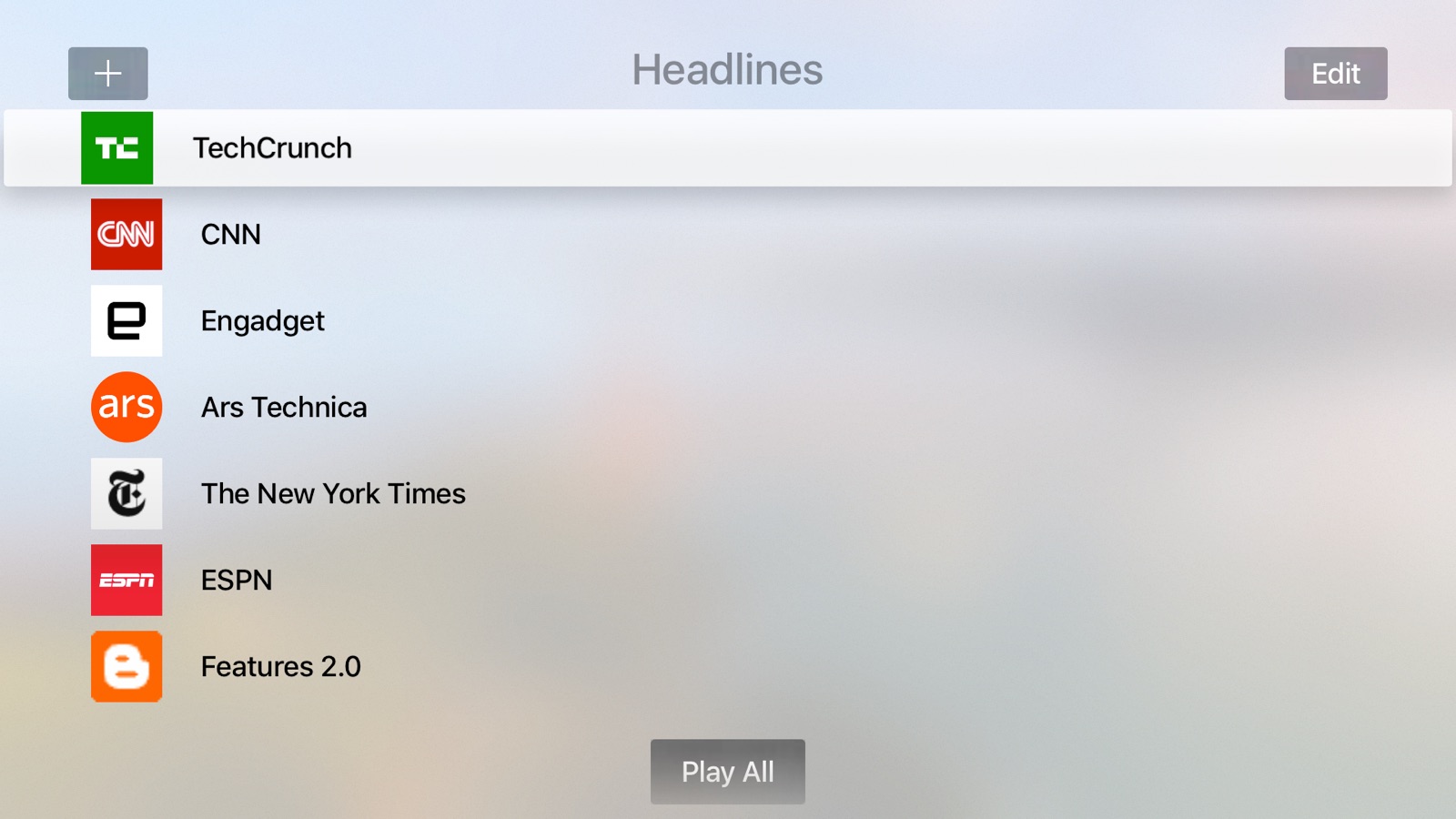
      "alt": "Speech Central – Voice Reader apple_tv screenshot 1"
    },
    {
      "url": "https://is1-ssl.mzstatic.com/image/thumb/Purple122/v4/b9/30/3f/b9303f67-58e7-271b-b064-44fb46f9c853/mzl.opzsztaf.png/1600x1080bb.jpg",
      "store": "apple",
      "platform": "apple_tv",
      "alt": "Speech Central – Voice Reader apple_tv screenshot 2"
    },
    {
      "url": "https://is1-ssl.mzstatic.com/image/thumb/Purple111/v4/e2/36/c9/e236c952-6ed2-529a-b958-b87ab437d8e0/mzl.zymlxmkv.png/1600x1080bb.jpg",
      "store": "apple",
      "platform": "apple_tv",
      "alt": "Speech Central – Voice Reader apple_tv screenshot 3"
    },
    {
      "url": "https://is1-ssl.mzstatic.com/image/thumb/PurpleSource221/v4/d6/66/6e/d6666e36-4023-cdb8-f19b-07bfc834b959/Annotate_ipad_ex.png/1600x1600bb.jpg",
      "store": "apple",
      "platform": "ipad",
      "alt": "Speech Central – Voice Reader ipad screenshot 4"
    },
    {
      "url": "https://is1-ssl.mzstatic.com/image/thumb/PurpleSource221/v4/d6/66/6e/d6666e36-4023-cdb8-f19b-07bfc834b959/Annotate_ipad_ex.png/360x480bb.jpg",
      "store": "apple",
      "platform": "ipad",
      "alt": "Speech Central – Voice Reader ipad screenshot 5"
    },
    {
      "url": "https://is1-ssl.mzstatic.com/image/thumb/PurpleSource221/v4/f3/dd/ff/f3ddff7b-3d29-b0fe-fde8-2b1b8d5edfd6/PDF_ipad.png/1600x1600bb.jpg",
      "store": "apple",
      "platform": "ipad",
      "alt": "Speech Central – Voice Reader ipad screenshot 6"
    },
    {
      "url": "https://is1-ssl.mzstatic.com/image/thumb/PurpleSource221/v4/f3/dd/ff/f3ddff7b-3d29-b0fe-fde8-2b1b8d5edfd6/PDF_ipad.png/360x480bb.jpg",
      "store": "apple",
      "platform": "ipad",
      "alt": "Speech Central – Voice Reader ipad screenshot 7"
    },
    {
      "url": "https://is1-ssl.mzstatic.com/image/thumb/PurpleSource211/v4/d2/c3/11/d2c311c8-4222-d954-6f30-59ba8f28f51b/share_ipad.png/1600x1600bb.jpg",
      "store": "apple",
      "platform": "ipad",
      "alt": "Speech Central – Voice Reader ipad screenshot 8"
    },
    {
      "url": "https://is1-ssl.mzstatic.com/image/thumb/PurpleSource211/v4/d2/c3/11/d2c311c8-4222-d954-6f30-59ba8f28f51b/share_ipad.png/360x480bb.jpg",
      "store": "apple",
      "platform": "ipad",
      "alt": "Speech Central – Voice Reader ipad screenshot 9"
    },
    {
      "url": "https://is1-ssl.mzstatic.com/image/thumb/PurpleSource211/v4/e4/8c/bb/e48cbb26-6c9d-2f85-daf1-aaf319008c75/settings_ipad.png/1600x1600bb.jpg",
      "store": "apple",
      "platform": "ipad",
      "alt": "Speech Central – Voice Reader ipad screenshot 10"
    },
    {
      "url": "https://is1-ssl.mzstatic.com/image/thumb/PurpleSource211/v4/e4/8c/bb/e48cbb26-6c9d-2f85-daf1-aaf319008c75/settings_ipad.png/360x480bb.jpg",
      "store": "apple",
      "platform": "ipad",
      "alt": "Speech Central – Voice Reader ipad screenshot 11"
    },
    {
      "url": "https://is1-ssl.mzstatic.com/image/thumb/PurpleSource211/v4/d8/67/ec/d867ec4f-761c-dbaa-ded2-f96cdae370f6/headlines_ipad.png/1600x1600bb.jpg",
      "store": "apple",
      "platform": "ipad",
      "alt": "Speech Central – Voice Reader ipad screenshot 12"
    },
    {
      "url": "https://is1-ssl.mzstatic.com/image/thumb/PurpleSource211/v4/d8/67/ec/d867ec4f-761c-dbaa-ded2-f96cdae370f6/headlines_ipad.png/360x480bb.jpg",
      "store": "apple",
      "platform": "ipad",
      "alt": "Speech Central – Voice Reader ipad screenshot 13"
    },
    {
      "url": "https://is1-ssl.mzstatic.com/image/thumb/PurpleSource221/v4/1b/ce/72/1bce72e3-9b3e-0fcf-99fd-8c4423a3926d/true_web_ipad.png/1600x1600bb.jpg",
      "store": "apple",
      "platform": "ipad",
      "alt": "Speech Central – Voice Reader ipad screenshot 14"
    },
    {
      "url": "https://is1-ssl.mzstatic.com/image/thumb/PurpleSource221/v4/1b/ce/72/1bce72e3-9b3e-0fcf-99fd-8c4423a3926d/true_web_ipad.png/360x480bb.jpg",
      "store": "apple",
      "platform": "ipad",
      "alt": "Speech Central – Voice Reader ipad screenshot 15"
    },
    {
      "url": "https://is1-ssl.mzstatic.com/image/thumb/PurpleSource211/v4/56/d7/1e/56d71e41-1e13-f469-5283-bf2dd1c78382/camera_ipad.png/1600x1600bb.jpg",
      "store": "apple",
      "platform": "ipad",
      "alt": "Speech Central – Voice Reader ipad screenshot 16"
    },
    {
      "url": "https://is1-ssl.mzstatic.com/image/thumb/PurpleSource211/v4/56/d7/1e/56d71e41-1e13-f469-5283-bf2dd1c78382/camera_ipad.png/360x480bb.jpg",
      "store": "apple",
      "platform": "ipad",
      "alt": "Speech Central – Voice Reader ipad screenshot 17"
    },
    {
      "url": "https://is1-ssl.mzstatic.com/image/thumb/PurpleSource221/v4/d5/14/20/d51420ee-8277-cf76-0be5-839fc3667e7c/Library_x.png/1242x1600bb.jpg",
      "store": "apple",
      "platform": "iphone",
      "alt": "Speech Central – Voice Reader iphone screenshot 18"
    },
    {
      "url": "https://is1-ssl.mzstatic.com/image/thumb/PurpleSource211/v4/a2/77/75/a27775c5-4186-0796-ad61-2091a58efba9/annotate_x_ex.png/1242x1600bb.jpg",
      "store": "apple",
      "platform": "iphone",
      "alt": "Speech Central – Voice Reader iphone screenshot 19"
    },
    {
      "url": "https://is1-ssl.mzstatic.com/image/thumb/PurpleSource221/v4/c9/f4/c3/c9f4c313-564c-33fa-8c52-49f0fcca1dcf/pdf_x.png/1242x1600bb.jpg",
      "store": "apple",
      "platform": "iphone",
      "alt": "Speech Central – Voice Reader iphone screenshot 20"
    },
    {
      "url": "https://is1-ssl.mzstatic.com/image/thumb/PurpleSource211/v4/2f/64/c8/2f64c845-41f2-efde-56ca-c51ab46188f8/share_x.png/1242x1600bb.jpg",
      "store": "apple",
      "platform": "iphone",
      "alt": "Speech Central – Voice Reader iphone screenshot 21"
    },
    {
      "url": "https://is1-ssl.mzstatic.com/image/thumb/PurpleSource211/v4/c0/68/45/c06845e2-0193-d7d5-b642-f505ed4e7fe6/settings_x.png/1242x1600bb.jpg",
      "store": "apple",
      "platform": "iphone",
      "alt": "Speech Central – Voice Reader iphone screenshot 22"
    },
    {
      "url": "https://is1-ssl.mzstatic.com/image/thumb/PurpleSource221/v4/c1/d4/47/c1d447f0-120f-b7ac-498e-89ffff81aac5/Headlines_X.png/1242x1600bb.jpg",
      "store": "apple",
      "platform": "iphone",
      "alt": "Speech Central – Voice Reader iphone screenshot 23"
    },
    {
      "url": "https://is1-ssl.mzstatic.com/image/thumb/PurpleSource211/v4/7f/ec/f0/7fecf040-c6fc-2879-aa7a-d3cdf654f268/trueweb_x.png/1242x1600bb.jpg",
      "store": "apple",
      "platform": "iphone",
      "alt": "Speech Central – Voice Reader iphone screenshot 24"
    },
    {
      "url": "https://is1-ssl.mzstatic.com/image/thumb/PurpleSource221/v4/c2/0f/b9/c20fb9a0-2917-662e-3fd5-0a565fe151a9/camera_x.png/1242x1600bb.jpg",
      "store": "apple",
      "platform": "iphone",
      "alt": "Speech Central – Voice Reader iphone screenshot 25"
    },
    {
      "url": "https://is1-ssl.mzstatic.com/image/thumb/PurpleSource221/v4/ac/a7/e2/aca7e27e-1ca4-c463-78e1-a3110a2ddbd8/export_audiox.png/1242x1600bb.jpg",
      "store": "apple",
      "platform": "iphone",
      "alt": "Speech Central – Voice Reader iphone screenshot 26"
    },
    {
      "url": "https://is1-ssl.mzstatic.com/image/thumb/Purple221/v4/f5/fb/d5/f5fbd526-68ad-682e-15df-ebd1c4244a0c/2cbd10b7-d82d-4dc7-936d-fda83320703e_incoming-DAEA08C8-31A8-40BC-8F67-40496728D46E.PNG/368x448bb.jpg",
      "store": "apple",
      "platform": "watch",
      "alt": "Speech Central – Voice Reader watch screenshot 27"
    },
    {
      "url": "https://is1-ssl.mzstatic.com/image/thumb/Purple221/v4/98/39/ef/9839ef7e-9000-60fb-163c-b3c8e0775667/bb8cd5d1-1bd9-435d-b0ec-db97a56bb02a_incoming-56A96FA4-F87E-4FDC-BCB5-CBB02E72D0FB.png/368x448bb.jpg",
      "store": "apple",
      "platform": "watch",
      "alt": "Speech Central – Voice Reader watch screenshot 28"
    },
    {
      "url": "https://is1-ssl.mzstatic.com/image/thumb/Purple221/v4/0f/37/bf/0f37bfcb-b5d4-b550-f4cc-0f8700dddc6b/65e65211-0689-4caf-a626-fd69c54fe7de_incoming-D5B2EEB7-50A1-4B02-8CD6-9E3AEFE3DAD6.PNG/368x448bb.jpg",
      "store": "apple",
      "platform": "watch",
      "alt": "Speech Central – Voice Reader watch screenshot 29"
    },
    {
      "url": "https://is1-ssl.mzstatic.com/image/thumb/Purple221/v4/65/f5/49/65f549c0-d1e6-0cee-f801-9d6d2165d447/68f49753-0e08-4885-b9e2-bb8914ca803d_incoming-E6804CBF-9241-4340-B239-45040B239B84.PNG/368x448bb.jpg",
      "store": "apple",
      "platform": "watch",
      "alt": "Speech Central – Voice Reader watch screenshot 30"
    },
    {
      "url": "https://is1-ssl.mzstatic.com/image/thumb/Purple211/v4/98/f6/ba/98f6baff-bc35-c081-8698-b0872a8d24b5/a5ae988d-2666-4e25-97ac-478c3bb31703_incoming-7BE6120B-9408-40C2-8F3B-7DA21B382593.PNG/368x448bb.jpg",
      "store": "apple",
      "platform": "watch",
      "alt": "Speech Central – Voice Reader watch screenshot 31"
    },
    {
      "url": "https://is1-ssl.mzstatic.com/image/thumb/Purple211/v4/c1/0e/54/c10e5492-b47b-114b-adb3-9797ed606d2b/ca36f54f-8ac7-44d2-8bd7-c5a491f0bd62_incoming-91B47495-2611-42D2-BEB3-C20CB825D8D6_1.png/368x448bb.jpg",
      "store": "apple",
      "platform": "watch",
      "alt": "Speech Central – Voice Reader watch screenshot 32"
    },
    {
      "url": "https://is1-ssl.mzstatic.com/image/thumb/Purple211/v4/8f/e8/42/8fe84261-2bff-9899-3272-c0937a4ebde4/548bab42-1acb-4d3f-b334-f92793acb7d5_incoming-17B58963-F7ED-48CB-A641-76D021BC86BB.png/368x448bb.jpg",
      "store": "apple",
      "platform": "watch",
      "alt": "Speech Central – Voice Reader watch screenshot 33"
    }
  ],
  "ratings": [
    {
      "store": "apple",
      "average": 4.6,
      "count": 1525,
      "market": "gb",
      "observed_at": "2026-08-06",
      "reviews": [
        {
          "rating": 5,
          "title": "Excellent app",
          "body": "I have always aspired to be a reader, but struggled to read. My work around was to use iPhone’s integrated text to speech accessibility function. What is helpful about this app is that it highlights the words as it reads so you can read along. This is similar to Microsoft’s Immersive Reader. I would suggest adding a couple features that are already integrated in Microsoft’s Immersive reader like more variety on the background colors that are easier on the eyes (Microsoft has a soft green that helps with the contrast between words). Opportunities for improvement to the current functionalities: 1) User friendly integration of RSS feeds - the website following functionality is clunky and confusing. Look at how the RSS Reader App collects unread articles from your favorite sites and then you can click read more for the entire article. It would be niece to have that automation integrated into this app. 2) The most useful thing would be Smart scan camera integration. You can already input already scanned pdfs. But imagine being able to take a picture with your phone’s camera of a piece of physical paper for the app to be read to you. I currently use a third party scanner. But it would be nice to have it all integrated into the app.",
          "author": "julia t 101",
          "date": "6 Aug 2026"
        },
        {
          "rating": 5,
          "title": "Wonderful app",
          "body": "I already reviewed this app once but after using it for a few more months I felt the need to review it again. Because I use this app every day. Multiple times a day. I truly feel like I got an absolute steal when I paid one time for this app. I have a ADHD and if I am listening to a book or a article or a story then I have to do something with my hands. I can't just sit there and listen. And I really really enjoy listening to stories and things that I don't have the patience to sit down and read. So I listen and I clean or I cook or… Basically it helps me get things done because I wanna keep listening and so I have to keep moving. Lol. When I'm cooking I will have it on the counter and I can listen as I get everything ready and I don't get bored the same way so I'm more liable to actually do it. I also use it most days at work just to have something in my ear while I'm working. Artificial voice can be a little offputting but honestly at this point I hardly notice. The value I've gotten is beyond any other app I can think of",
          "author": "Deccanxx",
          "date": "6 Aug 2026"
        },
        {
          "rating": 4,
          "title": "The best deal around",
          "body": "I have mainly used two reading apps before this one, ElevenReader and then Capti. ElevenReader was free, then it started trying to change insane amounts of money, so I had to find an alternative. I used and loved Capti (which was completely free, and unlimited) for a while, but then the company shut down the service. I was heartbroken about it, as I have very long days and love having something to listen to besides just music. I was searching for an alternative that wasn’t over priced for simple text to speech, but also wasn’t extremely robotic and unlistenable. Then I found Speech Central on the App Store, and while I didn’t have high hopes, I tried it out. I was very pleasantly surprised, not only are the voices free, but they’re good! After a few days, I bought the $10 upgrade, which is a one time payment! A rarity theses days! It’s compatible with car play, which I greatly appreciate because I drive long hours often. I have noticed a few issues / glitch’s here and there, such as there being soft static in the background of the audio when used in the car, but other than that the rest are very manageable and barely noticeable when they do happen. This app is 100% worth the $10 payment, and I hope that the dev(s) keep up the great work!",
          "author": "DyslexiaPerson",
          "date": "6 Aug 2026"
        },
        {
          "rating": 5,
          "title": "Finally",
          "body": "I’m so thankful that this app understands that text to speech software is an accessibility tool and not a cash grab. With that being said, I bought premium even though I definitely didn’t need it to use this app. I usually use text to speech software on my pc, but I really also needed something portable that I could use with headphones. This app reads me PDFs in a decent voice. And some of the voices are a little rough but you can fix that by adjusting the pitch and speed. There are so many customizations that I was able to fine tune one of the free voices to sound really good. I also love that it saves your progress so that you can click back into the app and open up a PDF and continue reading where you left off. The few glitches that have come up are fixed quickly because the developer really cares about this project. The one time I reached out because of an issue it was already being fixed. Before this I was using the free iOS assessability feature for text to speech, but it usually stops reading a PDF halfway through the document and it’s a huge hassle to pick up where you left off. And then I’ve tried other apps, but it seems like everything else is very very very expensive, and has the same features as this app. Plus reading limits which as far as I’ve experienced this app doesn’t have. This is my dream app at a really good price. I am so thankful that this app exists.",
          "author": "California2019",
          "date": "6 Aug 2026"
        },
        {
          "rating": 5,
          "title": "NEVER CHANGE",
          "body": "From the bottom of my heart, thank you so much. As a graduate student with ADHD, this app is the only reason I’m able to keep up with all the textbooks, journal articles, and literature reviews I have to read. I absorb information much more efficiently and accurately, and it allows me to simultaneously work on my art projects that I wouldn’t have time for otherwise. I’ve used several other apps, and Speech Central is the ONLY one I’ve tried that converts all sorts of files correctly and doesn’t cost a fortune. I also LOVE that the text is displayed on screen to follow along with the audio, and you’re able to view the original document as well. I never write app reviews, but this one is sincerely a lifesaver for me. My only critique is that the voices are quite robotic, but this is the case for the majority of these apps and you really do get used to it when listening regularly. It doesn’t bother me nearly as much anymore.",
          "author": "ephemeralvisions",
          "date": "6 Aug 2026"
        }
      ]
    }
  ],
  "privacy": [
    {
      "store": "apple",
      "declarations": [
        {
          "title": "Data Not Collected",
          "detail": "",
          "source": "Developer declared"
        }
      ],
      "accessibility": [
        {
          "title": "Dark Interface",
          "detail": "SUPPORTED",
          "source": "Store published"
        },
        {
          "title": "Differentiate Without Color Alone",
          "detail": "SUPPORTED",
          "source": "Store published"
        },
        {
          "title": "Larger Text",
          "detail": "SUPPORTED",
          "source": "Store published"
        },
        {
          "title": "Reduced Motion",
          "detail": "SUPPORTED",
          "source": "Store published"
        },
        {
          "title": "Sufficient Contrast",
          "detail": "SUPPORTED",
          "source": "Store published"
        },
        {
          "title": "Voice Control",
          "detail": "SUPPORTED",
          "source": "Store published"
        },
        {
          "title": "VoiceOver",
          "detail": "SUPPORTED",
          "source": "Store published"
        }
      ]
    }
  ],
  "changes": [
    {
      "store": "apple",
      "version": "17.0.1",
      "released_at": null,
      "notes": "Bookmark shortcut"
    },
    {
      "store": "apple",
      "version": "17.0.2",
      "released_at": null,
      "notes": "Bookmark shortcut for Shortcuts app"
    },
    {
      "store": "apple",
      "version": "17.0.3",
      "released_at": null,
      "notes": "Improvements in reduce motion accessibility"
    },
    {
      "store": "apple",
      "version": "17.0.6",
      "released_at": null,
      "notes": "iOS 26.1 compatibility improvements"
    },
    {
      "store": "apple",
      "version": "17.0.7",
      "released_at": null,
      "notes": "Quality and stability improvements"
    },
    {
      "store": "apple",
      "version": "17.0.8",
      "released_at": null,
      "notes": "New automation for system Shortcuts to adjust speed, volume and pitch"
    },
    {
      "store": "apple",
      "version": "17.1.0",
      "released_at": null,
      "notes": "Option to store AI streaming for repeated narration (under Streaming Settings in Voices picker)"
    },
    {
      "store": "apple",
      "version": "17.2.3",
      "released_at": null,
      "notes": "- Toolbars on phones overhaul - Collapsible Settings sections"
    },
    {
      "store": "apple",
      "version": "17.2.3.1",
      "released_at": null,
      "notes": "Volume slider moved to Advanced section"
    },
    {
      "store": "apple",
      "version": "17.2.5",
      "released_at": null,
      "notes": "Adjustable speed slider range"
    },
    {
      "store": "apple",
      "version": "17.3.0",
      "released_at": null,
      "notes": "- New color identity - Archive is now a folder in Shelf - Instant is available in the top-level - Log in to website is available from item’s context menu"
    },
    {
      "store": "apple",
      "version": "17.3.1",
      "released_at": null,
      "notes": "- Type stays “sticky” in Instant mode - Items shorter than 30 seconds (at 1x speed) are completely free"
    },
    {
      "store": "apple",
      "version": "17.3.2",
      "released_at": null,
      "notes": "- Type stays “sticky” in Instant mode - Items shorter than 30 seconds (at 1x speed) are completely free"
    },
    {
      "store": "apple",
      "version": "17.3.3",
      "released_at": null,
      "notes": "Voice Multiselect and Random are fused to a new and more powerful Voice Shuffle control."
    },
    {
      "store": "apple",
      "version": "17.3.4",
      "released_at": null,
      "notes": "- Notable bug fixes and stability improvements - Streaming Settings are now available in More Speech Settings when cloud provider is selected"
    },
    {
      "store": "apple",
      "version": "17.3.5",
      "released_at": null,
      "notes": "- Sample document for onboarding help - Opt-in for one free day - Better integration of voices provided by \"Piper - Neural TTS\" app"
    },
    {
      "store": "apple",
      "version": "17.3.6",
      "released_at": null,
      "notes": "Language picker is now a separate screen from the voice picker."
    },
    {
      "store": "apple",
      "version": "17.4.0",
      "released_at": null,
      "notes": "xAI supported as a voice provider"
    },
    {
      "store": "apple",
      "version": "17.4.5",
      "released_at": null,
      "notes": "Option to select default folder for import (e.g. from share)"
    },
    {
      "store": "apple",
      "version": "17.4.6",
      "released_at": null,
      "notes": "Option to select default folder for import (e.g. from share)"
    }
  ],
  "alternatives": [
    {
      "app_id": 1129900267,
      "name": "PDF Voice Reader - Docs Aloud",
      "url": "https://appcorpus.com/apps/pdf-voice-reader-docs-aloud-1129900267",
      "reason": "Same category + similar ratings"
    },
    {
      "app_id": 1446876360,
      "name": "Voice Aloud Reader",
      "url": "https://appcorpus.com/apps/voice-aloud-reader-1446876360",
      "reason": "Same category + similar ratings"
    },
    {
      "app_id": 1519637964,
      "name": "Text to Speech PDF Reader",
      "url": "https://appcorpus.com/apps/text-to-speech-pdf-reader-1519637964",
      "reason": "Same category + similar ratings"
    },
    {
      "app_id": 1429704005,
      "name": "Peech: Text to Speech Reader",
      "url": "https://appcorpus.com/apps/peech-text-to-speech-reader-1429704005",
      "reason": "Same category + similar ratings"
    },
    {
      "app_id": 6479373050,
      "name": "ElevenReader: Read Books Aloud",
      "url": "https://appcorpus.com/apps/elevenreader-read-books-aloud-6479373050",
      "reason": "Same category + similar ratings"
    }
  ],
  "evidence_summary": {
    "index_state": "S1",
    "evidence_level": 1,
    "level_label": "Live store listing",
    "indexable": true,
    "last_verified_at": "2026-08-06",
    "unknown_fields": [
      "Independent summary has not been published yet."
    ],
    "sources": [
      "App Store"
    ]
  },
  "availability_markets": {
    "live": [
      "us"
    ],
    "selected": "gb",
    "note": "No LIVE observation for GB yet."
  },
  "feature_events": {
    "events": []
  },
  "features_slice": {
    "plans": [
      {
        "code": "pro",
        "label": "Speech Central Pro",
        "kind": "unknown",
        "status": "store_listed",
        "prices": [
          {
            "storefront": "us",
            "formatted": "$9.99",
            "billing_period": null
          }
        ],
        "trial": null
      }
    ],
    "features": [],
    "unknown_features": [
      "family_sharing"
    ],
    "data_cutoff": "6 Aug 2026"
  }
}