
Sony | Imaging Edge Mobile
Transfer images and control your Sony camera remotely
iPhone · iPad · Android
Quick verdict
- What it is
- This app allows users to transfer images from their Sony camera to their smartphone and control their camera remotely.
- Best for
-
- someone who uses a Sony camera
- At a glance
-
- Free to download
Categories and search queries
Official categories
- Photo & Video
- Photography
Apoku categories
Key functions
| Function | Availability | Access | Scope | Evidence |
|---|---|---|---|---|
| Free app | Yes | Free | Context-specific | Store published |
Screens
7 store screenshots

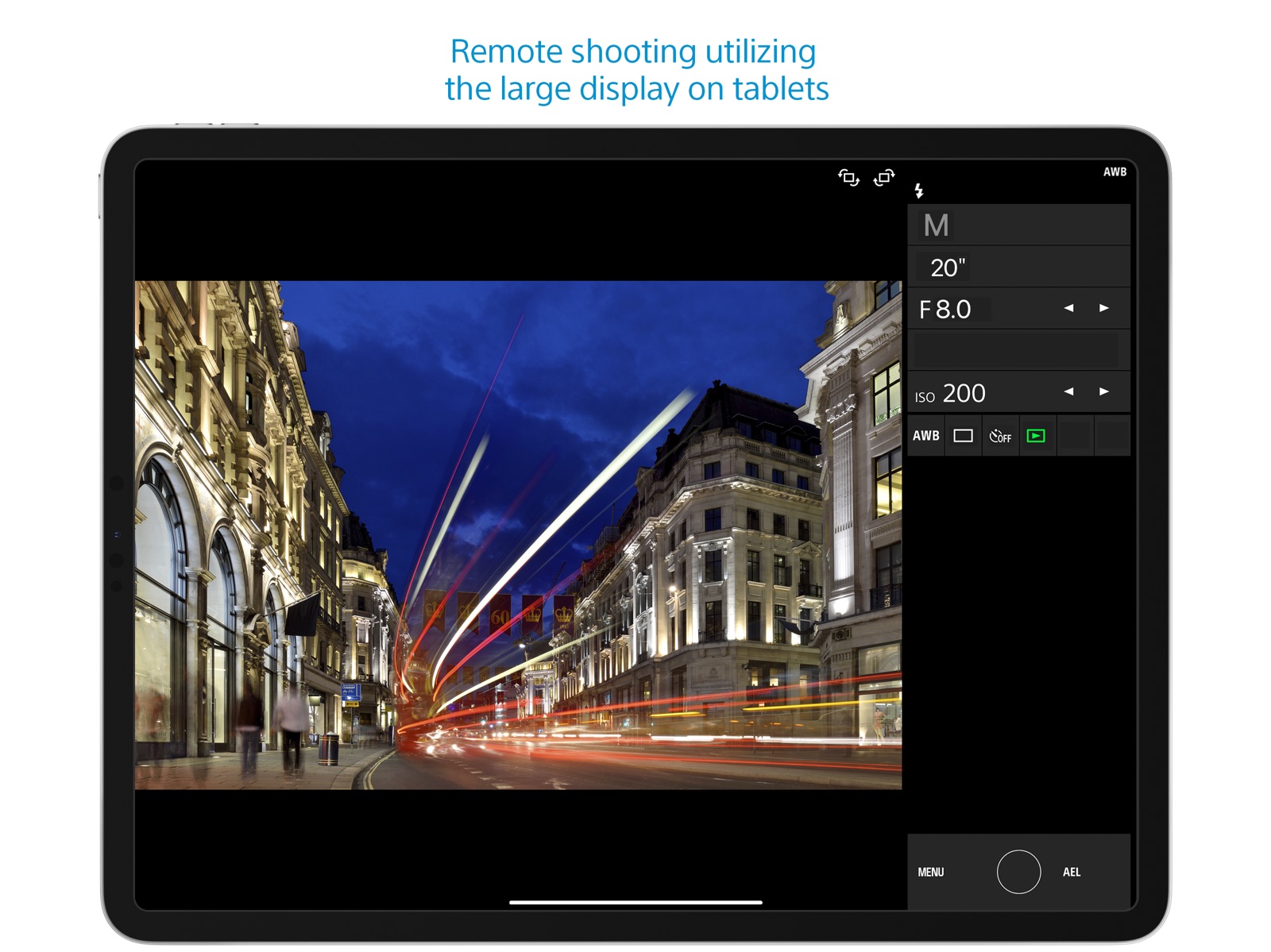

7 store screenshots


Pricing & paywalls
- Free to download
- Free to download
Ratings & reviews
-
2/5Useless
When I was trying to use this app with my Sony A6000 I found It functionally useless. However, I recently purchased a Sony RX10M4 and now find it quite useful. I can operate my Camera remotely while seeing through the viewfinder on my phone. I can trigger HFR shooting, and high speed drive multiple stills. Sure there are lots of things you cannot do but those are two important ones to me. Connecting is much better with the RX10 than the A6000. One significant irritation is that the WIFI link disconnects if you goto the camera and press the playback button to see a recording. On the iPhone, if you go to another app or even the main display, you have to restart your Imaging Edge session. It does not keep it active in the background. The session is still active but you have to push start for your camera. The disconnect when press camera playback is a significant irritation. Do not understand this limitation. Remote control of a camera is extremely valuable, I hope Sony will continue to expand hardware and software options in this area. Well, just found out that you cannot start a recording with this app. It does support single and multiple shot drive, and you can trigger HFR sooting but only offers the shoot trigger otherwise. How can this be? How can Sony build such great Cameras and develop such crappy remote control apps. Thus has been going on for years. Had to buy a non Sony remote system to do things I cannot do wit Sony apps and remotes. How silly is this?
Dcssteve · 31 Jul 2026
-
1/5Imaging Edge killed my iPhone display
Horrible app! Looks like it was designed by some high school kids and never went through beta-testing. Even basic functions don’t work. The app is a shame for one of the biggest consumer electronics companies in the world. If this were a free app for a $50 point and shoot, I wouldn’t complain. What’s shocking, though, is that Sony recommends this app to be used with their professional grade camera systems, costing thousands of dollars. Worse still, the app can DAMAGE your equipment. When I used the app to transfer a 30 min 4K video to my iPhone from a Sony a6600, the display of the iPhone got fried and needed to be replaced by Apple for $217. (iPhone XR with current iOS). When I contacted Sony Customer Support about it, Sony simply stated the app had been amply tested, this must have been “isolated issue” and refused to cover for the damage. I offered to submit detailed information from Apple, but no interest whatsoever!! (Yes, why would you want to learn about problems with your super buggy app, silly me!) Not a cool customer service response for a $2,500 camera system... Use at your own risk... Update: Tried again two years later. The app won’t even connect to the camera. It’s total garbage!! How can a well known consumer electronics company like Sony expect its customers to use such a garbage app?! It’s unbelievable!
Highly doubtful · 31 Jul 2026
-
3/5OK for what does, but limited
The biggest drawback with PlayMemories is the hodgepodge of separate apps - remote, photo transfer, HDR, etc - launched separately from camera rather than a single comprehensive program. Coming from Nikon, CamRanger blows it out the water but doesn't support Sony. About the only function I use is remote trigger which transfers those jpg, but not the photo transfer app with traditionally shot photos as I says will transfer individual but only does ALL! HDR, variate filter etc, use real software in post where have more control. One thing to be aware of, the app starts with last settings and adjusts the camera to it rather than reading the current camera settings and adjusting from there. If you last shoot was night/Astro and currently daylight/beach, you suddenly start with ISO 6400 despite the camera being set at ISO 100! Now to the reviewers upset because doesn't transfer RAW. Seriously? ARE YOU NUTTS! Save your RAW to SD card and use real software later. Jpg and minor app adjustments if necessary is certainly sufficient for viewing/chimping and social media upload. With Nikon did RAW+jpg to separates SD cards and loaded the selected jpg to iPad directly via SD toggle from that specific card? With Sony's single SD card, RAW+jpg on same card and both transferred. With 43mgB RAW files, it totally blew out my memory in the iPad. Worse, with the duplicates - RAW and jpg - IOS doesn't show file name extensions or file size to know which one yo delete.
Lawrenceg51 · 31 Jul 2026
-
5/5Works amazingly well
When I first bought my Sony RX100 V1 I could not for the life of me get this app and my camera to synchronize. After watching every video I finally complied a quality list of exactly the steps to get things working. The KEY to the whole procedure is to get the camera and the app to communicate with each other. Once you open your settings on your iPhone and click on WiFi you will see your regular home etc. WiFi Settings. Make sure your camera is on. It might take awhile but your camera WiFi setting will be entered into your list. Click on it and make sure once it takes over for your home WiFi it has to have a check on it. Immediately go to your app and make sure it’s opened. You will see what’s on your camera screen. You can then use your iPhone as a great remote. The procedure to get photos from your camera to your iPhone or iPod is different but the key is to make sure both are paired via WiFi. IT WORKS SEAMLESSLY except for videos. That’s another whole story. You must change specific settings in your camera menu and purchase a unit that can attach via usb to your camera’s charging cord and then into this new usb cord and that cord into your iPad via lightning connector.
Lagrive333 · 31 Jul 2026
-
1/5This app is a joke
This thing is terrible. It's clunky, bug-ridden, and lacks basic functionality like the ability to transfer RAW files. Even some of the things it's supposed to be able to do don't work—I can't even transfer a full-res JPEG with this, although there's a setting to do that. This is why smartphones are eating the traditional camera industry's lunch—the workflow on a smartphone is so much smoother and more polished, compared to this barely-even-an-afterthought garbage that we get with "real" cameras. Seriously, this kind of trash software wouldn't even pass as a sophomore CS student's term project. Sony, you can do better. You make incredible cameras that push the boundaries of what technology can do. You lead the camera industry in multiple areas, from sensor design to machine learning. You even make some pretty decent smartphones. Please devote just a tiny, tiny fraction of your immense resources to making this app what it should be. If you can create a seamless interface between your cameras and your customers' phones and tablets, your cameras will gain much greater appeal to a generation of photographers who are currently turning their backs on the traditional camera industry en masse. This app could be the bridge that brings an effortless mobile workflow to photography enthusiasts and professionals, which would be immensely powerful and advantageous. You can do it!
AOANLA · 31 Jul 2026
No store reviews collected for Google Play · US
Privacy & accessibility
Privacy
- Data Not Linked to You — Analytics — Diagnostics — Crash Data Developer declared
- Data Not Linked to You — Analytics — Diagnostics — Other Diagnostic Data Developer declared
- Data Not Linked to You — Analytics — Identifiers — User ID Developer declared
- Data Not Linked to You — Analytics — Usage Data — Other Usage Data Developer declared
- Data Not Linked to You — Analytics — Usage Data — Product Interaction Developer declared
- Data Not Linked to You — Product Personalization — Usage Data — Other Usage Data Developer declared
- Data Not Linked to You — Product Personalization — Usage Data — Product Interaction Developer declared
- Data Not Linked to You — Diagnostics Developer declared
- Data Not Linked to You — Identifiers Developer declared
- Data Not Linked to You — Usage Data Developer declared
Accessibility
No accessibility labels collected yet.
Privacy
- Data collected — Analytics — App activity — App interactions Developer declared
- Data collected — Analytics — App activity — Other actions Developer declared
- Data collected — Analytics — App info and performance — Diagnostics Developer declared
- Data collected — Analytics — Device or other IDs Developer declared
- Data collected — Analytics — Personal info — User IDs Developer declared
- Data collected — Analytics, Developer communications — Personal info — Other info Developer declared
- Data shared — Analytics — App info and performance — Crash logs Developer declared
- Security practices — Your data is transferred over a secure connection — Data is encrypted in transit Developer declared
- Security practices — The developer provides a way for you to request that your data be deleted — You can request that data be deleted Developer declared
Accessibility
No accessibility labels collected yet.
Versions
-
6.3.0
6.3.0: - Now compatible with iOS 12.0 - On iOS 11 or later, this application can read the NFC tag or QR code of the camera and connect to it via Wi-Fi.
-
7.1.0
・PlayMemories Mobile has been renewed Imaging Edge Mobile. ・You can continue using existing features/functions with Imaging Edge Mobile. ・Support image/video transfers and remote shooting.
-
7.2.0
・Images can now be displayed in their original aspect ratio on the image gallery. ・Supported multi-camera control with 6 or more cameras using DSC-RX0M2 via an access point.
-
7.2.1
Fixed an issue where multiple empty 'Imaging Edge Mobile' albums were created in some rare cases. * Empty albums can be deleted from “To delete empty ‘Imaging Edge Mobile’ albums” in the Help/Instruction Manual of App
-
7.2.2
7.2.2: - Fixed an issue where remote shooting and image transmission cannot be used on iOS13. 7.2.1: - Fixed an issue where multiple empty 'Imaging Edge Mobile' albums were created in some rare cases. * Empty albums can be deleted from “To delete empty ‘Imaging Edge Mobile’ albums” in the Help/Instruction Manual of App
-
7.2.3
7.2.3: - Fixed an issue where remote shooting and image transmission cannot be used on iOS13 in certain regions. 7.2.2: - Fixed an issue where remote shooting and image transmission cannot be used on iOS13. 7.2.1: - Fixed an issue where multiple empty 'Imaging Edge Mobile' albums were created in some rare cases. * Empty albums can be deleted from “To delete empty ‘Imaging Edge Mobile’ albums” in the Help/Instruction Manual of App
-
7.3.0
- Operations for the second and subsequent connections to a camera have been simplified. - You can sign in using your Sony account to see the latest information about your camera on My Page.
-
7.3.1
- Fixed an issue where a network error occurs after starting the app in some languages and the app cannot be used. - To connect to the camera for the second time or later, activate the Wi-Fi function on the camera and then select the camera from the "Camera List" of this application. - You can sign in to see the latest information about your camera on My Page.
-
7.3.2
- The app crashes when launching the app or during image transfer. - Image sending and remote shooting are not possible even though the iPhone/iPad is connected to the camera via Wi-Fi. - The connected camera is not saved in the camera list.
-
7.3.3
- Fixed the issue that remote shooting or image transfer could not be started when connecting to the camera via Wi-Fi from the iPhone settings before launching the application. - When the smartphone and camera cannot connect via Wi-Fi, a report can be sent to the developer in the dialog displayed by the app. - Added FAQ of support page in "Help/FAQ(Wi-Fi connection)" of application.
-
7.4.0
- Now supports ILCE-7SM3. - Now supports Touch Focus (for MF) and Touch Tracking (for AF) while shooting movies. - Now supports HEIF images (iOS13 and later). - HEIF images shot with the "HLG Still Image" option may not display correctly. - The screen for connecting a camera is now easier to understand. - You can now improve connectivity with a camera by allowing location access.
-
7.5.0
Improved performance for displaying images when using "Select from Smartphone". Added support for ILCE-1. - Added support for RAW image transfer. - The app can now maintain Wi-Fi connection between the camera and the smartphone after transferring images selected on the camera. - You can now toggle between image transferring and remote shooting while maintaining Wi-Fi connection between the camera and the smartphone. - You can now use touch control to display a focus frame during remote shooting.
-
7.5.1
Fixed the issue that images are not displayed or selected from the app when many images are stored in the memory card on the camera side.
-
7.5.2
Improved connectivity with the camera in some Wi-Fi environments.
-
7.6.0
- compatible with iOS15. - compatible with ILCE-7M4. - Once the app is paired with the camera, you can transfer images and take remote shots by simply using the app from the next start-up. (For ILCE-7M4 only)
-
7.7.0
Supports ILME-FX3 System Software Update Ver. 2.00. - Stores the initial pairing of the app with your camera so that you can transfer images or perform remote shooting by simply operating the app when you start it subsequently. - Supports remote shooting in a new log shooting mode, such as Cine EI mode. - Supports remote shooting in flexible exposure mode.
-
7.7.1
- Adds support for iOS16. - Adds support for the ILME-FX30. camera.
-
7.7.2
The design of the app icon has changed.
-
7.7.3
- Fixed an issue where Location Information Linkage with the camera. - Other fixes and stability improvements.
-
7.7.4
- Fixed an issue where remote shooting and image transfer were not possible with some cameras.
-
7.7.5
- Fixed an issue when Location Information Linkage may not work correctly on iOS/iPadOS 16.4 or later.
-
7.8.0
- Now available on iOS17.
-
7.8.1
- Fixed an issue where the message "Please turn on Bluetooth" was displayed even though iPhone's Bluetooth was on. - Fixed an issue where images could not be transferred from the camera even if there was free space on the iPhone's storage. - Improved the issue where the app would terminate abnormally in rare cases.
-
7.8.2
For iOS26/iPadOS26: Fixed an issue which video transfer from some Sony camera models cannot complete.
-
7.8.3
· 10 Mar 2026
- compatible with iOS26.
- 7.8.5 · 16 Feb 2026
Alternatives
- Alpha Linker - Camera Transfer — Same category + similar ratings
- Capture One — Same category + similar ratings
Availability by market
- US
Data quality & evidence
- Page completeness
- Apoku summary published
- Last verified
- 7 Aug 2026
- Sources
- App Store, Google Play