
Quick verdict
- What it is
- Store information collected; independent summary not yet available.
- At a glance
-
- $19.99
Categories and search queries
Official categories
- Productivity
- Photo & Video
AppCorpus categories
Key functions
| Function | Availability | Access | Scope | Evidence |
|---|---|---|---|---|
| Family Sharing | Yes | Unknown | App Store | Store published |
Screens
App Store
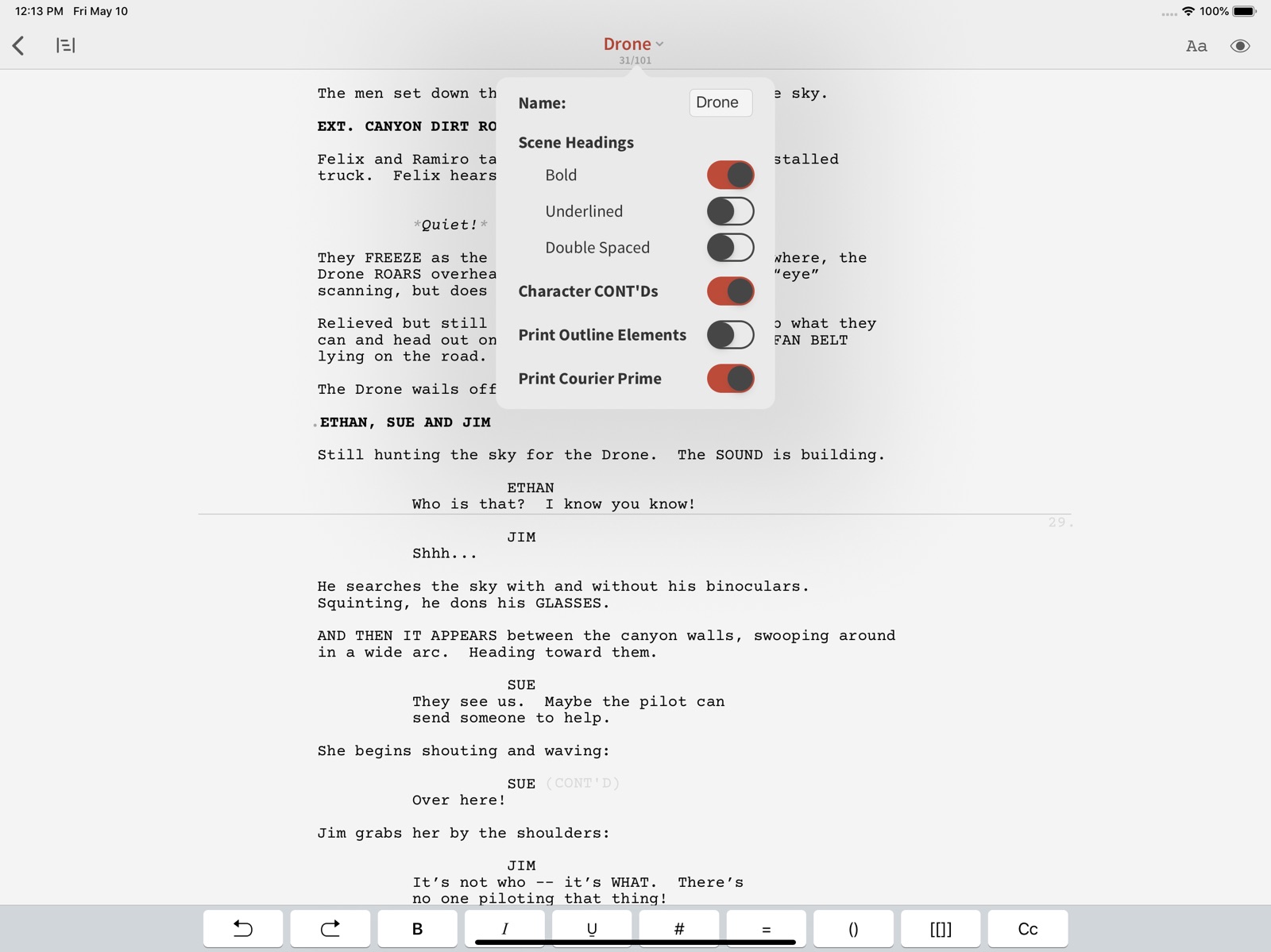
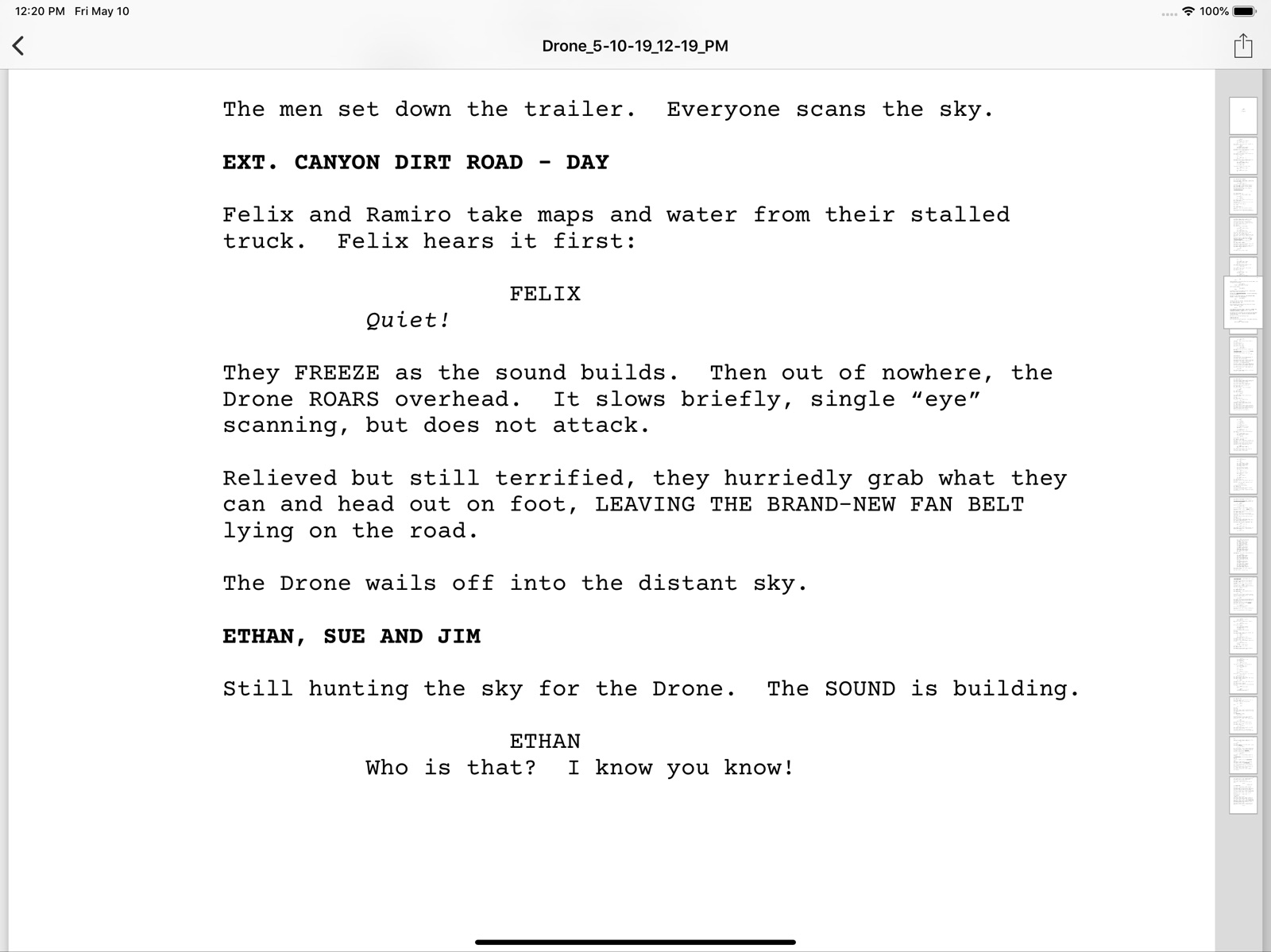
14 store screenshots


Pricing & paywalls
App Store
- Price: $19.99
Ratings & reviews
App Store
-
5/5Love it
I have been screenwriting on my iPad much more lately, and I've found this to be a really great app for distraction-free writing. There's very little on the page, other than your own work. It's also a very user-friendly, intuitive way to learn the ins and outs of writing in Fountain (which is simple on its own). I also love that it doesn't require a subscription.
Woo5000 · 31 Jul 2026
-
2/5Crashing several times an hour
I enjoy the app’s simplicity and functionality. What I don’t enjoy is how the app crashes four to five times every hour. It autosaves frequently, so a crash only deletes the latest piece (either one chunk of dialogue or description) but it’s still annoying.
Da_Lone_Wolf · 31 Jul 2026
-
3/5File management could be better
I noticed the app sometimes does not sync your changes to the original file, and instead creates a separate copy of it. This then causes multiple versions of the same script to pile up in the recents section, while I really just need to maintain one version of it. Overall, the app is better than most I’ve seen for screenwriting on phone, just hope this one aspect can also be improved.
Sarim S. Ahmed · 31 Jul 2026
-
1/5Love the app but it’s broken for me
For whatever reason the app crashes whenever I try to make a new file and is therefore unusable. I’ve tried uninstalling and reinstalling to no avail and switching between local/cloud storage. So far nothing works, but if the issue is resolved I’ll happily change my review to 5 stars.
EvanTyler223 · 31 Jul 2026
-
1/5And I thought FD Mobile was a pain
Read raving reviews. Tried it for $19+ and it’s terrible. Not intuitive. Trying to hit return to get into the next correctly formatted section required backtracking. Not a seamless writing experience and I’ve been writing screenplays for a long time and have used almost all the mainstream software.
xxyz3 · 31 Jul 2026
Privacy & accessibility
App Store
Privacy
- Data Not Linked to You — App Functionality — Identifiers — User ID Developer declared
- Data Not Linked to You — App Functionality — User Content — Other User Content Developer declared
- Data Not Linked to You — Identifiers Developer declared
- Data Not Linked to You — User Content Developer declared
Accessibility
No accessibility labels collected yet.
Versions
App Store
-
1.1.1
More frequent saving, better Dropbox sync, a crasher fix for Spanish keyboards, and more clarity when deleting files. There was a rare-but-nasty case where Slugline’s connection to Dropbox could get corrupted. We fixed it, but you may want to disconnect and reconnect Dropbox if you suspect you’ve been affected by this issue. We fixed a bug where Dropbox documents weren’t auto-saving as often as they should. Spanish-language keyboards were causing trouble with certain accented characters. Ya no más. It’s now much harder to accidentally delete a screenplay by swiping left on the filename, because we removed the long-swipe-to-delete gesture. And it’s now more clear where deleted files go: into a Deleted Items folder, where, if you really want to nuke them, you can do so manually. These updates are all a direct result of your reports and feedback. Thanks for helping make Slugline better!
-
1.1.2
Fix for a bug where some text could get cut off at the end of a page in Preview and Print.
-
1.1.3
Fix for a bug that could cause crashes while writing. Fix for an iCloud file renaming bug that could cause a lock-up.
-
1.2.0
Fixes for scrambled text, Files app support, and support for Highland files! This update fixes a rare but nasty issue where text could get scrambled when returning to Slugline from another app. Slugline could also sometimes display gibberish when scrolling through very long documents, which is also now fixed. This update works with the Files app! You can enable Slugline as a location in Files, and browse/edit/move/rename your files there. You can also open Fountain screenplays in Slugline from any location in the Files app, and Slugline will edit them in place. We’ve added support for the .highland file format used by Highland 2 for Mac. This works with the Files app as well, so you can open Highland files into Slugline from wherever you have them saved. Slugline for iOS is now the perfect mobile writing companion for Highland users! Oh, and if you write with an attached keyboard, Ctrl+Delete once again properly deletes what’s in front of the cursor.
-
1.2.1
Fixes for crashes. Previously on Battlestar Galactica: Slugline 1.2.0 works with the Files app! You can enable Slugline as a location in Files, and browse/edit/move/rename your files there. You can also open Fountain screenplays in Slugline from any location in the Files app, and Slugline will edit them in place. We’ve also added support for the .highland file format used by Highland 2 for Mac. This works with the Files app as well, so you can open Highland files into Slugline from wherever you have them saved. Slugline for iOS is now the perfect mobile writing companion for Highland users!
-
1.2.2
This update looks better on iOS 12 and iPhone XS Max, and fixes a bug with recieving files via Airdrop and the iOS share sheet.
-
1.2.3
This update ensures that Slugline will look gorgeous on your new iPad Pro, fixes a bug where text could become scrambled when app-switching back to Slugline after deleting words with an external keyboard, and re-enables the keyboard shortcuts for jumping to the previous and next scenes and headings.
-
1.2.4
Better, safer file saving, fixes for jumping screens and scrambled text, and improved Dropbox support. We fixed a bug that could cause files to save scrambled text on iOS 12+. (CONT’D) is now aligned properly in exported PDFs. Opening a screenplay on Dropbox could feel stuck sometimes, and we fixed that too. Dragging and dropping text to and from Slugline should work better now.
-
1.2.5
Version 1.2.5 fixes a bug that could cause crashes while typing near the end of a screenplay. Also new from version 1.2.4: Better, safer file saving, fixes for jumping screens and scrambled text, and improved Dropbox support. We fixed a bug that could cause files to save scrambled text on iOS 12+. (CONT’D) is now aligned properly in exported PDFs. Opening a screenplay on Dropbox could feel stuck sometimes, and we fixed that too. Dragging and dropping text to and from Slugline should work better now.
-
1.2.6
Version 1.2.6 fixes a bug that made keyboard typing, especially with accented characters, not work properly. Thank you to the writers who contacted Support and provided information about this! Please continue to contact us if you need anything, and we’ll keep working on making Slugline better for you.
-
1.2.7
iOS 13 Update Now you can choose an "Auto" Light and Dark Mode that follows your iOS preferences, or use the traditional Light and Dark Slugline modes that stay put. Slugline's menus also honor Light or Dark mode now, so you won't be blinded anymore while writing late, late at night.
-
1.2.8
Fixes a rather annoying bug that would keep you scrolling back to the cursor on some devices, if the keyboard was on screen. Thanks for taking the time to submit bug reports, and please contact us if you find any more!
-
1.2.9
Fixes a bug that would save garbled text when closing a screenplay, depending on which kind of keyboard you were writing with. Fixes a bug that would silently accept auto-completions while closing a screenplay. Further fixes a rather annoying bug that would keep you scrolling back to the cursor on some devices, if the keyboard was on screen. Thanks for taking the time to submit bug reports, and please contact us if you find any more!
-
1.3.0
Several stability fixes and typing improvements for newer iOS releases. Seamlessly handles and upgrades Slugline settings, to be compatible with Slugline 2 for Mac. Added support for "{{metadata}}" tags. Fixed the file "Share" button on newer iPad OS. Improved the overall alignment of printed PDF pages. Fixed the text alignment of Source elements in the title page. Thank you for all your bug reports and feature requests, and please contact us if you have any more!
-
1.3.1
• Fixed the "New From Template" button. • Updated Dropbox compatibility for better reliability. • Fixed a bug in how settings were modernized for each file. • Fixed the file "Share" action for iPads.
-
1.4.0
Backups! Slugline now backs up your writing constantly to a local folder. We also fixed some issues with saving to iCloud and Dropbox. So the belt now has suspenders, and the suspenders have a parachute.
-
1.5.0
We’ve remodeled! Slugline is now a little more sleek and iOS-native in its appearance. Other changes you might notice: ⋮ Bug fix for several devices, where holding down the Command key wouldn’t helpfully display the available keyboard shortcuts, but instead, would immediately crash. ⋮ Updated to the latest Dropbox libraries, to help with synchronization stability. ⋮ Fixed a bug that could delay the reformatting of columns during device rotation. A special thank you to the writers who took the time to contact us with issues and ideas. Please keep reaching out to us if you have any trouble, because hearing from you is how we make Slugline better.
-
1.5.1
We’ve remodeled! Slugline is now a little more sleek and iOS-native in its appearance. Other changes you might notice: ⋮ Bug fix for several devices, where holding down the Command key wouldn’t helpfully display the available keyboard shortcuts, but instead, would immediately crash. ⋮ Updated to the latest Dropbox libraries, to help with synchronization stability. ⋮ Fixed a bug that could delay the reformatting of columns during device rotation. Version 1.5.1 also includes: ⋮ Fixed a bug that could cause a crash when importing or moving files. ⋮ Fixed a bug that could show wrong colors in the file browser when exiting from a document. A special thank you to the writers who took the time to contact us with issues and ideas. Please keep reaching out to us if you have any trouble, because hearing from you is how we make Slugline better.
-
1.5.2
Bug fixes and improvements for restoring Backup files. ⋮ Fixed a Restore bug where attempting to restore a file could cause a crash. ⋮ Highland files now only have backups created from the main fountain text instead of the entire package.
-
1.5.3
⋮ Note colors and page shapes from Slugline Mac are now preserved in the document settings, even though they're not yet supported on iOS. ⋮ Fixed a bug that could mistakenly show document settings text on iOS after a file was updated from elsewhere.
-
1.5.4
⋮ Find and Replace comes to iOS! Select any text and choose Find from the Edit Menu. We're still working on this, so if you have any ideas for how it could be better, let us know. ⋮ Various visual and layout updates to keep buttons and features where you expect to find them in iOS 16. ⋮ Updated Dropbox experience, which should make logins and authorizations smoother. You may need to re-connect to Dropbox.
-
1.5.5
⋮ Find and Replace comes to iOS! Select any text and choose Find from the Edit Menu. We're still working on this, so if you have any ideas for how it could be better, let us know. ⋮ Various visual and layout updates to keep buttons and features where you expect to find them in iOS 16. ⋮ Fixed a problem that could cause file imports to crash on iOS 16.
-
1.6.0
⋮ Urgent patch for newer iOS versions to help prevent file corruption. ⋮ Better undo/redo history. ⋮ Improvements to hardware keyboard features and to iPad windowing.
-
1.7.0
This is a big update for Slugline Mobile, focused on improving the way that saving screenplays outside of Slugline works. ⋮ We replaced the non-local storage options with a single “Files” location. Through Files, you can access your iCloud or Dropbox or your other favorite storage locations. (We had to clear your Recent Screenplays list to do this, but your files are all still where you saved them.) ⋮ You now get to choose a default location where new screenplays are created (in Slugline, or in iCloud), and you can switch that in Setup whenever you want. ⋮ We built the first VisionOS native version, because we wanted to be there for you, wherever and however you want to write. Let us know what your experience is like, because we’re curious how you like writing on the moon.
-
1.7.1
· 7 Mar 2025
We’re back! And we’ve made creating and saving files simpler and better. You can now create and edit screenplays anywhere you like, using the connected accounts (iCloud, Dropbox, whatever) from your Files app. Local or cloud, it’s up to you — either way, Slugline keeps track of your recently-edited screenplays in one convenient place.
Availability by market
- US
Data quality & evidence
- Page completeness
- Live store listing
- Last verified
- 31 Jul 2026
- Sources
- App Store
- Independent summary has not been published yet.