
Quick verdict
- What it is
- Store information collected; an Apoku editorial summary is not yet published.
- At a glance
-
- $4.99
- In-app purchases
Categories and search queries
Official categories
- Reference
- Education
Apoku categories
Key functions
| Function | Availability | Access | Scope | Evidence |
|---|---|---|---|---|
| In-app purchases | Yes | Limited free | Context-specific | Store published |
| Family Sharing | Unknown | Unknown | Scope unknown | Store published |
Screens
App Store
30 store screenshots
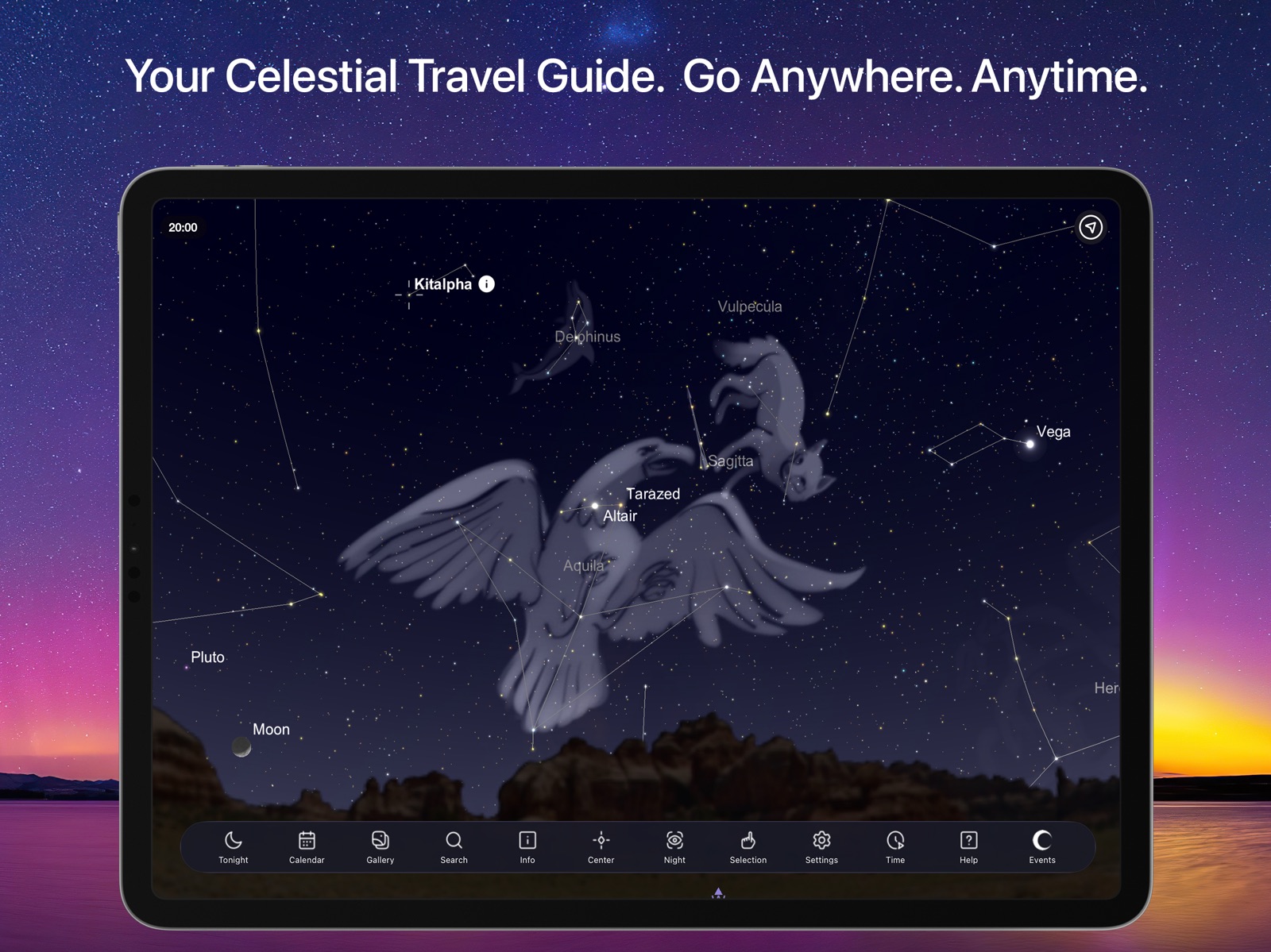


Pricing & paywalls
App Store
- Price: $4.99
- Apollo Lunar Missions — $4.99
Ratings & reviews
App Store
-
5/5Amazing
This APP is truly amazing. At 67 years old I have never really looked up until the pandemic has given me time to do so. I luckily just stumbled across this APP and instantly was amazed at how much is out there, how much I’ve missed all my life and how wonderful the cosmos is. I’ve found the APP simple to use. I live in town with too many city lights so I’ve focused only on stars and planets visible to the eye, the 20 brightest and found the basic information to be fascinating. The he APP tells the details such as size, distance, makeup, life span and how the object has been viewed in human history. The only flaw I experience each day is the compass. Very frequently I find the APP to be many degrees, sometimes even 180 off. Makes identifying objects difficult. I don’t know if that is due to my iPhones internal compass being off or if the APP has its own compass, but it does require recalibrating the compass by spinning it around in circles or sometimes shutting the phone down. It would be nice to know how to eliminate this issue. But, for the money, are you kidding, this APP is so amazing it’s truly incredible. Thank you to the developer!
Annoyed in Hawaii · 29 Sep 2026
-
5/5Too much unclear
Looks like a good app, and I was trying to decide whether to upgrade to Plus while the discount was available (or possibly even Pro)—but there are Help files that are unclear, graphic glitches with the Apollo addition, and the voice control (though I understand it’s in “progress”) doesn’t work even with the example commands listed. It’s less than clear what new features are available in the upgrade version, other than the free Apollo add-in—which I already purchased. So I don’t have enough reason (at least not enough clear reason) to upgrade, especially when I’m having trouble with features already available. I’ll definitely keep the app on my phone and use it. Perhaps it’s just me; but, regardless, if I’m already having trouble, there’s little point inviting more. All the basic features seem to work fine, and I’d still recommend the basic app for others—perhaps those who might have better luck (or even sufficient skill) to use it more effectively.
Kevin_in_cs · 29 Sep 2026
-
5/5OUTSTANDING
Hi!!! I’m a kid (nine years of age) but I LOVE zodiacs and constellations! I’m a prodigy, (and I know I am because I can name the zodiacs frontwards and backwards) But sky safari helps me identify what constellations are in the night. I can see Virgo (my zodiac) Cancer Scorpio Taurus Gemini Capricorn Aquarius Pisces Leo and so much more!!! I rely on sky safari but there’s one little problem that needs to be fixed. So basically I turned on all the labels and it was a little bit laggy but when I went to turn it back off, it wouldn’t turn back off because the button just disappeared. Please fix this!!! I love sky safari but I can’t use it with all these labels! Kind regards, SkySafari user
heyimamazing · 29 Sep 2026
-
4/5All you need besides a telescope
This App goes with me every time I take a telescope out (which is every clear night). Whether in your own backyard or out on excursion companion, especially when installed on a mobile device with a larger display, as long as you have the built-in GPS of your device (and assuming you have some sort of signal) you can literally swing your tablet/device around and get a map of the sky. Then you can program the GoTo of your telescope, slew to either Alt/Az coordinates or RA/Dec, or just swing a pair of binoculars. The dynamic clock feature, and several features whether built in or the optional subscriptions are good for short and long term planning. The Search with a representative image with "Locate" feature is a plus for determining if you can swing your telescope to a point before you decide to try. I believe premium versions of this App integrate with the desktop version. Maybe it would also import and export lists and logs. To make best use of this App, learn about the limits of your telescope and your night sky (light pollution) so that you can set magnitude (darkness) limits for stars and other objects in the Settings. Ok maybe you'll only have 10,000 objects that are visible, but it helps with screen clutter. I also set the Milky Way, horizon and Constellation features and the display becomes aesthetically pleasing.
Dobie Acres · 29 Sep 2026
-
2/5A little disappointing
My initial reaction was a little disappointed. The app returns to wherever I last looked. There doesn’t seem to be an easy way to get back to the sky overhead at today’s date and time. Would be nice to have something to center on the current zenith. Also when I used the search feature the app did not have many of the objects I would have expected to be included. Many of the popular nebulae are missing. For example the horse head nebula. I tried searching for the common name and the official designation. The add-in purchase of cosmos does not appear to add those objects. If it did, I would probably purchase the add-in. Overall, I was disappointed. I have several other astronomy apps installed and this one is slightly different but at first experience, does not seem to be any better than the others. I do not own a telescope that supports “control”, so sky safari pro is not an appropriate purchase.
Longeyes · 29 Sep 2026
Privacy & accessibility
App Store
Privacy
- Data Not Linked to You — Analytics — Identifiers — Device ID Developer declared
- Data Not Linked to You — Analytics — Usage Data — Other Usage Data Developer declared
- Data Not Linked to You — Analytics — Usage Data — Product Interaction Developer declared
- Data Not Linked to You — Identifiers Developer declared
- Data Not Linked to You — Usage Data Developer declared
Accessibility
No accessibility labels collected yet.
Versions
App Store
-
6.8.3
Fixes for UI in Dark/Light modes
-
6.8.4
Corrections for French, Japanese and Italian localizations.
-
6.8.5
Performance Improvements.
-
7.1.1
This is our biggest update yet! Thank you for your continued support. + Redesigned UI for a more immersive stargazing experience. + Orbit mode and Galaxy view are now included. Travel anywhere in the solar system and view the location of objects in our galaxy. + Updated Tonight Panel with Moon/Sun Info, calendar curations, and the best positioned deep sky and solar system objects. + OneSky - allows you to see what other users are observing, in real time. + Update Minor Planet Data at any time. + Unlock SkySafari Premium Subscription to access amazing features: massive deep sky database, events, curated news and articles, connected stargazing features, access to livesky.com and a light pollution map. + Much more to discover.
-
7.1.7
Thank you for your continued support. In this minor update: + Time controls now visible in .skyset files when opened via Calendar or Featured Article + Updated description for comet C/2022 E3 (ZTF) + Other bug fixes and improvements
-
7.1.8
Get ready for a celestial upgrade! With this release, we've added an exciting new feature to the Tonight view: the AstroBin Picture of the Day! That's right, you can now easily access stunning astronomy images at your fingertips. But that's not all! Premium subscribers can even pin their favorite images to the sky chart, making it feel like you're actually stargazing at the real thing. We've also: + made it easier than ever to edit BCE dates in the Time Controls. No more struggling to input dates - now it's a breeze. + fixed a pesky Push Notification bug, ensuring you stay up-to-date on all the latest astronomical events. + improved SkyCasting to force real-time flow, giving you an even better experience. + made several minor improvements and fixes, to ensure the app keeps running smooth. Get out there and keep exploring the universe with the help of SkySafari!
-
7.1.9
Fixed AstroBin picture of the day description html. Stability enhancements.
-
7.3.0
In preparation for the upcoming October 14, 2023 Annular Solar Eclipse, we've made some changes: + Improved solar eclipse simulations + Added a special annular eclipse panel for Premium subscribers in the Tonight view that includes a curated eclipse experience with an interactive eclipse map, contact timings, audio prompts, viewing guide and more.
-
7.3.1
We're thrilled to present our latest update, meticulously designed to enrich your eclipse experience and make the universe feel a little closer. Here’s what’s sparkling in the new version: + Improved Earth and Eclipse Rendering + Improved Eclipse Timings and Moon Shadow Rendering + Improved Spanish Translations
-
7.3.2
In this maintenance update: + Localization: updated translations + Improved total solar eclipse simulations + Minor improvements and bug fixes
-
7.3.3
Get ready for the April 8, 2024 Total Solar Eclipse! This exciting update includes for a limited time: + Interactive 2024 Total Solar Eclipse Map: Find your ideal eclipse-watching spot on the map, and receive precise eclipse event times for any location on Earth. + Eclipse Simulator: Simulate the eclipse from your own location or any spot on Earth. Use time controls to manipulate the eclipse, experiencing it from start to finish at your pace. Plus: + Enhanced total solar eclipse simulation + Improved Audio Notification for the eclipse (Premium) + Minor improvements and bug fixes
-
7.3.4
Prepare for the spectacular Total Solar Eclipse on April 8, 2024! This update includes: + The Eclipse timetable now includes seconds for precise eclipse timings. + Improved layout for iPad.
-
7.3.5
Thank you for your support. In this update: + Timezone fixes. + DST fix for Chile region.
-
7.3.6
Our latest update is packed with improvements to make your astronomy experience even better. + Status Bar Popup Control Panel: The status bar popup control panel buttons no longer turn white when selected. + Orbit Mode Crash: Fixed a crash that occurred when Orbit mode was selected while SkyCast was active. + Night Vision Improvements: The Description section in the Info panel now respects Night Vision settings. Calendar on iPad now properly follows Night Vision mode. + Now Button: A "Now" button is now available when creating or editing Date/Time Observations on iPad. + Additional bug fixes and improvements
-
7.5.0
Updated NGC-IC Database (June 2024 version.) Updated PGC Database (Latest from HyperLeda.) Updated Planet Ephemeris (JPL DE-440.) Updated Deep Sky Database object names and positions. Many bug fixes and performance enhancements.
-
7.5.1
- Fixes for Globular Cluster magnitudes. - Fixes for Planetary Nebulae names. - Fix for Comet tail rendering. - Several other stability fixes.
-
7.5.2
Fixed some database issues (names, magnitudes, types, positions)
-
7.5.3
Nouveau! Fonctionnalité Local Data Health dans Paramètres > Stockage Correctifs pour la validation des objets dans les observations et les listes d'observation Vitesse radiale du cluster ouvert fixe
-
7.6.1
Added new localizations: Chinese, Thai, Greek, Indonesian, Hindi Stability and usability updates. NEW: Observing Weather (Subscription only)
-
7.6.3
Stability fixes.
-
7.6.4
- Moons and other objects displayed as 3D models no longer "transparent". - Planet surface textures display correctly when using non-english localizations. - Improved localizations.
-
7.6.5
Fixed translations Fixed subscription view discount and free trial
-
7.6.6
Fixes and updates to subscription flow.
-
8.0.1
+ New Theme - A new look of the app with a fresh visual palette. + Image Gallery - Explore the universe through astrophotography. Import images directly from AstroBin or import your own (Premium).
-
8.0.2
· 27 Mar 2026
New Features: - Support for Artemis II mission. Fixed Bugs: - Fixed user experience when opening settings to Subscription when device has no internet. - Observing Weather displays date and times for SkyChart timezone, not device timezone. - StarSense Explorer configuration help images and video links fixed. - AstroBin image import field not obscured by keyboard. - Barlow Magnification correctly supports two decimal places. - Multiple UI / Theming fixes.
-
8.1.0
· 5 Aug 2026
NEW: WATCH LIVE ASTROPHOTOGRAPHY WITH SKYCAST See what others are capturing through their telescopes, in real time. - Watch live sessions with SkyCast. Follow another observer's session and see their captured images appear right alongside the sky chart. - Rich image details. Each shared image now shows the target object's information, exposure, and total integration time in a redesigned detail view, with a full-screen viewing mode. IMPROVEMENTS - Added a new "Draw Full Length Lines" option for constellations, giving you more control over how constellation figures are drawn. BUG FIXES - Fixed constellation lines appearing dotted instead of solid after the 8.0.3 update. - Fixed screens flashing white. Object information screens and other freshly-opened views no longer flicker white before appearing. - Fixed satellite and comet data being merged, which caused satellites to plot incorrectly and only appear under "Show Comets." - Fixed Calendar "View" downloads failing silently. SkySafari now alerts you if a linked SkySet or SkyList can't be downloaded. - Fixed Date & Time edits drifting when crossing time zones or daylight-saving boundaries. - Improved planet accuracy with corrected positions for Jupiter's moons and Saturn's moon Titan. - Fixed rendering of imported KML data with long line features. Thank you for using SkySafari. Clear skies!
-
8.1.1
· 1 Sep 2026
This update fixes several issues reported since 8.1.0. BUG FIXES - Fixed your location's longitude changing on its own. Searching for events could leave your observing site at the event's longitude, so the sky was drawn for the wrong place moments after opening. - Fixed Astro Weather showing "Error generating observation text" instead of a forecast summary, and showing metric temperatures and wind speeds to those who prefer imperial units. Weather service problems are now reported as errors rather than as poor observing conditions. - Fixed the Sun still being drawn un-eclipsed after travelling onto an eclipse track without changing the date. - Fixed the on-screen keyboard covering text fields in Account and Planner settings. IMPROVEMENTS - Remote plate-solve status messages are clearer, and are now translated in every supported language. - Sharper textures at extreme zoom, with less per-frame work in the sky chart renderer. Thank you for using SkySafari. Clear skies!
Alternatives
- Star Walk 2 Pro: Sky Map Live — Same category + similar ratings
- Celestron SkyPortal — Same category + similar ratings
- CE5 Contact — Same category + similar ratings
- Celestron StarSense Explorer — Same category + similar ratings
- SkyView® — Same category + similar ratings
- Eclipse Guide:March 2026 — Same category + similar ratings
Availability by market
- US
Data quality & evidence
- Page completeness
- Live store listing
- Last verified
- 29 Sep 2026
- Sources
- App Store
- Apoku editorial summary has not been published yet.