
Quick verdict
- What it is
- Store information collected; an Apoku editorial summary is not yet published.
- At a glance
-
- Free to download
Categories and search queries
Official categories
- Graphics & Design
- Productivity
Apoku categories
Key functions
| Function | Availability | Access | Scope | Evidence |
|---|---|---|---|---|
| Free app | Yes | Free | Context-specific | Store published |
Screens
App Store
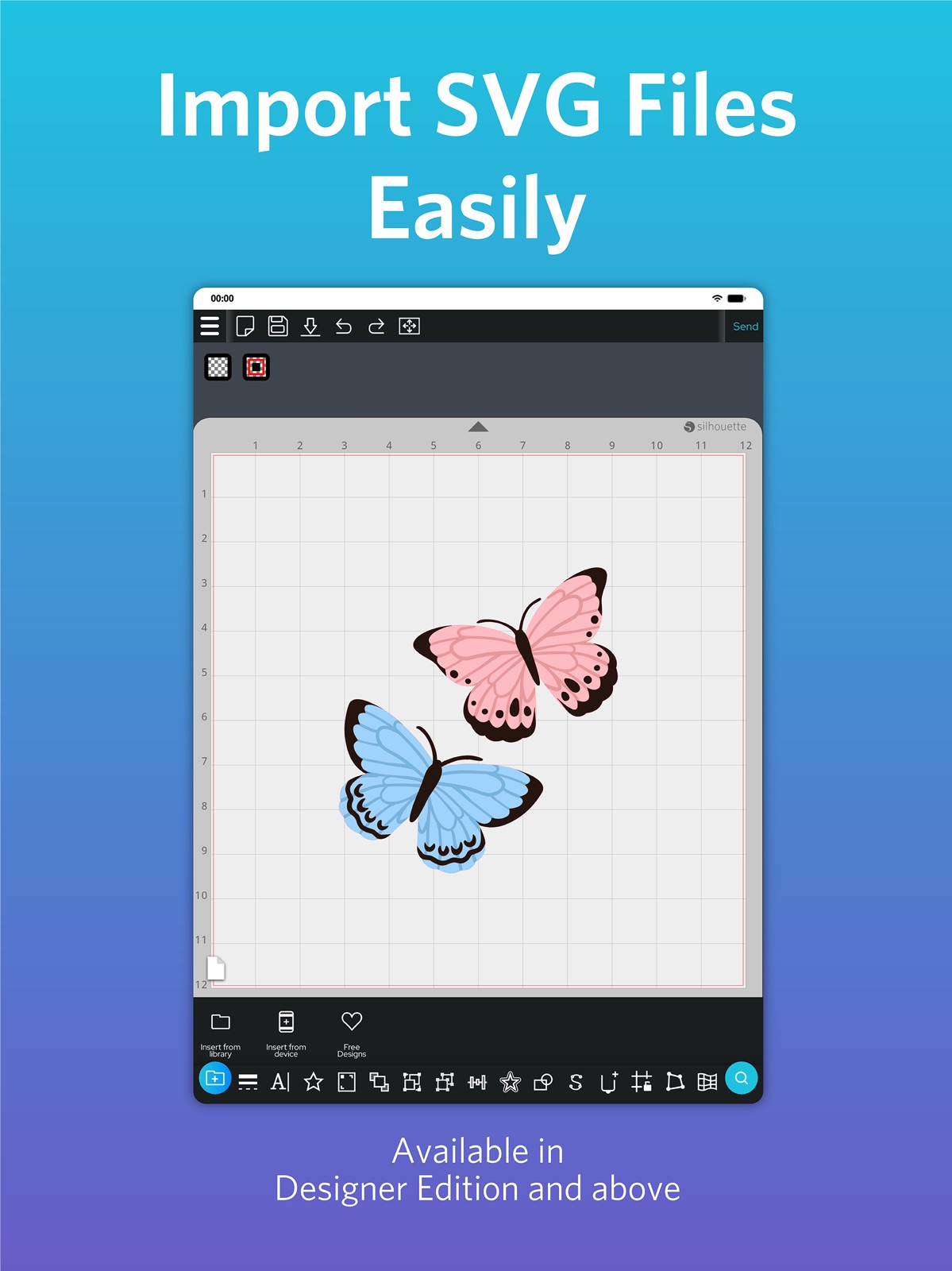
15 store screenshots



Pricing & paywalls
App Store
- Free to download
Ratings & reviews
App Store
-
3/5now is not in iPad-cant get in my MBP! and STILL YRS LATER!
IF I GET RID OF THIS APP-WILL THINGS WORK? -Why did studio get off my MAC NOW I DO NOT UNDERSTAND YOUR "research" YOU WOULD THINK A COMPANY WOULD SEND ALL THE CUSTOMERS A UPDATE? SET THE MESS STRAIGHT! its not a coincidence 2 devices break same time- CANNOT SIGN INTO SUPPORT-STORE-nor DESIGN STORE!let alone this app! are the snapshots on my mac? in My iCloud? Do they take up space? Because that would be Huge if a snap shot is just a list or images? I do not know how to gather my files in Library and put in my hard drive.... also why doesn't my silhouette studio business edition not have a # version to Business- as i see at top of others online tutorials? am I suppose to update the business and designer versions? I thought Silhouette America put our Lib in their cloud space? will YOU RESPOND-TOOK THIS OFF IPAD PRO- NOW ITS IN MY IPHONEPLEASE EXPLAIN... LETS SEE THE BOARD COMPLETELY SHORTED OUT- I HAD TO TAKE MY NEWER CAMEO APPART- SILHOUETTE DID NOT HELP-I COULD OF HAD A FIRE THAT BIG CHIP WAS "boiling"! WHO CARES? now I have no studio-I paid for Designer+Business edition's DO YOU HELP? are all the cameo 4s powerless except for that media sensor! I CANT TAKE IT IM 65 ITS 9-8-25
hostage by icloud · 31 Jul 2026
-
2/5Functionality Isn’t There
I have used Silhouette products for about ten years. I’ve always liked how easily I could design and cut things out using the full program, Silhouette Studio, so I thought I would try Silhouette Go for the iPad. It took me a good four hours to cut out a simple script font. I had to go back and forth from iPad to Mac to take the design I made, convert it to an SVG, upload it to the Silhouette Library directly, make cut lines, and then use the app to cut it (my Mac would not connect to my machine at the time). It was a very frustrating process. I really can’t see myself using my Silhouette much if I have to go from Mac to iPad all the time… I have regrets that I didn’t buy a cutting machine that had better cut programs with it. :( If developers are reading this - please consider adding the trace function to the app. That would have saved me an inordinate amount of time. The basic functionality of adding type/font would be nice too.
BandaidBetty222 · 31 Jul 2026
-
2/5Blurry
When I first got this app last Thursday everything was moving smoothly and the quality of my images/drawings were sharp and smooth! But the next day and now my quality is forever blurry. I have used photoshop to change DPI and image size, tested different kinds of art styles, uploaded other images, used different mobile devices( sadly don’t have a laptop ). But the results just gets worst. Another note for the photoshopping one. When I upload my images after editing to Silhouette it will look a bit different from the mat but after printing they are all the same and blurry. I use a hp printer envy 6055e, don’t really suspect anything is wrong since it works perfectly fine with printing. Many researching many videos after, nothing really solves this issue for Silhouette Go. Please send help.
Tiincaan · 31 Jul 2026
-
1/5Useless! Need an upgrade
This app helps me literally do nothing! This is not a very in-depth way to design and cut. I guess this app is basically just for designs that you want to purchase and cut from the app, because trying to design your own photos and files to cut, this is absolutely terrible. I thought the silhouette cameo was a high-end product which is why I purchased it, but this app is’s for a kindergartener. Silhouette if you are seeing this review, you need to do better! This app needs to be redesigned. It would be great if you can get all of the same features from the actual desktop program and fit it into the app. If you can fit all of those features in it I’m pretty sure all of us silhouette users wouldn’t mind paying a couple bucks for the app to get the whole program. Just food for thought. Also I paid for the whole business edition programming for my desktop so that would be nice for it to identify my account when signing in and give me all of those features.
All4u3 · 31 Jul 2026
-
1/5I prefer Silhouette, but Cricut App is way better!
I have always been pro Silhouette Cameo. I have the Business edition of Silhouette and I love it because I can use it to design files to use with my Glowforge Pro. Unfortunately, this app is useless. A lot of the time when I’m designing, I’m doing it on my iPad in the evenings while watching t.v. with my husband. I currently have to use Canva and Procreate since I can’t design in the Silhouette GO app. This app is pretty much useless for designing. Silhouette America you need to do better. I’ve always thought Silhouette Studio was way easier and more user-friendly than Cricut. But Cricut is light years ahead of you when it comes to their app and the design capabilities within the app. It’s 2022! You need to get with the program Silhouette America and design an app where designers can use your program to design svg files from anywhere and on any device. Your replies to comments keeps stating that you think people will like the new changes coming to the app. Well, when is that actually going to happen? You’ve been saying this for a while now. I don’t want to switch over to Cricut, but it’s almost as if you are forcing your long time loyal customers to do so. Please, please, please make an app that customers can actually design in that syncs to their accounts on their desktops. We would all appreciate that and remain loyal customers.
Mhughes1971 · 31 Jul 2026
Privacy & accessibility
App Store
Privacy
- Data Not Collected Developer declared
Accessibility
No accessibility labels collected yet.
Versions
App Store
- 1.0
-
1.0.805
This version contains the following changes: • Library cache can be cleared, may fix issues with syncing files. • Added Eject mat message • Tutorial Fingerprints no longer overlapping • Updated translations and fixes • Locked iOS display in Portrait mode (temporary fix, will be re-enabled in future versions) • Fix for 'How did it go' message • Updated blade names • Fixed rare crash when tapping merge button • Silhouette Go name is now displaying as 'Silhouette Go' & Unrestricted text removed • Selection handles now work for objects that have a 0 width or height • Prevented multiple executions of code when button is tapped • Improved 'Scan for devices' on iOS
-
1.0.808
Changes from v1.0.805 - Action preview Cut/Cut Edge/No cut now clears selection correctly
-
1.0.822
Changes: - Fixed library sync issues - Unlocked Landscape orientation for iPads - Fixed eject mat message when there's no mat - Hide unsupported materials - Prevented crash from selecting certain materials - Added acetate settings and others - Selecting objects is now more sensitive - Added missing language strings
-
1.0.836
Changes: - Intro screen text now scrolls - Fixed 'Rate this App' in Library menu on iOS - Updated Japanese language strings - Fixed Test & Cut when doing a Print & Cut - Designs are marked as 'seen' once opened - Fixed speed, offset and overcut for Portrait 3 - More responsive test cut arrows - Fix for truncation of filter buttons on iOS - Fixed sync of deleted/moved designs in the Library - Added show/hide of password in sign up page - Fixed crash on some iOS devices when loading thumbnails
-
1.0.850
Silhouette Go (iOS, v1.0.850) Changes: - Improved library selection - Test Cut improved on Cameo 4 Pro and Print & Cut - Improved webpage opening - Auto-sign into Design Store from SGo - No Designs Found message in Library - Improve refresh for arrange screen - Removed redundant pages - Prevent 2 designs being selected at the same time - Context menu displayed after refreshing library - Return to settings if reg marks fail - Small screens will scroll to access all buttons - Fixed filter/folders when merging
-
1.0.860
Silhouette Go (iOS v1.0.860) Changes - Updated Xamarin framework - Improved Sign Up buttons
-
1.0.863
Silhouette Go (iOS, v1.0.863) Changes: - Fixed SVG import incorrectly reading bounds
-
1.0.869
**Changes** - Design Store links now open inside the app - Fixed first thumbnail occasionally not shown, and similar issues with Library loading (iOS) - Fixed mixed French and German translations
-
1.0.905
Changes - Added language strings - Registration marks now change with custom media size - Custom media size can no longer be larger than the mat - 'Switch user' now reads 'Switch user or use offline'
-
1.0.928
Bug fixes: - Fixed designs not aligning to grid in app when compared to mat - Fixed Test Cut cutting off the media - Fixed extra lines with Test Cut
-
1.1.052
● NEW FEATURES Add Text using Local and Web Fonts, Trace from Camera or File, Save & Load .Studio3 files, and use Tool Holder 2 on your compatible machines! ● BUG FIXES Support for Cameo 5 and Portrait 4. Fixes to file opening issues, Smart Cut, cut alignment and stability.
-
1.1.056
- Fixes for stability and crashes - Fixes to cut settings - Fix to custom media sizing
-
1.1.061
• Fixed some curve types cutting as straight lines • Fixed iOS crash when using Download to Device • Fixed Download to Device dialogue not appearing on iPad • Fixed Library thumbnails not loading • Added CAMEO 5 and Portrait 4 firmware updates • Fixed 4 common crashes
-
1.1.068
Changes from v1.1.061: • Improvements to Print & Cut position • Fixed issue with Library thumbnails not showing in unfiltered view Known issues: Server issues with the Silhouette Library and Design Store sites may continue to affect the usage of Silhouette Go. Please bear with us while we work to resolve them.
-
1.1.069
• Fixed Library crash when attempting to save a new file • Updated calls to the Library server, to improve download reliability Improved Library access
-
1.1.070
Changes: • Fixed a crash occurring during file save • Implemented API updates to improve server communication
-
1.1.072
**Changes from v1.1.070** - Fixed iOS 18 support - Support for Cameo Pro MK-II - PLEASE NOTE 4-point reg marks are not yet implemented - Added support for the new Leather carving tool - Fixed reg mark reading issues for CURIO 2, CAMEO 5 & Letter - Fixed reg marks for CAMEO 5 series and Portrait 4 - Added new auto cross cut settings - Auto cross cut is now hidden when not supported - Updated cut border when no mat is selected - Updated app font - Updates to improve sending - Added a "use 100% scale" warning message when printing
-
1.1.076
Changes since 1.1.072: • Updated Cameo Pro MK-II support • Added IPT support for Cameo Pro MK-II • Added Auto Cross Cut for all Vinyl materials • Improved experience sending from Web to Go • Fixed a crash in Material Settings • Fixed Custom Media max width values • Fixed display of 15- and 24-inch mats • Translation updates
-
1.1.080
Changes since 1.1.076: • Added Cameo Pro MKII firmware 1.06 to Silhouette Go • Fixed a crash with blank text boxes • Fixed compatibility issues with Text imported from Web • Fixed an issue with font compatibility in Studio
-
1.1.082
Changes from v1.1.080: - Fixed a crash with text creation - Fixed sending from Silhouette Web via Go when Go already has a design open - Security updates
-
1.1.089
*Silhouette Go v1.1.089* Changes from v1.1.083: • Fixed an issue with Heat pen speed setting • Speed setting now works correctly with test cut • No longer sends an unnecessary blade alignment command during a test cut
-
1.2.055
● NEW FEATURES •New & Improved UI •Basic shapes and line styles added & enhanced •Modify and Offset added •Layers panel added for better control of complex designs •Warp tools, including improved Conical Warp previews •Speciality Tools panel now available •Expanded machine support, including Cameo 5, Cameo 5 Alpha, Cameo Pro MK-II, Curio 2, and Portrait 4 •Improved Test Cut & Matrix Test Cut workflows for easier setup •New firmware for supported machines •Improved file export options (availability varies by edition) ● BUG FIXES AND IMPROVEMENTS •Improved compatibility with the latest phone and tablet devices and OS updates •Fixed issues with Send workflow, test cuts, and job retries •Improved tool detection, machine connection, and firmware update behaviour •Resolved problems with cut lines and grouped designs •Fixed crashes and stability issues •Improved SVG, PNG, JPG, and PDF import/export •Better touch responsiveness, keyboard behaviour, and zoom handling •UI polish, translation fixes, and visual consistency improvements
-
1.2.071
CHANGES SINCE 1.2.055: • Fixed sending to Cameo 3 • Fixed a crash when app idle for a long time • Improved login reliability • Shear now works for text objects • Fix for cutting dashed lines • Improvements to test cutting • Fixed issue with emergency stop • Improvements to layers feature (Business Edition) • Improvements to JPG export (Business Edition) • Improvements to SVG import/export (Business Edition)
-
1.2.106
· 1 Jul 2026
CHANGES SINCE 1.2.071: • New feature: Conical warp • Improvements include updates to Library search and fonts, send/cut and reg mark workflows, translations and text display, permissions, Google Drive saving, text editing, tracing, undo, snapping, SVG import, QAT scrolling, firmware text, and other UI fixes for better stability and usability.
Alternatives
- Vector & SVG Maker - Assembly — Same category + similar ratings
- Cricut Design Space — Same category + similar ratings
Availability by market
- US
Data quality & evidence
- Page completeness
- Live store listing
- Last verified
- 31 Jul 2026
- Sources
- App Store
- Apoku editorial summary has not been published yet.