
Quick verdict
- What it is
- Store information collected; an Apoku editorial summary is not yet published.
- At a glance
-
- Free to download
- In-app purchases
Categories and search queries
Official categories
- Books
- Utilities
Apoku categories
Key functions
| Function | Availability | Access | Scope | Evidence |
|---|---|---|---|---|
| Free app | Yes | Free | Context-specific | Store published |
| In-app purchases | Yes | Limited free | Context-specific | Store published |
Screens
App Store
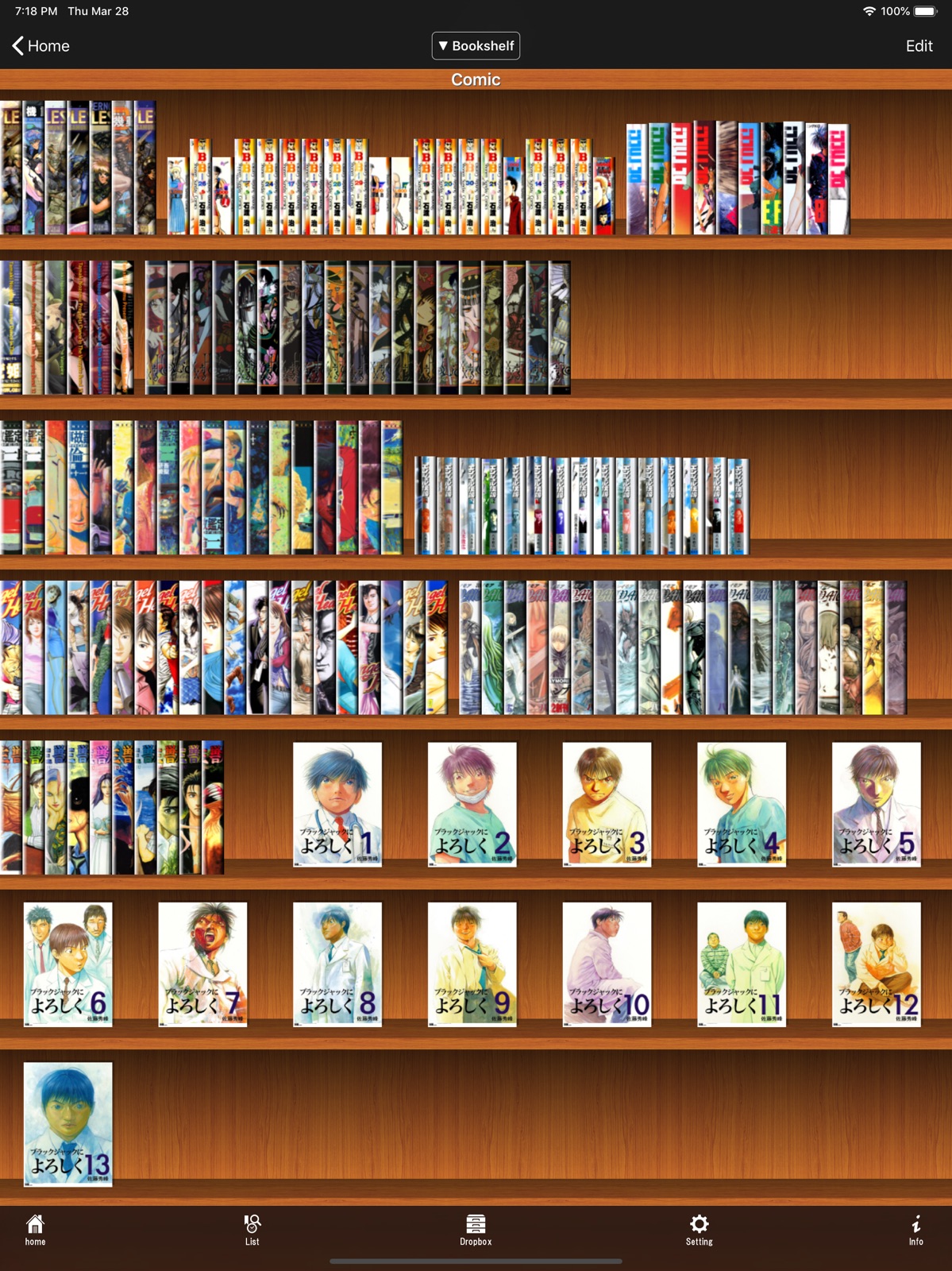
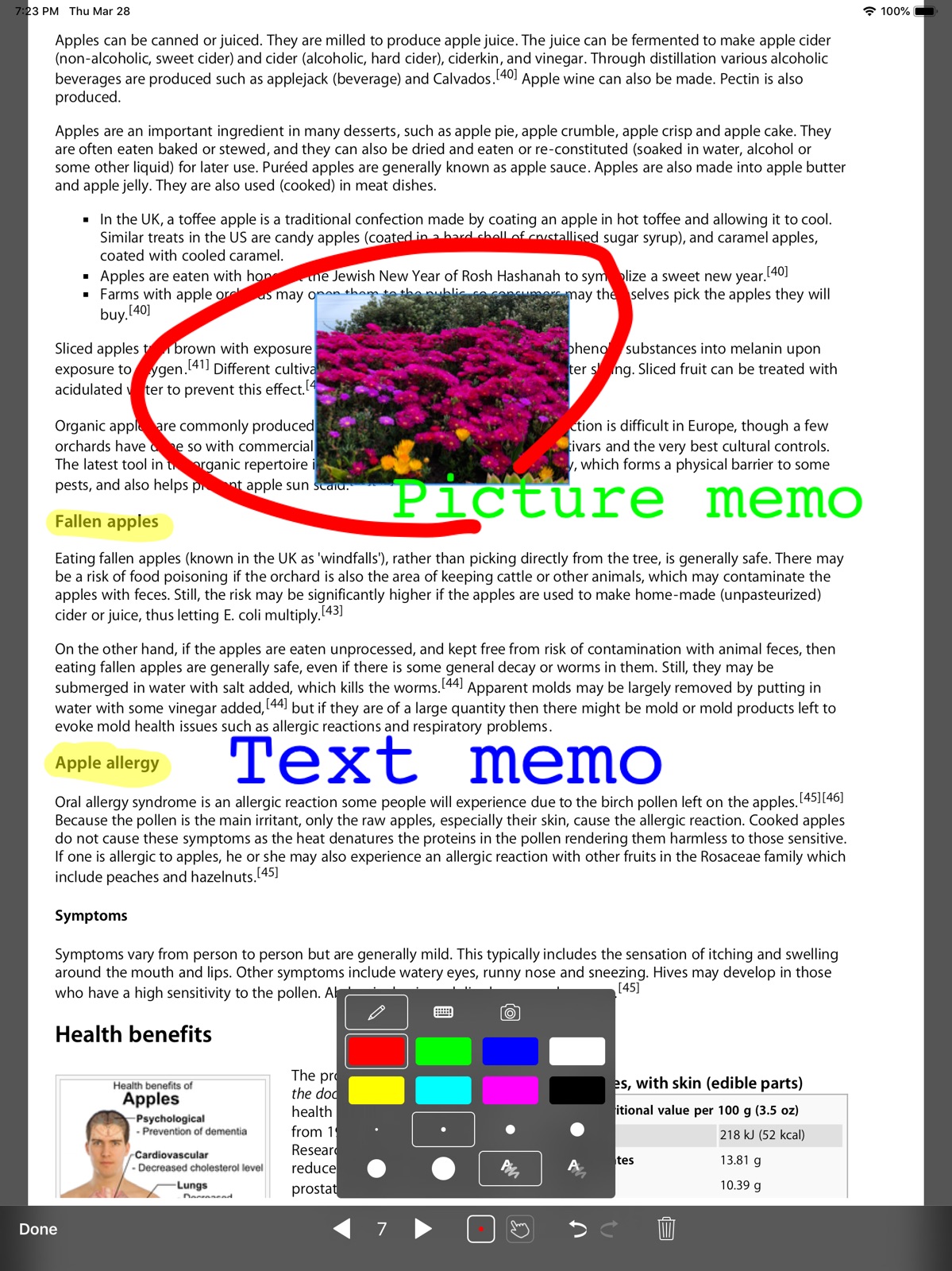
7 store screenshots

Pricing & paywalls
App Store
Shown for US
- Free to download
- In-app purchases
Ratings & reviews
App Store
Shown for US
-
5/5Best PDF Reader for my iPad Pro
I am an academic, so I do a lot of reading for work: journal articles, students’ papers, etc. Adobe and other PDF readers tend to only frustrate me, but SideBooks is incredibly useful and intuitive. Documents look great both in portrait and two-up landscape mode. It also supports text annotations, bookmarks, and highlighting, with plenty of options. You can have it decrease the margins to fit the pages better, and you can change how it shows the cover of the document on your bookshelf. The page turning is probably my favorite part. Most PDF readers turn the page if you tap the screen at all. That is really annoying and makes it very easy to lose your place when you’re studying and trying to make annotations. SideBooks requires you to drag from the side of the screen, and it uses a beautiful and smooth page-turning animation. This gives more of a feel of reading a tangible, physical text. Overall it’s very easy and smooth to use, but it has more flexibility than your average iPad app. All of this is free, with no ads either, but it’s so good I’d be willing to pay for it. The only thing it lacks that it could really use is a night mode. You can of course simply invert the screen colors using iPad’s accessibility features, but a night mode would work more smoothly. Nevertheless, this PDF reader is miles ahead of the competition.
coolfizzin · 31 Jul 2026
-
5/5Outstanding.
i’ve been looking for an app all night that had specific qualities. I was willing to lose out on a few features if it had the others but this app hit all my requirements to the T. It can open RAR, Zip. transfer from a cloud service or itunes file sharing. It can read right to left, up to down, and obv left to right. it has no ads, not a one. it has a pleasant book shelf and it will make the cover of the book the cover on the shelf. it doesn’t turn multiple pages just to let u change an option, instead you have to slide your finger halfway across the screen to turn and tap to pull up the options. if you’re looking for something to read your comics or manga on, i guarantee you this app is the one u want.
Abe T. · 31 Jul 2026
-
5/5My favorite ereader.
I looked for a long time to find an ereader that has all the benefits of digital reading and reads like a regular old book. I’ve used this app for a year and i love it. The only issues i’ve run into are when i’ve tried to read huge textbook pdfs (gray’s anatomy, principles of internal medicine, or principles of neural science [causes the app to crash], i put all my huge textbooks in kindle) but i’ve read all of my regular pdf medical school textbooks in this app and it has been a dream. Thanks!
grag · 31 Jul 2026
-
4/5Cool but can you add offline file manager on iphone?
I like this app, but you can add the iphone file browser? Just like that View—>iphone—>crhome(or any files page). You can add this in subscription. If you want this, of course. Because If someone wants to read some manga, then he must install the app, then register in it and also upload a book or manga to the cloud (if there is a slightly slow Internet, then it's generally tin) and only then can you read. And so with the help of a simple indication of the folder with manga, it will reduce the time twice. If you want to launch your app for everyone. Thanks if you read this, dear Developer With love your user
furry otchim228 · 31 Jul 2026
-
3/5Wish there was more
I love this app. There is nothing else that does what it does so well. But there are a few things I would wish for. One is better app support and FAQs in English. And I’m not sure what happened but the app updated or something and I lost the entire bookshelf and had to reload it book by book. There is no option to load an entire folder from Dropbox. And I hate that is the only way to get books to the app. Doesn’t work with any other cloud services. And I suppose with no competition they don’t have a reason to do more. It’s fine. I will continue to use it. Like I say. I love it. But I am still praying for my wish list.
Dima1967 · 31 Jul 2026
Privacy & accessibility
App Store
Privacy
- Data Not Collected Developer declared
Accessibility
No accessibility labels collected yet.
Versions
App Store
-
2.83.20
*Added a function to display/hide handwritten notes.
-
2.83.21
Due to a problem, we rolled back the update to ver2.83.20.
-
2.83.22
*Minor bug fixes.
-
2.83.23
*Minor bug fixes.
-
2.83.24
*Minor bug fixes.
-
2.83.25
*Minor bug fixes.
-
2.83.26
*Minor bug fixes.
-
2.83.27
*Minor bug fixes.
-
2.83.28
*Minor bug fixes.
-
2.84.0
*Minor bug fixes.
-
2.84.1
*Minor bug fixes.
-
2.85.0
*Minor bug fixes.
-
2.85.1
*Minor bug fixes.
-
2.86.0
*Added eraser function to handwritten memo editing function. *Minor bug fixes.
-
2.86.1
*Minor bug fixes.
-
2.87.0
*The operation palette for the memo function has been renewed. *Minor bug fixes.
-
2.87.1
*Minor bug fixes.
-
2.88.0
*Improved so that the font size of text memos can be changed later. *Minor bug fixes.
-
2.88.2
*Minor bug fixes.
-
2.88.3
*Minor bug fixes.
-
2.88.4
*Minor bug fixes.
-
2.89.0
*Minor bug fixes.
-
2.89.1
*Fixed an issue in iOS 26 where swiping left to right while browsing files would result in an action different from what the user intended.
-
2.89.2
*Readjusted the behavior of swiping left to right to go back to the previous screen while browsing files in iOS 26 environments.
-
2.90.0
· 26 Jul 2026
*Minor functional adjustments and bug fixes.
Alternatives
- Panels - Comic Reader — Same category + similar ratings
- PureLibro: eBook Reader — Same category + similar ratings
Availability by market
- US
Data quality & evidence
- Page completeness
- Live store listing
- Last verified
- 31 Jul 2026
- Sources
- App Store
- Apoku editorial summary has not been published yet.