
Quick verdict
- What it is
- Store information collected; independent summary not yet available.
- At a glance
-
- $2.99
- In-app purchases
Categories and search queries
Official categories
- Productivity
- Shopping
AppCorpus categories
Key functions
| Function | Availability | Access | Scope | Evidence |
|---|---|---|---|---|
| In-app purchases | Yes | Limited free | — | Store published |
Screens
App Store
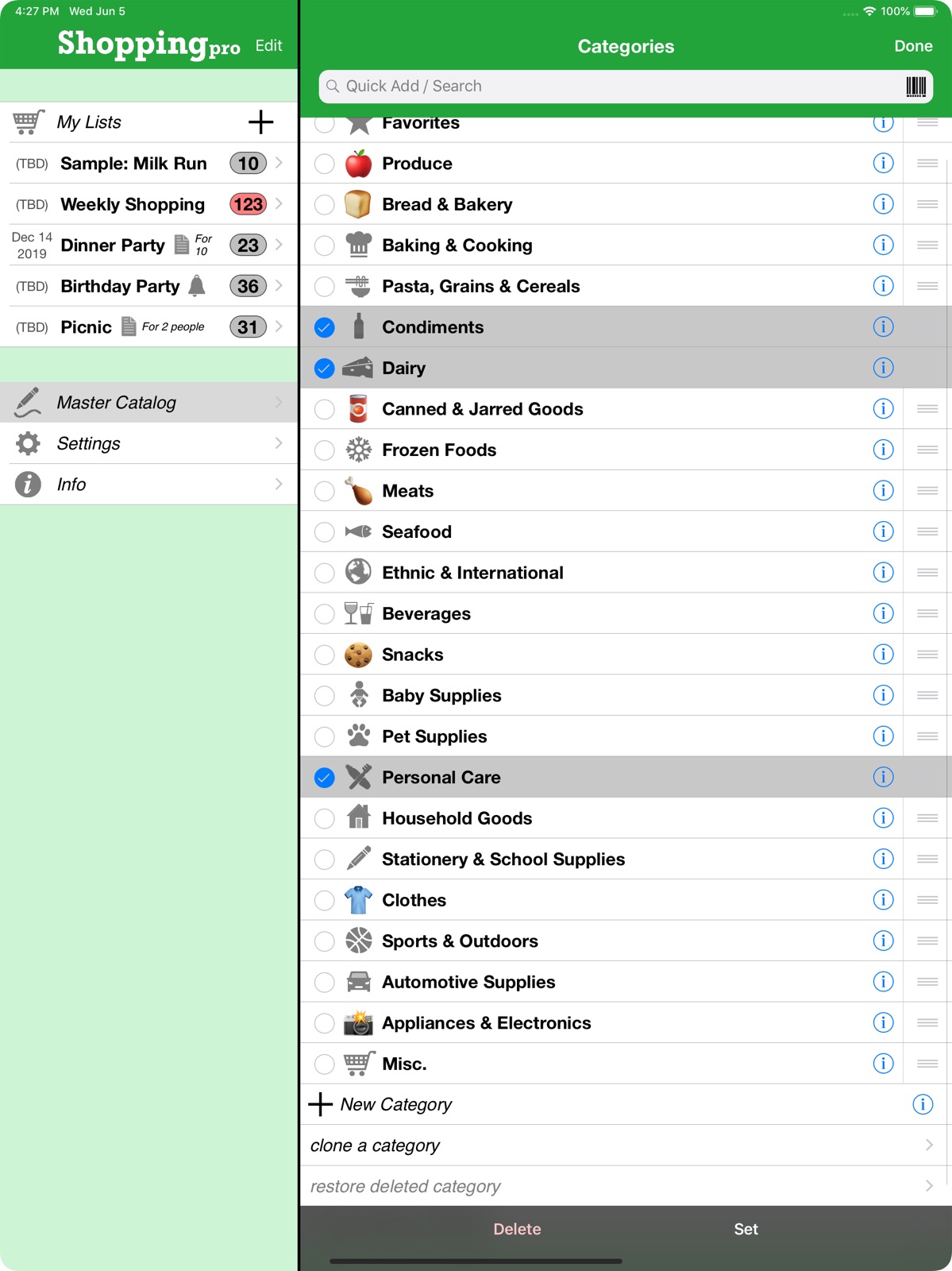
10 store screenshots



Pricing & paywalls
App Store
- Price: $2.99
- In-app purchases
Ratings & reviews
App Store
-
5/5Near perfect
I love this app!!!! It is exactly what I wanted and needed... it’s so easy to use. I set up my own lists for my favorites (only because I couldn’t figure how to favorite things-yet) and added the costs... copy and move to the active grocery list and reordering so the lists are alphabetical- critical for someone who is ocd on these things. Two things that make the PERFECT- when adding in your own item I should be able to add the item and all the detail I.e. price, etc in one motion, not have to do it in two or three steps. The other tag that would be super helpful is making things like fruits and veggies default to”sold by” pound and being able to set tax rates for categories. Michigan doesn’t lay a tax on food in a grocery store, but we do on goods and services, thus having two tax rates. Being able to set the food to 0 and other to 6%, would give this a PERFECT RATING... it syncs immediately over the cloud even if the devices are 50 miles apart... this is such a great thing, I can add to my list wherever I am and know it’s going to be there, because I don’t always take my iPad shopping... Love love love this app...
Sebastien15sm · 28 Jul 2026
-
5/5Now I'm a shopping "pro"
First got the packing pro and now the shopping pro, great pair. See my review under packing pro also. There is a slight learning curve as with all apps that are detailed but once you learn how to use it is a simple. I have learned that I can build separate shopping list and my time at the store Flows more smoothly, i.e. Aldi, Walmart, Kroger and Menards. This keeps me from jumping between list. I use the airdrop since it is easy and local and does not have to have Wifi or use your data. I will build my list on my iPad the airdrop it to my iPhone. I'm still working on transferring an item from one list to another list. Bottom lime, you can now shop like s "Pro" Update: live the new function that allows you to MOVE an item from one shopping list to another and to place it in the category you wish. So now I can move an item from my Aldi list to my Kroger list if I can not find it at Aldi. Love this new feature.
Randybill · 28 Jul 2026
-
5/5Absolutely the Best Out There
An update to my previous review. In these trying times this app is perfect for all of us who have “stocked up” and now want to make sure that we stay stocked up. Create lists of what you need and inventory the supplies that you have. Slight learning curve but way worth the little effort it takes to get up and running using the app(s) (My Previous Review is below) Both Shopping Pro and it's companion app Packing Pro are simply the best out for what they do. Max customization on how you can set them up. Organize your groceries, gear, clothes or whatever with what you need to buy on your device that you always have with you.
RZKC · 28 Jul 2026
-
5/5Really like this app
I really like this app. Use it all the time. Like that you can create master lists which I am starting to do with the regular price for each of the stores I shop at. Also like the ability to share the lists. One request would be a spot to add the store option to the list with the ability to sort by store so that you could have a sublist to shop from. Right now I place the prices for each store in the notes area which helps but can’t always see all the notes. Again creating a sublist within your list would save time. Another item to add would be a place to add isle location.
Beth Meier · 28 Jul 2026
-
5/5Just what I need
I love this app. I have been waiting to buy it for 5 years. I got back in to the grocery game. And decided to finally buy it. I love how I can make it my list for my store. And other stores. Or even a packing list with out the other app. I love the personal style. I love the pic so other people can see exactly what you want. And the price knowing before I go to the store. Even has everything pre inserted in the master list so you don’t have to add everything. If the list isn’t ready you won’t us it. I didn’t use it for maybe one month. After every grocery trip I would add to my list. And now it’s everything I need.
Cookingmom5 · 28 Jul 2026
Privacy & accessibility
App Store
Privacy
- Data Not Collected Developer declared
Accessibility
No accessibility labels collected yet.
Versions
App Store
- 1.0
-
1.1
HELPFUL IN-STORE SHOPPING IMPROVEMENTS: - Added a CHECKOUT feature with options to manage the list post-shopping - Added option to disable the device's auto-lock (to keep the list open & visible while shopping) - Added option to minimize or hide category headers on a list (to show more items on the screen, without having to scroll as much) OTHER GREAT ADDITIONS & FIXES: - Added FOUR MORE sample shopping lists (for a total of 8 now) - Email-export text list redesign, and option to filter by checked/unchecked/all - On iPad, NUMBER, UNIT & PRICE values now remain visible even while editing - Added more currencies, and ability to edit them as well - Reduced app file size - Fixed crashing bug when deleting last remaining section of a list - Fixed occasional bug when adding multiple items to a list - Fixed bug with moving/copying catalog items - Fixed auto-save bugs on several pages - Fixed occasional crashing bug when rotating iPad
-
1.2
- Lots of changes to support the new iOS 7 upgrade & design - AirPrint now supported — print from app straight to printer! - Print & email text formatting options for 1, 2 or 3 columns - Print & email text formatting now more closely matches app's chosen layout - Auto-reminder if all list items are hidden due to sort settings - Improved, more robust Smart Search
-
1.3
- COMPLETE DESIGN REVAMP FOR iOS 7 -- now cleaner & lighter! Check out 'Green Grocer' theme! - Enabled sub-unit, decimal precision to the item number value (a very popular request!) - Added list & cart price totals to email & printout - Made the auto-subtotal calculator for items more interactive - Added a grayscale & cell gradient selector to Customized Design - Improved contrast & legibility with themes & user designs - Added an extra layer of backup protection - Added option to purchase 10 new sample lists (see In-app Upgrades on the Info page) - Added option to purchase 12 new themes (*FREE* for owners of Packing Pro!) FIXES: - Made list category header opening & closing less sensitive for easier scrolling (thanks Nancy!) - Easier to scroll list & other pages when editing too - Fixed occasional crashing bug when editing list - Fixed error with ordering when adding multiple items to a list (thanks Andrew!) - Lots of other bug fixes & usability improvements
-
2.0
This is a MAJOR UPDATE with two new features that I (and many of you) have wanted to add for a long time. They’ve made the app twice as useful (or 1000x!): - **NEW** ADD IMAGES TO YOUR ITEMS! A picture is worth 1000 words! - **NEW** ADD ALERTS TO YOUR LISTS & ITEMS! And both work well with iCloud! Data protection & backup improvements: - Added a convenient ‘1-tap backup to email’ function w/ reminders - Fixed a bug affecting non-backed up data & device restoring - Added extra backup protection & recovery coding - Reduced size of data files to save space & speed up launch times & iCloud syncing Other additions & fixes: - Added reminders for missed alerts - Added note & image icons to Master Catalog items, and image & alert icons to list items - Now, reorder all your list categories in one go - Made the Checkout button a bit bigger & easier to tap - Fixed a bug affecting adding new units (thanks, Pierre!) - Fixed a rare start-up crashing bug - Fixed a bug that kept asking for reviews in some cases (sorry!) - Fixed a bug that in some cases prevented full editing due to locked scrolling (thanks, Keri!) - Fixed a broken link to ‘Gift This App’
-
2.1
This update is all about iOS 8 and the two new iPhones. I’ve optimized the layout to take advantage of all the extra screen space on the iPhone 6 & iPhone 6 Plus. In addition, I’ve: - Fixed a sticky-scrolling bug on several pages - Fixed a swipe-to-delete bug on the shopping list page - Tweaked various functions to work well with iOS 6, 7 and 8 - Made improvements to iCloud auto-sync’s stability & error-catching abilities - Made my Packing Pro app available via Apple’s new ‘Complete your Bundle’ promo for only an extra $0.99 (vs full price of $2.99) I’m very sorry if these bugs caused you any frustration, and thanks for pointing them out to me.
-
2.2
- Added ‘Management’ section to Settings for Alerts & Photos - Fixed alert/notification & badge bug in iOS 8 - Added extra icons for list & catalog categories (thanks for all the suggestions!) - Added easier access to app permissions in Settings - Added full support for 64-bit iOS devices - Improved support for iPhone 6 and iPhone 6 Plus - Improved iCloud auto-sync, though it's still recommended NOT to EDIT content on more than one device at the same time (viewing is OK) Also, for iCloud auto-sync users on iOS 8, in case you haven’t done so yet, please upgrade your device to iCloud Drive.
-
3.0
LOTS of enhancements in this MAJOR update: - ** Data transfer (NEW): Added new options for WIRELESS SHARING via AirDrop, Dropbox, Box & iCloud Drive (min iOS 8+) - ** List item (NEW): Added PRIORITY attribute, with checkbox indications on list page - ** BARCODES! (NEW): Scan, save & search (in app; min iOS 8+) - ** List (NEW): Added layout option to DISPLAY & PREVIEW ITEM IMAGES directly on list page - Design tweaks: Improved readability in popup toolbars & other minor adjustments - List dates (NEW): Added button to reset date back to ‘(TBD)’ - CSV - Improvement & expansion of CSV file import, export & editing, while maintaining backward compatibility Also, for iCloud auto-sync users on iOS 8, in case you haven’t done so yet, please upgrade ALL of your devices to iCloud Drive. Thanks, too, for all your feedback & support, and stay tuned for more updates!
-
3.1
There are several important additions & improvements in this update. Building on the last update: - Added ability to SORT by PRIORITY - Added ability to MULTI-SELECT and SET the PRIORITY value for several items at once Here’s something I’ve wanted to add for a long time: - LIST CATEGORY MULTI-SELECT — speeds up & simplifies list editing And more: - Fixed issue with adding items to empty list categories - Made improvements to Voice Over accessibility support FYI, this may be my last version to support iOS 6 and 7, so please upgrade all your devices to the latest iOS, if you’re able. Also, if you’re using iCloud auto-sync on iOS 8 or 9, please upgrade ALL of your devices to iCloud Drive (in case you haven't done so already). Thanks for all your feedback & support, and stay tuned for more updates!
-
3.2
- New function: Add List/Recipe to List — great for adding mini-lists or recipe ingredients into your shopping list - Full-display support for iPad Pro - Added social media support for Sina Weibo & Tencent Weibo - Various layout & bug fixes - Added a Tip Jar Thanks for all your feedback & support, and stay tuned for more updates!
-
4.0
This major update (on the heels of sister-app Packing Pro’s 7th anniversary) includes a big overhaul of the app’s backend coding — over 20,000 lines have been updated or rewritten. Support has been dropped for iOS 6 & 7, but devices on iOS 8 & 9 now function much more smoothly. Once again, as always, this is a totally free update. HUGE changes that improve editing & list-making organization & efficiency: - You can now SMART SEARCH / QUICK ADD on all Master Catalog pages - List page search is also improved - plus, it’s come out of hiding! - SORT option added to each level of the Master Catalog - New function to capitalize or uncapitalize Master Catalog types & items - Extra options for ‘Add List/Recipe to List’ function Other nice improvements: - Tap page title to quickly scroll back to top, and to SEARCH on list & catalog pages - Save multi-line notes for lists & items - More robust iCloud Drive auto-syncing - Smoother rotations & animations - Fixed some long-standing layout & transition issues - Added extra space for editing on iPhones - Added extra assistance for app badge settings - Fixed a badge bug that sometimes showed a number of remaining items, even when list was empty (thanks Johann!) - Fixed bug that ignored ‘Disable Auto-lock’ setting on later re-launch - Fixed some web-connection bugs Since so many things were changed with this update, if you encounter any bugs, please let me know (and be patient & understanding). Thanks for all your feedback & support, and stay tuned for more updates!
-
4.1
This update expands on a few existing features: - Now able to multi-select & SET item attributes in whole types & categories in Master Catalog - List & Catalog SEARCH now also looks for matches in item NOTES - Now able to UN-SET the current list - Fixed several iOS 10 bugs Thanks for all your feedback & support, and stay tuned for more updates!
-
4.2
This update adds lots of nice, powerful, flexible features for content management: - Individual LIST CATEGORIES can now be IMPORTED & EXPORTED via email, AirDrop, iTunes, Dropbox, Box & iCloud Drive - Great for creating modular lists - Now there’s an option to MERGE matching imported content, such as lists, list categories, catalog categories & Master Catalog - New methods to import & export CSV-format content - Fixed several iOS 10 bugs Thanks for all your feedback & support, and stay tuned for more updates!
-
4.3
This update fixes a few iOS 10 and iOS 11 related issues: - Fixed occasional crash when adding new items to a list - Fixed occasional crash when using ‘Quick Add / Search’ - Fixed hidden ‘Master Catalog’ search option layout issue - Now, using iOS 11, search bars remain visible at top of page even when scrolling - Made layout changes to support iPhone X Thanks for all your feedback & support, and stay tuned for more updates!
-
4.3.1
This 4.3.1 mini-update fixes a layout bug on iPad Pro 10.5”. The bigger 4.3 update fixes a few other iOS 10 and iOS 11 related issues: - Fixed occasional crash when adding new items to a list - Fixed occasional crash when using ‘Quick Add / Search’ - Fixed hidden ‘Master Catalog’ search option layout issue - Now, using iOS 11, search bars remain visible at top of page even when scrolling Thanks for all your feedback & support, and stay tuned for more updates!
-
4.4
Have a very EMOJI Christmas with Shopping Pro! Now, you can choose any standard emoji in place of an icon for categories to add some extra color & personality to your lists. Other fixes and enhancements include: - Greatly improved Active Filter reminder, with new reset/clear button - Optimized layout for iPhone X - Fixed a nasty bug that in some cases would crash the app when searching or adding items to a list (thanks, Karen!) - Fixed bug that displayed long text strings incredibly small - Fixed an iOS 11.2 issue with invisible text in search bar (thanks, Judy, Isaac & Steve!) Thanks for all your feedback & support, and stay tuned for more updates!
-
5.0
This big summer update contains a bunch of nice new features: - Option to auto-sort lists by date (opt-in on Settings page) - Ability to copy/move items between lists - Option to mark your catalog types with icons or emojis (more emojis!) - Fixed a few bugs and design issues Thanks for all your feedback & support, and stay tuned for more updates!
-
5.1
This update contains a bunch of nice new list-editing features: - Option to move/copy list items to a new list category (vs just an existing one) - Option to duplicate an existing list item when searching via List or Master Catalog (previously only possible via Direct Entry and Pick from Catalog methods) - Added a reminder to set an alert when creating new lists - Fixed a few bugs and design issues Thanks for all your feedback & support, and stay tuned for more updates!
-
5.2
- Made some design changes on shopping list page - Fixed a few bugs and layout issues Thanks for all your feedback & support, and stay tuned for more updates!
-
5.2.1
Quick bug fix relating to item photos and toolbars (thanks for pointing this out, Stephen and Ken!). Recent 5.2 update includes: - Made some design changes on shopping list page - Fixed a few bugs and layout issues Thanks for all your feedback & support, and stay tuned for more updates!
-
5.3
Updated for iOS 13: - Fixed an auto-correction bug in search that caused crashes - Fixed color/contrast issues with search bar - Updated colors & layout for new iOS 13 design - Fixed a few bugs and layout issues Thanks for all your feedback & support, and stay tuned for more updates!
-
5.3.1
- Fixed a few iOS 13 bugs and layout issues Thanks for all your feedback & support, and stay tuned for more updates!
-
5.4
- Now, when initially installed, the list layout defaults to displaying item images, if any. This can be set or unset in Settings-->Customized Design. - Fixed a few iOS 14 bugs and layout issues Thanks for all your feedback & support, and stay tuned for more updates!
-
5.5
· 25 May 2022
- Fixed a few bugs and layout issues Thanks for all your feedback & support, and stay tuned for more updates!
Alternatives
- Grocery Gadget — Same category + similar ratings
- SIMPLE Shopping List + To Do — Same category + similar ratings
Availability by market
- US
Data quality & evidence
- Page completeness
- Live store listing
- Last verified
- 28 Jul 2026
- Sources
- App Store
- Independent summary has not been published yet.