
Quick verdict
- What it is
- Store information collected; independent summary not yet available.
- At a glance
-
- $1.99
Categories and search queries
Official categories
- Productivity
- Lifestyle
AppCorpus categories
Key functions
| Function | Availability | Access | Scope | Evidence |
|---|---|---|---|---|
| Family Sharing | Yes | Unknown | App Store | Store published |
Screens
App Store
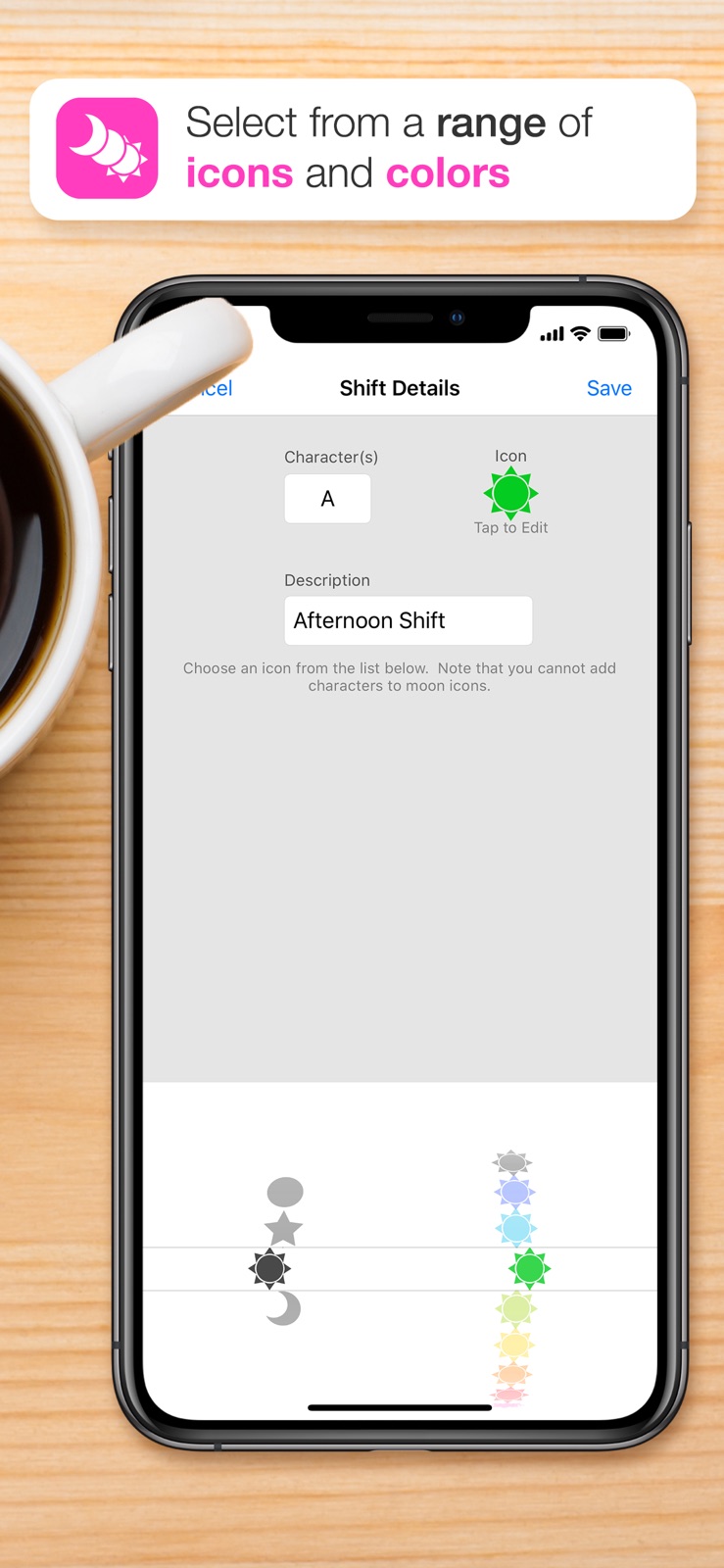
6 store screenshots



Pricing & paywalls
App Store
Shown for US
- Price: $1.99
Ratings & reviews
App Store
Shown for US
-
4/5Notes only one line
I love this app and use it all of the time but ever since the most recent update version 1.6.2, 3 weeks ago that increased the font size of the notes in calendar and edit display, my notes will only show one line instead of two in Calendar Display. I have to go to “Edit” mode to read my notes and worry I’ll miss an appointment. I have an iPhone 7+ and would think that’s a large enough screen for the previous two lines of Note display. Please correct this.
Bethbroc · 5 Aug 2026
-
2/5Frustrating
I’ve messaged the developers of the app, I’ve also messaged through apple customer service, nothing gets through. You cannot write a note/comment on a day without the app crashing immediately. I can add a shift no problem but when you click on note, then select a day to write a note on then click to enter text, the app immediately crashes. I’ve been using shift worker app for years. But this bug is beyond frustrating. And the fact that I’ve tried to reach out so many times with no help tells me the developers don’t care about the app anymore either. So I’ll move on to another one.
Penn09 · 5 Aug 2026
-
4/5Needs Added Feature
First off, love the APP. Been using for years. Only qualm I have is I’m still constantly shuffling between two different calendars. We need a way to somehow export this apps events to Apples calendar or the other way around. If you could add a feature to import our existing calendars events on here or the other way around it would be the ultimate. Love the visual aids and customizable setup cause we work some wildly varying hours, just need to easily combine both calendars. Thanks
Copenlager · 5 Aug 2026
-
3/5Limited space
I have been using this app for years, and I used to love it. Since 2019. I have all the appts the shifts I worked and at some point was very useful. Now it doesn’t work anymore. I can mark the days I’m busy but doesn’t allow me anymore to write on it. I don’t want to delete old information. I could do that so I could cont to add more but that’s not the idea. I have important info that I want to have there still. This is why I give it 3 starts. It would be great if they cont to improve like adding more space.
BBP1072 · 5 Aug 2026
-
4/5Useful, but could be better
My husband is a shift worker, and we use this app to keep track of his schedule. It has been very handy, but it would be SO much better if you could (1) link the app to other calendars like the iPhone calendar, and (2) link the account among family members so the app will automatically update on my phone when my husband updates his schedule on his phone to reflect overtime or a shift swap. Other than that, it’s great!!
Legends and Lies · 5 Aug 2026
Privacy & accessibility
App Store
Privacy
- Data Not Collected Developer declared
Accessibility
No accessibility labels collected yet.
Versions
App Store
- 1.0
-
1.1
Thanks to everyone for their feedback, many of your suggestions have been added to this update or will be incorporated into the next version. Thanks also for your support! * New week number tabs - each week can now display alternating week 1/2, 2/1 or week of the year. These can be accessed via the "Options" menu. * The calendar is now refreshed immediately after changing shift types or clearing shifts/notes * You can now add up to 3 characters/letters to represent a shift * Shift times can now be created up to the minute (e.g. 4:23 PM) * Some minor bug fixes
-
1.1.1
* Improved some UI elements * Calendar now refreshes automatically after changing or removing shifts/notes * Fixed an issue with week number display in certain regions Keep your suggestions coming :)
-
1.2
* New "Time" view - You can now select between icons and time. Time view will display your shifts within the time period they occur (very useful for night shifts!) * New "Goto" button - Tap this button to jump to another month (thanks to everyone who suggested this) * New Shift Preview tab - Displays detailed information about the shift during edit mode (thanks again for your suggestions) * Added a loading indicator when calendar refreshes or changes between icons and time view * Characters within shift icons are now easier to read * Moved some UI elements around to allow for increased functionality ("Manage Shifts" is now accessed via the "Settings" area for example) * Calendar now maintains the selected month on refresh rather than reverting back to today's month * Some further minor bug fixes Lots more suggested features on the way :)
-
1.3
* Added "Start of Week" setting to display the calendar as Sunday or Monday start * Added new Social options in the Settings area - Tell a Friend, Write a Review, and Feedback & Support * Fixed a bug where green shifts would not display in "time" view
-
1.3.1
* Hot fix to correct an issue with date format when default "Start of Week" setting is used in the United States and Canada
-
1.3.2
* Added a legend when emailing your shifts (Repeat shifts are coming soon) :)
-
1.4
* Shift Rotation option added! * Start of week can now be set to any day of the week * iOS 4.0 compatible with multitasking * Retina display update for icons, buttons, switches and toggles * Added moon icons for those unfortunate enough to work night shifts * New icon and logo * Bug fix for email legend not showing all shifts * Bug fix on help menu and feedback menu * Share on Twitter and Facebook (thanks for helping spread the word!) * Many bugs squashed Thanks again for your feedback and support! Why not follow Shift Worker on Twitter? @shiftworkerapp
-
1.4.1
1.4.1 * Fixed a bug where "today" would not update when resuming Shift Worker after the date had changed * Fixed a bug when adding rotations to the calendar in specific regions and time formats * Clarified the shift rotations length picker 1.4 * Shift Rotation option added! * Start of week can now be set to any day of the week * iOS 4.0 compatible with multitasking * Retina display update for icons, buttons, switches and toggles * Added moon icons for those unfortunate enough to work night shifts * New icon and logo * Bug fix for email legend not showing all shifts * Bug fix on help menu and feedback menu * Share on Twitter and Facebook (thanks for helping spread the word!) * Many bugs squashed Thanks again for your feedback and support! Why not follow Shift Worker on Twitter? @shiftworkerapp
-
1.4.2
Thanks all for your support! Larger updates are on the way, please visit the Facebook fan page for more discussion and feedback: http://facebook.com/shiftworker CHANGES in 1.4.2: * You can now edit notes without deleting them first * Goto menu enhanced with better month/year selections * You can now share shifts on Facebook and Twitter * A new MMS option has been added * Shared copies of the calendar are now higher quality (matching retina display) * Fixed an issue with time view * Tweaked app icon a little NOTE: If you have trouble opening Shift Worker after updating, please restart your device first.
-
1.4.3
Thanks all for your support! Please visit the Facebook page for more discussion and feedback: http://facebook.com/shiftworker CHANGES in 1.4.3: • iPhone 5 and iOS 6 compatibility • Increased rotation calendar application to 2 years • 12/24 hour clock should now default to iPhone's settings • Fixed occasional crash when emailing shifts • Fixed crash on shift delete • Modified icon and loading screen slightly • Tweaked Shift and Note images • Fixed Goto date picker position • Fixed Rotation picker position • Fixed Icon selector picker position • Fixed Note display issue with iOS 6 • Fixed an issue switching between Icon and Time view in IOS 6 • Fixed background issues with iOS 6
-
1.4.4
* Fixed bugs related to Twitter and Facebook sharing * Fixes in preparation for a large update on the way!
-
1.4.5
* Fixed issue for devices running iOS versions below 6.0
-
1.5
A BIG update in this version! - A NEW INTERFACE designed around the latest iOS - SHARE your entire calendar data, including notes, with other Shift Worker users - Create MULTIPLE CALENDARS for friends and family shifts using custom COLORS - BACKUP function to export your shifts - Full MESSAGE/MMS support without the need for saving to the background - SWIPE to change months - Save to background now includes a larger black border to prevent a zoomed image when saving to background - Lots of other BUG FIXES and overall USABILITY improvements Thanks for all your support!
-
1.5.1
Based on your valuable user feedback on version 1.5, visual changes have been made! - Vertical gridlines have returned - Icons have been modified for more "depth" - Classic note styles have returned - Other minor adjustments The BIG 1.5 UPDATE: - A NEW INTERFACE designed around the latest iOS - SHARE your entire calendar data, including notes, with other Shift Worker users - Create MULTIPLE CALENDARS for friends and family shifts using custom COLORS - BACKUP function to export your shifts - Full MESSAGE/MMS support without the need for saving to the background - SWIPE to change months - Save to background now includes a larger black border to prevent a zoomed image when saving to background - Lots of other BUG FIXES and overall USABILITY improvements Thanks for all your support!
-
1.5.2
This release fixes an issue with selecting the end date when adding rotations to the calendar. --- The BIG 1.5 UPDATE: - A NEW INTERFACE designed around the latest iOS - SHARE your entire calendar data, including notes, with other Shift Worker users - Create MULTIPLE CALENDARS for friends and family shifts using custom COLORS - BACKUP function to export your shifts - Full MESSAGE/MMS support without the need for saving to the background - SWIPE to change months - Save to background now includes a larger black border to prevent a zoomed image when saving to background - Lots of other BUG FIXES and overall USABILITY improvements Thanks for all your support!
-
1.5.3
- Fixed some future compatibility issues
-
1.5.4
- Fixed a crash issue when changing a shift icon - Fixed an issue with the calendar rotating to landscape mode
-
1.6
- Support for large iPhone sizes with high resolution graphics and icons - Added new options for exporting and sharing shifts - Increased character limit for notes - Added haptic feedback when adding shifts to the calendar - Fixed online help - Fixed mail error popup - Fixed various scaling issues - Lots of minor bug fixes
-
1.6.1
- Fixed display issues when dark mode is enabled
-
1.6.2
- Increased size of notes in editor and calendar display
-
1.6.4
- Fixed crash when adding and editing notes - Updated app to conform to iOS 26 design - Minor fixes and improvements
-
1.6.5
- Fixed crash when editing rotation
-
1.6.6
· 4 Oct 2025
- fixed email view for earlier IOS versions
Alternatives
- Supershift Work Shift Calendar — Same category + similar ratings
Availability by market
- US
Data quality & evidence
- Page completeness
- Live store listing
- Last verified
- 5 Aug 2026
- Sources
- App Store
- Independent summary has not been published yet.