
Quick verdict
- What it is
- Store information collected; independent summary not yet available.
- At a glance
-
- $0.99
- In-app purchases
Categories and search queries
Official categories
- Business
- Productivity
AppCorpus categories
Key functions
| Function | Availability | Access | Scope | Evidence |
|---|---|---|---|---|
| In-app purchases | Yes | Limited free | — | Store published |
Screens
App Store
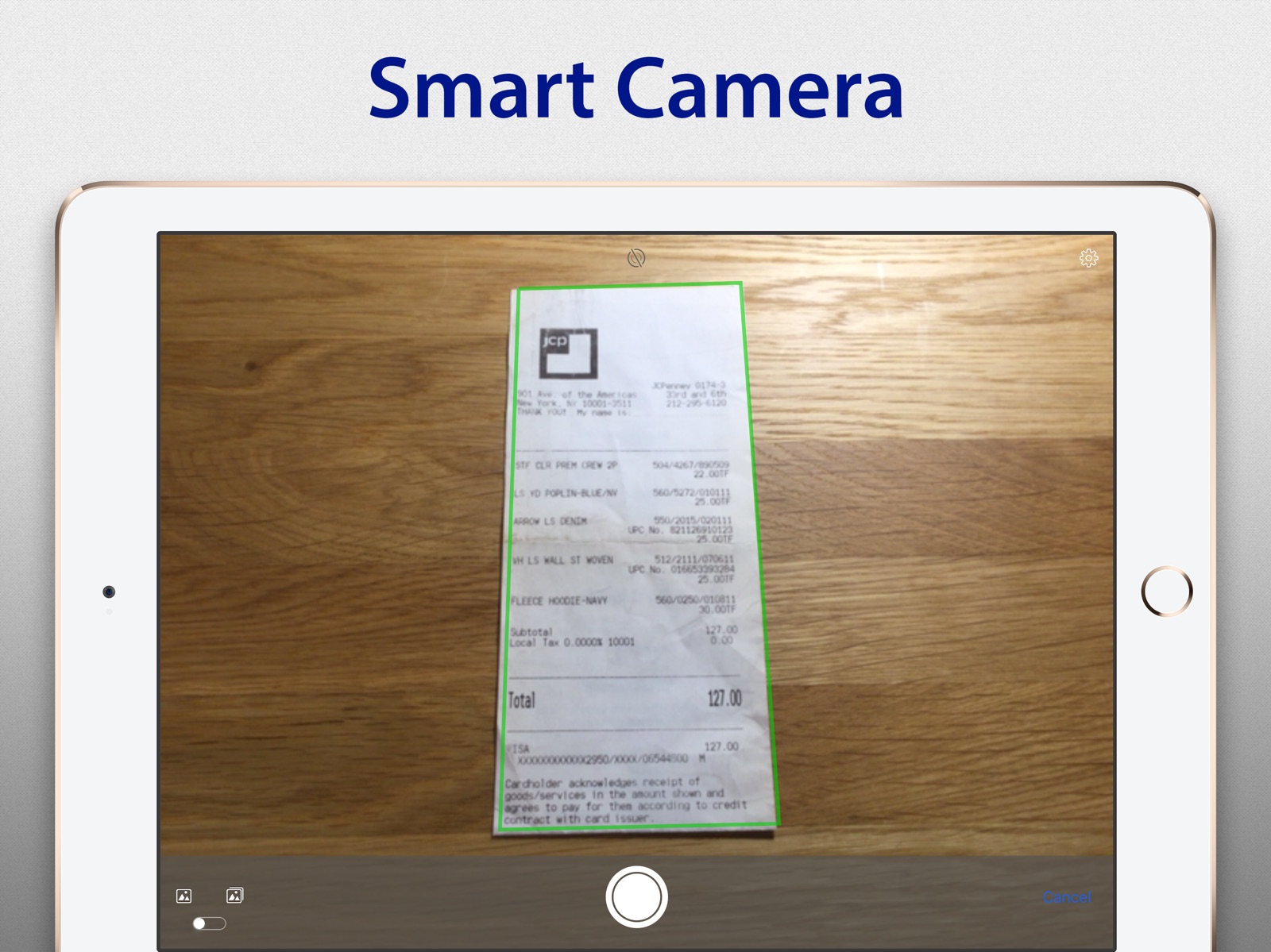
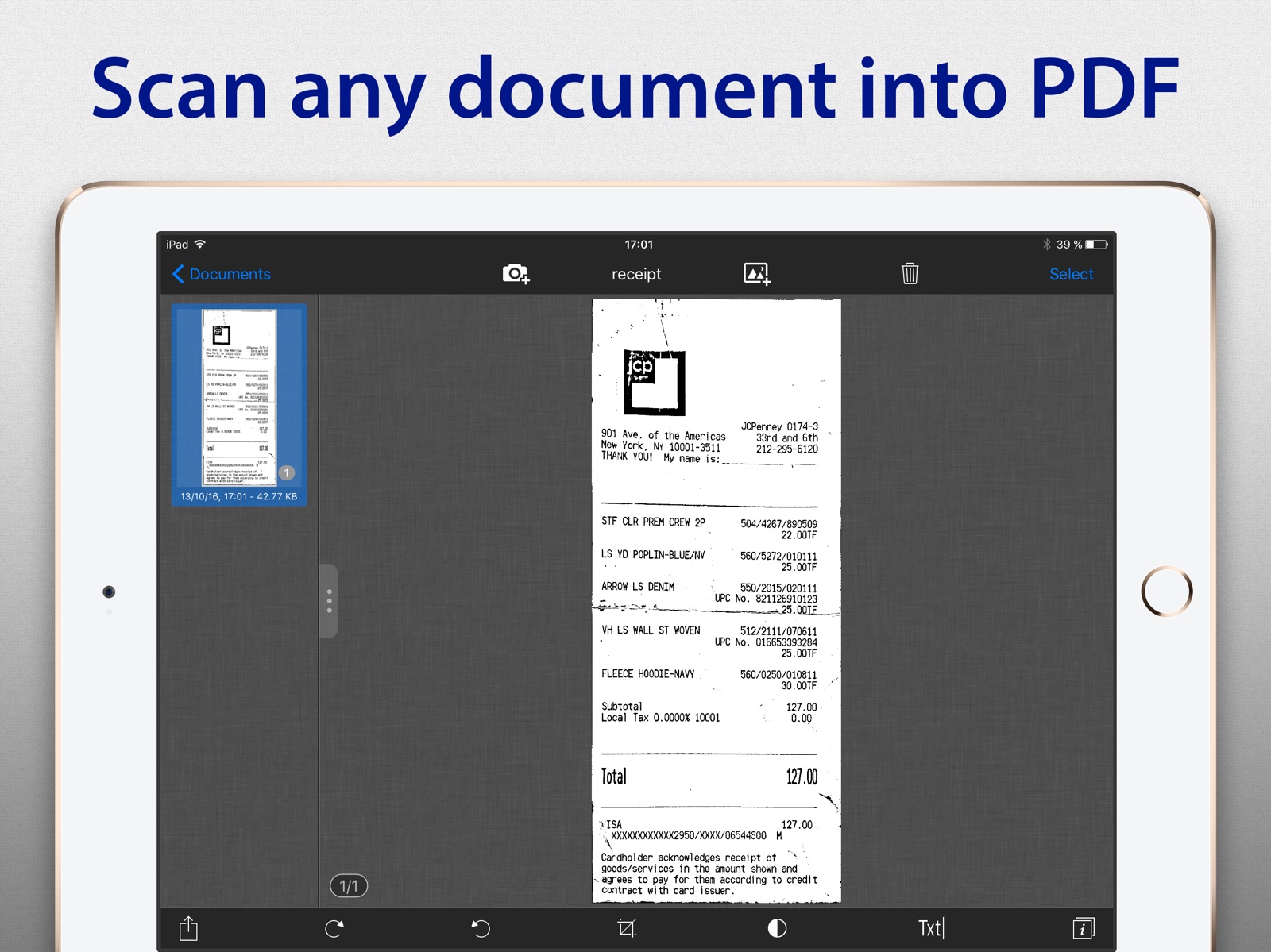
15 store screenshots

Pricing & paywalls
App Store
- Price: $0.99
- Recognize (OCR) & share text in 50+ languages — $2.99
Ratings & reviews
App Store
-
4/5Great except for border detection
I have several of these type of apps and this has been the one I use the most. Not only will it scan documents, you can also use it to do clean captures of white boards. OCR is hit or miss but when it works it is a huge time saver. Options for where to send scans are plentiful. There are only two complaints. Often I need to manually set borders on scanned documents - not hard but an extra step. The other issue is please stop harassing me to rate the app. I have used this to scan pages and whole book chapters. It’s an essential tool.
hal2k · 6 Aug 2026
-
3/5Nice app
Simple to use & works well for my needs. I usually have to define the boarders after a scan. Biggest complaint/issue is the constant requests to rate the app. Even after numerous times telling it that I did not wish to post a review. And even continues to pop up after posting a review & also rating it. I’ll keep using it for now until I find something that doesn’t prod me every time I open the app.
TomSexton · 6 Aug 2026
-
5/5simply the best
I've tried many scanning apps, this is by far the best. SharpScan is the most easiest to use, modify, and share your docs. one tiny thing that I didn't find out how to link my MEGA-share account since i use it more then other clouds services. I hope the developers will add the MEGA-share to SharpScan app. thank you developers
5am!r · 6 Aug 2026
-
5/5My go-to app for scanning text!
Man! It’s very nice when something just works. I just scanned a major recipe and placed the three scans into AnyList to shop it. The text recognition is excellent! A few minor tweaks to remove CRs and an hour of typing saved! Fabulous whenever I’ve needed it. Buy.
snorkfire · 6 Aug 2026
-
5/5Love this. Scanning on the go!
I work from home. I use this app daily. It auto crops pretty terribly. But nothing I can’t adjust! I recommend this app all the time. I receive documents from people all the time in jpeg format and this app allows me to upload and crop accordingly.
pettijohnjj · 6 Aug 2026
Privacy & accessibility
App Store
Privacy
- No Details Provided Developer declared
Accessibility
No accessibility labels collected yet.
Versions
App Store
- 1.0
-
1.1
- New feature: Camera stabilization could be switched off even after shooting been started. - Improved quality of document automatic boundary detection and cropping (SmartCrop). - Fixed camera stabilization in batch shooting mode. - Minor bugs fixed.
-
1.2
* Improvements in document boundary detection. * Social networks (Twitter & Facebook) interaction drastically improved. * Sharing dialogue been improved. Now it saves the last choice - document could be shared in one tap. * Product renamed to "SharpScan Pro". - Fixed «Open In» bug. Thanks to «Scan addict» for the tip. Please report bugs and suggestions to our support - this will reduce our response time substantially! Stay tuned for more features and updates! *** Please don't forget to rate our application ***
-
1.3
- New feature: Native DropBox support. Multi document upload now possible right from application. - New languages support: Arabian, Chinese (simplified), French, German, Italian, Japanese, Korean, Portugal, Russian, Spanish Stay tuned for more features and updates! *** Please don't forget to rate our application, since rating counter resets on any update ***
-
1.4
- Dropbox root folder upload fixed. - Sharing options combination corrected. - Spanish and Portuguese localization update. Don’t hesitate to contact us at any time and send your suggestions or questions to our support team www.pixelnetica.com/support.html We’ll do our best to answer to your questions as soon as possible. *** Please don't forget to rate our application, since rating counter resets on any update ***
-
1.5
- Full iOS7 support. - Chinese Traditional localization added. - Minor bugs fixed.
-
2.0
◆ Full iPad support ◆ Enjoy new interface optimized for modern iPads and iOS7. ◆ Image processing enhancement ◆ New noise reduction algorithm now optimized for iPad cameras. Stay tuned for more updates soon!
-
3.0
● New: ‘Auto Upload’ documents to Dropbox account. ● New: Recognize text in images on 50+ languages (OCR). ● New upload accounts: Evernote, Box. ● Camera digital noise reduction improved. ● UI update
-
3.1
- New. Added Support for: Google Drive, One Drive, One Note, Yandex Disk. - New. "Auto Upload" now supports: Box, Google Drive, One Drive, One Note, Yandex Disk. - Minor updates and fixes.
-
3.2
+ iOS 9 compatibility. + New: UI adapted for iPhone 6+/6S+. + New: Added "Select All" option for documents and pages selection. + New: Tap on document title to edit on page list screen. + New: Long tap on any UI icon displays pop+up screen tip. + iPhone UI update: image crop and color profile change could be done independently. + Full 64 bit support. + Fixed bug with Dropbox folder creation. + Fixed bug with protected documents sharing. + Minor updates and fixes.
-
3.3
- SMART CAMERA: Just point camera toward the document, hold steady for a couple of seconds - SharpScan will take a shot, and then it will crop and process the document automatically. Manual processing also available. - Now it's possible to share (and auto-upload) documents to iCloud and WebDav servers. - User Interface optimized for iPad Pro. - Multitasking and Split View support. - iOS 10 compatibility. - Default address could be set for sharing by e-mail. - Minor updates and fixes.
-
3.4
Fixed problem with camera on iOS 8. Previously: - SMART CAMERA: Just point camera toward the document, hold steady for a couple of seconds - SharpScan will take a shot, and then it will crop and process the document automatically. - Now it's possible to share (and auto-upload) documents to iCloud and WebDav servers. - User Interface optimized for iPad Pro. - Multitasking and Split View support. - iOS 10 compatibility. - Default address could be set for sharing by e-mail. - Minor updates and fixes...
-
3.5
- "Smart Camera" scanning speed significantly increased. - Fixed problem with camera focusing and image orientation. - Fixed problem with batch scanning (more than 20 pages).
-
3.6
- Fixed problems with Dropbox and Google Drive logins. - iOS 11 compatibility.
-
3.7
- Fixed problem with Arm processor equipped device models. In previous release: - Fixed problems with Dropbox and Google Drive logins. - iOS 11 compatibility.
-
3.8
· 2 Feb 2018
This update from Apple will improve the functionality of this app. No new features are included. - Fixed: Now documents could be imported from all available Albums. - Fixed: Problem with document color editing dialogue. - Fixed: iPad and iPad Pro User interface. - Several minor updates and fixes
Alternatives
- Energy Auditor Mobile — Same category + similar ratings
- Corenroll Group — Same category + similar ratings
- PackShip: Shipping Calculator — Same category + similar ratings
- QuickMeet.Chat — Same category + similar ratings
- Scan It All Pro — Same category + similar ratings
Availability by market
- US
Data quality & evidence
- Page completeness
- Live store listing
- Last verified
- 6 Aug 2026
- Sources
- App Store
- Independent summary has not been published yet.