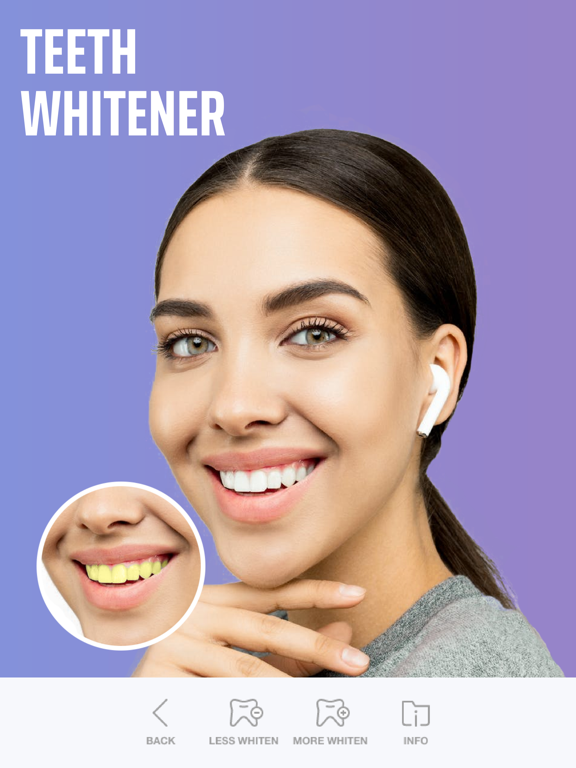
Apoku MCP provides app discovery, detailed cards, evidence, sources and screenshots where available. Unknown or conflicting prices stay explicit.
View JSON
GET /api/v3/apps/1056521360
{
  "app_id": 1056521360,
  "canonical_url": "https://appcorpus.com/apps/selfie-editor-face-filters-1056521360",
  "identity": {
    "name": "Selfie Editor - Face Filters",
    "slug": "selfie-editor-face-filters",
    "developer": {
      "name": "Editr Apps Inc.",
      "url": "https://appcorpus.com/developers/editr-apps-inc-developer_3884ad5786fd515b0e15603f6cad344d"
    },
    "icon_url": "https://is1-ssl.mzstatic.com/image/thumb/Purple221/v4/32/9e/22/329e22ce-4b8a-d4e7-4ad4-dbcef4eb2146/AppIcon-0-0-1x_U007emarketing-0-10-0-85-220.png/512x512bb.jpg",
    "stores": [
      "apple"
    ],
    "platforms": [
      "iphone",
      "ipad"
    ],
    "status": {
      "state": "active",
      "label": "Active",
      "last_checked": "2026-10-05",
      "last_checked_label": "5 Oct 2026",
      "banner": null,
      "region_note": null,
      "data_state": "partial",
      "data_state_label": "Some information is not yet confirmed"
    }
  },
  "listings": [
    {
      "store": "apple",
      "status": "ACTIVE",
      "url": "https://apps.apple.com/us/app/selfie-editor-face-filters/id1056521360?uo=4",
      "rating": 4.3,
      "rating_count": 39834,
      "formatted_price": "Free",
      "is_free": true,
      "has_iap": true,
      "has_subscription": null,
      "version": "2.45.1",
      "updated": "2026-10-05",
      "currency": "USD"
    }
  ],
  "summary": {
    "one_liner": null,
    "summary": null,
    "best_for": [],
    "not_for": [],
    "status": "fallback",
    "at_a_glance": [
      "From $21.62/mo",
      "Free download · core features require a paid plan",
      "In-app purchases"
    ]
  },
  "categories": {
    "official": [
      "Photo & Video",
      "Lifestyle"
    ],
    "appcorpus": [
      {
        "category_id": "photo-video",
        "label": "Photo & video",
        "url": "https://appcorpus.com/categories/photo-video"
      },
      {
        "category_id": "lifestyle",
        "label": "Lifestyle",
        "url": "https://appcorpus.com/categories/lifestyle"
      }
    ]
  },
  "use_cases": [],
  "features": [
    {
      "capability_id": "free_app",
      "label": "Free app",
      "availability": "yes",
      "access_level": "free",
      "scope": null,
      "evidence": "Store published"
    },
    {
      "capability_id": "in_app_purchases",
      "label": "In-app purchases",
      "availability": "yes",
      "access_level": "free_limited",
      "scope": null,
      "evidence": "Store published"
    },
    {
      "capability_id": "subscription",
      "label": "Subscription",
      "availability": "yes",
      "access_level": "paid",
      "scope": null,
      "evidence": "Store published"
    }
  ],
  "pricing": [
    {
      "store": "apple",
      "formatted_price": "Free",
      "is_free": true,
      "has_iap": true,
      "has_subscription": null,
      "currency": "USD",
      "market": "us",
      "last_verified": "2026-10-05",
      "rows": [
        "Premium Tools for — $4.99/week (derived from the IAP title)"
      ],
      "state": "current"
    }
  ],
  "screens": [
    {
      "url": "https://is1-ssl.mzstatic.com/image/thumb/PurpleSource211/v4/00/60/60/006060ca-5404-a149-26bc-aa2f50e22763/0x0ss.png/1600x1600bb.jpg",
      "store": "apple",
      "platform": "ipad",
      "alt": "Selfie Editor - Face Filters ipad screenshot 1"
    },
    {
      "url": "https://is1-ssl.mzstatic.com/image/thumb/Purple211/v4/dd/dc/3b/dddc3b6d-4c0c-ba0f-a335-d473aebbcc6d/pr_source.png/576x768bb.png",
      "store": "apple",
      "platform": "ipad",
      "alt": "Selfie Editor - Face Filters ipad screenshot 2"
    },
    {
      "url": "https://is1-ssl.mzstatic.com/image/thumb/PurpleSource211/v4/18/b6/63/18b663d4-8dc7-e323-2222-1f9a3b179fe7/0x0ss__U00281_U0029.png/1600x1600bb.jpg",
      "store": "apple",
      "platform": "ipad",
      "alt": "Selfie Editor - Face Filters ipad screenshot 3"
    },
    {
      "url": "https://is1-ssl.mzstatic.com/image/thumb/Purple221/v4/b0/14/17/b0141745-d6ed-39e6-7cd5-4b7d358ca1b8/pr_source.png/576x768bb.png",
      "store": "apple",
      "platform": "ipad",
      "alt": "Selfie Editor - Face Filters ipad screenshot 4"
    },
    {
      "url": "https://is1-ssl.mzstatic.com/image/thumb/Purple211/v4/60/0e/83/600e83b0-b914-273b-517c-26c1a9f5a10b/4983cb4d-a7ac-43f6-ace5-919a3d7bdb5c_screenshot1.jpeg/1600x1600bb.jpg",
      "store": "apple",
      "platform": "ipad",
      "alt": "Selfie Editor - Face Filters ipad screenshot 5"
    },
    {
      "url": "https://is1-ssl.mzstatic.com/image/thumb/Purple221/v4/ff/12/69/ff1269e9-3a59-eaa0-7acc-ee4baee88ee7/e1553d44-7c27-497d-8b22-ea7ab035e9ca_screenshot1.jpeg/576x768bb.jpg",
      "store": "apple",
      "platform": "ipad",
      "alt": "Selfie Editor - Face Filters ipad screenshot 6"
    },
    {
      "url": "https://is1-ssl.mzstatic.com/image/thumb/Purple211/v4/5a/96/7e/5a967e38-ed45-2551-b798-18cde88d7718/5ed47558-eed6-4224-981b-d992cb3a9f02_hair-color-iphone55.jpg/1600x1600bb.jpg",
      "store": "apple",
      "platform": "ipad",
      "alt": "Selfie Editor - Face Filters ipad screenshot 7"
    },
    {
      "url": "https://is1-ssl.mzstatic.com/image/thumb/Purple211/v4/12/c7/49/12c74912-854c-0cba-1393-2ec562e65ff7/7d7281a2-7e91-4afb-ab30-2577655b38e0_hair-color-iphone55.jpg/576x768bb.jpg",
      "store": "apple",
      "platform": "ipad",
      "alt": "Selfie Editor - Face Filters ipad screenshot 8"
    },
    {
      "url": "https://is1-ssl.mzstatic.com/image/thumb/Purple221/v4/47/7c/3c/477c3cdd-cebf-9507-cdb5-d6d395f1bfb9/pr_source.png/1600x1600bb.jpg",
      "store": "apple",
      "platform": "ipad",
      "alt": "Selfie Editor - Face Filters ipad screenshot 9"
    },
    {
      "url": "https://is1-ssl.mzstatic.com/image/thumb/Purple211/v4/94/6f/bd/946fbd99-c764-0fa8-4788-521e59db4aab/pr_source.png/576x768bb.png",
      "store": "apple",
      "platform": "ipad",
      "alt": "Selfie Editor - Face Filters ipad screenshot 10"
    },
    {
      "url": "https://is1-ssl.mzstatic.com/image/thumb/PurpleSource211/v4/b9/ab/8a/b9ab8a4b-1534-3ded-b577-bb159a9da01d/03.jpeg/1600x1600bb.jpg",
      "store": "apple",
      "platform": "ipad",
      "alt": "Selfie Editor - Face Filters ipad screenshot 11"
    },
    {
      "url": "https://is1-ssl.mzstatic.com/image/thumb/Purple221/v4/ac/68/3a/ac683a1f-c143-66a2-5363-58ae51431816/pr_source.png/576x768bb.png",
      "store": "apple",
      "platform": "ipad",
      "alt": "Selfie Editor - Face Filters ipad screenshot 12"
    },
    {
      "url": "https://is1-ssl.mzstatic.com/image/thumb/PurpleSource211/v4/a3/e9/6c/a3e96cd6-3394-8957-d390-5af3aaf6fa35/01.jpeg/1600x1600bb.jpg",
      "store": "apple",
      "platform": "ipad",
      "alt": "Selfie Editor - Face Filters ipad screenshot 13"
    },
    {
      "url": "https://is1-ssl.mzstatic.com/image/thumb/Purple211/v4/88/4a/8c/884a8c48-c20e-fbb5-56c3-67505860a227/pr_source.png/576x768bb.png",
      "store": "apple",
      "platform": "ipad",
      "alt": "Selfie Editor - Face Filters ipad screenshot 14"
    },
    {
      "url": "https://is1-ssl.mzstatic.com/image/thumb/PurpleSource221/v4/fb/95/21/fb9521e3-7914-acc3-4041-3dad791eb2ca/02.jpeg/1600x1600bb.jpg",
      "store": "apple",
      "platform": "ipad",
      "alt": "Selfie Editor - Face Filters ipad screenshot 15"
    },
    {
      "url": "https://is1-ssl.mzstatic.com/image/thumb/Purple211/v4/9b/2d/76/9b2d76b2-a918-954a-a638-f76601539107/pr_source.png/576x768bb.png",
      "store": "apple",
      "platform": "ipad",
      "alt": "Selfie Editor - Face Filters ipad screenshot 16"
    },
    {
      "url": "https://is1-ssl.mzstatic.com/image/thumb/PurpleSource211/v4/e0/20/48/e02048bc-f612-bf46-151b-64ee0d9c8f40/9fa3f6e7-58d6-4045-9f8d-3e4f9ecc9a90_02.jpeg/1600x1600bb.jpg",
      "store": "apple",
      "platform": "ipad",
      "alt": "Selfie Editor - Face Filters ipad screenshot 17"
    },
    {
      "url": "https://is1-ssl.mzstatic.com/image/thumb/PurpleSource211/v4/5a/6c/9d/5a6c9d56-d1b8-e45b-0d15-56e47e4e05fb/32169e59-3e29-4fdf-a142-fea2cc7a32ed_02.jpeg/576x768bb.jpg",
      "store": "apple",
      "platform": "ipad",
      "alt": "Selfie Editor - Face Filters ipad screenshot 18"
    },
    {
      "url": "https://is1-ssl.mzstatic.com/image/thumb/PurpleSource221/v4/8e/58/01/8e580100-f357-ae3a-0b74-7777e9c992b6/5d7a1a07-3604-43b1-81bf-f43972a387b1_03.jpeg/576x768bb.jpg",
      "store": "apple",
      "platform": "ipad",
      "alt": "Selfie Editor - Face Filters ipad screenshot 19"
    },
    {
      "url": "https://is1-ssl.mzstatic.com/image/thumb/PurpleSource211/v4/3c/cf/c9/3ccfc979-c27c-8ca5-fcf7-73617b9b597e/0x0ss.png/1242x1600bb.jpg",
      "store": "apple",
      "platform": "iphone",
      "alt": "Selfie Editor - Face Filters iphone screenshot 20"
    },
    {
      "url": "https://is1-ssl.mzstatic.com/image/thumb/PurpleSource221/v4/bf/96/39/bf963903-b4e4-7e7b-d8ce-e0e84a208021/0x0ss__U00281_U0029.png/1242x1600bb.jpg",
      "store": "apple",
      "platform": "iphone",
      "alt": "Selfie Editor - Face Filters iphone screenshot 21"
    },
    {
      "url": "https://is1-ssl.mzstatic.com/image/thumb/Purple211/v4/d0/b9/3d/d0b93d45-27c0-9c2c-3c2c-97d7d7fa4e0b/1a11c17e-0ccd-4483-8214-5354d9606816_screenshot1.jpeg/1242x1600bb.jpg",
      "store": "apple",
      "platform": "iphone",
      "alt": "Selfie Editor - Face Filters iphone screenshot 22"
    },
    {
      "url": "https://is1-ssl.mzstatic.com/image/thumb/Purple211/v4/d0/5d/10/d05d1097-0ce4-4d58-7109-6752a414b515/6064b358-5573-4a90-b7f8-9fc5740613dd_Simulator_Screen_Shot_-_iPhone_14_-_2023-04-09_at_09.30.20__U00285_U0029.jpg/1242x1600bb.jpg",
      "store": "apple",
      "platform": "iphone",
      "alt": "Selfie Editor - Face Filters iphone screenshot 23"
    },
    {
      "url": "https://is1-ssl.mzstatic.com/image/thumb/Purple211/v4/a7/74/68/a77468db-b8d1-cbbb-4c86-4664a6f4a19f/pr_source.png/1242x1600bb.jpg",
      "store": "apple",
      "platform": "iphone",
      "alt": "Selfie Editor - Face Filters iphone screenshot 24"
    },
    {
      "url": "https://is1-ssl.mzstatic.com/image/thumb/PurpleSource221/v4/e9/cb/d9/e9cbd956-7521-3e93-37c7-9e004316a126/03.jpeg/1242x1600bb.jpg",
      "store": "apple",
      "platform": "iphone",
      "alt": "Selfie Editor - Face Filters iphone screenshot 25"
    },
    {
      "url": "https://is1-ssl.mzstatic.com/image/thumb/PurpleSource211/v4/66/54/83/665483f3-d97e-ebaf-6ecd-523ed014cdc1/01.jpeg/1242x1600bb.jpg",
      "store": "apple",
      "platform": "iphone",
      "alt": "Selfie Editor - Face Filters iphone screenshot 26"
    },
    {
      "url": "https://is1-ssl.mzstatic.com/image/thumb/PurpleSource211/v4/1e/cd/f8/1ecdf89c-9818-fef4-18a3-5d055c70f9c4/02.jpeg/1242x1600bb.jpg",
      "store": "apple",
      "platform": "iphone",
      "alt": "Selfie Editor - Face Filters iphone screenshot 27"
    },
    {
      "url": "https://is1-ssl.mzstatic.com/image/thumb/PurpleSource211/v4/d8/ad/b3/d8adb356-5818-beeb-4d52-71dd7a3a3bdf/b7d9d2f8-f24b-4a34-aff0-d3c6052be4cc_02.jpeg/1242x1600bb.jpg",
      "store": "apple",
      "platform": "iphone",
      "alt": "Selfie Editor - Face Filters iphone screenshot 28"
    }
  ],
  "data_states": {
    "screens": "current"
  },
  "ratings": [
    {
      "store": "apple",
      "average": 4.3,
      "count": 39834,
      "market": "us",
      "observed_at": "2026-10-05",
      "state": "current",
      "reviews": [
        {
          "rating": 4,
          "title": "Experiment and practice for best results",
          "body": "It’s not too bad for amateur mobile photo editing, if you’re willing to pay for premium features. To me it wasn’t worth the time to get everything just so and definitely not worth the money. I was only moderately impressed with auto teeth whitening. and the widening was pretty bad. It didn’t close gaps and the wider I made the teeth, the more they looked like a cheap prosthetic. Lip size only looked good if the lips were in a natural position. Extra wide, tilted smile showed minimal change. The lip color worked if the opacity was dropped significantly. Though adding color to natural lips helped with changing lip size if the size change wasn’t too drastic. Increased lip color opacity interfered with teeth whitening. Eye color was fun to play with, but getting the eyeball the right size and the eyelids in the right shape requires patience. Again, if you want a true retouch and correction the opacity has to be lowered. Patching a spot for acne and blemishes was easy and looked great on a smooth area such as the forehead. It would take some work to correct a spot around smile lines and other deep creases. For all my critiques, if you just want to play and maybe go a little goofy, it’s fun to mess around with. I can see having more success with realistic looking retouches with a lot more patience and practice. Someone who was really serious about retouching their picture and willing to invest the time and patience to get it just so, could probably get pretty good results. A quick edit to throw a picture up on a personal social media account would be more effort than I am willing to put into it, beyond covering a blemish or two.",
          "author": "Maifae",
          "date": "5 Oct 2026"
        },
        {
          "rating": 4,
          "title": "Decent blemish smoother",
          "body": "Free version seems to work well, tho many options seem to be tuned in a way that will make you want to purchase upgrades (and it constantly begs you to upgrade features) in order to make it look more natural. But for a basic blemish smoother (which I was looking for due to a couple fun photos my gf has been embarrassed about because she had a breakout that day) I have been able to “smooth” them out tho if you zoom in it does took a bit fishy and obvious something has been altered. There is an upgrade that would allot the smoothing tool to be tailored which could allow for a more natural editor. (I’m leaving this review to have their watermark removed, and I’m still trying to get it to recognize that I have done so)",
          "author": "Jason Kipling",
          "date": "5 Oct 2026"
        },
        {
          "rating": 3,
          "title": "Basic Easy to Use Editor",
          "body": "I like that it only tells you where the tutorial is one time and not every time you click on it. I mainly use editing apps for acne coverage. I think the bandaid feature was cool because you could see the picture blending, but it was a little unrealistic looking because i have a lot of freckles, so it was moving my freckles around. The details feature was nice it was very subtle and not so obvious as some other apps. I like that the lips are adjustable for the lipstick feature, but the colors seem semitransparent and a little fake. The auto editor looked very fake. There's honestly not a lot of filters or very many editing options in general, and the ones currently there don't look extremely natural. The tutorials come off a bit like popup ads which can be a minor inconvenience, but as I said before, they only pop up the first time you use the feature. So, it's not too big of a hassle.",
          "author": "Potato Demon",
          "date": "5 Oct 2026"
        },
        {
          "rating": 5,
          "title": "Very Well",
          "body": "I like this app in that it is easy to use and very accessible. I really don’t like that you have to pay a subscription price every month but if you have the money then, please, do so. I like all the color choices and the auto shape feature. Then, you also get to reshape all the contours of your face yourself to as well. I haven’t ran into any ads yet while using it, so I can’t tell you whether or not to use it. Some apps are ads alcoholic and some aren’t. This app is pretty straight forward on how to use it or good with directions. So, would I recommend this to someone…..I would but I think people can get more use out of this if it were free without a subscription price tag on it. Thanks!",
          "author": "singles40",
          "date": "5 Oct 2026"
        },
        {
          "rating": 3,
          "title": "Love it but . . .",
          "body": "I love this selfie editor app but I'm having major issues with it. My teenage son got his braces off today and I wanted to show off his new smile on FB. I wanted to remove a little of the acne breakout he's currently experiencing and the app did that beautifully. However, it keeps telling me that in order to crop the picture I have to upgrade. I bought the whole package months ago. So I thought okay, whatever, maybe somehow the cropping tool wasn't included?? So I was willing to pay the $4.99 to upgrade AGAIN. Then it said I had already purchased the upgrade. Okay great. Went back to editing my sons picture and it's saying the same thing. I can't get past the message that I have to upgrade and when it says upgrade now and I try, now it won't let me. What gives? I just want the picture of my son. Am I asking for the world?",
          "author": "XtineInJax75",
          "date": "5 Oct 2026"
        }
      ]
    }
  ],
  "privacy": [
    {
      "store": "apple",
      "declarations": [
        {
          "title": "Data Not Linked to You",
          "detail": "Analytics — Usage Data — Product Interaction",
          "source": "Developer declared"
        },
        {
          "title": "Data Not Linked to You",
          "detail": "App Functionality — Usage Data — Other Usage Data",
          "source": "Developer declared"
        },
        {
          "title": "Data Not Linked to You",
          "detail": "App Functionality — Usage Data — Product Interaction",
          "source": "Developer declared"
        },
        {
          "title": "Data Not Linked to You",
          "detail": "Usage Data",
          "source": "Developer declared"
        }
      ],
      "accessibility": []
    }
  ],
  "changes": [
    {
      "store": "apple",
      "version": "2.42.10",
      "released_at": null,
      "notes": "Crash fix. New headshot feature for specialized professions: Police Officer, Firefighter, Paramedic, Doctor, Nurse, Surgeon, Pilot, Flight Attendant, Chef, Hotel Staff, Judge, Military Personnel, Engineer, Mechanic, Construction Worker."
    },
    {
      "store": "apple",
      "version": "2.42.11",
      "released_at": null,
      "notes": "Bug fixes."
    },
    {
      "store": "apple",
      "version": "2.42.13",
      "released_at": null,
      "notes": "Better experience."
    },
    {
      "store": "apple",
      "version": "2.42.16",
      "released_at": null,
      "notes": "Updated red eye corrector."
    },
    {
      "store": "apple",
      "version": "2.42.19",
      "released_at": null,
      "notes": "Whiten teeth and smoothen skin for your Selfie Video. Bug fixes."
    },
    {
      "store": "apple",
      "version": "2.42.20",
      "released_at": null,
      "notes": "Bug fixes with teeth whitening video editor."
    },
    {
      "store": "apple",
      "version": "2.42.23",
      "released_at": null,
      "notes": "iOS 18 & 26 fix. UI improvements for video teeth whitening and skin smoothening."
    },
    {
      "store": "apple",
      "version": "2.42.24",
      "released_at": null,
      "notes": "Fix red eyes in selfie videos."
    },
    {
      "store": "apple",
      "version": "2.42.5",
      "released_at": null,
      "notes": "Bug fixes."
    },
    {
      "store": "apple",
      "version": "2.42.6",
      "released_at": null,
      "notes": "New headshot feature for specialized professions: Police Officer, Firefighter, Paramedic, Doctor, Nurse, Surgeon, Pilot, Flight Attendant, Chef, Hotel Staff, Judge, Military Personnel, Engineer, Mechanic, Construction Worker."
    },
    {
      "store": "apple",
      "version": "2.43.0",
      "released_at": null,
      "notes": "Bug fixes with offer notifications."
    },
    {
      "store": "apple",
      "version": "2.43.1",
      "released_at": null,
      "notes": "iOS 26 UI fixes and improvements."
    },
    {
      "store": "apple",
      "version": "2.43.3",
      "released_at": null,
      "notes": "Bug fixes with teeth whitener in selfie video."
    },
    {
      "store": "apple",
      "version": "2.43.5",
      "released_at": null,
      "notes": "Bug fixes."
    },
    {
      "store": "apple",
      "version": "2.43.7",
      "released_at": null,
      "notes": "Good edits start with a good angle."
    },
    {
      "store": "apple",
      "version": "2.43.8",
      "released_at": null,
      "notes": "Good edits start with a good angle."
    },
    {
      "store": "apple",
      "version": "2.43.9",
      "released_at": null,
      "notes": "Teeth whitener in video crash fixed."
    },
    {
      "store": "apple",
      "version": "2.44.0",
      "released_at": null,
      "notes": "Teeth whitening video editor bug fixed."
    },
    {
      "store": "apple",
      "version": "2.44.1",
      "released_at": null,
      "notes": "Updated double chin remover."
    },
    {
      "store": "apple",
      "version": "2.44.2",
      "released_at": null,
      "notes": "Quick Photo Editor option, UI improvements."
    }
  ],
  "alternatives": [
    {
      "app_id": 1392381237,
      "name": "Beauty Editor: Blemish Remover",
      "url": "https://appcorpus.com/apps/beauty-editor-blemish-remover-1392381237",
      "reason": "Same category + similar ratings"
    },
    {
      "app_id": 504156800,
      "name": "Teeth Whitener: AI Photo Edit",
      "url": "https://appcorpus.com/apps/teeth-whitener-ai-photo-edit-504156800",
      "reason": "Same category + similar ratings"
    },
    {
      "app_id": 1389753326,
      "name": "EasyGlam: AI Photo Editor",
      "url": "https://appcorpus.com/apps/easyglam-ai-photo-editor-1389753326",
      "reason": "Same category + similar ratings"
    }
  ],
  "evidence_summary": {
    "index_state": "S1",
    "evidence_level": 1,
    "level_label": "Live store listing",
    "indexable": true,
    "last_verified_at": "2026-10-05",
    "unknown_fields": [
      "Apoku editorial summary has not been published yet."
    ],
    "sources": [
      "App Store"
    ]
  },
  "availability_markets": {
    "live": [
      "us"
    ],
    "selected": "us",
    "note": null
  },
  "feature_events": {
    "events": []
  },
  "features_slice": {
    "plans": [
      {
        "code": "premium-tools-for",
        "label": "Premium Tools for",
        "kind": "subscription",
        "status": "store_verified",
        "prices": [
          {
            "storefront": "us",
            "formatted": "$4.99",
            "billing_period": "weekly",
            "scope_status": "scoped",
            "market_mismatch": false,
            "source_market": "us",
            "observed_at": "2026-10-05 19:05:13.694477+00:00"
          }
        ],
        "trial": null
      }
    ],
    "features": [],
    "unknown_features": [],
    "data_cutoff": "5 Oct 2026"
  }
}