
Quick verdict
- What it is
- Store information collected; an Apoku editorial summary is not yet published.
- At a glance
-
- $7.99
Categories and search queries
Official categories
- Health & Fitness
- Utilities
Apoku categories
Key functions
| Function | Availability | Access | Scope | Evidence |
|---|---|---|---|---|
| Family Sharing | Unknown | Unknown | Scope unknown | Store published |
Screens
App Store
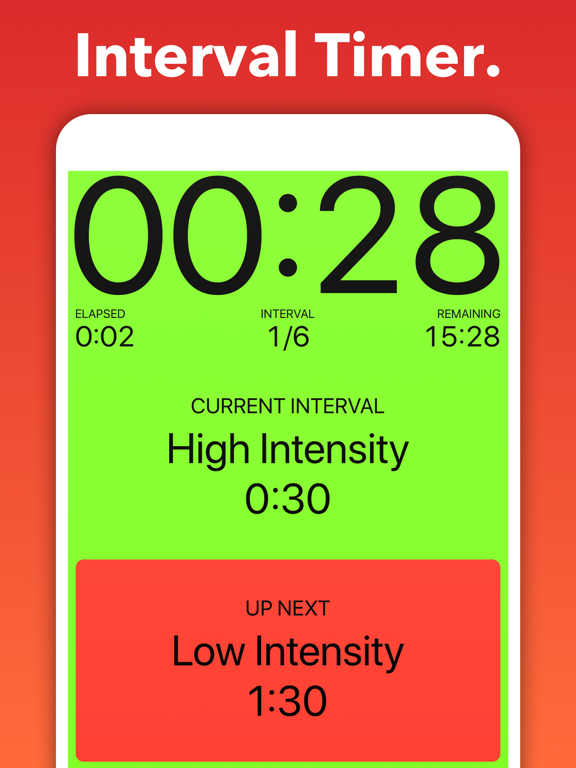
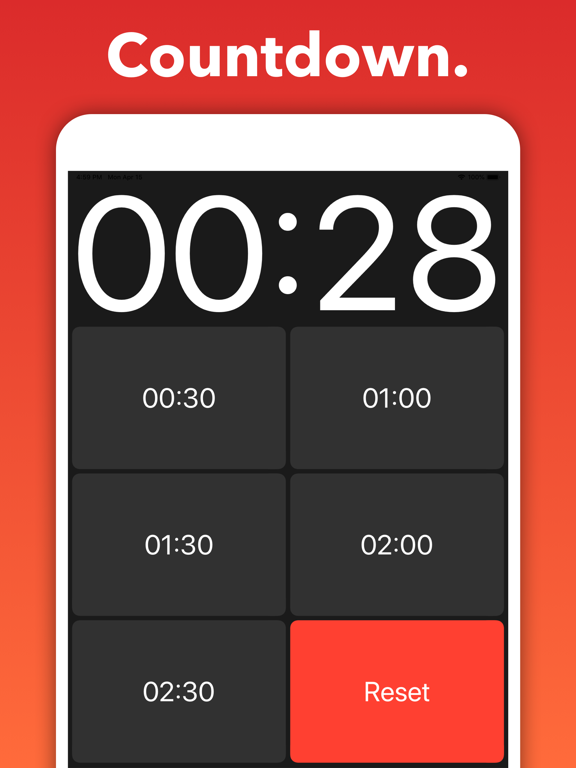
22 store screenshots


Pricing & paywalls
App Store
- Price: $7.99
Ratings & reviews
App Store
-
5/5This app is really great for multiple reasons
I’ve been using Seconds Pro now for 4+ years. I purchase workout routines from various trainers (typically in 8-12 week segments), and I program them into the app utilizing custom timers. Over the years, I’ve fine tuned the style and look to suit my needs, and this app has accommodated everything I’ve wanted to do when creating these timers. I’ve also recently purchased an Apple Watch, and I use the Seconds Pro app on there during my actual workouts…it is incredibly helpful to have the intervals on my wrist while listening to the countdowns and up next announcements in my AirPod Pros…purchasing 8-12 week segments and having them programmed into this app keeps me on track and accountable to myself during the workouts as well as keeping me on track to each week’s programming allowing me to finish and keep progressing; this has been a critical part of my consistent training over time. (Hint: this is the key to fitness folks) I’m writing this review as a genuine thank you to the developers of this app…this has been and continues to be the perfect tool for me. Thank you!
B-radical productions · 29 Sep 2026
-
4/5Watch post IOS 26 updated version 3.24.1
I have used Seconds Pro for many years on my iPhone and Apple Watch and VERY satisfied. It is easy to use. Besides the basic interval timer functions, Seconds Pro goes a step beyond and has Extra features of adding audio (music) specific to an interval or workout and cadence that is very nice, and increases workout options. It runs well on both phone and watch with one exception - watch would not play the Extra features mentioned above for any timer. While irritating, the simple fix is use the iPhone if you really want it for select worrkoutss. It should be mentioned that the IOS 26 update messed up the app! The developers have gotten it running well on the iPhone. BUT- there are still major issues that I am dealing with on the watch. Here is a brief summary of ongoing watch issues post the 3.24.1 revision. Most timers will now appear on the watch when synced. However, only timers that are not in a folder will play. Any timer in a folder will not show up at all. When tapped a request sync message comes up but syncing will not work. The Extras – audio and cadence continue not to play. Last point the complication will not enable. I still highly recommend this great app for working out. Hopefully the developers will get the post IOS26 bugs fixed on the watch.
IRWAVE · 29 Sep 2026
-
5/5Feature request
Please make it so that when I leave the app for a few minutes then come back the interval counter and timer is not reset. I like to be able to know the sum of all the intervals I have done in the entire day. Great app for practice questions in medical school and keeping pace. Text to speech is something only this app offers for the interval ending notification. Rich with features— other interval timers didnt work. Could be used for wokiny out. I would love to be able to leave my practice wiestion timer, do an interval workout, then come back to the practice questions without lost progress of my counter. 1) dont let the progress be lost for my current session if I go yo another app for a whole (opt-in feature so it doesnt disturb others) 2) let me pause an interval for a while, work on another interval timer, then come back later and resume the session. (Opt-in feature so it doesnt disturb others)
JusKIsI · 29 Sep 2026
-
1/5Compound timers frustrating to set up
I am frustrated and mystified with this app. The whole reason I bought this thing is so that I can do intervals while I'm running without having to pull my phone out of my pouch. Getting this to work for more than two types of exercise is ridiculously complicated. Navigation is not intuitive. There are nested timers within nested timers and it is unclear how they work. I have spent over an hour trying to get it to give me different beeps for different exercises (crazy, I know). I want a unique beep for high intensity, medium intensity, and low intensity. The first time I tried it, it gave me the designated beep at the END of the interval. Not helpful. Then I rearranged everything to have the beep at the end of the interval before. Worked in one instance of the interval, but then the beeps just stopped working after that, so I ended up just holding my phone while I ran so I made sure I didn't miss the next interval. AND the worst is, when you are trying to test if the beeps will work in a workout you set up, you have to jump to the interval before and just WAIT for that interval to be done. So if I want to test the beep for my sprint interval, I play at the interval before. If it's two mintues, then I have to wait for it to go through its two minute thing to test which beep is going to play. Terrible, awful, frustrating.
659023 · 29 Sep 2026
-
1/5Ok timer that’s now bad
This was an ok timer. I was able to set up various workout routines. But in past 6 months, there’s been multiple issues. Some are minor but critical issues are: 1. Some intervals will randomly pause with 3 seconds left. Then about 5 seconds later, it would speed through the countdown 3-2-1-go within half a second. I know it’s not my device because it happened on multiple devices and the music still plays without pausing. 2. In past several months, if I have the music on then launch this app, the music volume would go down. Most of the time, during the first interval, the music would go back to the volume I had set before launching the app. But sometimes the music would stay low. i have to force close the app and music, then try again few times until I can hear the music. 3. Sometimes you can’t hear the countdown to an interval. So I’m having to keep an eye on the timer. I tried changing my settings, try on my iPhone vs iPad, etc but doesn’t fix it. Really frustrating if I am out for a run, again having to force close the app and music, then try again few times until I can hear anything. It was worth the $ I paid back then, but I would be very unhappy having to pay for this now.
MXTrackGuy · 29 Sep 2026
Privacy & accessibility
App Store
Privacy
- Data Linked to You — App Functionality — Contact Info — Email Address Developer declared
- Data Linked to You — App Functionality — Health & Fitness — Fitness Developer declared
- Data Linked to You — App Functionality — Health & Fitness — Health Developer declared
- Data Linked to You — App Functionality — Identifiers — User ID Developer declared
- Data Linked to You — App Functionality — User Content — Customer Support Developer declared
- Data Linked to You — Contact Info Developer declared
- Data Linked to You — Health & Fitness Developer declared
- Data Linked to You — Identifiers Developer declared
- Data Linked to You — User Content Developer declared
- Data Not Linked to You — Analytics — Diagnostics — Other Diagnostic Data Developer declared
- Data Not Linked to You — Analytics — Other Data — Other Data Types Developer declared
- Data Not Linked to You — App Functionality — Diagnostics — Crash Data Developer declared
- Data Not Linked to You — App Functionality — Diagnostics — Other Diagnostic Data Developer declared
- Data Not Linked to You — App Functionality — Identifiers — Device ID Developer declared
- Data Not Linked to You — App Functionality — Purchases — Purchase History Developer declared
- Data Not Linked to You — Diagnostics Developer declared
- Data Not Linked to You — Identifiers Developer declared
- Data Not Linked to You — Other Data Developer declared
- Data Not Linked to You — Purchases Developer declared
Accessibility
No accessibility labels collected yet.
Versions
App Store
-
25.0
No new features this time. This release is maintenance work behind the scenes, and everything works exactly as it did before.
-
25.1
25.0 No new features this time. This release is maintenance work behind the scenes, and everything works exactly as it did before. 25.1 Fixed a problem that stopped you signing in with Google.
-
25.2
25.0 No new features this time. This release is maintenance work behind the scenes, and everything works exactly as it did before. 25.1 Creating an account with Google, and signing in with one, work again in the free app. 25.2 The tabs at the bottom of the screen no longer disappear after you edit a timer.
-
25.3
· 26 Sep 2026
25.0 No new features this time. This release is maintenance work behind the scenes, and everything works exactly as it did before. 25.1 Creating an account with Google, and signing in with one, work again in the free app. 25.2 The tabs at the bottom of the screen no longer disappear after you edit a timer. 25.3 Apple Watch now fetches your timers and settings from iPhone. Request Sync is at the top of the watch's Settings, and My Timers fetches them the first time you open it. Sync Timers Now has gone from the Apple Watch settings on iPhone.
-
3.17.2
- Added $(round) token which can be added to interval names and will be replaced with the interval count. - Added iOS Dark Mode support - Fixed Disable Auto-lock not working in Countdown Timer. - Fixed crash when saving to health. - Fixed interval colour not updating after selection. - Fixed custom timers not always starting on Apple Watch. - Fixed text size for heart rates in main display. - Fixed crash when tapping My Intervals on Apple Watch. - Fixed interval timers not appearing on Apple Watch if unnamed. - Fixed timer button still active when the timer locked. - Fixed timer not resetting upon completion. - Fixed small interval names in landscape mode. - Fixed lock button disappearing. - Fixed last alert not sounding. Bug fixes and performance improvements.
-
3.17.3
Added preset colors for old light and dark themes. Fixed translations. Fixed color customization. Fixed font sizes.
-
3.18
Added option to share a device link - that can be used to launch Seconds from other apps - by swiping right on a timer in the list. Fixed timer on external displays.
-
3.19
Improved Apple Watch data syncing. Removed automatic timer creation from clipboard. Added CSV import for custom timers.
-
3.19.1
Improved Apple Watch data syncing. Removed automatic timer creation from clipboard. Added CSV import for custom timers.
-
3.19.2
Improved Apple Watch data syncing. Removed automatic timer creation from clipboard. Added CSV import for custom timers.
-
3.19.3
• Improved Apple Watch data syncing. • Increased size of text in external display. • Disabled audio ducking for timers that use cadence option. • Fixed crash in media picker. • Fixed color customisation fields.
-
3.20
• Added countdown screen for external displays • Added custom message for half-way alerts
-
3.21.0
iPhone / iPad changes: - Timer list search - Timer list sorting - Deleted timers are moved to trash and can be recovered - Publish to intervaltimer.com (and unpublish them) - Convert timer into a custom timer - Convert selected timers to compound timer Apple Watch changes: - Improved Apple Watch syncing - Tapping info bar displays timer options (Discard, end, lock) - Sort options from iPhone now used
-
3.21.1
iPhone / iPad changes: - Timer list search - Timer list sorting - Deleted timers are moved to trash and can be recovered - Publish to intervaltimer.com (and unpublish them) - Convert timer into a custom timer - Convert selected timers to compound timer Apple Watch changes: - Improved Apple Watch syncing - Tapping info bar displays timer options (Discard, end, lock) - Sort options from iPhone now used
-
3.21.2
iPhone / iPad changes: - Timer list search - Timer list sorting - Deleted timers are moved to trash and can be recovered - Publish to intervaltimer.com (and unpublish them) - Convert timer into a custom timer - Convert selected timers to compound timer Apple Watch changes: - Improved Apple Watch syncing - Tapping info bar displays timer options (Discard, end, lock) - Sort options from iPhone now used
-
3.21.3
iPhone / iPad changes: - Timer list search - Timer list sorting - Deleted timers are moved to trash and can be recovered - Publish to intervaltimer.com (and unpublish them) - Convert timer into a custom timer - Convert selected timers to compound timer Apple Watch changes: - Improved Apple Watch syncing - Tapping info bar displays timer options (Discard, end, lock) - Sort options from iPhone now used
-
3.21.4
iPhone / iPad changes: - Timer list search - Timer list sorting - Deleted timers are moved to trash and can be recovered - Publish to intervaltimer.com (and unpublish them) - Convert timer into a custom timer - Convert selected timers to compound timer Apple Watch changes: - Improved Apple Watch syncing - Tapping info bar displays timer options (Discard, end, lock) - Sort options from iPhone now used
-
3.21.5
iPhone / iPad changes: - Timer list search - Timer list sorting - Deleted timers are moved to trash and can be recovered - Publish to intervaltimer.com (and unpublish them) - Convert timer into a custom timer - Convert selected timers to compound timer Apple Watch changes: - Improved Apple Watch syncing - Tapping info bar displays timer options (Discard, end, lock) - Sort options from iPhone now used
-
3.21.6
iPhone / iPad changes: - Timer list search - Timer list sorting - Deleted timers are moved to trash and can be recovered - Publish to intervaltimer.com (and unpublish them) - Convert timer into a custom timer - Convert selected timers to compound timer Apple Watch changes: - Improved Apple Watch syncing - Tapping info bar displays timer options (Discard, end, lock) - Sort options from iPhone now used
-
3.21.7
iPhone / iPad changes: - Timer list search - Timer list sorting - Deleted timers are moved to trash and can be recovered - Publish to intervaltimer.com (and unpublish them) - Convert timer into a custom timer - Convert selected timers to compound timer Apple Watch changes: - Improved Apple Watch syncing - Tapping info bar displays timer options (Discard, end, lock) - Sort options from iPhone now used
-
3.21.8
iPhone / iPad changes: - Timer list search - Timer list sorting - Deleted timers are moved to trash and can be recovered - Publish to intervaltimer.com (and unpublish them) - Convert timer into a custom timer - Convert selected timers to compound timer Apple Watch changes: - Improved Apple Watch syncing - Tapping info bar displays timer options (Discard, end, lock) - Sort options from iPhone now used
-
3.22
⁃ Added a widget for launching your favourite timers ⁃ Added Apple Watch icons to support Apple Watch Ultra ⁃ Changed initial voice selection and ordering ⁃ Changed timer to allow scrolling while is locked
-
3.22.1
⁃ Added a widget for launching your favourite timers ⁃ Added Apple Watch icons to support Apple Watch Ultra ⁃ Changed initial voice selection and ordering ⁃ Changed timer to allow scrolling while is locked
-
3.22.2
- Haptic feedback in iPhone app now stronger with different feedback at end of timers. - Added option to disable pre-timer ducking - Fixed default voice selecting voice for blind users that Apple recently added. - Fixed audio not reducing for intervals that have the option enabled. - Fixed text to speech with warning last interval speech. - Fixed audio ducking when exiting a timer
-
3.22.3
- Haptic feedback in iPhone app now stronger with different feedback at end of timers. - Added option to disable pre-timer ducking - Fixed default voice selecting voice for blind users that Apple recently added. - Fixed audio not reducing for intervals that have the option enabled. - Fixed text to speech with warning last interval speech. - Fixed audio ducking when exiting a timer
-
3.23
SDK Updates
-
3.24
New Apple Watch app! As has been pointed out, the latest update to watchOS 26 broke the existing Apple Watch app. The previous version was developed when Apple Watch was first introduced and many workarounds were required to get something that behaved as I wanted. Apple changed how they wanted developers to build apps several years ago and the old version of the watch app and this approach were incompatible, but the new approach was also a step back in many ways and some features were not possible. This led to difficulties updating the app. The issues relating to watchOS 26 and the previous version of the app have meant that I have had to redevelop the app from the ground up. This means that finally some features that people have been requesting are now included in the app where they were not possible before. But it also means that, in the short term, there may some missing features and inconveniences. These will be ironed out over time. My priority has been to get a working version of the Apple Watch app ready as quickly as possible so that users are still able to use it for their training.
-
3.24.1
Thank you for your feedback on the previous version. This update resolves: - Apple Watch navigation issue - Cut & Paste toolbar hidden - Apple Watch timer sort order If these improvements have addressed your concerns, we would greatly appreciate an updated rating.
-
3.24.2
· 30 Nov 2025
Seconds for Apple Watch • Added new compact interval template • Added new setting for intervals template • Added option to remove the info bar during workouts • Added link to Settings from timer controls • Added option to exit to the home screen • Restored haptic feedback only alerts • Restored haptic feedback to all alerts • Fixed volume control from settings • Fixed alert enabling from settings • Fixed watch count down timer not using user defined times • Fixed delay of alerts and haptic feedback • Fixed indefinite intervals • Updated minimum supported watchOS to version 26. watchOS 26 introduced changes that made the previous version of Seconds for Apple Watch stop working. Unfortunately, there was no way to fix it—I had to rebuild the watch app from scratch. In order to function as expected, the app now requires watchOS 26. This means Apple Watches older than Series 6 are no longer supported—I'm sorry if this affects you. All Series 6 and newer watches can update to watchOS 26 (you may also need iOS 18 on your iPhone). If these improvements have resolved any issues you had, an updated review would mean a lot.
Alternatives
- Intervals Pro: HIIT Timer — Same category + similar ratings
- Tabata Pro HIIT Interval Timer — Same category + similar ratings
Availability by market
- US
Data quality & evidence
- Page completeness
- Live store listing
- Last verified
- 29 Sep 2026
- Sources
- App Store
- Apoku editorial summary has not been published yet.