
Quick verdict
- What it is
- Store information collected; an Apoku editorial summary is not yet published.
- At a glance
-
- Free to download
- In-app purchases
Categories and search queries
Official categories
- Developer Tools
Apoku categories
Key functions
| Function | Availability | Access | Scope | Evidence |
|---|---|---|---|---|
| Free app | Yes | Free | Context-specific | Store published |
| In-app purchases | Yes | Limited free | Context-specific | Store published |
Screens
App Store
13 store screenshots

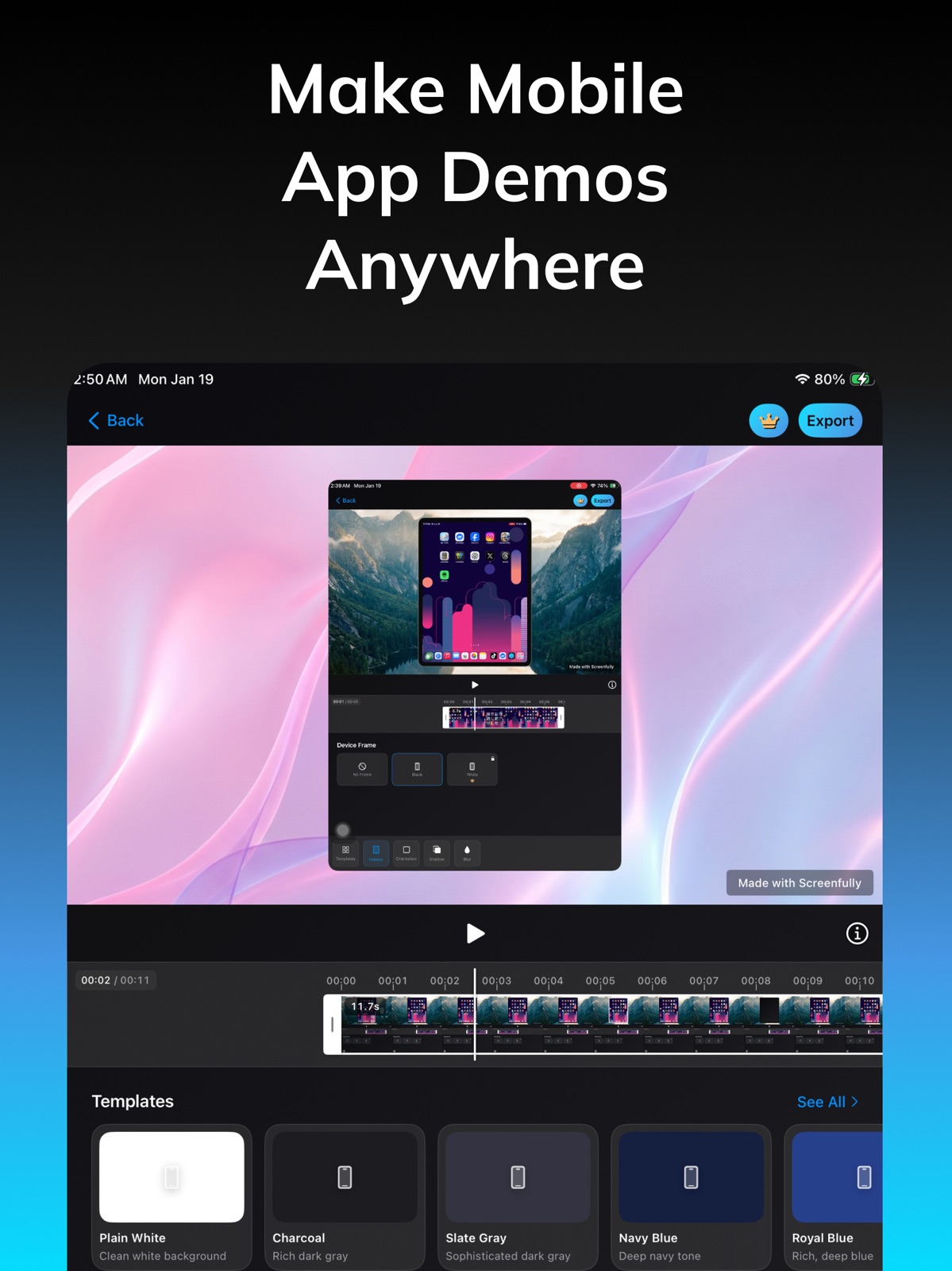
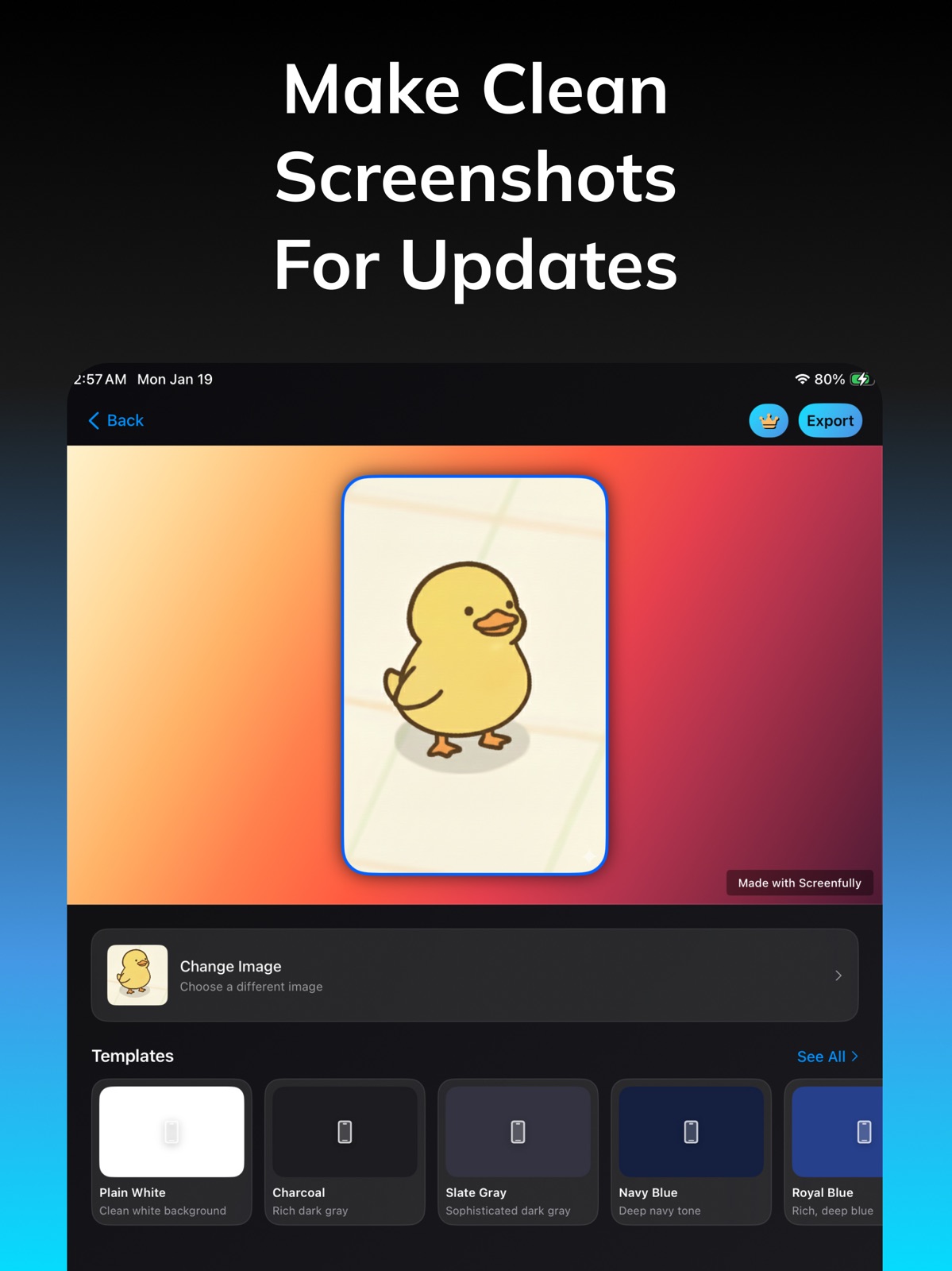

Pricing & paywalls
App Store
- Free to download
- In-app purchases
Ratings & reviews
App Store
-
5/5Screenfully
It’s a good app but when I upload it to YouTube it doesn’t have sound other than the game
Ufjfjfjjri · 31 Jul 2026
Privacy & accessibility
App Store
Privacy
- Data Not Linked to You — Analytics — Diagnostics — Crash Data Developer declared
- Data Not Linked to You — Analytics — Identifiers — Device ID Developer declared
- Data Not Linked to You — Analytics — Identifiers — User ID Developer declared
- Data Not Linked to You — Analytics — Usage Data — Product Interaction Developer declared
- Data Not Linked to You — Diagnostics Developer declared
- Data Not Linked to You — Identifiers Developer declared
- Data Not Linked to You — Usage Data Developer declared
Accessibility
- Dark Interface — SUPPORTED Store published
- Differentiate Without Color Alone — SUPPORTED Store published
- Reduced Motion — SUPPORTED Store published
- Sufficient Contrast — SUPPORTED Store published
Versions
App Store
- 1.0.0
-
1.0.1
- Bug fixes
-
1.0.2
- Bug fixes
-
1.1.2
New Feature: Screenshot - Produce clean, professional-looking, high-resolution screenshots - Crop, adjust padding, set corner radius and add backgrounds - Auto orientation + aspect ratio support - Add gradients and solid color backgrounds - Exported screenshots appear in library Templates and Template Browser Improvements - Now opens in a full-screen experience - Search, filters, and scroll position are preserved - New backgrounds and templates for FREE and Pro users UI/UX Enhancements - New page shown to new users - Improved video editor experience - Better library grid layout Performance & Improvements - Faster share flow for videos and images - Watermark automatically disabled for Pro users - App optimized for smoother recording Fixes - Template thumbnail issues - Swiping issues in preview - Export scale and resolution issues - Library refresh after editing - Share button issues
-
1.3.0
New Feature: Advanced Visual Effects - Add depth with customizable shadow intensity & color - Blur backgrounds for professional focus - New stunning backgrounds: Nebula, Neon Dunes & more - Multi-color gradient support Video Editor & Timeline Revamp - Precise editing with new time ruler & sticky timestamps - Cleaner, full-screen editor interface - Smoother native playback performance - Improved trim handle controls Library & Recording - New 'Raw' filter separates recordings from edits - Instant auto-import from recording notifications - Faster library loading with top-10 optimization - Skeleton loading for better UX Pro Features - Try Pro features with 3 FREE exports - Confetti & Fireworks celebration on export - Watermark auto-removed for subscribers Fixes & Improvements - Perfected iPad device frame accuracy - Fixed export lag & stacking issues - Resolved shadow/blur rendering bugs - Fixed timeline auto-scroll behavior
-
1.3.1
New Feature: Advanced Visual Effects - Add depth with customizable shadow intensity & color - Blur backgrounds for professional focus - New stunning backgrounds: Nebula, Neon Dunes & more - Multi-color gradient support Video Editor & Timeline Revamp - Precise editing with new time ruler & sticky timestamps - Cleaner, full-screen editor interface - Smoother native playback performance - Improved trim handle controls Library & Recording - New 'Raw' filter separates recordings from edits - Instant auto-import from recording notifications - Faster library loading with top-10 optimization - Skeleton loading for better UX Pro Features - Try Pro features with 3 FREE exports - Confetti & Fireworks celebration on export - Watermark auto-removed for subscribers Fixes & Improvements - Perfected iPad device frame accuracy - Fixed export lag & stacking issues - Resolved shadow/blur rendering bugs - Fixed timeline auto-scroll behavior
-
1.4.0
Screenfully 1.4.0 is our biggest editing update yet. • New guided onboarding from first launch to first polished export • New zoom timeline controls for more precise motion editing • New screenshot device frames and richer background options: • Solid colors, gradients, custom images, and wallpapers • Faster exports with rendering optimizations and FPS controls • New export result experience with improved visuals and share-ready flow • Better permissions UX for notifications and photo library access • Stability improvements and bug fixes across editor, timeline, and playback Thanks for using Screenfully.
-
1.5.0
What’s New in 1.5.0 • New Undo / Redo support in the editor so you can confidently try edits and roll back anytime. • Smoother, more customizable zoom animations with new motion styles. • Smarter trim + zoom handling to prevent accidental timeline conflicts. • Improved editor and screenshot workflow with cleaner sheet-based tools and more reliable export flow. • You can now import videos from Photos directly from Recorder and jump straight into editing. • Added new iPhone frame color options: Lavender, Mist Blue, Sage, Cosmic Orange, Deep Blue, and Silver. • Better preview-to-export accuracy for frames, blur, and shadows. • Timeline and playback reliability improvements, especially around trim boundaries. • Onboarding and app shell polish for smoother full-screen transitions. • General fixes, performance improvements, and updated device compatibility mapping.
-
1.5.1
What’s New in 1.5.1 • New Undo / Redo support in the editor so you can confidently try edits and roll back anytime. • Smoother, more customizable zoom animations with new motion styles. • Smarter trim + zoom handling to prevent accidental timeline conflicts. • Improved editor and screenshot workflow with cleaner sheet-based tools and more reliable export flow. • You can now import videos from Photos directly from Recorder and jump straight into editing. • Added new iPhone frame color options: Lavender, Mist Blue, Sage, Cosmic Orange, Deep Blue, and Silver. • Better preview-to-export accuracy for frames, blur, and shadows. • Timeline and playback reliability improvements, especially around trim boundaries. • Onboarding and app shell polish for smoother full-screen transitions. • General fixes, performance improvements, and updated device compatibility mapping.
-
1.5.2
What’s New in 1.5.2 • New project workflow: save edits, autosave progress, rename projects, and keep work organized. • Improved export reliability, including fixes for cut-off videos and trim-end issues. • Better device frame export handling. • UI polish across Editor, Library, and Screenshot flows. • Bug fixes from previous version. Thanks for using Screenfully.
-
1.6.0
What’s New in 1.6.0: • New reusable presets for Editor and Screenshot workflows • Added preset styling options (padding, corner radius, outline, custom images) • Preview toggle and saved last-used preview orientation • Full localization rollout across the app (English, Spanish, Japanese) • New language selection in onboarding with smoother language switching • Improved editor timeline scrolling and sheet/toolbar behavior • Refined playback controls and visual polish across editor/screenshot flows • Updated onboarding guidance and refreshed onboarding demo video • Updated iPad device frame assets Thanks for using Screenfully.
-
1.6.5
What’s New in 1.6.5: • Added new languages: Chinese, Korean, French, Italian, Hindi, Portuguese (Brazil), Portuguese (Portugal), Russian, and German • Updated onboarding with new guided demo videos • Redesigned the onboarding paywall with clearer trial and pricing details • Fixed bugs and improved localization across the paywall experience Thanks for using Screenfully.
-
1.7.0
· 24 Jul 2026
What’s New in 1.7.0: • Added image overlays for videos, with timeline trimming, scaling, dragging, rotation, and flipping • Added screenshot layers with base layers, clearer layer controls, and safer delete confirmations • Added horizontal alignment, vertical alignment, and padding tools for more precise layouts • Added video backgrounds with improved browsing, previewing, and export performance • Improved timeline scrolling, undo/redo, auto-save, presets, shadows, and rendering reliability • Updated app icons and expanded localization for the new 1.7.0 tools Thanks for using Screenfully.
Alternatives
- SimDeck Studio — Same category + similar ratings
Availability by market
- US
Data quality & evidence
- Page completeness
- Live store listing
- Last verified
- 31 Jul 2026
- Sources
- App Store
- Apoku editorial summary has not been published yet.