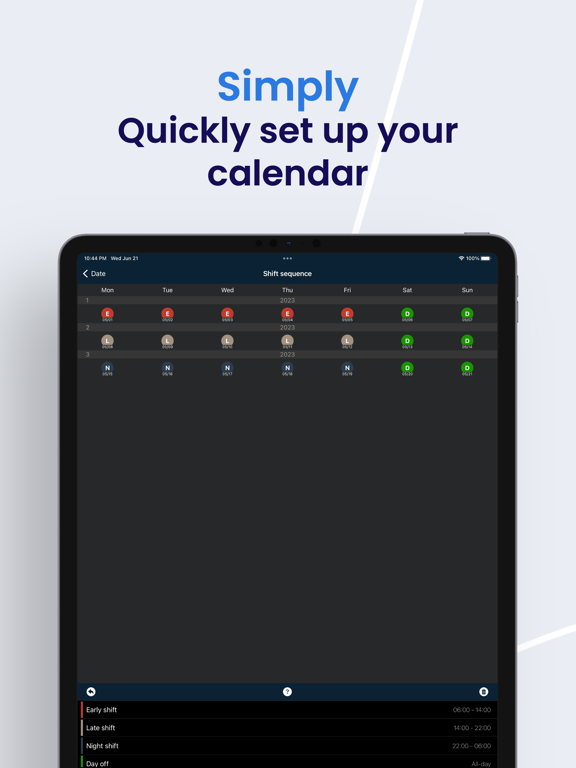
Apoku MCP provides app discovery, detailed cards, evidence, sources and screenshots where available. Unknown or conflicting prices stay explicit.
View JSON
GET /api/v3/apps/1297890902
{
  "app_id": 1297890902,
  "canonical_url": "https://appcorpus.com/apps/schichter-shift-calendar-1297890902",
  "identity": {
    "name": "Schichter - Shift calendar",
    "slug": "schichter-shift-calendar",
    "developer": {
      "name": "Martin Schulze",
      "url": "https://appcorpus.com/developers/martin-schulze-developer_7846eca5c482be8eac8d5f34f2db250b"
    },
    "icon_url": "https://is1-ssl.mzstatic.com/image/thumb/Purple221/v4/88/b1/83/88b18367-fdcf-de23-093d-6c1a4b2fc472/AppIconV3-0-0-1x_U007epad-0-1-0-85-220.png/512x512bb.jpg",
    "stores": [
      "apple"
    ],
    "platforms": [
      "iphone",
      "ipad"
    ],
    "status": {
      "state": "active",
      "label": "Active",
      "last_checked": "2026-08-06",
      "last_checked_label": "6 Aug 2026",
      "banner": null,
      "region_note": null,
      "data_state": "stale",
      "data_state_label": "Some store data may be out of date"
    }
  },
  "listings": [
    {
      "store": "apple",
      "status": "ACTIVE",
      "url": "https://apps.apple.com/us/app/schichter-shift-calendar/id1297890902?uo=4",
      "rating": 4.0,
      "rating_count": 4,
      "formatted_price": "$5.99",
      "is_free": false,
      "has_iap": true,
      "has_subscription": null,
      "version": "2.0.9",
      "updated": "2026-08-06",
      "currency": "USD"
    }
  ],
  "summary": {
    "one_liner": null,
    "summary": null,
    "best_for": [],
    "not_for": [],
    "status": "fallback",
    "at_a_glance": [
      "$5.99",
      "In-app purchases"
    ]
  },
  "categories": {
    "official": [
      "Productivity",
      "Utilities"
    ],
    "appcorpus": [
      {
        "category_id": "productivity",
        "label": "Productivity",
        "url": "https://appcorpus.com/categories/productivity"
      },
      {
        "category_id": "utilities",
        "label": "Utilities",
        "url": "https://appcorpus.com/categories/utilities"
      }
    ]
  },
  "use_cases": [],
  "features": [
    {
      "capability_id": "in_app_purchases",
      "label": "In-app purchases",
      "availability": "yes",
      "access_level": "free_limited",
      "scope": null,
      "evidence": "Store published"
    }
  ],
  "pricing": [
    {
      "store": "apple",
      "formatted_price": "$5.99",
      "is_free": false,
      "has_iap": true,
      "has_subscription": null,
      "currency": "USD",
      "market": "us",
      "last_verified": "2026-08-06",
      "rows": [
        "Price: $5.99",
        "iCloud — $1.99"
      ],
      "state": "current"
    }
  ],
  "screens": [
    {
      "url": "https://is1-ssl.mzstatic.com/image/thumb/Purple116/v4/ee/e1/0d/eee10d54-1863-cea2-cd83-ad7e93d559fc/5981e3c1-6143-4a8b-952f-6437ef726bab_Apple_iPad_Pro_13_Inch_Screenshot_0.png/1600x1600bb.jpg",
      "store": "apple",
      "platform": "ipad",
      "alt": "Schichter - Shift calendar ipad screenshot 1"
    },
    {
      "url": "https://is1-ssl.mzstatic.com/image/thumb/Purple116/v4/c9/65/21/c9652157-41b5-12f4-fec6-ed50fa15bcee/51a19758-d773-4714-9dc6-92de19bbbaaf_Apple_iPad_Pro_13_Inch_Screenshot_0.png/576x768bb.png",
      "store": "apple",
      "platform": "ipad",
      "alt": "Schichter - Shift calendar ipad screenshot 2"
    },
    {
      "url": "https://is1-ssl.mzstatic.com/image/thumb/Purple116/v4/12/08/e3/1208e3c8-0b81-1ea6-e385-d1d306ec4584/9de1bbef-cd40-4664-8ffb-6248206d6baf_Apple_iPad_Pro_13_Inch_Screenshot_1.png/1600x1600bb.jpg",
      "store": "apple",
      "platform": "ipad",
      "alt": "Schichter - Shift calendar ipad screenshot 3"
    },
    {
      "url": "https://is1-ssl.mzstatic.com/image/thumb/Purple126/v4/1f/9b/dc/1f9bdc11-b5ff-9616-c2ea-01bc0e31f14d/2801c4a5-dfc6-4a7d-ae83-a9fefffcd401_Apple_iPad_Pro_13_Inch_Screenshot_1.png/576x768bb.png",
      "store": "apple",
      "platform": "ipad",
      "alt": "Schichter - Shift calendar ipad screenshot 4"
    },
    {
      "url": "https://is1-ssl.mzstatic.com/image/thumb/Purple116/v4/9d/08/cb/9d08cbdd-a38d-0f81-9ca2-ac344b6dcfb5/bbac7b78-3baa-4972-ab58-9fd43be441fc_Apple_iPad_Pro_13_Inch_Screenshot_2.png/1600x1600bb.jpg",
      "store": "apple",
      "platform": "ipad",
      "alt": "Schichter - Shift calendar ipad screenshot 5"
    },
    {
      "url": "https://is1-ssl.mzstatic.com/image/thumb/Purple116/v4/44/36/06/4436069a-09cd-b2d8-87cb-9e4564f3a1ce/c4d39968-9c30-4621-b36f-6ee00ceda458_Apple_iPad_Pro_13_Inch_Screenshot_2.png/576x768bb.png",
      "store": "apple",
      "platform": "ipad",
      "alt": "Schichter - Shift calendar ipad screenshot 6"
    },
    {
      "url": "https://is1-ssl.mzstatic.com/image/thumb/Purple116/v4/a8/d6/27/a8d627ed-84a5-ab26-82f2-b2a4fbe547bc/4e3be086-cdfc-4ca2-aba9-b20a67a2bab7_Apple_iPad_Pro_13_Inch_Screenshot_3.png/1600x1600bb.jpg",
      "store": "apple",
      "platform": "ipad",
      "alt": "Schichter - Shift calendar ipad screenshot 7"
    },
    {
      "url": "https://is1-ssl.mzstatic.com/image/thumb/Purple116/v4/89/fa/a5/89faa532-056f-1fe3-df50-8b979d3f7e5a/7aaa9166-6aee-4af9-ad33-ecc197a5c665_Apple_iPad_Pro_13_Inch_Screenshot_6.png/576x768bb.png",
      "store": "apple",
      "platform": "ipad",
      "alt": "Schichter - Shift calendar ipad screenshot 8"
    },
    {
      "url": "https://is1-ssl.mzstatic.com/image/thumb/Purple126/v4/2a/bf/56/2abf56c1-3f71-3659-f1af-447e942e9ad3/ee7e433f-565d-4d90-820d-85ad9bf60acd_Apple_iPad_Pro_13_Inch_Screenshot_4.png/1600x1600bb.jpg",
      "store": "apple",
      "platform": "ipad",
      "alt": "Schichter - Shift calendar ipad screenshot 9"
    },
    {
      "url": "https://is1-ssl.mzstatic.com/image/thumb/Purple116/v4/37/49/b8/3749b829-b55a-fcd0-2f98-93dcdeaf99d6/fb78d64c-b932-4a70-b4f8-0c7f551ca3d0_Apple_iPad_Pro_13_Inch_Screenshot_3.png/576x768bb.png",
      "store": "apple",
      "platform": "ipad",
      "alt": "Schichter - Shift calendar ipad screenshot 10"
    },
    {
      "url": "https://is1-ssl.mzstatic.com/image/thumb/Purple126/v4/5e/3b/b6/5e3bb611-455d-7569-ccd0-2295a59f62f2/fec6e64d-72ce-48ef-9b16-37ef43fd070c_Apple_iPad_Pro_13_Inch_Screenshot_5.png/1600x1600bb.jpg",
      "store": "apple",
      "platform": "ipad",
      "alt": "Schichter - Shift calendar ipad screenshot 11"
    },
    {
      "url": "https://is1-ssl.mzstatic.com/image/thumb/Purple126/v4/6a/3b/bd/6a3bbdfe-765b-836a-a1e6-0aa64b5ecc3b/47f55859-18c2-4487-91a1-5a1f98396141_Apple_iPad_Pro_13_Inch_Screenshot_4.png/576x768bb.png",
      "store": "apple",
      "platform": "ipad",
      "alt": "Schichter - Shift calendar ipad screenshot 12"
    },
    {
      "url": "https://is1-ssl.mzstatic.com/image/thumb/Purple126/v4/d9/34/57/d934574c-a907-d576-1bb4-33dfd511e23d/83a0934e-1960-4753-b7c4-f31951ef5834_Apple_iPad_Pro_13_Inch_Screenshot_6.png/1600x1600bb.jpg",
      "store": "apple",
      "platform": "ipad",
      "alt": "Schichter - Shift calendar ipad screenshot 13"
    },
    {
      "url": "https://is1-ssl.mzstatic.com/image/thumb/Purple126/v4/ef/92/39/ef92396d-a47c-8802-3735-568bf9baa6f7/5021cdff-7a8a-4e83-a267-08e40a17be6c_Apple_iPad_Pro_13_Inch_Screenshot_5.png/576x768bb.png",
      "store": "apple",
      "platform": "ipad",
      "alt": "Schichter - Shift calendar ipad screenshot 14"
    },
    {
      "url": "https://is1-ssl.mzstatic.com/image/thumb/Purple116/v4/7f/c6/49/7fc649e5-43fe-a8ed-711e-859d39622418/eef95dc6-d290-4e22-94f9-a2c2efe47454_Apple_iPad_Pro_13_Inch_Screenshot_7.png/1600x1600bb.jpg",
      "store": "apple",
      "platform": "ipad",
      "alt": "Schichter - Shift calendar ipad screenshot 15"
    },
    {
      "url": "https://is1-ssl.mzstatic.com/image/thumb/Purple126/v4/dc/64/f3/dc64f31d-0062-deb8-15d4-456083ff9478/7c390447-5b0e-4f1d-9548-d976b1329b52_Apple_iPad_Pro_13_Inch_Screenshot_7.png/576x768bb.png",
      "store": "apple",
      "platform": "ipad",
      "alt": "Schichter - Shift calendar ipad screenshot 16"
    },
    {
      "url": "https://is1-ssl.mzstatic.com/image/thumb/Purple126/v4/a7/69/4a/a7694ab1-b9ab-171b-6c7f-450fc5619fee/48ec7afe-57ef-4e84-8856-3c62f58523b8_Apple_iPad_Pro_13_Inch_Screenshot_8.png/1600x1600bb.jpg",
      "store": "apple",
      "platform": "ipad",
      "alt": "Schichter - Shift calendar ipad screenshot 17"
    },
    {
      "url": "https://is1-ssl.mzstatic.com/image/thumb/Purple126/v4/ef/2a/72/ef2a7286-07fe-8358-9bf2-3da61406dbc7/bf746404-3157-49ae-97da-5702f69c0758_Apple_iPad_Pro_13_Inch_Screenshot_8.png/576x768bb.png",
      "store": "apple",
      "platform": "ipad",
      "alt": "Schichter - Shift calendar ipad screenshot 18"
    },
    {
      "url": "https://is1-ssl.mzstatic.com/image/thumb/Purple126/v4/66/e1/3b/66e13b72-eab2-dbe7-51d4-afd78b549958/fd18a5dc-fd64-4411-9fef-c4b3d8ae0def_Apple_iPad_Pro_13_Inch_Screenshot_9.png/1600x1600bb.jpg",
      "store": "apple",
      "platform": "ipad",
      "alt": "Schichter - Shift calendar ipad screenshot 19"
    },
    {
      "url": "https://is1-ssl.mzstatic.com/image/thumb/Purple116/v4/02/62/8f/02628f04-ffc5-932a-f78b-611be047ee6f/e5dce6af-6861-4025-a072-3c53f058c324_Apple_iPad_Pro_13_Inch_Screenshot_9.png/576x768bb.png",
      "store": "apple",
      "platform": "ipad",
      "alt": "Schichter - Shift calendar ipad screenshot 20"
    },
    {
      "url": "https://is1-ssl.mzstatic.com/image/thumb/PurpleSource116/v4/e7/15/9d/e7159d55-19af-4fa6-ec2c-9ffa54cf6793/f513248d-3514-482a-a0cd-e77e1a6e0a77_Apple_iPhone_11_Pro_Max_Screenshot_0.png/1242x1600bb.jpg",
      "store": "apple",
      "platform": "iphone",
      "alt": "Schichter - Shift calendar iphone screenshot 21"
    },
    {
      "url": "https://is1-ssl.mzstatic.com/image/thumb/PurpleSource116/v4/c3/18/12/c3181215-a67c-8a38-c2e6-7f1b20e1ba17/3db35d7d-3d36-4796-85fe-106c040ce063_Apple_iPhone_11_Pro_Max_Screenshot_1.png/1242x1600bb.jpg",
      "store": "apple",
      "platform": "iphone",
      "alt": "Schichter - Shift calendar iphone screenshot 22"
    },
    {
      "url": "https://is1-ssl.mzstatic.com/image/thumb/PurpleSource116/v4/13/8b/d2/138bd2e9-bc09-e5d7-73ca-1b1596ac0f29/ce29c4a3-e636-4d1e-b510-476e8b2ea931_Apple_iPhone_11_Pro_Max_Screenshot_2.png/1242x1600bb.jpg",
      "store": "apple",
      "platform": "iphone",
      "alt": "Schichter - Shift calendar iphone screenshot 23"
    },
    {
      "url": "https://is1-ssl.mzstatic.com/image/thumb/PurpleSource126/v4/f6/be/ae/f6beaea5-ca64-d660-a42b-ff42c83a8e38/03556381-9e32-4688-bf9b-bd5472ead2e1_Apple_iPhone_11_Pro_Max_Screenshot_3.png/1242x1600bb.jpg",
      "store": "apple",
      "platform": "iphone",
      "alt": "Schichter - Shift calendar iphone screenshot 24"
    },
    {
      "url": "https://is1-ssl.mzstatic.com/image/thumb/PurpleSource126/v4/a1/3a/0a/a13a0abb-cbb5-3f0b-ee4b-9d52d1934bb9/82635df2-c33f-4ee5-ac97-77e0ad193e96_Apple_iPhone_11_Pro_Max_Screenshot_4.png/1242x1600bb.jpg",
      "store": "apple",
      "platform": "iphone",
      "alt": "Schichter - Shift calendar iphone screenshot 25"
    },
    {
      "url": "https://is1-ssl.mzstatic.com/image/thumb/PurpleSource116/v4/a3/e2/f9/a3e2f9ca-e1e4-fabd-8f64-39512e1a3e80/d4d368a8-661b-4ffa-b70d-c14be71a0901_Apple_iPhone_11_Pro_Max_Screenshot_5.png/1242x1600bb.jpg",
      "store": "apple",
      "platform": "iphone",
      "alt": "Schichter - Shift calendar iphone screenshot 26"
    },
    {
      "url": "https://is1-ssl.mzstatic.com/image/thumb/PurpleSource116/v4/43/ba/7d/43ba7d8c-d71d-56a8-bd90-4cdf25c32ecf/10b6a748-022c-45c7-b3ed-94dfa9aea0f3_Apple_iPhone_11_Pro_Max_Screenshot_6.png/1242x1600bb.jpg",
      "store": "apple",
      "platform": "iphone",
      "alt": "Schichter - Shift calendar iphone screenshot 27"
    },
    {
      "url": "https://is1-ssl.mzstatic.com/image/thumb/PurpleSource126/v4/5c/dd/fe/5cddfed5-ae53-debf-d0ac-596df5ccdbd0/33e1dca7-4a6a-4bfa-a872-57f0a4957cea_Apple_iPhone_11_Pro_Max_Screenshot_7.png/1242x1600bb.jpg",
      "store": "apple",
      "platform": "iphone",
      "alt": "Schichter - Shift calendar iphone screenshot 28"
    },
    {
      "url": "https://is1-ssl.mzstatic.com/image/thumb/PurpleSource116/v4/49/f1/fb/49f1fb2d-fc98-3c01-60b8-a3769ad94361/3d314380-bef6-409a-8ec5-dfadddd2579d_Apple_iPhone_11_Pro_Max_Screenshot_8.png/1242x1600bb.jpg",
      "store": "apple",
      "platform": "iphone",
      "alt": "Schichter - Shift calendar iphone screenshot 29"
    },
    {
      "url": "https://is1-ssl.mzstatic.com/image/thumb/PurpleSource126/v4/25/84/58/258458c0-1c56-642b-affc-c0a8d59206a2/7e2b3777-a19d-4dcd-830f-8584d60128b4_Apple_iPhone_11_Pro_Max_Screenshot_9.png/1242x1600bb.jpg",
      "store": "apple",
      "platform": "iphone",
      "alt": "Schichter - Shift calendar iphone screenshot 30"
    },
    {
      "url": "https://is1-ssl.mzstatic.com/image/thumb/Purple116/v4/1f/e2/04/1fe20423-3f4e-31e7-f8e9-6853d5b3aceb/2358723e-79b1-4ba3-8950-be112e9b451f_incoming-DF8F2F72-265B-494F-842B-50CA6BAE7177.jpeg/368x448bb.jpg",
      "store": "apple",
      "platform": "watch",
      "alt": "Schichter - Shift calendar watch screenshot 31"
    },
    {
      "url": "https://is1-ssl.mzstatic.com/image/thumb/Purple116/v4/f2/b4/62/f2b4626e-a192-21ae-1ff6-00cc4f9176ad/71f02dfc-5dc9-4c30-ad2e-93c5958ba215_incoming-310AA0B1-2D03-43A3-9CA6-BF08354FDBFF.jpeg/368x448bb.jpg",
      "store": "apple",
      "platform": "watch",
      "alt": "Schichter - Shift calendar watch screenshot 32"
    },
    {
      "url": "https://is1-ssl.mzstatic.com/image/thumb/Purple116/v4/11/ff/20/11ff2011-504f-4a7a-bc85-75d5304adf1b/3b0d3960-8eda-4d2c-873e-b25a16268ff3_incoming-2E0432BE-DB84-467F-A7AE-0E09EA516253.jpeg/368x448bb.jpg",
      "store": "apple",
      "platform": "watch",
      "alt": "Schichter - Shift calendar watch screenshot 33"
    },
    {
      "url": "https://is1-ssl.mzstatic.com/image/thumb/Purple126/v4/ed/e1/d5/ede1d59a-fa27-46ff-9e19-32b5878a0fdc/ac109ebe-2f80-45d2-ab3f-0dd9131600c4_incoming-948FF736-893C-4E1D-9194-4E863481DDD3.jpeg/368x448bb.jpg",
      "store": "apple",
      "platform": "watch",
      "alt": "Schichter - Shift calendar watch screenshot 34"
    },
    {
      "url": "https://is1-ssl.mzstatic.com/image/thumb/Purple126/v4/f9/82/dd/f982dde1-8bf1-7de6-18cf-c0a7e4af14a1/e31ab063-97e9-4a52-98f8-7c15a026378c_incoming-0A713F6B-A57E-4DFF-BE52-02E5D2D9330D.jpeg/368x448bb.jpg",
      "store": "apple",
      "platform": "watch",
      "alt": "Schichter - Shift calendar watch screenshot 35"
    }
  ],
  "data_states": {
    "screens": "current"
  },
  "ratings": [
    {
      "store": "apple",
      "average": 4.0,
      "count": 4,
      "market": "us",
      "observed_at": "2026-08-06",
      "state": "current",
      "reviews": []
    }
  ],
  "privacy": [
    {
      "store": "apple",
      "declarations": [
        {
          "title": "Data Not Collected",
          "detail": "",
          "source": "Developer declared"
        }
      ],
      "accessibility": []
    }
  ],
  "changes": [
    {
      "store": "apple",
      "version": "1.7.4",
      "released_at": null,
      "notes": "• NEW FEATURES - Your shifts can now finally be printed or shared in a (yearly) calendar view as PDF. Just go to Menu - PDF Calendar. - In the widget the first two letters of the abbreviation of the shift name are now displayed. - Switching shifts has been optimized."
    },
    {
      "store": "apple",
      "version": "1.7.5",
      "released_at": null,
      "notes": "• BUG FIXES The Share Button of the PDF calendar now works on the iPad."
    },
    {
      "store": "apple",
      "version": "1.7.6",
      "released_at": null,
      "notes": "• New menu for a fast access to important functions, to call it up longpress press on a shift. (available from iOS13) • Font colors are now automatically adjusted if the contrast is poor. • The widget now offers a little more space for the abbreviation of the shift name. • Unpaid time can now be set up to full working time. • The Watch App now runs a bit faster and more stable. Thanks for your numerous suggestions and wishes. More will be implemented with the next update."
    },
    {
      "store": "apple",
      "version": "1.8",
      "released_at": null,
      "notes": "• Events from other calendars can now be displayed in different positions. This gives you an even better overview of your appointments. (Select the positions for your calendars in the settings). • With a long press on the menu button (...) you can reach important functions even faster. (from iOS13)."
    },
    {
      "store": "apple",
      "version": "1.8.1",
      "released_at": null,
      "notes": "• a few small improvements."
    },
    {
      "store": "apple",
      "version": "1.9",
      "released_at": null,
      "notes": "• Improved color selection for calendar items (iOS 14 and later). • Improved time & date selection (iOS 14 and later). • Many minor improvements. • Correct display when flatten transparency is enabled in iOS settings. • Fixes a bug when exporting to the Calendar app. • Preparation for iCloud features for the next update."
    },
    {
      "store": "apple",
      "version": "1.9.1",
      "released_at": null,
      "notes": "• You can now choose whether the current date should be selected at every start or the last selected date. • Display of the date while entering the shift sequence. • New widgets for the homescreen (iOS14). In-app purchase: • iCloud synchronization across all your devices. • Automatic backups to iCloud. • Direct sharing of iCloud backups."
    },
    {
      "store": "apple",
      "version": "1.9.2",
      "released_at": null,
      "notes": "Fixes a few issues with iCloud synchronization."
    },
    {
      "store": "apple",
      "version": "1.9.3",
      "released_at": null,
      "notes": "• Days to Vacation widget • Days until retirement widget • Many minor bugs fixed"
    },
    {
      "store": "apple",
      "version": "1.9.4",
      "released_at": null,
      "notes": "• The current day is now highlighted in the widget for the current week. • Fixes a bug where the end date was not calculated correctly when creating or editing the shift sequence."
    },
    {
      "store": "apple",
      "version": "1.9.5",
      "released_at": null,
      "notes": "• You can now choose your own colors for shift templates (iOS14 and later). • Fixed some bugs when syncing your shifts with the Calendar app. For example, shared calendars remain after changes. If you have any problems or find another bug, please contact us via email: [email protected]"
    },
    {
      "store": "apple",
      "version": "1.9.6",
      "released_at": null,
      "notes": "• Notes are now retained when swapping shifts and editing shift sequences. • In the overview, you can more conveniently enter the time span for evaluating your data. Apple Watch: • You can now view your shift today on your watch faces. • Swipe left or right to scroll to today's date. • WatchOS 8 is required as of now. • The Watch app has been completely rewritten in SwiftUI for easier development."
    },
    {
      "store": "apple",
      "version": "1.9.7",
      "released_at": null,
      "notes": "• At least iOS 13 is now required. • Colors and buttons in the navigation are now displayed correctly again. • All icons have been improved. • Dates like weekdays and months are now displayed in the first preferred language of the device, even if Schichter does not provide a translation for it."
    },
    {
      "store": "apple",
      "version": "1.9.8",
      "released_at": null,
      "notes": "Shifter requires at least iOS14 as of now. • 10 days weather forecast (requires iOS16). • Swipe gestures for calendar can now be swapped in the menu. • The first time a new version is started, the news will be displayed. • The changes of the last versions can be displayed at any time under Settings - Version. • Many small improvements."
    },
    {
      "store": "apple",
      "version": "1.9.9",
      "released_at": null,
      "notes": "• New widgets for the month view in 2 sizes. • In the menu you can now choose whether your week starts on a Sunday or a Monday."
    },
    {
      "store": "apple",
      "version": "2.0.0",
      "released_at": null,
      "notes": "• With this small update your shift calendar is ready for iOS17."
    },
    {
      "store": "apple",
      "version": "2.0.1",
      "released_at": null,
      "notes": "• Medium widget of the current month, this can also be added to a Smart Stack on the iPhone. • New widgets for your Apple Watch, MacOS Sonoma, iPad & the iPhone lockscreen. • The symbols for shift swapped and note can now be displayed in the monthly widgets. (Long press on the widget - Edit widget). • Fixes a bug where the widget for the next month was not loaded correctly. • Improved selection of the time in the shift templates & the date in the evaluation. • Some bugs have been fixed."
    },
    {
      "store": "apple",
      "version": "2.0.2",
      "released_at": null,
      "notes": "• Fixes a problem where some widgets were no longer displayed correctly. • If you write to me via Settings - Email to developer, information about your system will be included in the text. That way I can help you more quickly."
    },
    {
      "store": "apple",
      "version": "2.0.3",
      "released_at": null,
      "notes": "• Fixes a problem where the month widget was not displayed correctly when the Display zoom - larger text option was selected in the settings. • Fixed a bug that caused a crash when an unpaid break was entered during a night shift."
    },
    {
      "store": "apple",
      "version": "2.0.4",
      "released_at": null,
      "notes": "• New app icons for iOS18, these can now be set to dark or tinted on the home screen under Edit. • Fixes a bug where the setting of certain regions (e.g. Saudi Arabia) led to a crash. • To be able to use the home screen widgets, you now need at least iOS 17.6."
    }
  ],
  "alternatives": [
    {
      "app_id": 1037227276,
      "name": "Manageable: Nested ToDo Lists",
      "url": "https://appcorpus.com/apps/manageable-nested-todo-lists-1037227276",
      "reason": "Same category + similar ratings"
    },
    {
      "app_id": 1024069060,
      "name": "This Week - Weekly To-Do List",
      "url": "https://appcorpus.com/apps/this-week-weekly-to-do-list-1024069060",
      "reason": "Same category + similar ratings"
    },
    {
      "app_id": 6469763335,
      "name": "PomoLite - Focus Timer Keeper",
      "url": "https://appcorpus.com/apps/pomolite-focus-timer-keeper-6469763335",
      "reason": "Same category + similar ratings"
    }
  ],
  "evidence_summary": {
    "index_state": "S1",
    "evidence_level": 1,
    "level_label": "Live store listing",
    "indexable": true,
    "last_verified_at": "2026-08-06",
    "unknown_fields": [
      "Apoku editorial summary has not been published yet."
    ],
    "sources": [
      "App Store"
    ]
  },
  "availability_markets": {
    "live": [
      "us"
    ],
    "selected": "us",
    "note": null
  },
  "feature_events": {
    "events": []
  },
  "features_slice": {
    "plans": [
      {
        "code": "icloud",
        "label": "iCloud",
        "kind": "unknown",
        "status": "store_listed",
        "prices": [
          {
            "storefront": "us",
            "formatted": "$1.99",
            "billing_period": null,
            "scope_status": "scoped",
            "market_mismatch": false,
            "source_market": "us",
            "observed_at": "2026-08-06 19:07:53.145472+00:00"
          }
        ],
        "trial": null
      }
    ],
    "features": [],
    "unknown_features": [],
    "data_cutoff": "6 Aug 2026"
  }
}