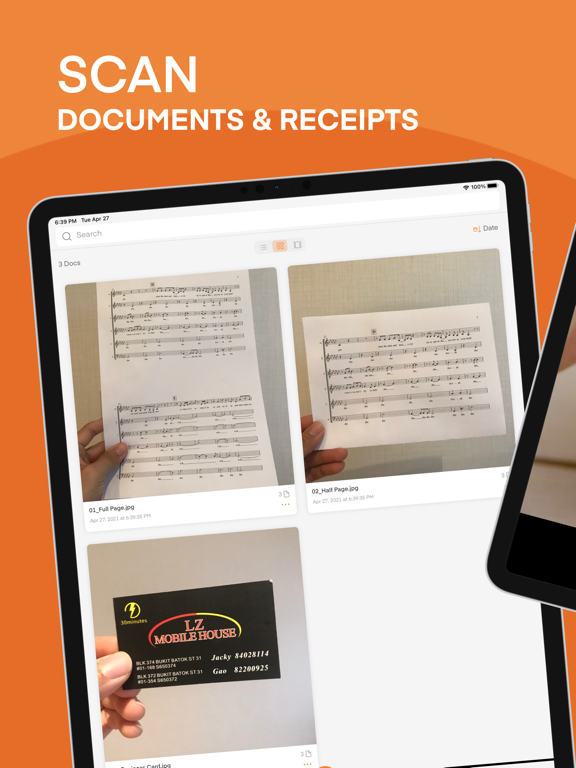
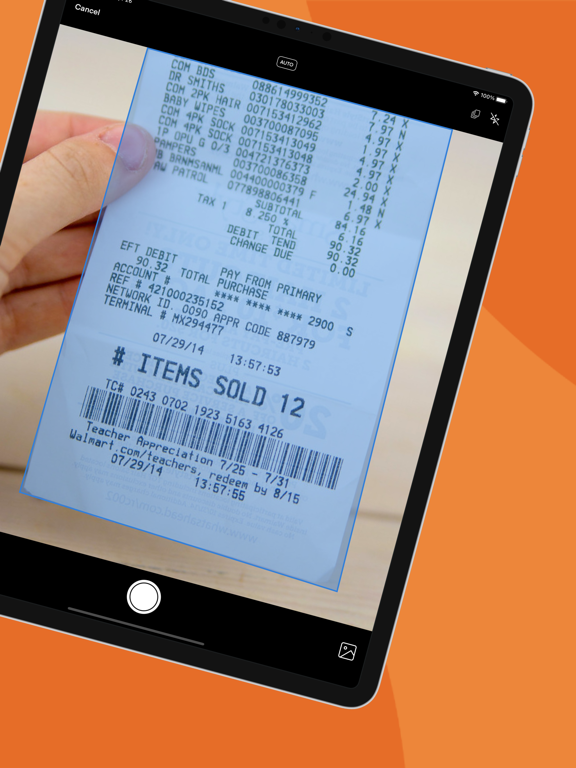
AppCorpus MCP gives your agent current app data, prices, screens, features and sources.
View JSON
GET /api/v3/apps/1402847779
{
  "app_id": 1402847779,
  "canonical_url": "https://appcorpus.com/apps/scanner-vault-pdf-ocr-scan-1402847779",
  "identity": {
    "name": "Scanner Vault: PDF & OCR Scan",
    "slug": "scanner-vault-pdf-ocr-scan",
    "developer": {
      "name": "Appsverse Inc.",
      "url": "https://appcorpus.com/developers/appsverse-inc-developer_566141280afe82bd547038ccfe7460b0"
    },
    "icon_url": "https://is1-ssl.mzstatic.com/image/thumb/Purple211/v4/26/f2/f8/26f2f899-dd9c-cabb-9122-f2af8a091adb/ScannerVault-0-0-1x_U007emarketing-0-8-0-85-220.png/512x512bb.jpg",
    "stores": [
      "apple"
    ],
    "platforms": [
      "iphone",
      "ipad"
    ],
    "status": {
      "state": "active",
      "label": "Active",
      "last_checked": "2026-09-06",
      "last_checked_label": "6 Sep 2026",
      "banner": null,
      "region_note": null
    }
  },
  "listings": [
    {
      "store": "apple",
      "status": "ACTIVE",
      "url": "https://apps.apple.com/us/app/scanner-vault-pdf-ocr-scan/id1402847779?uo=4",
      "rating": 4.6,
      "rating_count": 15440,
      "formatted_price": "Free",
      "is_free": true,
      "has_iap": true,
      "has_subscription": true,
      "version": "4.09",
      "updated": "2025-12-17",
      "currency": "USD"
    }
  ],
  "summary": {
    "one_liner": null,
    "summary": null,
    "best_for": [],
    "not_for": [],
    "status": "fallback",
    "at_a_glance": [
      "Free download · core features require a paid plan",
      "In-app purchases",
      "Subscription"
    ]
  },
  "categories": {
    "official": [
      "Business",
      "Productivity"
    ],
    "appcorpus": [
      {
        "category_id": "business",
        "label": "Business",
        "url": "https://appcorpus.com/categories/business"
      },
      {
        "category_id": "productivity",
        "label": "Productivity",
        "url": "https://appcorpus.com/categories/productivity"
      }
    ]
  },
  "use_cases": [],
  "features": [
    {
      "capability_id": "free_app",
      "label": "Free app",
      "availability": "yes",
      "access_level": "free",
      "scope": null,
      "evidence": "Store published"
    },
    {
      "capability_id": "in_app_purchases",
      "label": "In-app purchases",
      "availability": "yes",
      "access_level": "free_limited",
      "scope": null,
      "evidence": "Store published"
    },
    {
      "capability_id": "subscription",
      "label": "Subscription",
      "availability": "yes",
      "access_level": "paid",
      "scope": null,
      "evidence": "Store published"
    }
  ],
  "pricing": [
    {
      "store": "apple",
      "formatted_price": "Free",
      "is_free": true,
      "has_iap": true,
      "has_subscription": true,
      "currency": "USD",
      "market": "es",
      "last_verified": "2026-09-06",
      "rows": [
        "Scanner Phone Premium — $49.99"
      ]
    }
  ],
  "screens": [
    {
      "url": "https://is1-ssl.mzstatic.com/image/thumb/PurpleSource125/v4/54/7b/6f/547b6f7b-ff3f-3a7e-43a1-3b79ff1e0ab4/83136c12-0cf4-40e6-954c-27e067cd71a8_iPad01.png/1600x1600bb.jpg",
      "store": "apple",
      "platform": "ipad",
      "alt": "Scanner Vault: PDF & OCR Scan ipad screenshot 1"
    },
    {
      "url": "https://is1-ssl.mzstatic.com/image/thumb/PurpleSource115/v4/7b/e3/3a/7be33abf-ac43-0db7-46b8-52bd3f1e6e33/d6495ce5-dc6b-4128-8131-afc877b083b4_iPad01.png/576x768bb.png",
      "store": "apple",
      "platform": "ipad",
      "alt": "Scanner Vault: PDF & OCR Scan ipad screenshot 2"
    },
    {
      "url": "https://is1-ssl.mzstatic.com/image/thumb/PurpleSource115/v4/54/95/45/549545a4-7bf5-2abb-eaa1-88defb981e40/4fcb2325-84d1-4bfb-93ca-8e55f6293ee3_iPad02.png/1600x1600bb.jpg",
      "store": "apple",
      "platform": "ipad",
      "alt": "Scanner Vault: PDF & OCR Scan ipad screenshot 3"
    },
    {
      "url": "https://is1-ssl.mzstatic.com/image/thumb/PurpleSource125/v4/96/6c/17/966c170a-8d17-e9f9-30f3-5790e7f5223d/13f2d666-0d36-4e8d-85e8-26ff32205973_iPad02.png/576x768bb.png",
      "store": "apple",
      "platform": "ipad",
      "alt": "Scanner Vault: PDF & OCR Scan ipad screenshot 4"
    },
    {
      "url": "https://is1-ssl.mzstatic.com/image/thumb/PurpleSource125/v4/6f/ad/06/6fad06dc-fb7c-795f-538f-f5ab7d06eb81/24fc988c-1957-45de-b8ad-f5ef10757f9a_iPad03.png/1600x1600bb.jpg",
      "store": "apple",
      "platform": "ipad",
      "alt": "Scanner Vault: PDF & OCR Scan ipad screenshot 5"
    },
    {
      "url": "https://is1-ssl.mzstatic.com/image/thumb/PurpleSource115/v4/e7/96/4f/e7964fbb-60b8-60b6-16e3-b6fa5ef02817/be6f9eb0-b3f2-445a-baad-bd8ddab8145d_iPad03.png/576x768bb.png",
      "store": "apple",
      "platform": "ipad",
      "alt": "Scanner Vault: PDF & OCR Scan ipad screenshot 6"
    },
    {
      "url": "https://is1-ssl.mzstatic.com/image/thumb/PurpleSource125/v4/ed/33/b7/ed33b7a0-a658-adf2-9bf3-ed337d0bb2c0/ffe48183-0517-4e5b-9a11-78ecfbf5623b_iPad04.png/1600x1600bb.jpg",
      "store": "apple",
      "platform": "ipad",
      "alt": "Scanner Vault: PDF & OCR Scan ipad screenshot 7"
    },
    {
      "url": "https://is1-ssl.mzstatic.com/image/thumb/PurpleSource125/v4/f1/42/f5/f142f5c6-0b3f-2133-6097-60b3b70f0455/82d5807a-8c97-4c2f-a262-f8753cd9e078_iPad04.png/576x768bb.png",
      "store": "apple",
      "platform": "ipad",
      "alt": "Scanner Vault: PDF & OCR Scan ipad screenshot 8"
    },
    {
      "url": "https://is1-ssl.mzstatic.com/image/thumb/PurpleSource125/v4/ac/2e/a8/ac2ea8ee-b9ed-52bc-c0cb-5f747dbfdff9/6a76dbf5-fecd-4427-a250-fe15f420dfc4_iPad05.png/1600x1600bb.jpg",
      "store": "apple",
      "platform": "ipad",
      "alt": "Scanner Vault: PDF & OCR Scan ipad screenshot 9"
    },
    {
      "url": "https://is1-ssl.mzstatic.com/image/thumb/PurpleSource125/v4/a9/fd/92/a9fd9217-e7c0-c63d-06ff-bcb504eb6544/617beee7-7a86-4f6d-a657-8ee48cbafae7_iPad05.png/576x768bb.png",
      "store": "apple",
      "platform": "ipad",
      "alt": "Scanner Vault: PDF & OCR Scan ipad screenshot 10"
    },
    {
      "url": "https://is1-ssl.mzstatic.com/image/thumb/PurpleSource125/v4/67/f1/1c/67f11c21-e497-b2e0-6e86-cfc6b436c10c/0eb2dec7-1fab-4703-820d-a61a8962ac88_iPad06.png/1600x1600bb.jpg",
      "store": "apple",
      "platform": "ipad",
      "alt": "Scanner Vault: PDF & OCR Scan ipad screenshot 11"
    },
    {
      "url": "https://is1-ssl.mzstatic.com/image/thumb/PurpleSource125/v4/9e/2e/ab/9e2eab7e-c5fb-6432-00ef-c5f75274fc9b/5f447b5a-83df-4d81-908a-9848d9129711_iPad06.png/576x768bb.png",
      "store": "apple",
      "platform": "ipad",
      "alt": "Scanner Vault: PDF & OCR Scan ipad screenshot 12"
    },
    {
      "url": "https://is1-ssl.mzstatic.com/image/thumb/PurpleSource115/v4/45/f9/9c/45f99c8c-22cb-b849-e28a-eac7926f06d9/e9ad8001-cab6-43bf-9246-64380ca00617_iPhone11ProMax01.png/1242x1600bb.jpg",
      "store": "apple",
      "platform": "iphone",
      "alt": "Scanner Vault: PDF & OCR Scan iphone screenshot 13"
    },
    {
      "url": "https://is1-ssl.mzstatic.com/image/thumb/PurpleSource115/v4/93/c4/58/93c4585e-3658-60c9-3031-bb560eceb445/924ff4ca-243b-4abb-be82-854ce9333adb_iPhone11ProMax02.png/1242x1600bb.jpg",
      "store": "apple",
      "platform": "iphone",
      "alt": "Scanner Vault: PDF & OCR Scan iphone screenshot 14"
    },
    {
      "url": "https://is1-ssl.mzstatic.com/image/thumb/PurpleSource115/v4/93/d4/7b/93d47bfc-149a-beab-c3b0-87650027fc1f/4fff6e38-3dba-4e42-a4ed-f80125f4f35f_iPhone11ProMax03.png/1242x1600bb.jpg",
      "store": "apple",
      "platform": "iphone",
      "alt": "Scanner Vault: PDF & OCR Scan iphone screenshot 15"
    },
    {
      "url": "https://is1-ssl.mzstatic.com/image/thumb/PurpleSource125/v4/56/ac/ab/56acab04-0176-884f-bd40-e38711344579/2d8d5fba-cc5d-4295-aa0a-55e6d03308ca_iPhone11ProMax04.png/1242x1600bb.jpg",
      "store": "apple",
      "platform": "iphone",
      "alt": "Scanner Vault: PDF & OCR Scan iphone screenshot 16"
    },
    {
      "url": "https://is1-ssl.mzstatic.com/image/thumb/PurpleSource115/v4/d1/0e/6e/d10e6e62-f637-6601-2ffc-07551032fc6c/d6581359-c5ce-456a-bf1b-81eaee024d3a_iPhone11ProMax05.jpg/1242x1600bb.jpg",
      "store": "apple",
      "platform": "iphone",
      "alt": "Scanner Vault: PDF & OCR Scan iphone screenshot 17"
    },
    {
      "url": "https://is1-ssl.mzstatic.com/image/thumb/PurpleSource125/v4/51/5f/ad/515fade1-ac0b-677a-e4f5-d02413e6081a/e8adeba6-a1dd-4379-b8db-fb13d881f312_iPhone11ProMax06.png/1242x1600bb.jpg",
      "store": "apple",
      "platform": "iphone",
      "alt": "Scanner Vault: PDF & OCR Scan iphone screenshot 18"
    }
  ],
  "ratings": [
    {
      "store": "apple",
      "average": 4.6,
      "count": 15440,
      "market": "es",
      "observed_at": "2026-09-06",
      "reviews": [
        {
          "rating": 5,
          "title": "So far so good",
          "body": "Better than good, actually. I’m creating a work space in a small condo into which I recently moved. I purchased a tv/monitor which prompted me to scan the product for registration purposes. I discovered your phone scanner app it worked perfectly for my needs. As a retired professor who wants to remain active in writing, I want technology to support my goals efficiently and effectively and the phone app did just that—effortlessly! To paraphrase a line from Halt and Catch Fire, technology is not the thing; it is the thing that gets you to the thing.",
          "author": "Doc4368",
          "date": "6 Sep 2026"
        },
        {
          "rating": 4,
          "title": "Simple to use!",
          "body": "The app is simple to use with basic options. Nice being able to choose from taking a new pic to scan or just pulling from the gallery. I’m not sure how it functions on a phone, but I was using on iPad Pro tablet 2017 version with iOS 12.1.1. If I had anything negative to say, it would be that on this pad it was a bit tricky using the camera function because the view was reversed when trying to center the document! If there was an added option to reverse the camera so document centering was easier I would give it 5 stars! I ended up just taking a picture and pulling from the gallery to simplify the task. All in all worked very well for what I needed. G.M.",
          "author": "Wirenut521",
          "date": "6 Sep 2026"
        },
        {
          "rating": 5,
          "title": "Too soon to review",
          "body": "I am a technological buffoon. That being said, I was able to navigate purchasing this at the App Store and adding it to my phone all by myself. Not bad for a boomer Luddite. The scanning part and the directions have been easy, and I would give you five stars. The problem is I don’t know if it will send yet because he asked me to write this review prior to seeing if every feature works correctly. But so far so good.",
          "author": "Lizzbess",
          "date": "6 Sep 2026"
        },
        {
          "rating": 5,
          "title": "Quality",
          "body": "I used a different scanner prior to Scanner Vault and I did not like the quality…which is how I came upon Scanner Vault in the first place. I needed something easier and something that made the document flat and took off the markings where the page had been folded in a couple different places. So, Scanner Vault has great quality, it is far easier work with than others I have used.",
          "author": "JJJJMAY",
          "date": "6 Sep 2026"
        },
        {
          "rating": 5,
          "title": "Literally the easiest way",
          "body": "I don’t think I could possibly describe an easier way to scan something to someone. You literally take pictures of the document, it converts it into a printed black-and-white PDF, and then allows you to email it to anyone. I would recommend this easily to anybody for day-to-day or professional use.",
          "author": "zancarver",
          "date": "6 Sep 2026"
        }
      ]
    }
  ],
  "privacy": [
    {
      "store": "apple",
      "declarations": [
        {
          "title": "Data Not Linked to You",
          "detail": "Analytics — Diagnostics — Performance Data",
          "source": "Developer declared"
        },
        {
          "title": "Data Not Linked to You",
          "detail": "Analytics — Identifiers — User ID",
          "source": "Developer declared"
        },
        {
          "title": "Data Not Linked to You",
          "detail": "App Functionality — Identifiers — Device ID",
          "source": "Developer declared"
        },
        {
          "title": "Data Not Linked to You",
          "detail": "App Functionality — Identifiers — User ID",
          "source": "Developer declared"
        },
        {
          "title": "Data Not Linked to You",
          "detail": "App Functionality — Usage Data — Product Interaction",
          "source": "Developer declared"
        },
        {
          "title": "Data Not Linked to You",
          "detail": "Developer’s Advertising or Marketing — Identifiers — Device ID",
          "source": "Developer declared"
        },
        {
          "title": "Data Not Linked to You",
          "detail": "Product Personalization — Identifiers — Device ID",
          "source": "Developer declared"
        },
        {
          "title": "Data Not Linked to You",
          "detail": "Product Personalization — Usage Data — Product Interaction",
          "source": "Developer declared"
        },
        {
          "title": "Data Not Linked to You",
          "detail": "Diagnostics",
          "source": "Developer declared"
        },
        {
          "title": "Data Not Linked to You",
          "detail": "Identifiers",
          "source": "Developer declared"
        },
        {
          "title": "Data Not Linked to You",
          "detail": "Usage Data",
          "source": "Developer declared"
        },
        {
          "title": "Data Used to Track You",
          "detail": "Identifiers — Device ID",
          "source": "Developer declared"
        },
        {
          "title": "Data Used to Track You",
          "detail": "Identifiers — User ID",
          "source": "Developer declared"
        },
        {
          "title": "Data Used to Track You",
          "detail": "Identifiers",
          "source": "Developer declared"
        }
      ],
      "accessibility": []
    }
  ],
  "changes": [
    {
      "store": "apple",
      "version": "1.30",
      "released_at": null,
      "notes": "+ Enhance scanning capability + Bug fixes"
    },
    {
      "store": "apple",
      "version": "1.58",
      "released_at": null,
      "notes": "+ Bug fixes + Enhance Scanning"
    },
    {
      "store": "apple",
      "version": "1.60",
      "released_at": null,
      "notes": "+ Bug fixes + Improve scanning capability"
    },
    {
      "store": "apple",
      "version": "2.61",
      "released_at": null,
      "notes": "+ Reorder PDF document via drag and drop + Better scanning quality + Hands free scanning and auto capture + Multiple scan views"
    },
    {
      "store": "apple",
      "version": "2.66",
      "released_at": null,
      "notes": "+ Improve manual crop + Enhance color scanning + Fix crash bugs with large scans"
    },
    {
      "store": "apple",
      "version": "2.68",
      "released_at": null,
      "notes": "+ Optimize PDF quality size + Enhance scanning experience + Fix bugs"
    },
    {
      "store": "apple",
      "version": "2.77",
      "released_at": null,
      "notes": "+ Improve scanning workflow + Including exporting JPEG and PNG in addition to PDF"
    },
    {
      "store": "apple",
      "version": "2.83",
      "released_at": null,
      "notes": "+ Bug fix with saving PDF + Improve workflow for scanning + Scanning enhancement"
    },
    {
      "store": "apple",
      "version": "2.94",
      "released_at": null,
      "notes": "+ Better support for iPad + Improved border detect and image + Better support for multiple scans + Improved image editing functionality"
    },
    {
      "store": "apple",
      "version": "2.96",
      "released_at": null,
      "notes": "+ Improved image editing functionality + Better scanning quality + Bug fixes"
    },
    {
      "store": "apple",
      "version": "3.01",
      "released_at": null,
      "notes": "+ Bug fixes + Enhance scanning quality + Additional free features"
    },
    {
      "store": "apple",
      "version": "3.07",
      "released_at": null,
      "notes": "+ Bug fix with sharing + Improve scanning quality"
    },
    {
      "store": "apple",
      "version": "3.08",
      "released_at": null,
      "notes": "+ Fix manual scan bug + Improve scanning quality"
    },
    {
      "store": "apple",
      "version": "3.09",
      "released_at": null,
      "notes": "+ Scanner improvement + Bug fixes"
    },
    {
      "store": "apple",
      "version": "3.15",
      "released_at": null,
      "notes": "+ Enhance PDF Scanner + Bug fixes"
    },
    {
      "store": "apple",
      "version": "4.00",
      "released_at": null,
      "notes": "- Brand-new UI - See scans with different thumbnail sizes - Faster and easier detection of documents - Batch mode to scan multiple pages at one go - Simpler editing mode"
    },
    {
      "store": "apple",
      "version": "4.01",
      "released_at": null,
      "notes": "- Improve scanning capabilities - Bug fixes"
    },
    {
      "store": "apple",
      "version": "4.02",
      "released_at": null,
      "notes": "+ Improve Scanning + Bug fixes"
    },
    {
      "store": "apple",
      "version": "4.03",
      "released_at": null,
      "notes": "+ Bug fixes"
    },
    {
      "store": "apple",
      "version": "4.04",
      "released_at": null,
      "notes": "+ Bug fixes"
    }
  ],
  "alternatives": [
    {
      "app_id": 1522421913,
      "name": "Camera Scanner - PDF",
      "url": "https://appcorpus.com/apps/camera-scanner-pdf-1522421913",
      "reason": "Same category + similar ratings"
    },
    {
      "app_id": 1450250541,
      "name": "PDF Document Scanner App °",
      "url": "https://appcorpus.com/apps/pdf-document-scanner-app-1450250541",
      "reason": "Same category + similar ratings"
    },
    {
      "app_id": 1450144832,
      "name": "Scanner - Edit PDF & documents",
      "url": "https://appcorpus.com/apps/scanner-edit-pdf-documents-1450144832",
      "reason": "Same category + similar ratings"
    },
    {
      "app_id": 1469182761,
      "name": "PDF Scanner・Document Scanner・",
      "url": "https://appcorpus.com/apps/pdf-scannerdocument-scanner-1469182761",
      "reason": "Same category + similar ratings"
    }
  ],
  "evidence_summary": {
    "index_state": "S1",
    "evidence_level": 1,
    "level_label": "Live store listing",
    "indexable": true,
    "last_verified_at": "2026-09-06",
    "unknown_fields": [
      "Independent summary has not been published yet."
    ],
    "sources": [
      "App Store"
    ]
  },
  "availability_markets": {
    "live": [
      "us"
    ],
    "selected": "es",
    "note": "No LIVE observation for ES yet."
  },
  "feature_events": {
    "events": []
  },
  "features_slice": {
    "plans": [
      {
        "code": "scanner-phone-premium",
        "label": "Scanner Phone Premium",
        "kind": "subscription",
        "status": "store_verified",
        "prices": [
          {
            "storefront": "us",
            "formatted": "$49.99",
            "billing_period": null
          }
        ],
        "trial": null
      }
    ],
    "features": [],
    "unknown_features": [],
    "data_cutoff": "6 Sep 2026"
  }
}