
Scanner Pro・Scan PDF Documents
Scan and organize documents on the go
by Readdle Technologies Limited
iPhone · iPad
Quick verdict
- What it is
- Scanner Pro is a mobile app that allows users to scan, organize, and share documents. It supports scanning of various types of documents, including receipts, IDs, and books, and allows users to access their scans across multiple devices.
- Best for
-
- someone who scans paper receipts
- someone who needs to organize documents
- At a glance
-
- Free to download
- In-app purchases
Categories and search queries
Official categories
- Business
- Productivity
AppCorpus categories
People use this app to
Relevant searches
- OCR scanner without watermark
- camera to PDF
- document scanner
Key functions
| Function | Availability | Access | Scope | Evidence |
|---|---|---|---|---|
| Document scanning | Yes | Unknown | — |
From listing
|
| Free app | Yes | Free | — | Store published |
| In-app purchases | Yes | Limited free | — | Store published |
Screens
App Store
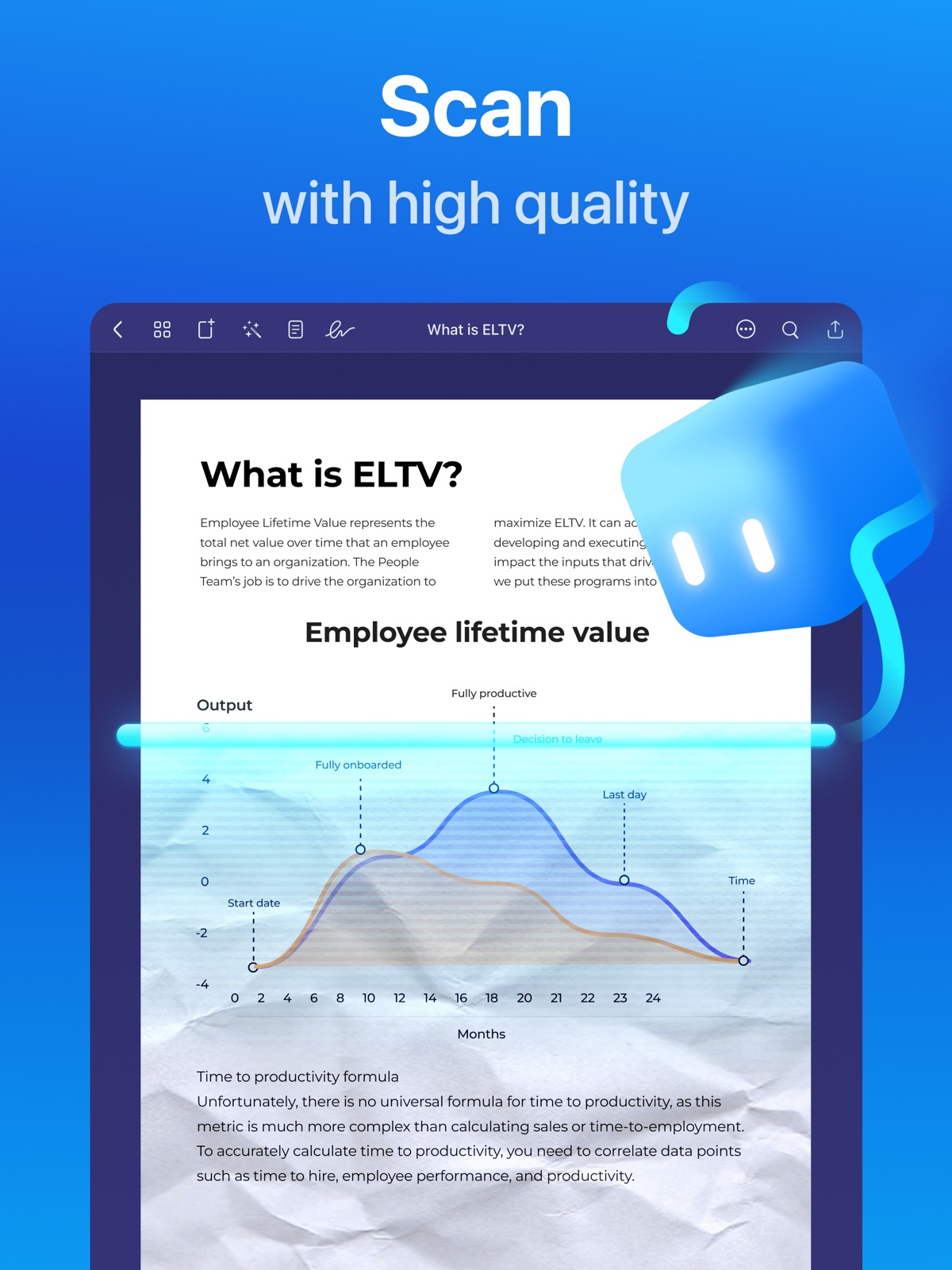
27 store screenshots


Pricing & paywalls
App Store
- Expense Report — $4.99
- Fax Pack 1 — $0.99
- Scanner Pro Plus — $3.99
- Scanner Pro Plus — $6.99
- Scanner Pro Plus — $7.99
- Scanner Pro Plus — $19.99
- Scanner Pro Plus — $29.99
- Scanner Pro Plus — $59.99
Ratings & reviews
App Store
-
5/5Updated 5-Star Review
Readdle Scanner Pro— Good news: Still a great scanning app! Bad news: As the app is updated each year, a few more controls are added, that aren’t immediately noticeable. What happens is that suddenly it appears that the updated app doesn’t work as well as it once did. Well, it does work as well, but you have to closely examine it for new settings, then adjust them for how and what YOU are scanning. In other words, Readdle Scanner Pro now allows more granular settings. Some new controls are hard to spot. I wish Readdle would have a “simplified setting for dummies”, so it could work like it once did. It took an in-app complaint from me (that was answered within 24-hours) for me to learn about the new controls. Then I had to play with Scanner Pro for a few days, to use it as I once did, so it was again quick and easy for my daily needs. So I am rating it as 5-Stars again. I love the app, I use it every day, but I love it slightly less than before, because I had to relearn and practice with it. It’s still the best scanner app I’ve found, but the gap between it and others is narrowing. Please add a single “Preset for Dummies” for those of us who don’t need so many granular settings. Or add an obvious link to a simple graphical users guide, showing what settings are where, now. Don’t discourage us. We just want to make a good scan, quickly. We don’t want to relearn how to use the app. Thanks.
TheNewGuyHere · 30 Aug 2026
-
5/5Truly one of the best scanners out there!
Like many people, I don’t write reviews much. But I really do enjoy this app. I use it to help me with my homework, as in this digital age, teachers will give you a paper assignment but then you will have to scan it to Google Classroom. It is so much better to use this than to take a picture, as it crops to only your homework and it will find the edges really nicely. In case you wrote some annotations of a document really close to the edge of the paper, no worries! You can manually adjust the cropping. I also love that it corrects for slanted angles, meaning don’t have to retake the photo over and over again because my hand wasn’t straight, it is also another reason why this app is better than just taking a photo. It also saves it into a separate folder in my files, meaning I can access it anywhere anytime, and it’s not just cluttered with all my other files. I use it pretty much every day for my homework, and while a lot of people use it for receipts and other stuff, there are countless uses for this scanner app. I highly recommend it and I feel like anyone could find a good use for it! Give it a try! Thank you to the developers for also making this app really easy to use and keeping things simple. It’s very hard to find apps like that nowadays, everything has to have bells and whistles and flashing lights and it’s so annoying. Thank you for not being like that!
kcezz · 30 Aug 2026
-
5/5Used to be great
I have been using this app for … 11 years and was extremely happy with it. The feature I loved was ability to create workflows and make them rename my scans and upload to online storage. First the renaming feature stopped working and instead produced an error and now my carefully created numerous workflows entirely disappeared from the app. I recreated a new workflow to test if renaming works but no it still did not. No way to recover lost workflows either. No settings backup function. As if this wasn’t enough the newly created workflow mysteriously disappeared from the app the following day. What a … mess this app has become!!! Rolling down the hill quickly after stellar 11 years…. If it ain’t broken don’t fix it rule did not gain much traction with the developer. As of today I can’t really recommend this app. Too bad… in fact if you are looking for an app that does more than just basic scanning (that iOS notes does already) look elsewhere. This is no longer an app I can rely on. ———— Update: new version fixed the scan renaming failure and test workflow works now and was not automatically deleted the following day. The old workflows are still gone and no settings backup function exists. Step in right direction though - more work ahead.
Ipad4me2 · 30 Aug 2026
-
5/5I use this App Everyday!
I love Scanner Pro. It is so easy to use. I use it to scan and send documents nearly everyday because it automatically straightens and aligns them to all four corners, removing all distortion seen in every regular photo. It saves lots of time. The image size can be adjusted after the scan to any standard document size before printing. The scans can be named and renamed again later as needed since no two files can have the same name within the same folder. The date can even be added to the name with one simple click. Scans can be grouped together in one file or placed in multiple files for ease of locating or sending. Any image can be rescanned and replaced with a new image, or discarded altogether. After scanning, you can edit the image in several ways to clean it up oftentimes making it more legible than the original. You can easily scan color or black and white photos, text, full pages, text and images, or even handwriting such as old recipe cards. I find that indirect sunlight is the best light for scanning with this app. You can save any image in color or black & white, in either low or high resolution. Get Scanner Pro-you won’t regret it!
MarshallBrown · 30 Aug 2026
-
4/5Incredibly good
Update: I frequently have an issue with this app not uploading files to the cloud. I have to manually upload selected files very often. This may occur if I don’t have a connection to the internet at the time of recording the file, but I’m not certain. If so, you would thing the app would upload once a connection is established. I hope this is addressed in an update soon. This is very inconvenient, but I still like the app enough to use it multiple times each day. I use this primarily to document all business receipts at the time of purchase. It has almost eliminated the need for my desktop scanner. I really like that I can set it to upload files to multiple cloud storage options (including Google Drive, iCloud and One Drive). At the time of recording the image, I amend the default file name to correspond with the filing system I use on my desktop. When I'm in the office, the files are already synced to the cloud sync file on my hard drive. I simply select all and drag them into the expense receipts folder for that month. Done. I also use this to record notes, business card info, etc. The app can be formatted to share files though any email program as well. Great way to convert something to a PDF and email it quickly.
Blues Junkie · 30 Aug 2026
Privacy & accessibility
App Store
Privacy
- Data Not Linked to You — Analytics — Diagnostics — Crash Data Developer declared
- Data Not Linked to You — Analytics — Diagnostics — Performance Data Developer declared
- Data Not Linked to You — Analytics — Identifiers — Device ID Developer declared
- Data Not Linked to You — Analytics — Identifiers — User ID Developer declared
- Data Not Linked to You — Analytics — Usage Data — Product Interaction Developer declared
- Data Not Linked to You — App Functionality — Diagnostics — Crash Data Developer declared
- Data Not Linked to You — App Functionality — Diagnostics — Performance Data Developer declared
- Data Not Linked to You — Developer’s Advertising or Marketing — Identifiers — Device ID Developer declared
- Data Not Linked to You — Developer’s Advertising or Marketing — Identifiers — User ID Developer declared
- Data Not Linked to You — Diagnostics Developer declared
- Data Not Linked to You — Identifiers Developer declared
- Data Not Linked to You — Usage Data Developer declared
- Data Used to Track You — Identifiers — Device ID Developer declared
- Data Used to Track You — Identifiers — User ID Developer declared
- Data Used to Track You — Identifiers Developer declared
Accessibility
No accessibility labels collected yet.
Versions
App Store
-
8.29.2
New update, better experience! We've resolved issues and improved performance. Help us make Scanner Pro even better — reach out at [email protected]!
-
8.30
A faster way to send your scans. We redesigned exporting with clear previews, quick actions, and one simple flow. File format, destination, and settings are now easier to pick. Enjoy speed and stability improvements. Share your feedback and help us improve Scanner Pro at [email protected]
-
8.30.1
We’ve made a few behind-the-scenes improvements to keep your scanning smooth and reliable. As always, thank you for using Scanner Pro! Need help? Reach out to us at [email protected].
-
8.30.2
We’ve made a round of technical refinements in this update to keep your experience smooth and stable. As always, we're listening — drop us a note at [email protected].
-
8.31
Auto Color Detection is here! Scanner Pro now intelligently detects whether a page should be saved in color or black & white and chooses the best mode automatically. You no longer have to switch modes manually. Colorful documents stay vibrant, text scans remain sharp, and every scan is perfectly optimized without any extra effort from you. Just scan. Scanner Pro takes care of the rest!
-
8.31.1
New update, better experience! We've resolved issues and improved performance. Help us make Scanner Pro even better — reach out at [email protected]!
-
8.32
Available now on iOS 26, Translator in Scanner Pro lets you turn any scan or PDF into clear, readable text in your language with a single tap. It supports over 20 languages, keeps your original layout perfectly intact, and works right on your device for lightning-fast performance. You can then copy, export, or share your translated text wherever you need it!
-
8.32.1
Available now on iOS 26, Translator in Scanner Pro lets you turn any scan or PDF into clear, readable text in your language with a single tap. It supports over 20 languages, keeps your original layout perfectly intact, and works right on your device for lightning-fast performance. You can then copy, export, or share your translated text wherever you need it!
-
8.32.2
New update, better experience! We've resolved issues and improved performance. Help us make Scanner Pro even better — reach out at [email protected]!
-
8.33.0
This update introduces Measure Mode, a powerful new way to capture distances and areas with impressive on-camera precision. Enjoy a faster, more accurate workflow right inside Scanner Pro. Give it a try and share your feedback, we’re always excited to hear from you!
-
8.33.1
New update, better experience! We've resolved issues and improved performance. Help us make Scanner Pro even better — reach out at [email protected]!
-
8.33.2
This update includes several behind-the-scenes technical improvements to keep Scanner Pro running smoothly. We're always working to make it better — feel free to share your thoughts at [email protected].
-
8.33.3
New update, better experience! We've resolved issues and improved performance. Help us make Scanner Pro even better — reach out at [email protected]!
-
8.33.4
We’ve made a round of technical refinements in this update to keep your experience smooth and stable. As always, we're listening — drop us a note at [email protected].
-
8.34.0
Improved Color Document Scanning! Get clearer, more natural-looking scans with our enhanced color algorithm. It reduces deep shadows while preserving original tones – so your documents look crisp and true to life. Update now and let us know what you think at [email protected]
-
8.34.1
This update includes several behind-the-scenes technical improvements to keep your app running smoothly. We're always working to make it better — feel free to share your thoughts at [email protected].
-
8.35
Scanner Pro is now faster than ever. We’ve improved the app’s launch speed and optimized the scanning process so you can get to your documents instantly without waiting. Whether you’re capturing a quick receipt or scanning a multi-page contract, everything feels smoother and more responsive, helping you stay focused and productive. Update now to experience the speed boost and please take a moment to rate us on the App Store, your feedback means a lot to us!
-
8.36.0
Meet Signature — a faster, easier way to sign your documents right inside Scanner Pro. Create your signature once and add it to any scan in seconds, adjust its thickness and position with precision, and keep multiple signatures ready whenever you need them. Managing signatures is now just as simple, with quick editing and deletion at your fingertips. Update now to start signing smarter and let us know what you think, your feedback helps us make Scanner Pro even better!
-
8.36.1
We’ve made some under-the-hood improvements in this update to ensure Scanner Pro continues to deliver crisp, reliable results. Your feedback is always welcome at [email protected]!
-
8.36.2
New update, better scans! We’ve resolved minor issues and optimized performance to ensure every capture is lightning-fast. Help us make Scanner Pro even better — reach out at [email protected]!
-
8.36.3
This update includes several behind-the-scenes technical improvements to keep your app running smoothly. We're always working to make it better - feel free to share your thoughts at [email protected].
-
8.36.4
Our team has been hard at work refining the technical foundation of Scanner Pro for a more consistent user experience.Got ideas or feedback? Send them our way: [email protected].
-
8.37
Printing just got smarter in Scanner Pro! The app can now detect the type of document you’re working with and automatically apply the correct physical paper size, helping your prints keep their original scale. Update Scanner Pro to try the new paper size detection and share your feedback with us!
-
8.37.1
Printing just got smarter in Scanner Pro! The app can now detect the type of document you’re working with and automatically apply the correct physical paper size, helping your prints keep their original scale. Update Scanner Pro to try the new paper size detection and share your feedback with us!
-
8.38
· 19 Jul 2026
Smart filters are here in Scanner Pro! Now your scans are automatically organized by type and date, so you can find receipts, IDs, cards, finance documents, and other files faster than ever. Update Scanner Pro now and share your feedback with us.
-
8.38.1
We’ve made a round of technical refinements in this update to keep your document management smooth and stable. As always, we're listening — drop us a note at [email protected].
-
8.39
· 27 Aug 2026
Scanner Pro is now ISO 27001 certified, reflecting our continued commitment to protecting your data. This update also introduces Auto Name, which automatically names your scans based on their content, making documents easier to organize and find. Update Scanner Pro and share your feedback with us!
Alternatives
- Scan Hero: PDF Scanner — Same category + similar ratings
- Scanner – Scan PDF, ID & Docs — Same category + similar ratings
- Tiny Scanner - PDF Scanner App — Same category + similar ratings
- PDF Scanner App: TapScanner — Same category + similar ratings
- Clear Scan: Doc Scanner App — Same category + similar ratings
- TurboScan™: document scanner — Same category + similar ratings
Availability by market
- US
Data quality & evidence
- Page completeness
- Independent summary published
- Last verified
- 30 Aug 2026
- Sources
- App Store