
Quick verdict
- What it is
- Store information collected; independent summary not yet available.
- At a glance
-
- From $4.99/mo
- Free to download
- In-app purchases
Categories and search queries
Official categories
- Food & Drink
- Travel
AppCorpus categories
Key functions
| Function | Availability | Access | Scope | Evidence |
|---|---|---|---|---|
| Family Sharing | Yes | Unknown | App Store | Store published |
| Free app | Yes | Free | — | Store published |
| In-app purchases | Yes | Limited free | — | Store published |
Screens
App Store
5 store screenshots


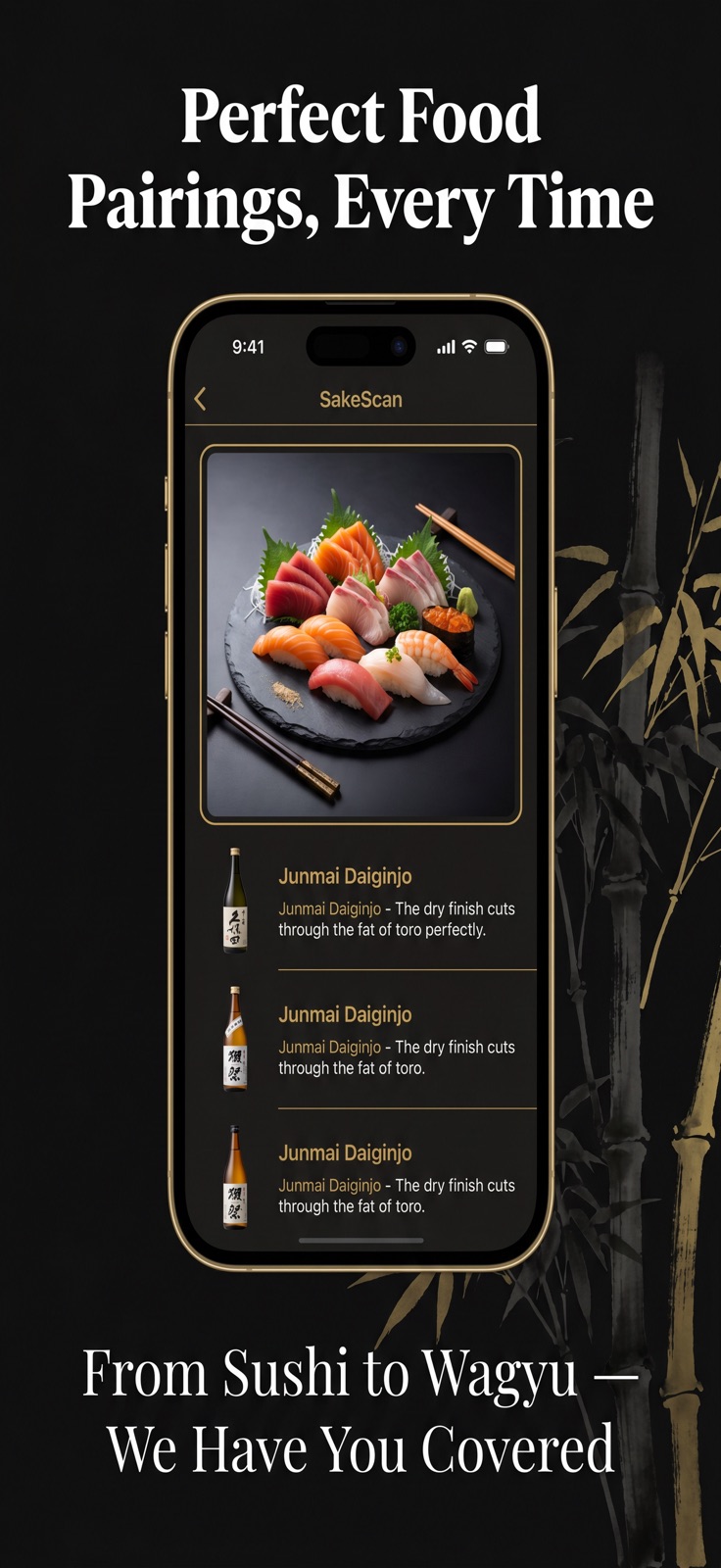

Pricing & paywalls
App Store
- SakeScan Monthly — $4.99/month
- SakeScan Monthly — $49.99/year ($4.16/mo)
Ratings & reviews
App Store
No store reviews collected for App Store · US
Privacy & accessibility
App Store
Privacy
- Data Not Collected Developer declared
Accessibility
No accessibility labels collected yet.
Versions
App Store
- 2.0.2
-
2.0.3
Scan entire sake menus with one tap. Our AI now reads every item on the menu and recommends the best sake for your taste and budget — instantly.
-
2.0.4
Scan the entire Sake Menu and get flavor profiles and pricing recommendations
-
2.0.5
SakeScan can now scan an entire sake menu in one shot. Point your camera at any printed, handwritten, or digital sake menu and our AI reads every item at once. Tell us your taste preferences and budget, and we'll rank every sake on that menu from best match to least — instantly. No more guessing. No more defaulting to the one name you recognize.
-
2.1.0
THE FEATURE YOU'VE BEEN WAITING FOR: SCAN THE ENTIRE SAKE MENU. This is the biggest update in SakeScan history — and it changes everything about how you order sake at a restaurant. FULL SAKE MENU SCAN — NOW LIVE Forget scanning one bottle at a time. SakeScan can now scan an entire sake menu in a single shot. Point your camera at any printed menu, handwritten chalkboard, or digital tablet menu — our AI reads every single item at once. Here's what happens next: tell SakeScan your taste preferences (dry or sweet, light or rich, fruity or earthy) and your budget, and it instantly ranks every sake on that menu from best match to least. You'll know exactly what to order before the server comes back. No more guessing. No more pointing at a random name. No more ordering the same safe choice every time. Just the perfect sake, chosen for you, every time. HOW IT WORKS: 1. Open SakeScan and tap "Scan Menu" 2. Point your camera at the sake menu — the whole page 3. Set your taste preferences and price range 4. Get an instant ranked recommendation list 5. Order with confidence Works with printed menus, handwritten chalkboards, laminated cards, and digital tablet menus — in any lighting condition. ALSO IN THIS UPDATE: • Smarter taste profile — learns your preferences faster, more accurate recommendations after just a few uses • Expanded database — 50,000+ sakes now catalogued from breweries across all of Japan, including new seasonal and limited releases • Faster label recognition — single-bottle scans are now 2x faster • Improved low-light scanning — works better in dim restaurant environments • Smoother performance across all iPhone and iPad models Thank you to our 25,000+ sake lovers worldwide for your feedback and support. This update is for you. Keep scanning!
-
2.1.1
· 1 May 2026
THE FEATURE YOU'VE BEEN WAITING FOR: SCAN THE ENTIRE SAKE MENU. This is the biggest update in SakeScan history — and it changes everything about how you order sake at a restaurant. FULL SAKE MENU SCAN — NOW LIVE Forget scanning one bottle at a time. SakeScan can now scan an entire sake menu in a single shot. Point your camera at any printed menu, handwritten chalkboard, or digital tablet menu — our AI reads every single item at once. Here's what happens next: tell SakeScan your taste preferences (dry or sweet, light or rich, fruity or earthy) and your budget, and it instantly ranks every sake on that menu from best match to least. You'll know exactly what to order before the server comes back. No more guessing. No more pointing at a random name. No more ordering the same safe choice every time. Just the perfect sake, chosen for you, every time. HOW IT WORKS: 1. Open SakeScan and tap "Scan Menu" 2. Point your camera at the sake menu — the whole page 3. Set your taste preferences and price range 4. Get an instant ranked recommendation list 5. Order with confidence Works with printed menus, handwritten chalkboards, laminated cards, and digital tablet menus — in any lighting condition. ALSO IN THIS UPDATE: • Smarter taste profile — learns your preferences faster, more accurate recommendations after just a few uses • Expanded database — 50,000+ sakes now catalogued from breweries across all of Japan, including new seasonal and limited releases • Faster label recognition — single-bottle scans are now 2x faster • Improved low-light scanning — works better in dim restaurant environments • Smoother performance across all iPhone and iPad models Thank you to our 25,000+ sake lovers worldwide for your feedback and support. This update is for you. Keep scanning!
Availability by market
- US
Data quality & evidence
- Page completeness
- Live store listing
- Last verified
- 5 Aug 2026
- Sources
- App Store
- Independent summary has not been published yet.