
Quick verdict
- What it is
- Store information collected; an Apoku editorial summary is not yet published.
- At a glance
-
- Free to download
- In-app purchases
Categories and search queries
Official categories
- Books
- Entertainment
Apoku categories
Key functions
| Function | Availability | Access | Scope | Evidence |
|---|---|---|---|---|
| Free app | Yes | Free | Context-specific | Store published |
| In-app purchases | Yes | Limited free | Context-specific | Store published |
Screens
App Store
11 store screenshots
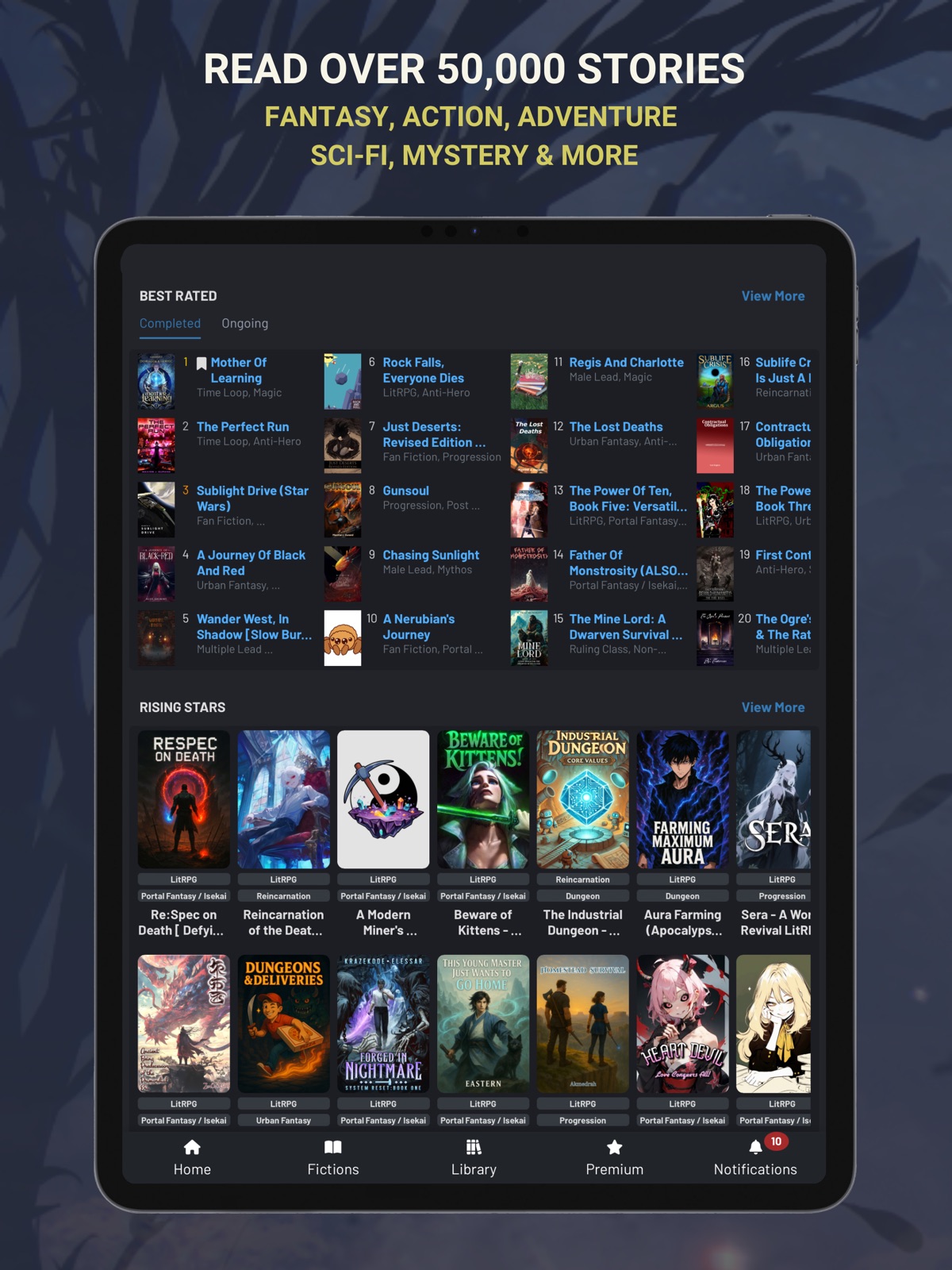


Pricing & paywalls
App Store
- Free to download
- In-app purchases
Ratings & reviews
App Store
-
5/5Great except for Ads with Audio
I really like RR and the ap is easier than the web to use. I know I should just pay for what I use but the ads are insufferable. You have a choice between an ad bar at the top of the page that doesn’t respect dark mode (so it’s often bright white), and also has moving elements (!!!) that make the ap completely unusable for me. Including bright light in my eyes and dancing graphics a few cm from where I’m trying to read?! Really? Or, you can choose the occasional long ad that comes between chapters. You can’t skip out of it, it takes you out of the app to the ap store, and it uses the volume full blast! I mean seriously?! The number of times it has come on blaring when I’m reading in bed next to my sleeping husband… it’s frankly rude of me to continue using it. It just happened again, which inspired me to write this review. Now I just need to decide if I should pony up and buy the stupid ap or just stop using it so I both stop bothering other people and giving myself an adrenaline inducing jump scare right when I’m trying to fall asleep at night.
OdetteN · 31 Jul 2026
-
5/54.5/5, from a website user
As a reader and writer who’s been making use of Royal Road for months by now, the app is decent. If you only plan on using RR to read stories, it’s perfect. At the moment though, that’s the main thing it has going for it. It provides a better reading experience due to decreased lag, as long as you don’t mind a smaller screen. If you want to try your hand at writing, or interact on the forums, you still have to use the website. For most users it probably won’t be an issue, but it would be nice to have access to RR’s writing tools from the app. It could also provide a nice safety net for authors that way: if you try to save a draft while you don’t have Wi-Fi, maybe a pop up could let you save the data to your device as a temporary measure. All in all, I think it’s worth the download, especially since the devs are likely to polish it further and possibly implement more features as time goes on.
_Erasmus · 31 Jul 2026
-
5/5Phenomenal Addition to the App Store
Honest, I’m crazy happy that they finally came out with an app. I’ve been using Royal Road for over 6 years and I have had the joy to see many many stories come and go from The Wandering Inn to The Mother of Learning. The website has hosted so many good stories, but using it in chrome and then DuckDuckGo for the last couple of years has been a little annoying. Having all my favorite stories like the Mark of the Fool more accessible for a phone user is really great. So far what I have seen from the use I have given the app has been really good. It was super easy to change the settings to how I had them on the website and it’s been fairly intuitive on how to operate the app so far. The search function has seemed to be given a huge facelift which is a real bonus when trying to find good things to read in a specific category. One of my gripes with the app so far that has kept me from moving to it so far is that for the iPhone 13 Pro Max, or at least mine so far, the full screen mode doesn’t seem to work. I am conflating fullscreen with landscape mode, which may not be the case to be fair. If there is a specific setting to enable landscape I haven’t been able to find it so far with a little bit of hunting through the app. One addition that may be beneficial is a support tab on the app, just like the website, where glitches and bugs can be submitted so that the developers are aware of them as they crop up. So far I haven’t found an option anywhere for something like that, but overall it’s been really nice. I haven’t fully migrated yet due to app not going landscape, my preferred method of reading on my phone, when in use, but once that gets fixed/ added I’ll be exclusively using the app since it’ll be way more convenient than the website for me.
charliekns1 · 31 Jul 2026
-
4/5Better reading experience than website
I’ve been reading stories on Royal road for at least a year now, and within days of using the app I upgraded to premium. Ads were completely non-intrusive, but I wanted access to offline downloads as I frequently put my phone in airplane mode. There have been a few minor issues, as expected of a new app. Customer service answered my ticket promptly, and the developers have been putting out frequent updates with improvements and fixes. Update: I lowered my score from 5 stars to 4. This is a complaint I’ve thought about before the app came out, but I recently had more dealings with. I can leave a story a review with no comment at all, but when I write a comment it has to be 50 words. If I put in fluff words (basically complaining about the minimum word count) the review gets deleted. Why in the world is there a minimum word count for a review?
wrenchturner42 · 31 Jul 2026
-
4/5App looks really good, but I am sticking to the site for now
I normally read from the mobile site, so having an app seemed like a great option. Everything about the app seems clean, polished, and effective; however, for some reason the dark mode toggle doesn’t work properly. I normally leave everything in dark mode, with the one exception of ebooks. I’d rather my book look like a book. In the app, I found the dark/light mode toggle in the settings, but for some reason, after toggling to light mode, the stories remain in dark mode. The multiple tabs and every other page was switched to light mode, but when I opened the story I wanted to read, it was still in dark mode. I tried restarting the app and even my phone, but it just doesn’t seem to work. For now I will stick to the website where I can read more easily.
Ianto345 · 31 Jul 2026
Privacy & accessibility
App Store
Privacy
- Data Linked to You — Analytics — Contact Info — Email Address Developer declared
- Data Linked to You — Analytics — Diagnostics — Crash Data Developer declared
- Data Linked to You — Analytics — Diagnostics — Other Diagnostic Data Developer declared
- Data Linked to You — Analytics — Diagnostics — Performance Data Developer declared
- Data Linked to You — Analytics — Identifiers — User ID Developer declared
- Data Linked to You — Analytics — Location — Coarse Location Developer declared
- Data Linked to You — Analytics — Other Data — Other Data Types Developer declared
- Data Linked to You — Analytics — Purchases — Purchase History Developer declared
- Data Linked to You — Analytics — Sensitive Info Developer declared
- Data Linked to You — Analytics — Usage Data — Advertising Data Developer declared
- Data Linked to You — Analytics — Usage Data — Product Interaction Developer declared
- Data Linked to You — Analytics — User Content — Customer Support Developer declared
- Data Linked to You — Analytics — User Content — Emails or Text Messages Developer declared
- Data Linked to You — Analytics — User Content — Other User Content Developer declared
- Data Linked to You — App Functionality — Contact Info — Email Address Developer declared
- Data Linked to You — App Functionality — Diagnostics — Crash Data Developer declared
- Data Linked to You — App Functionality — Diagnostics — Performance Data Developer declared
- Data Linked to You — App Functionality — Identifiers — Device ID Developer declared
- Data Linked to You — App Functionality — Identifiers — User ID Developer declared
- Data Linked to You — App Functionality — Other Data — Other Data Types Developer declared
- Data Linked to You — App Functionality — Sensitive Info Developer declared
- Data Linked to You — App Functionality — User Content — Customer Support Developer declared
- Data Linked to You — App Functionality — User Content — Emails or Text Messages Developer declared
- Data Linked to You — App Functionality — User Content — Other User Content Developer declared
- Data Linked to You — Developer’s Advertising or Marketing — Identifiers — Device ID Developer declared
- Data Linked to You — Developer’s Advertising or Marketing — Identifiers — User ID Developer declared
- Data Linked to You — Developer’s Advertising or Marketing — Location — Coarse Location Developer declared
- Data Linked to You — Developer’s Advertising or Marketing — Other Data — Other Data Types Developer declared
- Data Linked to You — Developer’s Advertising or Marketing — Usage Data — Advertising Data Developer declared
- Data Linked to You — Developer’s Advertising or Marketing — Usage Data — Product Interaction Developer declared
- Data Linked to You — Product Personalization — Usage Data — Product Interaction Developer declared
- Data Linked to You — Product Personalization — User Content — Other User Content Developer declared
- Data Linked to You — Third-Party Advertising — Diagnostics — Crash Data Developer declared
- Data Linked to You — Third-Party Advertising — Diagnostics — Performance Data Developer declared
- Data Linked to You — Third-Party Advertising — Identifiers — Device ID Developer declared
- Data Linked to You — Third-Party Advertising — Identifiers — User ID Developer declared
- Data Linked to You — Third-Party Advertising — Location — Coarse Location Developer declared
- Data Linked to You — Third-Party Advertising — Location — Precise Location Developer declared
- Data Linked to You — Third-Party Advertising — Other Data — Other Data Types Developer declared
- Data Linked to You — Third-Party Advertising — Purchases — Purchase History Developer declared
- Data Linked to You — Third-Party Advertising — Usage Data — Advertising Data Developer declared
- Data Linked to You — Third-Party Advertising — Usage Data — Product Interaction Developer declared
- Data Linked to You — Contact Info Developer declared
- Data Linked to You — Diagnostics Developer declared
- Data Linked to You — Identifiers Developer declared
- Data Linked to You — Location Developer declared
- Data Linked to You — Other Data Developer declared
- Data Linked to You — Purchases Developer declared
- Data Linked to You — Sensitive Info Developer declared
- Data Linked to You — Usage Data Developer declared
- Data Linked to You — User Content Developer declared
- Data Used to Track You — Diagnostics — Other Diagnostic Data Developer declared
- Data Used to Track You — Diagnostics — Performance Data Developer declared
- Data Used to Track You — Diagnostics Developer declared
- Data Used to Track You — Identifiers — Device ID Developer declared
- Data Used to Track You — Identifiers — User ID Developer declared
- Data Used to Track You — Identifiers Developer declared
- Data Used to Track You — Location — Coarse Location Developer declared
- Data Used to Track You — Location — Precise Location Developer declared
- Data Used to Track You — Location Developer declared
- Data Used to Track You — Other Data — Other Data Types Developer declared
- Data Used to Track You — Other Data Developer declared
- Data Used to Track You — Purchases — Purchase History Developer declared
- Data Used to Track You — Purchases Developer declared
- Data Used to Track You — Usage Data — Advertising Data Developer declared
- Data Used to Track You — Usage Data — Product Interaction Developer declared
- Data Used to Track You — Usage Data Developer declared
Accessibility
No accessibility labels collected yet.
Versions
App Store
-
2.21
- Fix: App not following system time format properly when user overrides region defaults of 24 hours format - Fix: Textbox scroll issue - Fix: Typo "upto" in chapter poll - Fix: Opening reader suggestion caused app to jump to a random location in the chapter in scroll mode. - New: Freeze top header on Library page for easier navigation. - New: A better way to handle ellipsis in TTS / Chapter audio. - Fix: Increase height of release notes modal in landscape view. - Fix: Inline spoilers never worked + spoiler button in "The Dungeon without a System". - Fix: Advanced search counter showed wrong count. - Fix: More fixes for cut off text issue in page mode. - Fix: Downloaded books list not loading sometimes.
-
2.22
- Urgent Fix: Library header missing - Fix: Chapter audio / TTS sometimes refuses to resume after back-to-back quick play attempts
-
2.23
- Fix: More solutions for ellipsis pause. - Fix: Changed how TTS loading error is shown in the audio settings popup, so that it does not cover the other settings in the popup. - Fix: Text highlight didn't work for certain texts in Chapter Audio / TTS. - Fix: Text selection covered the chapter header
-
2.24
-Fix: TTS/Chapter audio didn't resume sometimes when forward/backward buttons were used in quick succession.
-
2.25
- Fix: No release notes visible on release notes page in regions where "," is used as number separator. - New: Option to customize the pause length for ellipsis and between sentences. The option can be found in the chapter audio settings.
-
2.26
- Fix: Wikipedia result did not handle "disambiguation" response. - Fix: Loading indicator visible in the zoomable image popup, when the image is transparent or when the loaded image is moved around. - Fix: Fast jump forward caused TTS to pause and not resume, requiring app restart.
-
2.27
- Fix: Wikipedia text not showing up for words that redirect. - Fix: Pressing "next" while the auto next is loading the next chapter caused the app to jump two chapters. - Fix: Pre-selected "genres" and "content warnings" not applied in the advanced search. - Fix: TTS/Chapter audio speed setting with decimal value, e.g. 2.08, caused extra pause after each sentence. - Probable Fix: Transparent line with shadow appearing in the middle of the screen sometimes on chapter page. - Probable Fix: Startup release notes popup and ad not closing. - Probable Fix: Keeping the audio settings popup open while the TTS/Chapter audio is playing caused weird UI issues. - Probable Fix: Chapter not scrolling to last read position when app re-opens, if an ad or release notes popup shows up.
-
2.28
- Fix: Wikipedia link and wiki search of words with apostrophe. - Fix: Fast TTS/Audio forward or backward, while receiving notification alerts, caused TTS/Audio to hang. - Fix: TTS/Audio buttons didn't work in media center.
-
2.29
- Critical Fix: TTS/Chapter audio "Auto next" not working after the first auto next success.
-
2.30
- Fix: More wikipedia apostrophe fixes. - Probable fix: Bottom menu items, except for home button, vanishing sometimes. - Fix: App resume sometimes eats up half the screen. - Probable fix: App not working on WiFi for some users. Mostly those who have mobile data & WiFi switched on at the same time.
-
2.31
- Fix: TTS/Chapter audio play button always visible on chapter page. - New: Added a new close button to temporarily remove the in-chapter TTS/Chapter audio buttons. - Probable fix: Footer buttons vanishing. - Probable fix: App crashing after 2 hours of continuous use. - Probable fix: Network connectivity issues when users have WiFi + mobile data switched on simultaneously. - Possible fix: Random issue where half the UI is covered by empty space at the bottom.
-
2.32
- Fix: Draft saved message was wrong. - Probable fix: App hanging when pause/play is tapped in quick succession for some users. - Fix: Keyboard overlapping text area. - Misc: Internal updates.
-
2.33
- Fix: Colored paragraph separator was shown in grayscale. - Fix: Own comment buttons layout. - Fix: App startup flash of white page. - Fix: App not following custom font size setting on app restart. - Probable fix: Footer buttons vanishing on app focus. - Probable fix: On some devices (we know about Samsung so far), the app hanged on TTS/Chapter audio auto-next, when auto-next was triggered within 3 minutes of app backgrounding. - Experimental fix: Premium users who have not downloaded the book and listening to chapter audio with auto-next faced network issue when the OS put the device in deep sleep. We are caching 5 chapters in memory for such users as an experimental fix. - Misc: Extra logs to track unexpected errors that crash the app. - Misc: Some extra logs to see why some users are facing problem with phone rotation on chapter page.
-
2.34
- Fix: Chapter prev/next buttons. - Fix: Footer code refactored because of invisible buttons issue. - Misc: Internal updates.
-
2.35
- Probable fix: Unexpected error on app restart when app has been in background for long. - Probable fix: Last attempt to fix the vanishing footer items.
-
2.36
Critical Fix: App crashing on startup for iOS versions below 17
-
2.37
- Fix: Downloads page crashed when there were many downloads, fully refactored the page. Some compromises had to be made in terms of what we could show on the page to make this work. - Probable Fix: Double battery consumption because of preloading chapters when chapter audio/TTS is on.
-
2.38
- Probable fix: IPv6 and IPv4 network switch issue. - Fix: Multiple alerts were shown when user signed into a non-premium account, if user had signed into some other premium account previously. - Fix: Chapter audio/TTS auto next hanged if any popup was open and resumed after popup was closed. - Probable fix: Random transparent line on screen on app resume. - Misc: Internal fixes.
-
2.39
- Fix: In chapter audio/tts, skip speaking special characters 『 and 』. - Fix: In textbox, sometimes, text content scrolled to top when user tapped in an empty area.
-
2.40
- Fix: Clear edit suggestions undo stack on chapter change. - Fix: Double paste when using OS "Paste" context menu in textbox.
-
2.41
Critical Fix: Chapter auto-next not working when app is in background for long.
-
2.42
- Fix: Corrupted data on downloads page. - Fix: On some devices, if next chapter is auto loaded within 3 minutes of app minimization or screen lock; when screen is unlocked or app was maximized, the app jumped back to that auto loaded chapter which loaded within 3 minutes, no matter how many other chapters he/she auto read after that. - New: Beta support for CarPlay for premium users. Browse your lists from CarPlay itself & play any book's chapter from there. The supported lists are: reading history, follows, downloads, favorites and read later. Current limitation is that you have to be on the chapter page in the app to view all the options in CarPlay. We are working on it and we will remove that limitation, if possible. It may take lots of time to remove that limitation.
-
2.43
- Fix: Reset reader suggestion undo stack when the suggestion is posted and also when it is deleted from reminder alert. - Fix: Textbox didn't scroll after reaching max height. It also jittered. - Fix: Large gap between the keyboard and the textarea. - Fix: On iPad, can't type if you minimize onscreen keyboard and have an external keyboard attached. - Internal updates
-
2.44
- Fix: The ghost keyboard appearing again after the external keyboard fix. - Fix: More fixes for undo/redo stack of text editor, when app is reopened or when multiple suggestions are added to a single comment. - Fix: The app didn't resize sometimes when keyboard opened for typing suggestions or comments on chapter page. - Fix: Secondary "select all" OS menu didn't work in the text editor for comment/suggestions in blockquote. - Fix: Changing orientation to landscape while the fiction cover is zoomed caused the image to cutoff. - Fix: More fixes for auto-next. If next chapter is auto loaded within 3 minutes of app minimization or screen lock; when screen unlocked or app was maximized, the app jumped back to that auto loaded chapter, no matter how many other chapters he/she auto read after that. - Fix: TTS/Chapter audio pronunciation of "sake". - Probable Fix: Login issue faced by some users. - New: Add option to always show audio skip buttons in chapter. - Fix: Ghost tap on images made everything in the app unclickable + add an option to cancel the zoom or open link alert. - Fix: ol tag numbers not respecting margin/padding. - Fix: TTS voices with word "online" in their title spoke a single "No" as "Nitrogen Monoxide". - Fix: TTS voices which do not have the word "online" in their title spoke Dr. as "drive" instead of "doctor". - Fix: Footnotes got covered up / truncated, if they appeared at the end of the screen. - Fix: Remove the remnant "manage age" button in the fiction rating blocker. - Fix: Chapter comments pagination did not work sometimes after posting a comment. - Fix: Wiki search not working with non-english characters with accents. - Fix: Text in blockquote was all bold. - Fix: There was horizontal scrolling in library page. - Probable fix: Connectivity issue. - Probable fix: Submitting suggestions after reminder on next chapter didn't work. - Probable fix: Sometimes, chapter randomly jumped to top on popup close. - Probable fix: Crash issue while listening to TTS. - Probable fix: Page not moving to top on next chapter and after navigation.
-
2.45
· 22 Jul 2026
- Critical Fix: Audio skip back did not work well when two consecutive sentences were identical. - Critical Fix: Sometimes, chapter audio automatically started playing after any notification alert sound, even if the audio was manually paused previously. - Fix: Date time not following user's setting on Notification page and Profile reputation page. - Fix: Don't show Rep button on own comment. - Fix: In Report popup, submit button does not show up when top level option is changed. - Fix: Scroll position mess on popup close and when popup is kept open with audio on. - Fix: On Chapter page, Zoom image button opened link and open link button zoomed image. - Fix: System announcement in the book "The Dragon's Slow Vengeance" was repeated twice. - Remove: "times used" indicator from passkeys.
Alternatives
- FanFiction.Net — Same category + similar ratings
- Manga Reader - Best Manga Man — Same category + similar ratings
Availability by market
- US
Data quality & evidence
- Page completeness
- Live store listing
- Last verified
- 31 Jul 2026
- Sources
- App Store
- Apoku editorial summary has not been published yet.