
Quick verdict
- What it is
- Store information collected; independent summary not yet available.
- At a glance
-
- $2.99
Categories and search queries
Official categories
- Productivity
- Utilities
AppCorpus categories
Key functions
| Function | Availability | Access | Scope | Evidence |
|---|---|---|---|---|
| Family Sharing | Yes | Unknown | App Store | Store published |
Screens
App Store
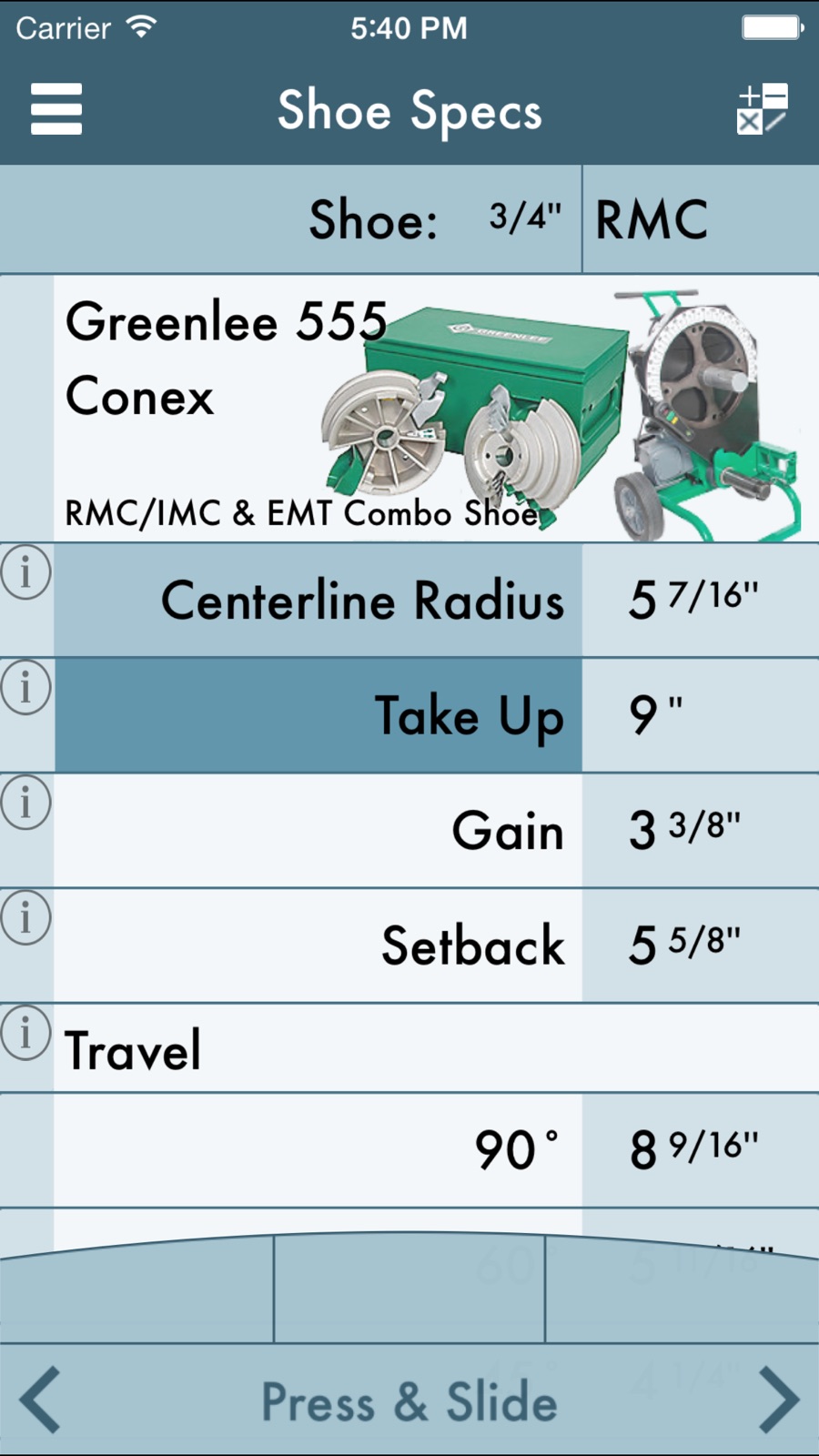
5 store screenshots


Pricing & paywalls
App Store
- Price: $2.99
Ratings & reviews
App Store
-
3/5I don’t understand the marks
What does a negative mark mean? Is that a measurement back from the obstruction? The app doesn’t give much instruction.
JJJPDX · 6 Aug 2026
-
4/5Actually very good
I have used this app extensively for 5 years. It works very good except for one drawback. When you calculate an offset or 4 point saddle where you need to get the rise up before the obstacle this app gives the wrong starting point for the first mark. If you use the start it gives you will hit the obstacle. I find that if I shift the starting point about 4 inches sooner and move all the marks towards the starting point the same amount I can obtain my rise before the obstacle and if it’s a saddle I come off the obstacle right away instead of going 4 inches past it before starting that bend. The data page is very helpful with gain, setback, take up and travel. All around very useful.
Ricky M.E. · 6 Aug 2026
-
5/5Unique
I have had this app for two years now. Absolutely awesome! I like the way all marks are to the bench mark. No more indexing the shoe for center of 30, 22.5 etc. I like the visual representation of the conduit on the side. It helps you to see if the bends are to close or to far. You can add any bender and tweak the shoe specs to match. Just choose an equivalent Greenlee bender and add a name. I have Ideal and Ericksen hand benders set up as a 555 with EMT shoes, and an Enerpac mechanical sidewinder set up from a 555 with rigid and EMT shoes. All bends are dead on accurate. If you just want the distance between bends, use the multiplier card. Press the multiplier for the degree and it is added to the calculator. If you use it, and get to know how to use it, you will see why I think it's the best conduit bending app.
JW_400 · 6 Aug 2026
-
2/5I bought it can’t figuneed to return it for a refund. Probably good for the right user.
I bought it thinking it would apply to the hand bender I use, can’t figure out how to ask to return it for a refund. Probably good for the right user.
Marslander51 · 6 Aug 2026
-
3/5Good first try
This app is for RIGID conduit, "Rigidpro" OK? Needs a user manual, not intuitive at all. Clunky numerical entry system, 10" + or - then by 1/16 ths. A five takes 16 x5 presses to get there. Add 3-1/16" to first measurement where you want to start. Doesn't have 45 x 45 ninety or any other combination. Much needed app, just needs more work on it. I use it often
TRW-SE · 6 Aug 2026
Privacy & accessibility
App Store
Privacy
- No Details Provided Developer declared
Accessibility
No accessibility labels collected yet.
Versions
App Store
- 1.0.0
-
1.0.1
-Start Info, now displays when app first opens up, and stops displaying shortly after creating a Bender. -Clicking 'Done' in 'Create' Bender with lack of information now pops up an Alert Window informing you what needs to be completed to create a bender. -Keyboard in 'Create' for 'Bender Name' now closes. -Text Field in 'Create' section is now more obvious. With a place holder of 'Enter Bender Name Here'. -Info on terms placed next to items in 'Shoe Specs' (I'll work on making them a little bit more thorough). -Alert Window pops up when trying to add more bends to a stick after a Cut Mark has been placed informing you that the Cut Mark needs to be deleted before trying to add more bends. Enjoy -Bret H. Hardman
-
1.1.0
NOTICE: In order to quickly change values just simply hold and slide finger on the slider-bar that appears on the bottom of the screen after selecting a measurement to change. Compounds 90s are supported just add a "segmented 90" and select two shots. Thank you. •Metric Conversion: Easily switch between Standard Units and Centimeters by going to the Settings apps or Mark Conduit: Settings. •Greenlee 884/885 automatically displays marks to the center of the shoe. •Left/Right taps in Mark Conduit: Add Bend directions were switched (that sounds weird, but you know what I mean) •Adjusted appearance/organization of the Multiplier Card. •Segmented 90s can now be adjusted to 2 shots. •Fixed Random Bugs In memory of Stephan Lieber, IBEW L.U. #429 -Bret H. Hardman
-
1.1.1
v1.1.1 •'Footer Buttons' have been cleaned up •'Footer Buttons: Scroll Bar' now has "Press & Slide" on it. Making it more recognizable that it can be used to easily adjust values. •'Footer Buttons: Scroll Bar' has a feature indicating that it's being pressed down. •Icon has changed. More updates to come as I optimize RIGIDpro, for all Apple devices. If you have something you'd like to have added feel free to e-mail me, [email protected]
-
1.1.2
• Bug Fixes • New color scheme for the 'Shoe Specs' • More to come as I optimize for all Apple hand-held devices.
-
1.1.3
· 16 May 2016
This update from Apple will improve the functionality of this app. No new features are included. • Bug Fixes
Alternatives
- iBend Offsets — Same category + similar ratings
Availability by market
- US
Data quality & evidence
- Page completeness
- Live store listing
- Last verified
- 6 Aug 2026
- Sources
- App Store
- Independent summary has not been published yet.