
Quick verdict
- What it is
- Store information collected; independent summary not yet available.
- At a glance
-
- Free to download
Categories and search queries
Official categories
- Productivity
- Utilities
AppCorpus categories
Key functions
| Function | Availability | Access | Scope | Evidence |
|---|---|---|---|---|
| Free app | Yes | Free | — | Store published |
Screens
App Store
15 store screenshots
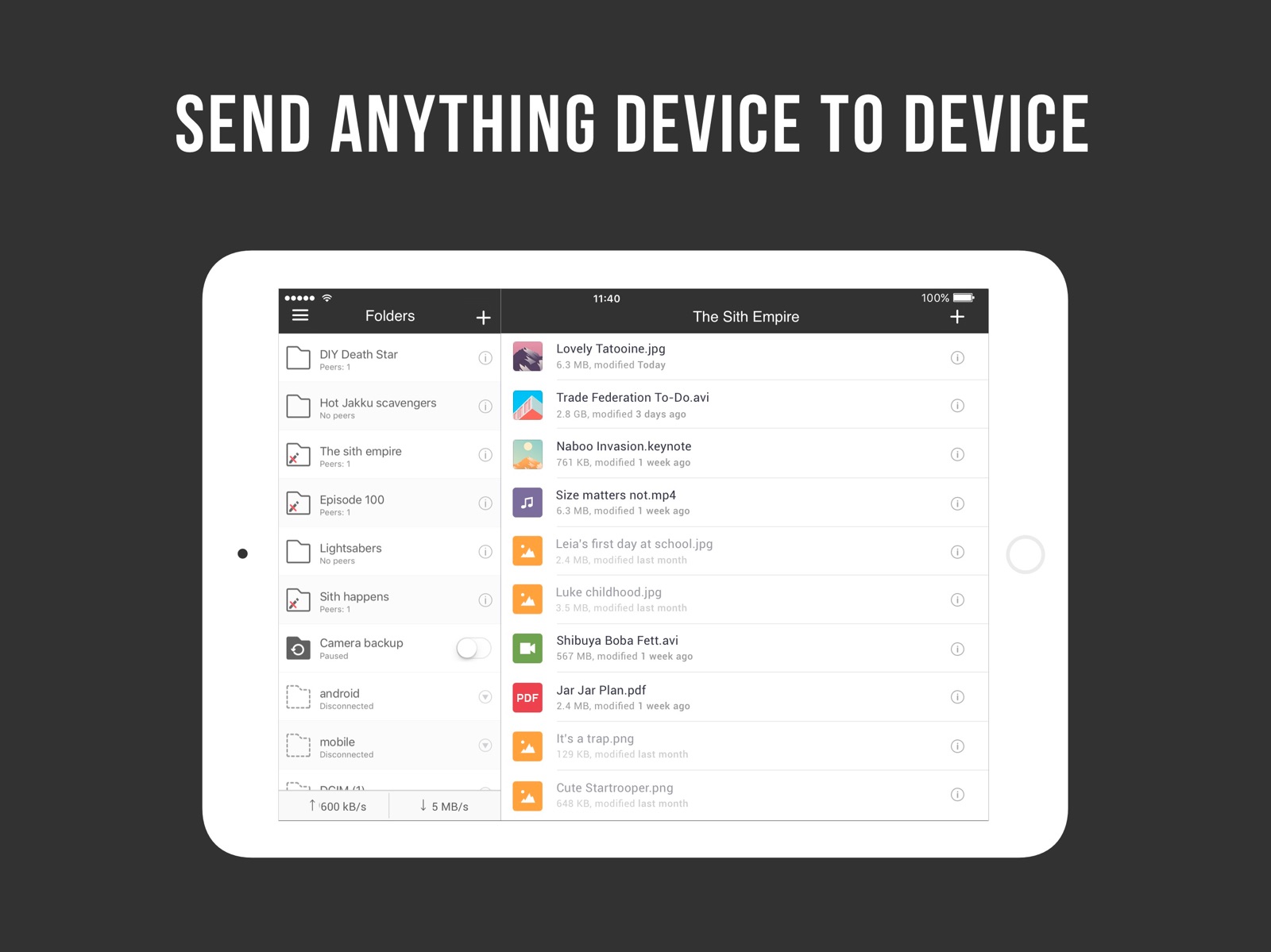


Pricing & paywalls
App Store
- Free
Ratings & reviews
App Store
-
5/5Just discovered this platform and it’s fantastic!
I was in need of a method for transferring large files to friends and family (20 plus GB file size) and Resillo sync for desktop is fantastic. After having a great experience on desktop I decided to try out the mobile app as well. Which is awesome for syncing photos to my pc for backup storage. As well as if I wanted to send photos and videos to my phone from my pc. All in all this platform is simply the best for sending files to and from separate devices, especially when they are very large. I will probably be purchasing a license very soon to support the company and I support any other happy customers to do the same to ensure this platform stays active for years to come :)
2082782nm · 7 Aug 2026
-
4/5Super solid app.
Lightning fast when sharing large files with different devices on the same network. Great for getting files shared between Windows/Apple/Android devices. It has a learning curve; if you don’t know what you’re doing it’s easy to screw things up. But after two years of using this extensively I can say confidently that, while not perfect, it’s easily the best service of its kind on the market. I dock half a star due to the steep learning curve that makes this service a daunting task for newbies and still a stiff joint for advanced users. I also dock half a star until the service becomes next-level about finding the most direct route to devices on different networks. It’s pretty good now, but I still have devices that are having trouble connecting directly despite my firewalls and router being configured properly. At the very least, better, video tutorials would achieve this star.
Producer_PR · 7 Aug 2026
-
2/5Needs some critical features
App seems to work well but you have to select each individual file or photo individually. What kind of design choice is this?! I’m synchronizing tens of thousands of photos from a few select photo albums on my phone. Why can’t I select the album? Or why can’t I drag and select ranges of pictures? Instead I have to pick each photo individually and that takes FOREVER! I finally gave up after selecting 2,000 photos and decided to try a different app that does allow me to sync an album. I can’t see using this app without the ability to add albums. Hoping this will be fixed in the future because I want to use this app, it has promising features, but right now it’s too slow and too inefficient to use with tens of thousands of files. Please add ability to select a photo album and include updating changed pictures that have been added or removed from the selected album. I’m sure that I’m not the only person who has faced this issue.
TimDawgz · 7 Aug 2026
-
4/5Awesome personal cloud, needs alphabetical sort
When my previous solution for keeping critical files synced between computers stopped being supported, I tried a lot of alternatives. Resilio Sync is by far the best solution, provided the devices you want to sync are on at the same time. They have apps for some NAS platforms, too, so now I have my own private cloud. The iOS app loses a star because it can’t do alphabetical sort: separating out folders should be a configurable option, not a requirement. It’s a real pain to have to check 2 different locations in a sorted list of several hundred items just because I don’t know if it’s a single file or a group of files in a folder. The whole point of an alphabetical sort is to alphabetize things so I can find them by name. If I wanted to sort by kind, I’d sort by kind.
Woodelph · 7 Aug 2026
-
5/5Quick sync of files...but
I love using this because of privacy reasons but it does have a flaw. It Will sync files like most cloud services but the app must be open and on in order for the files to sync on that device. For example my notes on my iPad saved on sync and I had to have the sync app opened on iPad in order for it to be seen and synced on my phone’s sync app. Once a file is synced it’s there though so it’s not too much to complain about but for those who want instant sync this won’t do it unless the sync apps are opened on all devices. This is mainly because the files are not placed in a random cloud server. Besides that it does what it is supposed to do.
Servant Status · 7 Aug 2026
Privacy & accessibility
App Store
Privacy
- Data Not Linked to You — Analytics — Diagnostics — Crash Data Developer declared
- Data Not Linked to You — Analytics — Diagnostics — Performance Data Developer declared
- Data Not Linked to You — Analytics — Identifiers — Device ID Developer declared
- Data Not Linked to You — Analytics — Usage Data — Product Interaction Developer declared
- Data Not Linked to You — Developer’s Advertising or Marketing — Identifiers — Device ID Developer declared
- Data Not Linked to You — Diagnostics Developer declared
- Data Not Linked to You — Identifiers Developer declared
- Data Not Linked to You — Usage Data Developer declared
Accessibility
No accessibility labels collected yet.
Versions
App Store
-
2.4.10
Fixed tracker connectivity issues
-
2.4.4
Fixed inability to import file to Sync with the first attempt Fixed inability to add photo to empty subfolder Fixed search highlighting for names containing non-latin symbols Fixed Sync crashing on folder removal sometimes Hidden metadata streams for folders in UI
-
2.4.5
Added option to save multiple images to camera roll Added advanced preferences for each folder Made listening port configurable Fixed orientation issue showing up on passcode screen Fixed invalid QR code when sharing a key Other stability improvements
-
2.4.6
- Fixed Sync crashing on resume after few minutes of inactivity - Fixed Sync crashing while adding known host on iOS 8 - Fixed empty files list while opening subfolder from search results - Fixed invalid flow for "sync all" folder while user attempts to save multiple images into library
-
2.4.7
Fixed working with non-unicode paths for iOS 10.3+
-
2.4.8
Minor fixes and stability improvements
-
2.4.9
Fixed adding folders via key
-
2.6.0
- Ability to share single file - Integration with Files app (iOS 11) - Upload progress per file in Camera backup - Option to re-download locally deleted photos from backup - Option to enable auto-sync for a subfolder in Selective Sync shares - Option to set Wi-Fi network per share - Support for IPv6 - Advanced power user preferences - Option to view and clear storage used - Landscape mode for iPhone - Other UI improvements and fixes - Ability to add more than 10 files into a share at once. - Preserve image metadata
-
2.6.1
- Fixed integration with Files app - Other bugfixes and improvements
-
2.6.11
- Various fixes and improvements
-
2.6.12
- Various fixes and improvements
-
2.6.2
- Fixed various issues with Files integration - Fixed adding videos to Sync - Other minor improvements and fixes
-
2.6.3
- Fixed various issues with Files integration - Fixed adding videos to Sync - Other minor improvements and fixes
-
2.6.4
- Various fixes and improvements
-
2.6.5
- Various fixes and improvements
-
2.6.6
- Various fixes and improvements
-
2.6.7
- Various fixes and improvements
-
2.6.8
- Various fixes and improvements
-
2.6.9
- Various fixes and improvements
-
2.8.0
What's included in 2.8.0: Resilio Sync 2.8 includes security enhancements, bug fixes, and other performance improvements. We highly recommend you update your current version to Sync 2.8. Resilio Sync on iOS is updated to match the latest development frameworks. As a result, support for iOS 8, iOS 9, and iOS 10 is deprecated starting with 2.8.
-
3.0.0
A refreshed user interface OpenSSL libraries updated Additional core fixes and improvements
-
3.0.2
Minor internal fixes, crash fixes and improvements.
-
3.1.0
Minor internal fixes, crash fixes and improvements.
-
3.1.1
Minor internal fixes, crash fixes and improvements.
-
3.1.2
· 19 Nov 2025
Minor internal fixes, crash fixes and improvements.
Alternatives
- Owlfiles - File Manager — Same category + similar ratings
- FileBrowserGO: File Manager — Same category + similar ratings
Availability by market
- US
Data quality & evidence
- Page completeness
- Live store listing
- Last verified
- 7 Aug 2026
- Sources
- App Store
- Independent summary has not been published yet.