
Quick verdict
- What it is
- Store information collected; independent summary not yet available.
- At a glance
-
- $5.99
Categories and search queries
Official categories
- Business
- Utilities
AppCorpus categories
Key functions
| Function | Availability | Access | Scope | Evidence |
|---|---|---|---|---|
| Family Sharing | Yes | Unknown | App Store | Store published |
Screens
App Store
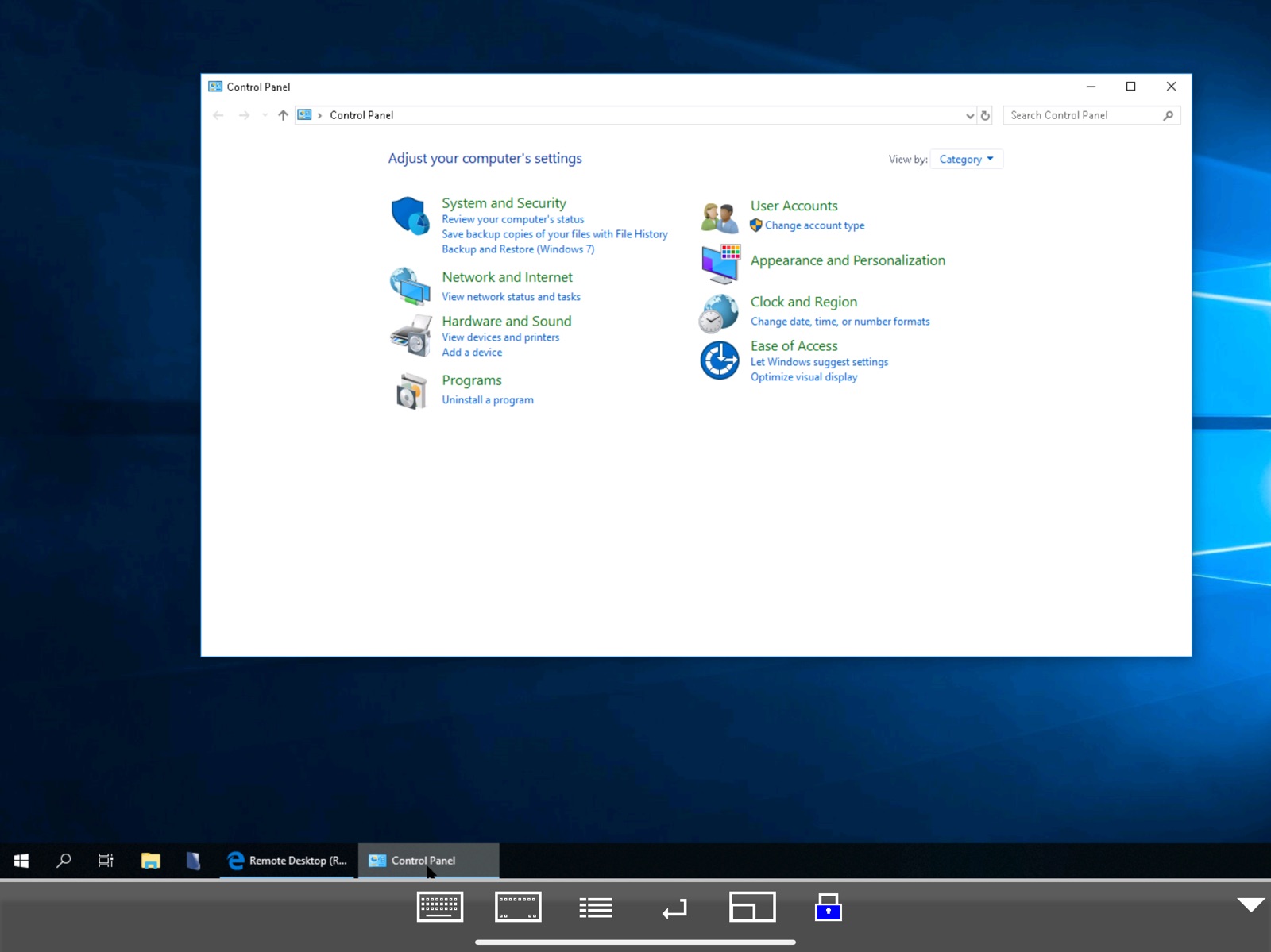
7 store screenshots


Pricing & paywalls
App Store
- Price: $5.99
Ratings & reviews
App Store
-
3/5Close to working on Vision Pro
I have been working on getting this going on my Vision Pro to access my Windows PC. It works fairly well but pointing and click can be tough using vision and fingers. I have to aim very carefully. I can put the window right in front of my face and use the “touch screen” like capability but clicking is a little tricky. Today I tried using my Logitech Bluetooth keyboard that is attached to my Vision Pro. It works in all Vision Pro apps but nothing when in this program. I have tried to tweak configuration to no avail. The ideal setup would be if the PC could retain mouse and keyboard functionality then I can use Vision Pro as large monitor with PC across the room. Sooooo close!
VZX-CO · 5 Aug 2026
-
5/5Helpful Tip
For users that are having trouble connecting, including if RDP “used” to connect and stopped after an update (for Windows or RDP). Generally, using your Microsoft account email and password will correct it. (instead of your windows hello pin). The one off time that doesn’t work, the fix is also simple. In windows user account settings go back to password and email login. (don’t worry you can reenable window hello again after). Sign out of windows sign back in, then launch RDP again. (you can then enable Windows Hello and use a pin). Hope this helps because it took me a lot of troubleshooting to get to this simple solution.
HouseofTinaAbundance · 5 Aug 2026
-
2/5Doesn’t work with xrdp hosts
I have a few xrdp hosts that this app is unable to work with due to the connection being dropped shortly after connecting. Fiddling with the NLA / TLS / other settings doesn’t fix this, these xrdp hosts work fine from Microsoft Remote Desktop on Windows and rdesktop on Linux. It works fine connecting to Windows hosts though.
Aabbcc112233zzxcvxx · 5 Aug 2026
-
5/5The best Remote Desktop
This is the best remote desktop, no other RDP works like this, even the one from Microsoft is difficult to move around the screen and select things. This new version fixed the connection issues for me by selecting TLS 1.0
max.123 · 5 Aug 2026
-
5/5Works Great
Have been using it for a good amount of time now and this is a great app. Wish the google remote app I use when not on the same network worked even half as good as this one.
CoachBaker92 · 5 Aug 2026
Privacy & accessibility
App Store
Privacy
- Data Not Collected Developer declared
Accessibility
No accessibility labels collected yet.
Versions
App Store
-
3.9
- v 3.8 could crash, when keyboard icon was selected. - Mac address field (WOL only) had limitations.
-
4.0
- bug fixing
-
4.1
- reconnect. - mouse can be used behind at the black banner at the bottom of the screen. - bug fixing. - warning: all passwords made in earlier versions will be reset.
-
4.2
- camera as barcode scanner - bug fixing
-
4.3
- Support for Swiftpoint GT hardware mouse. - General bug fixing.
-
4.4
- IP address field in menu - configure could be hidden - General bug fixing
-
4.5
- Support for NLA (Network Level Authentication) - Landscape mode was wrong on iPhone X - Bug fixing With latest Windows update, NLA uses a brand new CredSSP version. For the moment turn off NLA on PC and mocha RDP, if the connection is rejected. We are working on a new version.
-
4.6
- new NLA protocol (CredSSP v 5)
-
4.7
- Better layout for devices without a home button - General bug fixing
-
4.8
- Hold down the space bar to drag (left mouse key down) the mouse on the screen. - Support for older protocol.
-
4.9
- Dark mode. - General bug fixing.
-
5.0
- Solved problem with iPad menu and portrait mode - General bug fixing
-
5.1
Support for a bluetooth mouse paired with an iPad
-
5.2
- Fast text input (when in session with a PC, select this new function from the menu).
-
5.3
- Solved problem with sound distortion. - Fast input option could fail, on a poor network connection. - Keyboard would not close, after a re-connect event. - Wol used a wrong IP address.
-
5.4
Wireless keyboard arrow keys stopped working.
-
5.5
Minor bug fixing for Bluetooth mouse
-
5.6
Fast typing function had a problem with cursor keys.
-
5.7
- Netbios name lookup failed in iOS 16. The name is used as IP address for the Windows PC in mocha rdp.
-
5.8
- The fast text input option, had errors on a very slow network. - Dictate text had problems with iOS 16. - From iOS 14 , rdp can handle external keyboards automatically. No need to use option: menu - configure - wireless keyboard. - From iOS 14 , some BT keyboards designed for iOS, such as Logitech K480 supports fxx keys.
-
5.9
- External keyboard detection had a bug
-
6.0
Fixed a problem with buttons close to the screen border
-
6.1
- Better support for external keyboard, mouse and trackpad.
-
6.2
- Solved problem with the function: menu - configure - help - Removed ctrl + left click as right click
-
6.3
· 10 Aug 2025
Minor bug fixes
Availability by market
- US
Data quality & evidence
- Page completeness
- Live store listing
- Last verified
- 5 Aug 2026
- Sources
- App Store
- Independent summary has not been published yet.