
Quick verdict
- What it is
- Store information collected; independent summary not yet available.
- At a glance
-
- Free to download
Categories and search queries
Official categories
- Finance
- Productivity
AppCorpus categories
Key functions
| Function | Availability | Access | Scope | Evidence |
|---|---|---|---|---|
| Apple Wallet | Yes | Free | App Store | Store published |
| Free app | Yes | Free | — | Store published |
Screens
App Store
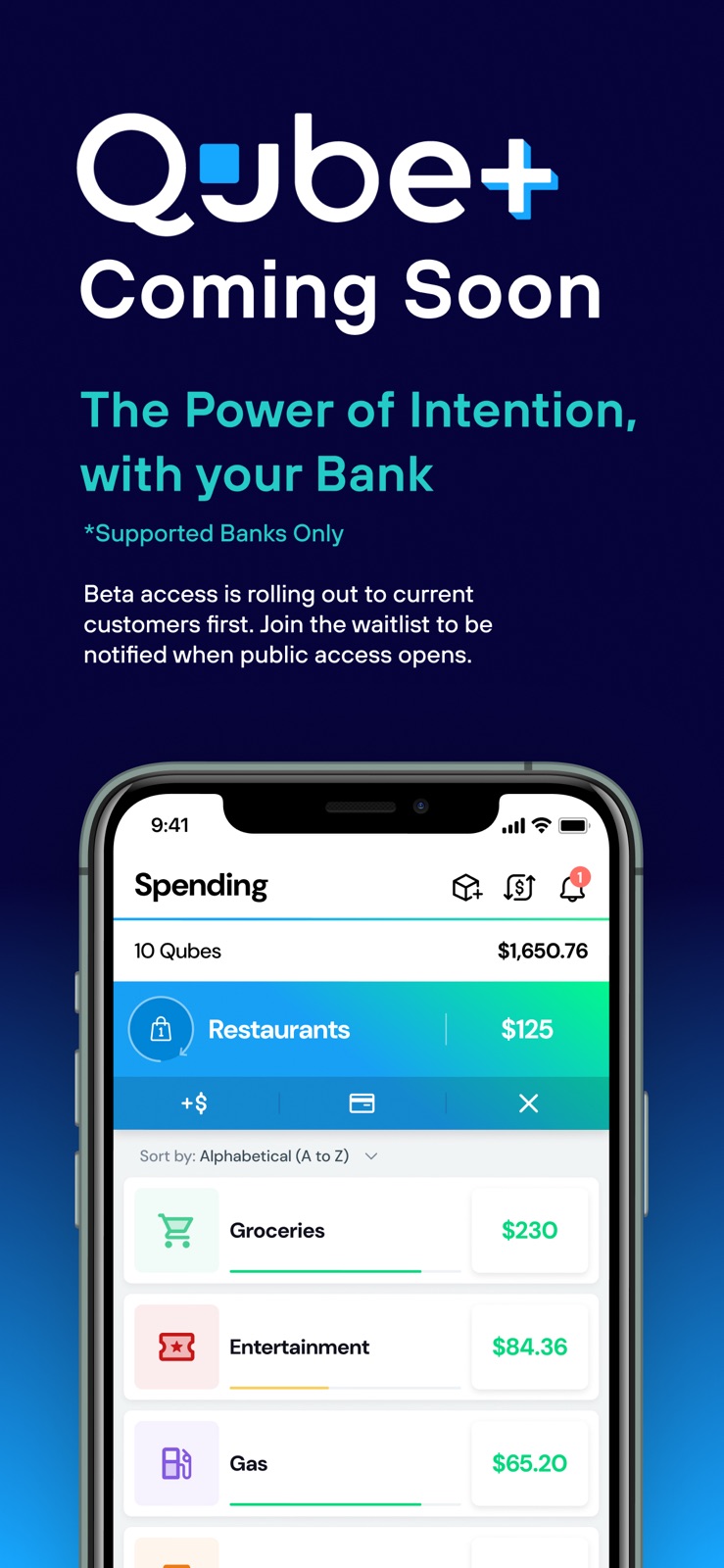
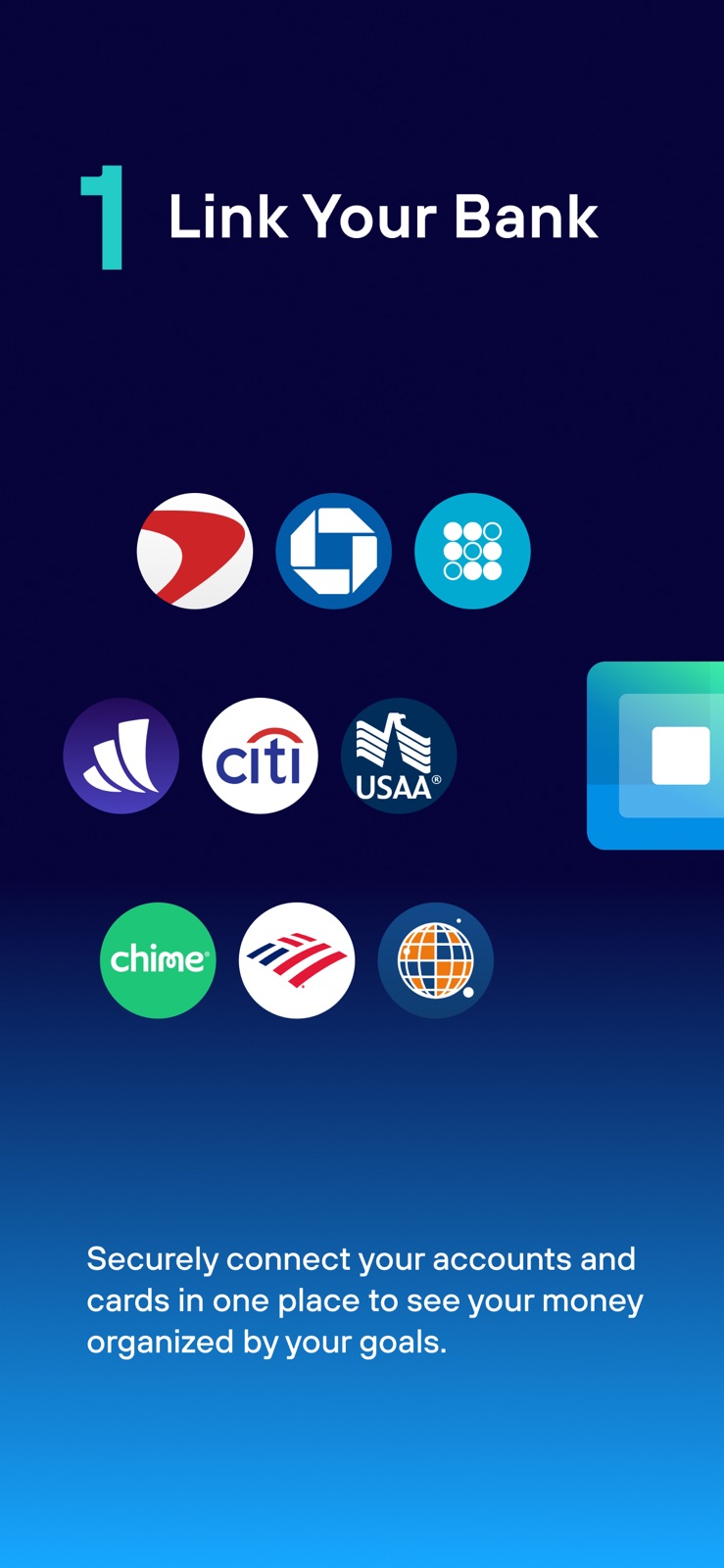
6 store screenshots


Pricing & paywalls
App Store
- Free
Ratings & reviews
App Store
-
5/5Great app! Saves me money!
Pros: Benefits of cash envelope budgeting, but it’s an easier to use digital version! Saves me from overdrafting, saves me any of those fees! Helps me get on track with my spending and stay on track. Oh so nice! Going through everything and getting this set up made me pay attention to some areas I could save money. I ended up saving about $60/month (or more) by cutting out the fat. Helped me make sure my spending was below my income. If you set it up right, it keeps your money safe, and companies can’t get you with unexpected charges! (For instance, I used it to stop payment on an annoying magazine subscription that would have been difficult to cancel otherwise.) Instant money transfer to friends or family if they’re using this app. And I’m sure there are other pros I’m not thinking of. Cons: Monthly fee for all of the features. But it’s worth it to me I think. No savings interest earning options or investment options. But I suppose there’s other places to get that done. This app is mostly devoted to controlling your spending (and it’s a great tool for that.) My first money couple transfers from Qube to my other bank took almost a week. But it seems like it’s down to just a day or two now. Not bad. ❤️ Takes a little time to manage your budget. But this isn’t really a con, it forces you to pay a little attention. And I believe it’s faster and more effective and more convenient than any other budgeting method I’ve used.
Rayjay26 · 31 Jul 2026
-
5/5Amazing! Needs 6 things :)
I have wanted a bank to do this for so long, and now you guys have done it!!! This just makes sense, I can’t believe this is not banking standard. There are 6 things you guys need to become perfect: #1 you guys need a credit card! I want to use all these features, but I also like using my credit cards. #2 you guys need joint banking options. This is an amazing idea that I’d love to have my wife and I on an account together. #3 if you guys could add assets and stocks into the finance management overview, that would be amazing! #4 if you guys added subscription tracking, this would literally be gold! And lastly, #5 you guys should eventually add some APY’s and saving account returns. #6 finally, this needs to be free, or at least offer a free version with ads. Kinda odd that a budgeting app will cost you to use it when it holds your funds. You guys should be able to make money off of loans, credit cards, and adds if necessary. Just don’t collect our data or track us. If you guys did these 6 things, you would have the best of every app and bank out there with no competition. I would honestly transfer all my funds into this account and use it exclusively. **Update**: Your response to me said that there was a Lite plan for Qube that is free. The Lite plan that you offer as of right now is $8 and you guys don’t offer a free plan as you claim. Thanks for verifying that you do offer joint accounts though :)
Cutecompy · 31 Jul 2026
-
5/5Best budgeting & banking app
I have to give 5 stars here because this app changed the way my wife and I view money and has drastically improved our financial health. We have used Qube for about 2 and a half years now on a lifetime family membership. Before Qube we had very little sense of how much money we were spending and where, and would always overdraft because charges we would forget about would come out after we spent the money that was needed to cover them on something else. We had a budget, but no real way of knowing if we were actually sticking to it. With Qube we are able to see exactly how much money we are spending and on what because we can assign each dollar to specific categories. If one category runs out of funds we can easily shift money around from a different category as well without having to guess. We are also never late on any bills anymore because we fund the Qubes for those first and then never touch those Qubes and don’t have to worry about accidentally spending the money set aside for those expenses. The virtual card and account numbers for bill Qubes also makes it really easy for funds to automatically be withdrawn for bills. I would and have recommended Qube Money to everyone I know! The only caveat I would say is that they are still growing and refining the app so there can be some growing pains, but we have never had any major issues.
jdgarc12 · 31 Jul 2026
-
5/5Check date of reviews for accurate info on this app
This app has improved exponentially over the past two years and even 3 months. Please read recent reviews to know what functionality is current available and what improvements are in progress. I’ll start with what it doesn’t do well for me. There’s only a few and they are on the company roadmap to address: 1. No interest bearing savings 2. No check writing capabilities 3. Not (yet) compatible with Zelle What it does do well: 1. Manages weekly, bi-weekly, monthly or sporadic income. 2. Manages a variety of types of accounts or budget needs: Sinking funds, saving, spending, goals 3. SAFE and Easy - Electronic payments for bills ACH and Debit, online shopping, and day to day purchases. 4. Protection against fraud and erroneous charges 5. Easily manage subscriptions: budgets, payments, and cancellations 6. Provides reports to see how money is spent and make informed decisions 7. Helps to manage money movement with children and teach children good spending and saving habits This app has simplified my budgeting, bill paying, money flow management from something I spent hours on each month to something I spend minutes on. Money management is like weight management. Eat less and move more and you can find a healthy weight. Save more and spend less and you’ll find financial freedom and security. Qube is the modern equivalent to the envelope system. If you are frustrated with your finances, I would recommend you give this a try. Find Qube Money on Social Media and become part of this opportunity for financial transformation in your monthly budgeting and spending!!!
Zipkipper · 31 Jul 2026
-
5/5Great budgeting tool
The one draw back of this app is you have to open the app in order to spend money, but that’s also the biggest perk too. It makes you think about how much money you have before you buy something. It’s super easy to move money around which has been helpful. It does take a long time for money to transfer from our Bank of America account to Qube but we switched to having money directly deposit and that was a game changer! We get the money a day or two before the money we have directly deposited into BoA. Going back ti having to open the app to spend money. Most of the time this isn’t that big of a deal. You can technically load the money on your card before you pull into a drive through or get to the check out, so it doesn’t slow you down while you’re trying to check out. Here are the few times I’ve struggled with the card. One time I was doing a little get away in a small town, and I was having trouble getting apps to work on my phone. I couldn’t open the app in order to load money on my card. I had to use a credit card in order to pay for things on that trip. And the second problem has been with gas but now that I’ve figured out the problem, it hasn’t been an issue. Essentially I couldn’t buy gas unless I have $60 in the Qube.
SGlensky · 31 Jul 2026
Privacy & accessibility
App Store
Privacy
- Data Linked to You — Analytics — Identifiers — User ID Developer declared
- Data Linked to You — Analytics — Usage Data — Product Interaction Developer declared
- Data Linked to You — App Functionality — Contact Info — Email Address Developer declared
- Data Linked to You — App Functionality — Contact Info — Name Developer declared
- Data Linked to You — App Functionality — Contact Info — Phone Number Developer declared
- Data Linked to You — App Functionality — Contact Info — Physical Address Developer declared
- Data Linked to You — App Functionality — Diagnostics — Crash Data Developer declared
- Data Linked to You — App Functionality — Identifiers — Device ID Developer declared
- Data Linked to You — App Functionality — Identifiers — User ID Developer declared
- Data Linked to You — App Functionality — Purchases — Purchase History Developer declared
- Data Linked to You — App Functionality — User Content — Customer Support Developer declared
- Data Linked to You — App Functionality — User Content — Photos or Videos Developer declared
- Data Linked to You — Contact Info Developer declared
- Data Linked to You — Diagnostics Developer declared
- Data Linked to You — Identifiers Developer declared
- Data Linked to You — Purchases Developer declared
- Data Linked to You — Usage Data Developer declared
- Data Linked to You — User Content Developer declared
- Data Used to Track You — Contact Info — Email Address Developer declared
- Data Used to Track You — Contact Info — Name Developer declared
- Data Used to Track You — Contact Info — Phone Number Developer declared
- Data Used to Track You — Contact Info — Physical Address Developer declared
- Data Used to Track You — Contact Info Developer declared
- Data Used to Track You — Identifiers — User ID Developer declared
- Data Used to Track You — Identifiers Developer declared
- Data Used to Track You — Usage Data — Product Interaction Developer declared
- Data Used to Track You — Usage Data Developer declared
- Data Used to Track You — User Content — Customer Support Developer declared
- Data Used to Track You — User Content — Photos or Videos Developer declared
- Data Used to Track You — User Content Developer declared
Accessibility
No accessibility labels collected yet.
Versions
App Store
-
3.1.5
Bug fixes
-
3.3.0
- New & customizable Overview - Multiselect Qubeless Transactions - Voided Check for Bill Qubes - Premium Passes moved to Profile Screen - Email Alerts added to Global Settings - Other improvements and fixes
-
3.4.0
- Custom Budget Periods - ReQubing to Bill Qube asks to advance due date - Turning auto-allocation on for a qube asks when to start - Internal Transfer screen updated with Transfer and Fill To options - Change Profile picture
-
3.4.1
- Bug fixes and improvements
-
3.5.0
- Ability to search bill qubes and transactions by the last 4 digits of the virtual card or account number - Email Alerts - Improved onboarding flow for new users - Minor bug fixes and improvements
-
3.6.0
• New users get helpful tips right on the Overview screen • You can now cancel or manually trigger auto-allocations—total control! • Parents can add their kid’s card to Apple Pay or Google Wallet • Tapping push notifications takes you to the right screen, every time • Notifications also switch to the right account—like magic • Negative balances now show up in red (because, well... they should) • App Tours got a refresh to match all the cool new features • Bug fixes and other improvements
-
3.6.1
- Added "Action Center": where reminders to perform important actions live.
-
3.6.2
- Updates
-
4.1.0
Support for Qube Plus accounts Optimizations and enhancements
-
4.1.1
Support for Qube Plus accounts Optimizations and enhancements
-
4.1.2
* Added Pending Transactions to overview screen * New Qube+ login pages * New negative qubes List on overview screen * Show transfer popup when a re-qube drives a Qube negative * Fix timezone handling for transaction and notification dates
-
4.12.0
· 20 Jul 2026
- New Action Center cards walk you through setup after signup. allocate money, Pre-Qube, connect a credit card, and take a one-tap product tour that opens and clears itself when you’re done. - Email and SMS links to your account now open in the app and sign you in automatically when you’re already logged in. - Search when choosing a Qube, so it’s easier to find the right one. - Stronger passcode rules. - Fixes for preapproved payments (edit button visibility and closing the open Qube after payment) and for the account standing screen when switching into an account that needs attention.
-
4.1.3
- Add a “Historical” badge to transactions that happened before linking.
-
4.2.0
- Added support for Debt Qubes and credit cards - Bug Fixes
-
4.2.1
- Added support for Debt Qubes and credit cards - Bug Fixes
-
4.3.0
- Pre-qube transactions by "opening" a qube - New layout - but fixes and stability improvements
-
4.5.0
- Credit Card support coming soon
-
4.6.0
Bug fixes and stability improvements.
-
4.7.0
- Signup support - Pre-Qubing - Bug fixes and stability improvements
-
4.8.0
- Onboarding flow for new users
-
4.8.2
- Support for new user signup - Bug fixes
-
4.8.3
- Fixed crash on reqube
-
4.9.0
Features: - Added Support for "Review Automated Decisions" - Reqube from a qube details screen - Removed pop-up asking about advancing due date, always advances. - Added "Import Bills" card to help new users get started with Bills. - Users can now dismiss certain action center items (x in the top right) - Improved Goal Qube Details view - Hide the "Categorize Transactions" bars and others when they are empty Fixes: - Fixed an issue where multi-select on qubeless would overlap with the Qube Icon - Removed legacy orange checkmark on overview - Fixed Dark Mode issues - Fixed an issue where due date wouldn't advance if it was in the future - Removed old ACH language on Qubeless page
-
4.9.1
Features: - Added date section headers to "Review Automated Decisions" fixed: - double label on allocation page - action center handling multiple cards - allocation page balance sort - action center button tap no longer covered by cell tap - couldn't click on scheduled transfer - Fixed crash on reqube - Due date not advancing if it's in the future
-
4.9.7
Fixed: - users couldn't connect their bank if the bank used OAuth to connect to Plaid. - finishing signup in the browser didn't sign you into the app (stuck on the login screen). - the welcome screen and Face ID prompt kept appearing after every logout. - switching to an account that needed attention showed a cut-off screen instead of the full account-standing flow. - Action Center items on the home screen could be cut off or hidden. - Debt qubes now appear on the Funding screen. - Action Center now shows items from all of your accounts, not just one. - Action Center buttons and links work more reliably, including secondary buttons and web links. - Funding list now sorts qubes with the same balance alphabetically by name.
Alternatives
- Envy: Envelope Budget Planner — Same category + similar ratings
- RealBudget: Envelope Budgeting — Same category + similar ratings
Availability by market
- US
Data quality & evidence
- Page completeness
- Live store listing
- Last verified
- 31 Jul 2026
- Sources
- App Store
- Independent summary has not been published yet.