
Quick verdict
- What it is
- Store information collected; an Apoku editorial summary is not yet published.
- At a glance
-
- Free to download
Categories and search queries
Official categories
- Music
- Productivity
Apoku categories
Key functions
| Function | Availability | Access | Scope | Evidence |
|---|---|---|---|---|
| Free app | Yes | Free | Context-specific | Store published |
Screens
App Store
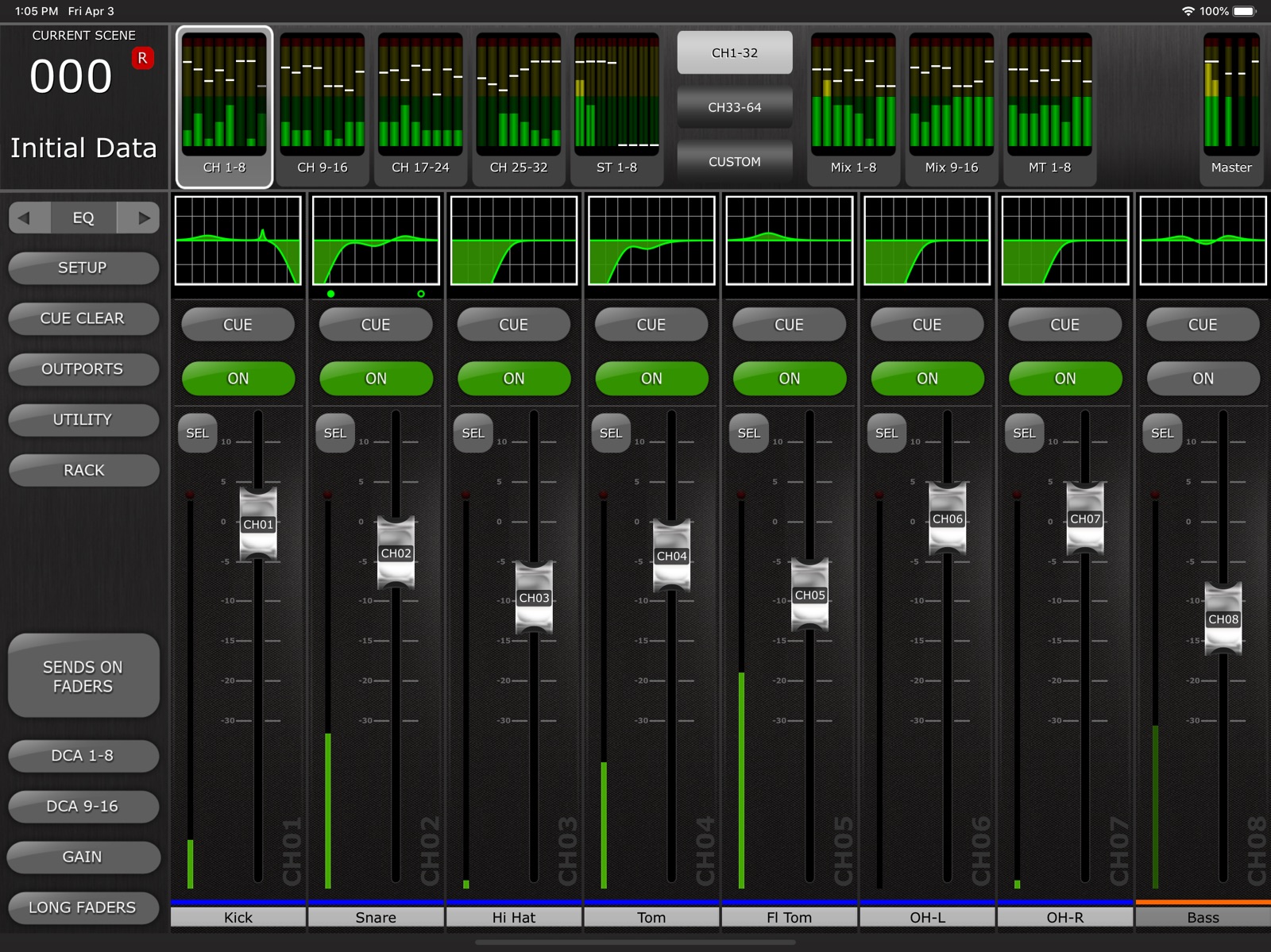
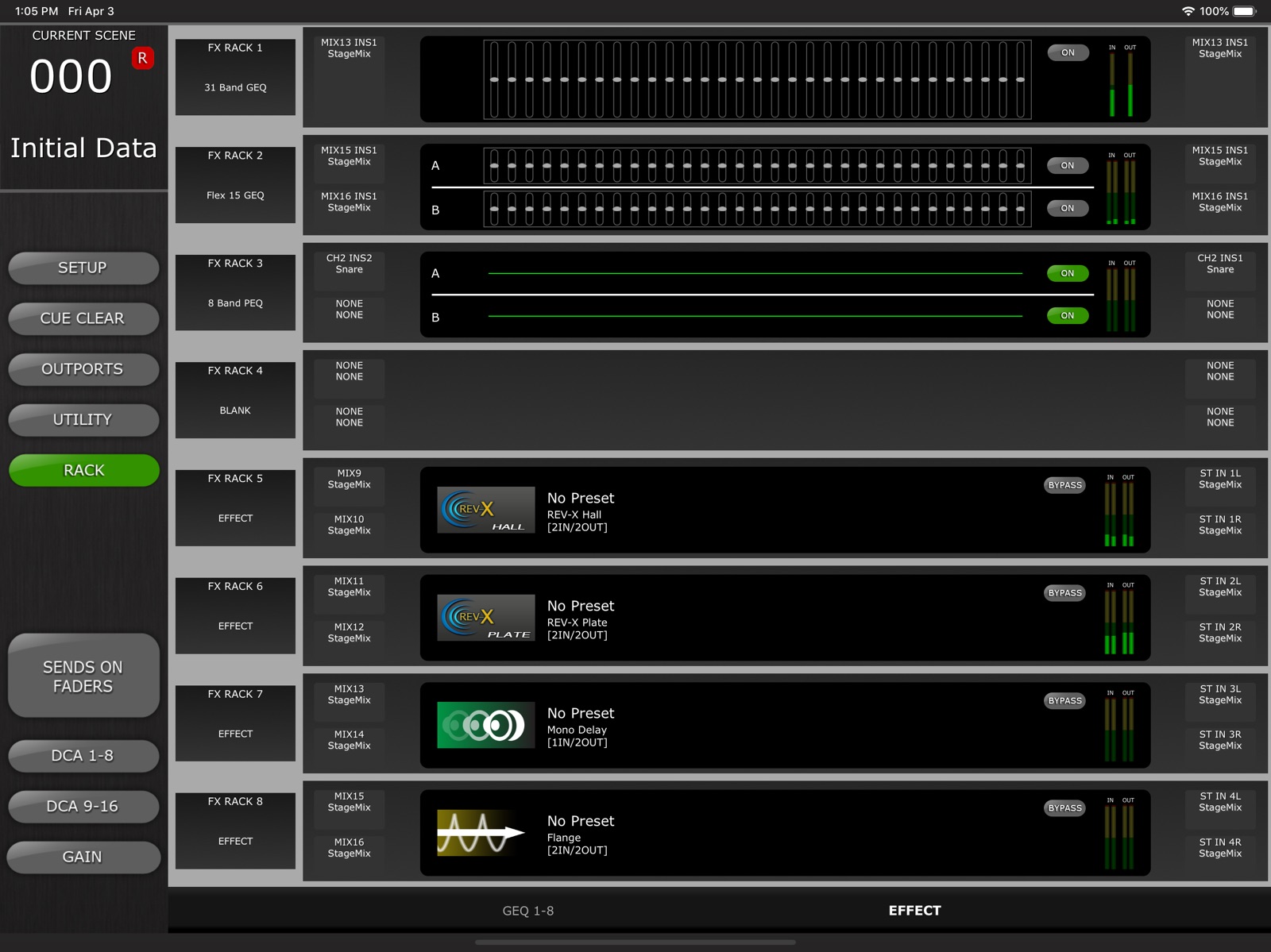
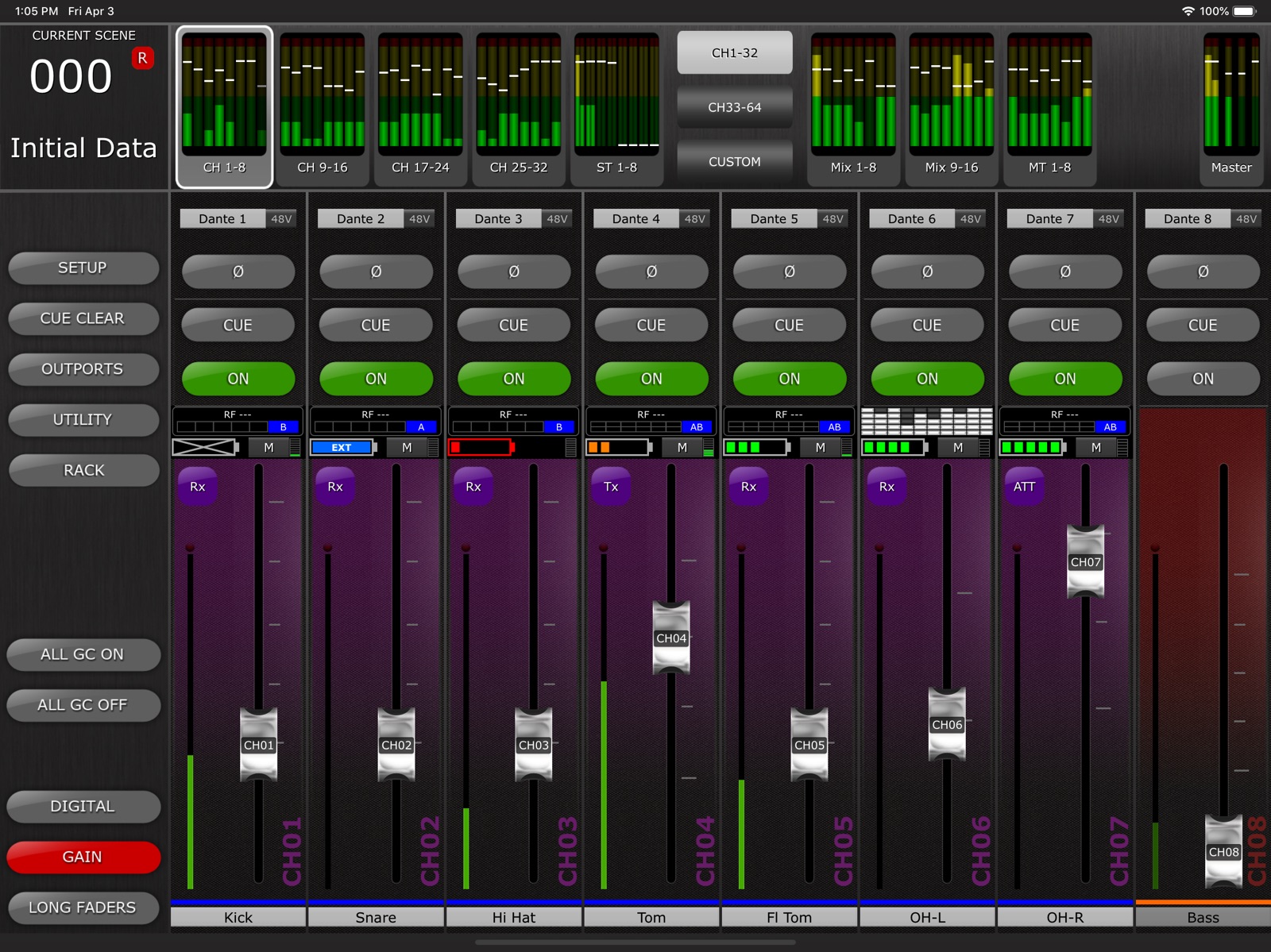
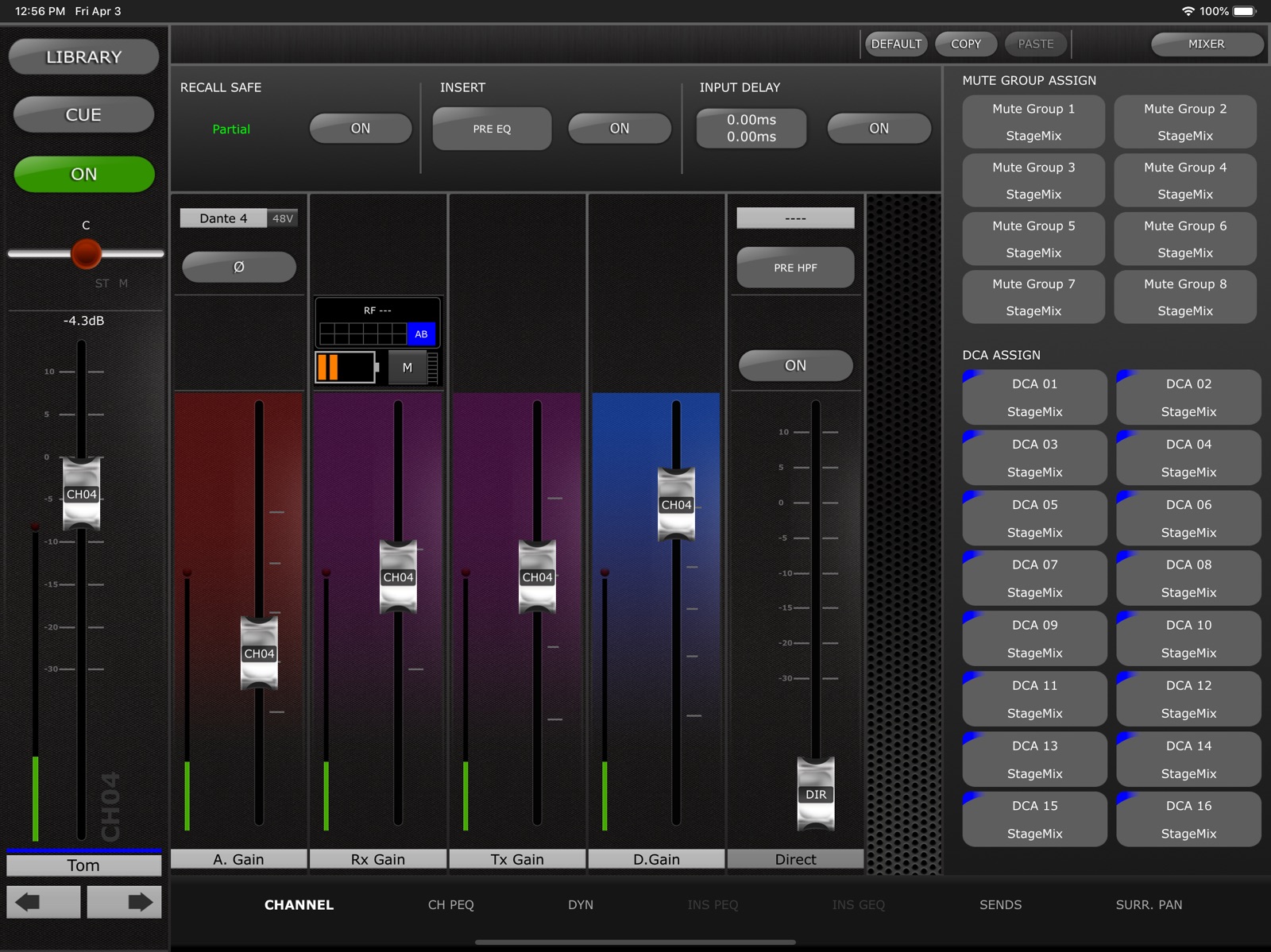
6 store screenshots
Pricing & paywalls
App Store
- Free to download
Ratings & reviews
App Store
-
3/5Crash on gain adjustment in custom fader bank
When adjusting gain in custom fader banks app crashes. Can adjust gain in other layer options but inconvenient
FBC TECH · 31 Jul 2026
-
5/5IN-APP communication with other sound techs using iPads
Please develop some like chat box or something you can text to others on the program, like myself our church is quite large so when me and some other sound tech need to communicate it’s hand signals or mouthing words or even worse having to leave and meet with one of the other guys. A in app text box would be perfect Please please consider doing this!!!!
Shane M @FTC · 31 Jul 2026
-
4/5Not working(updated)
iOS 12.1 and ql firmware v 5.01 not working Edit: After deeper troubleshooting the board was at fault, had to change the board’s ip address from a previously working address to a random new address in the same subnet which brought it back online...
Cmiziv · 31 Jul 2026
-
2/5Crashes
App crashes constantly. Are there any devs working on bug fixes for this app? We deserve better from yamaha
Vegasluke. · 31 Jul 2026
-
2/5Workable but needs more development
I like the app and use it quite often during soundcheck and showtime, but PLEASE add digital gain support and premium rack control!!!!!! I can’t use a ql1 at FOH over Dante if I’m not able to edit gains on the iPad.
not angry just dissapointed · 31 Jul 2026
Privacy & accessibility
App Store
Privacy
- Data Not Collected Developer declared
Accessibility
No accessibility labels collected yet.
Versions
App Store
- 4.2.0
-
4.2.1
•Minor bug fixes
-
4.5.0
•Full Control of the Console’s Oscillator •Direct Channel Navigation in the PEQ/GEQ/Dynamics editor screens •Global Pre/Post setting for Mix Sends •Mute Group Names
-
5.0.1
•Compatibility with QL firmware versions 1.0 and 3.0 •Real Time Analyzer via iPad microphone •Support for Multiple iPad connections (up to 5) * •8-band Parametric EQ control * •USB Recorder control * •Surround Panning control * •Mix to Matrix Sends •Support for dB Displays in the Mixer Window •Support for Output Channel Linking * *These features require QL V3 firmware Compatibility: Requires iOS 6 or later
-
5.0.2
Bug fixes
-
5.1.0
* Important notice of bug with CL/QL StageMix V5.1 Yamaha has recently become aware of issues that could prevent CL/QL StageMix V5.1 from synchronizing properly with the consoles using CL V2.0x or QL V1.0x firmware. At this time, we would recommend that users of consoles with V2.0x/V1.0x firmware should not update to StageMix V5.1. We are working hard to provide a fix for this problem as soon as possible. •Compatibility with CL firmware versions 2.0, 3.0 and 3.1 (please note: this version of StageMix is not compatible with any earlier CL firmware versions) •121-band mode for the built-in Real Time Analyzer •Timeline Location in the USB Recorder* oDrag the timeline dot to locate to any position in the song oEnter a time address to locate to a specific position •Dual Oscillator control: SINE 2CH mode added in the Oscillator screen* •Assignment of Channels to the Stereo or Mono Busses •Warning message appears when Enable Phantom Power Switching is OFF *These features require CL V3 firmware or higher Compatibility: Requires iOS 6 or later
-
5.1.1
Fixed a bug that could prevent QL StageMix from synchronizing properly with the QL V1.0x console.
-
5.1.2
Bug fix to improve gain reduction metering for Dynamics processors in the Mixer screen.
-
6.0.0
•Compatibility with QL firmware versions 3.0 and higher (please note: this version of StageMix is not compatible with any earlier QL firmware versions) •Full Effects Editing capabilities, including graphical editing of Reverb and Delay effect programs •Access to the GEQ and EFFECT racks •Control of new EQ algorithms for 4-band and 8-band Parametric EQ: Precise, Aggressive, Smooth and Legacy* •Support for Dual Cue Mode including Remote mode which allows StageMix to control an independent Cue bus (separate from the console’s Cue bus)* •Support for Solo mode* *These features require QL V4 firmware or higher Compatibility: Requires iOS 8 or later
-
6.0.2
•Compatibility with QL firmware versions 3.0 and higher (please note: this version of StageMix is not compatible with any earlier QL firmware versions) •Bug fixes, including the following: oCorrected a problem that could prevent GEQ and PEQ curves from drawing in the Editor screens if the Rack was accessed directly from the Master Channel Bank oIn some circumstances, channel ON buttons would not flash when another channel was Soloed when Solo in Place mode was active oCUE button status may not be correctly updated after the Cue Mode is changed on the console oOther small bugs Compatibility: iOS 8 or later
-
6.0.4
Minor bug fixes and other small improvements Compatibility: iOS 8 or later
-
6.1.1
•Compatibility with QL firmware version V4.10 (please note: this version of StageMix is not compatible with any QL firmware version earlier than V3) •Added Input patch editing •Added Output Port patch editing •Added control and monitoring of Shure ULXD4D and ULXD4Q devices (requires V4.1.0 firmware upwards) •Minor bug fixes and other small improvements Compatibility: iOS 8 or later
-
7.0.1
•Customizable meter bridge layer •Monitoring/Controlling of non-Dante Shure wireless receivers •Multi-Channel Input Patching function •Other minor bug fixes and improvements
-
7.0.2
• EQ thumbnails were not drawn correctly in custom layer mixer view, when using Precise/Aggressive/Smooth EQ types with V4.x firmware. • Incorrect local custom layer assignment and name data was loaded during console connection after a Mixer Preset of a different model of console had been previously edited. • The Mix ON key in the Selected Mix overview in Sends on Fader Mode, did not behave correctly when muted from either a Mute or DCA Group.
-
7.0.3
• Adds compatibility with QL firmware V5 (please note, this version of QL StageMix is not compatible with any QL firmware version earlier than V4.0). • Minor bug fixes and improvements
-
8.0.0
• Adds compatibility with QL firmware V5.1 (please note, this version of QL StageMix is not compatible with any QL firmware version earlier than V4.0). • New tab based navigation for channel editor views • New ‘SENDS’ view for input and output channels • New ‘CHANNEL’ view, with HA, DCA/mute assignment, Direct out, Delay, recall safe enable etc. • Channel Library recall and store (input/output channel/EQ/Dynamics are currently supported) • Mix Send copy and paste (in SoF selection pop-up) • Mute group and DCA group assignment • Various minor improvements and fixes
-
8.0.1
Fixed a bug which may cause StageMix to unexpectedly close when editing channel gain parameters in custom fader layers.
-
8.1.1
Graphical changes for compatibility with new iPad models. Added RF control and monitoring for all RF devices that are currently supported by QL. Added GEQ/PEQ8 library store and recall. Added 'Disconnect and Return to Start Menu’ in the Setup view. Added simulated metering in demo mode. (activate via Setup menu) Minor bug fixes and improvements.
-
8.5.1
- Added 'Hide Unused' Mixes Mode to Sends on Fader and Channel Mix Sends Views. When enabled, only contributing Mix Send faders will be displayed and the non-contributing Mix Send faders are hidden from view. - Minor bug fixes and improvements - Improved compatibility for iOS14
-
8.5.3
Added compatibility with QL firmware V5.80. Bug Fix: The CH Name could not be set correctly when it was set to 2 characters or less. Bug Fix: When copying an A/B linked 8 Band EQ and pasting it into another 8 Band EQ that is not linked, the A/B settings are the same.
-
8.5.4
Bug Fix: Tabs at the bottom of the RACK screen were incorrectly displayed. Bug Fix: HPF handle was incorrectly displayed as LP in the output EQ window. Bug Fix: “Send Main” assignment in custom fader layers was incorrectly displayed as ‘SEL CH’. Bug Fix: The background color of the Input/Output Port Patch view and the DCA assignment view was incorrect.
-
8.5.5
- Improved compatibility for iPadOS18
-
8.5.6
· 5 Mar 2025
- Solved some minor bugs
Alternatives
- MixTwin — Same category + similar ratings
Availability by market
- US
Data quality & evidence
- Page completeness
- Live store listing
- Last verified
- 31 Jul 2026
- Sources
- App Store
- Apoku editorial summary has not been published yet.