
Quick verdict
- What it is
- Store information collected; independent summary not yet available.
- At a glance
-
- $12.99
Categories and search queries
Official categories
- Photo & Video
- Sports
AppCorpus categories
Key functions
| Function | Availability | Access | Scope | Evidence |
|---|---|---|---|---|
| Family Sharing | Yes | Unknown | App Store | Store published |
Screens
App Store
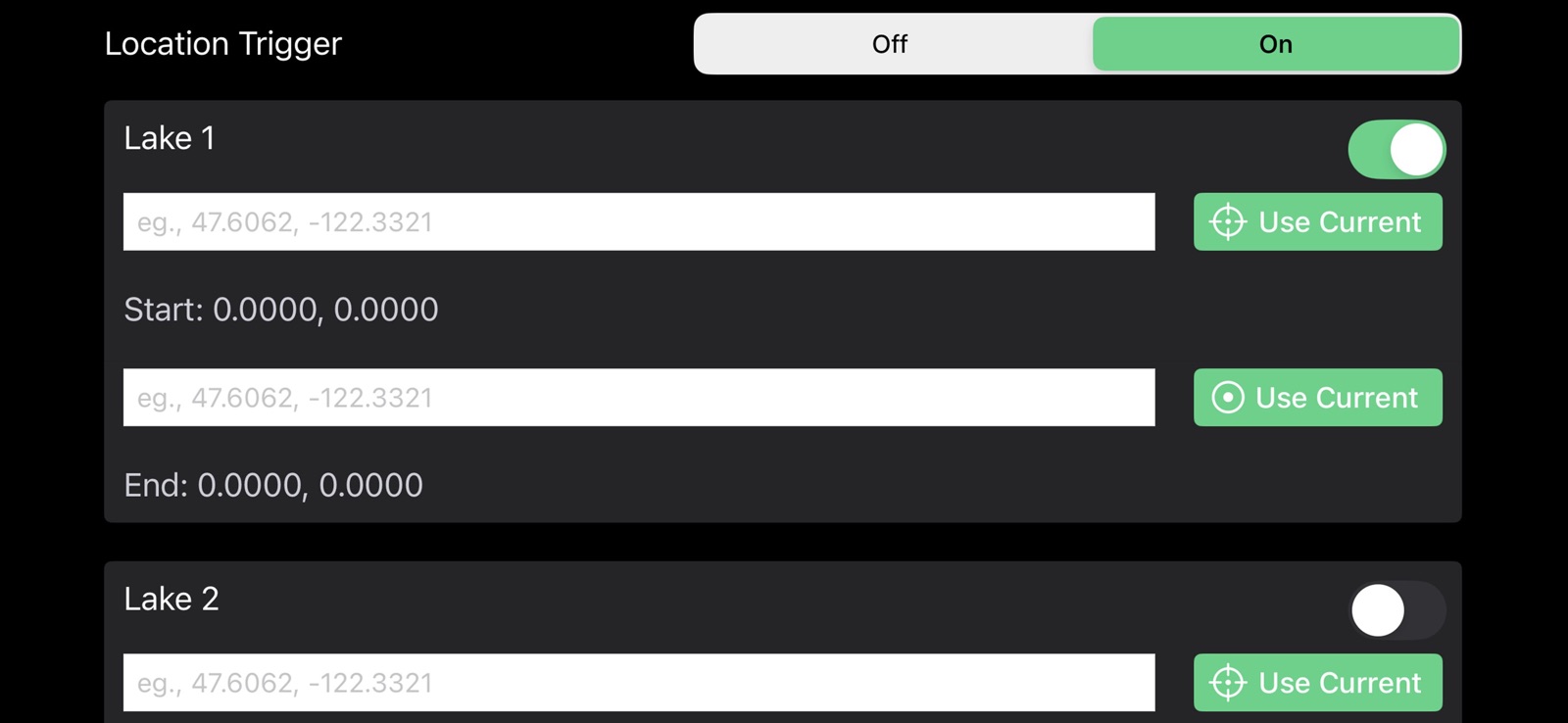
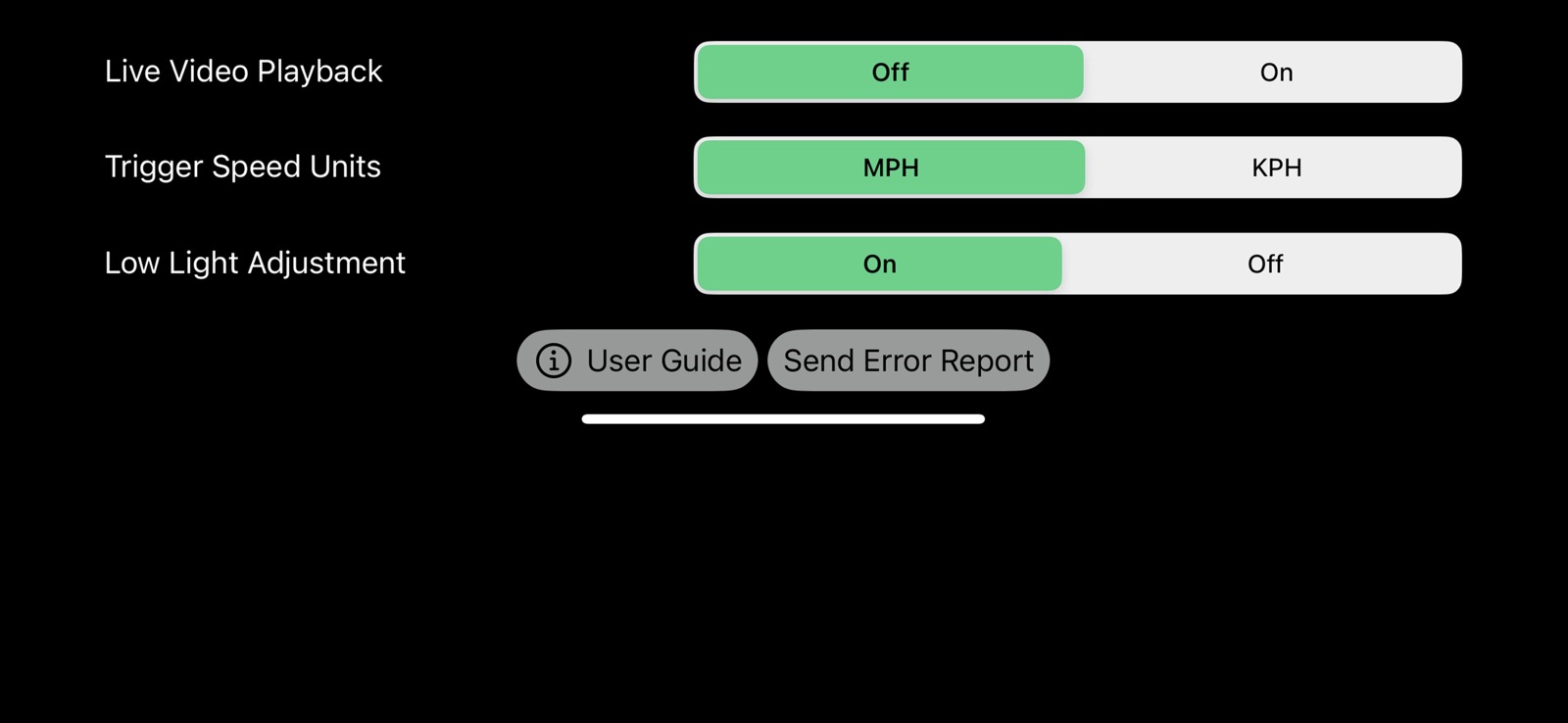
4 store screenshots


Pricing & paywalls
App Store
- Price: $12.99
Ratings & reviews
App Store
-
5/5Best recording app ever.
The app is super intuitive, very straight forward. The developer is always there for support. Could not recommend enough. I would give it 10 stars.
jaypro12 · 6 Aug 2026
-
5/5This is great!
We use this app almost everyday and it continues to be very consistent and works perfectly! It’s the best app out there to use as I have tried them all. Great job Steve!
Shellski5 · 6 Aug 2026
-
5/5Set it and forget it!!
I know that’s an old slogan but it’s so true. This app works so good that I don’t even think about it once it’s on the mount. Consistent videos and I can focus on my skiing and not worry about the camera. Thanks for a great product!!
BabiashM · 6 Aug 2026
-
5/5Great Product
I have been using my ski buddies for a while now, but had to get my own app. It works great. A must have to help yourself improve as a skier.
JMac0325 · 6 Aug 2026
-
5/5Seamless and easy
Easy set speed and zoom and you’re good to go. If you are looking to use your phone for video, this is the app.
Insucozi · 6 Aug 2026
Privacy & accessibility
App Store
Privacy
- Data Not Collected Developer declared
Accessibility
No accessibility labels collected yet.
Versions
App Store
-
1.0.10
Bug fix.
-
1.0.3
Horizontal orientation bug fix.
-
1.0.4
Stabilization improvement.
-
1.0.5
Saves previous zoom settings. Time-of-day and zoom indicator more legible.
-
1.0.6
Simplifies interface and fixes bug where recordings were sometimes missed.
-
1.0.7
Update trigger speed buttons and bug fixes.
-
1.0.8
Added battery percentage indicator and changed time-of-day display. Added User Guide link to settings menu.
-
1.0.9
Tweak to initial set-up prompts.
-
1.1.0
Updated.
-
1.1.1
Added confirmation of auto-record disabling, to avoid accidental input.
-
1.1.2
1. Buttons adapt to horizontal rotation. 2. KPH option for speed trigger.
-
2.0
Improved stabilization across all devices, and ability to set manual focus on supported lenses.
-
3.0
1. HD120 option returned to Quality/FPS options. 2. The ability to add a directional condition to the start-recording trigger. The speed-based trigger will always remain active, but for jump skiers, this means you can have the recording only start once you are moving in the direction of the ramp (and above the trigger speed). The recording will stop once the user goes below the trigger speed, as normal. See the Settings menu to enable this feature.
-
3.1
1. HD120 option returned to Quality/FPS options. 2. The ability to add a directional condition to the start-recording trigger. The speed-based trigger will always remain active, but for jump skiers, this means you can have the recording only start once you are moving in the direction of the ramp (and above the trigger speed). The recording will stop once the user goes below the trigger speed, as normal. See the Settings menu to enable this feature.
-
3.2
New ‘Send Error Report’ option in Settings to quickly share logs if you face issues with recordings.
-
4.0
Version 4.0 brings a number of major upgrades: • Location-Based Trigger: Define a start and end point so recording only occurs inside that zone. Supports two saved locations for skiers who use multiple lakes. • Low Light Adjustment: Optional setting that reduces motion blur during dawn and dusk sessions. • Live Video Playback: Instantly review the most recent recording without leaving the app, including slo-mo playback. • Save Speed and Line Length: Set boat speed and rope length on the main screen and save the info to the video filename. • Battery Saver Screen Setting: Turn the display black except for the UI, reducing battery usage while recording (iPhone X and later except for 13 non-Pro). • UI Improvements: Clearer visual indicators for active settings.
-
4.1
Streamlined new user setup experience. Improved speed trigger safeguards to manage erroneous GPS readings sent by the phone.
-
4.2
• Improved location accuracy and reliability • Enhanced GPS logging and diagnostic reporting
-
4.3
• Improved start/stop reliability
-
5.0
- With Live Video Playback is enabled, when a just-recorded video appears on the phone screen, there is now a button to "Send This Clip" which opens the Apple send menu where you can quickly Airdrop to a nearby iPad or MacBook, to allow for easier review by the driver or a coaching passenger. (You can also use the same capability to send to a Windows device using a free app called LocalSend). - Support added for 4K120 recording on capable phones (16 Pro and 17 Pro models). Note that, similar to recording in HD120, Apple by default will play that video back in 1/4 speed, but you can easily adjust back to full or 1/2 speed clip-by-clip. - Support added to use the Telephoto lens on capable phones (Pro models). Note that Telephoto will be too zoomed to work for slalom, but may work for trick or other towed water sports. - A fix for older phones that was causing over-exposed videos when using the "Low Light Compensation" feature.
-
5.1
Temporarily reverting to version 4.3 while working out bugs.
-
5.2
1. Music can now continue playing while PylonCam Pro is open and recording. 2. Improved app error logging. If you ever have any issues with the app, especially any missed recordings, please click the “Send Error Report” button in the Settings menu and follow the prompt to send logs so I can review and fix.
-
5.4
- Bug fix. - Improved logging for debugging.
-
5.5
Small bug fix.
-
5.6
· 5 Aug 2026
Improved recording pipeline.
Alternatives
- SkiCam — Same category + similar ratings
- QRControl — Same category + similar ratings
- SlideScan by Photomyne — Same category + similar ratings
- Gospel Stream — Same category + similar ratings
- Sun Tracker AR — Same category + similar ratings
- DJI Ronin — Same category + similar ratings
Availability by market
- US
Data quality & evidence
- Page completeness
- Live store listing
- Last verified
- 6 Aug 2026
- Sources
- App Store
- Independent summary has not been published yet.