
Quick verdict
- What it is
- Store information collected; independent summary not yet available.
- At a glance
-
- Free to download
Categories and search queries
Official categories
- Photo & Video
AppCorpus categories
Key functions
| Function | Availability | Access | Scope | Evidence |
|---|---|---|---|---|
| Free app | Yes | Free | — | Store published |
Screens
App Store
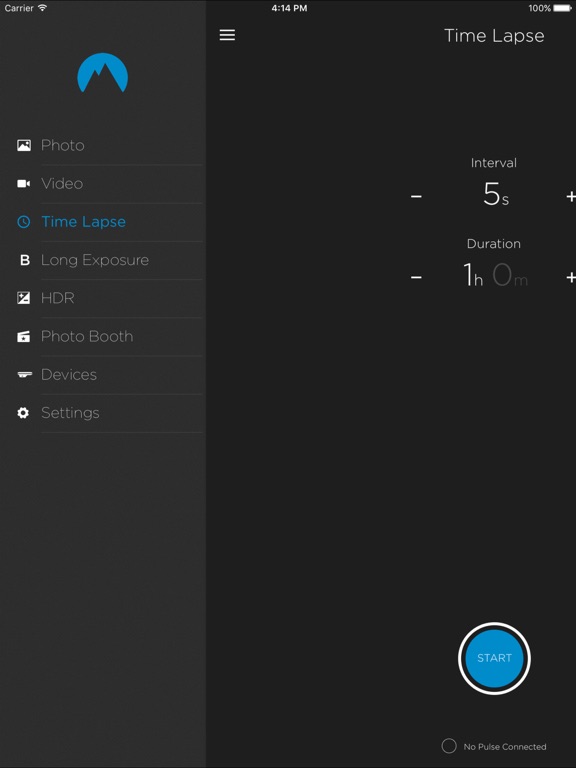
14 store screenshots



Pricing & paywalls
App Store
- Free
Ratings & reviews
App Store
-
1/5Meh
Endless bugs. Endless confusion. It’s a money grab.
Gabor Muse · 7 Aug 2026
-
5/5PLEASE ADD APPLE WATCH SUPPORT
Apple Watch support would be incredible. Could just strap the Apple Watch to my Ronin or use it while also filming with another camera. I film concerts and have cameras sitting on stage while I am moving around and the ability to start video while far away at the click of a button from my watch would be incredible! Very interested in this tool, but won't buy it unless it supports the Apple Watch.
Tjdyo · 7 Aug 2026
-
3/5First impression
Would like to see image preview with current version and also histogram and Apple Watch support.
DanStelle · 7 Aug 2026
-
3/5More or less works, but very rough around the edges
It took some time to get my Pulse working, and it needs to be activated in very particular way, namely: Turn on camera (Canon 6DMk2) Turn on Pulse Connect Pulse via USB Open iOS app Otherwise it won’t work at all. HDR doesn’t work (presents an error message) and long exposure doesn’t either (takes a shot at a shutter speed besides what I specified). Bluetooth preview image is hit or miss too. I also verified that I’m at the latest firmware :-/ I got this for time lapses, which do work though.
chriscowdery · 7 Aug 2026
-
1/5Absolutely terrible
According to the last update, they fixed an issue that would previously prevent the pulse from showing up in the devices page. That is a lie. No matter how many times I’ve turned on my Pulse and checked to see whether or not it was connected in my phones Bluetooth settings (it’s always connected, which means the Pulse Bluetooth works, as well as my phones) it never shows up in the devices list, which means I can’t even use it. It’s worthless.
Juicyyjoel · 7 Aug 2026
Privacy & accessibility
App Store
Privacy
- Data Not Linked to You — Other Purposes — Location — Coarse Location Developer declared
- Data Not Linked to You — Other Purposes — Other Data — Other Data Types Developer declared
- Data Not Linked to You — Location Developer declared
- Data Not Linked to You — Other Data Developer declared
Accessibility
No accessibility labels collected yet.
Versions
App Store
-
1.0.6
Fix for iOS10 - store information about the Pulse device properly. Fix for iOS10 - rescan for pulse when pulse is disconnected. Fix for iOS10 - keyboard stickiness issue. Nicer looking connection modal. Exposure ramping fixes. Providing the user feedback on the current camera mode. General bug and ui fixes/improvements.
-
1.10
Fixed an issue with showing Pulse in the Devices page
-
1.12.0
Support iOS 12.4 and later.
-
1.13.0
1. Added Long Exposure Time Lapse 2. Fixed firmware update issues
-
1.13.1
1. Added Long Exposure Time Lapse 2. Fixed firmware update issues 3. Fix HDR Page issue 4. Fix Photo booth Page issue
-
1.13.2
Fixed the Submit a Bug issue
-
1.13.3
- Updated app to work on the latest OS version. - Fixed the Submit a Bug issue.
-
1.13.4
- Fixed the Submit a Bug issue. - Updated app to work on the latest OS version.
-
1.13.7
- Improved Bluetooth reliability - ISO Ramp - Bulb Ramp - Unbalanced HDR (Beta) - Multi-camera (Beta)
-
1.13.8
- New Feature : HDR Time Lapse - Improved reliability - Fixed : Firmware update issue
-
1.13.9
- Fixed : HDR issue fixed. - Fixed : Tearing issue fixed.
-
1.15.1
- Saved thumbnail & photobooth photos into your phone.
-
1.16.1
Updated for latest versions of iOS. Bluetooth Classic improvements. Added the ability to save thumbnails.
-
1.16.2
Version 1.16.2 addresses a white box header issue.
-
1.16.3
Fixes a bug where the Camera Settings icon went to the Advanced Time Lapse Menu
-
1.17.5
· 4 Aug 2026
Improvements for SE Phones Submit a Bug feature fixed Found a bug in Exposure Ramping Updated Exposure, Bulb and ISO Ramping Updated to support the latest versions of iOS
-
1.2.0
Please note, there is also a new Firmware (V1.17). Which we highly recommend you update your Pulse to from the "About" Page in Settings. Fix for connection Pulse issues (major fix for iPhone 7's) Fix for Blink LED not turning off Side Menu UI updates Side Menu UI Active Timelapse animation in side menu Thumbnails - preserve aspect ratio on thumbnail display Fix for propagating the nickname on save Long Exposure UI updates Side menu fix for it displaying all white on some devices Ability to change your Pulse LED brightness Fix for pulse crashing when fetching a thumbnail in video mode Exposure ramp UI improvements Fix for the thumbnail toggle not showing connected when we connect on first time And so much more!
-
1.2.5
Refetches camera settings on camera mode change. Smarter and Faster HDR Resolves state when reopening app during active Video and Long Exposures. More items to help with connection issues. General UI and bug improvements
-
1.3.0
Side menu white screen fix once and for all App notifies when new app is available Exposure ramp UI changes Nicer looking side menu ui BLE connection improvements. Rename your pulse screen on the Welcome flow Updates to the camera compatibility list (added more cameras, etc..) Fix for the image review toggle (it was toggling to off when it should not).
-
1.4
Preset Views Preloaded preset views Fix for bad rendering on large devices Fix for Long Exposure mode when coming back from background mode iPhone 4 UI fixes Smarter about requesting thumbs during a timelapse Close the keyboard when the return/done button is pressed HDR fixes for not stepping correctly Debug mode is always on D4 is allowed to do bulb mode Improvements to Camera settings support Histogram not getting the correct cam settings Fix for nikons not handling mode change correctly Various Assortment of bug fixes and UI tweaks
-
1.6
Small UI and stability fixes You can now command multiple pulses to take photos and start videos at the same time.
-
1.6.1
We fixed a bug that arose where sometimes aperture settings could not update (Whoops).
-
1.7
- Fixed an issue where Canon camera settings sometimes did not sync properly on startup - Fixed an issue where sometimes a Pulse could connect but the app thought no device was selected - Fixed an issue where the thumbnail toggle was sometimes on incorrectly - Fixed the "S" on the bulb mode page, which would sometimes sit below the numbers
-
1.8
A small update : Fixed the ISO array values over 6400 for Canons Fixed the presets loading issue
-
1.9
Addressed some thumbnail issues that have appeared in the most recent iOS update.
Alternatives
- Magic Nikonian ViewFinder — Same category + similar ratings
- Helicon Remote — Same category + similar ratings
- CamRanger Wireless DSLR Camera — Same category + similar ratings
- NX Field — Same category + similar ratings
- CamRanger 2 - Camera Control — Same category + similar ratings
Availability by market
- US
Data quality & evidence
- Page completeness
- Live store listing
- Last verified
- 7 Aug 2026
- Sources
- App Store
- Independent summary has not been published yet.