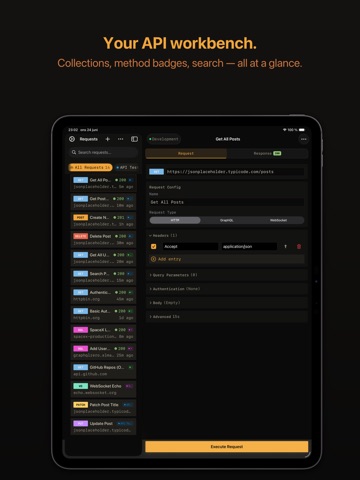
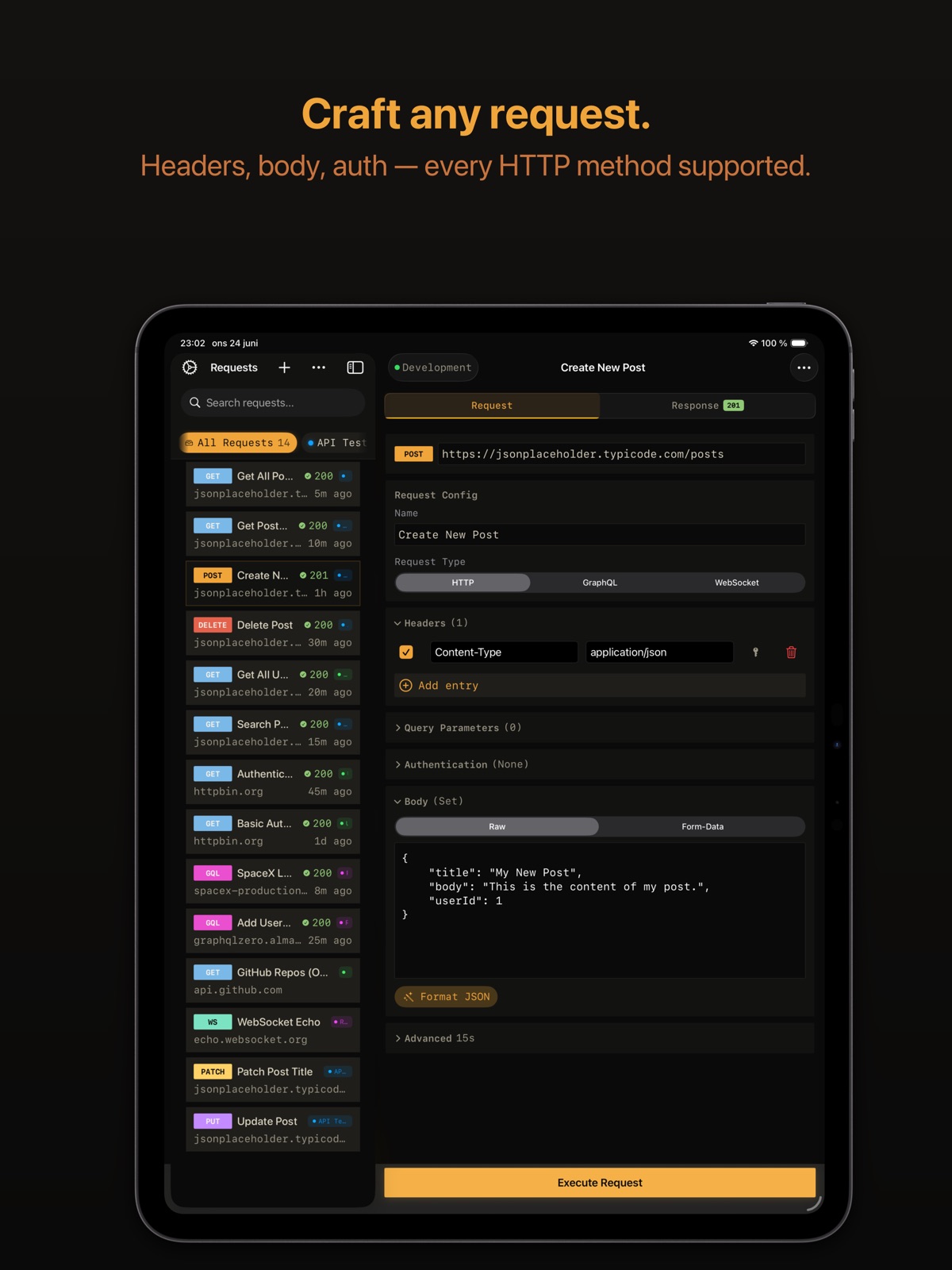
AppCorpus MCP gives your agent current app data, prices, screens, features and sources.
View JSON
GET /api/v3/apps/6757448741
{
  "app_id": 6757448741,
  "canonical_url": "https://appcorpus.com/apps/probepad-api-client-6757448741",
  "identity": {
    "name": "ProbePad - API Client",
    "slug": "probepad-api-client",
    "developer": {
      "name": "Olof Petterson",
      "url": "https://appcorpus.com/developers/olof-petterson-developer_468a60a8447db3d528643088a260d2a5"
    },
    "icon_url": "https://is1-ssl.mzstatic.com/image/thumb/Purple211/v4/91/ee/ef/91eeefec-4234-8623-ae29-59b97ae1e703/AppIcon-1x_U007emarketing-0-8-0-85-220-0.png/512x512bb.jpg",
    "stores": [
      "apple"
    ],
    "platforms": [
      "iphone",
      "ipad"
    ],
    "status": {
      "state": "active",
      "label": "Active",
      "last_checked": "2026-08-06",
      "last_checked_label": "6 Aug 2026",
      "banner": null,
      "region_note": null
    }
  },
  "listings": [
    {
      "store": "apple",
      "status": "ACTIVE",
      "url": "https://apps.apple.com/us/app/probepad-api-client/id6757448741?uo=4",
      "rating": 0.0,
      "rating_count": 0,
      "formatted_price": "Free",
      "is_free": true,
      "has_iap": true,
      "has_subscription": false,
      "version": "1.5.0",
      "updated": "2026-06-25",
      "currency": "USD"
    }
  ],
  "summary": {
    "one_liner": null,
    "summary": null,
    "best_for": [],
    "not_for": [],
    "status": "fallback",
    "at_a_glance": [
      "Free to download",
      "In-app purchases"
    ]
  },
  "categories": {
    "official": [
      "Developer Tools",
      "Utilities"
    ],
    "appcorpus": [
      {
        "category_id": "developer-tools",
        "label": "Developer tools",
        "url": "https://appcorpus.com/categories/developer-tools"
      },
      {
        "category_id": "utilities",
        "label": "Utilities",
        "url": "https://appcorpus.com/categories/utilities"
      }
    ]
  },
  "use_cases": [],
  "features": [
    {
      "capability_id": "free_app",
      "label": "Free app",
      "availability": "yes",
      "access_level": "free",
      "scope": null,
      "evidence": "Store published"
    },
    {
      "capability_id": "in_app_purchases",
      "label": "In-app purchases",
      "availability": "yes",
      "access_level": "free_limited",
      "scope": null,
      "evidence": "Store published"
    }
  ],
  "pricing": [
    {
      "store": "apple",
      "formatted_price": "Free",
      "is_free": true,
      "has_iap": true,
      "has_subscription": false,
      "currency": "USD",
      "market": "es",
      "last_verified": "2026-08-06",
      "rows": [
        "ProbePad PRO — $5.99"
      ]
    }
  ],
  "screens": [
    {
      "url": "https://is1-ssl.mzstatic.com/image/thumb/PurpleSource211/v4/bc/52/d4/bc52d479-1e05-6cd0-43fe-faf8297da3a2/01-split-overview.png/1600x1600bb.jpg",
      "store": "apple",
      "platform": "ipad",
      "alt": "ProbePad - API Client ipad screenshot 1"
    },
    {
      "url": "https://is1-ssl.mzstatic.com/image/thumb/PurpleSource211/v4/bc/52/d4/bc52d479-1e05-6cd0-43fe-faf8297da3a2/01-split-overview.png/360x480bb.jpg",
      "store": "apple",
      "platform": "ipad",
      "alt": "ProbePad - API Client ipad screenshot 2"
    },
    {
      "url": "https://is1-ssl.mzstatic.com/image/thumb/PurpleSource211/v4/12/77/44/1277446c-dfde-6b03-e426-5a1a976a997b/02-http-editor.png/1600x1600bb.jpg",
      "store": "apple",
      "platform": "ipad",
      "alt": "ProbePad - API Client ipad screenshot 3"
    },
    {
      "url": "https://is1-ssl.mzstatic.com/image/thumb/PurpleSource211/v4/12/77/44/1277446c-dfde-6b03-e426-5a1a976a997b/02-http-editor.png/360x480bb.jpg",
      "store": "apple",
      "platform": "ipad",
      "alt": "ProbePad - API Client ipad screenshot 4"
    },
    {
      "url": "https://is1-ssl.mzstatic.com/image/thumb/PurpleSource211/v4/01/a6/3a/01a63aa1-13a7-5409-c4b3-a0b83093fe68/03-http-response.png/1600x1600bb.jpg",
      "store": "apple",
      "platform": "ipad",
      "alt": "ProbePad - API Client ipad screenshot 5"
    },
    {
      "url": "https://is1-ssl.mzstatic.com/image/thumb/PurpleSource211/v4/01/a6/3a/01a63aa1-13a7-5409-c4b3-a0b83093fe68/03-http-response.png/360x480bb.jpg",
      "store": "apple",
      "platform": "ipad",
      "alt": "ProbePad - API Client ipad screenshot 6"
    },
    {
      "url": "https://is1-ssl.mzstatic.com/image/thumb/PurpleSource211/v4/d6/5b/93/d65b93eb-f2a3-33cb-4f94-e048d78e0199/04-graphql-editor.png/1600x1600bb.jpg",
      "store": "apple",
      "platform": "ipad",
      "alt": "ProbePad - API Client ipad screenshot 7"
    },
    {
      "url": "https://is1-ssl.mzstatic.com/image/thumb/PurpleSource211/v4/d6/5b/93/d65b93eb-f2a3-33cb-4f94-e048d78e0199/04-graphql-editor.png/360x480bb.jpg",
      "store": "apple",
      "platform": "ipad",
      "alt": "ProbePad - API Client ipad screenshot 8"
    },
    {
      "url": "https://is1-ssl.mzstatic.com/image/thumb/PurpleSource221/v4/41/1f/64/411f64f0-f69d-79d2-e192-08b6f5d6187a/05-websocket.png/1600x1600bb.jpg",
      "store": "apple",
      "platform": "ipad",
      "alt": "ProbePad - API Client ipad screenshot 9"
    },
    {
      "url": "https://is1-ssl.mzstatic.com/image/thumb/PurpleSource221/v4/41/1f/64/411f64f0-f69d-79d2-e192-08b6f5d6187a/05-websocket.png/360x480bb.jpg",
      "store": "apple",
      "platform": "ipad",
      "alt": "ProbePad - API Client ipad screenshot 10"
    },
    {
      "url": "https://is1-ssl.mzstatic.com/image/thumb/PurpleSource221/v4/76/6a/c9/766ac942-a0f9-4462-d148-79e16aaec923/06-settings.png/1600x1600bb.jpg",
      "store": "apple",
      "platform": "ipad",
      "alt": "ProbePad - API Client ipad screenshot 11"
    },
    {
      "url": "https://is1-ssl.mzstatic.com/image/thumb/PurpleSource221/v4/76/6a/c9/766ac942-a0f9-4462-d148-79e16aaec923/06-settings.png/360x480bb.jpg",
      "store": "apple",
      "platform": "ipad",
      "alt": "ProbePad - API Client ipad screenshot 12"
    },
    {
      "url": "https://is1-ssl.mzstatic.com/image/thumb/PurpleSource211/v4/ce/d3/1e/ced31e46-579f-0e1f-a970-40fd217d3a10/07-environments.png/1600x1600bb.jpg",
      "store": "apple",
      "platform": "ipad",
      "alt": "ProbePad - API Client ipad screenshot 13"
    },
    {
      "url": "https://is1-ssl.mzstatic.com/image/thumb/PurpleSource211/v4/ce/d3/1e/ced31e46-579f-0e1f-a970-40fd217d3a10/07-environments.png/360x480bb.jpg",
      "store": "apple",
      "platform": "ipad",
      "alt": "ProbePad - API Client ipad screenshot 14"
    },
    {
      "url": "https://is1-ssl.mzstatic.com/image/thumb/PurpleSource211/v4/54/b4/c3/54b4c34f-1556-dc6e-f0bc-d02d721bb96d/01-request-list.png/1320x1600bb.jpg",
      "store": "apple",
      "platform": "iphone",
      "alt": "ProbePad - API Client iphone screenshot 15"
    },
    {
      "url": "https://is1-ssl.mzstatic.com/image/thumb/PurpleSource211/v4/1f/45/59/1f455937-8535-01d3-56de-5050c2bc3dc7/02-http-editor.png/1320x1600bb.jpg",
      "store": "apple",
      "platform": "iphone",
      "alt": "ProbePad - API Client iphone screenshot 16"
    },
    {
      "url": "https://is1-ssl.mzstatic.com/image/thumb/PurpleSource211/v4/e6/1e/a6/e61ea670-6083-7b4f-2354-30049c90816c/03-http-response.png/1320x1600bb.jpg",
      "store": "apple",
      "platform": "iphone",
      "alt": "ProbePad - API Client iphone screenshot 17"
    },
    {
      "url": "https://is1-ssl.mzstatic.com/image/thumb/PurpleSource211/v4/87/f5/95/87f5950c-abe1-b0aa-7a76-72ec98d3890a/04-graphql-editor.png/1320x1600bb.jpg",
      "store": "apple",
      "platform": "iphone",
      "alt": "ProbePad - API Client iphone screenshot 18"
    },
    {
      "url": "https://is1-ssl.mzstatic.com/image/thumb/PurpleSource221/v4/e5/2d/25/e52d256a-6bc2-d828-4109-adaab22a57ab/05-websocket.png/1320x1600bb.jpg",
      "store": "apple",
      "platform": "iphone",
      "alt": "ProbePad - API Client iphone screenshot 19"
    },
    {
      "url": "https://is1-ssl.mzstatic.com/image/thumb/PurpleSource221/v4/a9/47/65/a9476549-75fa-8cd1-dbd3-31f20e4b7718/06-settings.png/1320x1600bb.jpg",
      "store": "apple",
      "platform": "iphone",
      "alt": "ProbePad - API Client iphone screenshot 20"
    },
    {
      "url": "https://is1-ssl.mzstatic.com/image/thumb/PurpleSource221/v4/32/7e/15/327e1522-14e6-cc3c-e318-2272e0b67e69/07-environments.png/1320x1600bb.jpg",
      "store": "apple",
      "platform": "iphone",
      "alt": "ProbePad - API Client iphone screenshot 21"
    }
  ],
  "ratings": [
    {
      "store": "apple",
      "average": 0.0,
      "count": 0,
      "market": "es",
      "observed_at": "2026-08-06",
      "reviews": []
    }
  ],
  "privacy": [
    {
      "store": "apple",
      "declarations": [
        {
          "title": "Data Not Collected",
          "detail": "",
          "source": "Developer declared"
        }
      ],
      "accessibility": []
    }
  ],
  "changes": [
    {
      "store": "apple",
      "version": "1.0",
      "released_at": null,
      "notes": ""
    },
    {
      "store": "apple",
      "version": "1.0.1",
      "released_at": null,
      "notes": "Fixed an issue where the response view could grow beyond the screen for large responses. Improved stability and usability."
    },
    {
      "store": "apple",
      "version": "1.0.2",
      "released_at": null,
      "notes": "New: - Interactive JSON Tree view with syntax highlighting - Loading indicator during request execution - Display mode auto-locked to Raw for truncated responses Fixed: - Fixed cURL import updating wrong request - Improved network error handling with 15s timeout - Fixed horizontal scrolling in response view Improved: - Simplified response viewer (Tree and Raw modes) - Better performance for large responses"
    },
    {
      "store": "apple",
      "version": "1.1.0",
      "released_at": null,
      "notes": "Version 1.1.0 – ProbePad PRO NEW PRO FEATURES (one-time purchase, no subscription): - Collections & Folders - Environments & Variables - Response Diff - Secrets Vault with Face ID - iCloud Sync - Postman Import IMPROVEMENTS: - Improved cURL export - Bug fixes"
    },
    {
      "store": "apple",
      "version": "1.1.1",
      "released_at": null,
      "notes": "Version 1.1.1 - Redesigned Settings for faster navigation - Cleaner visual design with improved hierarchy - Better PRO feature organization - Bug fixes and stability improvements"
    },
    {
      "store": "apple",
      "version": "1.2.0",
      "released_at": null,
      "notes": "UX Overhaul + Localization Subtle borders for reduced visual noise Sticky Execute button — always visible while scrolling Collapsible editor sections with smart defaults Request list shows URL host and status at a glance Filled method badges for instant recognition Relative timestamps (“5m ago” instead of full dates) German, Spanish, and Japanese localization"
    },
    {
      "store": "apple",
      "version": "1.3.0",
      "released_at": null,
      "notes": "Advanced Features + Security Hardening OAuth 2.0 • Authorization Code with PKCE and Client Credentials flows • Automatic token refresh with Keychain storage • JWT token inspection and decoding • Provider presets for Google, GitHub, Azure AD, and Auth0 OpenAPI Import • Import OpenAPI 3.0 and Swagger 2.0 specs from file, URL, or share sheet • Selective endpoint import with tag grouping and preview GraphQL • Query editor with syntax highlighting • Schema introspection with autocomplete • Variables, named operations, and query history WebSocket • Connect, send, and receive messages with full history • Connection status indicator with auto-reconnection • Reusable message templates Security & Performance • CSRF protection on OAuth callbacks • Input validation and bounded resource handling • Improved architecture for faster, more reliable performance"
    },
    {
      "store": "apple",
      "version": "1.4.0",
      "released_at": null,
      "notes": "Collections & Filtering - Collection chip bar with color-coded filters and health indicators - Breathing glow effect on active collection filter - Collection color badges on request rows - Searchable sidebar — find requests by name instantly Inline Response Viewer - View responses in a tab alongside the request editor - Auto-switch to Response tab when execution completes - No more modal popups — seamless workflow Environment & Workflow - Quick-switch environment picker in the editor toolbar - Per-request custom timeout settings - cURL import directly from the sidebar menu - First-run sample requests to get started quickly Accessibility & Design - Colorblind-safe status indicators (shape + color) - VoiceOver labels on all icon-only buttons - 44pt minimum touch targets throughout the app - Refreshed design system with smooth animations iPad Power Features - Full keyboard shortcuts: Cmd+N (new), Cmd+R (run), Cmd+E (editor), and more - Optimized split view navigation"
    },
    {
      "store": "apple",
      "version": "1.5.0",
      "released_at": "2026-06-25",
      "notes": "NEW • Multipart/form-data with file upload — test image uploads, file APIs, and any endpoint that expects form-data parts • Apple Shortcuts via App Intents — \"Run Saved Request\" and \"Send HTTP Request\" for Siri, Shortcuts, and Focus automations • JSON keyboard accessory — { } \" : , [ ] and your environment variables as one-tap chips above the system keyboard • Redesigned app icon — the amber probe now matches the in-app palette POLISH • Haptic feedback on send, response arrival, errors, copy, and method changes • Response toast — \"201 · 245 ms · 1.2 KB\" slides in when a request completes • Liquid Glass on the Send button and tab bar (iOS 26), translucent material fallback on iOS 17–18 • Send button morphs and reacts to press; tab underline slides between Request and Response • URL field shakes red when invalid; haptic confirms • Typography refined — rounded system for nav titles and request names, monospace stays for code and badges • Softer panel borders, premium dark-mode elevation UNDER THE HOOD • 600+ tests across stores, services, AppIntents • OAuth token refresh timeout, VoiceOver labels on method badges • Status-code colors distinct for 3xx and 4xx • Increase Contrast respected by secondary text • Export compliance declared"
    }
  ],
  "alternatives": [
    {
      "app_id": 6760775089,
      "name": "SnippetBox",
      "url": "https://appcorpus.com/apps/snippetbox-6760775089",
      "reason": "Same category + similar ratings"
    },
    {
      "app_id": 6769065631,
      "name": "Mossh: Codex SSH Terminal",
      "url": "https://appcorpus.com/apps/mossh-codex-ssh-terminal-6769065631",
      "reason": "Same category + similar ratings"
    },
    {
      "app_id": 6766126233,
      "name": "Bleacon",
      "url": "https://appcorpus.com/apps/bleacon-6766126233",
      "reason": "Same category + similar ratings"
    },
    {
      "app_id": 6758987619,
      "name": "NomadFlowCode",
      "url": "https://appcorpus.com/apps/nomadflowcode-6758987619",
      "reason": "Same category + similar ratings"
    },
    {
      "app_id": 6753669541,
      "name": "XML / JSON Viewer",
      "url": "https://appcorpus.com/apps/xml-json-viewer-6753669541",
      "reason": "Same category + similar ratings"
    },
    {
      "app_id": 6761730552,
      "name": "Dev Learning Studio",
      "url": "https://appcorpus.com/apps/dev-learning-studio-6761730552",
      "reason": "Same category + similar ratings"
    }
  ],
  "evidence_summary": {
    "index_state": "S1",
    "evidence_level": 1,
    "level_label": "Live store listing",
    "indexable": true,
    "last_verified_at": "2026-08-06",
    "unknown_fields": [
      "Independent summary has not been published yet."
    ],
    "sources": [
      "App Store"
    ]
  },
  "availability_markets": {
    "live": [
      "us"
    ],
    "selected": "es",
    "note": "No LIVE observation for ES yet."
  },
  "feature_events": {
    "events": []
  },
  "features_slice": {
    "plans": [
      {
        "code": "pro",
        "label": "ProbePad PRO",
        "kind": "unknown",
        "status": "store_listed",
        "prices": [
          {
            "storefront": "us",
            "formatted": "$5.99",
            "billing_period": null
          }
        ],
        "trial": null
      }
    ],
    "features": [],
    "unknown_features": [],
    "data_cutoff": "6 Aug 2026"
  }
}