
Quick verdict
- What it is
- Store information collected; an Apoku editorial summary is not yet published.
- At a glance
-
- Free to download
- In-app purchases
Categories and search queries
Official categories
- Graphics & Design
- Photo & Video
Apoku categories
Key functions
| Function | Availability | Access | Scope | Evidence |
|---|---|---|---|---|
| Free app | Yes | Free | Context-specific | Store published |
| In-app purchases | Yes | Limited free | Context-specific | Store published |
| Family Sharing | Unknown | Unknown | Scope unknown | Store published |
Screens
App Store
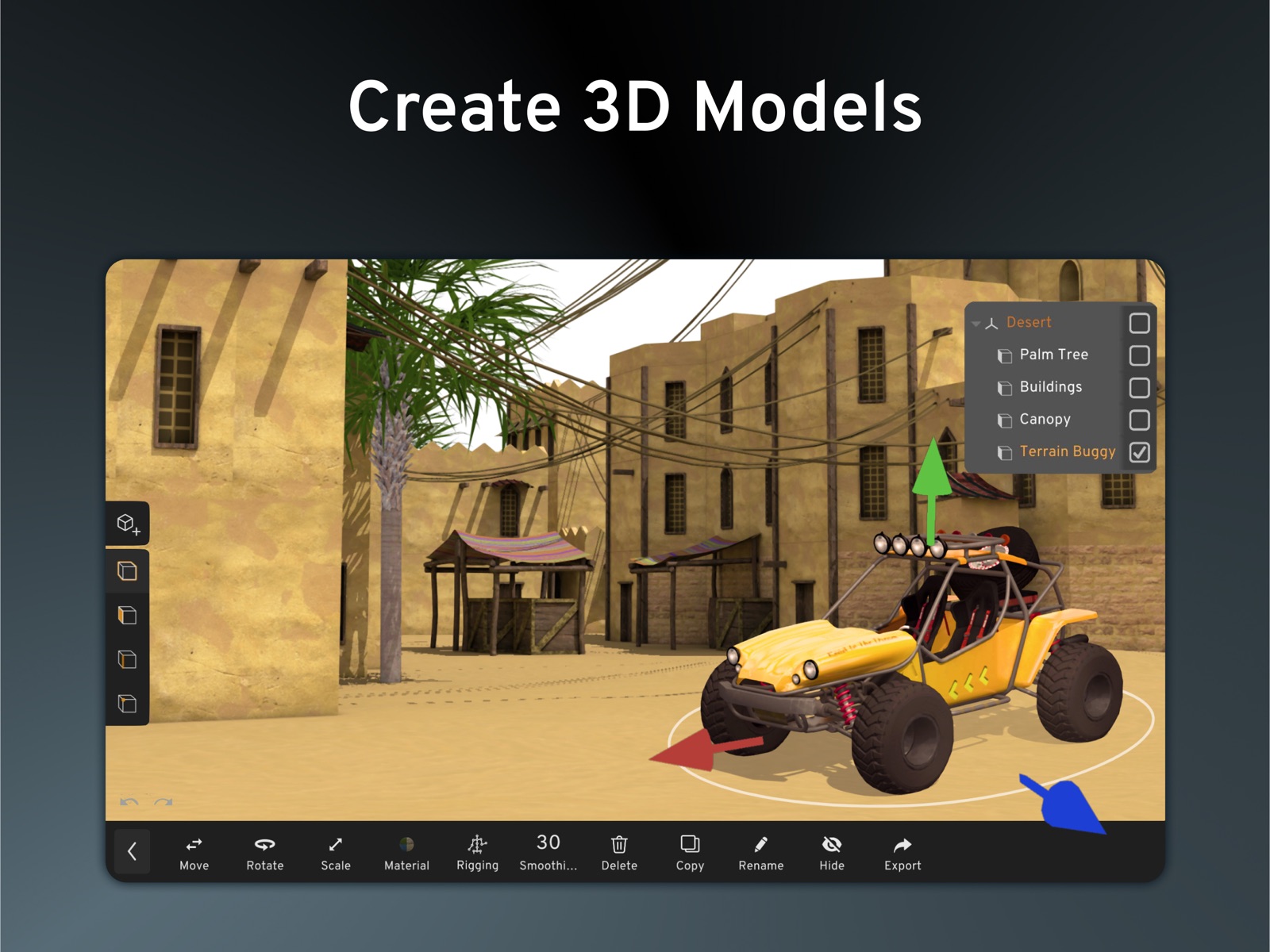
9 store screenshots



Pricing & paywalls
App Store
- Free to download
- In-app purchases
Ratings & reviews
App Store
-
3/5Please fix this
As someone who used this for years and loved it after the first year or so it started breaking rigging often messed up after exporting and saving the file and as if recently the yellow highlights that indicated the thing you selected stopped popping up along with the lines and polys. Ow showing up in edit mode when trying to click on them making it harder to tell what you were doing also the app frequently just completely glitches I loved the old version it was so much easier to use and rig and in general modle stuff it’s clear this app became mainly a app for models that were downloaded and rigged on blender or a different app also lighting often randomly stops showing up forcing you go to the export mode just to put it back to the way where you can see your render I would love if you fixed these things I played the early access update and that was way worse with the problems hopefully yall see this and respond because the more yall update this the more it seems to stop working properly As someone who used to be extremely experienced and understanding on how to use this app the recent updates have made it so hard to use hopefully yall fix these problems!
Snipershusband · 31 Jul 2026
-
5/5Confusing
This could be confusing for first time animators along with first time 3D modelers since to even combine shapes, you have to click on the button above that shows all the different models you added and click on each shape you want to join, one 1️⃣ at a time, and then press group. Also, custom rigging doesn’t work, all it does is put all the shapes with bones together and combines it into one single shape. Also, whenever I’m modeling something, it randomly buzzes and makes me check my notifications only to see nothing new. I also don’t recommend using it for animation because most of the time, the animation ends up looking corrupted where the map flips for no reason and animation quality isn’t good. Also the fact that you have to pay a subscription, just to unlock more content and to use a sky is unfair, since the content unlocked is so limited, you shouldn’t buy it. The only way to use a sky for free is to use a sphere, color it however you’d like, scale it up it, until the entire map is covered. We should also, either be able to record our own sound effects instead of just uploading one, or using some from a custom sound library. I don’t want to download random files just to play music or sound effects. For some reason, you lose access to the app’s models when your area has horrible internet connectivity, forcing you to use your own exported models or creating new ones.
Ugkvkkds · 31 Jul 2026
-
1/5This app will make you question your existence
Using Prisma 3D feels less like opening an animation app and more like willingly stepping into a hell built entirely out of bugs, lag, and bad decisions. This app doesn’t just crash it collapses emotionally and you do to!Two in one what a deal!😋, taking your time, patience, and will to create art with it.🤧The UI looks like it was designed by someone who heard about 3D animation once on TikTok and decided Yeah, I got this.😏Buttons are everywhere except where you need them, half the time the app reacts to your input like it’s personally offended you tried.😚Animating in Prisma 3D is an exercise in suffering,simple tasks feel like you’re performing open heart surgery with only your elbowso. God help you if you forget to save because the app certainly won’t.😭💔 Performance wise, it runs like it’s powered by a single exhausted potato like Roblox’s servers in 2021. Even basic scenes stutter, lag, and freeze, as if the app is stopping to question its own existence. And when it crashes (not if, when), it does so with the confidence of something that knows it’ll do it again in five minutes.🥹Prisma 3D has potential buried somewhere deep beneath the rubble, but good luck reaching it before the app crashes, deletes your progress, and laughs silently while you stare at your screen in disbelief!😁If you enjoy frustration, wasted hours, and questioning your life choices, congratulations this app is for you!🤠Everyone else,run.😭
problems and etc · 31 Jul 2026
-
3/5Good, but REALLY BUGGY
This app is super simple and very good for animating, it’s easy to make models, rig them, and lots of options, but the problem is it’s SUPER BUGGY, a few bugs are when you jump in for camera and exit the camera tab, it’ll still be jumped in to the cameras POV, basically forcing you to leave. Another is the keyframe will randomly just not work and go a second ahead, same with animations being buggy, it’ll just stop working randomly. Another is the model will randomly just go to where it was first made, ruining an animation you were doing. This app is good for animation but horrible for people without patience.
JumpingLog · 31 Jul 2026
-
5/5Pretty good
I really like this app but the modeling tools are kinda hard cause like for example other apps have sculpting I think it would be a good idea to make a sculpt mode were you can sculpt on anything it would be really nice cause most modeling apps don’t have animating and if you try exporting it. It asks you to pay for it which limits people’s creativity if there were also a little better animating tools that would be a lot helpful and I really think that you should be able to export the models in any form of file cause I’m working on a Roblox game and I have a slow pc but aside from that I’ve been using this for years and this is the best app to animate honestly there’s nothing better than this app basically cause it’s so much better than any other one in my opinion and I really think it’s reliable for cool projects
Hidere-e · 31 Jul 2026
Privacy & accessibility
App Store
Privacy
- Data Not Linked to You — Analytics — Diagnostics — Other Diagnostic Data Developer declared
- Data Not Linked to You — Analytics — Identifiers — Device ID Developer declared
- Data Not Linked to You — Analytics — Identifiers — User ID Developer declared
- Data Not Linked to You — Analytics — Location — Coarse Location Developer declared
- Data Not Linked to You — Analytics — Purchases — Purchase History Developer declared
- Data Not Linked to You — Analytics — Search History Developer declared
- Data Not Linked to You — Analytics — Usage Data — Advertising Data Developer declared
- Data Not Linked to You — Analytics — Usage Data — Product Interaction Developer declared
- Data Not Linked to You — App Functionality — Purchases — Purchase History Developer declared
- Data Not Linked to You — App Functionality — Usage Data — Advertising Data Developer declared
- Data Not Linked to You — Third-Party Advertising — Usage Data — Advertising Data Developer declared
- Data Not Linked to You — Diagnostics Developer declared
- Data Not Linked to You — Identifiers Developer declared
- Data Not Linked to You — Location Developer declared
- Data Not Linked to You — Purchases Developer declared
- Data Not Linked to You — Search History Developer declared
- Data Not Linked to You — Usage Data Developer declared
- Data Used to Track You — Diagnostics — Other Diagnostic Data Developer declared
- Data Used to Track You — Diagnostics Developer declared
- Data Used to Track You — Identifiers — Device ID Developer declared
- Data Used to Track You — Identifiers — User ID Developer declared
- Data Used to Track You — Identifiers Developer declared
- Data Used to Track You — Location — Coarse Location Developer declared
- Data Used to Track You — Location Developer declared
- Data Used to Track You — Purchases — Purchase History Developer declared
- Data Used to Track You — Purchases Developer declared
- Data Used to Track You — Search History Developer declared
- Data Used to Track You — Usage Data — Advertising Data Developer declared
- Data Used to Track You — Usage Data — Product Interaction Developer declared
- Data Used to Track You — Usage Data Developer declared
Accessibility
No accessibility labels collected yet.
Versions
App Store
- 3.0
-
3.0.3
- Improved UI for better usability - Fixed correct display of keyframes
-
3.1.0
Physics (bounciness, friction, etc.), GLTF export, Fixes and improvements
-
3.1.2
- Individually scale parts of your rig - Improved auto keyframing functionality - Many bug fixes (rendering, scaling, physics, pivot tool, incorrect shading and more)
-
3.1.3
- Fewer ads for a smoother experience - Prisma3D Pro users can now try an early access version with exciting new features - Bug Fixes and Improvements (e.g. rigging fixes, loading of .proj files, better modelstore search)
-
3.1.4
- Performance improvements - Fixed issues with the "Slice" modeling tool - Smoother easing between keyframes - Various minor fixes and enhancements
-
3.2.0
- Group animated objects, permanently or short-term - Cut clips and add seamless timeline transitions - New HDRI Skyboxes - Improved stability with major bug fixes Discover even more new features in the app!
-
3.2.1
- Group animated objects, permanently or short-term - Cut clips and add seamless timeline transitions - New HDRI Skyboxes - Improved stability with major bug fixes Discover even more new features in the app!
-
3.2.2
- Group animated objects, permanently or short-term - Cut clips and add seamless timeline transitions - New HDRI Skyboxes - Improved stability with major bug fixes Discover even more new features in the app!
-
3.2.3
We’ve made important improvements to enhance your experience: - Improved stability and fixed major bugs - Corrected easing behavior for keyframes - Fixed issues with Undo and Redo - Resolved humanoid rigging problems
-
3.2.4
- Improved stability and bug fixes - Fixed modeling issues - Fixed grouping and object selection in the scene
-
3.2.5
- Scale faces without a problem - Export objects in .obj format improved - Playback of multiple audios in a row - Small UI fixes
-
3.2.6
- Obj exports correctly - Bug in saving animations is fixed - Animate the camera while viewing without jumps
-
3.2.7
- Improved rigging - Improved OBJ export - Fixed extrude tool - Fixed keyframe smoothing
-
3.3.0
· 30 Jul 2026
- Add videos to your project for special effects, reference, or compositing - Remove the background of videos using chroma keying - New models and animations for your videos - Move audio clips freely to change where they start - Improved modeling tools, extrude multiple faces easily - Fixed shadow rendering, reducing flickering
Alternatives
- 3D modeling: Design my model — Same category + similar ratings
- Magic Poser - Art Pose Tool — Same category + similar ratings
Availability by market
- US
Data quality & evidence
- Page completeness
- Live store listing
- Last verified
- 31 Jul 2026
- Sources
- App Store
- Apoku editorial summary has not been published yet.