
Quick verdict
- What it is
- Store information collected; an Apoku editorial summary is not yet published.
- At a glance
-
- $19.99
- In-app purchases
Categories and search queries
Official categories
- Music
Apoku categories
Key functions
| Function | Availability | Access | Scope | Evidence |
|---|---|---|---|---|
| In-app purchases | Yes | Limited free | Context-specific | Store published |
Screens
App Store
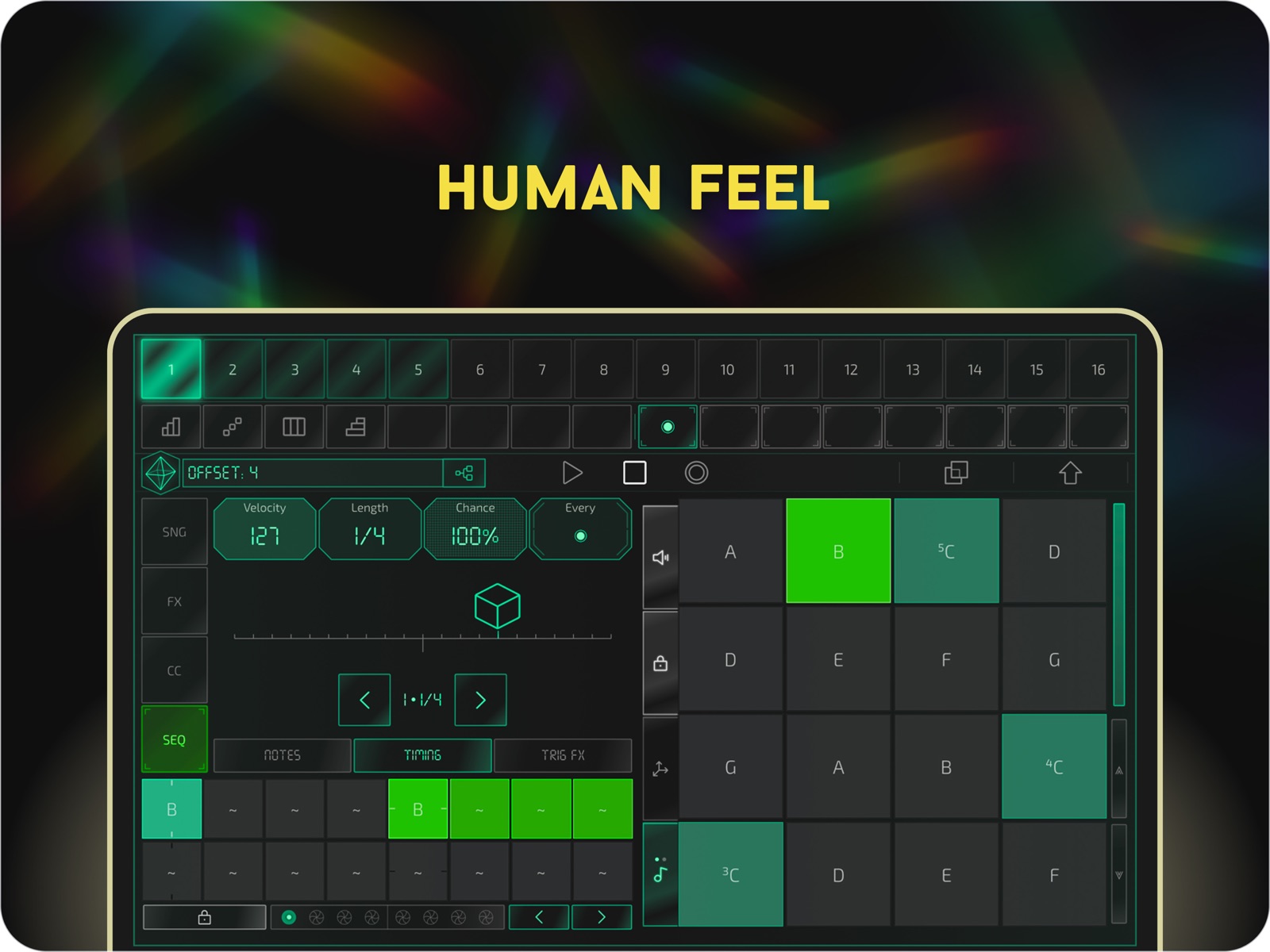
20 store screenshots


Pricing & paywalls
App Store
Shown for US
- Price: $19.99
- Euclidean Sequencer Extension
- Launchkey Mini MK4 Control
- LFO Extension
- Multi-Sequencer [Tone Tracks]
- Step FX
Ratings & reviews
App Store
Shown for US
-
5/5Peerless
Centerpiece-level powerhouse. This artful sequencer stands out for its combination of a near-perfect touch interface with the depth and control of a great hardware unit. Reading and watching the manual is mandatory because of Prism’s unintuitive (not counterintuitive) interface, but spending a few months coming to grips with the beautiful, visionary design language and the co-functionality of the individual modules will be rewarded with a sense of refined fluency and deliberate control which stands above the fiddly, bulging translations of PC workflows which are ubiquitous in this environment. No other app that I’ve used marries this level of harmonically cohesive compositional complexity to a total elimination of prickly, insufficient touch interactions. This production paradigm is especially unparalleled on iPhone, but the core concept is worthwhile in any MIDI sequencing context. Rare bugs and quirks typical of an app in relatively early development are not nearly enough to knock Prism out of first place.
L. Laine · 5 Aug 2026
-
5/5Amazing App, Erm Lots of Updates
The sequencer is amazing, when it was released it was perfect, the new features are nice, but please remember you can do multiple apps. At this point I fear this thing is on the verge of getting bloated, it’s starting to take a little more tapping to get to where I want to be sometimes now
Joshua Schmalle · 5 Aug 2026
-
1/5Avoid. No useful documentation/manual.
Do you like puzzles? Then you’ll love this app!🧩 The available documentation is perpetually out of date and inaccurate, and the in-app help is useless. Even if the documentation was accurate, it’s often not very forthcoming on details. Dev just keeps piling on more features and never documents. Just absolute negligence of a one-man shop. It’s really too bad, because it looks to offer a lot of great features that I would love to use in making music. But I am done guessing how to make it work. I truly don’t often give one-star reviews, but this has earned it 🏆
typo_kign · 5 Aug 2026
-
5/5Phenomenal App. Sequencer🔥
While using the app I didn’t think I would love it as much as I do but it’s absolutely so good. I highly recommend it to anyone starting or trying to perfect their craft. Been using this app for a while now and decided to finally give a honest review how great this app is. Great Job 👏🏼
thatguyiskoul · 5 Aug 2026
-
5/5On par with $800+ hardware
The feature set on this is amazing and offers more than many hyped up hardware sequencers. An amazing achievement as is, and I look forward to how this develops in the future.
Justin032 · 5 Aug 2026
Privacy & accessibility
App Store
Privacy
- Data Not Collected Developer declared
Accessibility
No accessibility labels collected yet.
Versions
App Store
-
1.066
[New Features] -Create Custom MIDI CC Profiles: - Quickly create and save mapping profiles for your favorite instruments or take control on the fly. - Customize sound profiles for each track’s pattern. - Implement parameter locking for added control. * FACTORY PROFILES COMING SOON [Enhanced User Experience] - Updated Graphics: - New vertical orientation. - Customization options available in global settings. - Updated views designed for a more efficient workflow. -Additional Copy / Paste Options: - Use page graphic buttons for easy copy and paste. - Quick paste: Press an empty trig while still holding copy for faster workflow. - Copy/Paste bars using loop keypads. - Double Tap to Reset: Easily reset parameters with a double tap.
-
1.067
[Fixes] - Loading Arp Step Conditional Data [New Features] - Adjust Params w/ the slider to the right of the [4x4] keypad - While holding the keypad slider tap a trig to quickly change the velocity / set a param-lock - Drone mode: set the sequence length to 1/16 to drone the note - Create Custom MIDI CC Profiles: - Quickly create and save mapping profiles for your favorite instruments or take control on the fly. - Customize sound profiles for each track’s pattern. - Implement parameter locking for added control. * FACTORY PROFILES COMING SOON [Enhanced User Experience] - Updated Graphics: - New vertical orientation. - Customization options available in global settings. - Updated views designed for a more efficient workflow. -Additional Copy / Paste Options: - Use page graphic buttons for easy copy and paste. - Quick paste: Press an empty trig while still holding copy for faster workflow. - Copy/Paste bars using loop keypads. - Double Tap to Reset: Easily reset parameters with a double tap.
-
1.068
[New Features] - Factory Presets For Korg Gadget Series. Full MIDI param mapping out of the gate. Press "F" in profile loading scroll window to show factory presets. - Hold mute (top right) and adjust a MIDI param for temporary changes. Release mute to reset. Double tap mute to lock. - Long press navigation page graphic to change the sequence length. - Access the navigation page graphic in tone tracks. Long press the sequence page graphic to reveal the quick navigator keypad -> press "Nav Screen" - Active notes for input are highlighted on the 4x4 keypad [Fixes] - Ongoing improvements
-
1.0691
- Update setting mechanics for more options and continued feature development. -- Use the top settings button to access state + mode specific settings on the keypad. Press the globe or double tap settings to access global settings. - Added random chord progression generation. See Sequence Transformation keypad + 'Dice' keypad - Added additional p-lock options for legato and trig reset. See param keypad + settings - Added a channel filter for external keyboard input. Makes recording external inputs smoother.
-
1.0692
[Fixes] Crashing on iOS 18 [Adds] - Update setting mechanics for more options and continued feature development. -- Use the top settings button to access state + mode specific settings on the keypad. Press the globe or double tap settings to access global settings. - Added random chord progression generation. See Sequence Transformation keypad + 'Dice' keypad - Added additional p-lock options for legato and trig reset. See param keypad + settings - Added a channel filter for external keyboard input. Makes recording external inputs smoother.
-
1.0693
[Fixes] Crashing on iOS 18 [Adds] - Update setting mechanics for more options and continued feature development. -- Use the top settings button to access state + mode specific settings on the keypad. Press the globe or double tap settings to access global settings. - Added random chord progression generation. See Sequence Transformation keypad + 'Dice' keypad - Added additional p-lock options for legato and trig reset. See param keypad + settings - Added a channel filter for external keyboard input. Makes recording external inputs smoother.
-
1.0694
[Fixes] - Crashes related to iOS 18 - Follow resetting [Includes] - General improvements
-
1.0695
[Added] Enhanced Save & Settings Menus: - Easily access options with a more user-friendly design. Long press the settings icon to find the original, embedded menus. Favorites for Quick Access: - Save your preferred drum and MIDI profiles for faster access during your sessions. Shift Button: - Replaces the top mute button. Old mute features are wrapped into the shift function. More shift features coming soon! Track Color Customization: - Hold a trig in track select mode to change track colors. Harmonizer & Chord Block Updates [Other Improvements] Enhanced Graphics Bug Fixes
-
1.0696
[New Features] - Trig Roll / Ratchet: Access via the Transformation Keypad tab in Trig Focus state. Long-press "Roll" for advanced options. - Constant MIDI Capture for Tone Tracks: Press Shift + Record to capture the last notes played. Long-press the Capture button to grab up to the last 16 bars. - Step Trig Markers: Easily identify trigs with multiple notes, step FX, and parameter locks. - Advanced Select, Copy, and Paste: Use the new quick-action buttons under the 2x8 sequencer while holding Shift, Copy, or Paste for efficient workflow. - Full-Screen iPad View: A new lower button row provides quick access to Patterns, Mute Groups, and Scenes. [Bug Fixes] - Resolved various issues with iOS 18 compatibility. - Fixed a crash occurring during new song generation. - Improved graphics and touch control responsiveness.
-
1.0697
[Added] - Sidechain drums: Press the layer icon at the top right of the 4x4 drum pads and select S-Chain. Then press the pads to select which drums should be side chained by the active drum. - Change scenes and mute groups with external MIDI PC messages: PC 0-7 set the active scene. PC 8-15 set the active mute group - New drop down menu options: Toggle the default menu style (dropdown vs. embedded) [Fixes] - Tone trigs being skipped randomly - Touch functionality while holding record or track select - Other general stability improvements
-
1.0704
Highlight Touches A new option to make taps and gestures visible, useful for screen recording and tutorials. Enable it in Settings → Device → Highlight Touch Prism Roadmap See upcoming features, suggest ideas, and vote on your favorites. Find it in Settings → Support → Roadmap Manual Updates More progress on writing the manual. Bug Fixes & Usability Improvements
-
1.0705
[ADDED] Flexible drum trig output - Find the new option by holding a drum trig and using the "Alt. Pad" param - Long press to toggle between all MIDI notes (1–128) or pads in the profile. - Press the layer button to include the pads original set MIDI with the alternative output Updated in-app help descriptions [FIXED] – Saving drum profiles - Remixing empty chord blocks - Mute profiles - Arp handling - Graphics
-
1.0706
[New] - Added conditional, random, and jitter options to PLocks. Tap the white lock when adjusting PLocks to access them. - Reworked the PLock engine for smoother performance and reduced glitches in certain combinations. - Drum Piano Roll now displays all pads. - For easier drum editing with the piano roll open, you can now toggle Shift + Pad = Mute on or off. While holding Shift, tap the "M" button to the right of the drum pad matrix to disable pad muting and allow pad selection instead. - Improved pad shifting in drum tracks: it's now clearer how to shift all pads vs. individual ones left/right. [Bug fixes] - Fixed a crash when removing a currently playing song step. - Fixed a bug that prevented roll step FX from being saved on drum triggers. - Reworked internals to fix a host of other major bugs and crashes
-
1.0707
[What’s New] User Presets Quickly access user presets via the notification bar — it now transforms into a dropdown when presets are available. Categories include: - Arps - Harmonizer - Hue Sequences - MIDI Presets - Chord Block Sets - Tracks Multi-Track Velocity Mixer Easily mix and balance velocities across all tracks in one unified view. Pattern Conditionals - A new conditional keypad under the Loop Keypad tab lets you skip entire sequences based on loop conditions. - Crop and Record now attach loop points to specific steps, enabling more advanced pattern rearrangement. - Demo video available on YouTube. Edit Individual Trig Notes - Tap the 4x2 note grid in trig focus mode or long-press the piano roll to edit individual notes using the main keypad. Global Panic - Hold Stop to silence all notes across all 16 tracks (previously only affected the active track). Faster Feedback - Submit your thoughts instantly using the new Feedback button under Settings → Support. Arp Velocity Shortcut - While holding the velocity strip, tap arp steps to quickly set velocity offsets. Hue Enhancements - Quick resolution buttons for faster rhythmic tweaks - Speed slider moved to Hue → Seq Setup for better access [Improvements & Fixes] - Enhanced graphics and visual performance - Improved CPU overhead - Refined echo processing logic - Smarter sound profile handling - Improved reliability when following sequencer pages - General stability improvements
-
1.0708
[Fixes] - Fix for some broken links - Other small improvements to user experience
-
1.0709
[Updates] - First Beat Walkthrough Guide [Bug Fixes] - Solves an issue with chromatic mode resetting the scale mode in other projects - other small improvements
-
1.071
Added: - Launchpad Pro (MK1) support - Song Mode - Piano Roll View - Additional Randomization FX - Generate Random Drum Patterns - MIDI File Import - 32 total scenes (expanded from 8) - Scene recoloring & reordering - Updated graphics & icons - Adjustable param slider sensitivity (see Device Settings) - New Icon Fixed: - CPU & stability improvements
-
1.072
- Song Mode: Default new step preference is now set to linked scenes for clarity. You can adjust this in "Device Settings." Access the secondary preference by pressing [Shift] + [New Song Step Trig]. - Importing MIDI: Adjust the detected scale of imported MIDI files. - Bug Fixes & Stability Improvements.
-
1.073
This update is all about manuals and workflow! - Check out the updated manual! Find it in Settings → Support → Manual. - PEEK, ECHO, and MELT have moved to SEQ Setup for a more intuitive workflow. - FUSE is now WARP, better reflecting its functionality. - Sleeker UI and improved graphical feedback for a smoother experience.
-
2.0
What's New _____ - ($) Multi-Sequencer [x4 per tone track] - ($) LFOs [x6 per track] - ($) Step FX [x4 per trig] - ($) Launchkey Mini MK4 Control _____ - Speed FX w/ true polyrhythms - Triplet grid - Arp rate: sync/free - Edit individual notes in a step - Dusty & monochrome color schemes - Create custom scales - Chord blocks: strum & velocity randomization - 64 Scenes (up from 32) - MIDI CC / P-Locks / sound profiles - updated workflow - Customizable humanize & swing engines - Drum melt filters - Move drum trigs between sequences - Live play/record hue shifts - Double Tap Tracks to Send MIDI Signal (helpful for opening AUV3 windows from Prism) - Per trig sliders ------------------------------------------------------------- What's Improved _____ - Clock Accuracy: Tighter timing & smoother BPM changes - Reduced CPU - Piano Roll (8 bar view). - Song Engine Controls - X/Y Touch Controls - New Views, Graphics & UI - Cleaner workflows throughout - Faster trig edit state locking (slide finger up after long pressing a trig) ------------------------------------------------------------- Prism (v2.0) For a complete list of what's new go to: https://sites.google.com/view/prism-midi-sequencer/resources/manual
-
2.01
Adds: - New view for visualizing scenes - iPad top bar now has an option to display the piano roll - New support screen for midi capture with tone tracks - Tip kit for new user onboarding - Quick connect button for syncing launchkey/pads Fixes: - Bugs with Launchkey
-
2.02
What’s New: A major workflow update focused on faster creation, live remixing, and smarter capture, with powerful new integration and meaningful performance improvements for larger projects. - Performance Mode: A live remix layer with MIDI effects such as stutter, repeat, and hold, allowing you to transform the output of all tracks simultaneously. Designed for improvisation and transitions. (Long-press SNG to toggle) - Song Mode Update: Cleaner visuals and a more fluid “build while you play” workflow for arranging without breaking creative flow. - Macro XY Pads (Global & Per-Track): Expressive XY pads that control multiple macros at once. Use momentarily for transitions (snap back on release) or lock for deeper sound design. Includes capture functionality to reassign target CC values and reset macros. (Long-press CC while a profile is loaded) - Immediate Ableton Live Integration (New): Prism works as a natural extension of Ableton Live via a dedicated control script. Instantly control Ableton macros directly from Prism Automatic mapping of the first 16 Ableton tracks Auto-captures track names, macro names, and drum pad names Per-track control of velocity and pan Automatic track color syncing Channel alignment is handled automatically in Ableton based on track order. For seamless play, simply set each Ableton track to Monitor: In as you add it. (Enable in Prism: Settings → Ext Control → Ableton) - Capture Button (New): Located next to Copy and Paste in the top bar. Instantly create a new memory instance (scene, pattern, or sound) from your current state so you can experiment freely while preserving the original. Double-tap for a smart, context-aware capture action. - Restore Deleted Trigs: While holding Capture, the last 16 deleted trigs appear on empty pads—tap any pad to restore. - Advanced Retroactive MIDI Capture: Phrase-based capture (up to 16 bars) with automatic phrase detection after a bar of silence. Capture from live input, pre-FX sequence, or post-FX output. Overwrite, merge, or add to a new pattern or lane, and select the exact region using the piano-roll view. - Rapid MIDI Import: Faster loading of drum and tone MIDI files for quick experimentation with large libraries. - True Multi-Port MIDI Output: Improved routing for advanced setups and DAWs such as Cubasis. - Looper Enhancements: Traditional bar-based looping plus a new page-based looping option. Sequencer shifts and drum randomization now apply directly to looped regions, making remixing faster and more playable. - Rhythm-Only Paste: Apply the rhythm of copied material to existing notes without changing pitch—ideal for fast groove exploration. - Performance & Stability Improvements: Better handling of projects with heavy MIDI CC usage Improved stability and performance when running in Loopy Pro Smoother transitions when switching between graphics-heavy views Overall improvements to CPU efficiency and MIDI processing
-
2.03
What’s New • Multi-Trig Parameter Editing Edit parameter locks across multiple trigs in seconds. Hold Capture, tap a glowing parameter, then slide across the visual grid to set values instantly. • [IAP] Multi-Layer Drum Euclidean FX Generate evolving drum grooves with three Euclidean rhythm layers per pad. Blend Euclidean notes and velocity with existing trigs to create intricate rhythmic patterns. • Expanded Step Arpeggiator Each step now supports length, chaos, ratchet, playback direction, and more for deeper rhythmic shaping. • Advanced Step LFO Editor Design your own modulation shapes. Set the Shape parameter to “Cust.” to tap-edit individual step shapes. • New Tekno Factory Profile • Quick AUv3 Icon Import Add AUv3 icons to projects directly from Track Select. Tap the track name above the prism (or long-press a track trig) and press “+”. • Expanded Scale Mode Explore 50+ musical scales for new harmonic possibilities. • Smarter Chords Dial in different chord types faster than ever with the music theory keypad. Replaces the old triad chord mode. • Updated Ableton Script / Control Download the latest script on Prism's website to connect the two.
-
2.04
What's New in Prism Advanced Swing — Long press the Swing parameter in Track Select to explore hundreds of swing profiles. Works with Euclidean sequences too. Ghost Notes — Set velocity to zero to place ghost notes. They don't trigger any sound but can hold parameter locks. Pair them with the Euclidean sequencer to carve out empty space in your patterns. Step FX Snapshots — A new snapshot grid makes it easy to recall Step FX presets. Long press the Step FX icon on the GUI screen to access it. Time Machine — Prism now silently captures your state every 15 seconds (configurable in Device Settings), storing the last 16 snapshots. Hold Shift and press Undo to jump between them — instant undo/redo. External MIDI Pipe — Open a separate MIDI connection for Launchpad or Launchkey, perfect for working inside Loopy Pro. Enable it in Settings → External Input. Launchpad Sequence View — A simplified 64-step view for Launchpad. Access it from the top control bar, 4th button from the left. New Conditional: Skip First Loop — Scroll to the bottom of the "Every" conditional to find it. Bug Fixes — Lots of them.
-
2.05
· 24 Jun 2026
What's New in Prism 64-Trig Mode: Go from 16 to 64 trigs in a full-screen view built for fast sequencing and p-lock editing. Hold shift and press the full screen button that appears beneath the main sequencer trigs. Slim Sequencer View: Drag to a narrow layout for a 32-step view that sits alongside your AUv3 plugin. Sequence and tweak at the same time. Draw Your Own LFO Shapes: Draw LFO waveforms freehand. Link the cycle to your sequence length and set loop count — great for risers and sweeps that stay locked to your pattern. Smoother Pattern & Scene Switching: Patterns and scenes transition musically now, whether quantized to bar or not. Long-press to preview a pattern or scene, release to snap back. Drum Randomization: Randomize a full pattern or just a section. Pick a genre preset, remix what's there, or go fully random. GM Drum Type Tagging: Assign a standard GM Drum type to each pad. Randomization and MIDI drum imports use these to map correctly. Chromatic Drum Keyboard: Cycle and layer drum pads on a single sequence with the keypad note button. Stack multiple pads, multiple hits per trig, full chromatic range at any position. Melt Capture: Hit capture on a melting track to write the results into the sequence. Step FX + Melt Mode: Step FX now works on melting tracks. Drum Layering & Sidechaining: Layer pads with per-pad velocity offsets. Sidechain support for drums added. P-Lock Smoothing: Per-trig parameter lock smoothing for more natural modulation. Simpler Piano Roll: Drag to select, drag to move, two-finger drag to resize. Bug fixes, CPU improvements, and visual cleanup throughout.
Availability by market
- US
Data quality & evidence
- Page completeness
- Live store listing
- Last verified
- 5 Aug 2026
- Sources
- App Store
- Apoku editorial summary has not been published yet.