
Quick verdict
- What it is
- Store information collected; independent summary not yet available.
- At a glance
-
- Free to download
Categories and search queries
Official categories
- Photo & Video
- Lifestyle
AppCorpus categories
Key functions
| Function | Availability | Access | Scope | Evidence |
|---|---|---|---|---|
| Free app | Yes | Free | — | Store published |
Screens
App Store
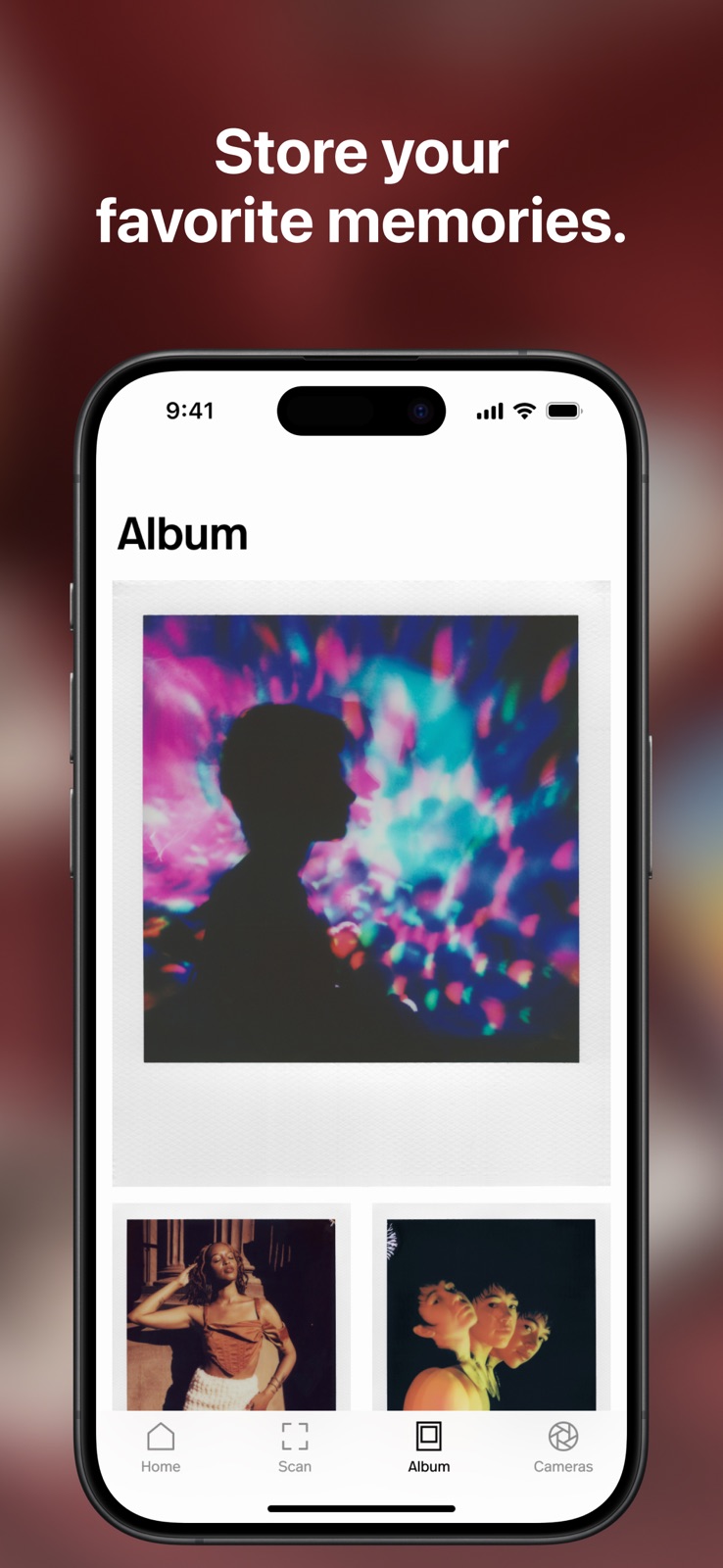
7 store screenshots


Pricing & paywalls
App Store
- Free
Ratings & reviews
App Store
-
5/5Serves a good purpose.
So I’m used to the old school Polaroid where you just took the picture or figure out the best light or way to take the picture. I only had the the one touch 600 so at the time my options where limited. But now with this app and the Polaroid app it has kinda turned the Polaroid into a digital camera. I like the features and the tripod and timer functions and the aperture option and also tells you if it’s too far or too dark or says the picture is ok. Kinda takes the skill of photography away unlike the old Sx-70 camera days. But the app serves a purpose and I like it. Polaroid if your reading this bring back the SPECTRA FILM. I know it’s old and the equipment to make it is no longer available. You started off as the “impossible project” make it happen.
Akdude0188 · 4 Sep 2026
-
4/5User friendly app for Now+ BUT…
This review is mostly for the developers and potential users that might experience the same issue I’ve been having. Little to no info online but the app features on the Now Plus advertise that the app’s tripod mode automatically reads the light from the cameras sensor and adjusts accordingly the exposure time i.e. the app will show the amount of time the subject will need to remain still before the shot is ejected. After noticing the time shown on the phone app fluctuated wildly even though the camera was steady and no light in the room had changed (from a few seconds to 60 min which I assume is that max it will read) I realized that the app is using the phone camera itself as the light meter, NOT THE NOW PLUS CAMERA SENSOR!!!! This is completely opposite of what’s stated in the manual and nowhere online or on Polaroids customer support anywhere. I’ve done a factory reset on the camera itself and deleted and redownloaded the Polaroid app to try and get different results but this is a huge mistake from the devs and renders the tripod mode almost useless if trying to remotely take self portraits or group shots where the user is in the frame. I very much hope this review reaches the development team and they can rectify this very inconvenient flaw in an otherwise streamlined system for taking artful instant photographs. Longtime I-type film user since the I-1 model and don’t know how this oversight happened but hopefully will be fixed soon.
Pants2.0 · 4 Sep 2026
-
5/5Very intuitive design and well made
I have been using this app on and off for a year now. I love the design and how well the the image scanner works. I use this for all of my Polaroids that I post online. There’s is only one thing that I wish was added. I wish I could quickly order film on the fly with the tap of a button, I do appreciate the option to order through the site but when out on shoots I’d like to just be able to order my usual order of round frame and standard 600 packs. And have the option to use my points when placing said orders. Otherwise a fantastic app especially compared to other apps from camera companies like Kodak and Fujifilm.
lil SllyBear · 4 Sep 2026
-
3/5New iPhone cameras ruined this app
I used to love this app a couple of years ago, but am sad to find out it’s another one of those affected by the trouble the newer pro max models are having with cameras focusing. I am so frustrated by whatever kink Apple did not work out with the device being able to choose between camera lenses to focus correctly on the subject. Can barely take a photo of a piece of paper anymore without total blur because “i’m too close” I guess. Same problem here. Camera wants to use regular lense to scan but when asked to get closer, iPhone camera completely blurs and obscures the photo creating a horrible scan. Wish Polaroid could find a fix to get the zoom lense to kick in when bringing camera closer for newest phones. Not sure what to do. I have a 14 pro max for reference, wish I had an older model.
Ylime · 4 Sep 2026
-
5/5Uhm…review ?
this app is amazing and had great detail for the polaroid camera! it’s Amazing in many ways with it self timer and double exposure!. If anything the only thing that bugs me is that if i want to save a polaroid photo it actually saves to my phone and not the app just by it’s self, I do recommend that the photo album in the polaroid camera be separate from the actual camera roll (my camera roll is die-ing in my phone ) though besides that everything is amazing! i love it all keep up the good work ^^.
Coltzen 2.0 · 4 Sep 2026
Privacy & accessibility
App Store
Privacy
- Data Linked to You — App Functionality — Contact Info — Email Address Developer declared
- Data Linked to You — Contact Info Developer declared
- Data Not Linked to You — Analytics — Browsing History Developer declared
- Data Not Linked to You — Analytics — Other Data — Other Data Types Developer declared
- Data Not Linked to You — Analytics — Usage Data — Product Interaction Developer declared
- Data Not Linked to You — App Functionality — Browsing History Developer declared
- Data Not Linked to You — App Functionality — Diagnostics — Crash Data Developer declared
- Data Not Linked to You — App Functionality — Identifiers — User ID Developer declared
- Data Not Linked to You — App Functionality — Other Data — Other Data Types Developer declared
- Data Not Linked to You — App Functionality — User Content — Customer Support Developer declared
- Data Not Linked to You — App Functionality — User Content — Photos or Videos Developer declared
- Data Not Linked to You — Developer’s Advertising or Marketing — Browsing History Developer declared
- Data Not Linked to You — Developer’s Advertising or Marketing — Other Data — Other Data Types Developer declared
- Data Not Linked to You — Product Personalization — Browsing History Developer declared
- Data Not Linked to You — Product Personalization — Other Data — Other Data Types Developer declared
- Data Not Linked to You — Browsing History Developer declared
- Data Not Linked to You — Diagnostics Developer declared
- Data Not Linked to You — Identifiers Developer declared
- Data Not Linked to You — Other Data Developer declared
- Data Not Linked to You — Usage Data Developer declared
- Data Not Linked to You — User Content Developer declared
Accessibility
- Dark Interface — SUPPORTED Store published
- Differentiate Without Color Alone — SUPPORTED Store published
Versions
App Store
-
1.5.26
Now you can dive into the Weekly 8 archive and explore past galleries of standout photos curated by the Polaroid team.
-
1.5.27
Explore the Education section on the Home tab, featuring tips for portrait photography and Fred's expert insights into instant photography. Get inspired and elevate your Polaroid photo game today!
-
1.5.29
Discover entries as they happen! View user-submitted photos for ongoing Submissions while they’re still open.
-
1.5.30
Share the inspiration! Tap the share button on a photo in a Weekly 8 or Submission Winner gallery to share a link to it with your friends.
-
1.5.31
Join a Creative Call: read the brief and enter an ongoing photography competition. Explore submissions in a dedicated gallery, and share your favorites with friends. We also fixed an issue where the share sheet wouldn’t close after sharing a scan via Messages.
-
1.5.32
We've updated our Privacy Policy and Terms of Use to support Creative Calls and Instant Answers. There's also a new User Generated Content Policy explaining how we handle submitted content. You can now see all entries from Creative Calls that are currently being judged—and even like your favorites! We redesigned the Settings screen and moved support, feedback, and legal info there. This makes the home screen easier to navigate.
-
1.5.33
Got the new iPhone 16e? Polaroid Lab is ready for it! We've added support to keep everything running smoothly.
-
1.5.34
You can now submit once per Creative Call—this ensures a fair chance for everyone to showcase their best shot! We’re excited to see your most creative submissions, so make it count!
-
1.6.0
This version adds support for the Polaroid Flip. With modern innovation hidden inside an iconic point-and-shoot design, the Polaroid Flip is the ultimate instant camera for an analog life. Connect your Flip camera directly to the Polaroid app to unlock extra creative control: use your smartphone as a remote shutter, effortlessly compose group shots, and access new artistic tools like Program and Manual modes. Capture your vision with precision, right from your phone.
-
1.6.1
New version, same Polaroid charm—just a bit sharper. We fixed bugs, added helpful pop-ups for first-timers, and made things feel more instant(ly better). Keep shooting!
-
1.6.10
Your photos have stories, and now there’s space to tell them. You can add a description to your scanned photos while scanning or later from the Album to capture camera settings, memories, moments, or anything you want to remember. We’ve also added a new Earn Points section in your account, where your creativity can turn into points and points can turn into discounts on polaroid.com. Keep creating. Keep remembering.
-
1.6.11
Bugfixes and UX improvements
-
1.6.12
We've upgraded our sharing + editing experiences — you're now able to edit your photos from your album! And to keep things simple and intuitive, we’ve removed the Color slider from the Polaroid Lab.
-
1.6.13
Bug fixes and performance enhancements
-
1.6.14
Bug fixes and performance enhancements
-
1.6.15
Bug fixes and performance enhancements
-
1.6.16
· 13 Jul 2026
Bug fixes and performance enhancements
-
1.6.17
· 4 Sep 2026
Bug fixes and performance enhancements
-
1.6.2
New version, same Polaroid charm—just a bit sharper. We fixed bugs and made things feel more instant(ly better). Keep shooting!
-
1.6.3
Bugfixes and UX improvements
-
1.6.4
Bugfixes and UX improvements
-
1.6.5
Fresh phones, fresh prints! iPhone 17, 17 Pro, 17 Pro Max, and iPhone Air are now supported with the Polaroid Lab.
-
1.6.6
Bugfixes and UX improvements
-
1.6.7
Bugfixes and UX improvements
-
1.6.8
You can now disable Auto Shutter in the Polaroid Scanner. This gives you full control to frame and align your photo at your own pace, then tap the shutter when you’re ready—no countdown pressure.
-
1.6.9
We’ve made an update for users in Texas to meet new requirements starting January 1 2026. Participating in a Creative Call and logging in with a Polaroid Membership account are now available for adults aged 18+. Everything else in the app works just as before — thanks for being part of Polaroid!
Alternatives
- Huji Cam — Same category + similar ratings
- Frame, Photo Filter & Collage — Same category + similar ratings
Availability by market
- US
Data quality & evidence
- Page completeness
- Live store listing
- Last verified
- 4 Sep 2026
- Sources
- App Store
- Independent summary has not been published yet.