
Quick verdict
- What it is
- Store information collected; an Apoku editorial summary is not yet published.
- At a glance
-
- Free to download
- In-app purchases
Categories and search queries
Official categories
- Travel
- Navigation
Apoku categories
Key functions
| Function | Availability | Access | Scope | Evidence |
|---|---|---|---|---|
| Free app | Yes | Free | Context-specific | Store published |
| In-app purchases | Yes | Limited free | Context-specific | Store published |
Screens
App Store
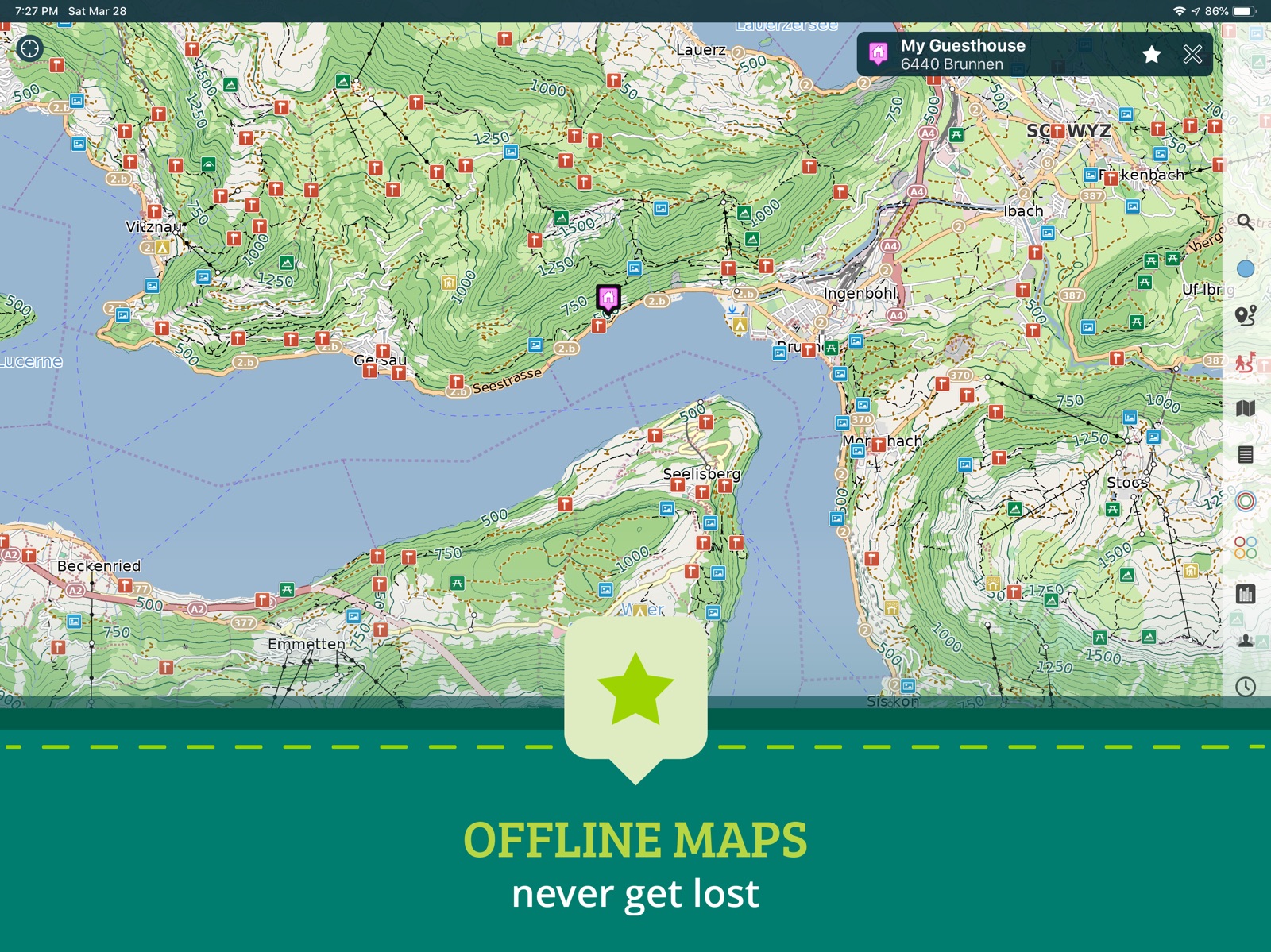
10 store screenshots



Pricing & paywalls
App Store
- Free to download
- In-app purchases
Ratings & reviews
App Store
-
5/5Top five apps of mine
Goes above and beyond normal "apps"; this is like having superpowers. Offline waypoints, GPS tracking in snow covered conditions, what3words locations, this app has had one of the four coveted spots on my iPhone's dock for years. I am able to pull answers out that friends can't find, locate hidden gems, and track trails that other maps don't show. Get it and pay for it, because it's worth it. This review is not sponsored; I'm just a big fan.
Hunnur · 31 Jul 2026
-
5/5Great app
I have used this all over the world. Just download the state or country. Easy peasy. They take space so don’t forget to delete them when your trip is over.
Nash of all seven continents · 31 Jul 2026
-
3/5Many great features
Two complaints in an otherwise solid app: (1) Minor roads only appear when you zoom pretty far in. They should be visibility at pretty much all zooms as very light lines (for example). (2) Road labels don’t appear on minor roads until you are zoomed way, way in. These are vector maps, so all the data is there at all zooms - the developer just chooses not to display it for us. Give us a switch/option to “show all roads”, for example - some of us would choose to have a busier map for certain applications, given that is has more information.
Bale of · 31 Jul 2026
-
3/5Seems to be a great app but…
I like a lot of the features of this app, but one of the real problems for me is that it doesn’t seem to sync like it promises to between Apple devices. When I travel I use both my iPhone and my iPad , and they need to be able to sync with one another. They claim to do this, but when I Google it on the Internet apparently it’s been a problem for several years.
Dave in DC · 31 Jul 2026
-
4/5Had some difficulty
Search function not returning any results. User interface sometimes awkward. User manual is not real clear, and there seems to be no online support or "Contact Us" for getting questions answered. I'm trying to use it, but it has not been helpful when I'm in a hurry.
Rainbound · 31 Jul 2026
Privacy & accessibility
App Store
Privacy
- Data Not Collected Developer declared
Accessibility
No accessibility labels collected yet.
Versions
App Store
-
3.4.2
Hot-fix update to correct minor issues with Omni search, Group Hidden option and iOS 7. New in 3.4: • A more useful and simple consolidated menu layout. • The iPad menu can now be retracted into a compact and useful tool bar. • The iPhone menu and other screens can now be dismissed instantly with a swipe down gesture. Long press on the menu button to return to your previous place in menus. • Simplified GPS button interaction and new on-screen map rotation button. • Modernized Share/Export menu with AirDrop and iCloud Drive support! Use iCloud Drive support to instantly transfer GPX files to and from your laptop or other apps and share routes, tracks and entire groups with friends via AirDrop. • Pin clustering for a much cleaner and clear map. • New Groups screen and an improved Group Info screen make organizing your pins and favorites easier than ever. • New map screenshot tool.
-
3.4.3
Another hot-fix update to correct issues with iOS 10 contacts, improve clustering behavior, fix accomulating route notifications and more. We've also added an option for users who don't like the new iPad toolbar and there is also a setting to disable the new clustering feature. New in 3.4: • A more useful and simple consolidated menu layout. • The iPad menu can now be retracted into a compact and useful tool bar. • The iPhone menu and other screens can now be dismissed instantly with a swipe down gesture. Long press on the menu button to return to your previous place in menus. • Simplified GPS button interaction and new on-screen map rotation button. • Modernized Share/Export menu with AirDrop and iCloud Drive support! Use iCloud Drive support to instantly transfer GPX files to and from your laptop or other apps and share routes, tracks and entire groups with friends via AirDrop. • Pin clustering for a much cleaner and clear map. • New Groups screen and an improved Group Info screen make organizing your pins and favorites easier than ever. • New map screenshot tool.
-
3.4.4
Another hot-fix update to correct issues with GPS track recording and routes. New in 3.4: • A more useful and simple consolidated menu layout. • The iPad menu can now be retracted into a compact and useful tool bar. • The iPhone menu and other screens can now be dismissed instantly with a swipe down gesture. Long press on the menu button to return to your previous place in menus. • Simplified GPS button interaction and new on-screen map rotation button. • Modernized Share/Export menu with AirDrop and iCloud Drive support! Use iCloud Drive support to instantly transfer GPX files to and from your laptop or other apps and share routes, tracks and entire groups with friends via AirDrop. • Pin clustering for a much cleaner and clear map. • New Groups screen and an improved Group Info screen make organizing your pins and favorites easier than ever. • New map screenshot tool.
-
3.4.5
Hot fix update to correct a few bugs.
-
3.4.6
Hot fix update to correct a few bugs.
-
3.5
• Fixes for iPhone X and iOS 11. • You can now display multiple routes & tracks simultaneously on the map (by switching off the Hidden option on the Info Screen). • Quickly add multiple track waypoints (or route destinations) with the map chooser. • Measurement tool now shows azimuth and elevation difference (when Topogaphic maps are enabled and downloaded for the area).
-
3.5.1
Bug fixes.
-
3.6
Bug and stability fixes. New geodesic line routing mode and a GPX waypoint to route import option. Now supports OLC (Open Location Codes) coordinates, also known as plus codes.
-
3.6.1
Improved support for the latest iPad Pro.
-
3.6.2
A new bug fix update is here! We fixed all the GPX Import issues. And we fixed a rare crash issue in Manage Maps and Search features. We also have the latest, fresh new maps data available!
-
3.6.3
Fixed another rare crash case and fixed a minor bug in last update.
-
3.6.4
Fixed a few bugs and crash cases.
-
3.6.5
Fixed 3 rare crash cases. We also now handle the parsing of coordinates when contained in parenthesis as from the Google Maps app. Easily transfer locations from Google Maps simply by tapping the Lat Long coordinates and then open Pocket Earth and it will auto detect and go to this location!
-
3.6.6
Fix rare crash case on Export and fix a bug preventing receiving GPX files over AirDrop.
-
3.7
We are back with a great new update! Here’s what’s new: • Improved support for the latest iPhones and iPads. • Support for importing from ZIP archives. • Improved support for Dynamic Text. • New Pin, Route and Track color options. • Routes and Tracks now show directionality arrows. • Over 50 improvements and fixes!
-
3.7.1
More bug fixes, including rare crash case fixes. New optimizations for even faster map drawing. New settings for Track & Route default visibility and for Route Auto-Save.
-
3.7.2
Bug fixes
-
3.7.3
Bug fixes
-
3.8
This update brings you a lot of great new features: • New online routing service for better routes and more transport options. • Routes now show improved elevation metrics and an elevation graph so you can see how strenuous your planned hike or ride will be. • Imported tracks that were missing speed information now show an extrapolated speed graph (when timestamp information is available). • Track graphs now show Altitude information more prominently and allow you to toggle Speed info on/off. • More detailed information about your Routes and Tracks directly in your Favorites list. • Custom Pin icons using Letters and Emoji.
-
3.8.1
Bug fixes for iOS 15. New in 3.8: • New online routing service for better routes and more transport options. • Routes now show improved elevation metrics and an elevation graph so you can see how strenuous your planned hike or ride will be. • Imported tracks that were missing speed information now show an extrapolated speed graph (when timestamp information is available). • Track graphs now show Altitude information more prominently and allow you to toggle Speed info on/off. • More detailed information about your Routes and Tracks directly in your Favorites list. • Custom Pin icons using Letters and Emoji.
-
3.8.2
Bug fixes. New in 3.8: • New online routing service for better routes and more transport options. • Routes now show improved elevation metrics and an elevation graph so you can see how strenuous your planned hike or ride will be. • Imported tracks that were missing speed information now show an extrapolated speed graph (when timestamp information is available). • Track graphs now show Altitude information more prominently and allow you to toggle Speed info on/off. • More detailed information about your Routes and Tracks directly in your Favorites list. • Custom Pin icons using Letters and Emoji.
-
3.8.3
Bug fixes for the new improved routing services.
-
3.8.4
Fixes issues with routing service.
-
3.8.5
Updated SDK and data bundle.
-
3.9
· 20 Aug 2024
This version improves map control with external keyboard support: • Arrow keys for moving map. • Plus and minus keys to zoom. • Spacebar to toggle GPS mode. You can also now long press on Info Panel to move/zoom map to view selected object.
Alternatives
- Guru Maps - Offline Navigation — Same category + similar ratings
Availability by market
- US
- DE
Data quality & evidence
- Page completeness
- Live store listing
- Last verified
- 31 Jul 2026
- Sources
- App Store
- Apoku editorial summary has not been published yet.