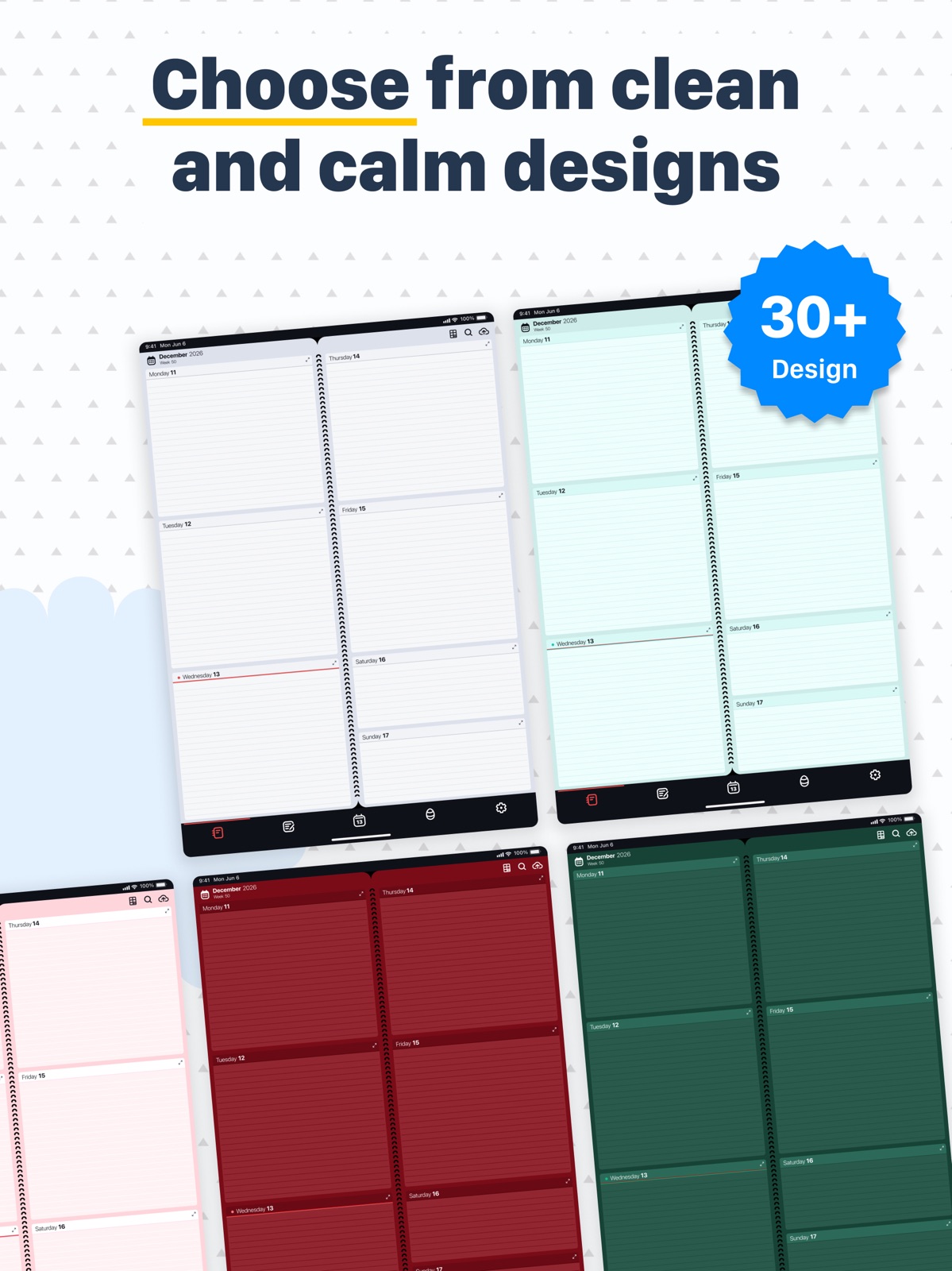
Apoku MCP provides app discovery, detailed cards, evidence, sources and screenshots where available. Unknown or conflicting prices stay explicit.
View JSON
GET /api/v3/apps/1538190047
{
  "app_id": 1538190047,
  "canonical_url": "https://appcorpus.com/apps/planner-daily-weekly-diary-1538190047",
  "identity": {
    "name": "Planner: Daily, Weekly Diary",
    "slug": "planner-daily-weekly-diary",
    "developer": {
      "name": "Digital Legal Tech",
      "url": "https://appcorpus.com/developers/digital-legal-tech-developer_35ea6e2ad05d11f8bed8d36eccb43f65"
    },
    "icon_url": "https://is1-ssl.mzstatic.com/image/thumb/Purple221/v4/30/fd/7e/30fd7e0f-10c2-a56c-9e92-0e2763f39953/AppIcon-0-0-1x_U007epad-0-1-0-sRGB-85-220.png/512x512bb.jpg",
    "stores": [
      "apple"
    ],
    "platforms": [
      "iphone",
      "ipad"
    ],
    "status": {
      "state": "active",
      "label": "Active",
      "last_checked": "2026-08-06",
      "last_checked_label": "6 Aug 2026",
      "banner": null,
      "region_note": null,
      "data_state": "stale",
      "data_state_label": "Some store data may be out of date"
    }
  },
  "listings": [
    {
      "store": "apple",
      "status": "ACTIVE",
      "url": "https://apps.apple.com/us/app/planner-daily-weekly-diary/id1538190047?uo=4",
      "rating": 4.7,
      "rating_count": 735,
      "formatted_price": "Free",
      "is_free": true,
      "has_iap": true,
      "has_subscription": null,
      "version": "2.3.1",
      "updated": "2026-08-06",
      "currency": "USD"
    }
  ],
  "summary": {
    "one_liner": null,
    "summary": null,
    "best_for": [],
    "not_for": [],
    "status": "fallback",
    "at_a_glance": [
      "Free to download",
      "In-app purchases"
    ]
  },
  "categories": {
    "official": [
      "Productivity",
      "Business"
    ],
    "appcorpus": [
      {
        "category_id": "productivity",
        "label": "Productivity",
        "url": "https://appcorpus.com/categories/productivity"
      },
      {
        "category_id": "business",
        "label": "Business",
        "url": "https://appcorpus.com/categories/business"
      }
    ]
  },
  "use_cases": [],
  "features": [
    {
      "capability_id": "free_app",
      "label": "Free app",
      "availability": "yes",
      "access_level": "free",
      "scope": null,
      "evidence": "Store published"
    },
    {
      "capability_id": "in_app_purchases",
      "label": "In-app purchases",
      "availability": "yes",
      "access_level": "free_limited",
      "scope": null,
      "evidence": "Store published"
    }
  ],
  "pricing": [
    {
      "store": "apple",
      "formatted_price": "Free",
      "is_free": true,
      "has_iap": true,
      "has_subscription": null,
      "currency": "USD",
      "market": "us",
      "last_verified": "2026-08-06",
      "rows": [
        "3D Shapes (lifetime) — $1.99",
        "Art Lines (lifetime) — $1.99",
        "Gradients (lifetime) — $1.99",
        "Holiday designs (lifetime) — $1.99",
        "Textures (lifetime) — $1.99"
      ],
      "state": "current"
    }
  ],
  "screens": [
    {
      "url": "https://is1-ssl.mzstatic.com/image/thumb/PurpleSource211/v4/b0/55/e7/b055e790-c805-aeb6-6c57-072ab059df12/Daily_Planner____Tablet____01.jpg/1600x1600bb.jpg",
      "store": "apple",
      "platform": "ipad",
      "alt": "Planner: Daily, Weekly Diary ipad screenshot 1"
    },
    {
      "url": "https://is1-ssl.mzstatic.com/image/thumb/PurpleSource211/v4/b5/17/60/b5176037-602e-c7fc-82bd-a172acecb511/Daily_Planner____Tablet____2.jpg/1600x1600bb.jpg",
      "store": "apple",
      "platform": "ipad",
      "alt": "Planner: Daily, Weekly Diary ipad screenshot 2"
    },
    {
      "url": "https://is1-ssl.mzstatic.com/image/thumb/PurpleSource221/v4/06/1f/64/061f648f-92b2-4745-e135-bd5b65b907e7/Daily_Planner____Tablet____3.jpg/1600x1600bb.jpg",
      "store": "apple",
      "platform": "ipad",
      "alt": "Planner: Daily, Weekly Diary ipad screenshot 3"
    },
    {
      "url": "https://is1-ssl.mzstatic.com/image/thumb/PurpleSource221/v4/7f/50/f4/7f50f4c1-6e63-2147-d079-e82f922b9c92/Daily_Planner____Tablet____4.jpg/1600x1600bb.jpg",
      "store": "apple",
      "platform": "ipad",
      "alt": "Planner: Daily, Weekly Diary ipad screenshot 4"
    },
    {
      "url": "https://is1-ssl.mzstatic.com/image/thumb/PurpleSource211/v4/d4/b6/10/d4b610f4-009a-d1db-488b-5d7d20b28342/Daily_Planner____Tablet____5.jpg/1600x1600bb.jpg",
      "store": "apple",
      "platform": "ipad",
      "alt": "Planner: Daily, Weekly Diary ipad screenshot 5"
    },
    {
      "url": "https://is1-ssl.mzstatic.com/image/thumb/PurpleSource211/v4/23/69/73/2369734a-57af-d3fc-31f3-925ad47abe8d/Daily_Planner____Tablet____6.jpg/1600x1600bb.jpg",
      "store": "apple",
      "platform": "ipad",
      "alt": "Planner: Daily, Weekly Diary ipad screenshot 6"
    },
    {
      "url": "https://is1-ssl.mzstatic.com/image/thumb/PurpleSource211/v4/8d/f6/c5/8df6c51d-4c05-2e50-8111-4e0638873927/Daily_Planner____Tablet____7.jpg/1600x1600bb.jpg",
      "store": "apple",
      "platform": "ipad",
      "alt": "Planner: Daily, Weekly Diary ipad screenshot 7"
    },
    {
      "url": "https://is1-ssl.mzstatic.com/image/thumb/PurpleSource221/v4/c0/e4/c1/c0e4c188-e457-7f6f-6298-97cdb4aa5d0a/Daily_Planner____Tablet____8.jpg/1600x1600bb.jpg",
      "store": "apple",
      "platform": "ipad",
      "alt": "Planner: Daily, Weekly Diary ipad screenshot 8"
    },
    {
      "url": "https://is1-ssl.mzstatic.com/image/thumb/PurpleSource211/v4/7e/4d/f5/7e4df5b7-1d9a-5fb6-d6fa-b8fd24734178/Daily_Planner____Tablet____9.jpg/1600x1600bb.jpg",
      "store": "apple",
      "platform": "ipad",
      "alt": "Planner: Daily, Weekly Diary ipad screenshot 9"
    },
    {
      "url": "https://is1-ssl.mzstatic.com/image/thumb/PurpleSource221/v4/96/b3/0f/96b30f68-f057-5d37-6a03-2f856463536a/Daily_Planner____Tablet____10.jpg/1600x1600bb.jpg",
      "store": "apple",
      "platform": "ipad",
      "alt": "Planner: Daily, Weekly Diary ipad screenshot 10"
    },
    {
      "url": "https://is1-ssl.mzstatic.com/image/thumb/PurpleSource221/v4/2a/55/39/2a55398e-b08d-6100-5c8d-35ab1d5b09e4/Daily_Planner_mobile_01.jpg/1320x1600bb.jpg",
      "store": "apple",
      "platform": "iphone",
      "alt": "Planner: Daily, Weekly Diary iphone screenshot 11"
    },
    {
      "url": "https://is1-ssl.mzstatic.com/image/thumb/PurpleSource211/v4/73/55/9d/73559daa-d0d0-981c-7b88-3b7033c26ec0/Daily_Planner_mobile_02.jpg/1320x1600bb.jpg",
      "store": "apple",
      "platform": "iphone",
      "alt": "Planner: Daily, Weekly Diary iphone screenshot 12"
    },
    {
      "url": "https://is1-ssl.mzstatic.com/image/thumb/PurpleSource221/v4/0f/96/04/0f9604fe-83c7-2aa2-bae2-4da9e682adab/Daily_Planner_mobile_03.jpg/1320x1600bb.jpg",
      "store": "apple",
      "platform": "iphone",
      "alt": "Planner: Daily, Weekly Diary iphone screenshot 13"
    },
    {
      "url": "https://is1-ssl.mzstatic.com/image/thumb/PurpleSource211/v4/4e/5c/af/4e5caf75-31da-a9f6-66e3-a544700960db/Daily_Planner_mobile_04.jpg/1320x1600bb.jpg",
      "store": "apple",
      "platform": "iphone",
      "alt": "Planner: Daily, Weekly Diary iphone screenshot 14"
    },
    {
      "url": "https://is1-ssl.mzstatic.com/image/thumb/PurpleSource221/v4/98/93/57/9893570c-9d5a-ab98-da70-705c57cfb509/Daily_Planner_mobile_05.jpg/1320x1600bb.jpg",
      "store": "apple",
      "platform": "iphone",
      "alt": "Planner: Daily, Weekly Diary iphone screenshot 15"
    },
    {
      "url": "https://is1-ssl.mzstatic.com/image/thumb/PurpleSource221/v4/ae/50/e6/ae50e627-6720-648f-9963-d625b9e1fb93/Daily_Planner_mobile_06.jpg/1320x1600bb.jpg",
      "store": "apple",
      "platform": "iphone",
      "alt": "Planner: Daily, Weekly Diary iphone screenshot 16"
    },
    {
      "url": "https://is1-ssl.mzstatic.com/image/thumb/PurpleSource221/v4/a7/b8/ee/a7b8ee1b-a532-f94f-958d-667a2e05cbf1/Daily_Planner_mobile_07.jpg/1320x1600bb.jpg",
      "store": "apple",
      "platform": "iphone",
      "alt": "Planner: Daily, Weekly Diary iphone screenshot 17"
    },
    {
      "url": "https://is1-ssl.mzstatic.com/image/thumb/PurpleSource221/v4/05/59/90/05599099-dabc-9351-6fd4-87f7c6769851/Daily_Planner_mobile_08.jpg/1320x1600bb.jpg",
      "store": "apple",
      "platform": "iphone",
      "alt": "Planner: Daily, Weekly Diary iphone screenshot 18"
    },
    {
      "url": "https://is1-ssl.mzstatic.com/image/thumb/PurpleSource211/v4/7d/4b/ed/7d4bed98-bb7f-696d-3ecc-6721f95ec5da/Daily_Planner_mobile_09.jpg/1320x1600bb.jpg",
      "store": "apple",
      "platform": "iphone",
      "alt": "Planner: Daily, Weekly Diary iphone screenshot 19"
    },
    {
      "url": "https://is1-ssl.mzstatic.com/image/thumb/PurpleSource221/v4/c2/5d/ef/c25def31-6d91-0622-2038-48d8b2c96e27/Daily_Planner_mobile_10.jpg/1320x1600bb.jpg",
      "store": "apple",
      "platform": "iphone",
      "alt": "Planner: Daily, Weekly Diary iphone screenshot 20"
    }
  ],
  "data_states": {
    "screens": "current"
  },
  "ratings": [
    {
      "store": "apple",
      "average": 4.7,
      "count": 735,
      "market": "us",
      "observed_at": "2026-08-06",
      "state": "current",
      "reviews": [
        {
          "rating": 5,
          "title": "More fun more planning",
          "body": "I’ve been playing Egg Merge for a few months now and I gotta say I’m really enjoying it. It’s an unexpectedly addictive strategy game that makes merging eggs incredibly satisfying. The gameplay is simple to pick up but offers plenty of depth as you figure out the best ways to combine eggs and maximize your score. Watching tiny eggs grow into massive ones is fun on its own, but the real highlight is when the two largest eggs merge and hatch into a dragon. It’s a thrilling moment every time. My only gripe is the lack of a pause feature. You can’t leave a game and come back later, which can be frustrating if you get interrupted and are going for a new high score. Aside from that, it’s a clever game that’s hard to put down. The schedule book is also a pretty handy feature and adds a nice touch to the app.",
          "author": "Born2Ball",
          "date": "6 Aug 2026"
        },
        {
          "rating": 5,
          "title": "Wow! Any chance of Calendar Sync?",
          "body": "I love the interface — it’s absolutely outstanding! What would make this a game changer for the world would be if you enabled it to sync data with the iPhone calendar app (which in turn syncs with Outlook, Google Calendar, etc.) Almost all of us have our business calendars with our appointments managed on our business enterprise accounts such as Microsoft 365 and Google Workspace. Any chance you are working on such a feature enhancement? (And I do mean a feature which would “sync” with iPhone calendar, not import/export which has do be done again and again.) Thanks!",
          "author": "Happy-Lawyer",
          "date": "6 Aug 2026"
        },
        {
          "rating": 5,
          "title": "Favorite Planner Ever",
          "body": "I love this planner more than any other I’ve owned. It’s simple to use, and absolutely beautiful. Now with all the updates, I’m looking forward to putting it to good use for 2024 to keep track of my appointments. I love it so so that I actually have a few. I keep one for task and list, one for birthdays, and one for everything else. Thank you for the work you’ve put into improving the planner and listening to your supporters Happy Holidays and Best wishes for a prosperous New Year!",
          "author": "LupusWarrior10",
          "date": "6 Aug 2026"
        },
        {
          "rating": 5,
          "title": "Finally!!",
          "body": "I’ve been looking for a no nonsense planner. Don’t need frills like stickers and lots of templates. I just need a calendar and a scheduling app. When I started using this, I paid the minimal lifetime fee right away. The only reason I didn’t give this five stars is you can’t link notes to specific events which would be useful if I make notes at a meeting and want to recall them later. Make it 4.9 stars!!!",
          "author": "JayDub805",
          "date": "6 Aug 2026"
        },
        {
          "rating": 1,
          "title": "Premium Upgrade review / problems",
          "body": "I just upgraded to the new Premium features. They ‘could have’ been great but they were very poorly executed. So many extra steps to add or delete multiple to do’s or bullet lists. Every single component is in it’s own text box so every action add or delete is independent in each text box. You can’t just select bullet list and start adding bullet entries. You have to go through all the formatting for each and every entry. Worst of all - you have to delete each and every component. A person might have all bullet lists or maybe a combination of to do’s, bullets, events, and regular text on a page BUT you can’t SELECT ALL and mass delete in one fell swoop!!!! NO, you have to delete a bullet entry, then delete the bullet dot of each and every item. This is horrible. Don’t you test your updates before releasing them? Also, my settings page is now blown up as if the whole thing is at a font of 100. I won’t be getting the Premium on my other three pro products of yours. In fact, I don’t intend to allow this latest update to go through on the other 3. I love using these planners for the simplicity. Please don’t mess them up. P.S. I wish you would fix the copy paste formatting issue. If I have a title and chapter titles in bold and the text under it regular and then want to copy and paste the whole page to move to another date - the choice is either lose the bold formatted titles or make everything bold. It can’t seem to copy and paste mixed formatting and preserve the mixed formatting in the paste. I contacted you long ago about it but you never fixed it -hence the reason I’m going ahead and leaving this Apple review. It seems like such a basic feature everywhere else. One more thing, it is maddening that it will not let you select a word or put the curser there if it doesn’t recognize the word. You want to put the curser there for an action or maybe to select for copying purposes. Instead it keeps giving you the ‘No Replacement Found’ and won’t let you do anything else.",
          "author": "Annie9062DH",
          "date": "6 Aug 2026"
        }
      ]
    }
  ],
  "privacy": [
    {
      "store": "apple",
      "declarations": [
        {
          "title": "Data Not Linked to You",
          "detail": "Analytics — Usage Data — Product Interaction",
          "source": "Developer declared"
        },
        {
          "title": "Data Not Linked to You",
          "detail": "App Functionality — Diagnostics — Crash Data",
          "source": "Developer declared"
        },
        {
          "title": "Data Not Linked to You",
          "detail": "App Functionality — Usage Data — Product Interaction",
          "source": "Developer declared"
        },
        {
          "title": "Data Not Linked to You",
          "detail": "Developer’s Advertising or Marketing — Usage Data — Advertising Data",
          "source": "Developer declared"
        },
        {
          "title": "Data Not Linked to You",
          "detail": "Diagnostics",
          "source": "Developer declared"
        },
        {
          "title": "Data Not Linked to You",
          "detail": "Usage Data",
          "source": "Developer declared"
        }
      ],
      "accessibility": []
    }
  ],
  "changes": [
    {
      "store": "apple",
      "version": "1.3.18",
      "released_at": null,
      "notes": "Big spring update! We've integrated a simple but enjoyable game into the Diary. Play for fun in your free time! Saving, exporting and printing records in PDF format in any convenient and familiar form. Placing the date on the side or on top of the day of the week - in a convenient or familiar format. Page layout (lines, dots, boxes, etc.)"
    },
    {
      "store": "apple",
      "version": "1.3.19",
      "released_at": null,
      "notes": "Bug fixes (Copy-Paste)"
    },
    {
      "store": "apple",
      "version": "1.3.20",
      "released_at": null,
      "notes": "1. Correction of \"military time\" for the countries concerned. 2. Updated screenshots. 3. Bug fixes."
    },
    {
      "store": "apple",
      "version": "1.3.21",
      "released_at": null,
      "notes": "Enjoy the new version and new design of the Egg Merge Game inside the Planner (Diary)."
    },
    {
      "store": "apple",
      "version": "1.3.22",
      "released_at": null,
      "notes": "New original design themes for the Eggs Merge Game (for your spare time - please find it in the Settings of the App)."
    },
    {
      "store": "apple",
      "version": "1.3.23",
      "released_at": null,
      "notes": "Bug fixes"
    },
    {
      "store": "apple",
      "version": "1.3.24",
      "released_at": null,
      "notes": "Dark widget and a number of user-friendly improvements"
    },
    {
      "store": "apple",
      "version": "1.3.25",
      "released_at": null,
      "notes": "Bug fixes"
    },
    {
      "store": "apple",
      "version": "1.3.26",
      "released_at": null,
      "notes": "- 2025 icon - Minor improvements"
    },
    {
      "store": "apple",
      "version": "1.3.27",
      "released_at": null,
      "notes": "- Renewed system of \"Contact US\" - New Year's Icon"
    },
    {
      "store": "apple",
      "version": "2.0.0",
      "released_at": null,
      "notes": "By popular demand — we finally did it! • Manageable Recurring Events: Birthdays, workouts, routines — now repeat them daily, weekly, monthly, annually, and delete them as you wish. • Smart Reminders: Automatic alerts so you never miss what matters. • Task Ticks: Mark tasks as done and feel that sweet productivity hit. • Flexible Planning: Prefer structured blocks or simple notes? Use both — effortlessly."
    },
    {
      "store": "apple",
      "version": "2.0.1",
      "released_at": null,
      "notes": "By popular demand — we finally did it! • Manageable Recurring Events: Birthdays, workouts, routines — now repeat them daily, weekly, monthly, annually, and delete them as you wish. • Smart Reminders: Automatic alerts so you never miss what matters. • Task Ticks: Mark tasks as done and feel that sweet productivity hit. • Flexible Planning: Prefer structured blocks or simple notes? Use both — effortlessly."
    },
    {
      "store": "apple",
      "version": "2.0.10",
      "released_at": null,
      "notes": "Minor bug fixes"
    },
    {
      "store": "apple",
      "version": "2.0.2",
      "released_at": null,
      "notes": "By popular demand — we finally did it! • Manageable Recurring Events: Birthdays, workouts, routines — now repeat them daily, weekly, monthly, annually, and delete them as you wish. • Smart Reminders: Automatic alerts so you never miss what matters. • Task Ticks: Mark tasks as done and feel that sweet productivity hit. • Flexible Planning: Prefer structured blocks or simple notes? Use both — effortlessly."
    },
    {
      "store": "apple",
      "version": "2.0.3",
      "released_at": null,
      "notes": "Bug fixes"
    },
    {
      "store": "apple",
      "version": "2.0.4",
      "released_at": null,
      "notes": "Tuned and refined widgets for iOS 26 Added support for Arabic and Hebrew Updated the Contact Us section Tap event hours to jump straight to time settings Renamed and repositioned the Change Date button in event blocks"
    },
    {
      "store": "apple",
      "version": "2.0.5",
      "released_at": null,
      "notes": "Minor updates"
    },
    {
      "store": "apple",
      "version": "2.0.6",
      "released_at": null,
      "notes": "Improvements and bug fixes"
    },
    {
      "store": "apple",
      "version": "2.0.7",
      "released_at": null,
      "notes": "Minor improvements"
    },
    {
      "store": "apple",
      "version": "2.0.8",
      "released_at": null,
      "notes": "Minor improvements"
    }
  ],
  "alternatives": [
    {
      "app_id": 1613129298,
      "name": "Planmore: Schedule Planner App",
      "url": "https://appcorpus.com/apps/planmore-schedule-planner-app-1613129298",
      "reason": "Same category + similar ratings"
    }
  ],
  "evidence_summary": {
    "index_state": "S1",
    "evidence_level": 1,
    "level_label": "Live store listing",
    "indexable": true,
    "last_verified_at": "2026-08-06",
    "unknown_fields": [
      "Apoku editorial summary has not been published yet."
    ],
    "sources": [
      "App Store"
    ]
  },
  "availability_markets": {
    "live": [
      "us"
    ],
    "selected": "us",
    "note": null
  },
  "feature_events": {
    "events": []
  },
  "features_slice": {
    "plans": [
      {
        "code": "3d-shapes-lifetime",
        "label": "3D Shapes (lifetime)",
        "kind": "one_time",
        "status": "store_verified",
        "prices": [
          {
            "storefront": "us",
            "formatted": "$1.99",
            "billing_period": "one_time",
            "scope_status": "scoped",
            "market_mismatch": false,
            "source_market": "us",
            "observed_at": "2026-08-06 00:27:18.610650+00:00"
          }
        ],
        "trial": null
      },
      {
        "code": "art-lines-lifetime",
        "label": "Art Lines (lifetime)",
        "kind": "one_time",
        "status": "store_verified",
        "prices": [
          {
            "storefront": "us",
            "formatted": "$1.99",
            "billing_period": "one_time",
            "scope_status": "scoped",
            "market_mismatch": false,
            "source_market": "us",
            "observed_at": "2026-08-06 00:27:18.610650+00:00"
          }
        ],
        "trial": null
      },
      {
        "code": "gradients-lifetime",
        "label": "Gradients (lifetime)",
        "kind": "one_time",
        "status": "store_verified",
        "prices": [
          {
            "storefront": "us",
            "formatted": "$1.99",
            "billing_period": "one_time",
            "scope_status": "scoped",
            "market_mismatch": false,
            "source_market": "us",
            "observed_at": "2026-08-06 00:27:18.610650+00:00"
          }
        ],
        "trial": null
      },
      {
        "code": "holiday-designs-lifetime",
        "label": "Holiday designs (lifetime)",
        "kind": "one_time",
        "status": "store_verified",
        "prices": [
          {
            "storefront": "us",
            "formatted": "$1.99",
            "billing_period": "one_time",
            "scope_status": "scoped",
            "market_mismatch": false,
            "source_market": "us",
            "observed_at": "2026-08-06 00:27:18.610650+00:00"
          }
        ],
        "trial": null
      },
      {
        "code": "textures-lifetime",
        "label": "Textures (lifetime)",
        "kind": "one_time",
        "status": "store_verified",
        "prices": [
          {
            "storefront": "us",
            "formatted": "$1.99",
            "billing_period": "one_time",
            "scope_status": "scoped",
            "market_mismatch": false,
            "source_market": "us",
            "observed_at": "2026-08-06 00:27:18.610650+00:00"
          }
        ],
        "trial": null
      }
    ],
    "features": [],
    "unknown_features": [],
    "data_cutoff": "6 Aug 2026"
  }
}