
Quick verdict
- What it is
- Store information collected; independent summary not yet available.
- At a glance
-
- Free to download
- In-app purchases
Categories and search queries
Official categories
- Health & Fitness
- Utilities
AppCorpus categories
Key functions
| Function | Availability | Access | Scope | Evidence |
|---|---|---|---|---|
| Family Sharing | Yes | Unknown | App Store | Store published |
| Free app | Yes | Free | — | Store published |
| In-app purchases | Yes | Limited free | — | Store published |
Screens
App Store
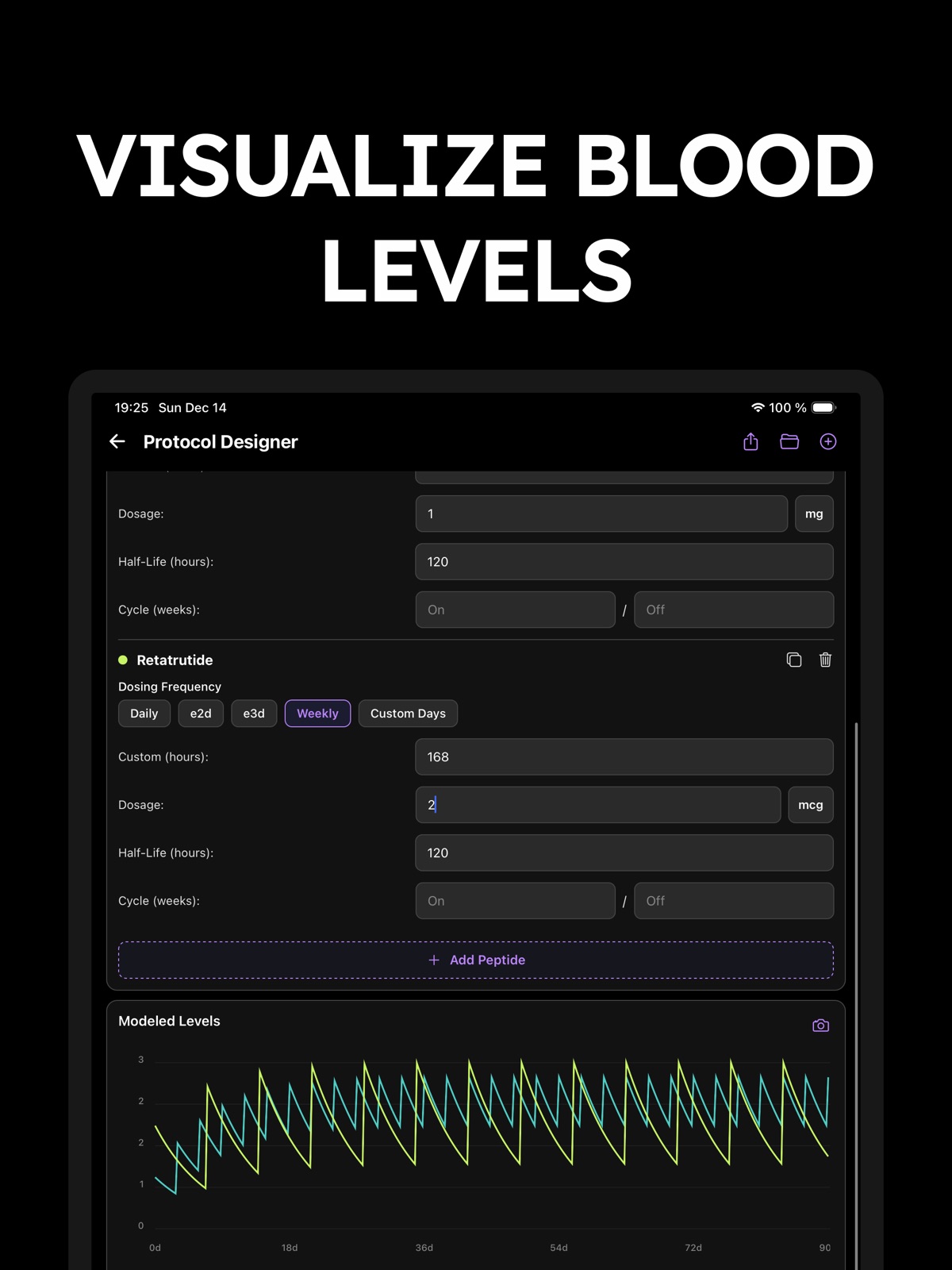
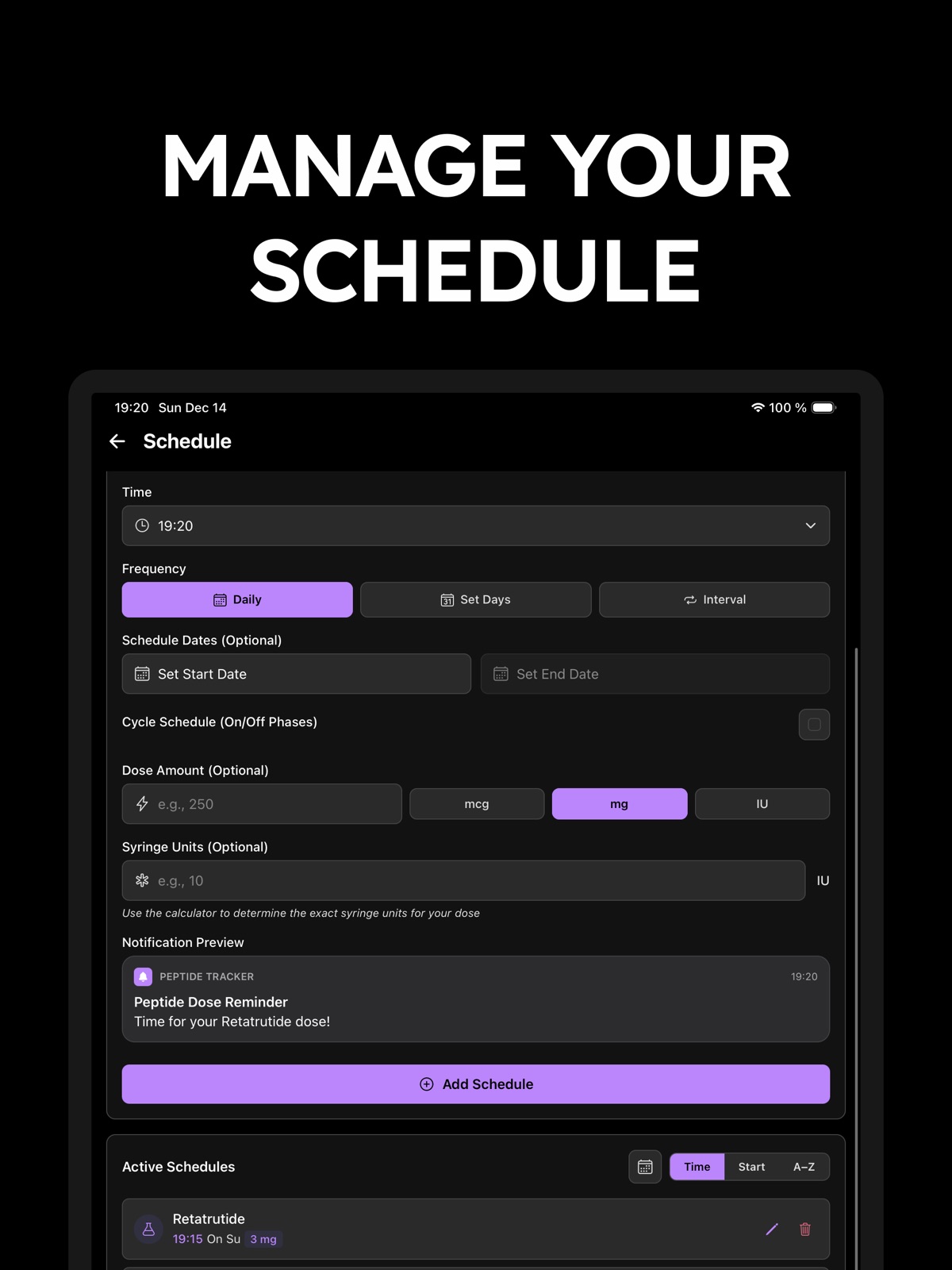
12 store screenshots


Pricing & paywalls
App Store
- Free to download
- In-app purchases
Ratings & reviews
App Store
-
4/5Simple, Intuitive, and Effective — but needs schedule editing upgrades
Peptide Tracker has been a great tool for keeping my daily dosing organized. It’s clean, easy to navigate, and doesn’t overwhelm you with features you don’t need. I especially appreciate how simple it is to log doses and stay on track with my routine. That said, I’d love to see the ability to edit or plan future schedules — especially for cycling protocols. Right now, I have to manually adjust or track changes elsewhere. It would also be incredibly helpful if the app could automatically calculate the correct dosage based on reconstitution details and desired amount — rather than needing to do the math separately. Overall, it’s a solid app with a lot of potential. A few smart updates would make it indispensable for anyone managing a peptide protocol.
BeachsideLennie · 31 Jul 2026
-
5/5I’d give this app 10 stars if I could!
I’d be the first to admit that I was skeptical when this app first released because it was bare bones. But oh my, I didn’t realize the speed to which the dev could improve the app and release new features. I’m constantly delighted every week with a new useful update. I’ve even sent him a couple requests and they get pushed out within a couple days. Just grade A service! Yes, premium features are locked behind a paywall, but trust me when I say it’s well worth the investment! The design is sleek and it’s super easy to use. I love the protocol scheduling feature, it’s probably my favorite. You can schedule on/off periods and it will even give you a “countdown” when one will start or end. I also love how you can manage injection sites for a balanced rotation. It’s been great for my research needs and I’ve recommended it to all my of my peptide friends.
Missjennieb · 31 Jul 2026
-
5/5Simply Incredible
I’ve been using this app daily for about 4 months (Pro version). I downloaded several others at the same time and used them all until I narrowed down which one worked best based on what I was looking for. Four months ago this one beat all the others. But in these last four months, the developer has continued to improve this app at a speed which I can barely believe. Even today I noticed another small tweak/improvement. So basically, what was awesome months ago is EVEN BETTER now. I appreciate that the developer cares as much as he does. With all the peptides I’m taking at different dosages, different cycles, different injection sites, etc, there is no way I could have the success I’m having. I owe it almost entirely to this incredible app.
greadan · 31 Jul 2026
-
2/5Good
You really need to make the injection site a picture of a body like others have. Its the only annoying part about this app. Every log defaults to the bottom left abdomen. The options are all text based unless you annoyingly select new site then, where there should be 3 levels of abdomen areas like others there is 2. Then select then save, the the saved option pops up in the way so you have to clear it or it will stay visible for 10sec. Then save the logged dose. Honestly the app is good except for this small change and easier time edits being needed
gfyy2k · 31 Jul 2026
-
5/5Best tool for tracking your progress
The app is fantastic and super easy to navigate, with all the info and data you need to keep tabs on your progress. The developer is spot-on with adding new features and making sure everything runs smoothly.
Wojtekmj- · 31 Jul 2026
Privacy & accessibility
App Store
Privacy
- Data Not Collected Developer declared
Accessibility
No accessibility labels collected yet.
Versions
App Store
-
2.10.0
· 30 Jul 2026
• Widget undo: Added ability to undo a dose you logged or skipped straight from the widget • Compound groups & batch rollover: Added ability to tag same compounds, and to roll over to next batch automatically • Inventory overview: Added grouping by compound, plus ability to display reconstitution and expiration dates on cards • Customizable theme & colors: Added light mode and custom accent themes that can be changed in settings • Bug fixes: Fixed decimal input problems and keyboard navigation issues • UI/UX improvements: Levels chart and insights now remember your filters, and log dose shows which items are out of stock
-
2.7.0
• Better Timeline view, with the third Insights tab renamed to Protocol • Improved bloodwork support with custom markers & units, better saved ranges and scans • Added stone unit support for weight, with weight re-import for correcting older imports • Added an option to show or hide the injection site visual map selection • Added preferred currency selection, alias display, improved template ratio locking, and other UI/UX Improvements and bug fixes
-
2.7.1
• Missed Schedule: New UI to inform and log recent misses within your schedule. • Archiving: Declutter your inventory with item archiving and visibility filters. • Advanced Reports: Filter export content to only include specific compound or metric type. • UI Polish & Bug Fixes: Standardized icons, enhanced selection modals and improved deletion safety.
-
2.8.0
Schedule widget support
-
2.8.1
• Automatic inventory subtraction with per-item overrides, fractional stock tracking, and quick quantity controls. • Brand-name presets for faster inventory, schedule and titration setup, with better form type support. • Expanded IU and volume support, including dose-to-volume and volume-to-dose calculations. • Titration schedules now support day-based phases, not only week-based phases. • Clearer active-level and insights charts with better grouping, tooltips, summaries and comparisons. • PDF test report attachments, better report links, schedule calendar markers, improved reports and many other refinements.
-
2.8.2
• Added single-use pen support and better quantity controls. • Improved metric management with editing, visibility, sorting, unitless values and unit conversion.
-
2.8.3
• Improved date and time formatting across the app • Performance improvements and bug fixes
-
2.8.4
• Improved titration schedules with per-phase syringe units. • Improved overall app navigation and suggestions. • Bug Fixes: Resolved issues with partial number inputs.
-
2.8.5
• Refreshed the app UI, including dashboard suggestions and first-time setup guidance • Improved forms and add/edit flows with clearer required-field validation • Enhanced Insights with intake markers, better filtering, and improved charts • Improved schedules, notifications, and pause handling • Bug fixes and performance improvements
-
2.8.6
• Health Sync: Expanded sync with more selectable metrics and data options. • Sleep Analysis: Added sleep tracking with stage breakdowns and quality scores. • Metric Management: Improved overall metric management and setup. • UI/UX: Cleaned up charts, optimized data displays, and resolved bugs.
-
2.8.7
• Fix notifications not occurring, time display, and auto-subtract bugs. • Add custom days and active schedule imports to protocol designer.
-
2.8.8
Bug Fixes
-
2.8.9
• Added optional non-peptide library Expansion (enabled in Settings) • Bug fixes & UI/UX improvements
-
2.9.0
UI/UX Improvements & Bug Fixes
-
2.9.1
Bug Fixes
-
2.9.10
• Menu Customization: Added ability to customize Tab Bar from more screen, allowing to add/remove tabs. • Bug Fixes, UI/UX Improvements & Optimizations
-
2.9.11
Bug Fixes
-
2.9.2
Fix Scheduling Bugs
-
2.9.3
• Fixed time formatting not using device's 12-hour/24-hour clock preference • Improved Apple Health integration to support syncing individual metric samples • Added Export Templates, Library Bookmarks, Body Map selector for side effects
-
2.9.4
• Multi-time scheduling: Schedule multiple doses per day for a single schedule. • Schedule phases: Build multi-phase protocols with dose changes over time in the protocol designer and schedule screens. • Inline dose editing: Long-press to edit logged doses directly on the dashboard. • Bloodwork import: you can now import CSV files • Improvements & fixes: UI cleanups, improved pause & titration handling, fixed widget not updating, and time zone issues.
-
2.9.5
• Skipped Doses: Added ability to mark today's scheduled doses as skipped. • Library Expansion: Updated library with more non-peptide entries (can be enabled via Settings) • Bug Fixes
-
2.9.6
• Titration + Cycle schedules: Schedules now support combining titration with on/off cycle modes. • Improved Protocol designer: Better cycle and titration controls with improved previews. • Bug fixes.
-
2.9.7
Bug Fixes
-
2.9.8
• Progress photo export: ability to export before/after comparisons and photo • Expanded time ranges in levels chart and inventory labels. • Added Selective backup import and sharing support in settings. • Improved schedule phase configuration and labeling
-
2.9.9
• Cloud Sync Indicator: Added real-time sync status to the main header. • Bug Fixes: Resolved timezone, Apple Health, and calculation issues.
Availability by market
- US
Data quality & evidence
- Page completeness
- Live store listing
- Last verified
- 31 Jul 2026
- Sources
- App Store
- Independent summary has not been published yet.